> ## Documentation Index
> Fetch the complete documentation index at: https://notes.kodekloud.com/llms.txt
> Use this file to discover all available pages before exploring further.
# Demo Integrated Storage
> This article provides a walkthrough for configuring a highly available Vault Raft cluster on AWS with auto-unseal using AWS KMS.
In this walkthrough, you’ll configure three Vault Enterprise nodes on AWS to form a highly available (HA) Raft cluster with AWS KMS auto-unseal. We’ll cover node setup, initialization, joining new nodes, leadership management, and automated cluster joining.
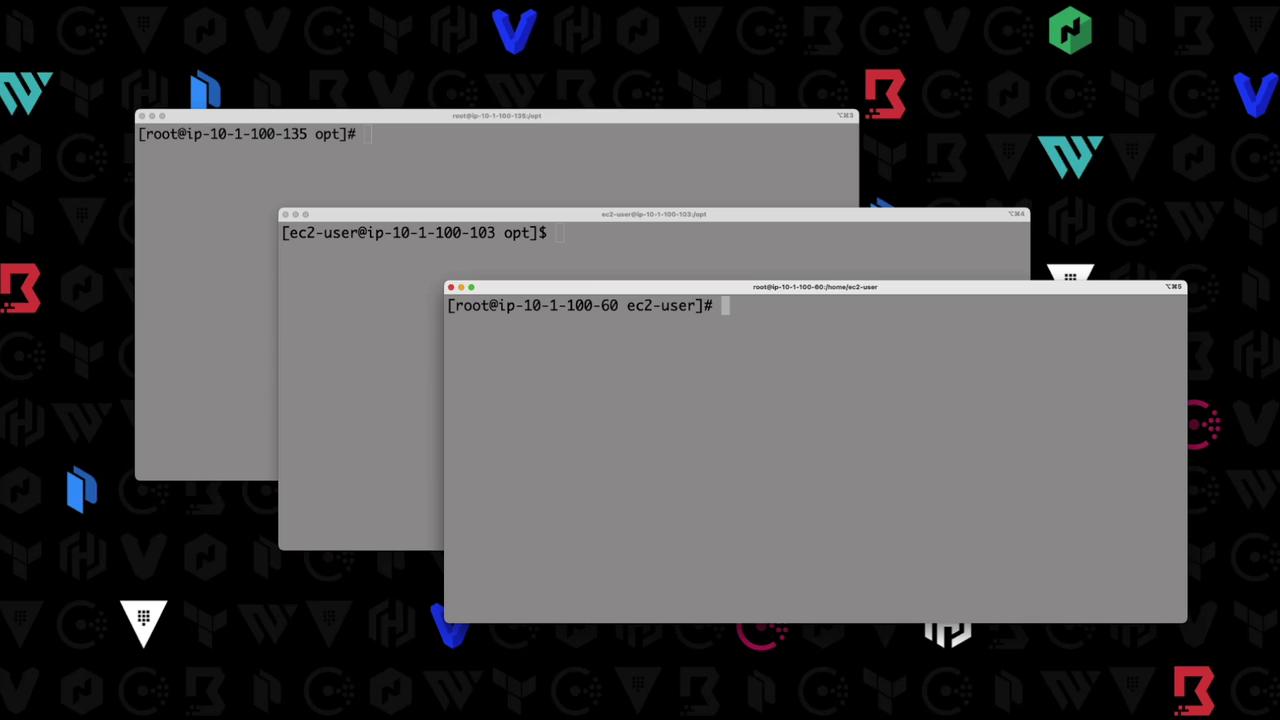
## 1. Node Configuration
Each node runs an almost identical `vault.hcl`. The only differences are the `node_id`, `api_addr`, and `cluster_addr`.
```hcl theme={null}
storage "raft" {
path = "/opt/vault"
node_id = "vault-1"
}
listener "tcp" {
address = "0.0.0.0:8200"
cluster_address = "0.0.0.0:8201"
tls_disable = true
}
seal "awskms" {
region = "us-east-1"
kms_key_id = "arn:aws:kms:us-east-1:003674902126:key/8bc6b2ab-840a-4eef-8f2d-5616a3e67900"
}
api_addr = "http://10.1.100.135:8200"
cluster_addr = "http://10.1.100.135:8201"
cluster_name = "vault"
ui = true
log_level = "INFO"
license_path = "/etc/vault.d/vault.hcl"
```
Disabling TLS (`tls_disable = true`) is only recommended for demos. In production, always enable TLS for listener and cluster communication.
| Node | `node_id` | `api_addr` | `cluster_addr` |
| ------- | --------- | ---------------------------------------------------- | ---------------------------------------------------- |
| vault-1 | vault-1 | [http://10.1.100.135:8200](http://10.1.100.135:8200) | [http://10.1.100.135:8201](http://10.1.100.135:8201) |
| vault-2 | vault-2 | [http://10.1.100.103:8200](http://10.1.100.103:8200) | [http://10.1.100.103:8201](http://10.1.100.103:8201) |
| vault-3 | vault-3 | [http://10.1.100.107:8200](http://10.1.100.107:8200) | [http://10.1.100.107:8201](http://10.1.100.107:8201) |
Nodes **vault-2** and **vault-3** use the same configuration, updating only `node_id`, `api_addr`, and `cluster_addr`.
## 2. Checking Initial Status
Before initialization, each node is sealed and uninitialized:
```bash theme={null}
$ vault status
Key Value
--- -----
Recovery Seal Type awskms
Initialized false
Sealed true
Version 1.10.2+ent
Storage Type raft
HA Enabled true
```
## 3. Initialize Vault on vault-1
On **vault-1**, run:
```bash theme={null}
$ vault operator init
Recovery Key 1: xxxxx
Recovery Key 2: xxxxx
Recovery Key 3: xxxxx
Recovery Key 4: xxxxx
Recovery Key 5: xxxxx
Initial Root Token: hvs.CJNkicGR9SL4AJ0DLfcZrf
Success! Vault is initialized
```
Since AWS KMS auto-unseal is enabled, Vault unseals automatically.
Verify:
```bash theme={null}
$ vault status
Key Value
--- -----
Initialized true
Sealed false
HA Cluster http://10.1.100.135:8201
HA Mode active
```
Authenticate and list the single Raft peer:
```bash theme={null}
$ vault login hvs.CJNkicGR9SL4AJ0DLfcZrf
Success! You are now authenticated.
$ vault operator raft list-peers
Node Address State Voter
---- ------- ----- -----
vault-1 10.1.100.135:8201 leader true
```
## 4. Joining Additional Nodes
### 4.1 Join vault-2
On **vault-2**, point to vault-1’s API:
```bash theme={null}
$ vault operator raft join http://10.1.100.135:8200
Success! Joined the cluster.
```
Back on **vault-1**, confirm two-node membership:
```bash theme={null}
$ vault operator raft list-peers
Node Address State Voter
---- ------- ----- -----
vault-1 10.1.100.135:8201 leader true
vault-2 10.1.100.103:8201 follower false
```
### 4.2 Join vault-3
Repeat on **vault-3**:
```bash theme={null}
$ vault operator raft join http://10.1.100.135:8200
Success! Joined the cluster.
```
Verify all three peers:
```bash theme={null}
$ vault operator raft list-peers
Node Address State Voter
---- ------- ----- -----
vault-1 10.1.100.135:8201 leader true
vault-2 10.1.100.103:8201 follower false
vault-3 10.1.100.107:8201 follower false
```
Log in with the root token on **vault-3** to confirm shared auth:
```bash theme={null}
$ vault login hvs.CJNkicGR9SL4AJ0DLfcZrf
Success! You are now authenticated.
```
## 5. Leadership Management
Current peers and roles:
```bash theme={null}
$ vault operator raft list-peers
Node Address State Voter
---- ------- ----- -----
vault-1 10.1.100.135:8201 leader true
vault-2 10.1.100.103:8201 follower false
vault-3 10.1.100.107:8201 follower false
```
To step down a leader (e.g., for maintenance):
```bash theme={null}
$ vault operator step-down
Success! Stepped down: http://127.0.0.1:8200
```
After a new election:
```bash theme={null}
$ vault operator raft list-peers
Node Address State Voter
---- ------- ----- -----
vault-1 10.1.100.135:8201 follower true
vault-2 10.1.100.103:8201 leader true
vault-3 10.1.100.107:8201 follower true
```
## 6. Automated Cluster Joining
Instead of manual `raft join`, add a `retry_join` block under `storage "raft"` for auto-join on startup. Example for **vault-2**:
```hcl theme={null}
storage "raft" {
path = "/opt/vault"
node_id = "vault-2"
retry_join = ["10.1.100.135"]
}
```
You can also leverage cloud auto-join (e.g., AWS tags, Azure resource groups) for dynamic discovery. See [Vault Auto-Join][auto-join] for details.
***
With these steps, you have a resilient, three-node Vault Raft cluster featuring AWS KMS auto-unseal, HA failover, and automated node joins.
## References
* [HashiCorp Vault Documentation](https://www.vaultproject.io/docs)
* [AWS KMS Auto Unseal](https://www.vaultproject.io/docs/seal/awskms)
* [Vault Integrated Storage (Raft) Guide](https://www.vaultproject.io/docs/concepts/ha#integrated-storage)
[auto-join]: https://www.vaultproject.io/docs/configuration/auto-join.html