> ## Documentation Index
> Fetch the complete documentation index at: https://notes.kodekloud.com/llms.txt
> Use this file to discover all available pages before exploring further.
# Demo KeyValue Secrets Engine Version 2
> This guide covers HashiCorp Vaults Key/Value Secrets Engine Version 2, including management, versioning, and metadata operations for secrets.
In this guide, we’ll dive into HashiCorp Vault’s Key/Value (KV) Secrets Engine Version 2. You’ll learn how to:
* List and inspect enabled secrets engines
* Upgrade a KV v1 mount to KV v2
* Enable a brand-new KV v2 engine
* Write, read, and version secrets
* Perform soft deletes (undelete) and hard deletes (destroy)
* Manage metadata and custom metadata
* Configure KV v2 prefixes in ACL policies
* Interact with KV v2 via the HTTP API
We’ll cover both the CLI and the Vault web UI to give you a complete picture of versioned secret management.
***
## 1. List Existing Secrets Engines
First, verify which engines are enabled:
```bash theme={null}
vault secrets list
```
Example output:
```plain theme={null}
Path Type Accessor Description
---- ---- -------- -----------
cubbyhole/ cubbyhole cubbyhole_xyz per-token private secret storage
identity/ identity identity_abc identity store
sys/ system system_def system endpoints used for control, policy, and debugging
training/ kv kv_12345 n/a
transit/ transit transit_67890 n/a
```
By default, the `training/` mount is KV v1.
| Path | Type | Description |
| ---------- | --------- | ---------------------------------- |
| cubbyhole/ | cubbyhole | Per-token private secret storage |
| identity/ | identity | Identity data store |
| sys/ | system | System control endpoints |
| training/ | kv (v1) | Default KV v1 mount |
| transit/ | transit | Encryption/decryption as a service |
See [Vault CLI documentation](https://www.vaultproject.io/docs/commands/secrets) for more on the `vault secrets list` command.
***
## 2. Upgrade an Existing KV v1 Mount to KV v2
To enable versioning on the existing `training/` mount:
1. Inspect the mount in detail:
```bash theme={null}
vault secrets list --detailed
```
2. Enable versioning:
```bash theme={null}
vault kv enable-versioning training/
```
3. Confirm the mount now uses KV v2:
```bash theme={null}
vault secrets list --detailed
```
You should see `options: {version: 2}` for the `training/` path.
Upgrading to v2 is non-destructive. All existing KV v1 data remains accessible under the new KV v2 mount.
***
## 3. Enable a New KV v2 Engine
To create a fresh KV v2 mount at `kvv2/`:
```bash theme={null}
vault secrets enable -path=kvv2 kv-v2
```
Verify:
```bash theme={null}
vault secrets list
```
Look for `kvv2/` with `type: kv` and `options: {version: 2}`.
***
## 4. Writing and Reading Versioned Secrets
### 4.1 Write a Secret
```bash theme={null}
vault kv put kvv2/apps/circleci admin=password
```
Output example:
```plain theme={null}
==== Secret Path ====
kvv2/data/apps/circleci
==== Metadata ======
Key Value
created_time 2022-03-25T14:18:15.817666Z
custom_metadata
deletion_time n/a
destroyed false
version 1
```
The CLI automatically prepends `/data/` when writing, so you only specify `kvv2/apps/circleci`.
### 4.2 Read the Latest Version
```bash theme={null}
vault kv get kvv2/apps/circleci
```
```plain theme={null}
==== Secret Path ====
kvv2/data/apps/circleci
==== Metadata ====
Key Value
created_time 2022-03-25T14:18:15.817666Z
version 1
==== Data ====
Key Value
admin password
```
***
## 5. Versioning Secrets
Update to create version 2:
```bash theme={null}
vault kv put kvv2/apps/circleci admin=P@ssw0rd!
```
Retrieve specific versions:
```bash theme={null}
vault kv get -version=1 kvv2/apps/circleci # Version 1
vault kv get kvv2/apps/circleci # Latest (Version 2)
```
***
## 6. Soft Delete and Undelete
### 6.1 Soft Delete
```bash theme={null}
vault kv delete kvv2/apps/circleci
```
Now, `vault kv get kvv2/apps/circleci` shows metadata without data.
### 6.2 Undelete
```bash theme={null}
vault kv undelete --versions=2 kvv2/apps/circleci
vault kv get kvv2/apps/circleci
```
Version 2 is restored and data is visible again.
***
## 7. Hard Delete (Destroy)
Permanently remove version 1:
```bash theme={null}
vault kv destroy --versions=1 kvv2/apps/circleci
```
Reading that version now shows `destroyed = true`; it cannot be undeleted.
Destroying versions is irreversible. Always ensure you have backups or retention policies if you need historic data.
***
## 8. Metadata Operations
### 8.1 View All Metadata
```bash theme={null}
vault kv metadata get kvv2/apps/circleci
```
You’ll see:
* `cas_required`
* `current_version`
* `max_versions`
* Per-version status (created, deleted, destroyed)
### 8.2 Add Custom Metadata
```bash theme={null}
vault kv metadata put kvv2/apps/circleci custom1=foo custom2=bar
```
Reading the secret shows your custom key-value pairs under **Metadata**.
***
## 9. JSON Output and Filtering
Fetch JSON and parse with `jq`:
```bash theme={null}
vault kv get -format=json kvv2/apps/circleci \
| jq -r '.data.metadata.custom2'
# Output: bar
```
This is useful for automation and CI pipelines.
***
## 10. Cleanup: Delete All Metadata
To remove both data and metadata for a secret path:
```bash theme={null}
vault kv metadata delete kvv2/apps/circleci
```
Running `vault kv list kvv2/apps` now returns nothing.
***
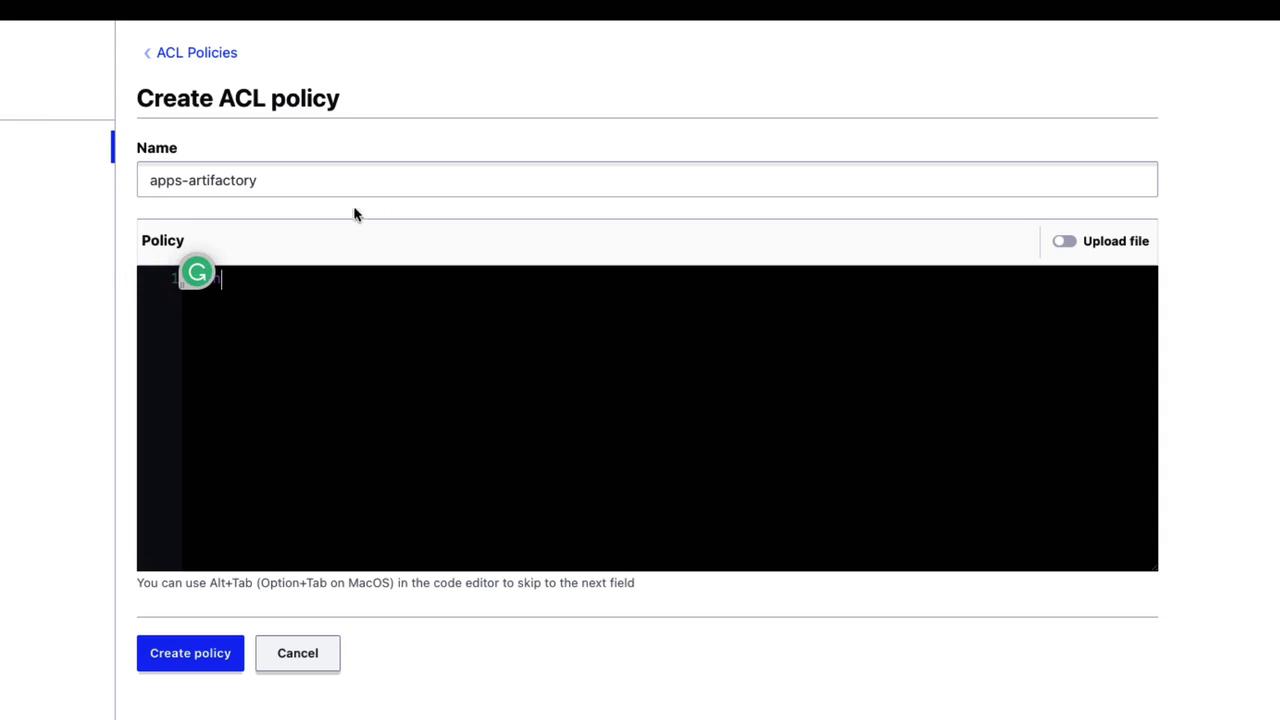
## 11. KV v2 Prefixes in ACL Policies
When you write ACL policies for KV v2, include both `data/` and `metadata/` paths:
```hcl theme={null}
path "kvv2/data/apps/artifactory" {
capabilities = ["read"]
}
path "kvv2/metadata/apps/artifactory" {
capabilities = ["read", "list"]
}
```
***
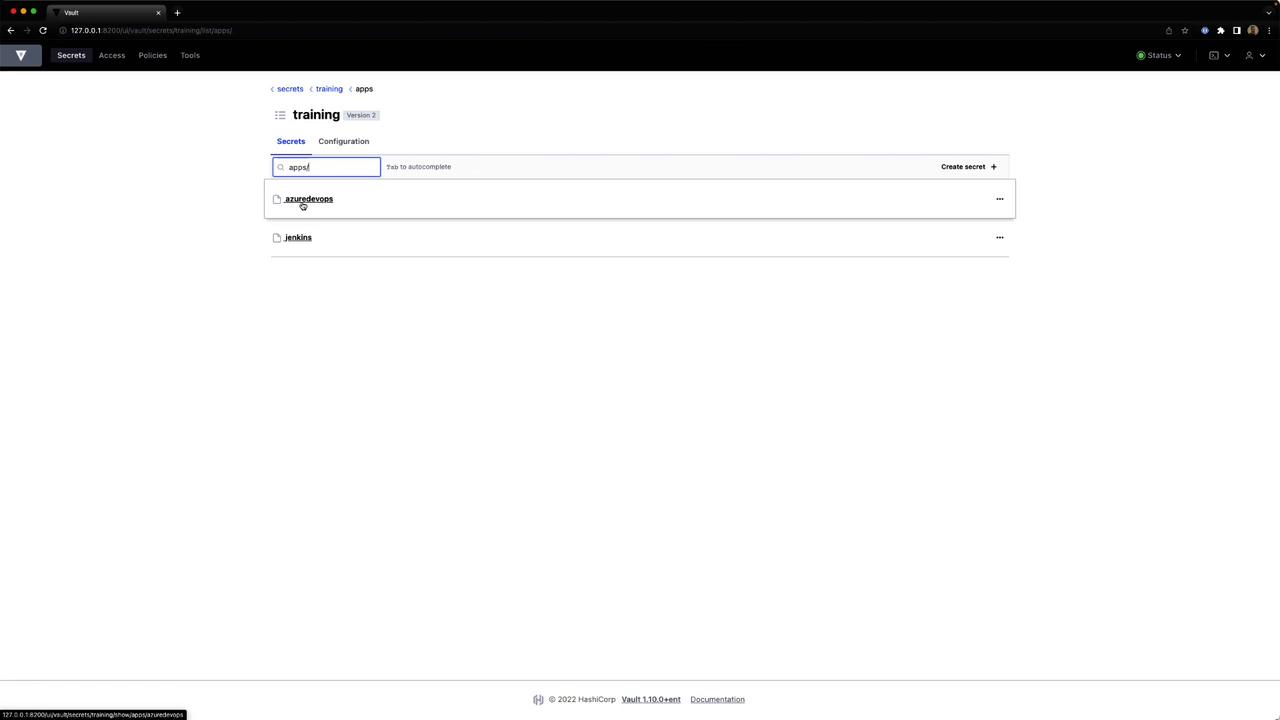
## 12. Managing Secrets via the Web UI
Vault’s UI offers point-and-click management for KV v2 secrets:
**Browse secrets and create a new entry**\
Click **Secrets > kvv2** and select **Create secret**.
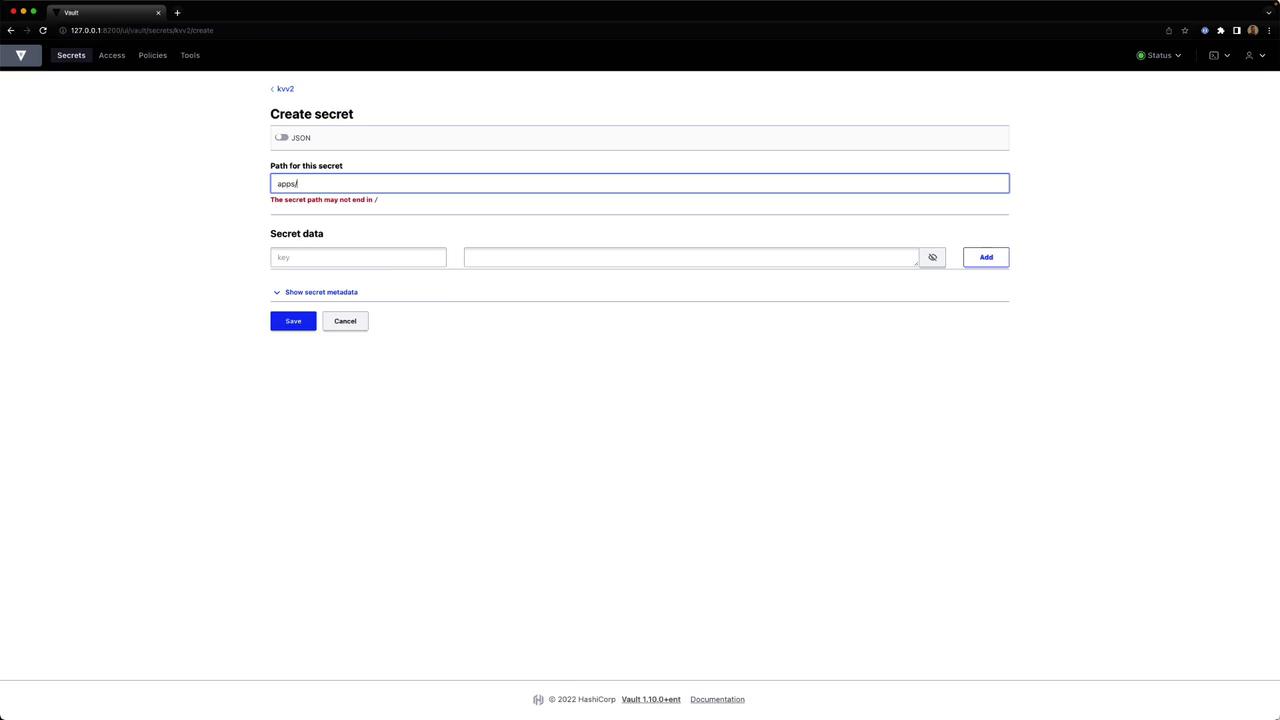
**Enter secret data**\
Provide `artifact = "jenkins"` or other key-value pairs, then save.
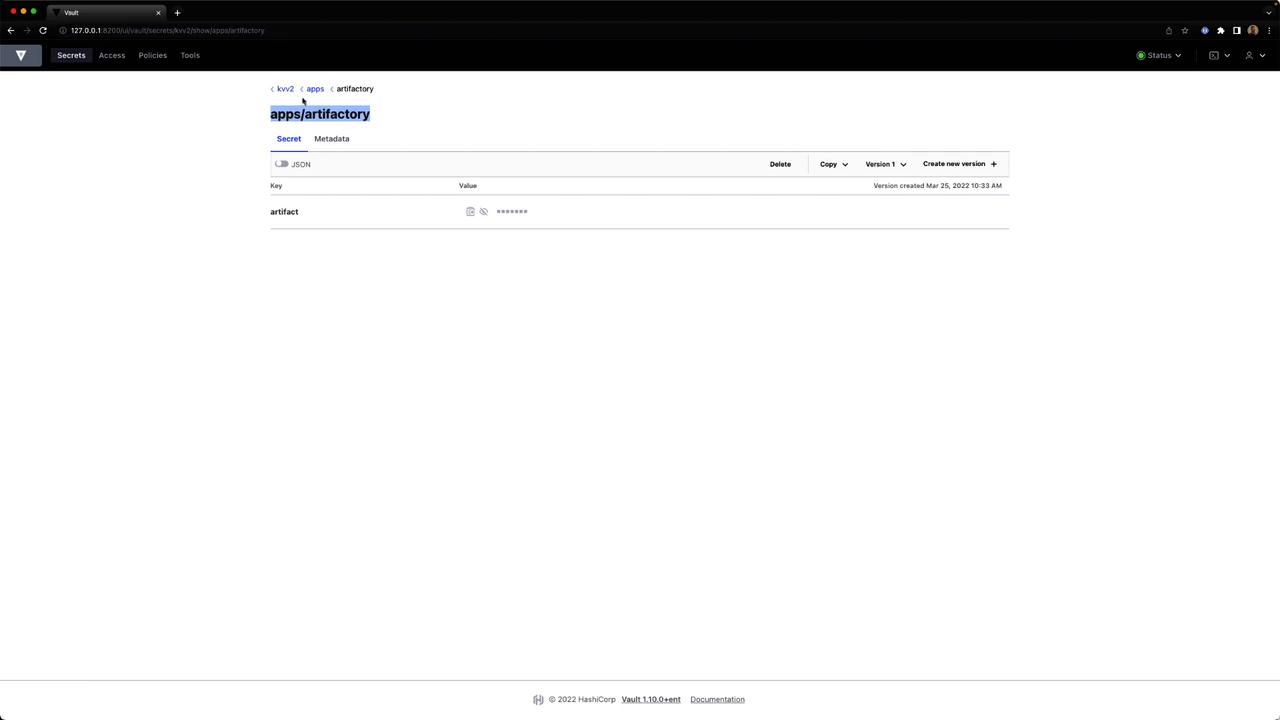
**View stored JSON**\
Select the secret to see its JSON key-value data.
**Create an ACL policy**\
Under **Policies**, click **Create policy**, enter a name and HCL, then save.
***
## 13. Accessing KV v2 via the HTTP API
To retrieve secret data over HTTP, include `/data/` in the path:
```bash theme={null}
curl --header "X-Vault-Token: $VAULT_TOKEN" \
http://127.0.0.1:8200/v1/kvv2/data/apps/artifactory \
| jq
```
Response:
```json theme={null}
{
"request_id": "...",
"data": {
"data": {
"artifact": "jenkins"
},
"metadata": {
"created_time": "...",
"version": 1
}
}
}
```
For KV v1 mounts, omit the `/data/` prefix.
***
## References
* [Vault KV Secrets Engine v2](https://www.vaultproject.io/docs/secrets/kv/kv-v2)
* [Vault CLI Commands](https://www.vaultproject.io/docs/commands)
* [Vault HTTP API](https://www.vaultproject.io/api-docs)
That wraps up our deep dive into the KV v2 engine. Enjoy secure, versioned secret management with HashiCorp Vault!