> ## Documentation Index
> Fetch the complete documentation index at: https://notes.kodekloud.com/llms.txt
> Use this file to discover all available pages before exploring further.
# Demo PKI Secrets Engine
> This guide explains how to issue TLS certificates using the Vault PKI Secrets Engine with a preconfigured CA setup.
This guide walks through issuing TLS certificates with the **Vault PKI Secrets Engine**. We assume you already have a root and intermediate CA configured. For a complete PKI setup, refer to the [HashiCorp Learn Portal](https://learn.hashicorp.com/).
## Preconfigured PKI Setup
In this demo environment:
* A **root CA** is mounted at `pki-root`.
* An **intermediate CA** is mounted at `pki`.
* We generated a CSR on `pki`, signed it with `pki-root`, and then imported the signed certificate back into `pki`.
Now that the intermediate CA is ready to issue certificates, let’s proceed.
This tutorial skips the initial CA bootstrap. Every organization’s PKI topology differs.\
If you need to configure a root or intermediate CA, see the [Vault PKI Quickstart](https://learn.hashicorp.com/).
## 1. Retrieve the Issuer ID
The intermediate CA’s **issuer ID** (UUID) is required when creating roles:
```bash theme={null}
vault read -field=default pki/config/issuers
```
Example output:
```text theme={null}
330c1480-6be3-3312-93f9-1ef2e4e28429
```
Save this UUID for your role definition.
## 2. Create a Role
Define a role named `webapp` that issues certificates for `hcvop.com` and its subdomains, with a maximum TTL of 24 hours:
```bash theme={null}
vault write pki/roles/webapp \
issuer_ref="330c1480-6be3-3312-93f9-1ef2e4e28429" \
allowed_domains="hcvop.com" \
allow_subdomains=true \
max_ttl="24h"
```
If successful, Vault returns:
```text theme={null}
Success! Data written to: pki/roles/webapp
```
### CLI Commands Summary
| Action | Command | Description |
| -------------------- | ---------------------------------------------- | ------------------------------------ |
| Read issuer ID | `vault read -field=default pki/config/issuers` | Retrieve your intermediate CA’s UUID |
| Create issuance role | `vault write pki/roles/webapp …` | Configure `webapp` role for SANs |
## 3. Issue a Certificate
Request a certificate for `training.hcvop.com` using the `webapp` role:
```bash theme={null}
vault write pki/issue/webapp common_name="training.hcvop.com"
```
Vault responds with the certificate bundle:
```text theme={null}
Key Value
--- -----
certificate -----BEGIN CERTIFICATE-----
MIIDnjCCAoagAwIBAgIUbgbDr7a5Mq...
-----END CERTIFICATE-----
issuing_ca -----BEGIN CERTIFICATE-----
MIIDnjCCoAgAwIBAgIUbgrD7a5Mq...
-----END CERTIFICATE-----
ca_chain -----BEGIN CERTIFICATE-----
MIIDMjCCAhKgAwIBAgIUfns1tob...
-----END CERTIFICATE-----
private_key -----BEGIN RSA PRIVATE KEY-----
MIICXQIBAAKCAQEA/3FLC3UyH47G1tG...
-----END RSA PRIVATE KEY-----
private_key_type rsa
serial_number 16:6b:25:b5:6c:07:d3:38...
```
This is the **only** time Vault returns the private key.\
Ensure you store `private_key` securely—Vault will not expose it again.
***
## 4. Using the Vault UI
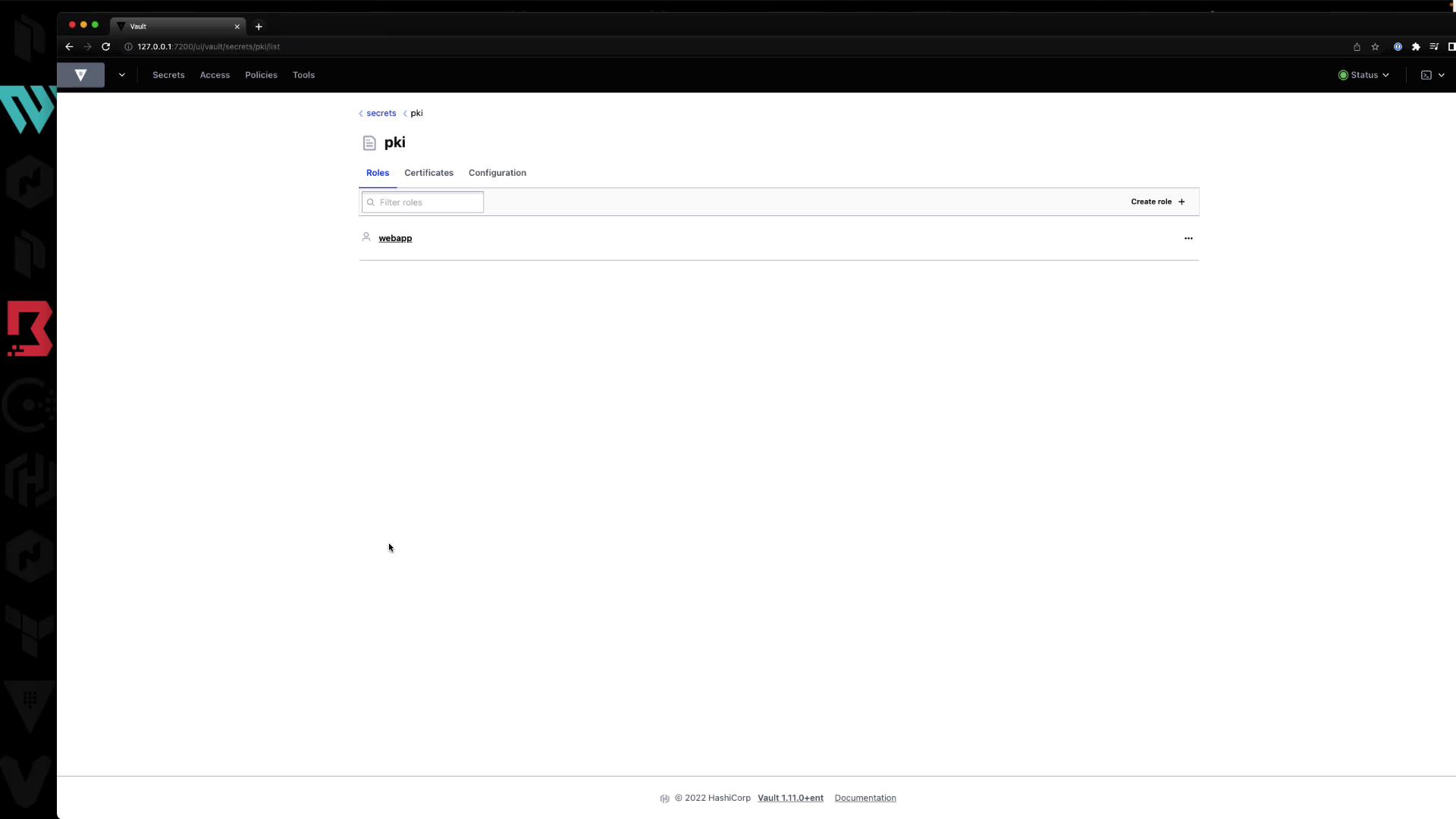
All of the above operations can also be performed in the Vault web interface.
### 4.1 Roles List
### 4.2 Issue a Certificate
In the UI form:
* **Common Name**: e.g., `certification.hcvop.com`
* **Format**: PEM, DER, or PEM bundle
* **Subject Alternative Names**: DNS SANs, IP SANs
* **TTL**: e.g., `72h`
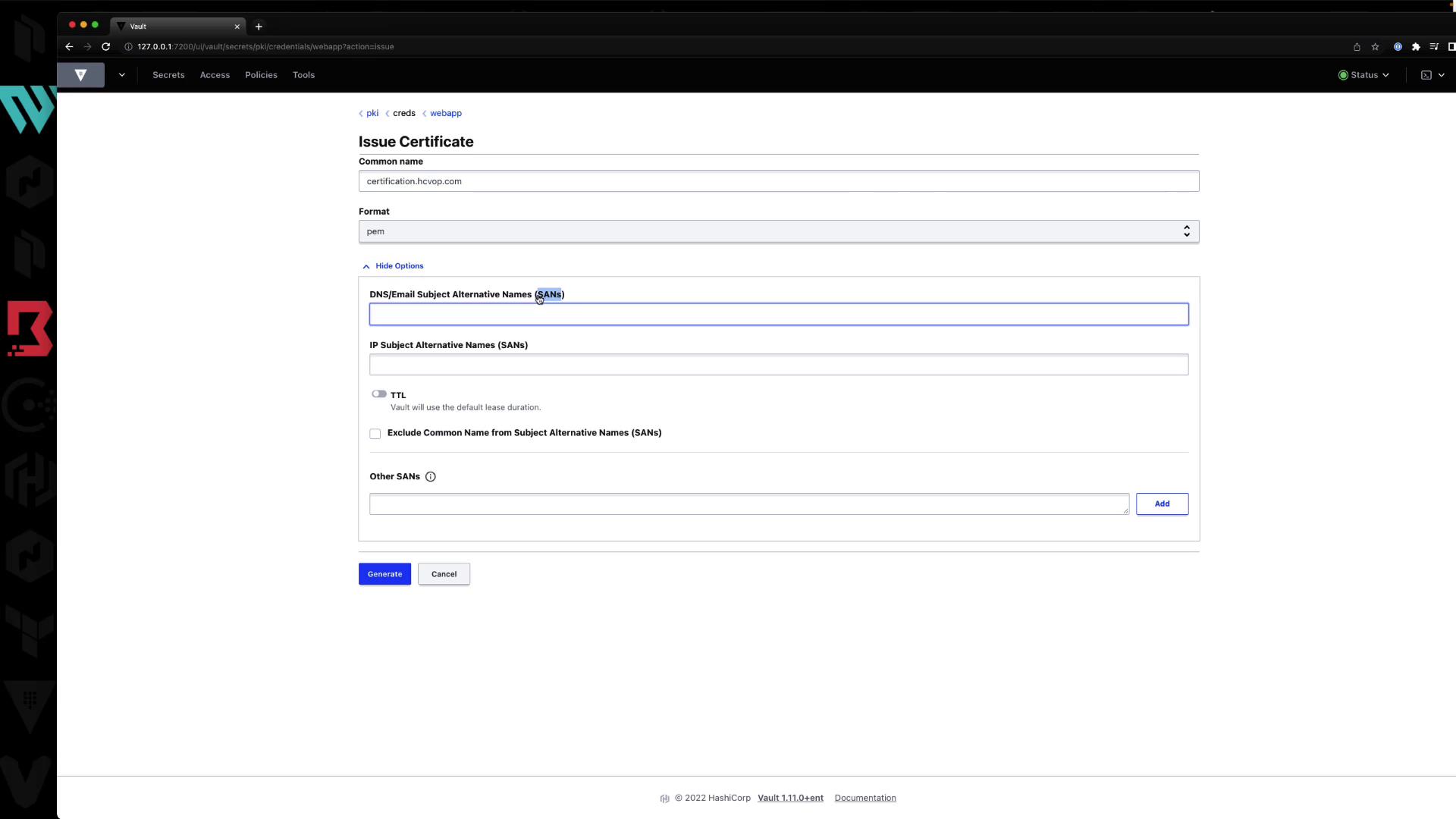
After clicking **Generate**, the UI displays your certificate and warns you to copy the private key immediately.
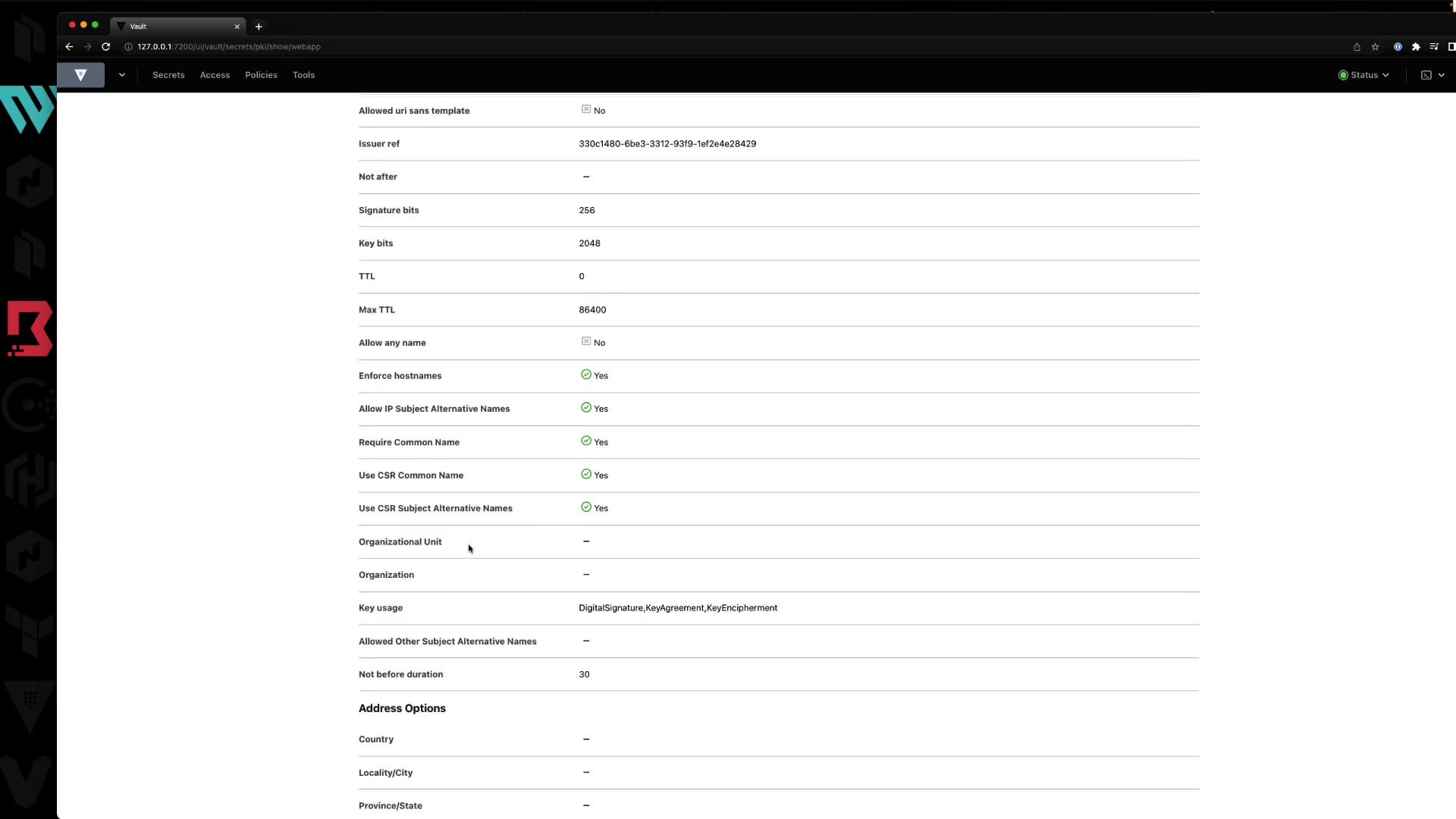
### 4.3 Role Configuration Details
You can view or edit the role’s settings:
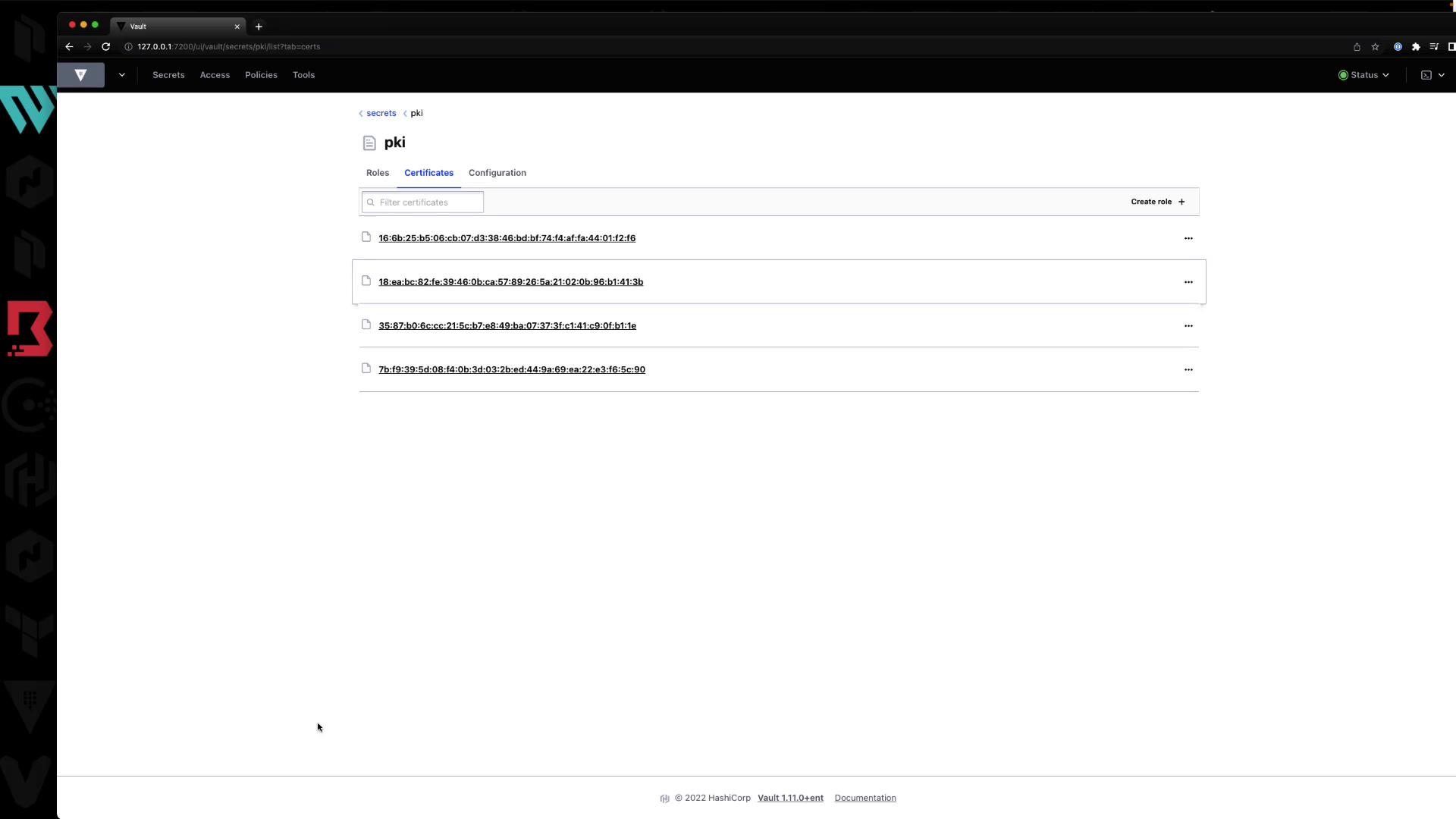
### 4.4 Certificate Listings
Under **Certificates**, Vault lists all issued certs with their serial numbers. You can inspect or revoke them here.
***
## Summary
* Define roles with `vault write pki/roles/...` to control domain scope and TTL.
* Issue certs with `vault write pki/issue/...`, capturing the private key immediately.
* You can perform all tasks via the CLI or the Vault UI.
***
## Further Reading
* [Vault PKI Secrets Engine · Official Docs](https://www.vaultproject.io/docs/secrets/pki)
* [HashiCorp Vault Learn](https://learn.hashicorp.com/collections/vault)
* [Certificate Management Best Practices](https://www.vaultproject.io/docs/secrets/pki#best-practices)