> ## Documentation Index
> Fetch the complete documentation index at: https://notes.kodekloud.com/llms.txt
> Use this file to discover all available pages before exploring further.
# Regenerating a Root Token
> This guide explains how to regenerate a root token in HashiCorp Vault when standard authentication methods fail.
When standard authentication methods fail, regenerating a root token grants temporary superuser access. In this guide, you’ll learn what a root token is, how to revoke the initial token, and step-by-step instructions for generating a new one using unseal (recovery) keys.
## What Is a Root Token?
A **root token** is Vault’s superuser credential. It’s bound to the built-in `root` policy—which cannot be modified or deleted—and grants unrestricted access across your Vault cluster.
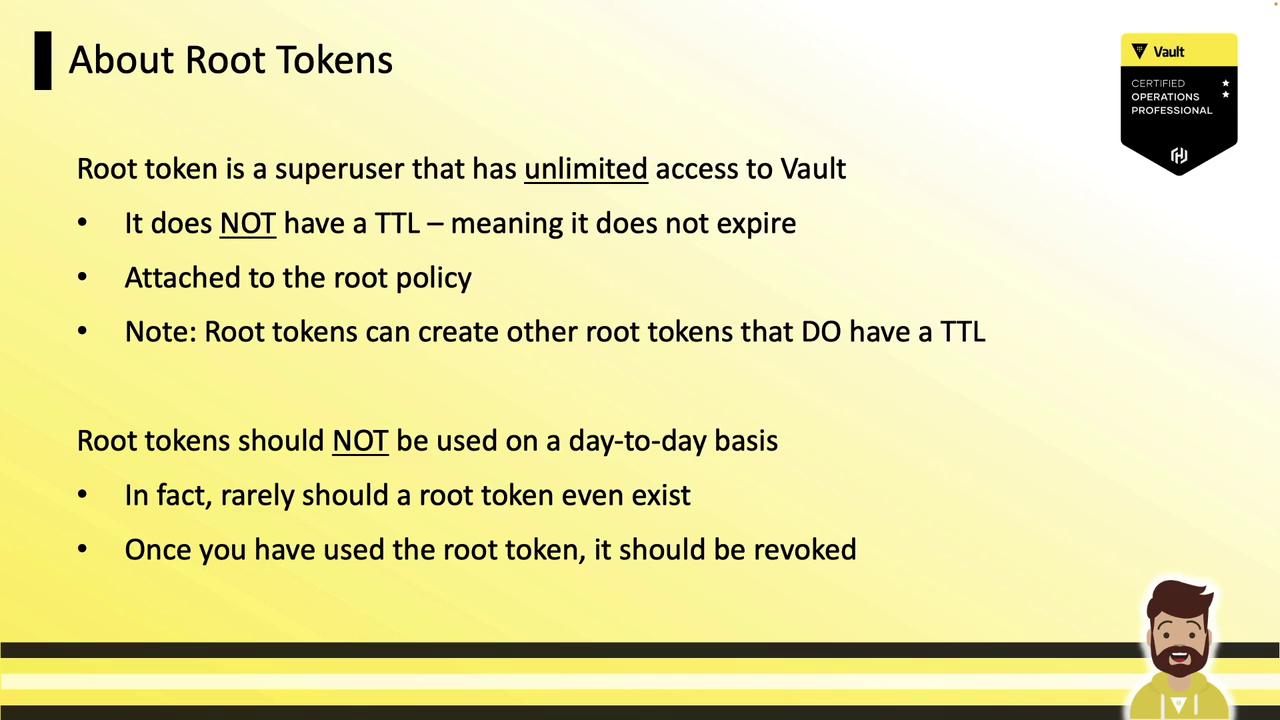
Key characteristics:
| Characteristic | Description |
| --------------------------- | --------------------------------------------------- |
| No TTL | Never expires; valid indefinitely |
| Usage scope | Only for initial setup or critical emergencies |
| Immediate revocation needed | Revoke the root token as soon as tasks are complete |
| Immutable | Cannot be altered or deleted |
## Initial Root Token and Revocation
Immediately after initializing Vault, your only authentication method is the **initial** root token. Once you enable and configure other auth backends (e.g., LDAP, AppRole, Kubernetes) and create policies, revoke this token to minimize risk:
```bash theme={null}
vault token revoke s.dhtIk8VsE3Mj61PuGP3ZfFrg
# Success! Revoked token (if it existed)
```
The token prefix (`s.` or `hvs.`) varies by Vault version.
## Emergency Scenario: Broken Authentication
Imagine Vault uses corporate LDAP for operator logins:
1. Operator logs in via LDAP
2. Vault validates credentials against the LDAP server
3. A network change or firewall misconfiguration breaks LDAP connectivity
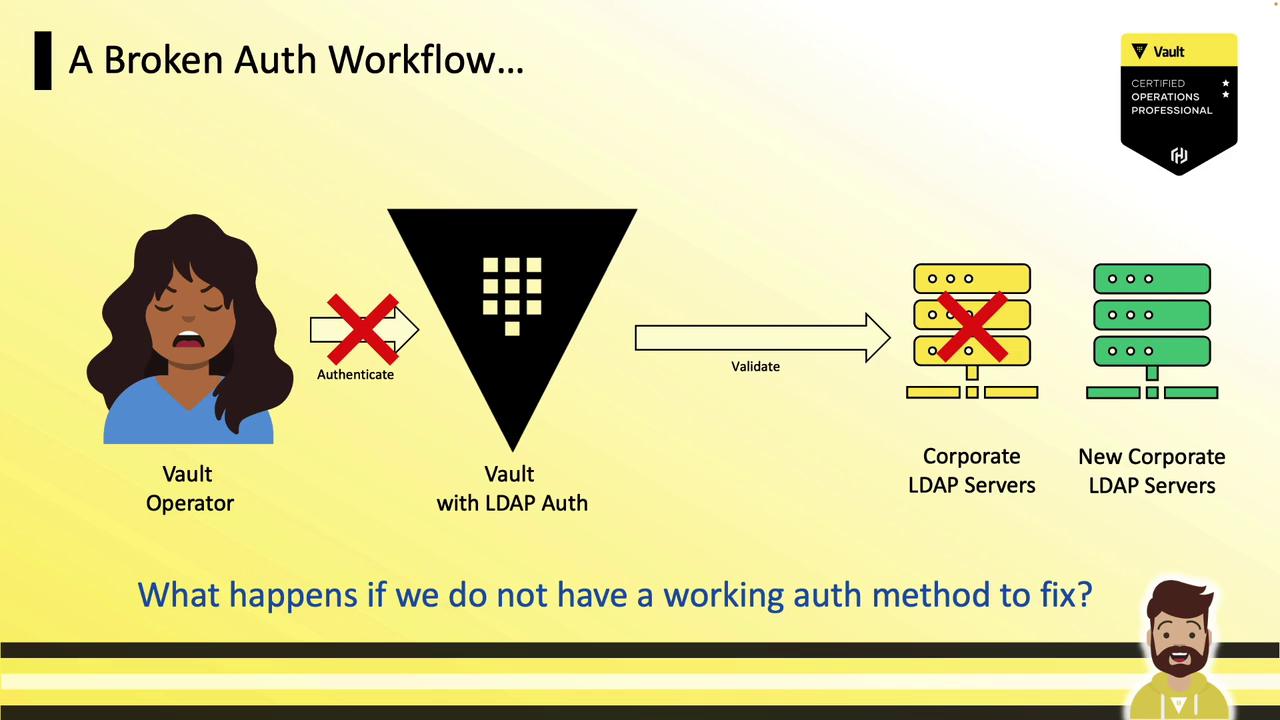
Without a valid auth method or a root token, you cannot update the LDAP backend. In such emergencies, you can regenerate a root token by leveraging your unseal (recovery) keys—ensuring no single individual can generate it alone.
## Regenerating a Root Token
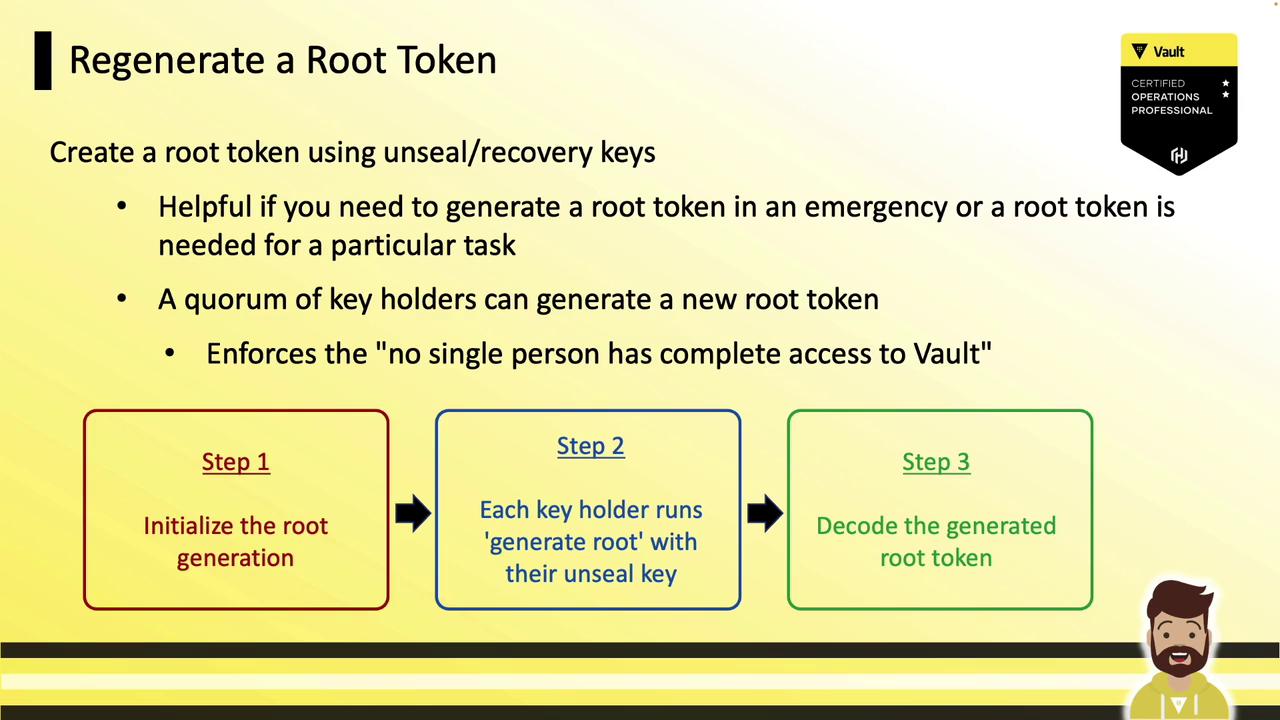
Root token regeneration follows the same quorum-based approach as Vault unsealing. You’ll:
1. Initialize the generation process.
2. Have each key holder submit their unseal key.
3. Decode the new root token with the one-time password (OTP).
### Command Options
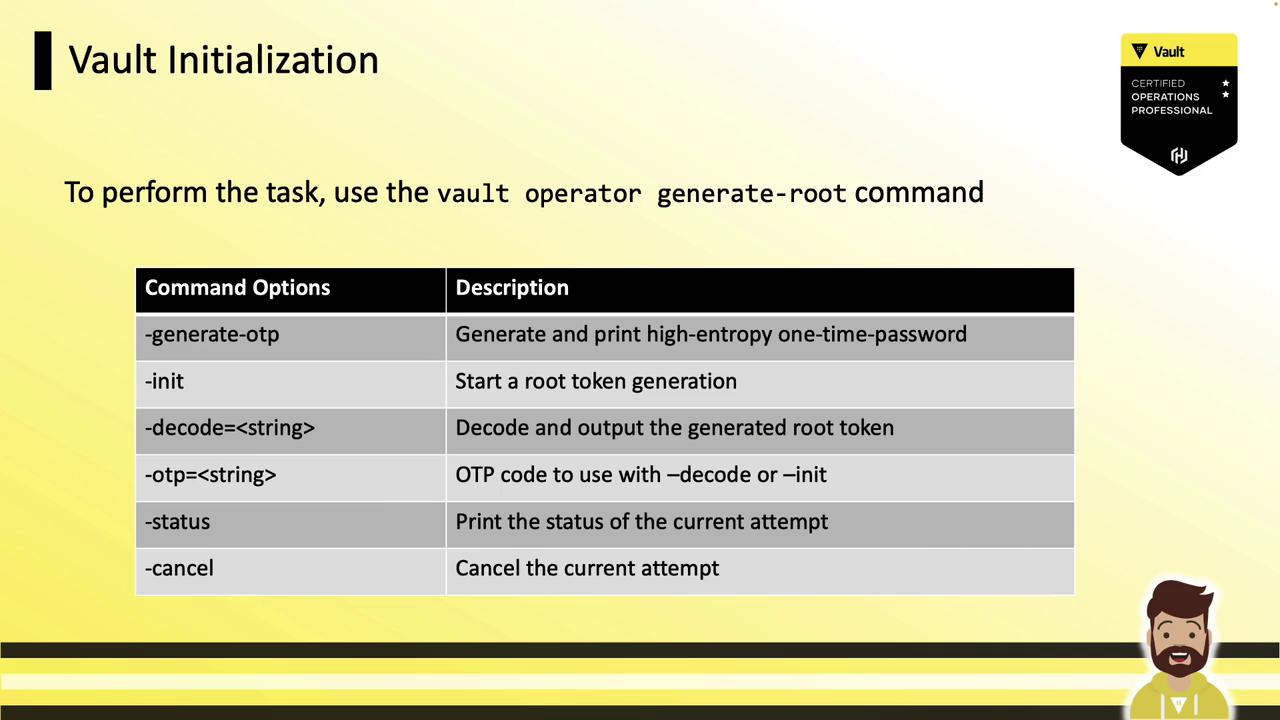
Below are the primary flags for `vault operator generate-root`:
| Flag | Description |
| --------- | ----------------------------------------------------- |
| `-init` | Start root generation; outputs a `nonce` and `OTP`. |
| `-status` | View progress (`Progress X/Y`). |
| `-cancel` | Abort the generation operation. |
| `-otp` | Supply the one-time password when decoding the token. |
| `-decode` | Provide the encoded token string for decoding. |
### Step 1: Initialize Root Generation
Kick off the process to obtain a Nonce and OTP:
```bash theme={null}
vault operator generate-root -init
```
```text theme={null}
A One-Time-Password has been generated for you and is shown in the OTP field.
Keep this OTP secure; it’s required to decode the new root token.
Nonce 5b6e3831-2a45-4695-7757-5810074d36c8
Started true
Progress 0/3
Complete false
OTP E87jF6ZeJo8NjWvytl7mvKLEr
OTP Length 26
```
* **Nonce**: Share with key holders.
* **OTP**: Confidential; do not expose.
* **Progress**: Tracks submissions (e.g., 0/3 keys submitted).
Guard the OTP carefully. Anyone with the OTP and the final encoded token can reconstruct the root token.
### Step 2: Key Holders Submit Unseal Keys
Each key holder runs the command (no flags):
```bash theme={null}
vault operator generate-root
```
```text theme={null}
Root generation operation nonce: 5b6e3831-2a45-4695-7757-5810074d36c8
Unseal Key (hidden input):
Nonce 5b6e3831-2a45-4695-7757-5810074d36c8
Started true
Progress 1/3
Complete false
```
Repeat until the threshold is reached. After the final key:
```bash theme={null}
vault operator generate-root
```
```text theme={null}
Nonce 5b6e3831-2a45-4695-7757-5810074d36c8
Started true
Progress 3/3
Complete true
Encoded Token G2NeKUZgXTsYYxILAC9ZFBguPw9ZBovFAs
```
### Step 3: Decode the Root Token
Use the OTP and the encoded token to reveal the new root token:
```bash theme={null}
vault operator generate-root \
-otp="E87jF6ZeJo8NjWvytl7mvKLEr" \
-decode="G2NeKUZgXTsYYxILAC9ZFBguPw9ZBovFAs"
```
```text theme={null}
Root token: hvs.gXtT3uq9teYf0ZnFQH6hOiw8
```
Authenticate and then revoke promptly:
```bash theme={null}
vault login hvs.gXtT3uq9teYf0ZnFQH6hOiw8
vault token revoke hvs.gXtT3uq9teYf0ZnFQH6hOiw8
# Success! Revoked token (if it existed)
```
## Best Practices
* Always revoke root tokens immediately after use.
* Limit the number of key holders and enforce MFA for key storage.
* Rotate recovery keys and OTP lifetimes regularly.
## References
* [HashiCorp Vault Operator Commands](https://www.vaultproject.io/docs/commands/operator)
* [Vault Authentication Methods](https://www.vaultproject.io/docs/auth)
* [Vault Init & Unseal](https://www.vaultproject.io/docs/concepts/core/seal)