> ## Documentation Index
> Fetch the complete documentation index at: https://notes.kodekloud.com/llms.txt
> Use this file to discover all available pages before exploring further.
# Rekey Vault and Rotate Encryption Keys
> Learn to rekey Vault and rotate encryption keys for enhanced security and compliance in Vault administration tasks.
In this final lesson, you’ll learn how to rekey Vault (regenerate unseal or recovery key shares) and rotate the encryption key that secures data-at-rest. Both operations are essential Vault administration tasks that help maintain security, comply with policies, and ensure high availability.
## Rekey Vault
Rekeying creates a brand-new set of unseal or recovery key shares and lets you adjust how many shares exist and how many are required to reconstruct the master key. This operation is performed online—Vault continues to serve requests throughout.
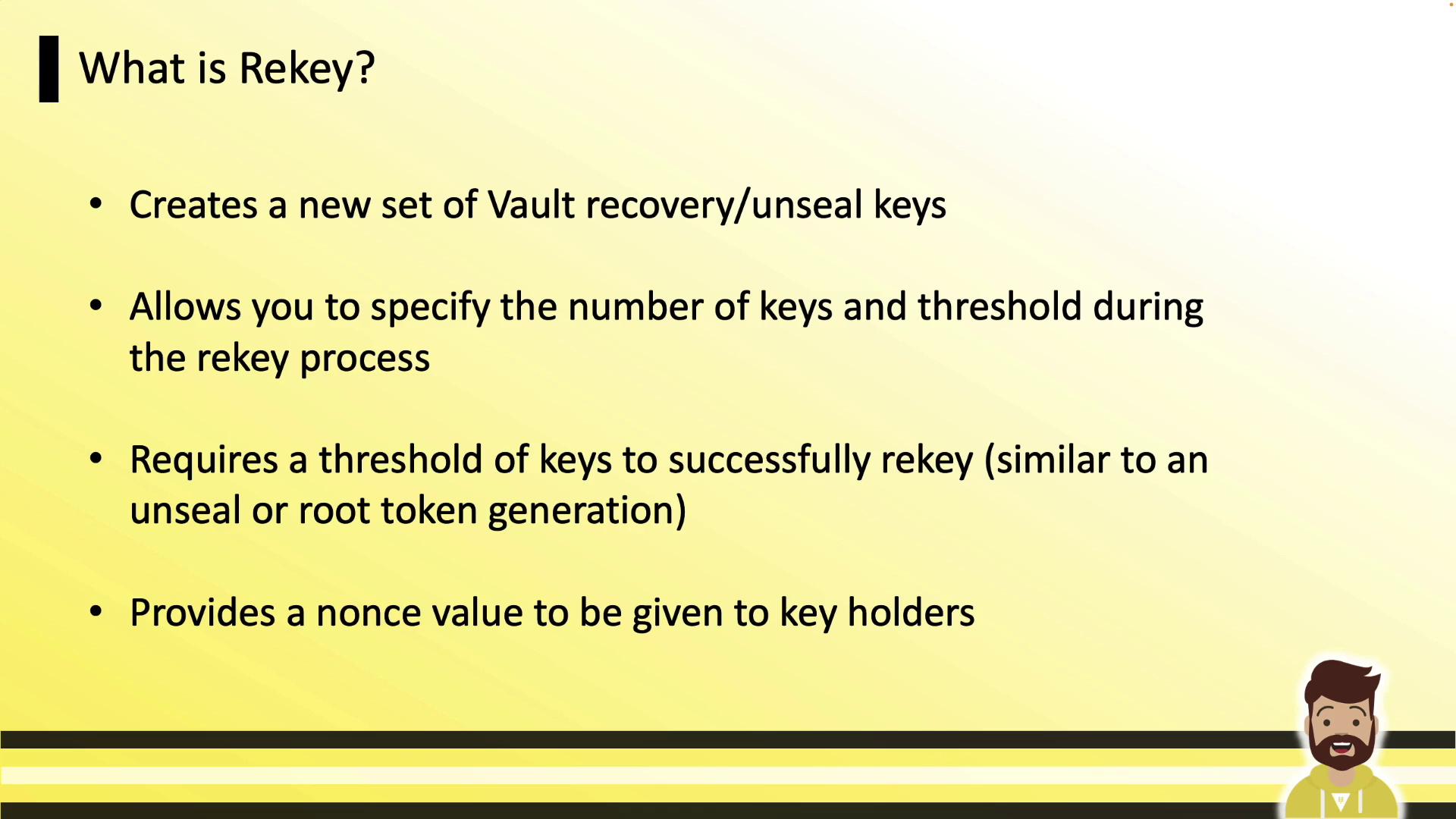
By default, Vault initializes with 5 shares and a threshold of 3. Rekeying can, for example, increase this to 10 shares with a threshold of 7, or reduce it to 1 share with a threshold of 1—giving you full control over key distribution and recovery.
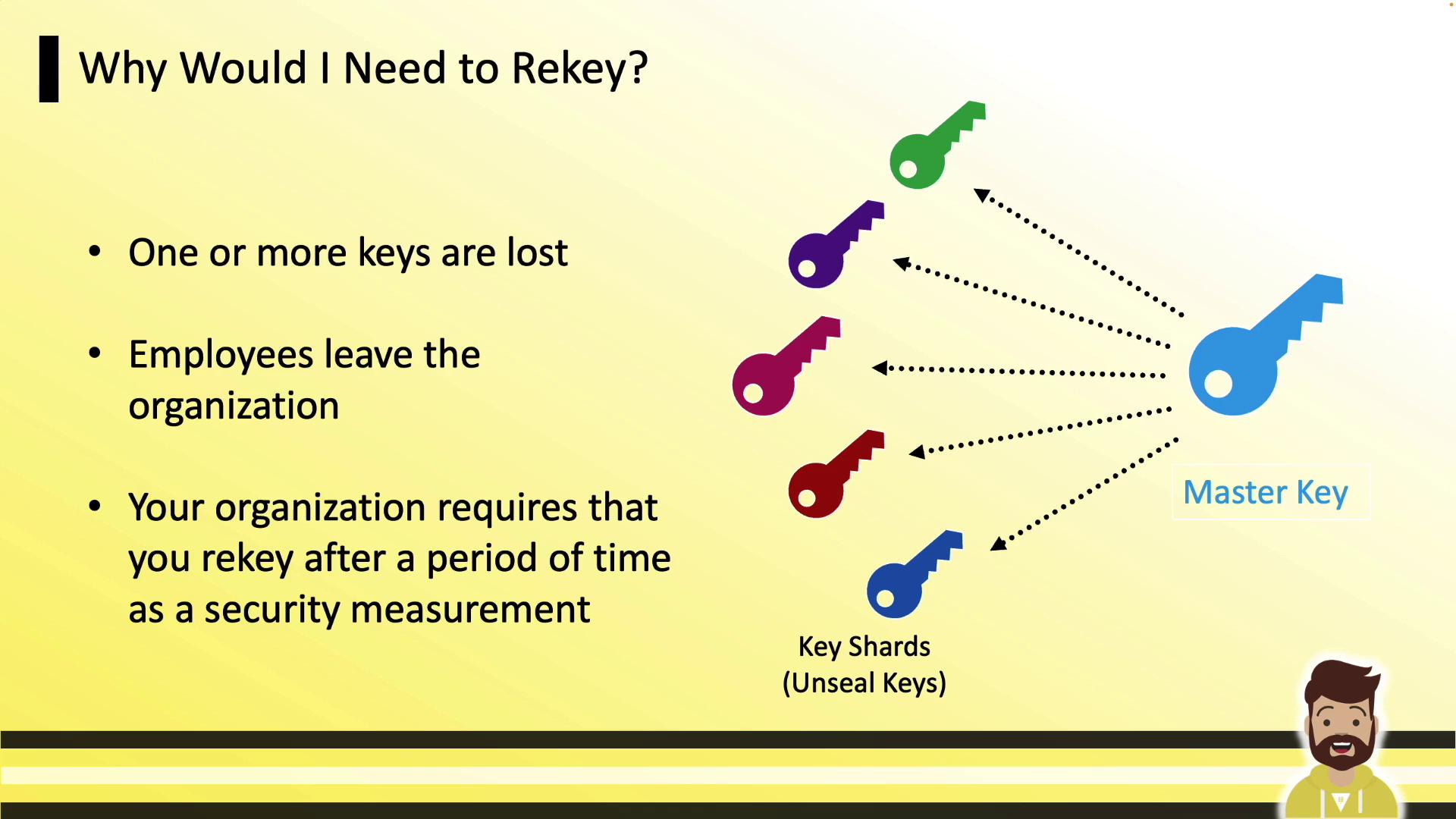
### Why Rekey Vault?
Rekeying is commonly required when:
* Lost or inaccessible key shares need replacement (e.g., lost PGP private key).
* Employees or key holders leave the organization.
* Your security policy mandates periodic rotation of master key shares.
### Rekey Command
Use the `vault operator rekey` command to start a rekey. You can include `-key-shares` and `-key-threshold` to change those values.
Initialize a rekey for recovery keys (auto-unseal defaults to unseal keys):
```bash theme={null}
vault operator rekey -init -target=recovery
```
Example output:
```bash theme={null}
WARNING! If you lose the keys after they are returned, there is no recovery...
Key Value
--- -----
Nonce 6e2fb7b0-b9f6-12a8-d94c-a36a7b26c67c
Started true
Rekey Progress 0/3
New Shares 5
New Threshold 3
```
Distribute the nonce to key holders. Each holder submits their key share with:
```bash theme={null}
vault operator rekey -target=recovery
```
Progress output:
```bash theme={null}
Rekey operation nonce: 6e2fb7b0-b9f6-12a8-d94c-a36a7b26c67c
Unseal Key (will be hidden):
Key Value
--- -----
Nonce 6e2fb7b0-b9f6-12a8-d94c-a36a7b26c67c
Rekey Progress 1/3
```
Repeat until the threshold is met. On the final submission, Vault prints the new key shares:
```bash theme={null}
vault operator rekey -target=recovery
```
```bash theme={null}
Key 1: DwCpPnsbvUMqBtXJcAewCHgYr4b+5C56036mWDpX7d7r
Key 2: roNCdtdoK+Z7crwZvprYsrXm7ZkIzj7lwm6gq8LkP
Key 3: 5BYFqW/PT1TXtFmzXft10XwqIt6v/gQjWF8srMbx7Luo
Key 4: eD6gKkcdM5TmsnSSk5kOogI5KksdH2GzvguyBFungPS
Key 5: HtFsHfCvYsICEeTguouhqr4K9ehXAoJm8ktxdT0EJl
Vault rekeyed with 5 key shares and a key threshold of 3. Please securely distribute the key shares printed above. When Vault is re-sealed, restarted, or stopped, you must supply at least 3 of these keys to unseal it before it can start servicing requests.
```
In Vault Enterprise with replication enabled, always run the rekey on the primary cluster. Replicas will automatically receive the updated key shares.
### Production Impact
Rekey is non-disruptive. Vault continues handling API calls and UI requests throughout the process, ensuring zero downtime.
## Rekey vs. Key Rotation
These two operations are often confused. The diagram below clarifies their roles:
 | Operation | Purpose |
| ------------ | ---------------------------------------------------------------------------------------------------- |
| Rekey | Rotate unseal/recovery key shares and regenerate the master key. |
| Key Rotation | Rotate the data-at-rest encryption key, retaining old keys for decryption without user intervention. |
## Rotate Encryption Key
Key rotation updates Vault’s internal encryption key used for data-at-rest. Vault transparently retains old key versions so existing data remains decryptable.
| Operation | Purpose |
| ------------ | ---------------------------------------------------------------------------------------------------- |
| Rekey | Rotate unseal/recovery key shares and regenerate the master key. |
| Key Rotation | Rotate the data-at-rest encryption key, retaining old keys for decryption without user intervention. |
## Rotate Encryption Key
Key rotation updates Vault’s internal encryption key used for data-at-rest. Vault transparently retains old key versions so existing data remains decryptable.
 Execute the following command:
```bash theme={null}
vault operator rotate
```
Sample output:
```bash theme={null}
Success! Rotated key
Key Term 2
Install Time 2022-12-25 15:47:00 UTC
Encryption Count 6
```
### Permissions Required
To rotate the encryption key, your policy must grant:
| Path | Capabilities |
| -------------- | ------------ |
| sys/rotate | update, sudo |
| sys/key-status | read |
Omitting `sys/key-status` read permission causes the CLI to report a permission error when displaying key status, even though the rotation itself succeeds.
***
## Links and References
* [Vault CLI Operator Commands](https://www.vaultproject.io/docs/commands/operator)
* [Vault Security Concepts](https://www.vaultproject.io/docs/concepts)
* [Vault Policies Overview](https://www.vaultproject.io/docs/concepts/policies)
Explore these resources for deeper insights into Vault key management. Good luck practicing these operations in your live environment!
Execute the following command:
```bash theme={null}
vault operator rotate
```
Sample output:
```bash theme={null}
Success! Rotated key
Key Term 2
Install Time 2022-12-25 15:47:00 UTC
Encryption Count 6
```
### Permissions Required
To rotate the encryption key, your policy must grant:
| Path | Capabilities |
| -------------- | ------------ |
| sys/rotate | update, sudo |
| sys/key-status | read |
Omitting `sys/key-status` read permission causes the CLI to report a permission error when displaying key status, even though the rotation itself succeeds.
***
## Links and References
* [Vault CLI Operator Commands](https://www.vaultproject.io/docs/commands/operator)
* [Vault Security Concepts](https://www.vaultproject.io/docs/concepts)
* [Vault Policies Overview](https://www.vaultproject.io/docs/concepts/policies)
Explore these resources for deeper insights into Vault key management. Good luck practicing these operations in your live environment!