> ## Documentation Index
> Fetch the complete documentation index at: https://notes.kodekloud.com/llms.txt
> Use this file to discover all available pages before exploring further.
# Secure Vault Initialization
> This article explains the secure initialization process of a HashiCorp Vault cluster, including key generation, distribution, and best practices for security.
Initializing a new HashiCorp Vault cluster securely is critical. This process:
1. Generates a master key and splits it into key shares (unseal or recovery keys).
2. Creates the initial root token.
Depending on your setup—default unseal or auto unseal (Transit, AWS KMS, GCP KMS, Azure Key Vault)—Vault will produce the appropriate key shares. Once initialized, you use these shares (or the auto-unseal mechanism) to make Vault operational, then log in with the root token to configure your secrets engine.
```bash theme={null}
vault operator init [options]
```
Next, we’ll explore what happens during initialization, how to protect those critical keys, and best practices for secure distribution.
## Vault Initialization Process
When you run `vault operator init`, Vault:
1. Creates an encryption key for the storage backend.
2. Generates a master key to encrypt that storage key.
3. Splits the master key into shards (unseal or recovery keys).
4. Outputs the shards along with the initial root token.
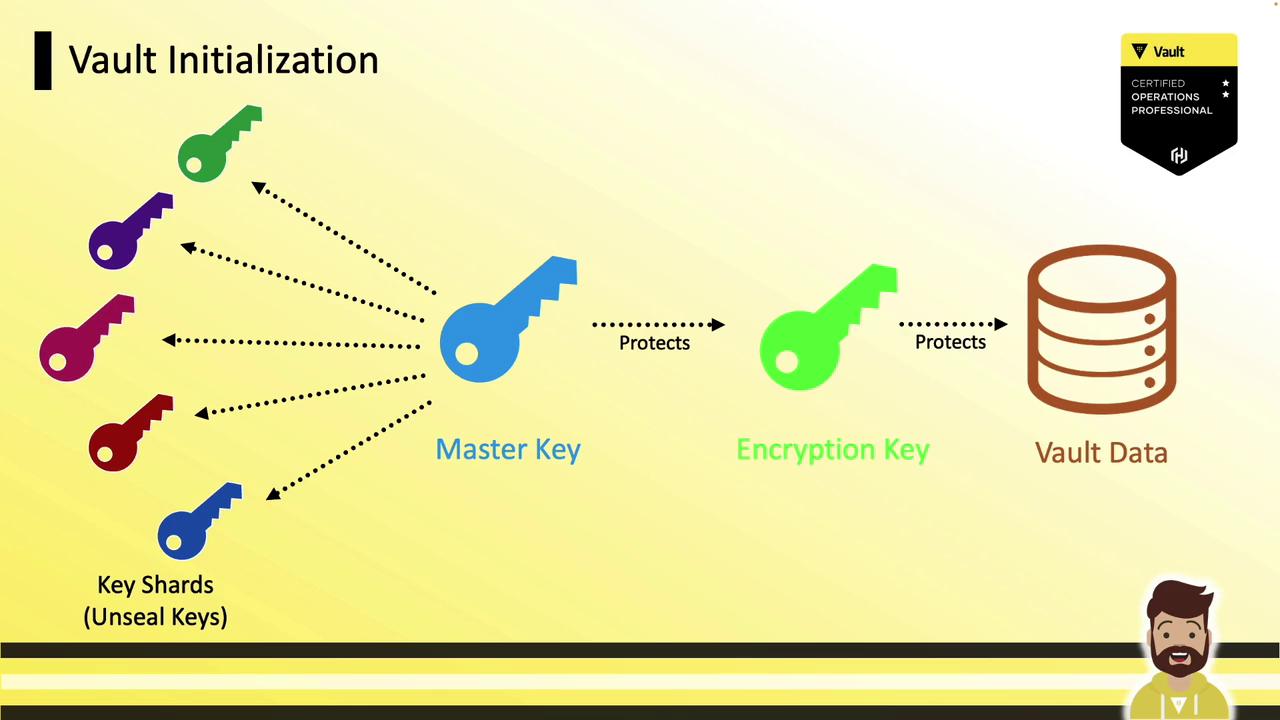
By default, Vault displays all key shards and the root token to the operator. To adhere to Vault’s security model, you should split custody of those shards across multiple trusted parties.
## Distributing Key Shares
A common security practice is to distribute unseal (or recovery) keys to separate, trusted employees. For example, if you configure 5 key shares with a threshold of 3, you give each of five employees one share—any three can reconstruct the master key.
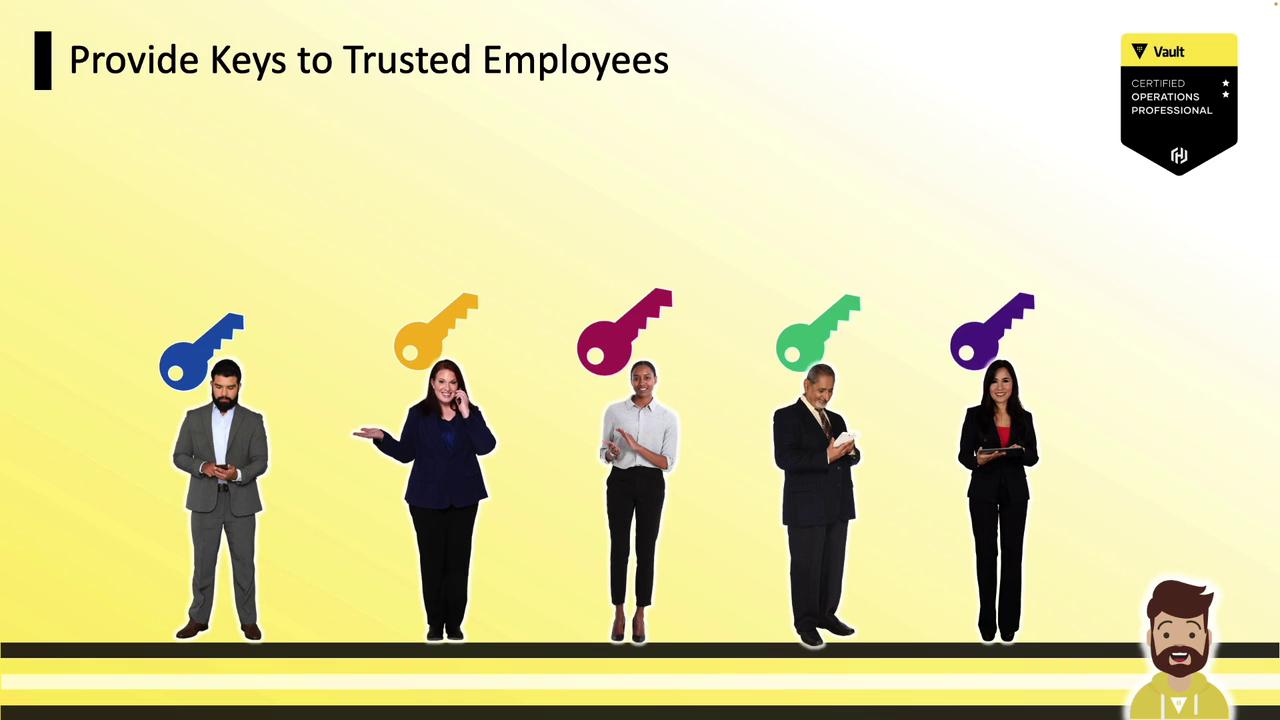
If a single operator runs `vault operator init` without encryption, they receive all keys in plaintext. Always encrypt shards when splitting custody.
## Basic Initialization Options
Customize the number of shares and the reconstruction threshold:
| Option | Description | Example |
| --------------------- | --------------------------------------- | ----------------------- |
| `-key-shares` | Total unseal key shards | `-key-shares=5` |
| `-key-threshold` | Shards required to unseal | `-key-threshold=3` |
| `-recovery-shares` | Total recovery key shards (auto-unseal) | `-recovery-shares=5` |
| `-recovery-threshold` | Shards required for recovery | `-recovery-threshold=3` |
```bash theme={null}
vault operator init \
-key-shares=5 \
-key-threshold=3
vault operator init \
-recovery-shares=5 \
-recovery-threshold=3
```
These flags adjust only the share count and threshold. They do **not** encrypt the output.
## Encrypting Shares with PGP
To prevent a single operator from holding all key material, encrypt each shard with the recipient’s PGP public key. Provide Vault with each user’s `.pub` file during initialization.

### Unseal Keys with PGP Encryption
Assume five users—Bob, Steve, Stacy, Katie, and Dani—have shared their public PGP keys:
```bash theme={null}
ls /opt
# bob.pub steve.pub stacy.pub katie.pub dani.pub
```
Initialize Vault with PGP-encrypted unseal keys:
```bash theme={null}
vault operator init \
-key-shares=5 \
-key-threshold=3 \
-pgp-keys="/opt/bob.pub,/opt/steve.pub,/opt/stacy.pub,/opt/katie.pub,/opt/dani.pub"
```
Vault will encrypt each of the five unseal keys with the corresponding PGP key, in the order provided. Distribute the encrypted shards—only the intended user can decrypt their share.
### Recovery Keys with PGP Encryption
For auto-unseal workflows, encrypt recovery keys similarly:
```bash theme={null}
vault operator init \
-recovery-shares=5 \
-recovery-threshold=3 \
-recovery-pgp-keys="/opt/bob.pub,/opt/steve.pub,/opt/stacy.pub,/opt/katie.pub,/opt/dani.pub"
```
Ensure the count of `-pgp-keys` or `-recovery-pgp-keys` matches the number of shares. Mismatched counts will cause initialization to fail.
## Encrypting the Root Token
You can also encrypt the initial root token with a PGP public key:
```bash theme={null}
vault operator init \
-key-shares=5 \
-key-threshold=3 \
-pgp-keys="/opt/bob.pub,/opt/steve.pub,/opt/stacy.pub,/opt/katie.pub,/opt/dani.pub" \
-root-token-pgp-key="/opt/bryan.pub"
```
In this example, five unseal keys are PGP-encrypted and the root token is encrypted with Bryan’s public key.
## Best Practices
* Match the count of PGP keys to the number of shares.
* The order of PGP keys in the command determines the order of encrypted output.
* Store and distribute encrypted shards and the encrypted root token securely.
* Perform a rekey operation if you need to rotate or replace lost key shares.
With PGP encryption, a single operator can initialize Vault without ever seeing the cleartext key material—enhancing your security posture and meeting the Vault Operations Professional requirements.
***
## Links and References
* [Vault Initialization Docs](https://www.vaultproject.io/docs/commands/operator/init)
* [PGP Encryption Best Practices](https://www.vaultproject.io/docs/concepts/operations#pgp-encryption)
* [Auto Unseal Configuration](https://www.vaultproject.io/docs/concepts/autounseal)