> ## Documentation Index
> Fetch the complete documentation index at: https://notes.kodekloud.com/llms.txt
> Use this file to discover all available pages before exploring further.

# Transit Secrets Engine

> This article explores HashiCorp Vault’s Transit Secrets Engine for encryption-as-a-service and centralized key management.

Explore how HashiCorp Vault’s Transit Secrets Engine provides encryption-as-a-service, centralizing key management while keeping your applications agnostic of encryption details.

## Enterprise Encryption Challenges

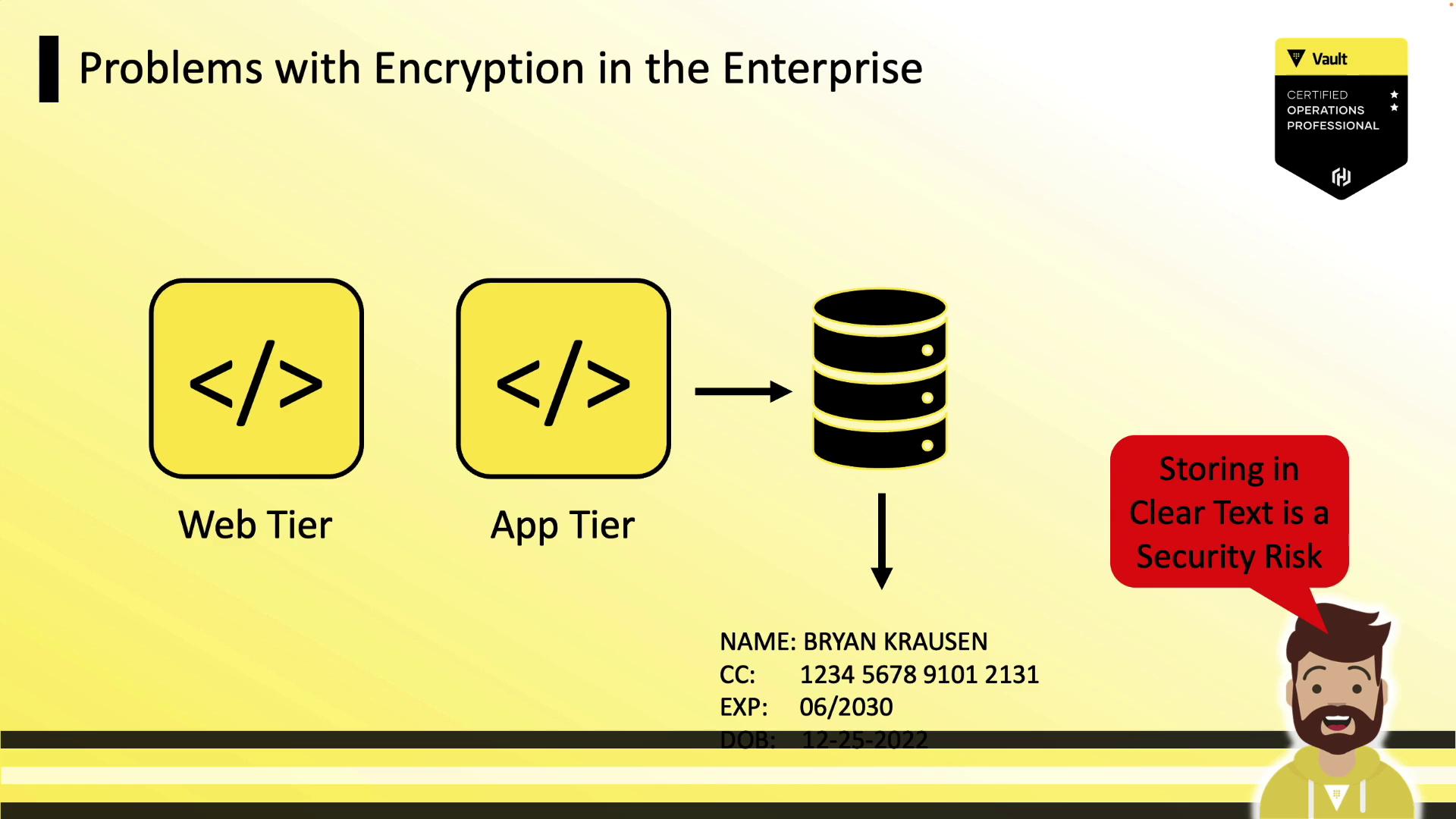
Most enterprises deploy three-tier applications (web tier → app tier → database). Storing sensitive data (PII, credit cards) in clear text poses a serious security risk.

<Callout icon="triangle-alert" color="#FF6B6B">
  Storing sensitive data in plaintext can lead to breaches if your database is misconfigured or compromised.
</Callout>

<Frame>
  ![The image illustrates a problem with encryption in the enterprise, showing a flow from the web tier to the app tier and then to a database, highlighting the risk of storing data in clear text. A character warns that storing in clear text is a security risk.](https://kodekloud.com/kk-media/image/upload/v1752878501/notes-assets/images/HashiCorp-Certified-Vault-Operations-Professional-2022-Transit-Secrets-Engine/encryption-risk-clear-text-storage-diagram.jpg)
</Frame>

## Encryption Options for Data at Rest

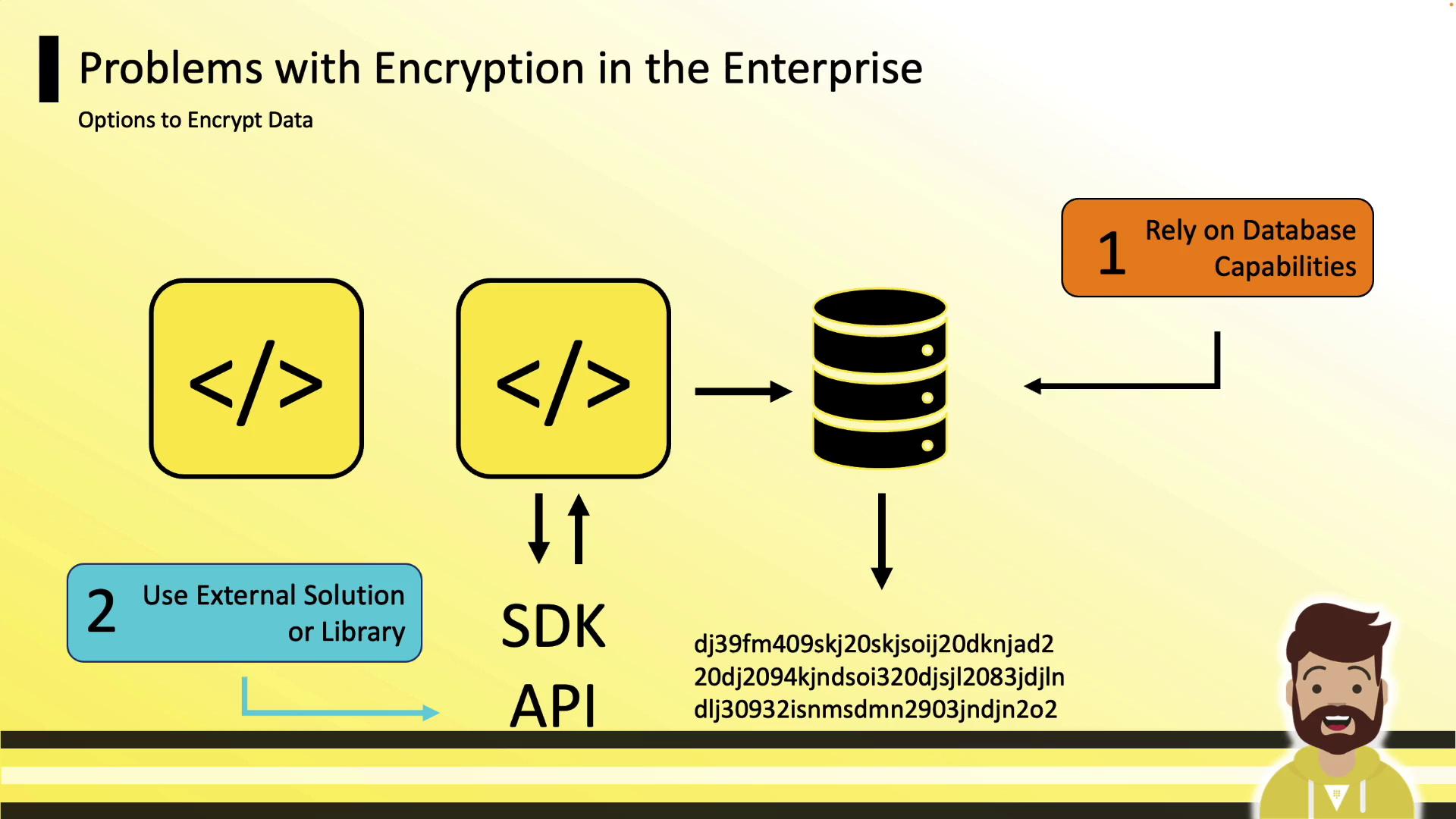
To protect data at rest, teams typically choose between:

1. **Database-native encryption**
2. **Application-level encryption** using external SDKs or APIs
<Frame>
  ![The image illustrates two options for encrypting data in an enterprise: relying on database capabilities and using an external solution or library. It includes icons representing code, a database, and a person.](https://kodekloud.com/kk-media/image/upload/v1752878502/notes-assets/images/HashiCorp-Certified-Vault-Operations-Professional-2022-Transit-Secrets-Engine/data-encryption-options-database-external.jpg)
</Frame>

### Drawbacks of Database-Native Encryption

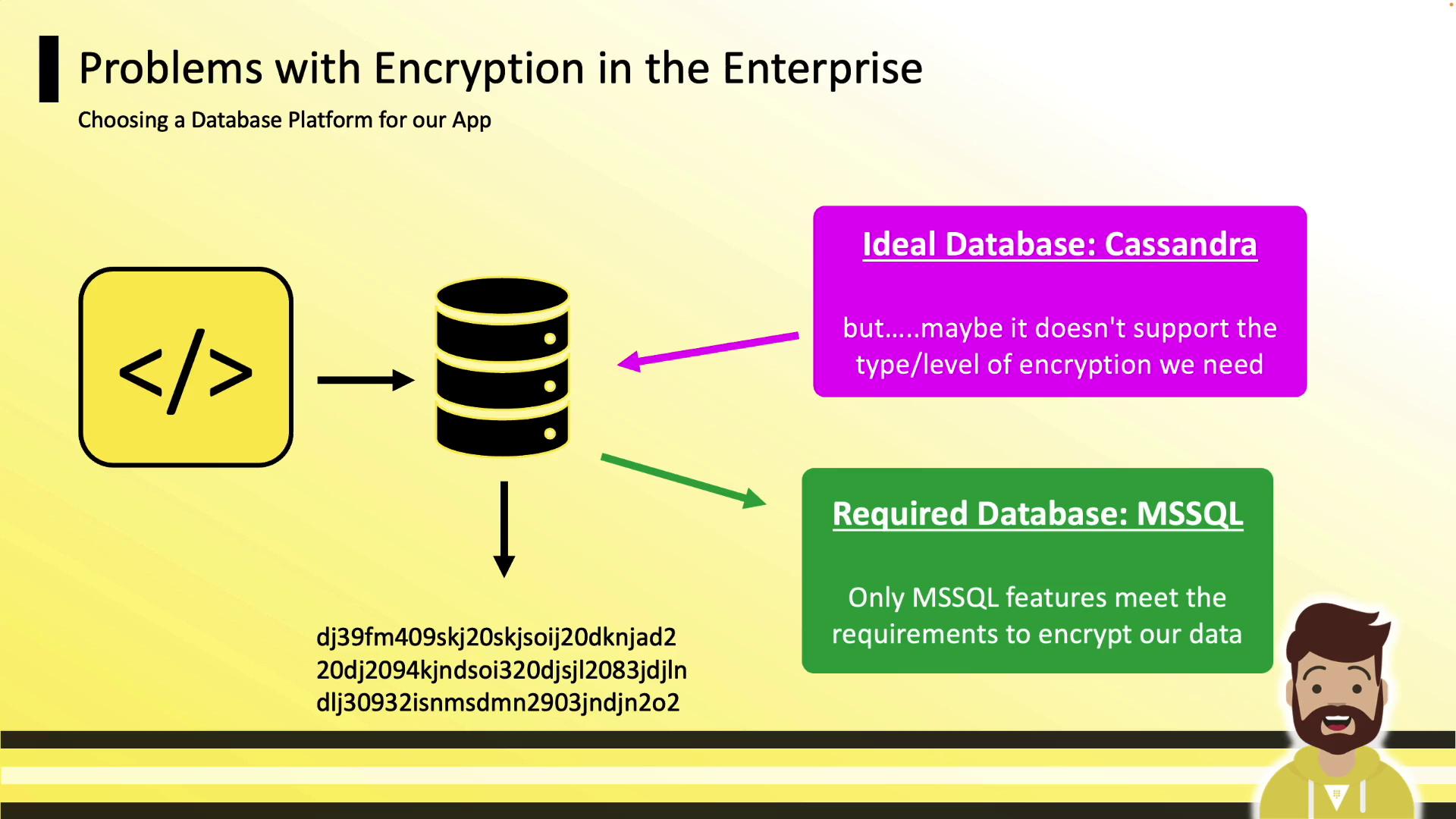
Relying on built-in database features can lock you into a specific platform. For example, you might choose Cassandra for scale but switch to MSSQL solely for encryption support.
<Frame>
  ![The image is a presentation slide discussing encryption issues in enterprise databases, comparing Cassandra as an ideal database with MSSQL as the required database due to encryption support.](https://kodekloud.com/kk-media/image/upload/v1752878503/notes-assets/images/HashiCorp-Certified-Vault-Operations-Professional-2022-Transit-Secrets-Engine/encryption-issues-cassandra-mssql-slide.jpg)
</Frame>

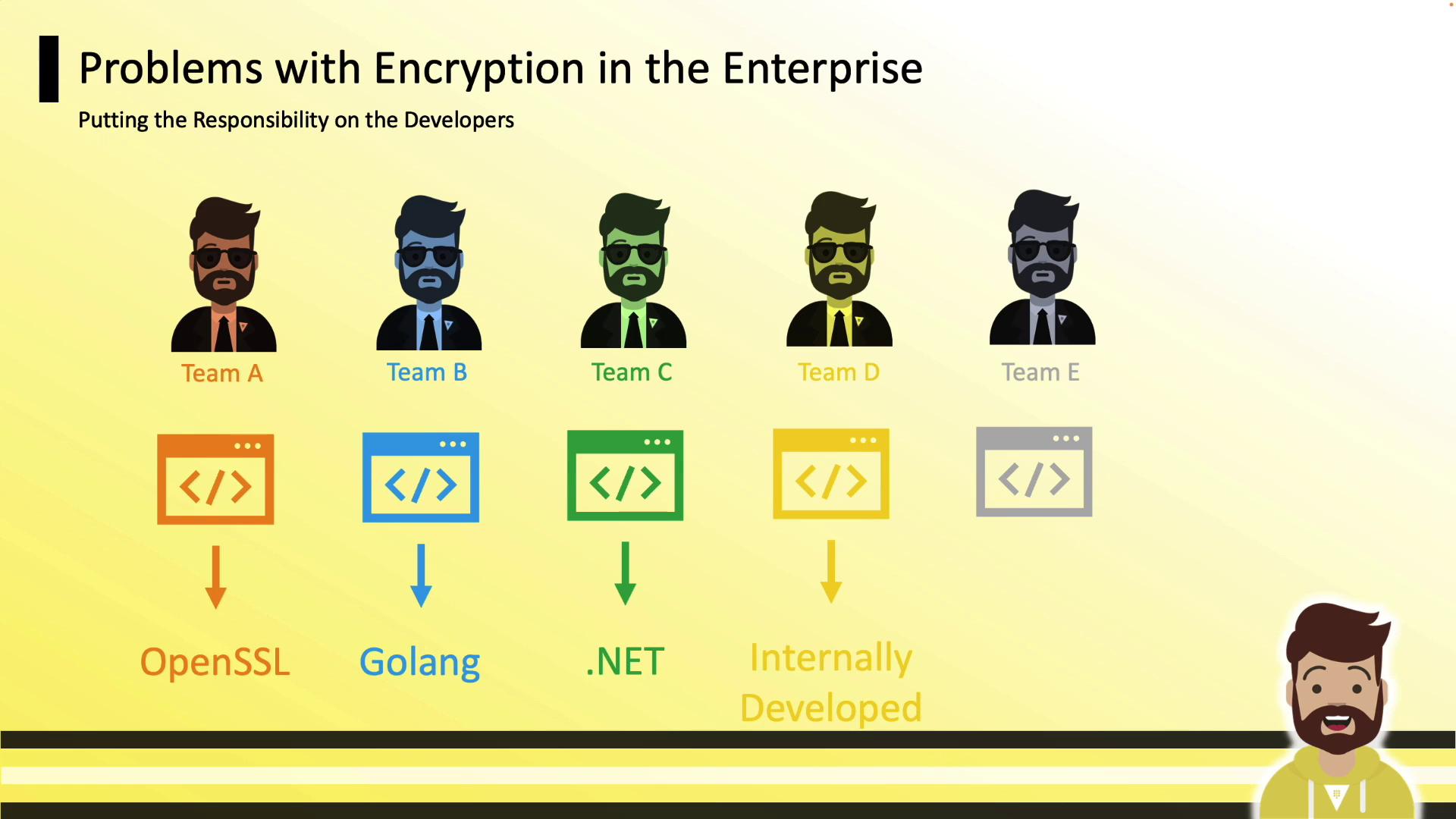
### Siloed Developer Encryption

When each team implements its own solution, you end up with:

* Team A: OpenSSL
* Team B: Go libraries
* Team C: .NET APIs
* Team D: In-house tool
* Team E: Third-party service
<Frame>
  ![The image illustrates different teams using various encryption methods, highlighting the responsibility placed on developers in enterprise encryption. Each team is associated with a specific technology: OpenSSL, Golang, .NET, internally developed, and an unspecified method.](https://kodekloud.com/kk-media/image/upload/v1752878505/notes-assets/images/HashiCorp-Certified-Vault-Operations-Professional-2022-Transit-Secrets-Engine/encryption-methods-developers-teams-illustration.jpg)
</Frame>

<Callout icon="lightbulb" color="#1CB2FE">
  Security teams specialize in cryptography. Let Vault handle keys and operations so developers focus on code.
</Callout>

## Introducing the Transit Secrets Engine

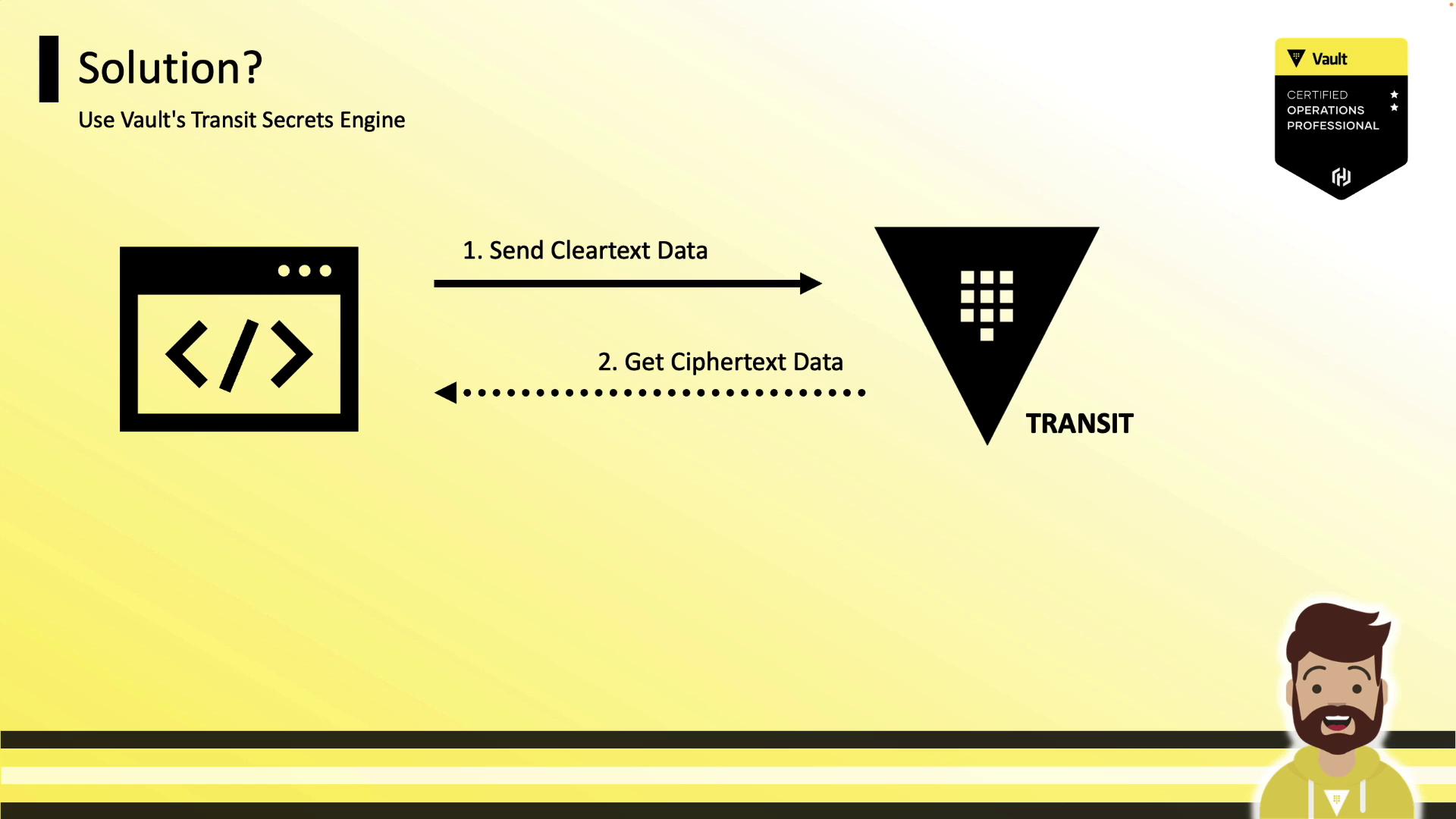
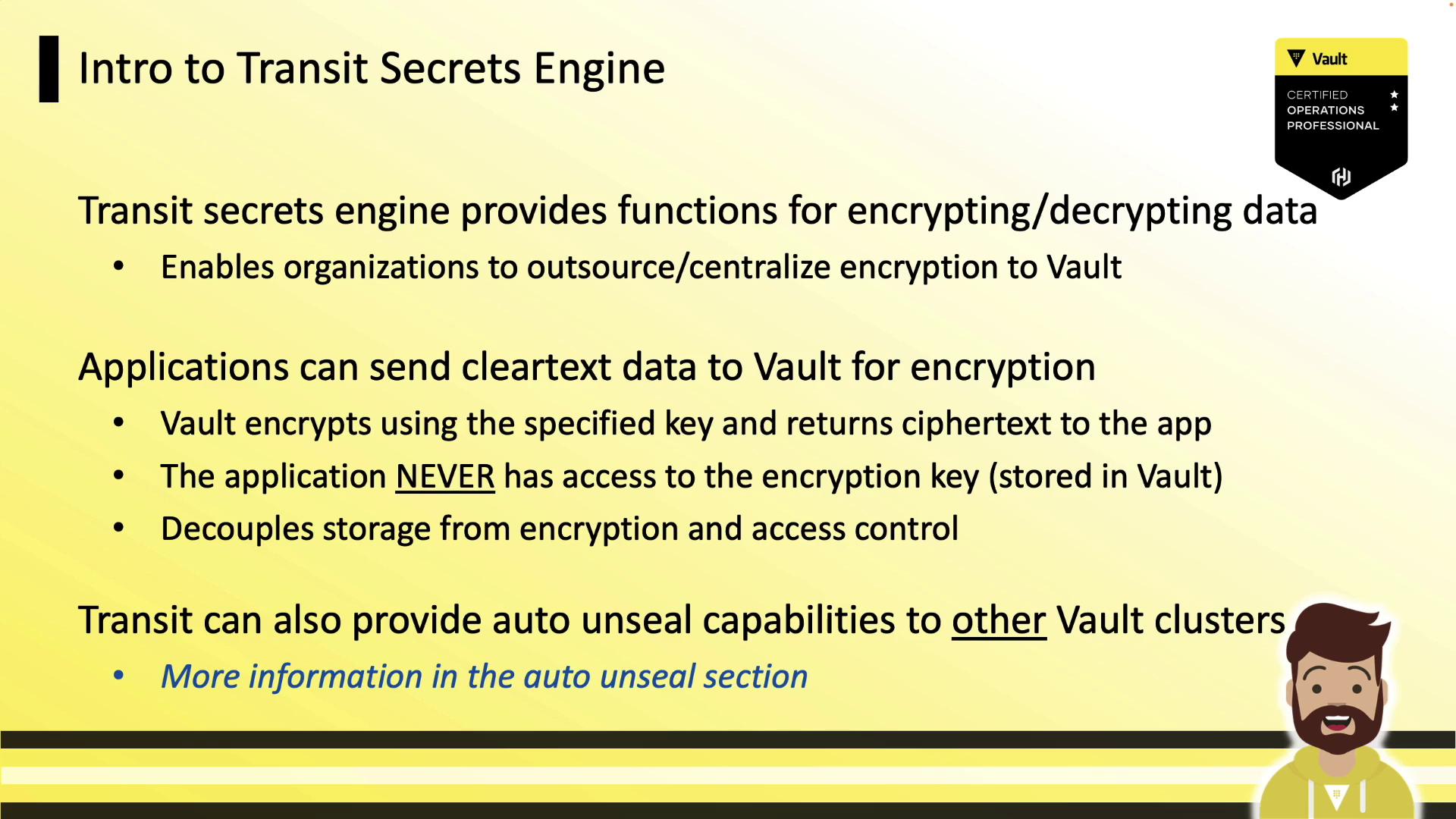
Vault’s Transit Secrets Engine offers a unified encryption service:

* Applications send plaintext data to Vault over TLS
* Vault encrypts with a centrally managed key
* Vault returns ciphertext
* Applications store ciphertext anywhere (DB, object store, etc.)
<Frame>
  ![The image illustrates a process using Vault's Transit Secrets Engine, showing the flow of cleartext data being sent and ciphertext data being received. It includes icons representing data and a person, with a Vault certification badge in the corner.](https://kodekloud.com/kk-media/image/upload/v1752878506/notes-assets/images/HashiCorp-Certified-Vault-Operations-Professional-2022-Transit-Secrets-Engine/vault-transit-secrets-engine-process-diagram.jpg)
</Frame>

Applications never handle encryption keys directly. This decouples storage from encryption, harmonizes security across teams, and supports multiple applications against a single Vault cluster.
<Frame>
  ![The image is an introduction to the Transit Secrets Engine, explaining its functions for encrypting and decrypting data, allowing applications to send cleartext data to Vault for encryption. It highlights that the application never accesses the encryption key and mentions auto unseal capabilities for other Vault clusters.](https://kodekloud.com/kk-media/image/upload/v1752878507/notes-assets/images/HashiCorp-Certified-Vault-Operations-Professional-2022-Transit-Secrets-Engine/transit-secrets-engine-introduction-encryption.jpg)
</Frame>

## Key Features

* Encrypt/decrypt over HTTP API
* Centralized key management inside Vault
* Auto-unseal support with Cloud KMS integrations
* Stateless engine—Transit doesn’t store data
<Frame>
  ![The image is a slide titled "Intro to Transit Secrets Engine," explaining the creation, storage, and management of encryption keys in a vault, including permissions and key rotation. It features a Vault certification badge and a cartoon character at the bottom.](https://kodekloud.com/kk-media/image/upload/v1752878508/notes-assets/images/HashiCorp-Certified-Vault-Operations-Professional-2022-Transit-Secrets-Engine/intro-to-transit-secrets-engine-slide.jpg)
</Frame>

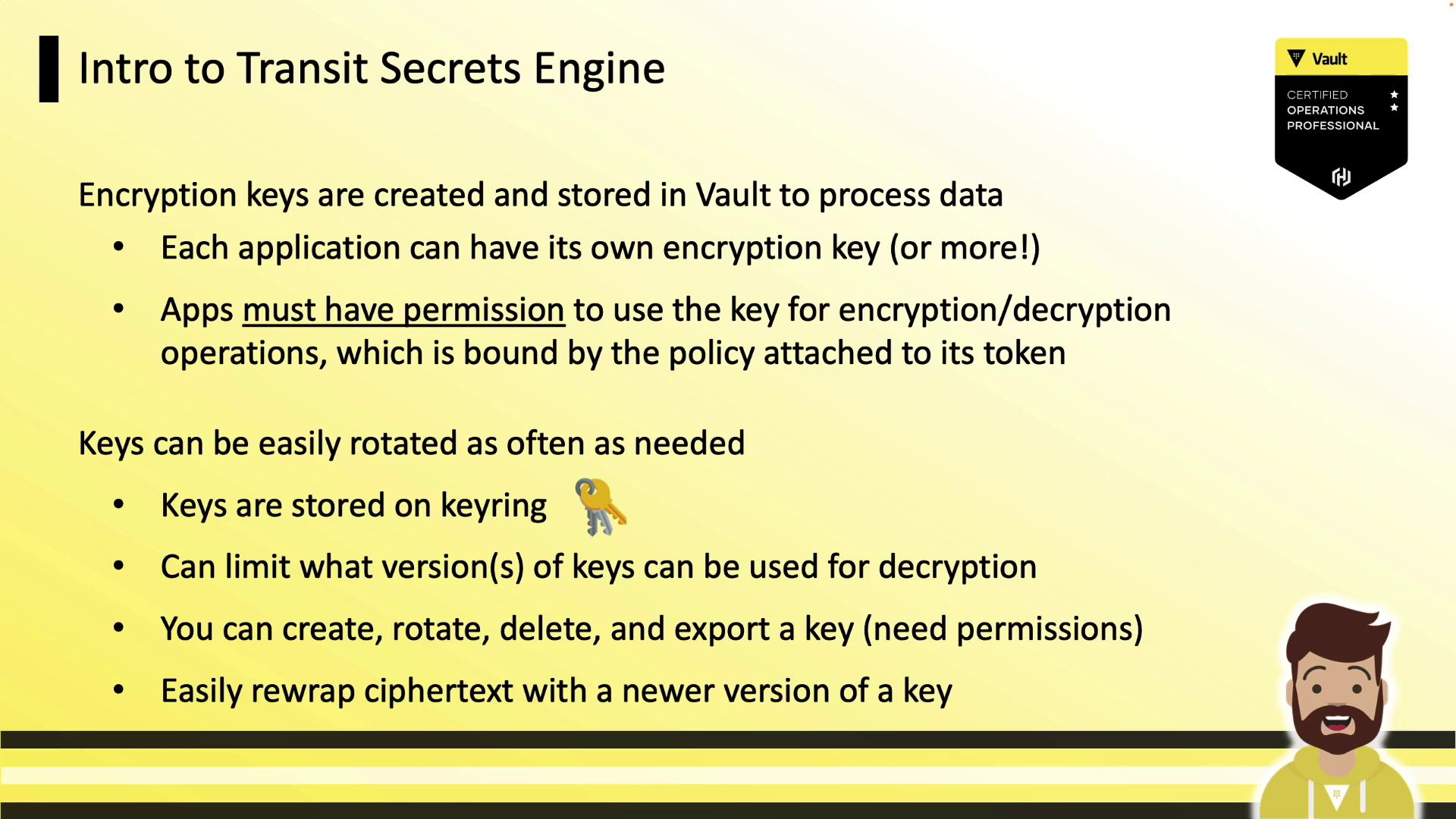
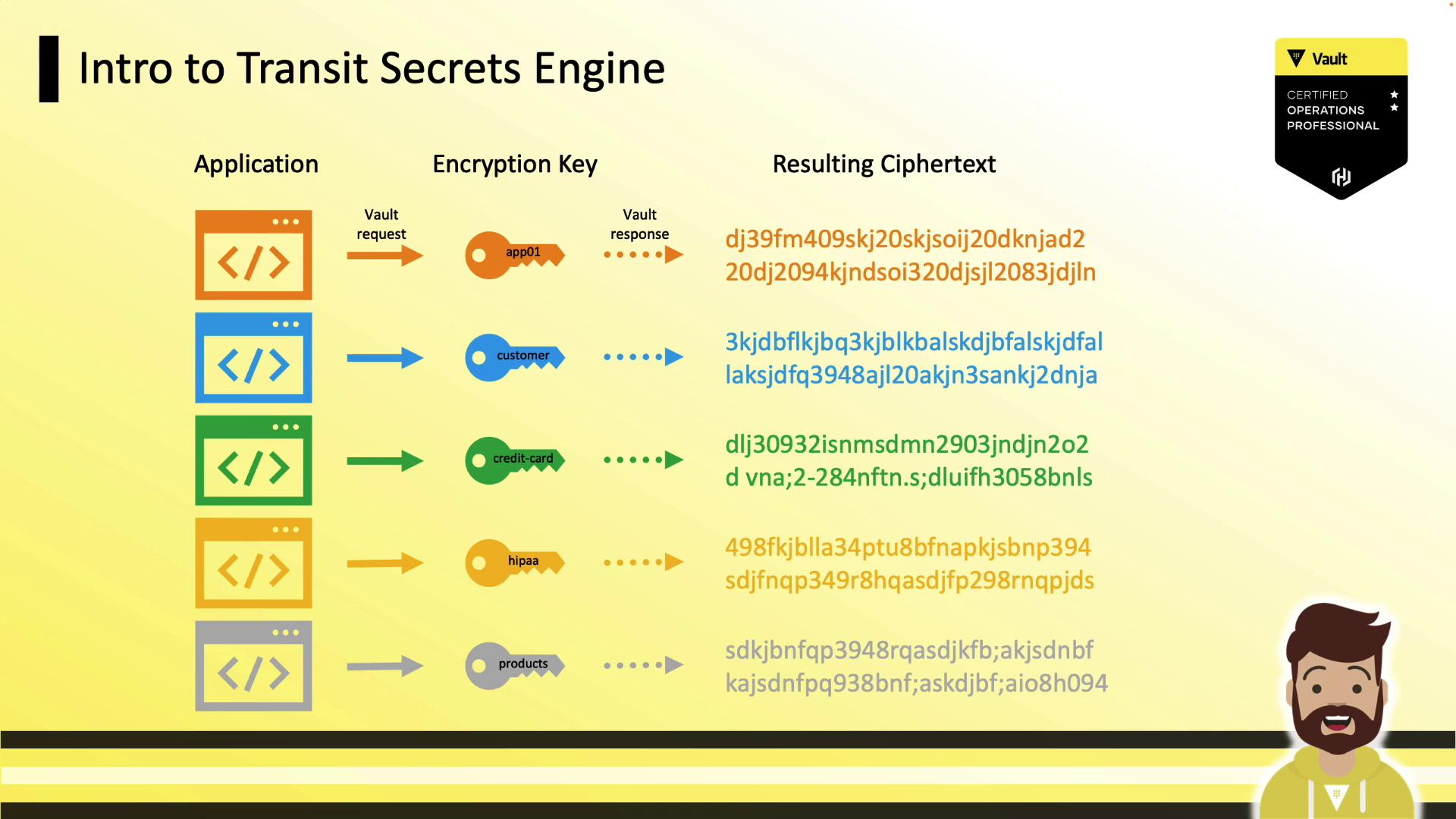
Each application can have dedicated keys and fine-grained policies (encrypt-only, decrypt-only, or both).
<Frame>
  ![The image is an illustration explaining the "Transit Secrets Engine," showing how different applications use encryption keys to produce resulting ciphertexts. It includes a Vault certification badge and a cartoon character at the bottom right.](https://kodekloud.com/kk-media/image/upload/v1752878509/notes-assets/images/HashiCorp-Certified-Vault-Operations-Professional-2022-Transit-Secrets-Engine/transit-secrets-engine-illustration.jpg)
</Frame>

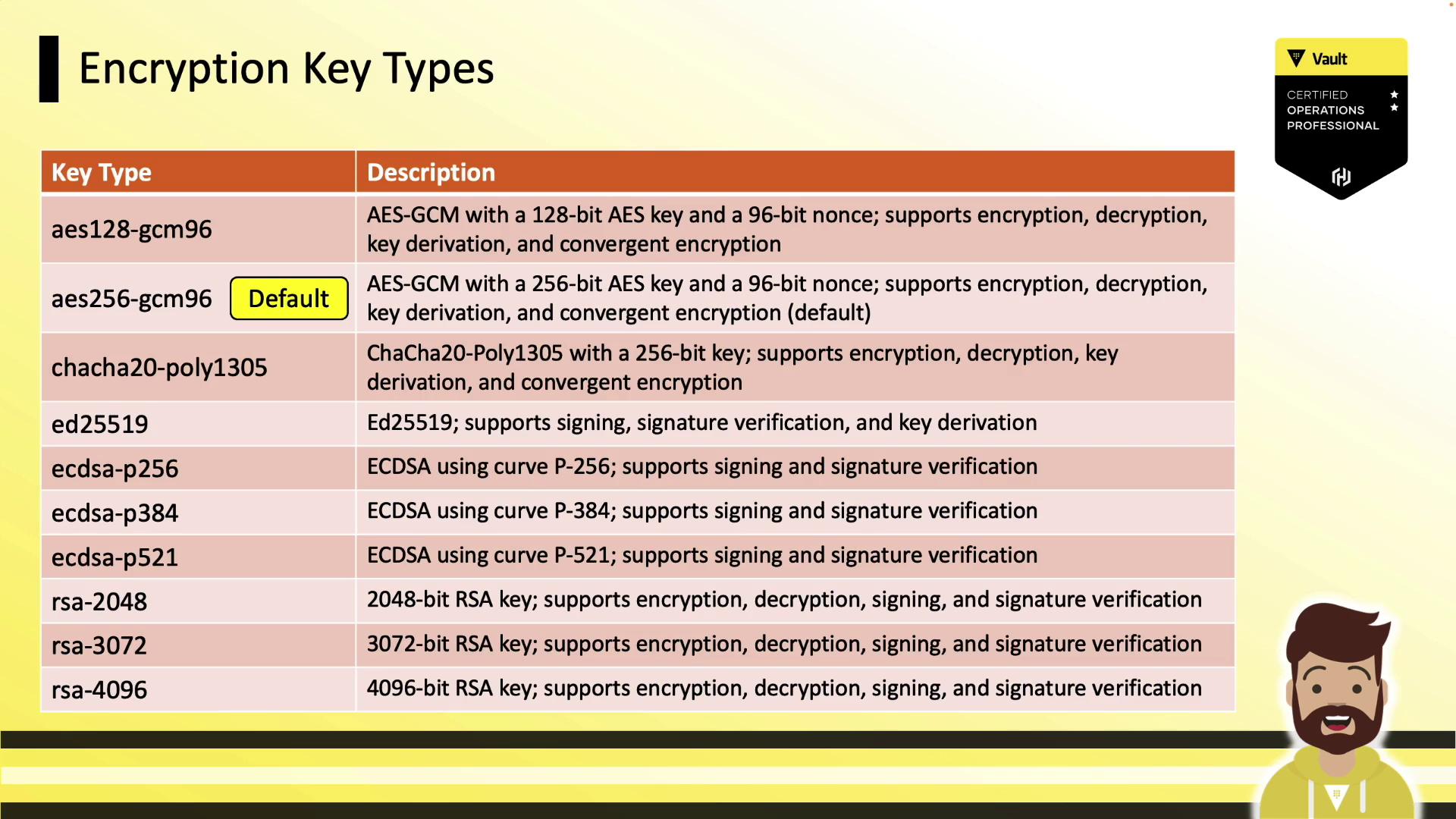
## Supported Key Types

<Frame>
  ![The image is a table listing different encryption key types along with their descriptions, detailing their support for encryption, decryption, signing, and verification. It also includes a "Vault Certified Operations Professional" badge.](https://kodekloud.com/kk-media/image/upload/v1752878510/notes-assets/images/HashiCorp-Certified-Vault-Operations-Professional-2022-Transit-Secrets-Engine/encryption-key-types-table-description.jpg)
</Frame>

Below is a summary of common Transit key types:

| Key Type          | Use Case               | Notes            |
| ----------------- | ---------------------- | ---------------- |
| aes256-gcm96      | Symmetric encryption   | Default          |
| chacha20-poly1305 | Symmetric encryption   | High performance |
| ed25519           | Signing & verification | Modern elliptic  |
| rsa-2048          | Signing & verification | Asymmetric       |

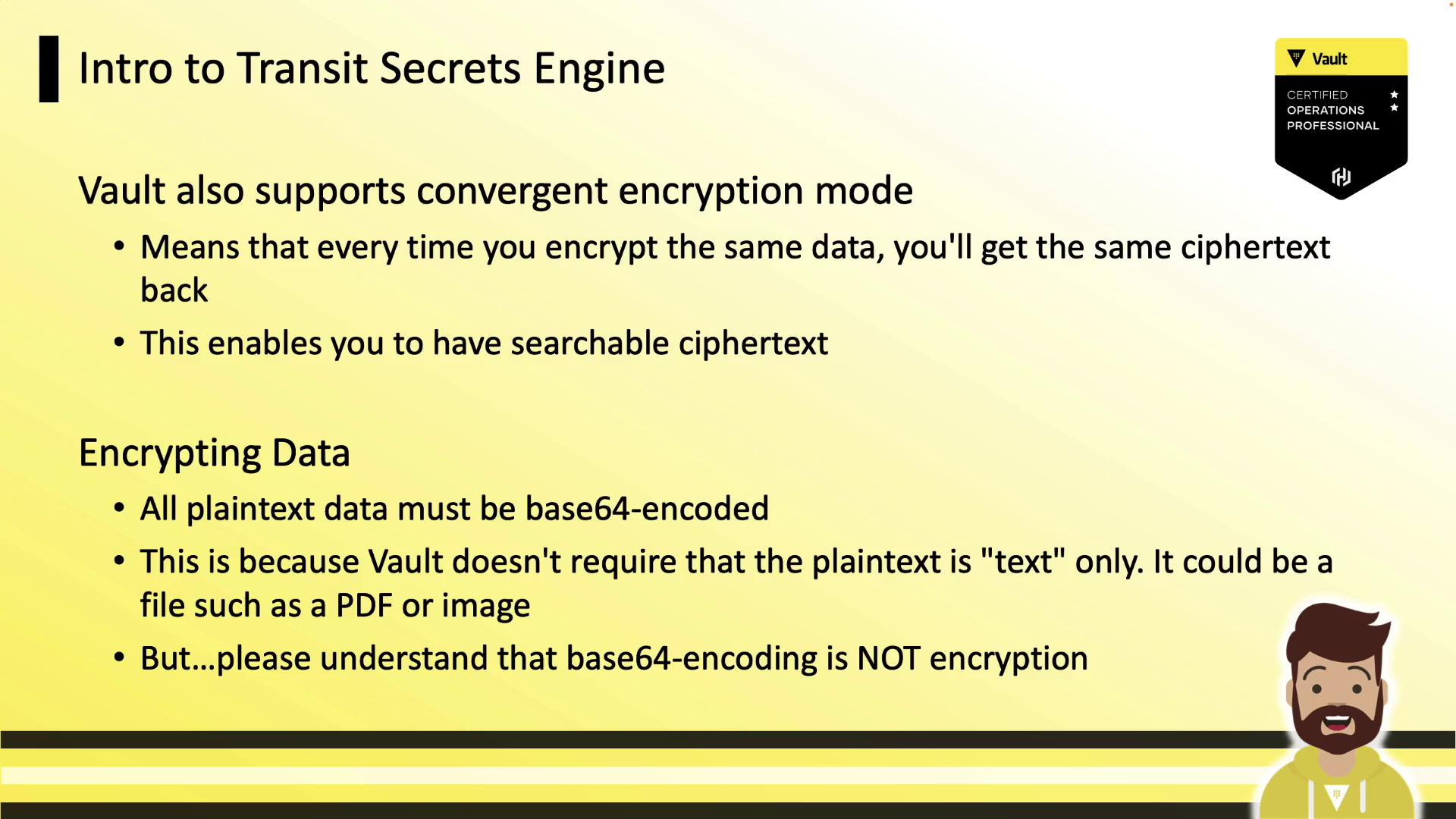
Vault also supports **convergent encryption**, where identical plaintexts always produce the same ciphertext, enabling efficient searches over encrypted data.
<Frame>
  ![The image is a slide titled "Intro to Transit Secrets Engine," discussing Vault's support for convergent encryption mode and the requirement for base64-encoding plaintext data. It includes a Vault certification badge and a cartoon character.](https://kodekloud.com/kk-media/image/upload/v1752878511/notes-assets/images/HashiCorp-Certified-Vault-Operations-Professional-2022-Transit-Secrets-Engine/intro-to-transit-secrets-engine-slide-2.jpg)
</Frame>

<Callout icon="lightbulb" color="#1CB2FE">
  All plaintext must be Base64-encoded before sending to Transit (this is encoding, not encryption).
</Callout>

***

## Hands-On: Enable, Create Key, Encrypt & Decrypt

Enable the Transit engine:

```bash theme={null}
vault secrets enable transit
# Success! Enabled the transit secrets engine at: transit/
```

Create an encryption key named `training`:

```bash theme={null}
vault write -f transit/keys/training
# Success! Data written to: transit/keys/training
```

Encrypt Base64-encoded data:

```bash theme={null}
vault write transit/encrypt/training \
  plaintext=$(base64 <<< "Getting Started with HashiCorp Vault")
# Key         Value
# ---         -----
# ciphertext  vault:v1:FYpph6C7r5MUILIiEiFhCoJBxelQbsGe...
# key_version 1
```

Decrypt ciphertext:

```bash theme={null}
vault write transit/decrypt/training \
  ciphertext="vault:v1:FYpph6C7r5MUILIiEiFhCoJBxelQbsGe..."
# Key       Value
# ---       -----
# plaintext R2V0dGluZyBTdGFydGVkIHdpdGggSGFzaGlDb3JwIFZhdWx0Cg==
```

***

## Rotating & Configuring Keys

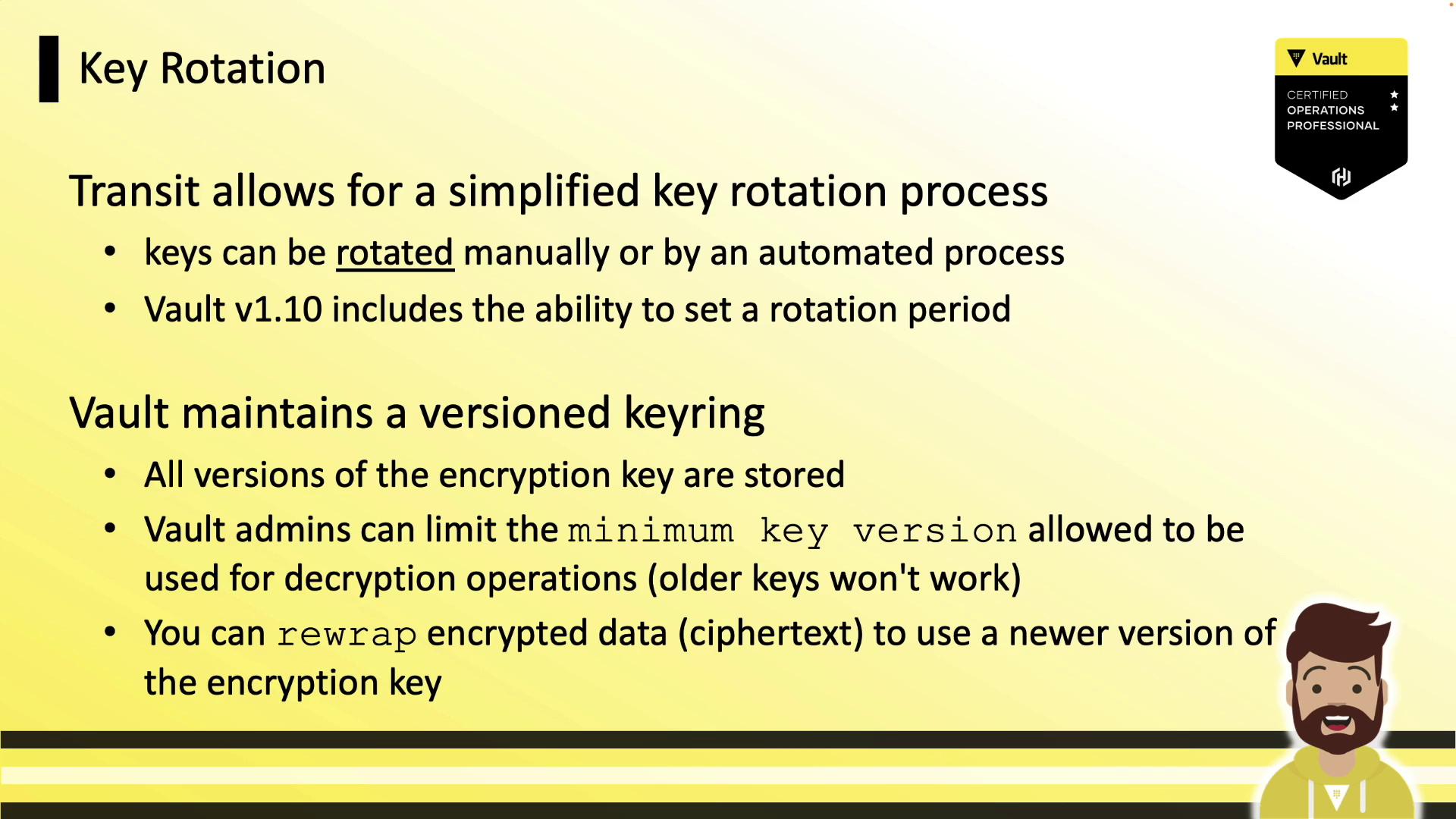
Rotate a key (manual or via `auto_rotate_period`):

```bash theme={null}
vault write -f transit/keys/training/rotate
# Success! Data written to: transit/keys/training/rotate
```

Inspect key metadata:

```bash theme={null}
vault read transit/keys/training
# Key                   Value
# ---                   -----
# keys                  map[1:1647960245 2:1647960257 3:1647961177]
# latest_version        3
# min_decryption_version 1
# ...
```

Set the minimum decryptable version:

```bash theme={null}
vault write transit/keys/training/config \
  min_decryption_version=4
# Success! Data written to: transit/keys/training/config
```

Applications using ciphertext from versions below this threshold will be refused decryption.
<Frame>
  ![The image is a slide about key rotation in Vault, explaining the simplified process of rotating keys manually or automatically, and maintaining a versioned keyring for encryption keys. It includes details about setting rotation periods and limiting key versions for decryption.](https://kodekloud.com/kk-media/image/upload/v1752878512/notes-assets/images/HashiCorp-Certified-Vault-Operations-Professional-2022-Transit-Secrets-Engine/key-rotation-vault-process-diagram.jpg)
</Frame>

## Rewrapping Ciphertexts

To upgrade existing ciphertext to the latest key version—without exposing plaintext—use `rewrap`:

```bash theme={null}
vault write transit/rewrap/training \
  ciphertext="vault:v1:FYpph6C7r5MUILIiEiFhCoJBxelQbsGe..."
# Key         Value
# ---         -----
# ciphertext  vault:v4:RPzp1kMpjtUIis+6qxrNjIE...
# key_version 4
```

Rewrap operations keep data protected entirely within Vault.

***

## Policy Example

Grant an application the ability to encrypt and decrypt using `training`:

```hcl theme={null}
# Encrypt capability
path "transit/encrypt/training" {
  capabilities = ["update"]
}

# Decrypt capability
path "transit/decrypt/training" {
  capabilities = ["update"]
}
```

***

## Links and References

* [HashiCorp Vault Transit Secrets Engine](https://www.vaultproject.io/docs/secrets/transit)
* [Vault HTTP API](https://www.vaultproject.io/api-docs)
* [Vault Tokens and Policies](https://www.vaultproject.io/docs/concepts/policies)
* [HashiCorp Certified: Vault Associate](https://www.hashicorp.com/certification/vault-associate)

<CardGroup>
  <Card title="Watch Video" icon="video" cta="Learn more" href="https://learn.kodekloud.com/user/courses/hashicorp-certified-vault-operations-professional-2022/module/b59936f2-3ed0-4ec2-b1fd-971dcce5c2ca/lesson/68f18ac2-9d11-4ca2-bd93-3e30f0cfdc37" />
</CardGroup>