> ## Documentation Index
> Fetch the complete documentation index at: https://notes.kodekloud.com/llms.txt
> Use this file to discover all available pages before exploring further.
# Vault Tokens Auth Method
> Vaults token authentication is essential for accessing Vault, requiring valid tokens for most operations and supporting various token types for different use cases.
Vault’s token authentication is the default and core method for accessing Vault. Almost every Vault operation (aside from health checks and auth endpoints) requires a valid token. Since all auth methods eventually issue tokens, mastering tokens is essential for secure and efficient Vault usage.
Tokens are written to Vault’s storage backend and cannot be disabled. Each token carries one or more policies, determining its permissions. By default, every token inherits the `default` policy.
## Token Types Comparison
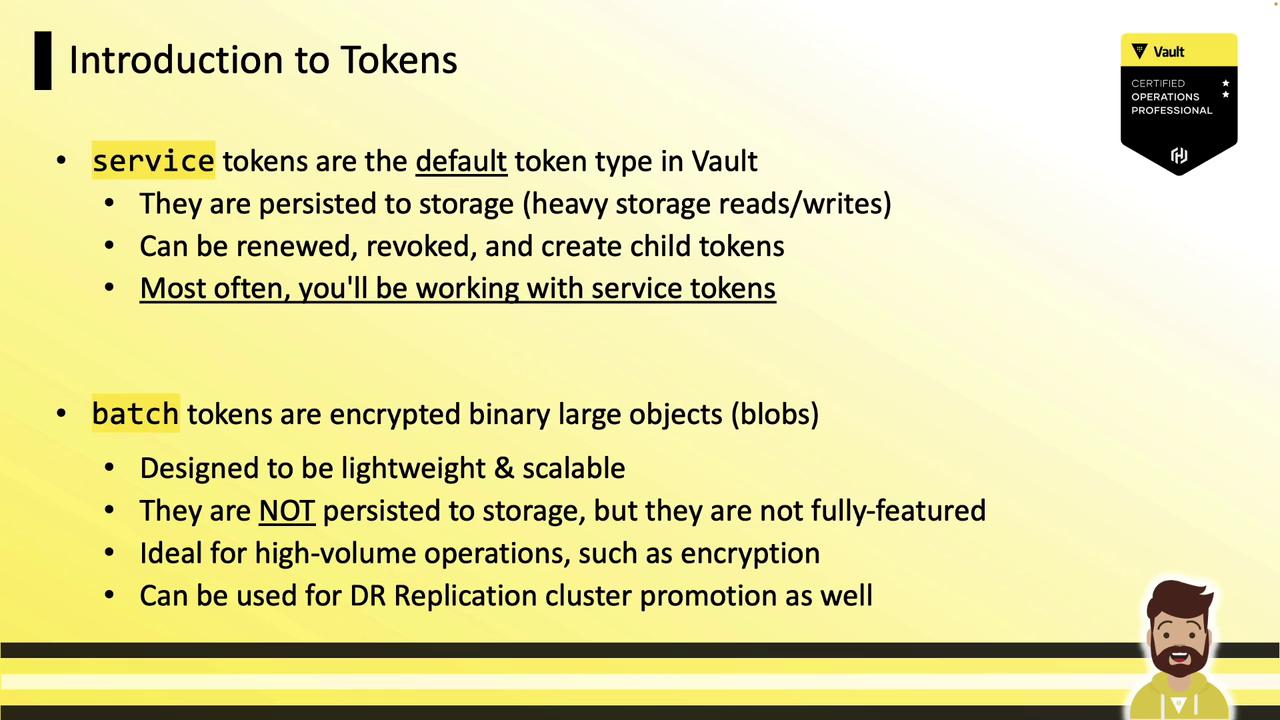
Vault supports multiple token types. Below is a comparison of the two primary types:
| Token Type | Prefix | Persistence | Renewable | Typical Use Case |
| ------------- | ------ | -------------- | --------- | -------------------------------------------- |
| Service Token | hvs | Stored on disk | Yes | Long-lived sessions, child token creation |
| Batch Token | hvb | Ephemeral | No | High-volume operations, DR replication sales |
For more details, see the [Vault Token Auth Method](https://www.vaultproject.io/docs/auth/token) documentation.
***
## Creating Tokens
Vault lets you tailor tokens for different scenarios: periodic, use-limited, or orphan. Below are examples for each.
### Periodic Tokens
Periodic tokens have no maximum TTL and can be renewed indefinitely at a fixed interval.
```bash theme={null}
vault token create \
-policy="hcvop" \
-period="24h"
```
Example output:
```text theme={null}
Key Value
--- -----
token hvs.CAESINq3yTGLYZofP7iZBStz3zAktvOHfWBigN
token_accessor fy9Jjse9SRTLIYLufysE6qP0
token_duration 24h
token_renewable true
token_policies ["default" "hcvop"]
policies ["default" "hcvop"]
```
Ideal for long-running applications that can renew instead of rotating tokens frequently.
### Use-Limited Tokens
Use-limited tokens expire after a specified number of uses or when the TTL is reached.
```bash theme={null}
vault token create \
-policy="hcvop" \
-use-limit=2
```
### Orphan Tokens
Orphan tokens have no parent relationship. They remain valid even if the creator token is revoked.
```bash theme={null}
vault token create \
-policy="hcvop" \
-orphan
```
***
## Configuring Auth Methods for Token Types
You can configure other auth backends (e.g., AppRole) to issue specific token types:
```bash theme={null}
# Enable AppRole
vault auth enable approle
# Create a role that issues batch tokens
vault write auth/approle/role/hcvop \
policies="engineering" \
token_type="batch" \
token_ttl="60s"
# Create a role that issues periodic tokens
vault write auth/approle/role/hcvop \
policies="hcvop" \
period="72h"
```
* `token_type="batch"` → batch tokens
* `period="72h"` → periodic tokens
***
## Authenticating with a Token
### UI
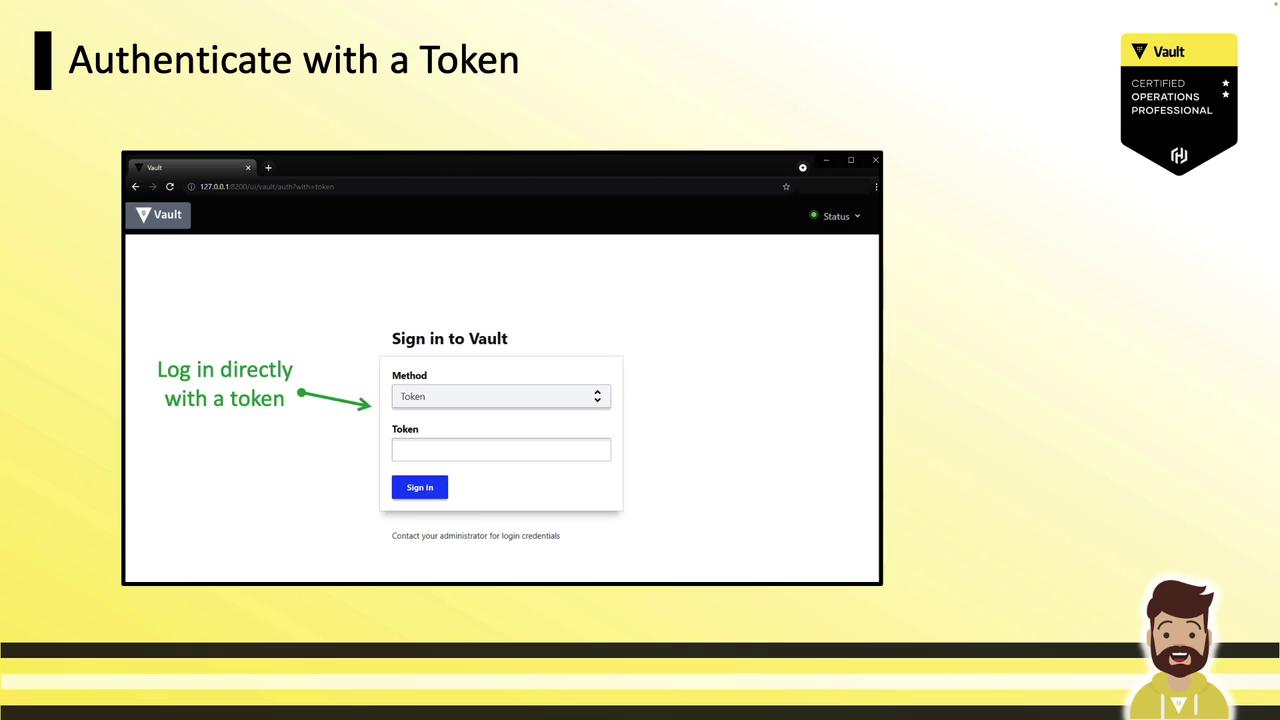
1. Choose the **Token** auth method.
2. Paste your token and click **Sign In**.
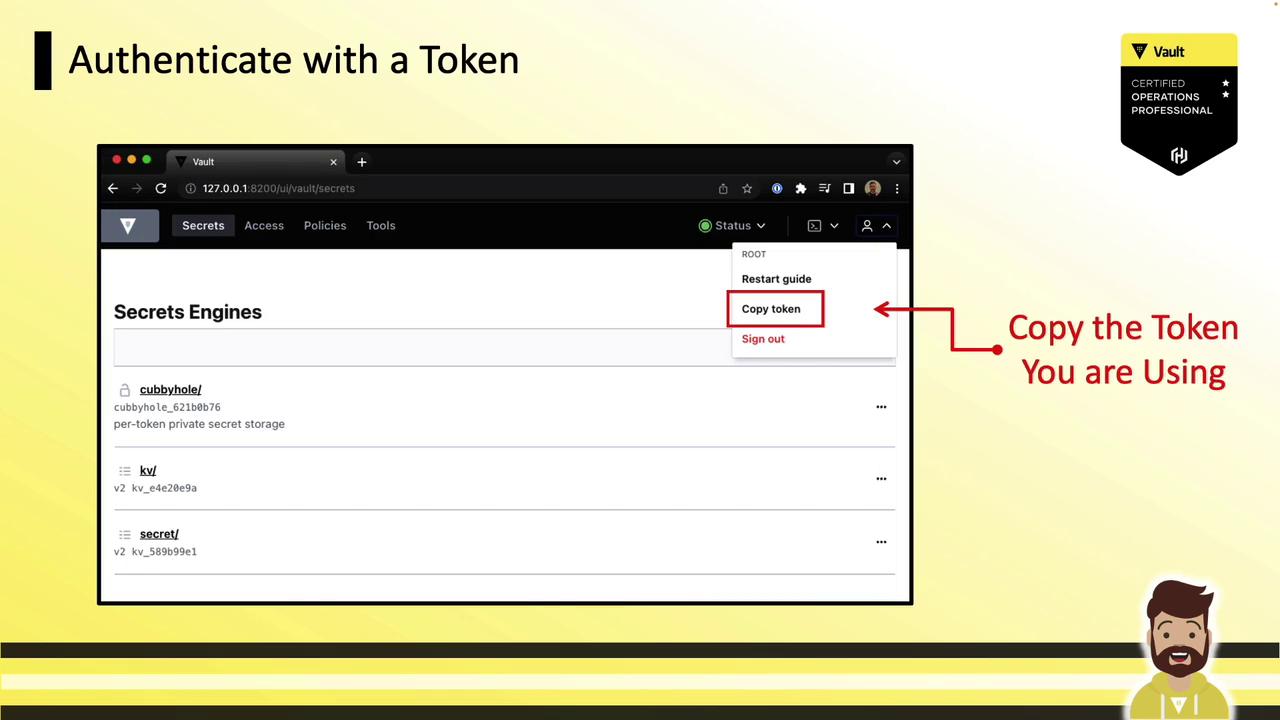
After signing in, select **Copy Token** from the user menu:
### API
Include the token in the `X-Vault-Token` header or as a Bearer token:
```bash theme={null}
curl --header "X-Vault-Token: hvs.cDIPyitdJKSm46ydTXJOsaQR" \
--request POST \
--data '{"apikey":"3230sc$832d"}' \
https://vault.example.com:8200/v1/secret/data/apikey/splunk
curl --header "Authorization: Bearer hvs.cDIPyitdJKSm46ydTXJOsaQR" \
--request GET \
https://vault.example.com:8200/v1/secret/data/apikey/splunk
```
### CLI
Interactive login (token entry hidden from history):
```bash theme={null}
vault login
# Token (will be hidden):
```
Or pass the token directly (it will appear in your shell history):
```bash theme={null}
vault login hvs.cDIPyitdJKSm46ydTXJOsaQR
```
Avoid embedding long-lived tokens in scripts or logs. Use short-lived, renewable tokens and dynamic secrets where possible.
***
## Revoking Tokens
Revoke any token, including root, with:
```bash theme={null}
vault token revoke hvs.cDIPyitdJKSm46ydTXJOsaQR
```
***
Tokens are Vault’s fundamental authentication mechanism. You now know how to choose the right token type, create periodic/use-limited/orphan tokens, configure auth backends for specific token issuance, and authenticate or revoke tokens. For further reading, explore the [Vault Authentication Methods](https://www.vaultproject.io/docs/auth) guide.