> ## Documentation Index
> Fetch the complete documentation index at: https://notes.kodekloud.com/llms.txt
> Use this file to discover all available pages before exploring further.
# Working with the KeyValue Secrets Engine
> This guide explains managing secrets in HashiCorp Vault’s Key/Value Secrets Engine using the Vault CLI, covering various operations for both KV v1 and v2.
In this guide, you’ll learn how to manage secrets in HashiCorp Vault’s Key/Value (KV) Secrets Engine using the Vault CLI. We’ll cover writing, reading, deleting, and listing secrets in both KV v1 and v2, plus advanced v2-only operations: undelete, destroy, patch, and rollback.
Ensure you have Vault CLI installed and authenticated. For installation instructions, see the [Vault Installation Guide](https://www.vaultproject.io/docs/install).
## KV CLI Command Overview
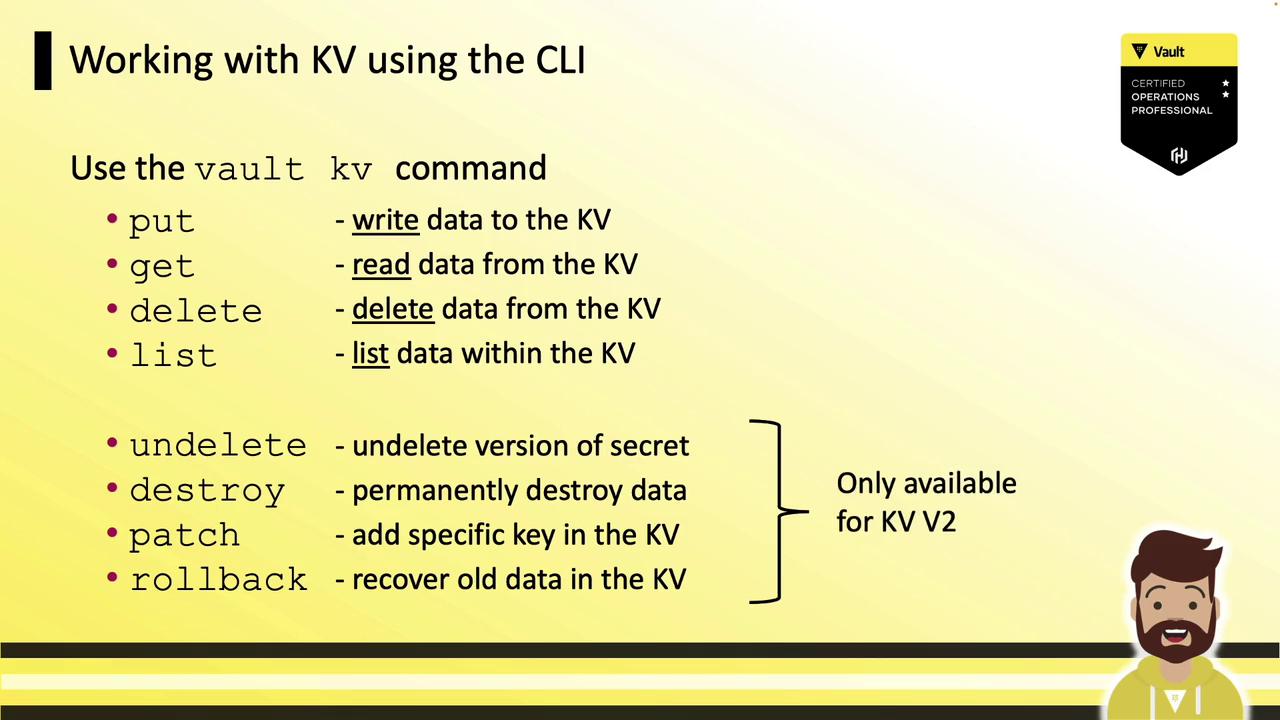
Vault provides a unified `vault kv` command with these core subcommands:
| Subcommand | Description |
| ---------- | ------------------------- |
| put | Write data to a KV path |
| get | Read data from a KV path |
| delete | Delete data at a KV path |
| list | List keys under a KV path |
KV v2 adds these metadata and versioning operations:
| Subcommand | Description |
| ---------- | ------------------------------------------ |
| undelete | Restore a soft-deleted version |
| destroy | Permanently delete one or more versions |
| patch | Update specific fields without overwriting |
| rollback | Restore an older version as the latest |
## Comparing KV Version 1 vs. Version 2
Although `vault kv put kv/app/db pass=123` uses the same syntax in both versions, the output and data paths differ:
### KV Version 1
```bash theme={null}
$ vault kv put kv/app/db pass=123
Success! Data written to: kv/app/db
```
### KV Version 2
```bash theme={null}
$ vault kv put kv/app/db pass=123
== Secret Path ==
kv/data/app/db
======= Metadata =======
Key Value
--- -----
created_time 2022-03-27T15:52:29.361762Z
custom_metadata
deletion_time n/a
destroyed false
version 1
```
Version 2 automatically prefixes your path with `data/` and returns metadata, including version details.
## Writing Secrets to the KV Store
### Basic Write
```bash theme={null}
$ vault kv put kv/app/db pass=123 user=admin api=a8ee4b50cce124
Success! Data written to: kv/app/db
```
### Bulk Write from File
```bash theme={null}
$ vault kv put kv/app/db @secrets.json
Success! Data written to: kv/app/db
```
Vault will read key/value pairs from `secrets.json` and store them at the specified path.
Each `put` command **replaces** the entire data set at that path. It does *not* merge with existing keys.
### Overwriting vs. Patching
To overwrite all data:
```bash theme={null}
$ vault kv put kv/app/db api=39cms1204mfi2m
== Secret Path ==
kv/data/app/db
=== Data ===
Key Value
--- -----
api 39cms1204mfi2m
```
To update a single key without removing others:
```bash theme={null}
$ vault kv patch kv/app/db user=bryan
======= Metadata =======
Key Value
--- -----
created_time 2022-12-22T17:57:35.157363Z
destroyed false
version 4
$ vault kv get kv/app/db
=== Data ===
Key Value
--- -----
pass 123
user bryan
api a8ee4b50cce124
```
## Managing Versions: Rollback
Restore a previous version as the latest:
```bash theme={null}
$ vault kv rollback -version=1 kv/app/db
== Secret Path ==
kv/data/app/db
======= Metadata =======
Key Value
--- -----
created_time 2022-12-21T14:49:23.746331Z
version 3
$ vault kv get kv/app/db
=== Data ===
Key Value
--- -----
pass 123
user admin
api a8ee4b50cce124
```
A new version (3) is created based on version 1, restoring the old data.
## Reading Secrets
Retrieve the latest version:
```bash theme={null}
$ vault kv get kv/app/db
== Secret Path ==
kv/data/app/db
======= Metadata =======
Key Value
--- -----
created_time 2022-12-15T04:35:56.395821Z
deletion_time n/a
destroyed false
version 1
=== Data ===
Key Value
--- -----
pass 123
user admin
api a8ee4b50cce124
```
### JSON Output
For machine-friendly output, use `-format=json` or set `VAULT_OUTPUT=json`:
```bash theme={null}
$ vault kv get -format=json kv/app/db
{
"data": {
"data": {
"pass": "123",
"user": "admin",
"api": "a8ee4b50cce124"
},
"metadata": {
"created_time": "2022-12-21T13:59:29.917893Z",
"custom_metadata": null,
"deletion_time": "",
"destroyed": false,
"version": 1
}
}
}
```
## Working with Specific Versions
* **Latest version**:
```bash theme={null}
$ vault kv get kv/app/db
```
* **Specific version** (`N`):
```bash theme={null}
$ vault kv get -version=N kv/app/db
```
## Deleting and Destroying Secrets
### KV Version 1
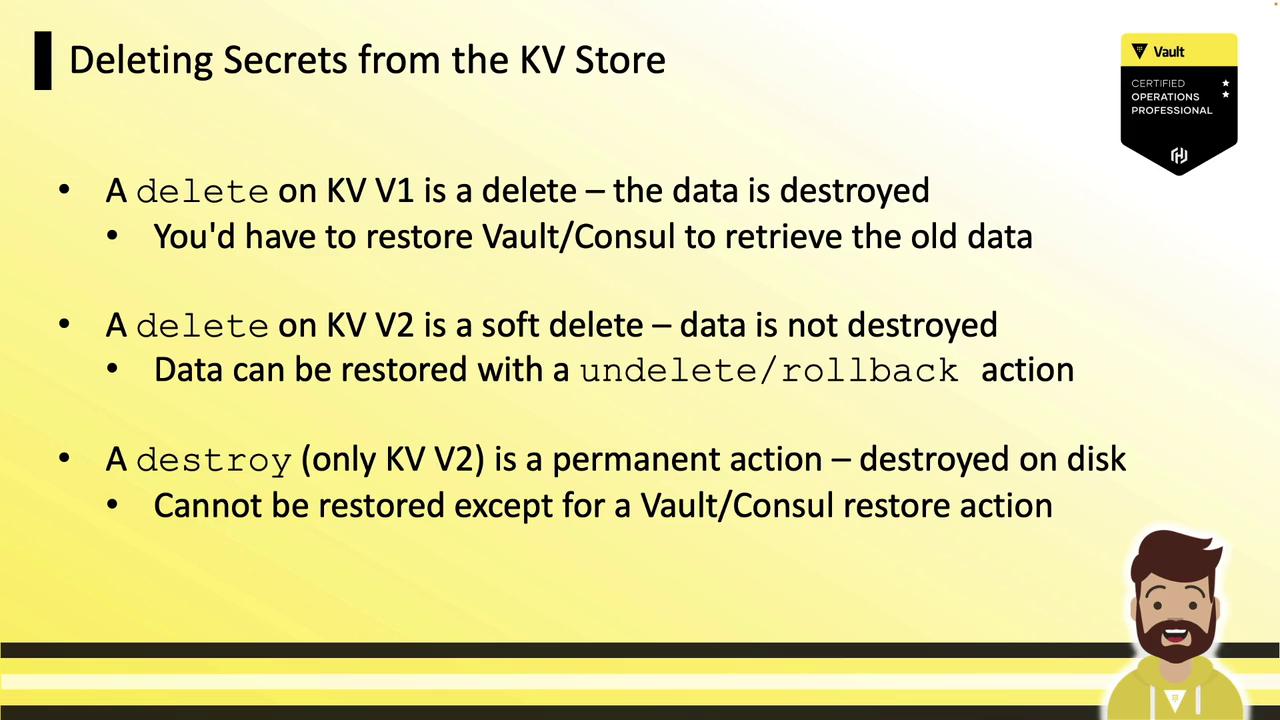
A delete permanently removes the data:
```bash theme={null}
$ vault kv delete secret/app/database
Success! Data deleted (if it existed) at: secret/app/database
$ vault kv get secret/app/database
No value found at secret/app/database
```
### KV Version 2
* **delete** performs a *soft delete* (marks data without purging).
* **destroy** permanently purges specified versions.
#### Soft Delete
```bash theme={null}
$ vault kv delete secret/app/web
Success! Data deleted (if it existed) at: secret/app/web
$ vault kv get secret/app/web
== Secret Path ==
secret/data/app/web
======= Metadata =======
Key Value
--- -----
created_time 2022-12-15T17:41:41.130520Z
deletion_time 2022-12-15T17:42:03.369955Z
destroyed false
version 3
```
#### Destroy
```bash theme={null}
$ vault kv destroy --versions=3 secret/app/web
Success! Purged version(s) from: secret/app/web
$ vault kv get secret/app/web
== Secret Path ==
secret/data/app/web
======== Metadata ========
Key Value
--- -----
created_time 2022-12-21T14:49:23.746331Z
destroyed true
version 3
```
Once destroyed, the data cannot be recovered without a snapshot restore.
## Summary
Vault’s KV Secrets Engine is your go-to store for arbitrary secrets. KV v2 enhances this with:
* Versioning and detailed metadata
* Soft deletes and permanent destroys
* Granular updates via `patch`
* Recovery operations: `undelete` and `rollback`
With these commands, you can confidently manage, version, and protect your secrets in Vault.
## Links and References
* [Vault CLI Documentation](https://www.vaultproject.io/docs/commands/kv)
* [KV Secrets Engine Overview](https://www.vaultproject.io/docs/secrets/kv)
* [Semantic Versioning](https://semver.org/)