> ## Documentation Index
> Fetch the complete documentation index at: https://notes.kodekloud.com/llms.txt
> Use this file to discover all available pages before exploring further.
# Running Vault in Kubernetes
> This guide explores security implications and best practices for running HashiCorp Vault on Kubernetes platforms.
In this guide, we explore the security implications and best practices for running HashiCorp Vault on Kubernetes platforms like EKS, AKS, GKE, and OpenShift. While Vault’s default security model targets VMs or bare metal, containerized deployments require extra hardening. The easiest way to get started is with the official Helm chart—just provide your custom values and install.
## Deploying with the Official Helm Chart
To install Vault using Helm:
```bash theme={null}
helm repo add hashicorp https://helm.releases.hashicorp.com
helm repo update
helm install vault hashicorp/vault \
--namespace vault \
--create-namespace \
--values my-vault-values.yaml
```
This chart supports high availability, integrated storage backends, TLS, and more. Customize `my-vault-values.yaml` to enable mlock, non-root execution, and other hardening options.
## TLS End-to-End Encryption
Ensure that all traffic between clients, load balancers, and Vault pods is encrypted with TLS 1.2 or higher. Do **not** terminate TLS at the load balancer; instead, use TLS passthrough so that Vault pods handle the certificate handshake.
Configure your cloud load balancer for TCP passthrough to maintain end-to-end encryption. This prevents cleartext traffic from ever reaching your Vault pods.
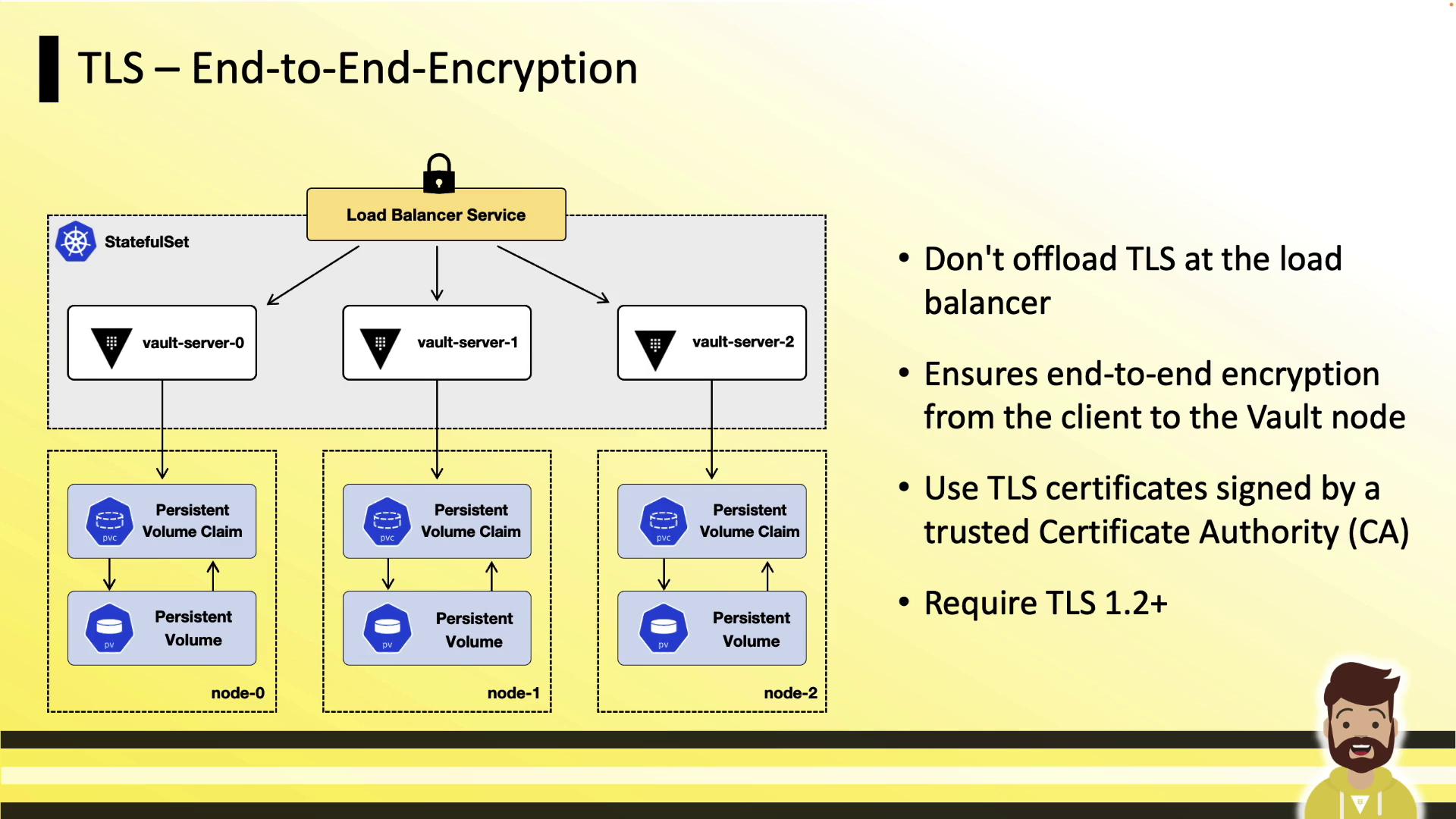
Use certificates signed by a trusted CA, enforce TLS 1.2+, and mount each Vault pod’s certificate and private key via a Kubernetes `Secret` and a `PersistentVolumeClaim`.
## Disable Core Dumps
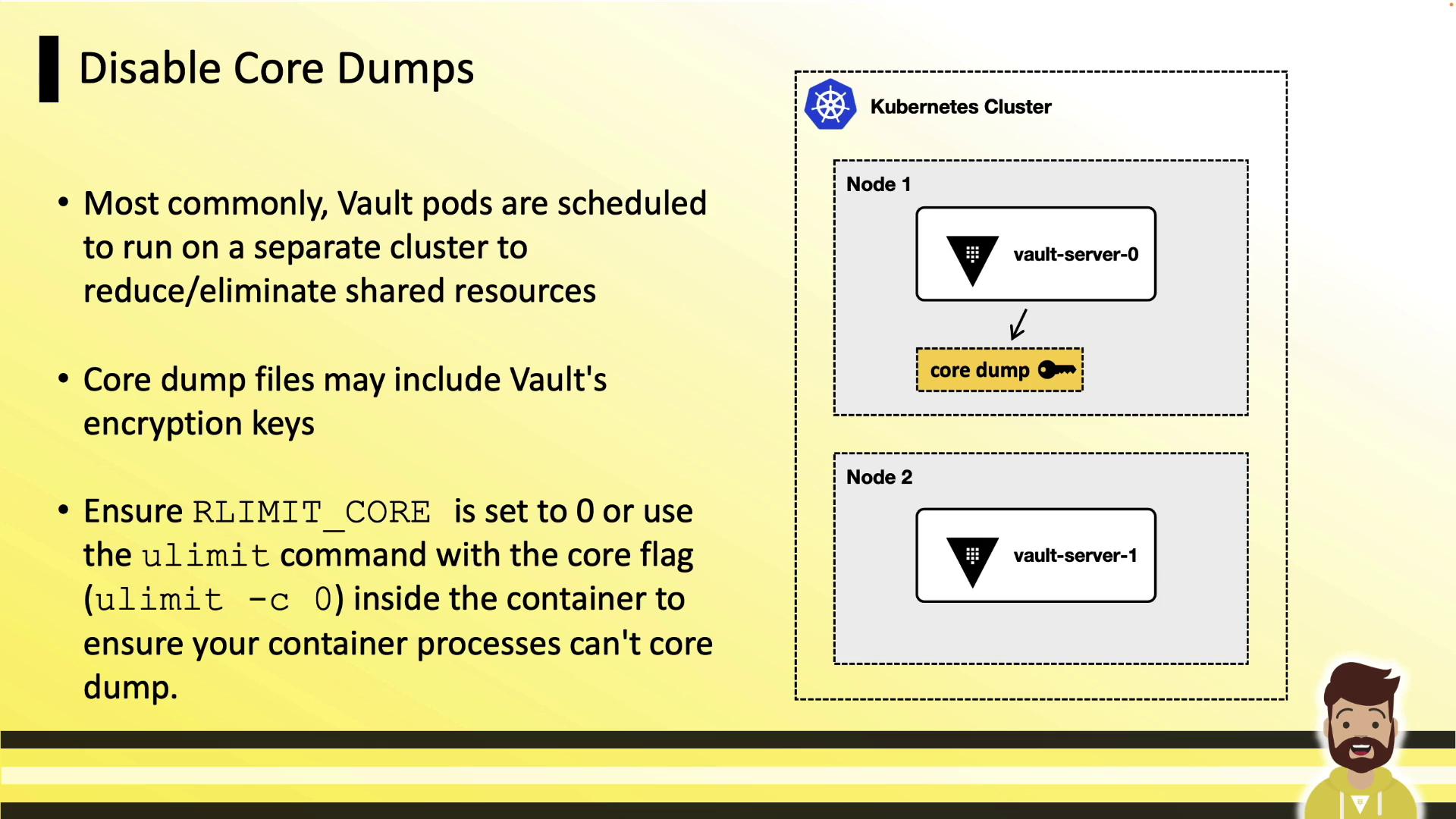
Core dumps can inadvertently capture Vault’s in-memory encryption keys. Disable them at the kernel and container levels:
```bash theme={null}
# Disable core dumps on the host
ulimit -c 0
```
In your Pod spec security context:
```yaml theme={null}
securityContext:
runAsNonRoot: true
runAsUser: 1000
capabilities:
add: ["IPC_LOCK"]
resources:
limits:
core: 0
```
A core dump could expose sensitive encryption keys. Always set `RLIMIT_CORE` to `0` in your containers.
## Enable mlock
Prevent Vault’s memory from being swapped to disk by granting the `IPC_LOCK` capability. This ensures in-memory encryption keys never hit swap:
```yaml theme={null}
securityContext:
runAsNonRoot: true
runAsUser: 1000
capabilities:
add: ["IPC_LOCK"]
```
## Run as Non-Root & Read-Only Filesystem
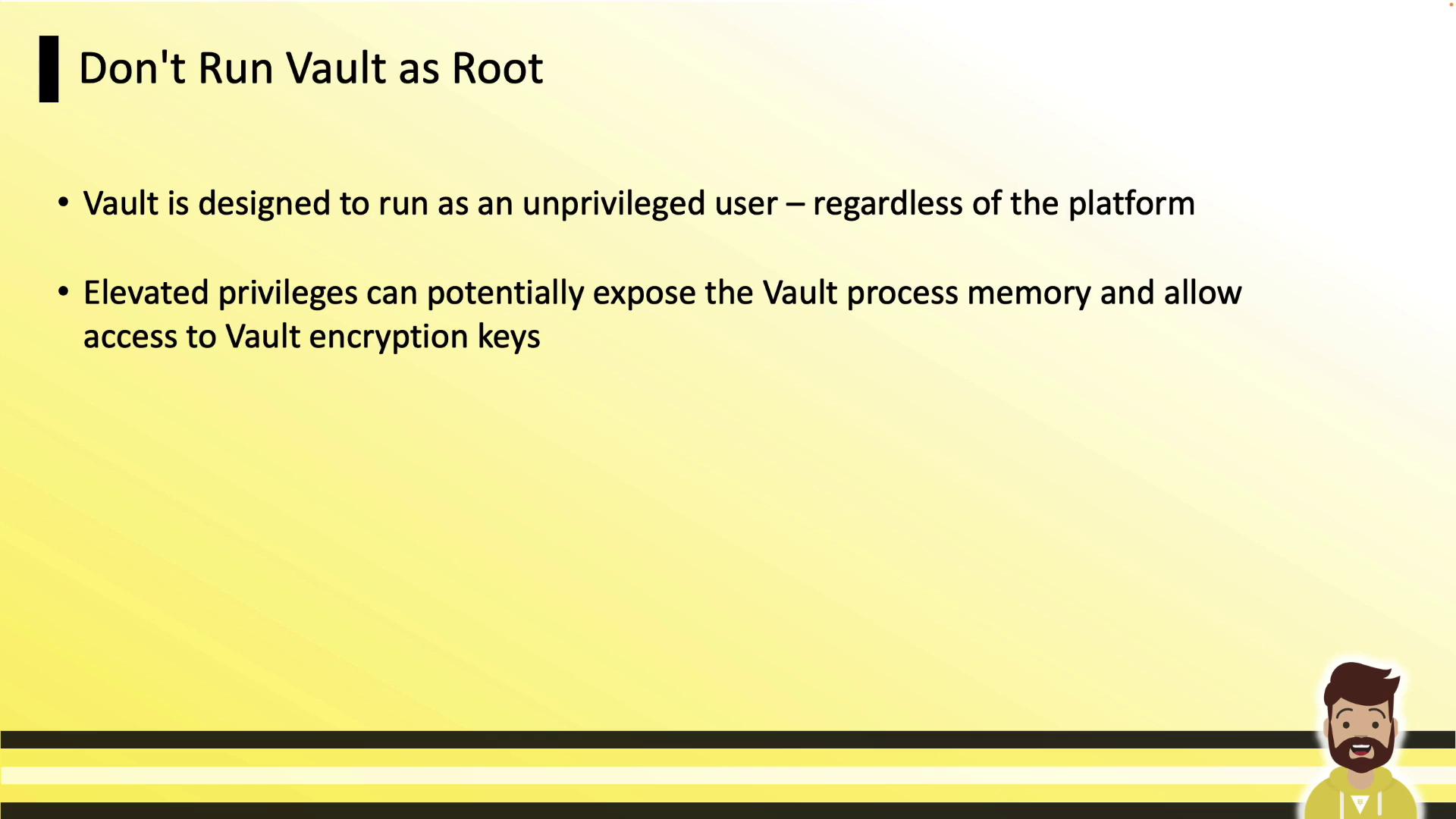
Running Vault as root increases risk if a container escape occurs. Enforce non-root execution and mount the filesystem read-only:
```yaml theme={null}
apiVersion: v1
kind: Pod
metadata:
name: vault-server
spec:
containers:
- name: vault
image: vault:latest
securityContext:
runAsNonRoot: true
readOnlyRootFilesystem: true
capabilities:
add: ["IPC_LOCK"]
```
## Security Context Cheat Sheet
| Feature | Configuration Snippet | Purpose |
| ------------------------- | --------------------------------------- | ------------------------------------- |
| Disable Core Dumps | limits.core: 0 | Prevents writing memory dumps to disk |
| Enable mlock | capabilities.add: \["IPC\_LOCK"] | Locks memory to avoid swapping |
| Non-Root Execution | runAsNonRoot: true
runAsUser: 1000 | Reduces attack surface in container |
| Read-Only Root Filesystem | readOnlyRootFilesystem: true | Prevents unwanted file modifications |
## Additional Best Practices
* Deploy Vault on a dedicated Kubernetes cluster.
* Minimize enabled auth methods and secrets engines.
* Keep token TTLs short and prune unused policies regularly.
* Ensure Vault is the main process (PID 1) in each container, so it receives signals properly.
For a deeper dive, see the\
[HashiCorp Learn tutorial on running Vault in Kubernetes](https://learn.hashicorp.com/tutorials/vault/kubernetes).\
Other useful references:
* [Vault Helm Chart](https://artifacthub.io/packages/helm/hashicorp/vault)
* [Kubernetes Security Context](https://kubernetes.io/docs/tasks/configure-pod-container/security-context/)