> ## Documentation Index
> Fetch the complete documentation index at: https://notes.kodekloud.com/llms.txt
> Use this file to discover all available pages before exploring further.
# HashiCorp Documentation Review
> This guide helps navigate HashiCorp Vault documentation for the Vault Certified Operations Professional exam, highlighting key sections and best practices.
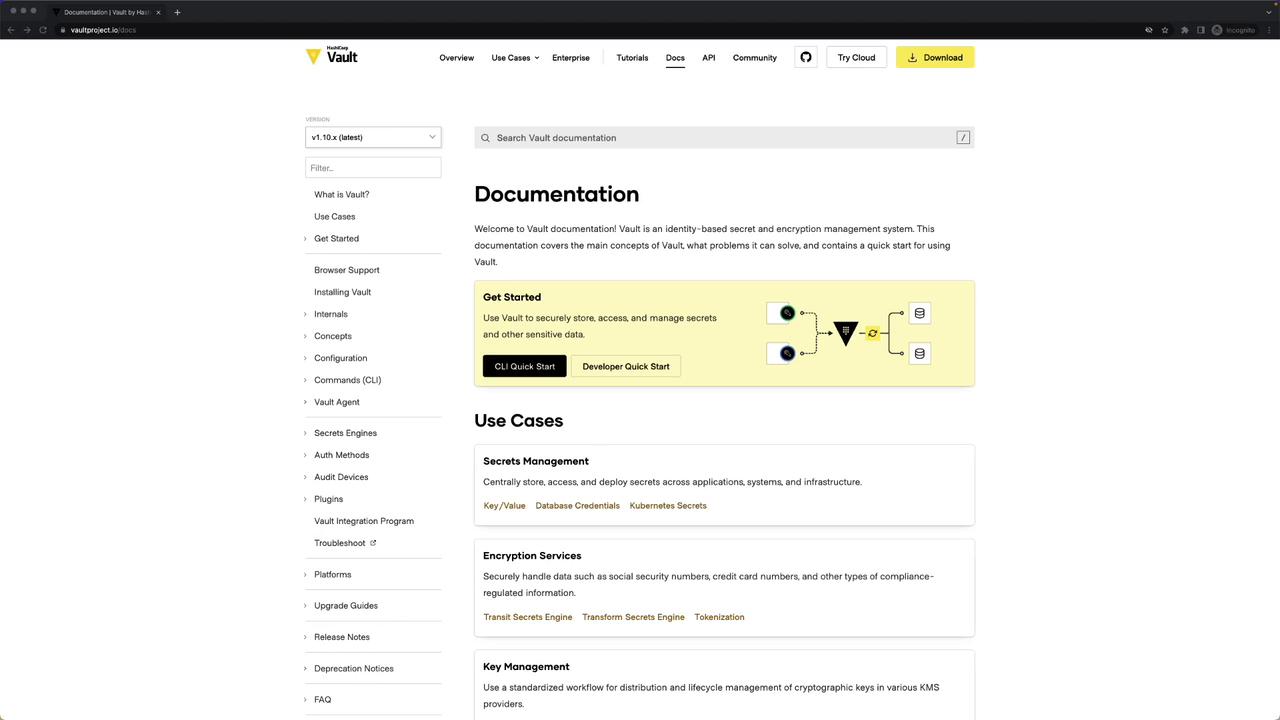
In this guide, you’ll learn how to navigate the official HashiCorp Vault documentation and API references effectively for the Vault Certified Operations Professional exam. You will have access to the [Vault Documentation](https://www.vaultproject.io/docs) and the [Vault API Reference](https://www.vaultproject.io/api-docs) during the test—exactly as shown on screen. This article highlights the key sections, best practices, and example stanzas you’ll need.
***
## Documentation Structure Overview
The left-hand navigation pane organizes Vault content into high-level concepts and detailed references. Use this table to focus your study on exam-relevant topics:
| Section | Description | Example Stanza or Command |
| ---------------------- | ------------------------------------------------------- | ---------------------------------------------- |
| What is Vault | Core concepts, architecture, and use cases | n/a |
| Get Started | Quickstart guides, basic deployment | `vault server -config=config.hcl` |
| Configuration | Server listeners, seal backends, storage, UI toggles | HCL snippets (shown below) |
| Commands | CLI subcommands (`vault status`, `vault operator seal`) | `vault status` |
| Vault Agent | Auto-auth, caching, templating, listeners | Agent HCL/YAML (shown below) |
| Secrets Engines | Database, AWS, PKI, KV, etc. | `vault secrets enable aws` |
| Authentication Methods | AppRole, GitHub, LDAP, etc. | `vault auth enable approle` |
| Audit Devices | File, syslog, socket | `vault audit enable file file_path="/var/log"` |
| API Documentation | Complete parameter lists and endpoints | See “API Docs” section |
***
## 1. Configuration
Vault’s **Configuration** section covers everything in your server’s HCL file—listeners, seal backends, storage, UI, telemetry, and more.
### 1.1 Listener Configuration
Vault supports a single listener type: TCP.\
Key parameters:
* `address`
* `cluster_address`
* `tls_disable`
* `tls_cert_file`
* `tls_key_file`
Disabling TLS (`tls_disable = true`) is insecure. Only use in development or isolated test environments.

```hcl theme={null}
listener "tcp" {
address = "0.0.0.0:8200"
cluster_address = "0.0.0.0:8201"
tls_disable = true
tls_cert_file = "/etc/vault/server.crt"
tls_key_file = "/etc/vault/server.key"
}
```
### 1.2 Seal Configuration
Choose a seal backend to protect the master key. Examples:
```hcl theme={null}
seal "aws_kms" {
region = "us-east-1"
access_key = "AKIAIOSFODNN7EXAMPLE"
secret_key = "xutxfEHTKZM6DN9Pr1fI0CEXAMPLE"
key_id = "1g9c8b4c-4d97-816d-6ec6example"
endpoint = "https://example.vpce.us-east-1.vpce.amazonaws.com"
}
seal "azurekeyvault" {
tenant_id = "e646479d-96b3-4747-be42-51dedaef1e46"
client_id = "b343637c-1649-47b7-8152-3e568f81426c"
client_secret = "PUDUS3"
key_name = "vault-key"
}
seal "pkcs11" {
# PKCS#11 parameters...
}
seal "ocikms" {
key_id = "ocid1.kmskey.oc1..exampleuniqueID"
crypto_endpoint = "https://kms.us-ashburn-1.oci.oraclecloud.com"
management_endpoint = "https://kms.us-ashburn-1.oci.oraclecloud.com"
auth_type_api_key = "true"
}
```
### 1.3 Storage Backend
Example: Integrated Raft storage for HA.
```hcl theme={null}
storage "raft" {
path = "/path/to/raft/data"
node_id = "raft_node_1"
cluster_addr = "https://127.0.0.1:8201"
}
ui = true
```
Additional configuration blocks for telemetry, service registration, etc., are available in the docs.
***
## 2. CLI Commands
Vault’s **Commands** reference documents every subcommand. Common ones include:
```bash theme={null}
vault status
vault version
vault operator seal
vault operator unseal
vault operator rotate
```
Explore `vault operator` for Raft snapshots, key rotation, and more.
***
## 3. Vault Agent
Vault Agent automates authentication, token caching, template rendering, and secret synchronization.
### Auto-Auth with AppRole
```hcl theme={null}
pid_file = "/tmp/agent.pid"
vault {
address = "https://127.0.0.1:8200"
}
auto_auth {
method = "approle"
config = {
role_id_file_path = "roleid"
secret_id_file_path = "secretid"
remove_secret_id_file_after_reading = true
}
}
sink "file" {
wrap_ttl = "30m"
config = { path = "wrapped.txt" }
}
sink "file" {
config = { path = "unwrapped.txt" }
}
cache {
use_auto_auth_token = true
}
listener "tcp" {
address = "127.0.0.1:8201"
tls_disable = true
}
template {
source = "/etc/vault/template.ctmpl"
destination = "/etc/vault/rendered.txt"
}
```
See the Vault docs for Azure, AWS, Kubernetes, and other auto-auth methods.
***
## 4. Secrets Engines
Enable and configure **Secrets Engines** to manage credentials dynamically:
### 4.1 Database Engine (MySQL)
```bash theme={null}
vault secrets enable database
vault write database/config/my-mysql-database \
plugin_name=mysql-database-plugin \
connection_url="{{username}}:{{password}}@tcp(127.0.0.1:3306)/" \
allowed_roles="my-role" \
username="vaultuser" \
password="vaultpass"
vault write database/roles/my-role \
db_name="my-mysql-database" \
creation_statements="CREATE USER '{{name}}'@'%' IDENTIFIED BY '{{password}}'; GRANT SELECT ON *.* TO '{{name}}';" \
default_ttl="24h" \
max_ttl="24h"
```
### 4.2 Database Engine (PostgreSQL)
```bash theme={null}
vault write database/config/my-postgresql-database \
plugin_name=postgresql-database-plugin \
connection_url="postgresql://{{username}}:{{password}}@localhost:5432/" \
allowed_roles="my-role" \
username="vaultuser" \
password="vaultpass"
vault write database/roles/my-role \
db_name="my-postgresql-database" \
creation_statements="CREATE ROLE \"{{name}}\" WITH LOGIN PASSWORD '{{password}}' VALID UNTIL '{{time}}'; GRANT SELECT ON ALL TABLES IN SCHEMA public TO \"{{name}}\";" \
revocation_statements="DROP ROLE \"{{name}}\";" \
max_ttl="1h"
```
### 4.3 AWS Engine
```bash theme={null}
vault secrets enable aws
vault write aws/config/root \
access_key="AKIAIW3MSV4ZOTFT7TNLNA" \
secret_key="wJalrXUtnFEMI/K7MDENG/bPxRfiCYEXAMPLEKEY" \
region="us-east-1"
vault write aws/roles/my-role \
credential_type="iam_user" \
policy_document='{
"Version": "2012-10-17",
"Statement": [{"Effect":"Allow","Action":"ec2:*","Resource":"*"}]
}'
vault write aws/sts/deploy \
role_arns="arn:aws:iam::123456789012:role/RoleNameToAssume" \
credential_type="assumed_role"
```
For full parameter listings, see the [AWS Engine API docs](https://www.vaultproject.io/api-docs/secret/aws).
***
## 5. Authentication Methods
Enable and configure **Auth Methods** for user and machine identities.
### 5.1 AppRole Example
```bash theme={null}
vault auth enable approle
vault write auth/approle/role/my-role \
secret_id_ttl="10m" \
token_num_uses=10 \
token_ttl="2h" \
token_max_ttl="30m" \
secret_id_num_uses=40
vault read auth/approle/role/my-role/role-id
vault write -f auth/approle/role/my-role/secret-id
```
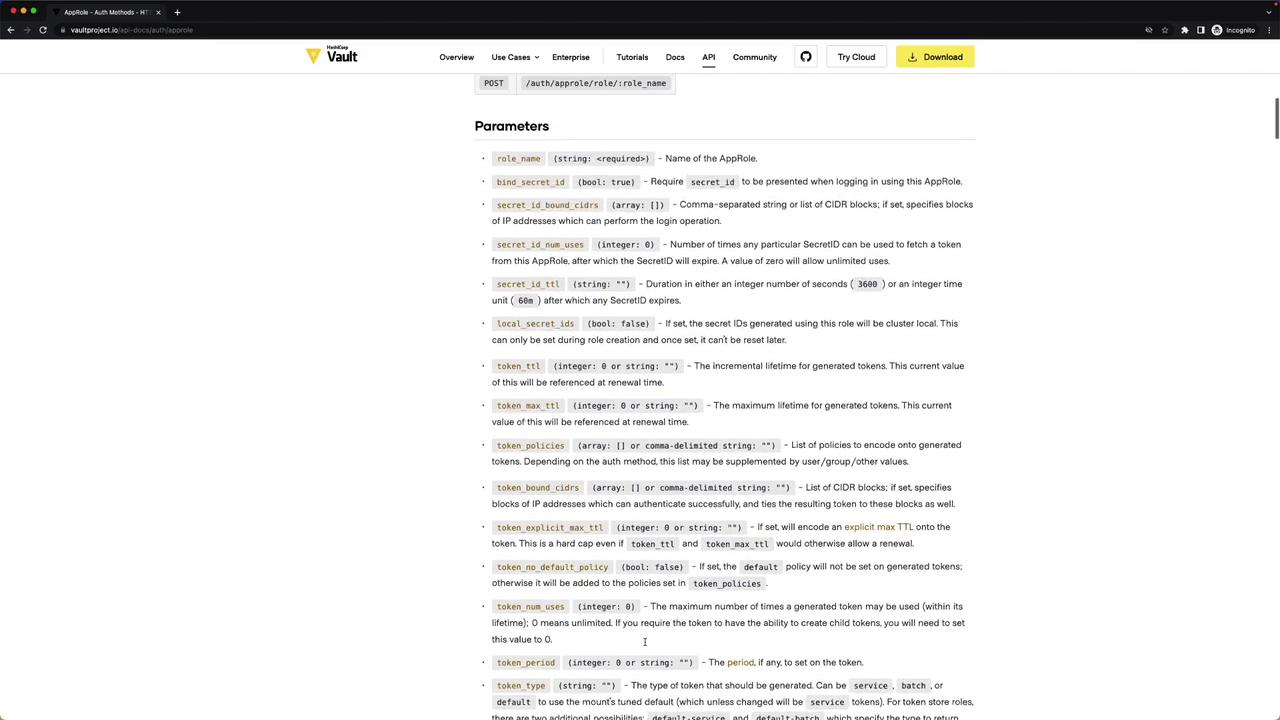
Consult the [AppRole API documentation](https://www.vaultproject.io/api-docs/auth/approle) for additional fields and examples.
***
## 6. Audit Devices
Vault’s **Audit Devices** record all API requests and responses. Examples:
```bash theme={null}
vault audit enable file file_path="/var/log/vault_audit.log"
vault audit enable syslog tag="vault"
vault audit list
```
Use syslog or socket backends for centralized logging in production.
***
## 7. API Documentation
If a parameter or endpoint isn’t in the primary docs, click the **API** tab at the top of each section to access the full reference. This includes:
* Secrets Engines
* Auth Methods
* System Backend
* Audit and Metrics
***
By mastering these sections—Configuration, CLI, Vault Agent, Secrets Engines, Auth Methods, Audit Devices, and the API reference—you’ll be able to quickly find examples and parameter details during your Vault Professional exam. Good luck!
***
## Links and References
* [Vault Documentation](https://www.vaultproject.io/docs)
* [Vault API Reference](https://www.vaultproject.io/api-docs)
* [Learn Vault Tutorials](https://learn.hashicorp.com/vault)