> ## Documentation Index
> Fetch the complete documentation index at: https://notes.kodekloud.com/llms.txt
> Use this file to discover all available pages before exploring further.
# Performance Standby Nodes
> This article explains Performance Standby Nodes in HashiCorp Vault for scaling read throughput in Vault Enterprise.
Understanding Performance Standby Nodes is critical for scaling read throughput in Vault Enterprise. This guide covers:
* Vault Open Source HA behavior
* Vault Enterprise Performance Standby features
* Scaling out read performance
* Consistency and replication
* Health checks and routing
* Enabling/disabling performance standby
You need to *describe* what performance standby nodes are and why they’re used. Configuration commands aren’t required for the HashiCorp exam.
***
## Vault Open Source HA Cluster
In **Vault Open Source**, an HA cluster contains:
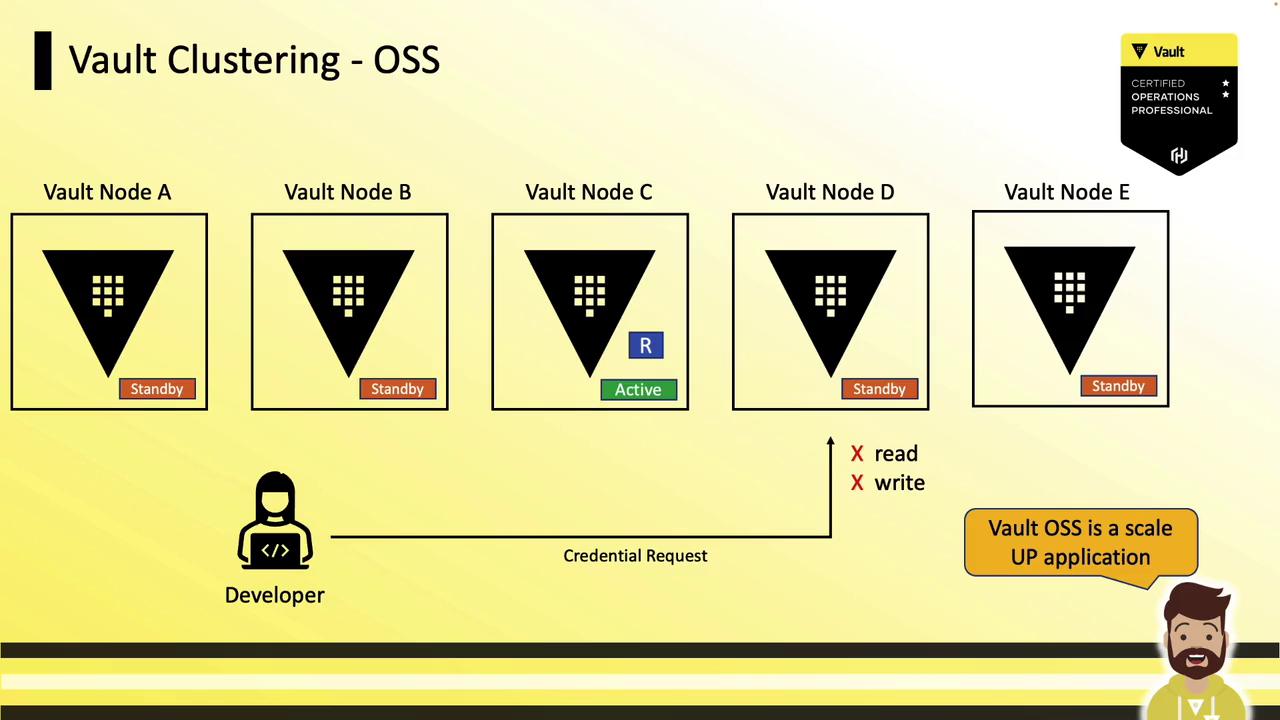
* 1 active node (handles all reads and writes)
* Multiple standby nodes (forward requests to active, monitor health)
A load balancer must direct client traffic to the active node. If a client request lands on a standby, Vault uses RPC forwarding (or returns a redirect) so that only the active processes reads and writes.
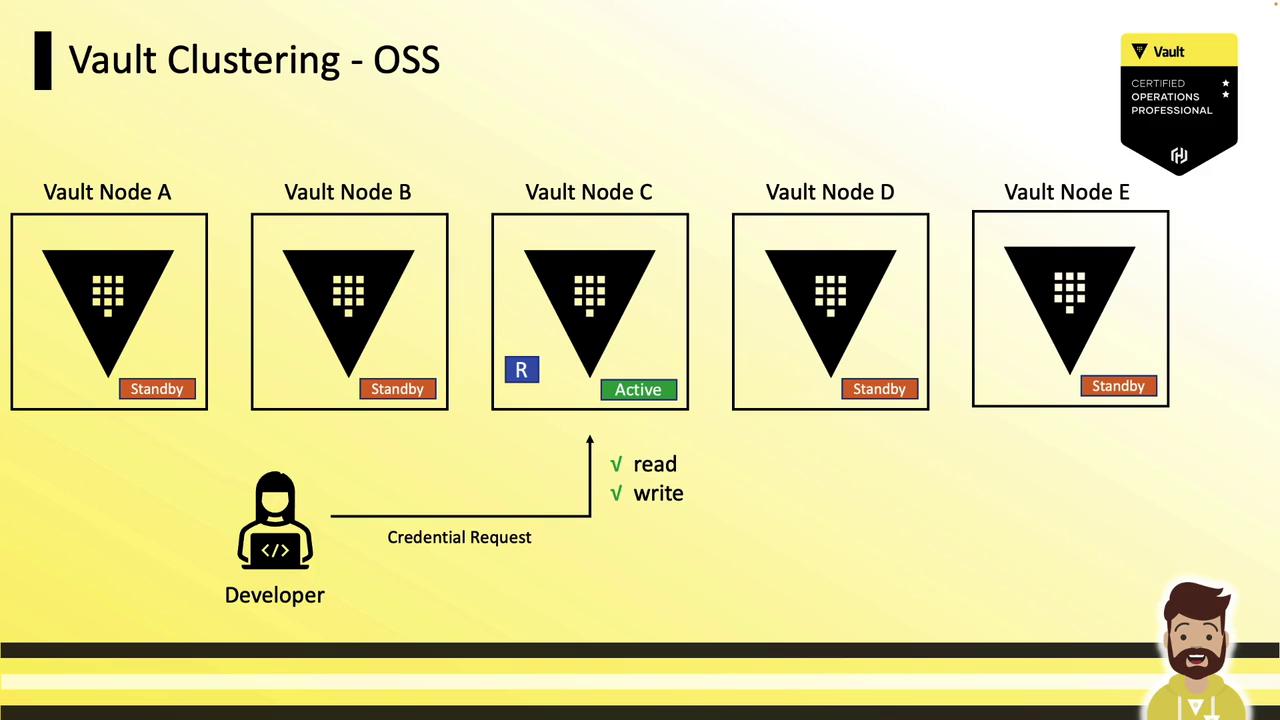
Because standby nodes don’t respond to reads or writes locally, scaling in Vault OSS means scaling **up**—increasing CPU, memory, or disk size rather than adding more nodes.
| Feature | Vault Open Source | Vault Enterprise |
| --------------------- | ----------------- | ------------------------- |
| Active writes | Yes | Yes |
| Standby reads | No | Yes (performance standby) |
| Scaling method | Scale-up | Scale-out |
| Licensing requirement | None | Enterprise license |
***
## Vault Enterprise with Performance Standby Nodes
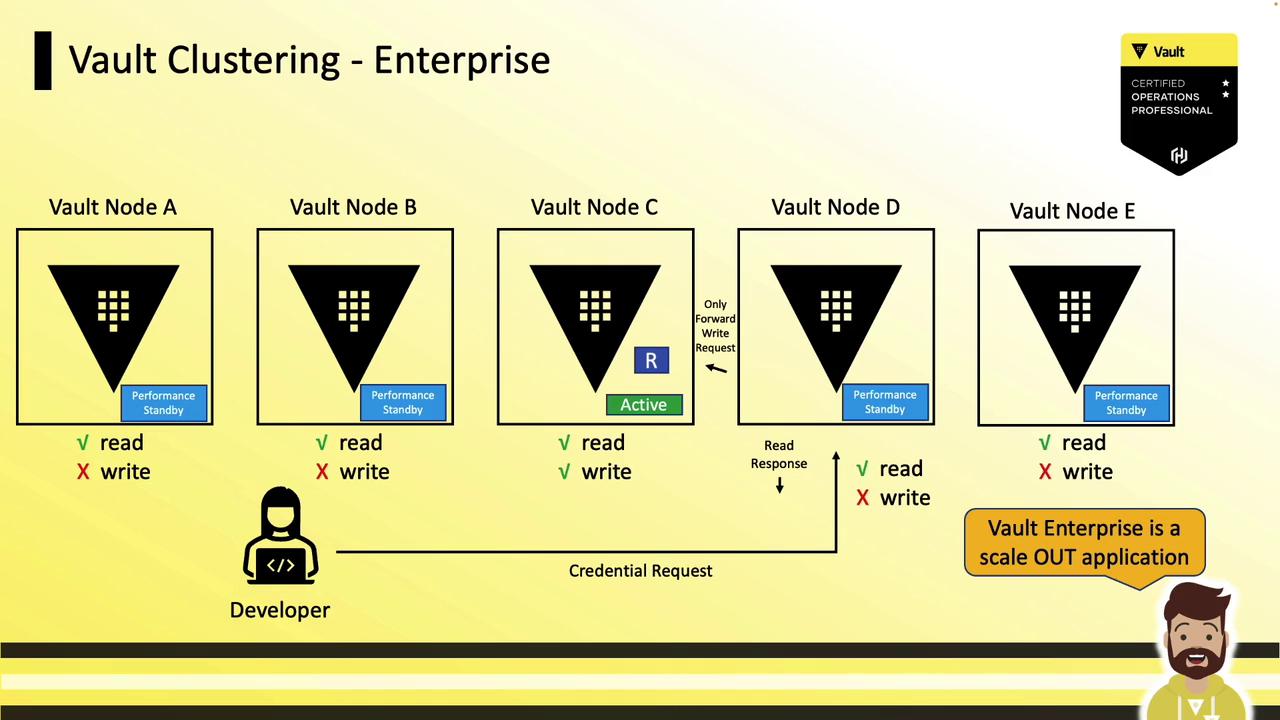
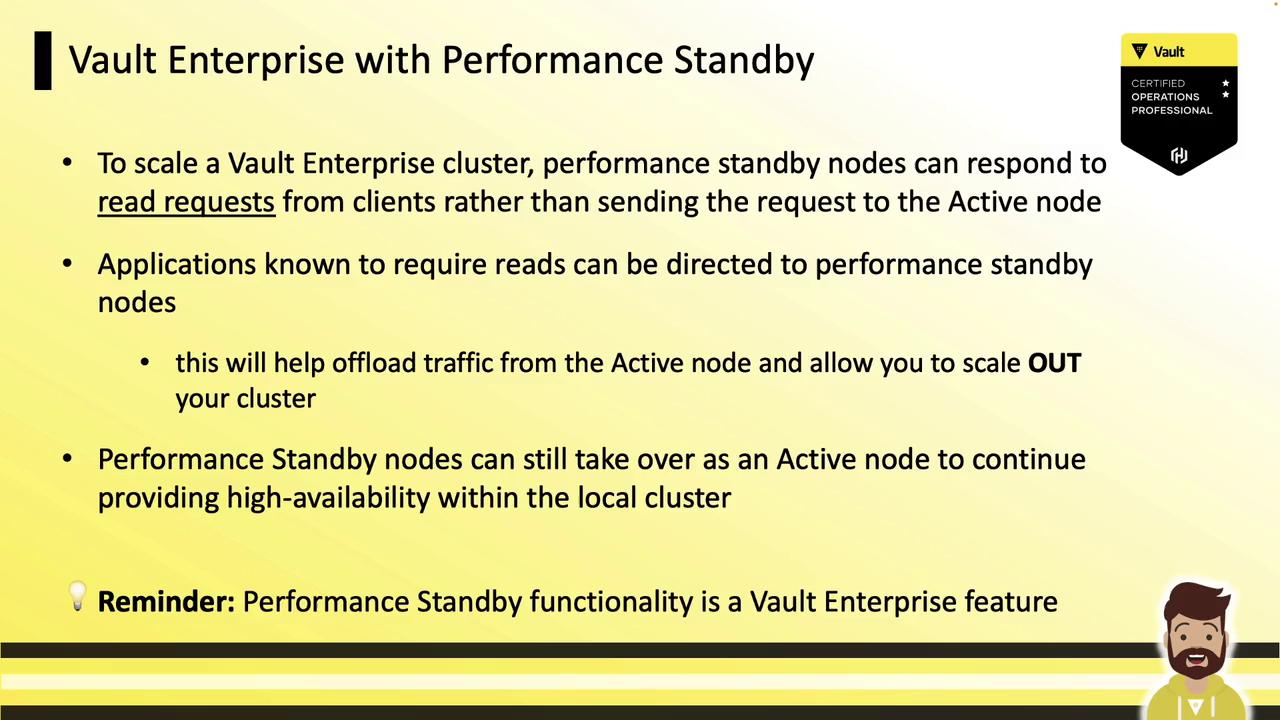
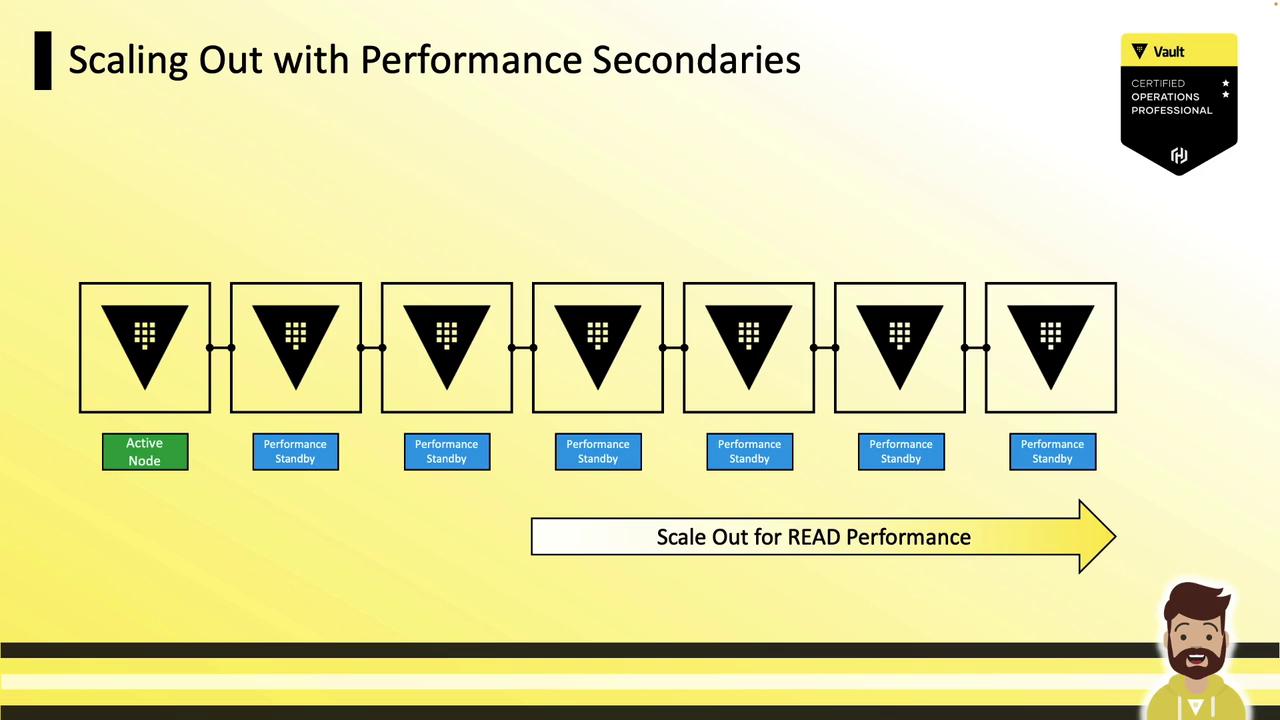
Vault Enterprise introduces **Performance Standby** nodes that:
* Serve **read** requests locally
* Forward **write** requests to the active node
* Scale out read capacity by adding more performance standby nodes
***
## Scaling Out Read Performance
To scale read performance in Vault Enterprise:
1. **Add performance standby nodes** to your cluster.
2. **Configure your load balancer** or DNS to route read-only traffic to performance standby nodes.
3. **Use health checks** to differentiate between active (writes+reads) and performance standby (reads only).
### Defining a Read
A **read** is any Vault operation that does *not* result in a storage write. Examples include:
```bash theme={null}
vault read secret/data/my-app/config
```
Common read-only engines:
* **Key/Value Secrets Engine**: fetching secrets
* **Transit Secrets Engine**: encrypt/decrypt without persisting data
* **SSH Signing**: signing client keys without storage
Performance standby nodes can service these requests locally, reducing load on the active node.
***
## Consistency and Eventual Replication
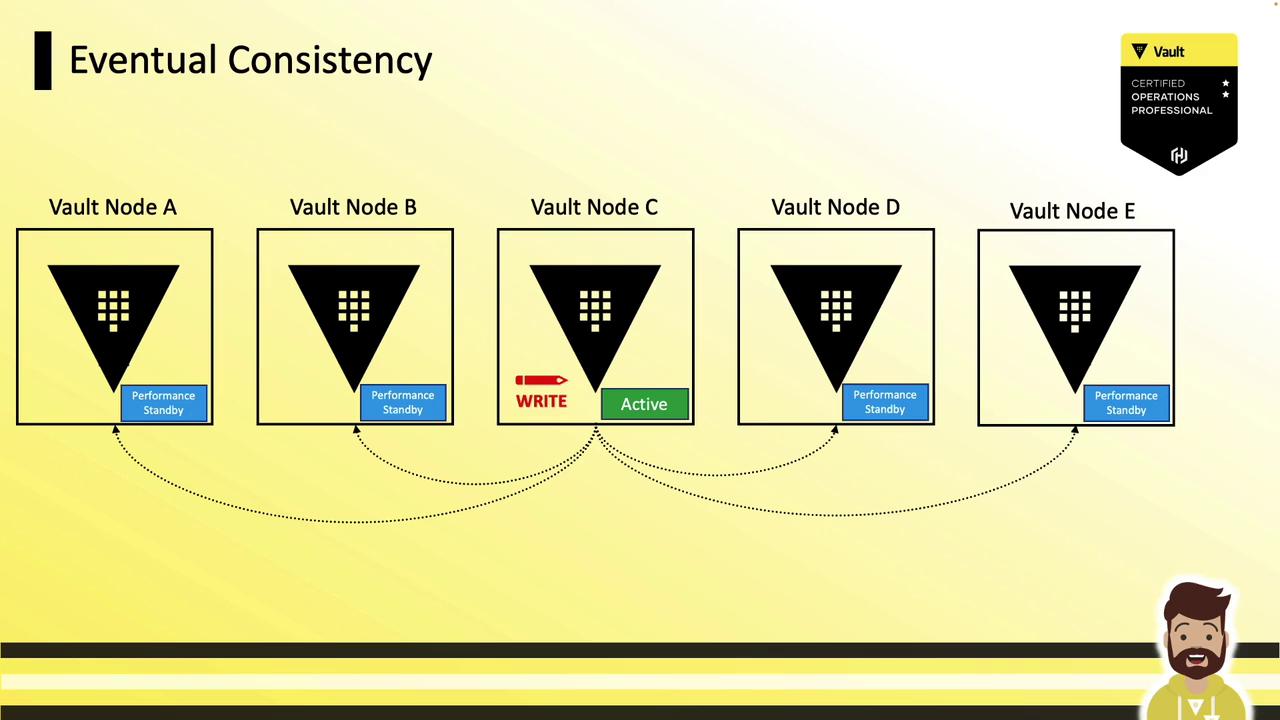
When using [Integrated Storage](https://www.vaultproject.io/docs/operations/storage/integrated), replication to performance standbys is **eventual**. After a write:
1. Active node commits locally.
2. Changes replicate asynchronously to standby nodes.
3. Standbys serve fresh data only after replication completes.
A client reading immediately from a performance standby might see stale data or receive an error until replication finishes.
***
## Health Checks and Targeting Standbys
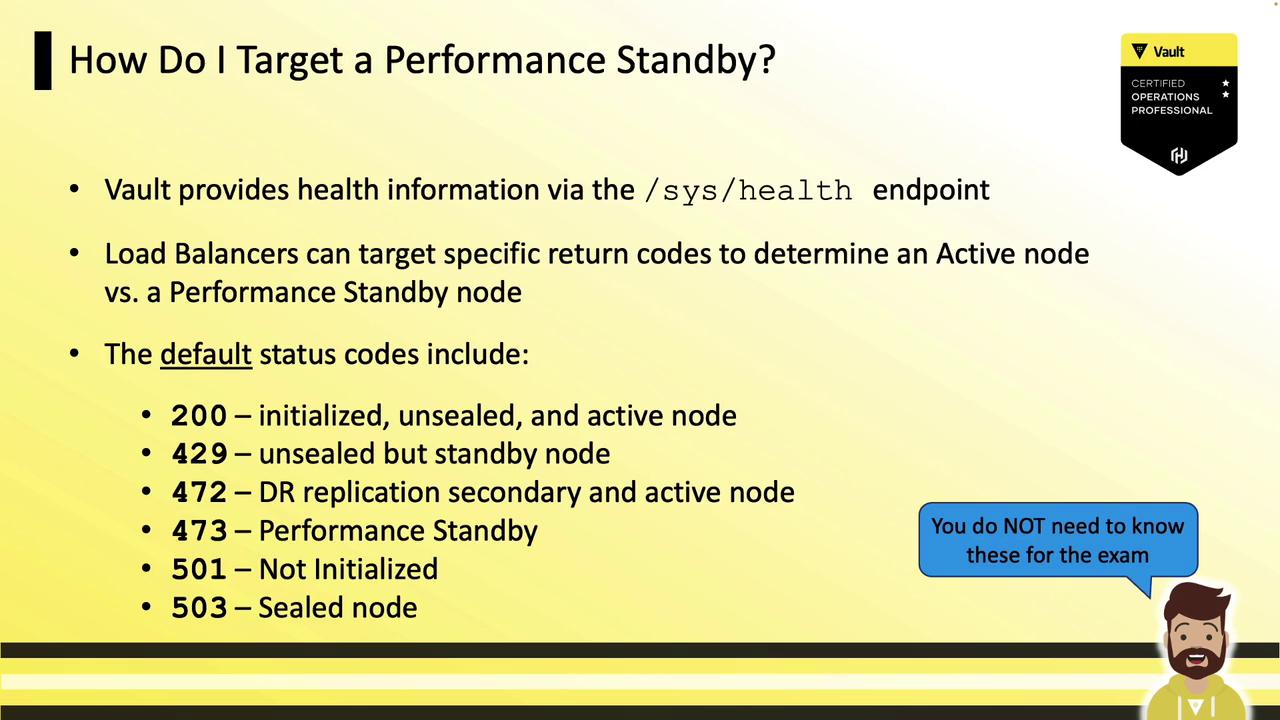
Use Vault’s health endpoint and a load balancer to route traffic:
Endpoint:
```text theme={null}
GET /v1/sys/health
```
HTTP status codes:
| Status Code | Meaning |
| ----------- | -------------------------------- |
| 200 | Active (initialized & unsealed) |
| 473 | Performance standby (reads only) |
| 501/503 | Uninitialized or sealed |
Configure your load balancer to send read-only clients to nodes returning **473** and all other traffic to **200**.
***
## Enabling and Disabling Performance Standby
Performance standby is **enabled by default** for Vault Enterprise with a valid license. To disable:
```hcl theme={null}
# Vault server configuration
disable_performance_standby = true
```
After restarting, the node will no longer advertise performance standby status.
***
## References
* [Vault HA Concepts](https://www.vaultproject.io/docs/concepts/ha)
* [Performance Standby in Enterprise](https://www.vaultproject.io/docs/enterprise/ha/performance-standby)
* [Integrated Storage Overview](https://www.vaultproject.io/docs/operations/storage/integrated)