> ## Documentation Index
> Fetch the complete documentation index at: https://notes.kodekloud.com/llms.txt
> Use this file to discover all available pages before exploring further.
# Using Batch Tokens
> Learn to work with batch tokens in Vault, designed for high-throughput operations and seamless replication without persistence.
In this lesson, you’ll learn how to work with **batch tokens** in Vault—lightweight, non-persistent tokens designed for high-throughput operations and seamless replication.
## What Are Batch Tokens?
Batch tokens are encrypted binary large objects (BLOBs) that Vault issues directly to clients without persisting them to storage. They excel in scenarios requiring:
* High-volume cryptographic operations (e.g., Transit encrypt/decrypt)
* Frequent KV reads and writes
* Replication to performance and DR clusters
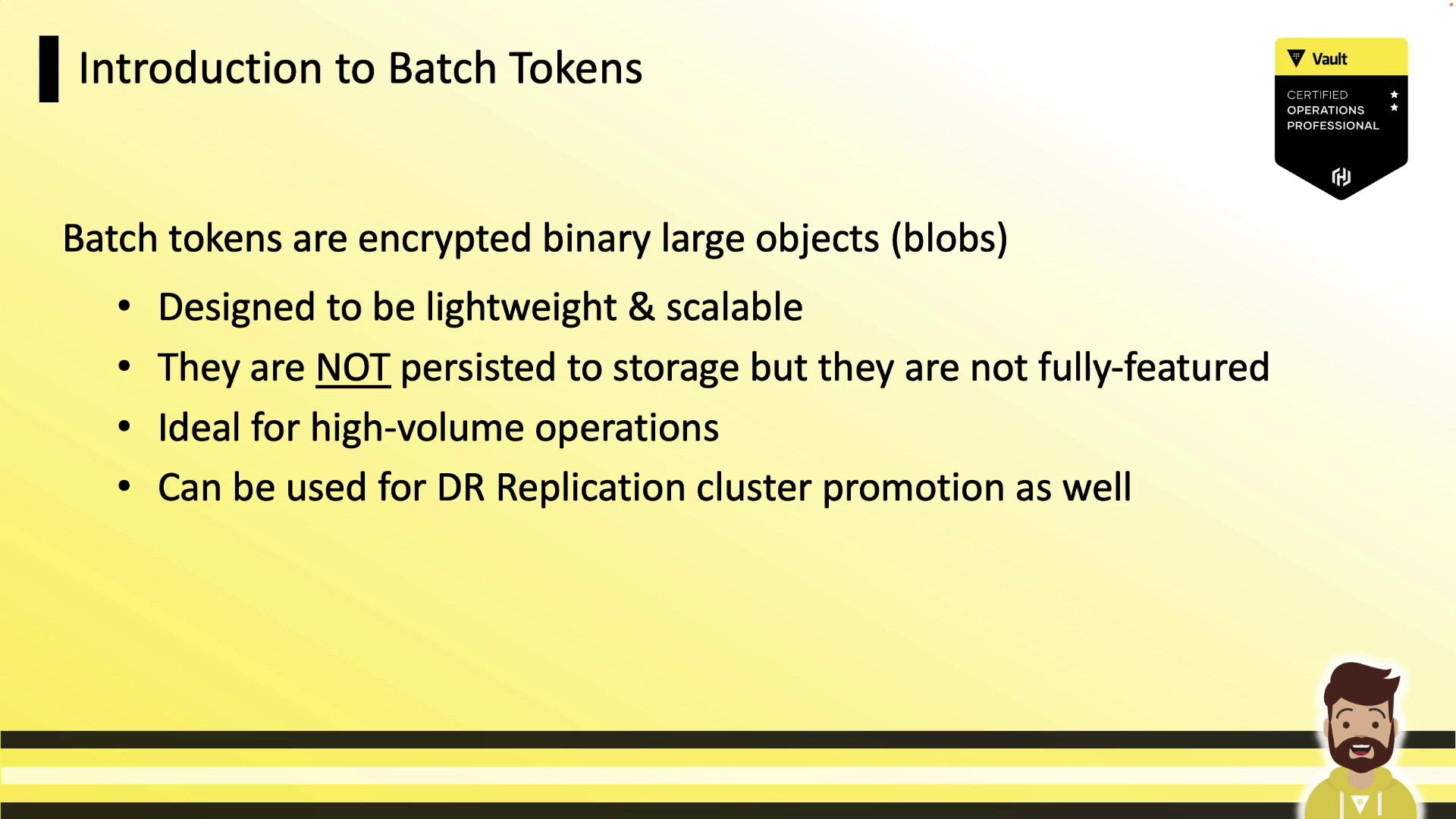
Batch tokens are never written to the storage backend. This makes them faster to create and cheaper to replicate across performance clusters.
## Service Tokens vs. Batch Tokens
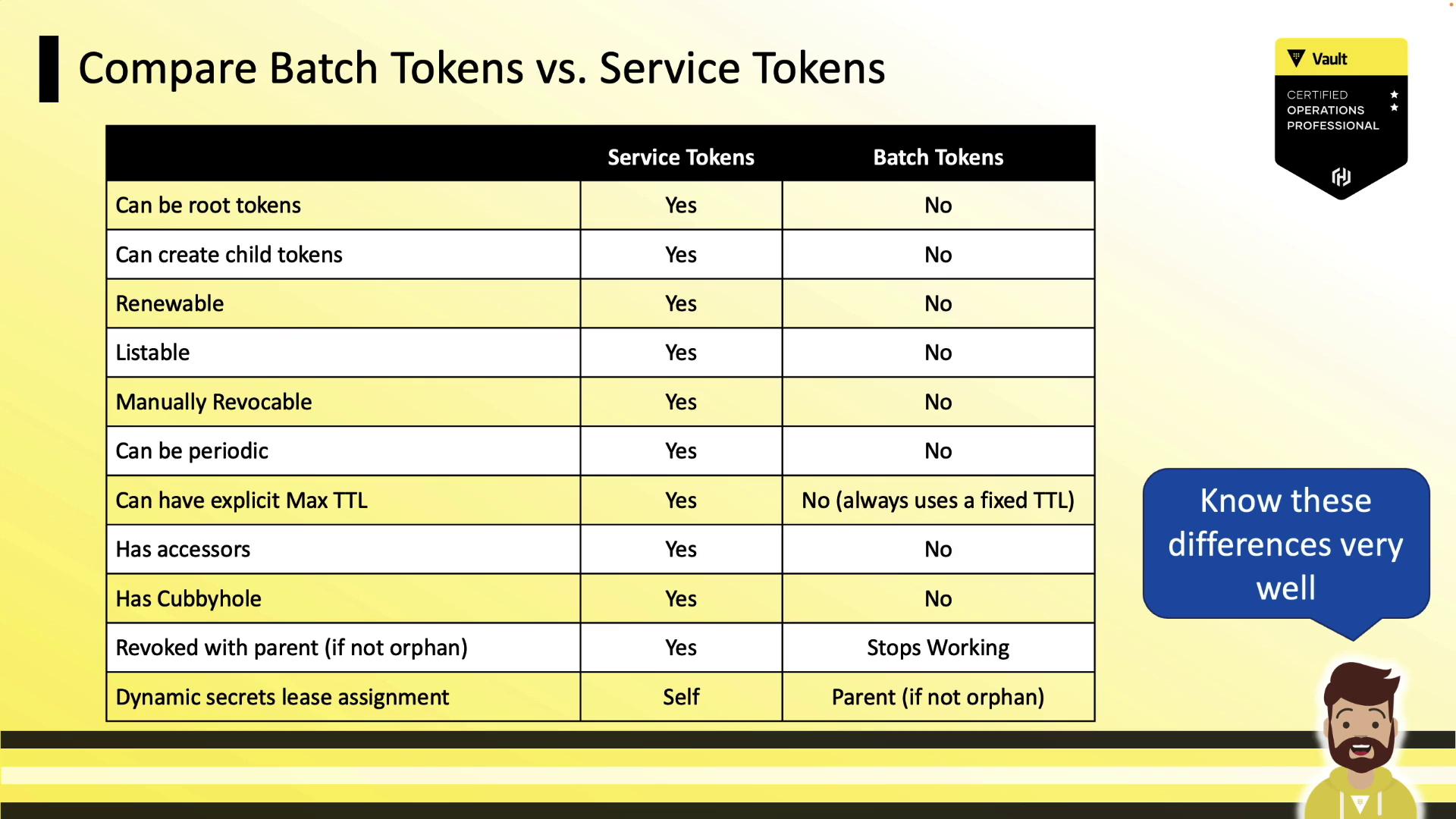
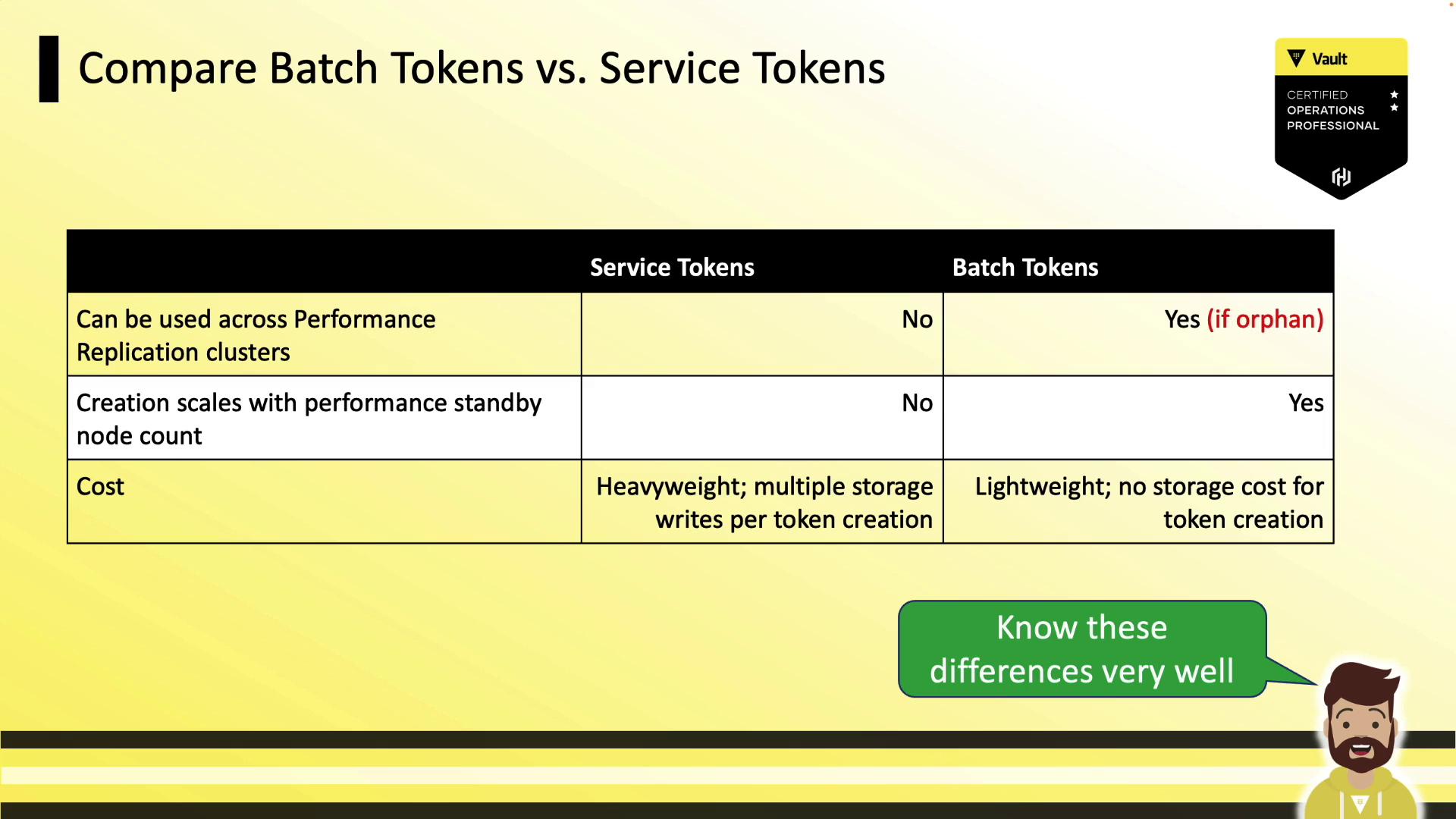
Batch tokens trade off some features for speed and replication agility. Key differences include:
* **Renewability & Revocation**: Batch tokens are not renewable, listable, or manually revocable.
* **Accessors & Cubbyholes**: They lack token accessors and cubbyholes.
* **Child Tokens**: You cannot create child tokens from batch tokens.
* **TTL Configuration**: No periodic issuance or explicit max TTL.
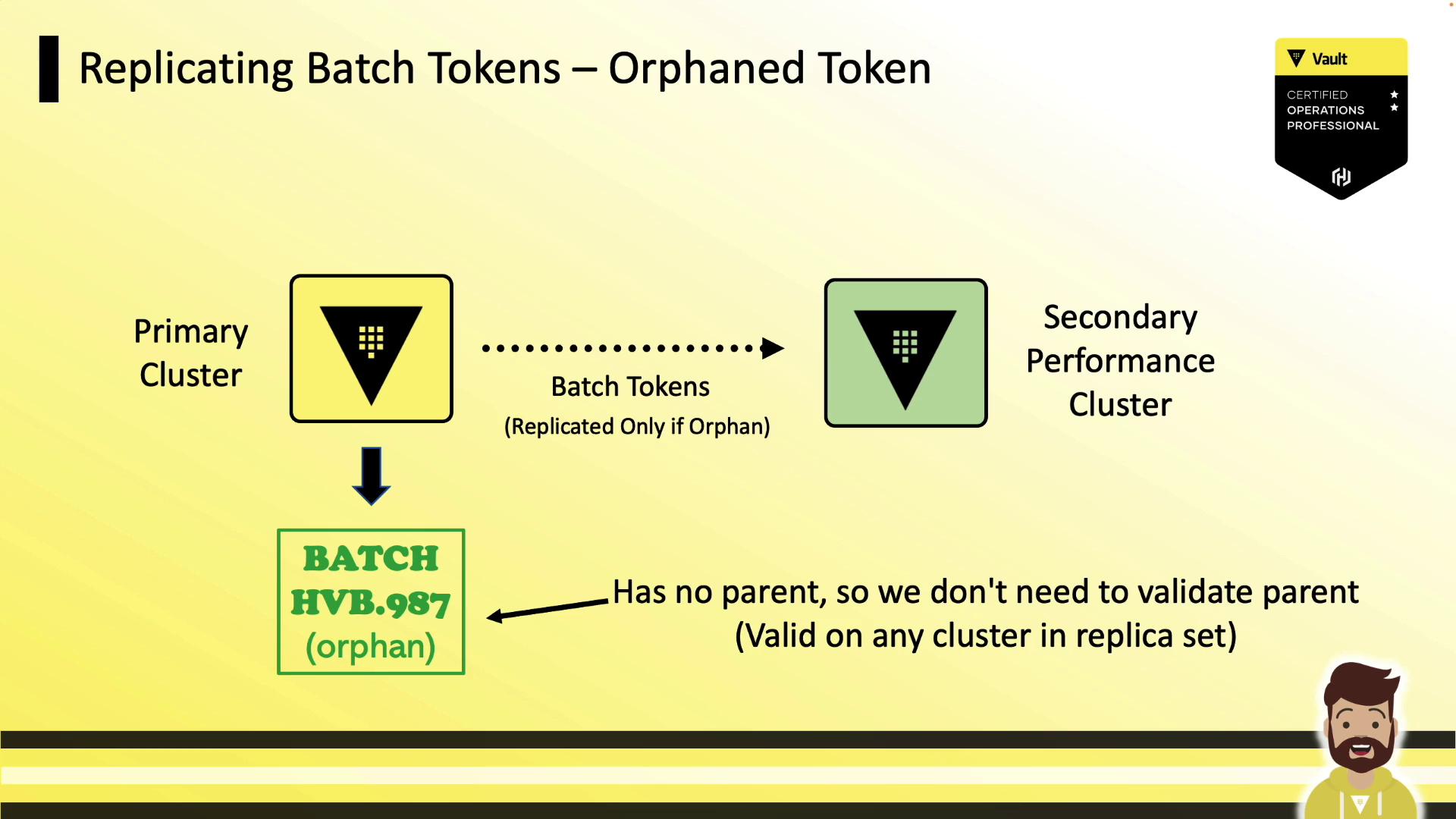
* **Replication**: Orphan batch tokens replicate to performance and DR clusters; non-orphans do not.
## Identifying Token Types
Starting with Vault 1.10, tokens are prefixed to indicate their type:
| Prefix | Token Type |
| ------ | -------------- |
| hvs. | Service Token |
| hvb. | Batch Token |
| hvr. | Recovery Token |
Batch tokens tend to be longer (≈128 bytes) than service tokens (≈96 bytes). Always plan for tokens up to 255 bytes in length.


```console theme={null}
# Service Token (96 bytes)
hvs.CAESIA4CZQisJNn9eq3g5TS5xP0-DPkFDsshli_jb5UH28AuGiAKHGh2cy5wZjPU1NsVlpWaTQxSFUyczFuQk9DOFgQHQ
# Batch Token (128 bytes)
hvb.AAAAAQKskxnAqTz0Ah3qu5Hc4Q3lYdqCocdDZjLXhyLAjuhhBJktOCrBaJVbKwE6AVsxD6WAFvlZ2UHs2MUb1gcpqYvro-kfVv10x7tKZ9GqUObUwKnn5341sU
```
## Batch Token Replication
Vault supports two replication modes for batch tokens:
### Non-Orphan Tokens
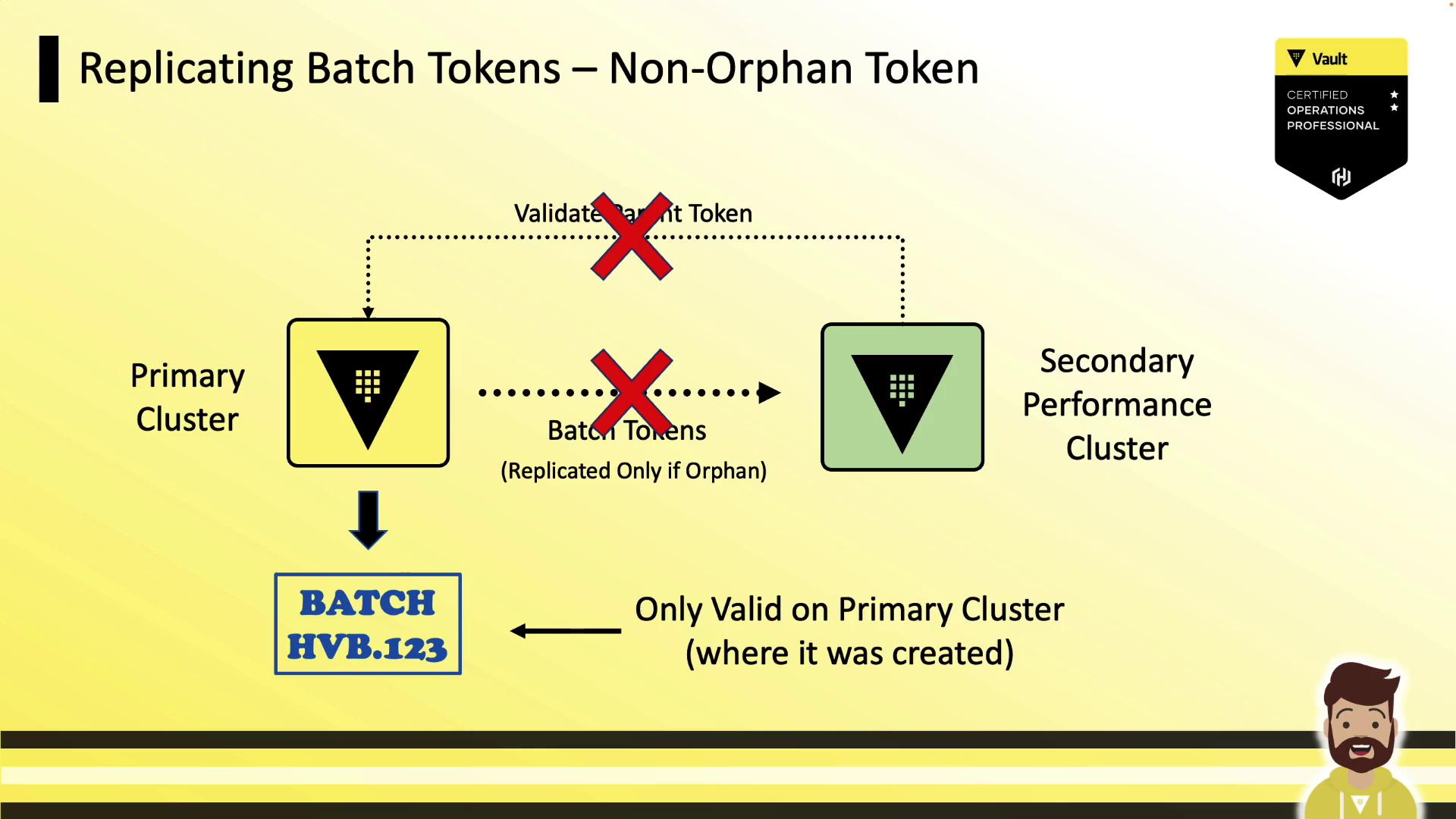
Batch tokens created with a parent token remain bound to the original cluster. Performance secondaries cannot validate the parent, so these tokens do **not** replicate.
### Orphan Tokens
Orphan batch tokens have no parent and are automatically replicated to all performance and DR clusters. Use these when you need a single token valid across multiple clusters.
## Creating Batch Tokens
### Direct Token Creation
Use the `vault token create` command:
```bash theme={null}
vault token create -type=batch -orphan=true -policy=hcvop
```
Example output:
```console theme={null}
Key Value
--- -----
Token hvb.AAAAAQKsxnAqTz0Ah3qu5Hc4Q31YdqCocdDZjLXhyLAjuhhBJktOCrBaIJVbKwE6AVsxD6WAFvlI2ZUHs2MUb1gcpqYvro-kfVv
token_accessor n/a
token_duration 768h
token_renewable false
token_policies ["default" "hcvop"]
```
The `-orphan=true` flag ensures this token replicates across performance and DR clusters.
### Via AppRole
Configure an AppRole to issue batch tokens:
```bash theme={null}
vault write auth/approle/role/hcvop \
policies=devops \
token_type="batch" \
token_ttl="60s"
```
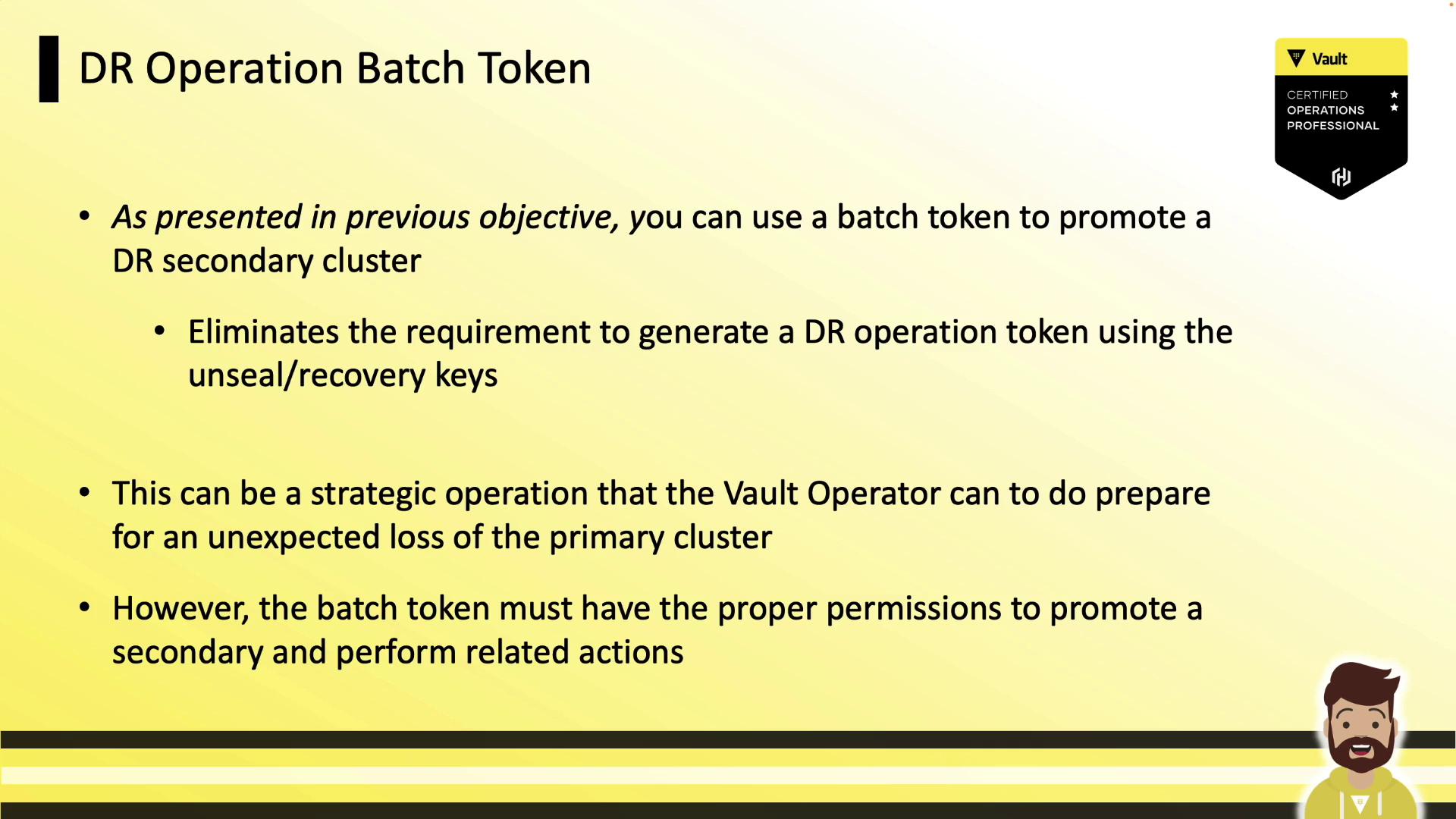
## DR Operations Batch Token
A DR operations batch token lets you promote a DR secondary without needing unseal or recovery keys. Grant it the following permissions:
```hcl theme={null}
path "sys/replication/dr/secondary/promote" {
capabilities = ["update"]
}
path "sys/replication/dr/secondary/update-primary" {
capabilities = ["update"]
}
path "sys/storage/raft/autopilot/state" {
capabilities = ["update", "read"]
}
```
1. Create an orphan batch token with the `dr-ops` policy:
```bash theme={null}
vault token create -type=batch -orphan=true -policy=dr-ops
```
2. Use it to promote the DR secondary:
```bash theme={null}
vault write sys/replication/dr/secondary/promote
```
## Summary
* Batch tokens are lightweight, non-persistent tokens for high-throughput workloads.
* Only **orphan** batch tokens replicate to performance and DR clusters.
* Token prefixes (`hvs.`, `hvb.`, `hvr.`) and lengths help identify types.
* Create batch tokens directly or via auth methods like AppRole.
* Use DR operations batch tokens to streamline disaster recovery promotions.
## Links and References
* [Vault Token Authentication](https://www.vaultproject.io/docs/concepts/tokens)
* [Transit Secrets Engine](https://www.vaultproject.io/docs/secrets/transit)
* [Replication Overview](https://www.vaultproject.io/docs/enterprise/replication)