> ## Documentation Index
> Fetch the complete documentation index at: https://notes.kodekloud.com/llms.txt
> Use this file to discover all available pages before exploring further.
# Workflow in Immutable Infrastructure using Packer
> Implementing an immutable infrastructure workflow with HashiCorp Packer to build versioned, unchanging images for server instances.
Implementing an immutable infrastructure workflow with HashiCorp Packer ensures that every server instance is built from a versioned, unchanging image. By baking your application code and configuration into machine images, you eliminate configuration drift and manual server updates.
## Building and Deploying Versioned Images
Start by developing **version 1** of your application. Then:
1. Define a Packer template that installs:
* Your application source code
* Required system packages and libraries
* Environment variables and runtime configuration
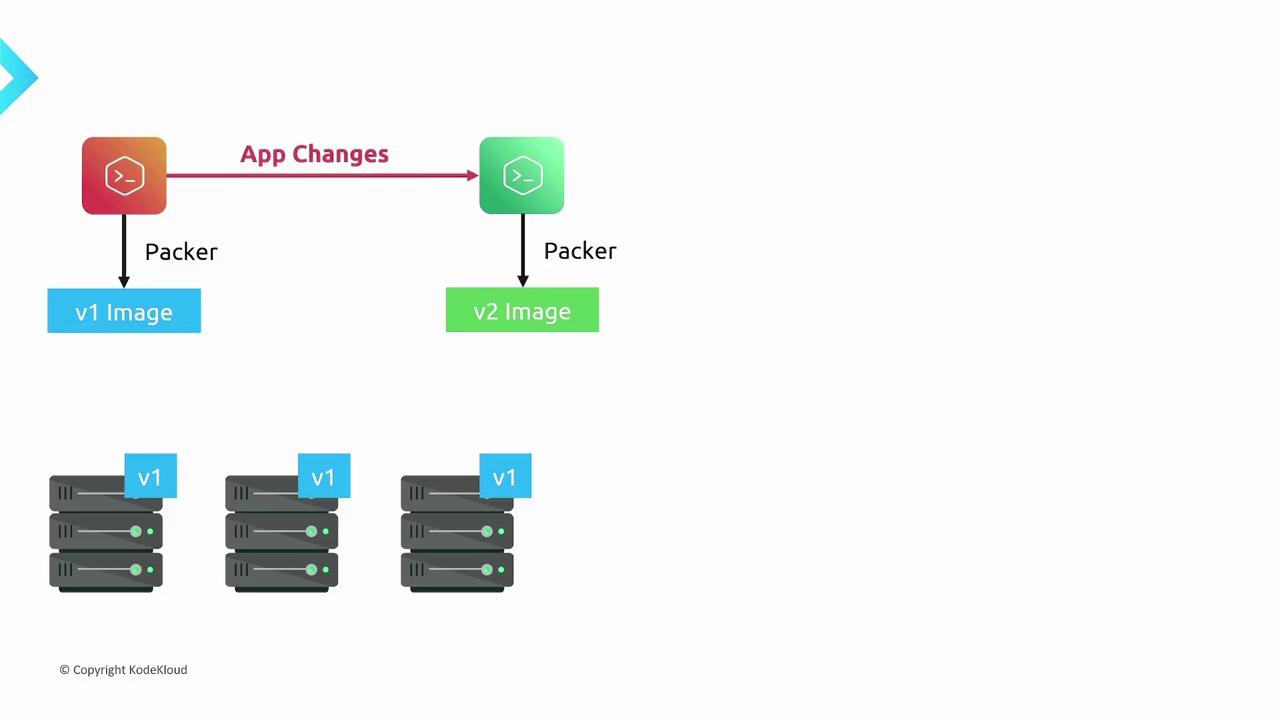
2. Run Packer to build **v1** of the machine image.
3. Launch new instances using the **v1** image. Since everything is pre-baked, these servers are immutable—no SSH tweaks or manual updates are needed.
When you introduce a new feature or dependency, update your application to **version 2**. Modify your Packer template if necessary, then rebuild:
1. Update the source code in the template to **v2**.
2. Adjust any configuration or dependencies.
3. Execute Packer to produce the **v2** image.
## Rolling Out Updates
With the **v2** image available, you can perform a smooth rollout:
1. Deploy instances that run the **v2** image alongside your existing **v1** servers.
2. Execute your automated health checks or smoke tests against the newly launched servers.
3. Once **v2** instances are validated, decommission the **v1** servers.
This immutable rollout process offers:
| Benefit | Description |
| ------------------------ | --------------------------------------------------------------------------------- |
| Zero configuration drift | Every server comes up in the exact same state defined by the image. |
| No manual intervention | No SSH or manual changes are needed after server launch. |
| Repeatable deployments | Every build produces a versioned artifact that can be deployed anywhere, anytime. |
| Predictable upgrades | Rollbacks and rollouts are simple: launch a previous image version to revert. |

If you’re using infrastructure-as-code tools like Terraform or CloudFormation, integrate Packer image builds into your pipeline. This ensures your deployment templates always reference the correct, versioned AMI or image ID.
## References
* [Packer Documentation](https://www.packer.io/docs)
* [Immutable Infrastructure Patterns](https://martinfowler.com/bliki/ImmutableServer.html)
* [HashiCorp DevOps Blog](https://www.hashicorp.com/resources)