> ## Documentation Index
> Fetch the complete documentation index at: https://notes.kodekloud.com/llms.txt
> Use this file to discover all available pages before exploring further.
# Lab Solution Version Compatibility
> This lab guides users on validating Terraform configurations against a newer version using speculative plans in Terraform Cloud.
Terraform’s core is updated frequently, and new features or behaviors can introduce breaking changes. To keep your infrastructure code up to date—and avoid surprises in production—you can use Terraform Cloud’s speculative plan (plan-only run) to validate your configurations against a newer Terraform version without touching state or resources. In this lab, you’ll:
* Open the **DevOps AWS MyApp Dev** workspace
* Trigger a speculative plan using Terraform **v1.3.0**
* Confirm that your code remains compatible before upgrading
***
## Terraform Cloud Run Types
| Run Type | Description | State Impact |
| ----------- | ------------------------------------------------------- | ----------------------- |
| Plan | Preview changes, then apply automatically if approved | No change until apply |
| Plan (only) | Generate a plan but do **not** apply or update state | **No** state change |
| Apply | Execute changes to real infrastructure and update state | Yes, modifies resources |
***
## 1. Launch a Speculative Plan
1. In Terraform Cloud, navigate to the **DevOps AWS MyApp Dev** workspace.
2. Click **Actions** → **Start new run**.
3. Under **Run type**, select **Plan (only)**.
4. From the **Terraform version** dropdown, choose **v1.3.0** (or any newer version).
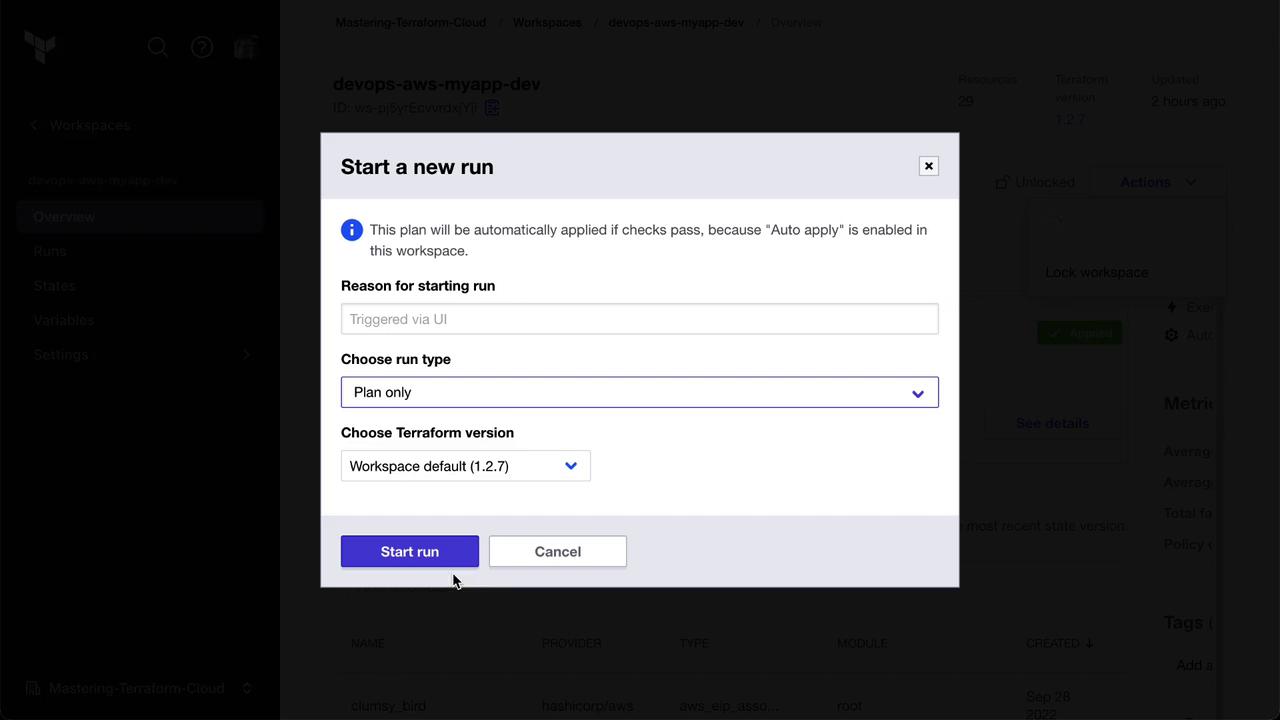
Speculative plans do not apply changes or update the state file. Use them to safely validate configuration compatibility.
***
## 2. Execute the Speculative Plan
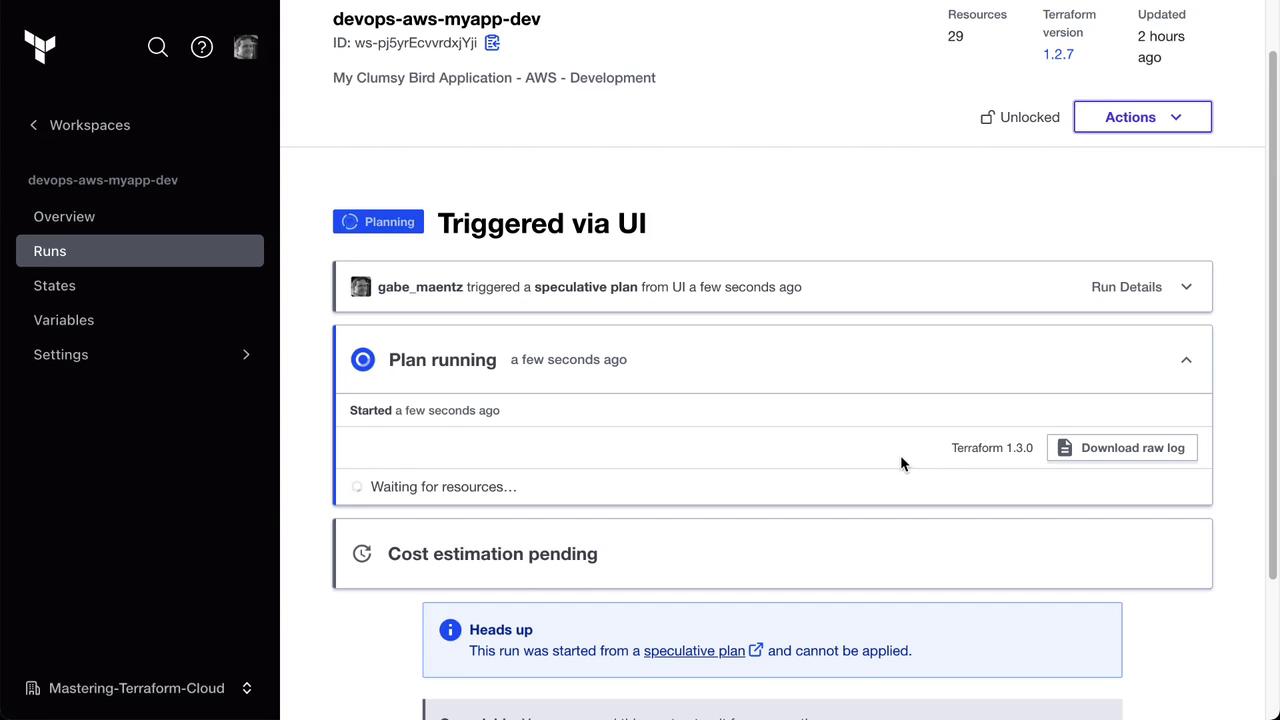
Click **Start run**. Terraform Cloud will now only run the plan phase using Terraform **v1.3.0**, leaving your existing resources untouched. You can monitor progress in the UI.
***
## 3. Review and Validate the Plan
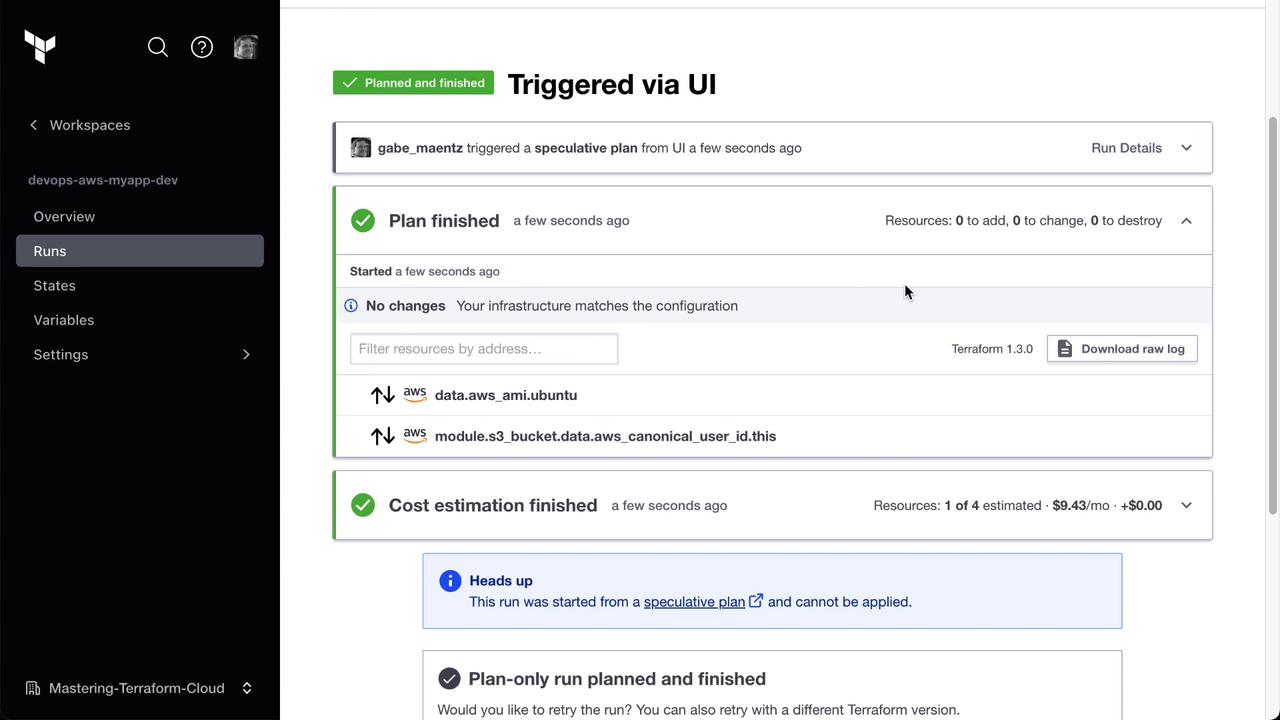
Once the run finishes, review the output. A clean plan with zero changes confirms compatibility with Terraform **v1.3.0**.
***
## 4. Next Steps
* If the speculative plan reports no errors or unexpected diffs, update your workspace’s Terraform version to **v1.3.0**.
* Perform a full **Plan & Apply** run in Terraform Cloud to implement any pending changes under the new version.
* Regularly use speculative plans when adopting upcoming Terraform releases or major provider updates.
***
## Links and References
* [Terraform Cloud Runs](https://www.terraform.io/docs/cloud/run/index.html)
* [Terraform Version Constraints](https://www.terraform.io/docs/language/settings/version.html)
* [Terraform Upgrade Guides](https://www.terraform.io/upgrade-guides)