> ## Documentation Index
> Fetch the complete documentation index at: https://notes.kodekloud.com/llms.txt
> Use this file to discover all available pages before exploring further.
# Lab Solution Private Module Registry
> Learn to manage private providers and modules in Terraform Cloud using the Private Module Registry for secure storage and sharing within your organization.
Welcome to this hands-on lab where you'll learn to manage private providers and modules in Terraform Cloud. The Private Module Registry enables your team to securely store and share Terraform providers and modules within your organization.
## Prerequisites
Ensure you have:
* A Terraform Cloud account with organization permissions
* A connected VCS provider (e.g., GitHub)
* `terraform` CLI installed and authenticated
## 1. Importing Public Providers and Modules
First, import existing public resources into your Private Module Registry:
1. Navigate to **Registry** » **Providers**, search for `hashicorp/aws`, and click **Add to organization**.
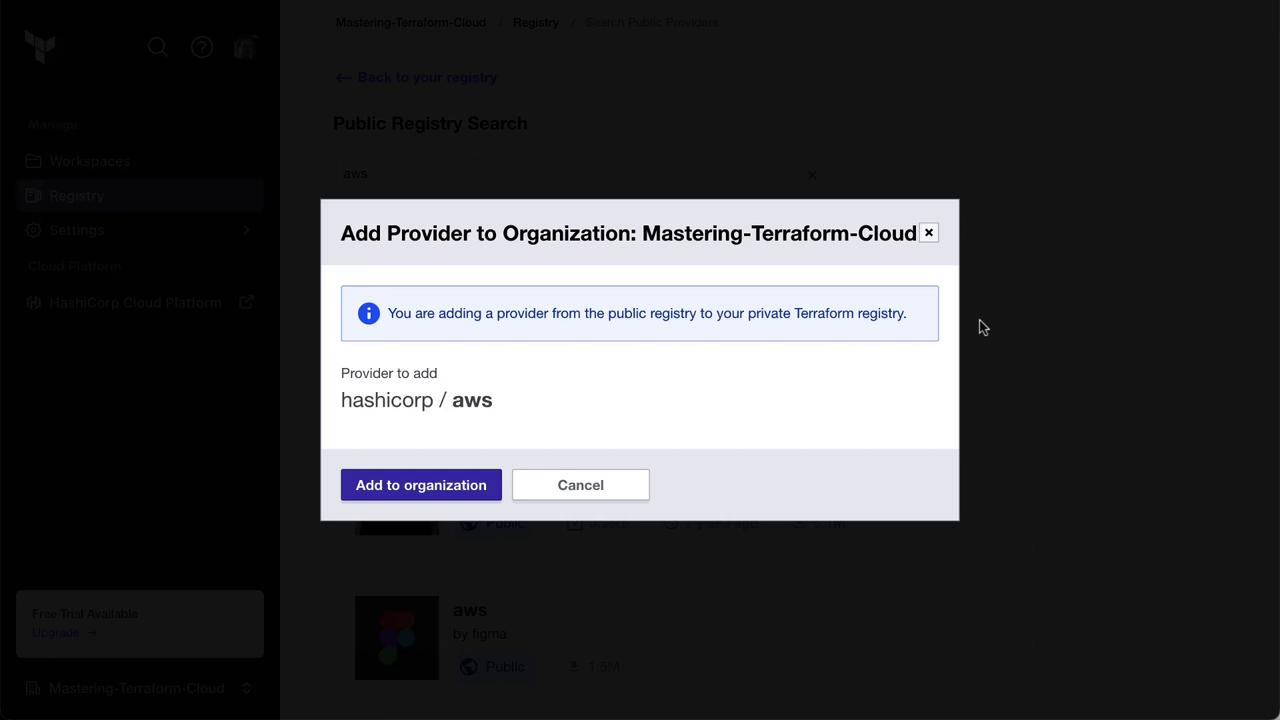
2. Switch to the **Modules** tab, search for the S3 bucket module, and click **Add to organization**.
Once complete, your Private Module Registry will include the AWS provider and the S3 bucket module.
## 2. Forking and Publishing a Private Module
Next, fork a public module repository and publish it privately:
1. On the public Terraform Registry, open the **AWS Security Group** module and click the GitHub repo link.
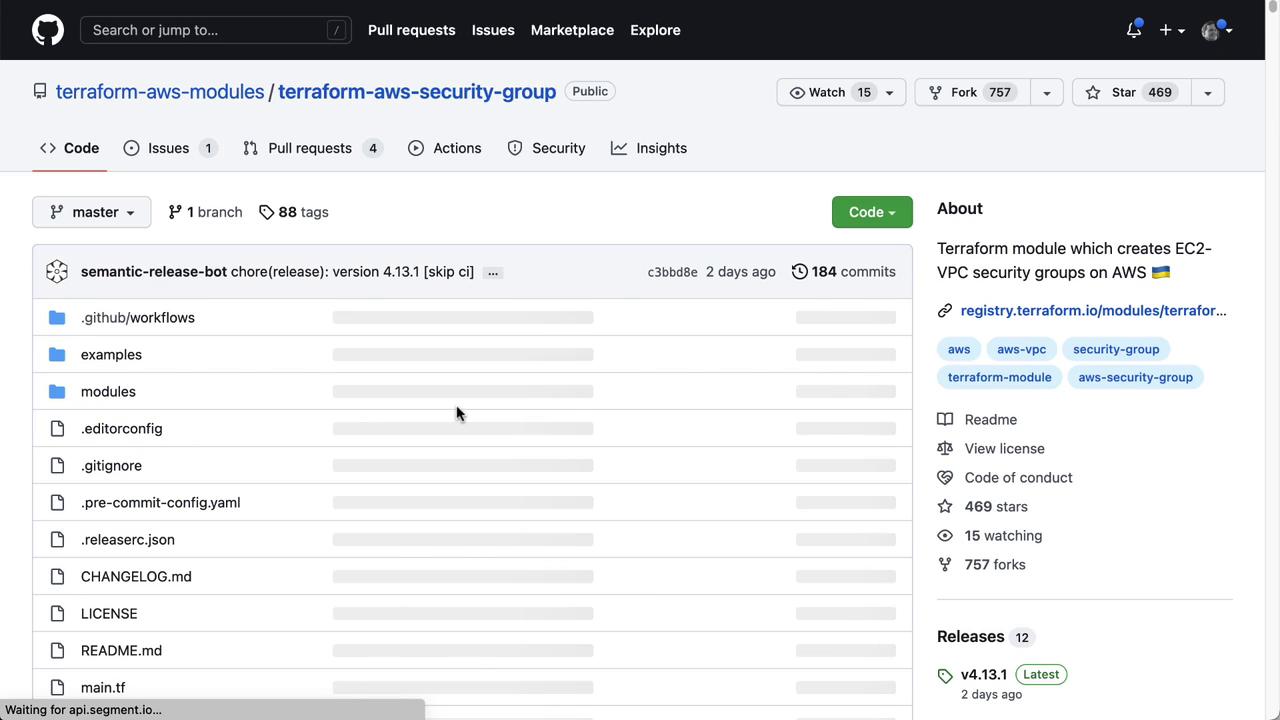
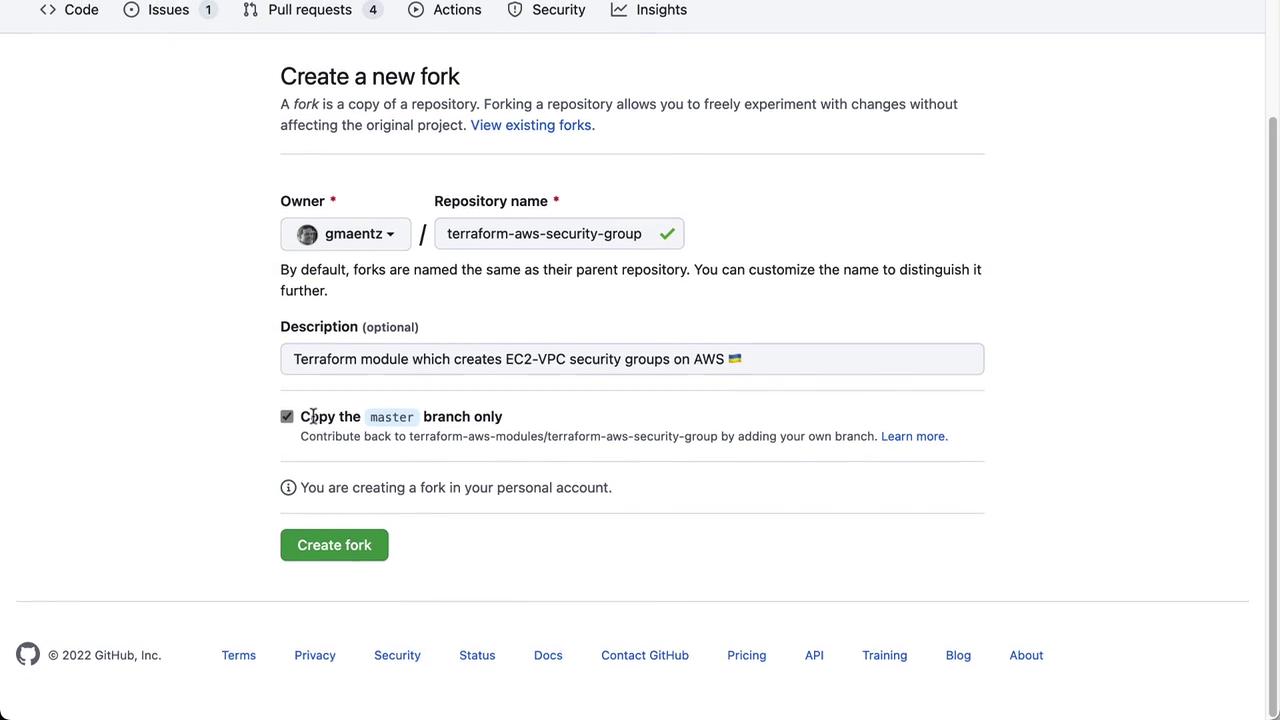
2. Fork the repository into your GitHub account.
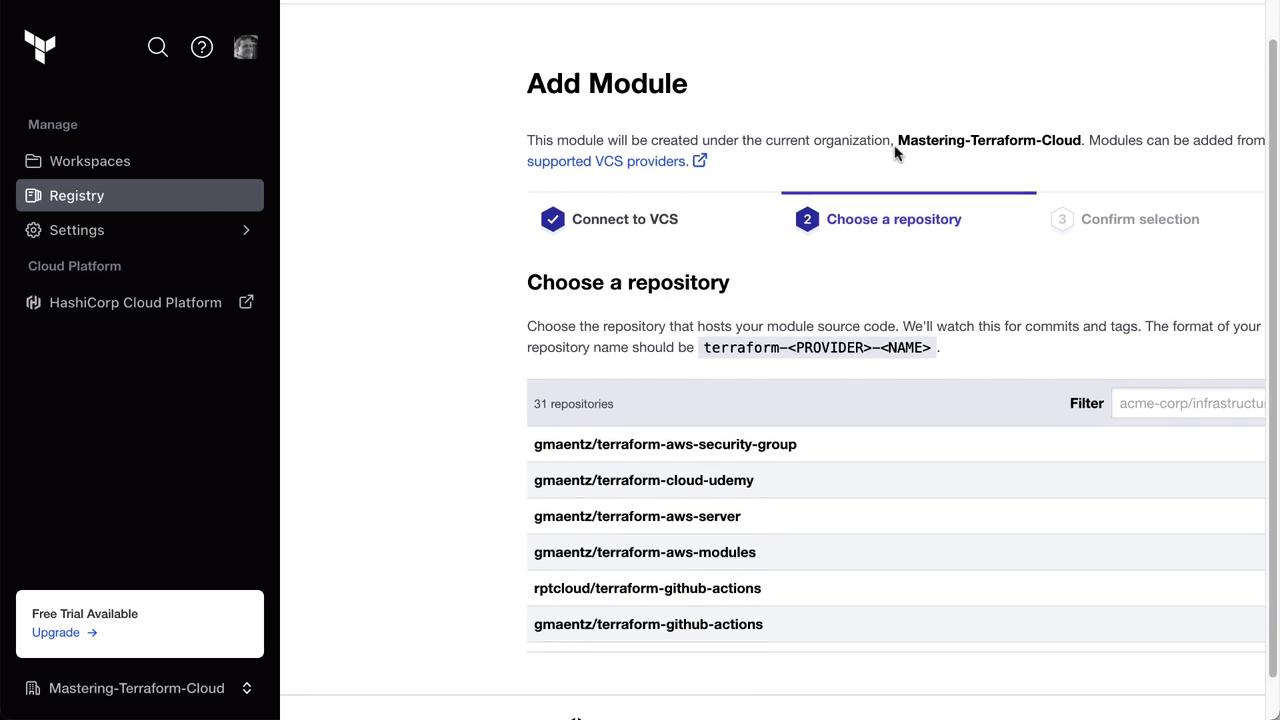
3. In Terraform Cloud, go to **Registry** » **Private Module Registry**, click **Publish**, select your GitHub VCS provider, and choose the forked repo.
After publishing, Terraform Cloud displays the module README and usage details:
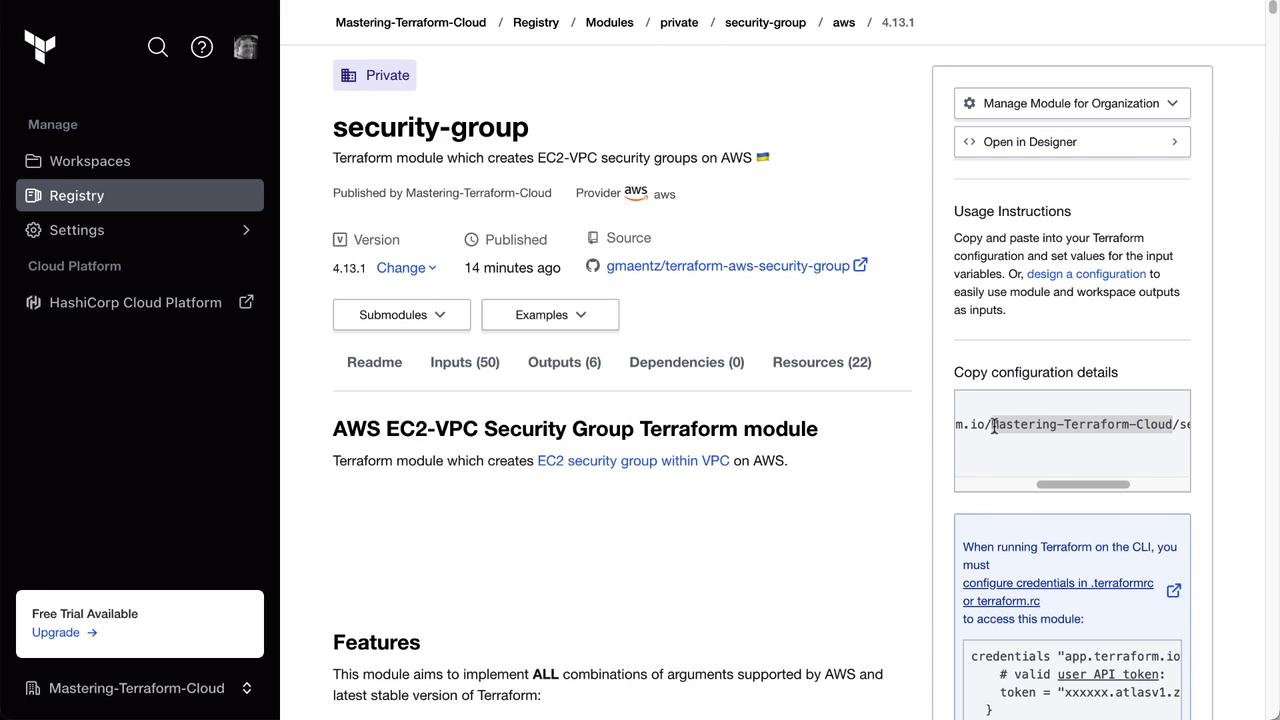
You can now source this private module:
```hcl theme={null}
module "security-group" {
source = "app.terraform.io/Mastering-Terraform-Cloud/security-group/aws"
version = "4.13.1"
}
```
## 3. Selecting a Specific Module Version
To use an earlier version (for example, `4.8.0`), update your module block:
```hcl theme={null}
module "security-group" {
source = "app.terraform.io/Mastering-Terraform-Cloud/security-group/aws"
version = "4.8.0"
}
```
## 4. Consuming the Private Module in a Terraform Project
Finally, integrate the private module into your application:
1. Copy the **Clumsy Birds** repo URL.
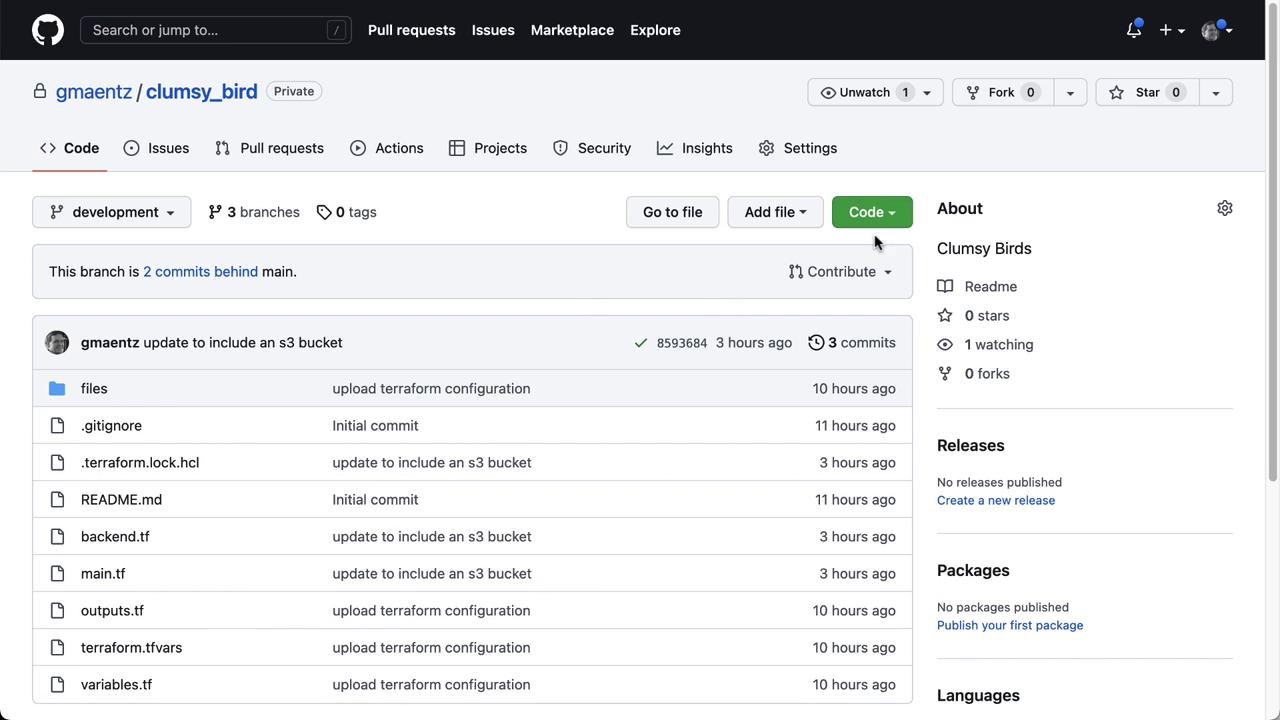
2. Clone and switch to the `development` branch:
```bash theme={null}
git clone https://github.com/your-org/clumsy_bird.git
cd clumsy_bird
git checkout development
```
3. Create `security_groups.tf` and add:
```hcl theme={null}
module "security-group-http" {
source = "app.terraform.io/Mastering-Terraform-Cloud/security-group/aws"
version = "4.8.0"
name = "http-traffic-${var.env}"
description = "Security group for HTTP traffic"
vpc_id = module.vpc.vpc_id
ingress_cidr_blocks = ["10.10.0.0/16"]
}
```
4. Commit and push your changes:
```bash theme={null}
git config --global user.email "your.email@example.com"
git config --global user.name "Your Name"
git add security_groups.tf
git commit -m "Add private security group module for HTTP traffic"
git push origin development
```
Terraform Cloud will trigger a run; upon success, the security group appears in AWS.
Ensure your module’s semantic versioning aligns with your organization’s policy. Misaligned versions may break downstream workflows.
## Summary of Actions
| Step | Action | Destination |
| ----------------------------------- | ----------------------------- | ------------------------------- |
| Import public items | Add provider & module | Terraform Cloud Registry |
| Fork & publish private module | GitHub fork & Terraform Cloud | Private Module Registry |
| Select specific module version | Update `version` attribute | Terraform configuration |
| Consume module in project workspace | Clone repo & add module block | Clumsy Birds development branch |
## Links and References
* [Terraform Cloud Private Module Registry](https://www.terraform.io/cloud/registry/private)
* [Terraform CLI Documentation](https://www.terraform.io/docs/cli/index.html)
* [GitHub Forking Guide](https://docs.github.com/en/forks)
This completes the lab on the Terraform Cloud Private Module Registry. Proceed to the next module for advanced collaboration features.