> ## Documentation Index
> Fetch the complete documentation index at: https://notes.kodekloud.com/llms.txt
> Use this file to discover all available pages before exploring further.
# Aurora
> Overview of Amazon Aurora, a fully managed high performance MySQL and PostgreSQL compatible relational database with distributed fault tolerant storage, multi AZ replication, fast failover, and read replicas
In this lesson we cover Amazon Aurora: a fully managed, high-performance relational database compatible with MySQL and PostgreSQL. Aurora is designed as a drop-in replacement for those engines while providing much higher throughput — AWS advertises up to 5× the throughput of standard MySQL and up to 3× the throughput of standard PostgreSQL.
 Aurora delivers higher performance primarily through a distributed, fault-tolerant, self-healing storage layer. Key storage and availability characteristics:
* Data is replicated across three Availability Zones (AZs) by default.
* Aurora keeps six copies of your data (two copies per AZ).
* Storage is decoupled from compute, automatically managed, and scales up to 128 TB per cluster.
* The storage layer is SSD-backed and continuously scans/repairs blocks and disks (self-healing).
Because Aurora is compatible with MySQL and PostgreSQL, you rarely need to change database drivers, client libraries, or tooling. Applications written for MySQL or PostgreSQL typically require little or no modification to work with Aurora.
Aurora is fully managed and optimized for high performance, but that often comes at a higher cost than a comparable standard managed relational instance. Evaluate performance needs and budget before migrating.
Typical application flow: a user request reaches the application server (for example on Amazon EC2), the application queries Aurora for data, and the response is returned to the user. Because Aurora separates storage and compute, reader instances can be promoted quickly if the primary fails, reducing downtime.
For a high-level view of clustering and instance roles:
* Primary (writer) instance: a single primary handles writes and can also serve reads. It performs data modification operations against the shared cluster volume.
* Reader (replica) instances: up to 15 read-only replicas can serve read traffic and help scale read-heavy workloads.
Aurora delivers higher performance primarily through a distributed, fault-tolerant, self-healing storage layer. Key storage and availability characteristics:
* Data is replicated across three Availability Zones (AZs) by default.
* Aurora keeps six copies of your data (two copies per AZ).
* Storage is decoupled from compute, automatically managed, and scales up to 128 TB per cluster.
* The storage layer is SSD-backed and continuously scans/repairs blocks and disks (self-healing).
Because Aurora is compatible with MySQL and PostgreSQL, you rarely need to change database drivers, client libraries, or tooling. Applications written for MySQL or PostgreSQL typically require little or no modification to work with Aurora.
Aurora is fully managed and optimized for high performance, but that often comes at a higher cost than a comparable standard managed relational instance. Evaluate performance needs and budget before migrating.
Typical application flow: a user request reaches the application server (for example on Amazon EC2), the application queries Aurora for data, and the response is returned to the user. Because Aurora separates storage and compute, reader instances can be promoted quickly if the primary fails, reducing downtime.
For a high-level view of clustering and instance roles:
* Primary (writer) instance: a single primary handles writes and can also serve reads. It performs data modification operations against the shared cluster volume.
* Reader (replica) instances: up to 15 read-only replicas can serve read traffic and help scale read-heavy workloads.
 Aurora clusters and their cluster volume span multiple AZs. Because storage is shared and independent of instance compute, failover is fast: if the primary becomes unresponsive, Aurora can promote a replica to primary in seconds (commonly under 30 seconds), leveraging the durable, replicated storage layer to minimize application downtime.
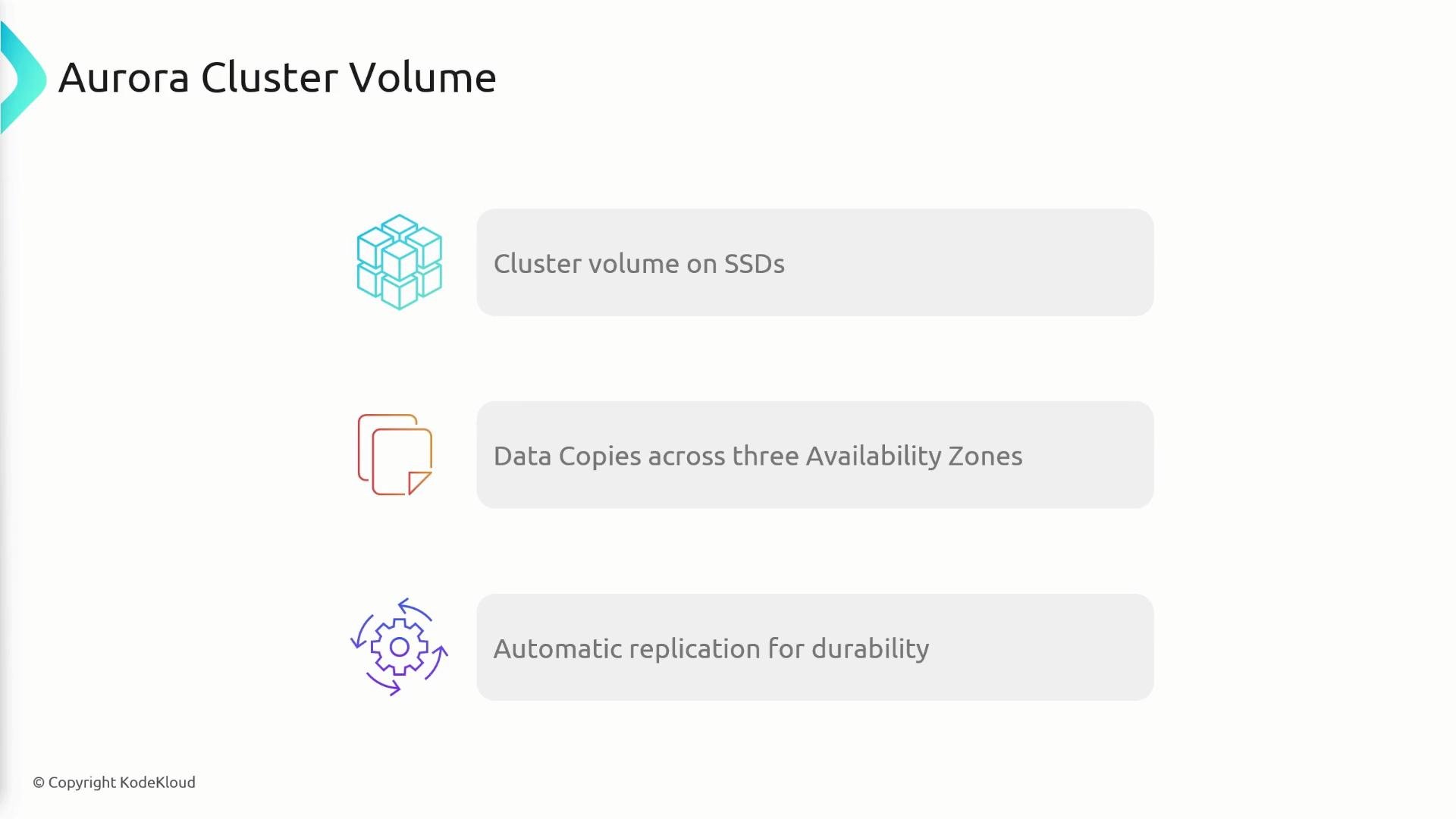
 Cluster volume details — what makes Aurora durable and fast:
* Single, distributed storage layer for the entire cluster.
* Automatically managed and provisioned by Aurora; you do not directly manage SSDs or volume allocation.
* Auto-scaling storage up to 128 TB per cluster.
* Data copies across three AZs (two copies per AZ), providing durability and protection if an AZ fails.
Because any instance (primary or replica) can serve reads, you can scale read capacity without scaling storage separately.
Cluster volume details — what makes Aurora durable and fast:
* Single, distributed storage layer for the entire cluster.
* Automatically managed and provisioned by Aurora; you do not directly manage SSDs or volume allocation.
* Auto-scaling storage up to 128 TB per cluster.
* Data copies across three AZs (two copies per AZ), providing durability and protection if an AZ fails.
Because any instance (primary or replica) can serve reads, you can scale read capacity without scaling storage separately.
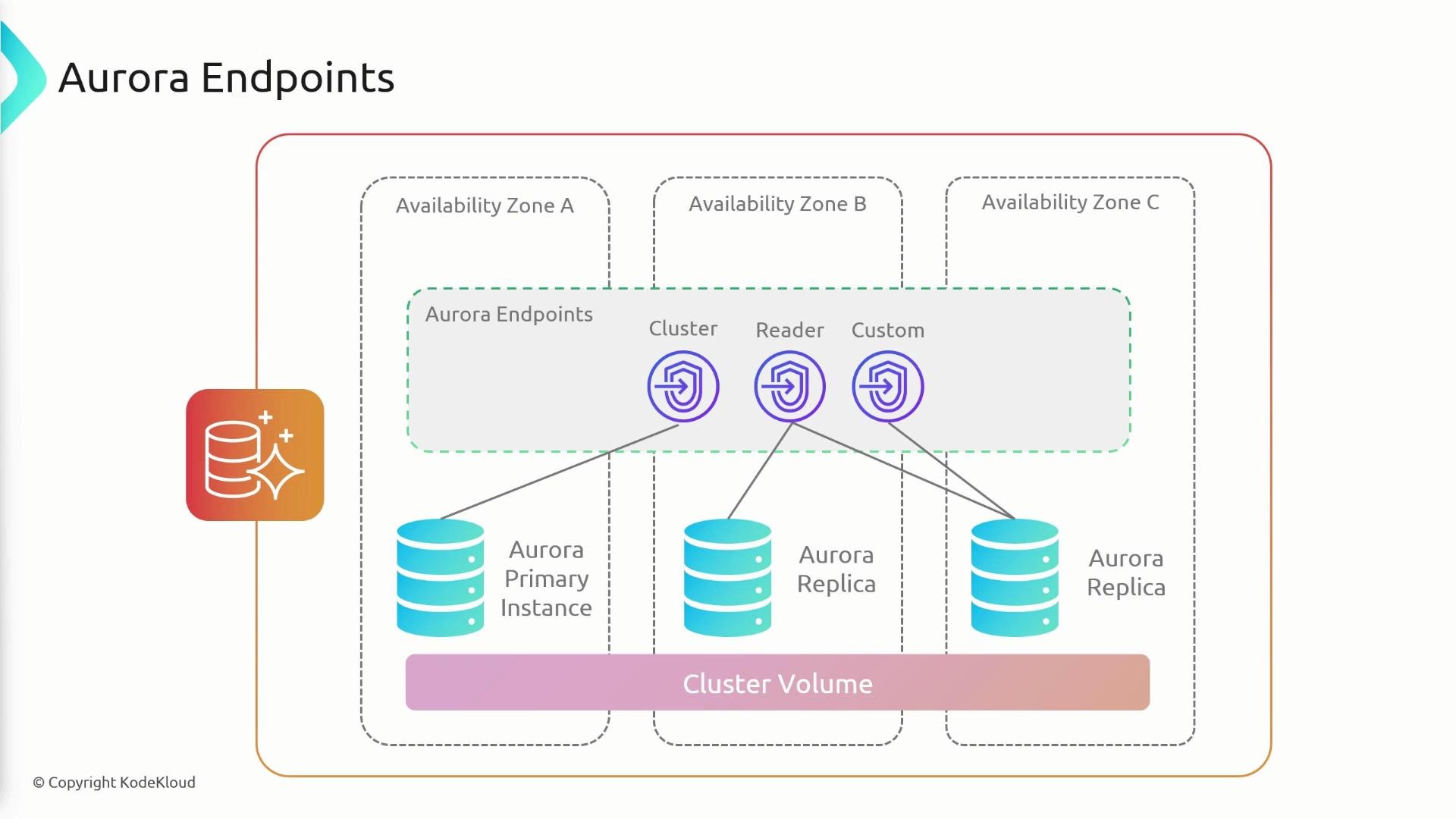
 Aurora provides several DNS-based endpoints to simplify connectivity and split read/write traffic:
* Cluster (writer) endpoint: routes write traffic to the current primary instance.
* Reader endpoint: load-balances read-only connections across available replicas.
* Instance endpoints: direct connections to a specific instance (primary or replica).
* Custom endpoints: route specific workloads (for example, read-only workloads with higher-memory replicas) to a defined subset of instances.
Using endpoints removes the need to reconfigure applications when instances are promoted or replaced; instead, clients connect via logical endpoints that Aurora keeps up to date.
Aurora provides several DNS-based endpoints to simplify connectivity and split read/write traffic:
* Cluster (writer) endpoint: routes write traffic to the current primary instance.
* Reader endpoint: load-balances read-only connections across available replicas.
* Instance endpoints: direct connections to a specific instance (primary or replica).
* Custom endpoints: route specific workloads (for example, read-only workloads with higher-memory replicas) to a defined subset of instances.
Using endpoints removes the need to reconfigure applications when instances are promoted or replaced; instead, clients connect via logical endpoints that Aurora keeps up to date.
 Endpoint reference (quick lookup)
| Endpoint type | Purpose | Common use case |
| ------------------------- | -------------------------------------------------- | ------------------------------------------------------------ |
| Cluster (writer) endpoint | Routes writes to the current primary instance | Application components that perform INSERT/UPDATE/DELETE |
| Reader endpoint | Load-balances read-only traffic across replicas | Reporting or analytics services that only read data |
| Instance endpoint | Direct connection to a specific instance | Specialized maintenance or diagnostics on one instance |
| Custom endpoint | Routes traffic to a subset of instances you define | Segregate workloads (e.g., heavy-read vs. low-latency reads) |
Use the writer (cluster) endpoint for all write operations and the reader endpoint to distribute read traffic. Custom endpoints are ideal for directing specific workloads to instances with different instance classes or resource profiles.
Summary
* Amazon Aurora is a fully managed, high-performance relational database compatible with PostgreSQL and MySQL.
* AWS claims up to 5× MySQL and 3× PostgreSQL throughput for Aurora.
* Data is replicated across three Availability Zones with six copies (two per AZ) for durability.
* Clusters have one primary (writer) instance and up to 15 read-only replicas.
* The cluster volume spans multiple AZs, is SSD-backed, auto-scales (up to 128 TB), and self-heals.
* Use the writer (cluster) endpoint for writes and the reader endpoint to distribute read traffic across replicas.
Endpoint reference (quick lookup)
| Endpoint type | Purpose | Common use case |
| ------------------------- | -------------------------------------------------- | ------------------------------------------------------------ |
| Cluster (writer) endpoint | Routes writes to the current primary instance | Application components that perform INSERT/UPDATE/DELETE |
| Reader endpoint | Load-balances read-only traffic across replicas | Reporting or analytics services that only read data |
| Instance endpoint | Direct connection to a specific instance | Specialized maintenance or diagnostics on one instance |
| Custom endpoint | Routes traffic to a subset of instances you define | Segregate workloads (e.g., heavy-read vs. low-latency reads) |
Use the writer (cluster) endpoint for all write operations and the reader endpoint to distribute read traffic. Custom endpoints are ideal for directing specific workloads to instances with different instance classes or resource profiles.
Summary
* Amazon Aurora is a fully managed, high-performance relational database compatible with PostgreSQL and MySQL.
* AWS claims up to 5× MySQL and 3× PostgreSQL throughput for Aurora.
* Data is replicated across three Availability Zones with six copies (two per AZ) for durability.
* Clusters have one primary (writer) instance and up to 15 read-only replicas.
* The cluster volume spans multiple AZs, is SSD-backed, auto-scales (up to 128 TB), and self-heals.
* Use the writer (cluster) endpoint for writes and the reader endpoint to distribute read traffic across replicas.
 Further reading and references
* Amazon Aurora documentation: [https://docs.aws.amazon.com/aurora/latest/userguide/CHAP\_AuroraOverview.html](https://docs.aws.amazon.com/aurora/latest/userguide/CHAP_AuroraOverview.html)
* Amazon RDS documentation: [https://docs.aws.amazon.com/rds/index.html](https://docs.aws.amazon.com/rds/index.html)
* MySQL: [https://www.mysql.com/](https://www.mysql.com/)
* PostgreSQL: [https://www.postgresql.org/](https://www.postgresql.org/)
Further reading and references
* Amazon Aurora documentation: [https://docs.aws.amazon.com/aurora/latest/userguide/CHAP\_AuroraOverview.html](https://docs.aws.amazon.com/aurora/latest/userguide/CHAP_AuroraOverview.html)
* Amazon RDS documentation: [https://docs.aws.amazon.com/rds/index.html](https://docs.aws.amazon.com/rds/index.html)
* MySQL: [https://www.mysql.com/](https://www.mysql.com/)
* PostgreSQL: [https://www.postgresql.org/](https://www.postgresql.org/)