> ## Documentation Index
> Fetch the complete documentation index at: https://notes.kodekloud.com/llms.txt
> Use this file to discover all available pages before exploring further.
# RDS Proxy
> Overview of Amazon RDS Proxy, a managed database proxy that pools and multiplexes connections, reduces DB load, improves failover handling, and secures credentials for serverless and high concurrency apps
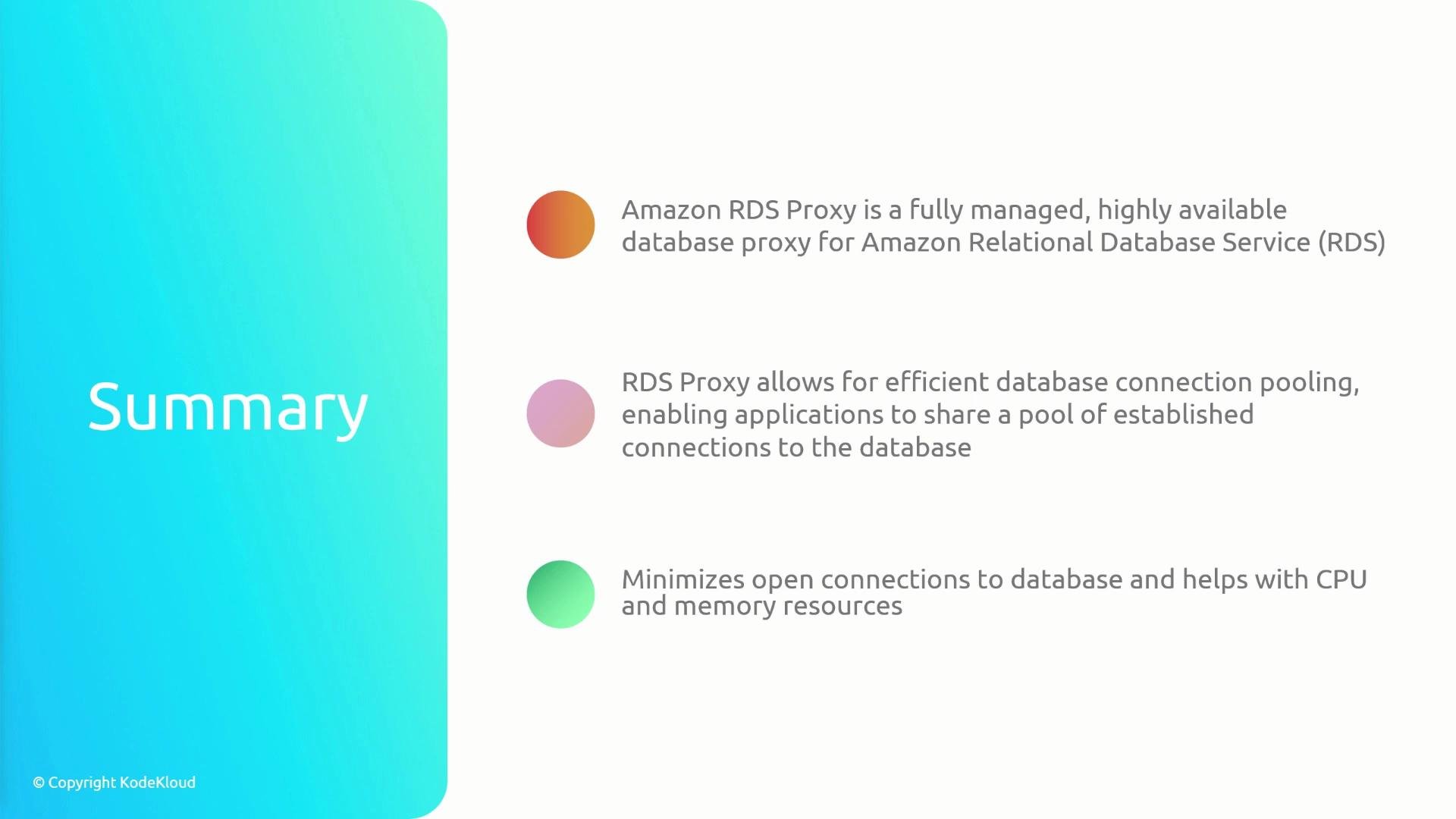
RDS Proxy is a fully managed, highly available database proxy for Amazon RDS (including Aurora) that helps applications scale more reliably by pooling and reusing database connections.
When many application instances open and close direct connections to the same RDS database, the database must repeatedly establish and tear down sessions. That connection churn increases CPU and memory utilization and can degrade query performance. This is especially problematic for rapidly scaling compute patterns such as AWS Lambda, where each concurrent invocation may open its own connection and quickly exhaust the database’s connection capacity.
RDS Proxy solves this by maintaining a pool of established connections to the database and sharing those connections among application clients. Clients obtain pooled connections from the proxy; the proxy multiplexes many client requests over a smaller set of database connections. The result is lower latency for new requests, fewer concurrent connections on the database, and more stable CPU/memory usage.
 Key technical behaviors:
* Connection pooling: RDS Proxy keeps warm, reusable connections to the DB so client requests avoid full session handshakes.
* Multiplexing: Many clients can share fewer backend DB connections, reducing total concurrent DB connections.
* Seamless client integration: Applications continue to use standard DB drivers; the proxy sits between the app and the RDS endpoint.
* Authentication: RDS Proxy integrates with AWS Secrets Manager to manage credentials securely.
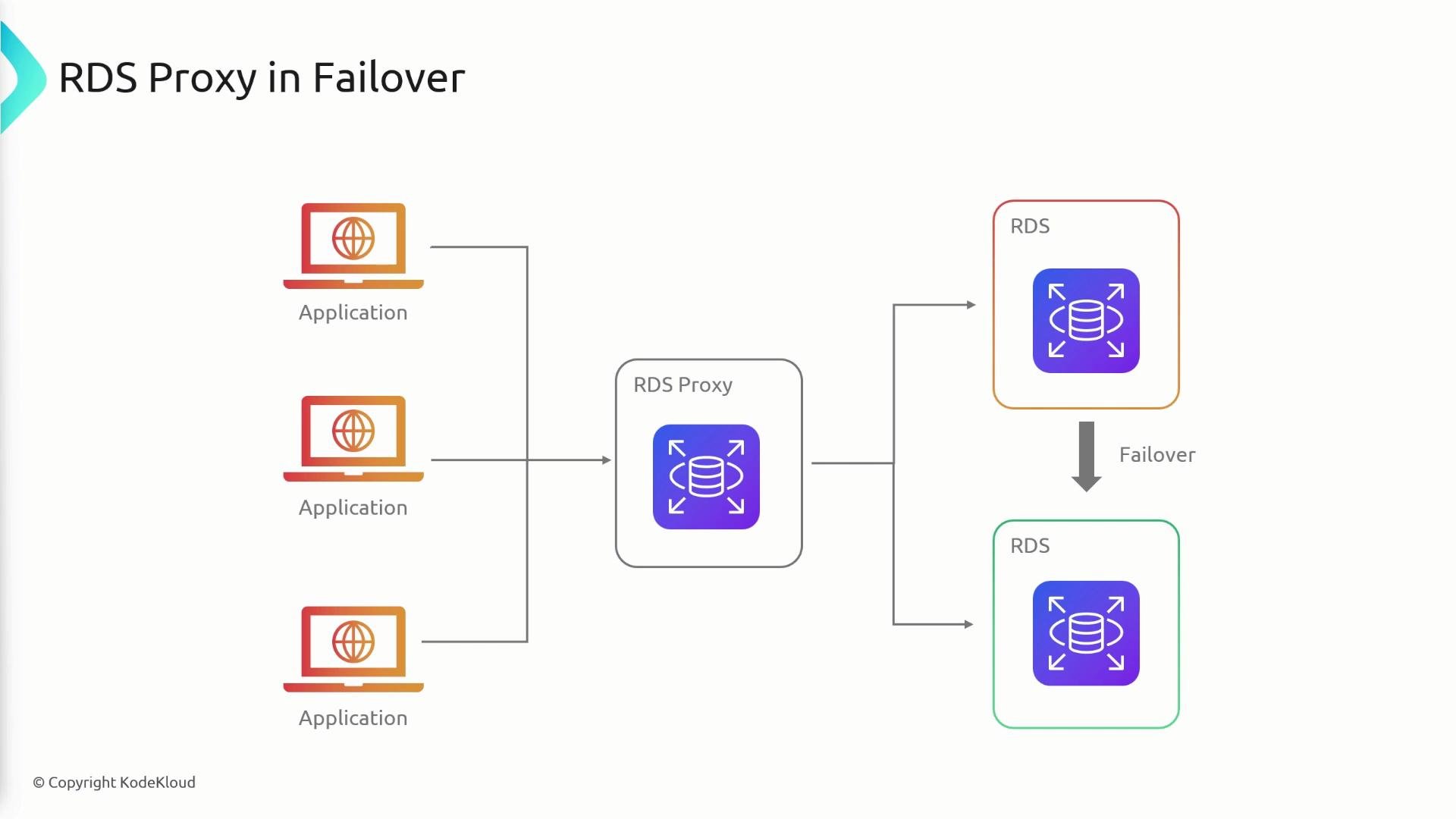
Resiliency during failover
RDS Proxy improves application availability during RDS failovers. If a primary instance fails and Aurora or RDS promotes a new primary, the proxy can reroute active client traffic to the new primary with minimal disruption. This reduces application errors and shortens failover impact on end users.
Key technical behaviors:
* Connection pooling: RDS Proxy keeps warm, reusable connections to the DB so client requests avoid full session handshakes.
* Multiplexing: Many clients can share fewer backend DB connections, reducing total concurrent DB connections.
* Seamless client integration: Applications continue to use standard DB drivers; the proxy sits between the app and the RDS endpoint.
* Authentication: RDS Proxy integrates with AWS Secrets Manager to manage credentials securely.
Resiliency during failover
RDS Proxy improves application availability during RDS failovers. If a primary instance fails and Aurora or RDS promotes a new primary, the proxy can reroute active client traffic to the new primary with minimal disruption. This reduces application errors and shortens failover impact on end users.
 Benefits summary
| Benefit | What it fixes | Example / When to use |
| --------------------------------: | -------------------------------------------------------------- | ------------------------------------------------------------------------ |
| Connection pooling & multiplexing | Reduces connection churn and overhead on the database | High-concurrency workloads, e.g., many Lambda invocations |
| Lower DB resource usage | Fewer concurrent DB sessions lowers CPU and memory pressure | Databases hitting connection limits or high CPU from many small sessions |
| Improved failover handling | Minimizes client-side errors during primary/replica promotions | Multi-AZ deployments and Aurora clusters |
| Managed credentials & security | Integrates with Secrets Manager and IAM for secure access | When you want centralized credential rotation and least-privilege access |
Benefits summary
| Benefit | What it fixes | Example / When to use |
| --------------------------------: | -------------------------------------------------------------- | ------------------------------------------------------------------------ |
| Connection pooling & multiplexing | Reduces connection churn and overhead on the database | High-concurrency workloads, e.g., many Lambda invocations |
| Lower DB resource usage | Fewer concurrent DB sessions lowers CPU and memory pressure | Databases hitting connection limits or high CPU from many small sessions |
| Improved failover handling | Minimizes client-side errors during primary/replica promotions | Multi-AZ deployments and Aurora clusters |
| Managed credentials & security | Integrates with Secrets Manager and IAM for secure access | When you want centralized credential rotation and least-privilege access |
 When to choose RDS Proxy
* Use RDS Proxy when connection management is the bottleneck (high connection churn, frequent reconnects, or many short-lived connections).
* Ideal for serverless architectures (Lambda, Fargate) where concurrency directly correlates to connection growth.
* Consider for applications that require fast failover recovery and secure credential handling.
Additional considerations
* RDS Proxy is a managed service; review pricing and connection limits per proxy.
* Some advanced DB features or session-specific behaviors may require testing to ensure compatibility behind a proxy.
Exam tip: If an [RDS instance](https://learn.kodekloud.com/user/courses/introduction-to-aws-databases) shows high CPU specifically due to a large number of client connections (for example, many concurrent Lambda invocations each opening its own connection), the recommended solution on exams is usually to use Amazon RDS Proxy to pool and multiplex connections.
Links and references
* [Amazon RDS documentation](https://docs.aws.amazon.com/rds/)
* [Amazon RDS Proxy product page](https://aws.amazon.com/rds/proxy/)
* [AWS Lambda documentation](https://docs.aws.amazon.com/lambda/latest/dg/welcome.html)
* [Managing secrets with AWS Secrets Manager](https://docs.aws.amazon.com/secretsmanager/)
When to choose RDS Proxy
* Use RDS Proxy when connection management is the bottleneck (high connection churn, frequent reconnects, or many short-lived connections).
* Ideal for serverless architectures (Lambda, Fargate) where concurrency directly correlates to connection growth.
* Consider for applications that require fast failover recovery and secure credential handling.
Additional considerations
* RDS Proxy is a managed service; review pricing and connection limits per proxy.
* Some advanced DB features or session-specific behaviors may require testing to ensure compatibility behind a proxy.
Exam tip: If an [RDS instance](https://learn.kodekloud.com/user/courses/introduction-to-aws-databases) shows high CPU specifically due to a large number of client connections (for example, many concurrent Lambda invocations each opening its own connection), the recommended solution on exams is usually to use Amazon RDS Proxy to pool and multiplex connections.
Links and references
* [Amazon RDS documentation](https://docs.aws.amazon.com/rds/)
* [Amazon RDS Proxy product page](https://aws.amazon.com/rds/proxy/)
* [AWS Lambda documentation](https://docs.aws.amazon.com/lambda/latest/dg/welcome.html)
* [Managing secrets with AWS Secrets Manager](https://docs.aws.amazon.com/secretsmanager/)