> ## Documentation Index
> Fetch the complete documentation index at: https://notes.kodekloud.com/llms.txt
> Use this file to discover all available pages before exploring further.
# OpenSearch
> Overview of AWS OpenSearch, an open-source search and analytics engine, its deployment options, key features, integrations, and use cases like observability and security analytics.
This lesson covers AWS OpenSearch: what it is, why it exists, deployment options, key capabilities, integrations, and common use cases. OpenSearch is a high-performance search and analytics engine well suited for logging, observability, security analytics, and interactive search across large volumes of semi-structured or full‑text data.
## Why OpenSearch exists
Modern applications produce diverse data: full-text content, JSON documents, time-series metrics, traces, geospatial events, and high-volume logs. Relational databases are great for structured, schema-driven data but can struggle when you need:
* Flexible schemas and indexing for semi-structured documents.
* Near real-time search across large datasets.
* Fast text search, filtering, and aggregations across high-cardinality fields.
* Horizontal scalability for ingestion and query workloads.
OpenSearch (a community-driven fork of Elasticsearch) is optimized to index, search, and analyze these kinds of datasets at scale, making it a natural choice for search engines, observability stores, and interactive analytics.
## History: Elasticsearch vs OpenSearch
When Elasticsearch and Kibana licensing changed, Amazon forked the last Apache 2.0–licensed releases to create OpenSearch. This preserved an open-source, community-driven search and analytics suite under an Apache 2.0–compatible governance model. For most practical purposes OpenSearch and Elasticsearch offer similar core features, but OpenSearch remains governed and developed with an open-source focus.
OpenSearch is a community-driven fork intended to preserve an open-source search and analytics suite after licensing changes to Elasticsearch.
## OpenSearch components and deployment options
You can deploy OpenSearch as a self-managed cluster or use AWS-managed alternatives that reduce operational burden.
| Deployment option | What it is | Best for |
| ---------------------------- | -------------------------------------------------------------------------------------------------------------------------------------------------------------------------------: | ----------------------------------------------------------------------------------------------------------------------- |
| OpenSearch Service (managed) | AWS-managed OpenSearch clusters (each cluster is an OpenSearch Service domain). | Teams that want managed operations, backups, scaling, and cluster maintenance handled by AWS. |
| OpenSearch Serverless | On-demand, auto-scaling serverless collections. AWS manages infrastructure and capacity. | Workloads with unpredictable traffic or those who want to avoid capacity planning. |
| OpenSearch Ingestion | Fully managed, serverless data collector that receives producer data, applies transformations/enrichments, and delivers to OpenSearch Service domains or Serverless collections. | Simplifies ingestion pipelines without third-party collectors (replaces tools like Logstash or Firehose in many cases). |
OpenSearch Ingestion reduces the need for external collectors by providing a managed path to transform and deliver logs, metrics, and trace data into OpenSearch.
## Key features and capabilities
* Unified observability: Correlate logs, traces, and metrics for end-to-end troubleshooting.
* Trace analytics: Ingest and analyze OpenTelemetry data to diagnose distributed systems.
* Machine learning / anomaly detection: Built-in features to surface anomalies and trigger alerts.
* Cross-cluster replication: Replicate indices and mappings for redundancy or reporting.
* Scalability: Flexible CPU, memory, and storage configurations; supports very large index capacities in AWS-managed deployments.
* SQL and document APIs: Query with SQL-like syntax or native JSON aggregations; export results as JSON or CSV.
## Integrations
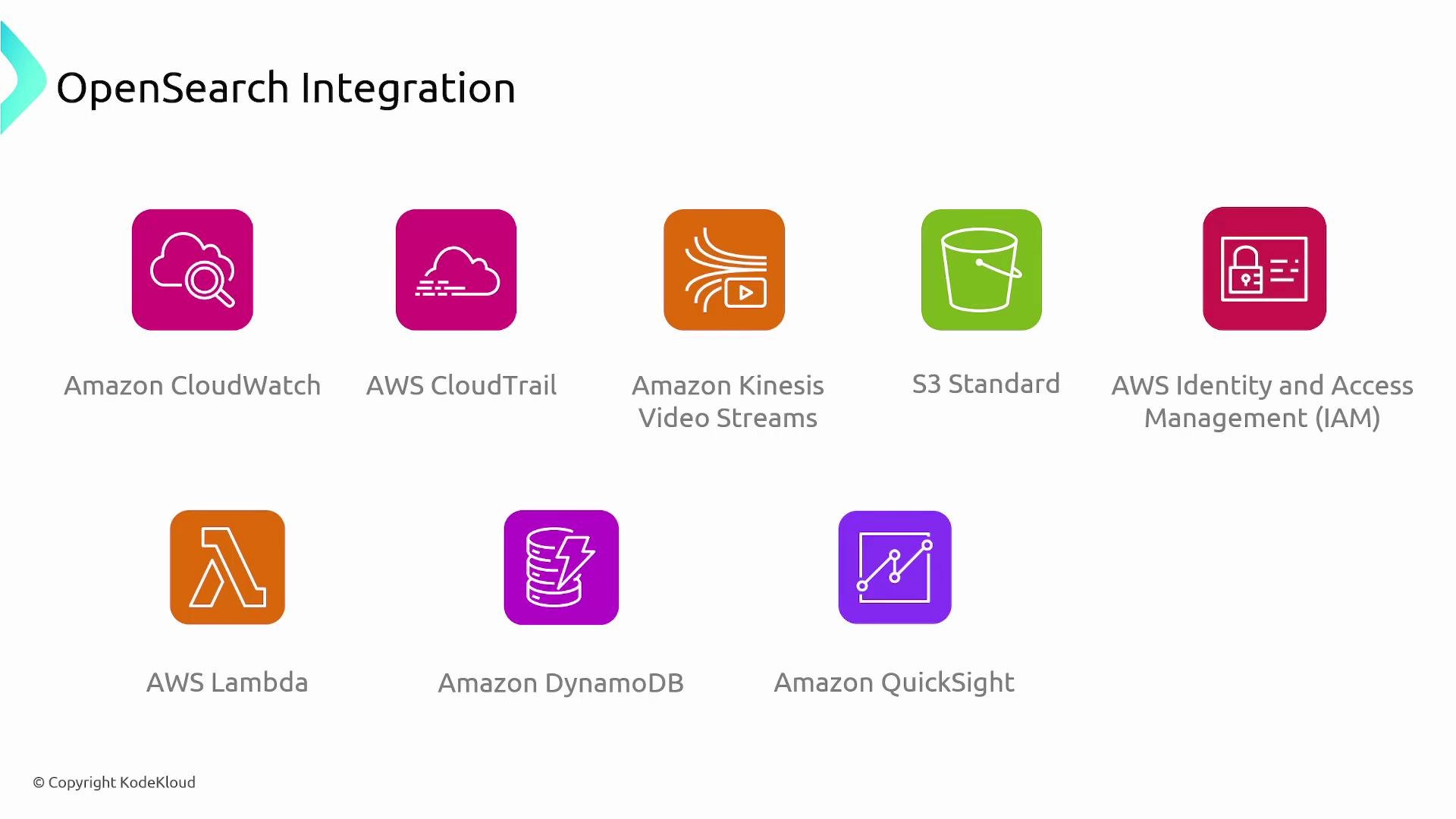
OpenSearch integrates with many AWS services to support ingestion, monitoring, access control, and analytics.
| AWS Service | Integration use |
| --------------------------------- | ----------------------------------------------------------------------------------: |
| Amazon CloudWatch | Publishes OpenSearch Service metrics for monitoring cluster health and performance. |
| AWS CloudTrail | Audits OpenSearch Service API calls and configuration changes. |
| Amazon Kinesis / DynamoDB Streams | Streams data into OpenSearch for near real-time indexing. |
| Amazon S3 | Store snapshots and long-term index backups. |
| AWS IAM | Fine-grained access control and authentication for OpenSearch resources. |
| AWS Lambda | Transform or enrich data before indexing into OpenSearch. |
| Amazon QuickSight | Build dashboards and BI views from OpenSearch query outputs. |
 You can visualize OpenSearch query results directly via Amazon QuickSight or export JSON/CSV for other BI tools and custom analytics.
## Common use cases
OpenSearch is frequently used for:
| Use case | Description |
| ------------------------- | ----------------------------------------------------------------------------------------------------------------- |
| Observability | Centralize logs, metrics, and traces for fast troubleshooting and monitoring. |
| Security analytics / SIEM | Real-time threat detection, event correlation, and incident investigation using indexed security events. |
| Search experiences | Provide low-latency, relevance-tuned search, autocomplete, faceting, and filtering for websites and applications. |
You can visualize OpenSearch query results directly via Amazon QuickSight or export JSON/CSV for other BI tools and custom analytics.
## Common use cases
OpenSearch is frequently used for:
| Use case | Description |
| ------------------------- | ----------------------------------------------------------------------------------------------------------------- |
| Observability | Centralize logs, metrics, and traces for fast troubleshooting and monitoring. |
| Security analytics / SIEM | Real-time threat detection, event correlation, and incident investigation using indexed security events. |
| Search experiences | Provide low-latency, relevance-tuned search, autocomplete, faceting, and filtering for websites and applications. |
 ## Operational considerations and best practices
* Security: Use IAM, fine-grained access control, TLS encryption in transit, and encryption at rest. For multi-tenant environments, separate domains/collections and apply strict access controls.
* Data lifecycle: Use index lifecycle management (ILM) to roll over, shrink, or delete indices to control storage costs.
* Backups: Schedule regular snapshots to S3 for disaster recovery and long-term retention.
* Scaling: Choose OpenSearch Service or Serverless for automatic scaling, or design shard/replica strategies when self-managing clusters.
* Cost: Managed services simplify operations but come with managed service costs — evaluate based on operational overhead vs. price.
## Summary
OpenSearch is an open-source search and analytics suite that excels at handling large volumes of semi-structured and full-text data in near real time. AWS offers both managed (OpenSearch Service) and serverless (OpenSearch Serverless) deployment models, and OpenSearch Ingestion simplifies getting data into these stores. It’s ideal for observability, security analytics, and building fast, interactive search experiences.
## Links and references
* [Elasticsearch — Elastic](https://www.elastic.co/elasticsearch)
* [OpenTelemetry](https://opentelemetry.io/)
* [Amazon Kinesis Data Firehose overview](https://docs.aws.amazon.com/firehose/latest/dev/what-is-amazon-kinesis-data-firehose.html)
* [Amazon CloudWatch](https://aws.amazon.com/cloudwatch/)
* [AWS CloudTrail](https://aws.amazon.com/cloudtrail/)
* [Amazon S3](https://aws.amazon.com/s3/)
* [AWS IAM](https://aws.amazon.com/iam/)
* [AWS Lambda](https://aws.amazon.com/lambda/)
* [Amazon QuickSight](https://aws.amazon.com/quicksight/)
## Operational considerations and best practices
* Security: Use IAM, fine-grained access control, TLS encryption in transit, and encryption at rest. For multi-tenant environments, separate domains/collections and apply strict access controls.
* Data lifecycle: Use index lifecycle management (ILM) to roll over, shrink, or delete indices to control storage costs.
* Backups: Schedule regular snapshots to S3 for disaster recovery and long-term retention.
* Scaling: Choose OpenSearch Service or Serverless for automatic scaling, or design shard/replica strategies when self-managing clusters.
* Cost: Managed services simplify operations but come with managed service costs — evaluate based on operational overhead vs. price.
## Summary
OpenSearch is an open-source search and analytics suite that excels at handling large volumes of semi-structured and full-text data in near real time. AWS offers both managed (OpenSearch Service) and serverless (OpenSearch Serverless) deployment models, and OpenSearch Ingestion simplifies getting data into these stores. It’s ideal for observability, security analytics, and building fast, interactive search experiences.
## Links and references
* [Elasticsearch — Elastic](https://www.elastic.co/elasticsearch)
* [OpenTelemetry](https://opentelemetry.io/)
* [Amazon Kinesis Data Firehose overview](https://docs.aws.amazon.com/firehose/latest/dev/what-is-amazon-kinesis-data-firehose.html)
* [Amazon CloudWatch](https://aws.amazon.com/cloudwatch/)
* [AWS CloudTrail](https://aws.amazon.com/cloudtrail/)
* [Amazon S3](https://aws.amazon.com/s3/)
* [AWS IAM](https://aws.amazon.com/iam/)
* [AWS Lambda](https://aws.amazon.com/lambda/)
* [Amazon QuickSight](https://aws.amazon.com/quicksight/)