> ## Documentation Index
> Fetch the complete documentation index at: https://notes.kodekloud.com/llms.txt
> Use this file to discover all available pages before exploring further.
# Getting Started With OpenAI Platform
> This guide helps you navigate the OpenAI Platform, covering the Playground, Dashboard, and Documentation for efficient AI development.
Welcome! In this guide, you’ll learn how to navigate the OpenAI Platform—exploring the Playground, Dashboard, and Documentation—to streamline your AI development workflow.
***
## Playground
The **Playground** offers an interactive environment to test models and fine-tune parameters before integrating them into your code.
### 1. Interacting with Models
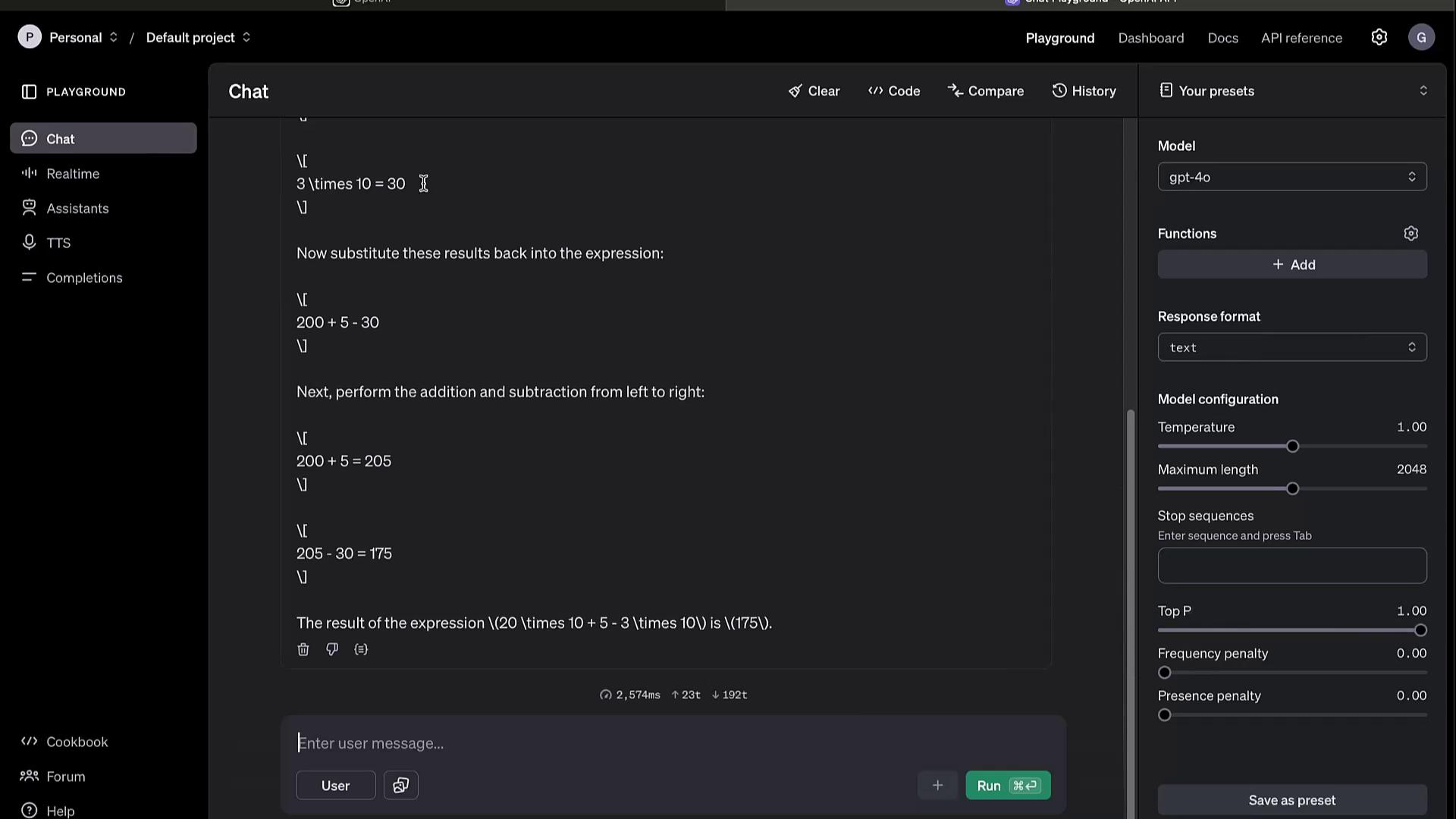
Switch to the **Chat** tab for conversational prompts. For example:
```text theme={null}
what is 20 times 10 plus 5 minus 3 times 10
```
Click **Run** and watch the model break down the calculation step by step, returning the answer.
### 2. Tuning Parameters
Adjust these settings to influence output quality and creativity:
* **Temperature**: Controls randomness (0.0–1.0)
* **Max Tokens**: Limits response length
* **Top K** / **Top P**: Filters token selection based on probability
### 3. Additional Features
* **Model Switching**: Try GPT-3.5, GPT-4, or custom fine-tuned models
* **Speech to Text**: Real-time audio transcription
* **Text to Speech**: Generate audio responses
* **Assistant Builder**: Design your own conversational agent
* **Completion Settings**: Preconfigure defaults for repeated experiments
The Playground is ideal for rapid prototyping. Once satisfied, copy code snippets directly into your application.
***
## Dashboard
The **Dashboard** centralizes your account and usage management.
| Feature | Description |
| ----------------- | ----------------------------------------------------- |
| Usage Analytics | View API call counts, token usage, and cost estimates |
| Assistants & Jobs | Manage chat assistants and batch processing tasks |
| Fine-tuning | Upload training data and launch custom model tweaks |
| File Storage | Store and retrieve files for embedding or training |
| API Keys | Create, view, and revoke keys for secure access |
Access your metrics, configure billing alerts, and optimize resource allocation all from one place.
***
## Documentation
Comprehensive docs cover every aspect of the API and its components. Visit [OpenAI API Documentation][openai-docs] for full details.
### Models Overview
Browse the **Models** section to compare capabilities and select the best fit:
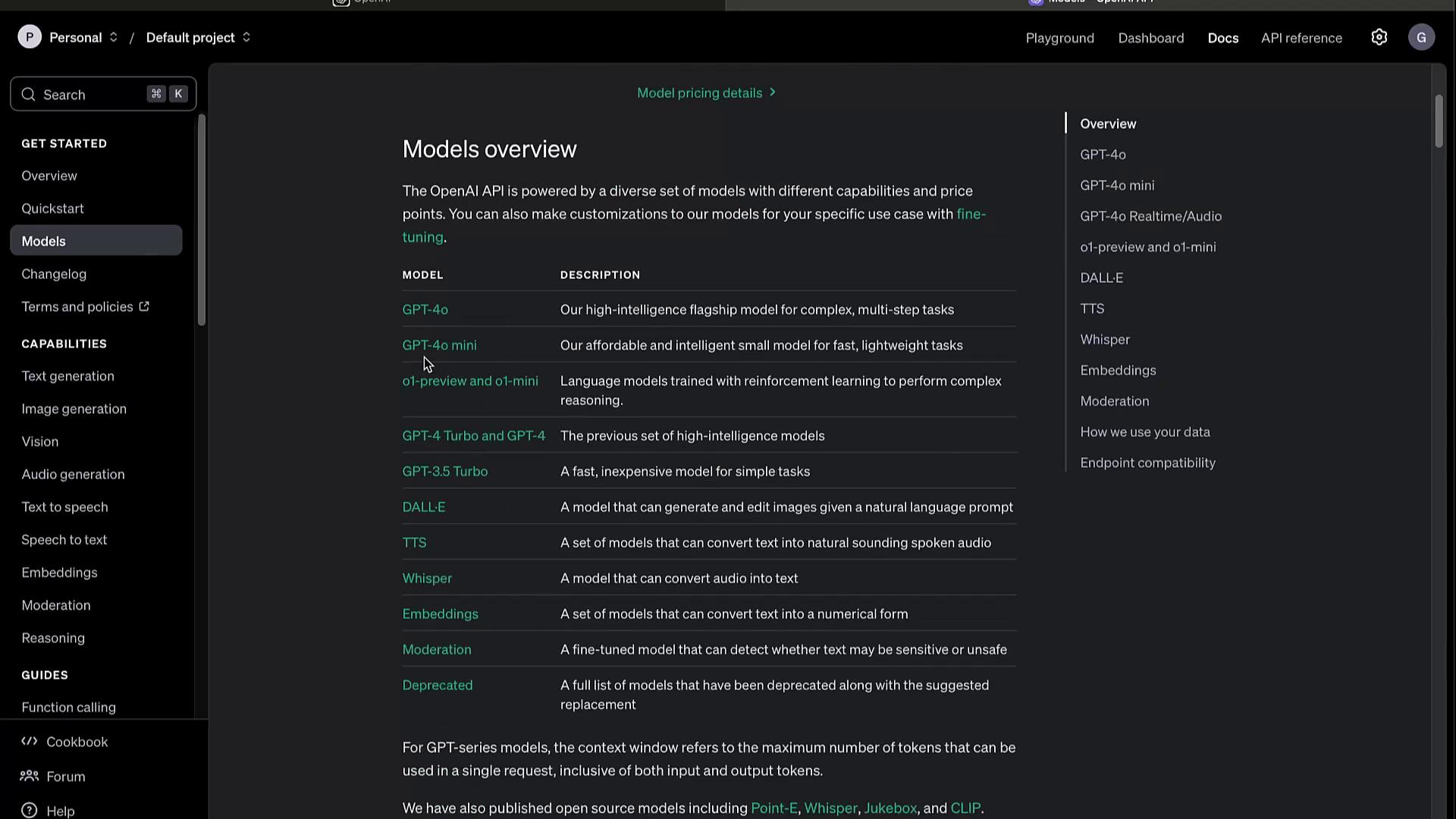
Selecting a model—such as **GPT-4**—reveals its parameters, use cases, and any available variants.
### Changelog
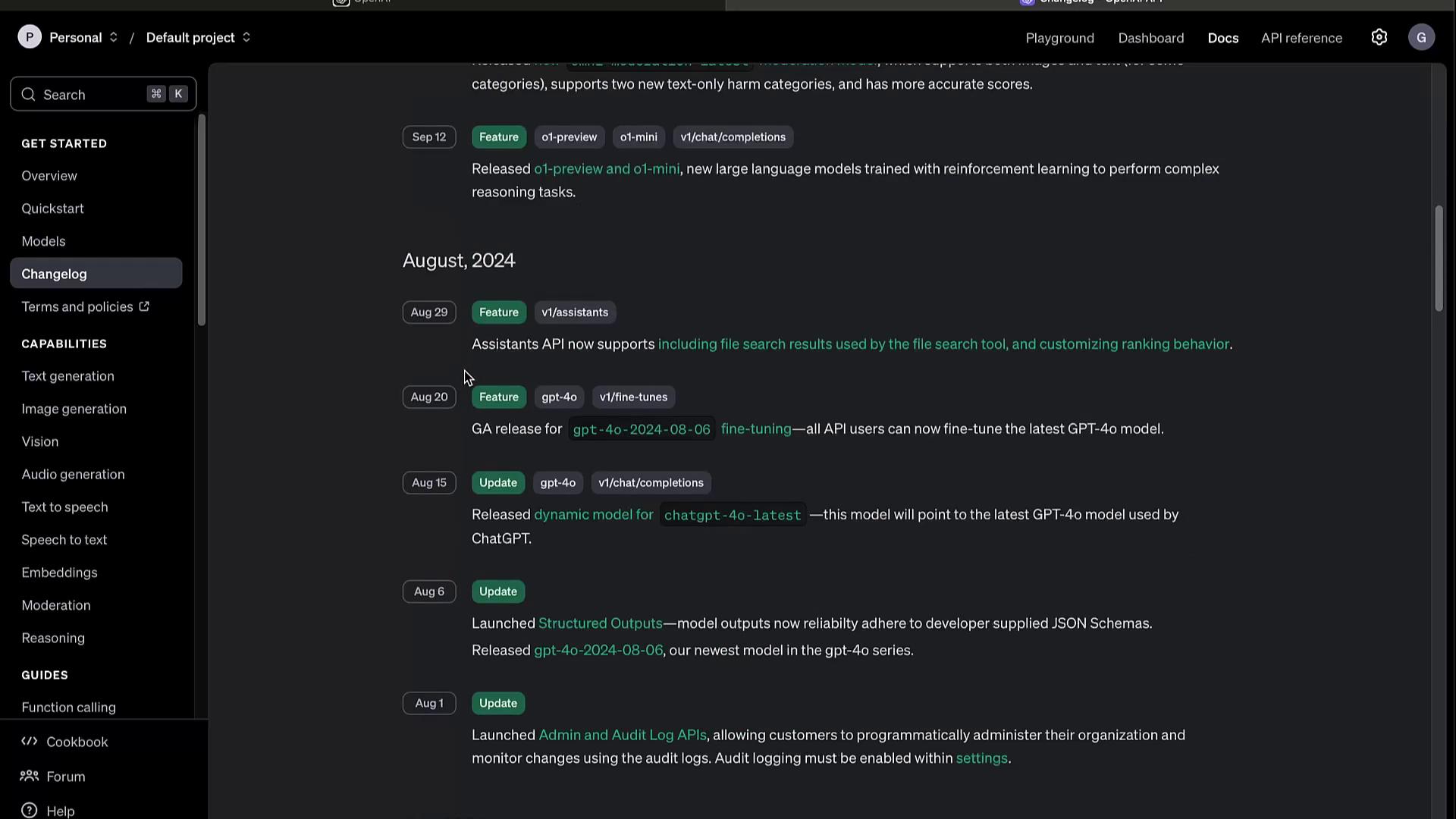
Track updates, deprecations, and new features in the **Changelog**. Staying informed ensures your integrations remain stable.
### Capabilities
| Modality | Description |
| ---------------- | ----------------------------------------- |
| Text Generation | Conversational agents, content creation |
| Image Generation | DALL·E image creation and editing |
| Audio | Text-to-Speech & real-time Speech-to-Text |
| Embeddings | Semantic vectors for search & clustering |
| Video | Video generation and analysis (beta) |
#### JavaScript Example
```javascript theme={null}
import OpenAI from "openai";
const openai = new OpenAI();
const completion = await openai.chat.completions.create({
model: "gpt-4",
messages: [
{ role: "system", content: "You are a helpful assistant." },
{ role: "user", content: "Write a haiku about recursion in programming." }
]
});
console.log(completion.choices[0].message.content);
```
#### Python Example
```python theme={null}
from openai import OpenAI
client = OpenAI()
completion = client.chat.completions.create(
model="gpt-4",
messages=[
{"role": "system", "content": "You are a helpful assistant."},
{"role": "user", "content": "Write a haiku about recursion in programming."}
]
)
print(completion.choices[0].message.content)
```
Be sure to set your `OPENAI_API_KEY` in environment variables before running these snippets.
***
## Guides and Advanced Topics
Explore specialized tutorials to maximize the API’s potential:
* Function Calling
* Model Evaluation & Benchmarks
* Fine-tuning & Distillation
* Batch Processing Workflows
* Official Libraries & SDKs
* Prompt Engineering Best Practices
* Rate Limits, Error Codes, and Retirements
Example: Create image variations with DALL·E in Python:
```python theme={null}
response = client.images.create_variation(
model="dall-e-2",
image=open("corgi_and_cat_paw.png", "rb"),
n=1,
size="1024x1024"
)
print(response.data[0].url)
```
***
## Deprecations
Regularly review the **Deprecations** section to avoid using sunset features and to plan migrations.
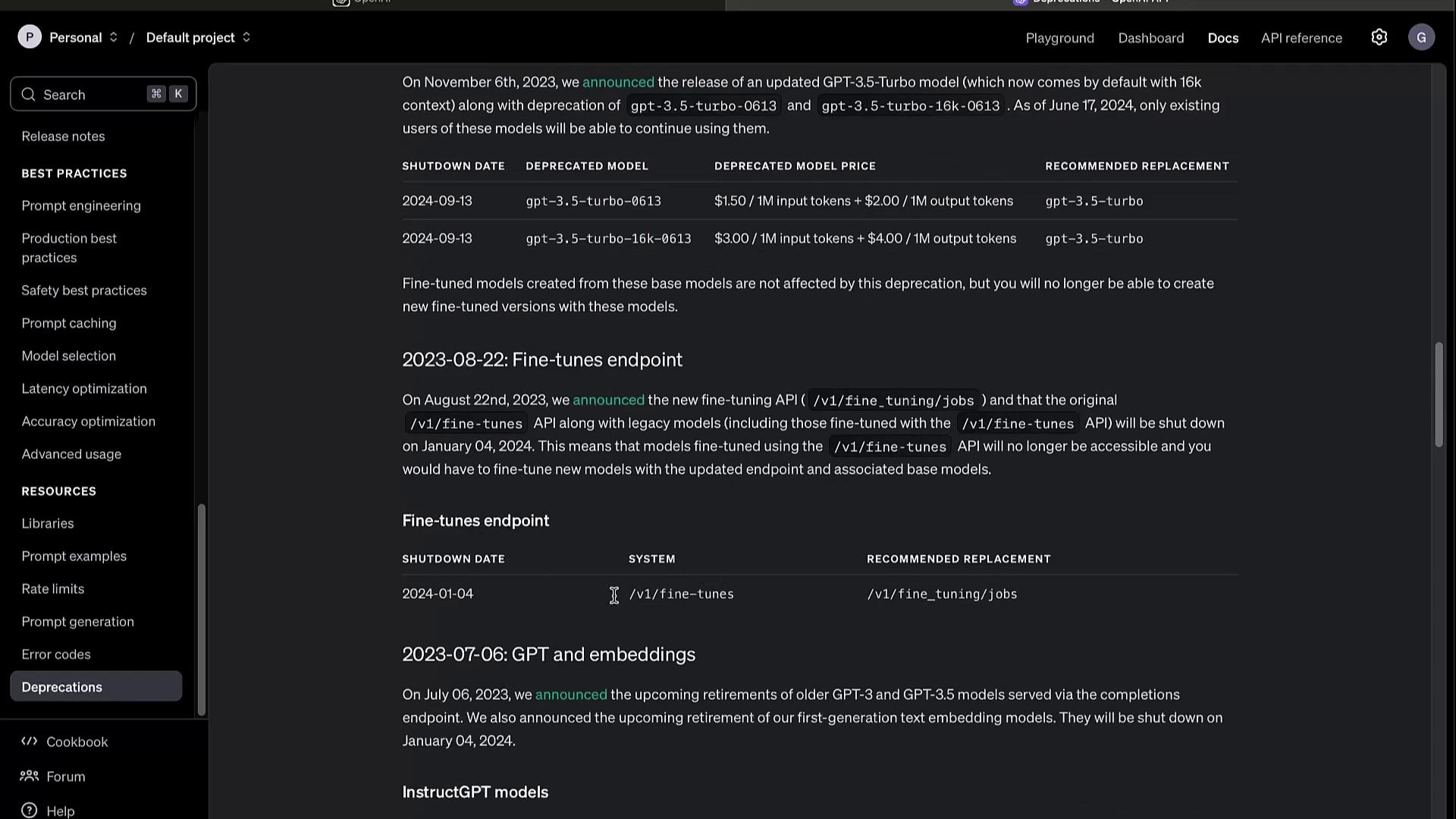
Deprecated endpoints and models will stop functioning after their scheduled sunset dates. Always update to the recommended replacements to prevent downtime.
***
## Links and References
* [OpenAI API Documentation][openai-docs]
* [OpenAI Playground](https://platform.openai.com/playground)
* [OpenAI GitHub](https://github.com/openai)
[openai-docs]: https://platform.openai.com/docs