> ## Documentation Index
> Fetch the complete documentation index at: https://notes.kodekloud.com/llms.txt
> Use this file to discover all available pages before exploring further.
# Overview of OpenAI Assistant
> OpenAI Assistants are AI-driven conversational agents that automate tasks and enhance user interactions across various industries.
OpenAI Assistants are AI-driven conversational agents built on GPT models (like GPT-4) that automate tasks, enhance user interactions, and streamline workflows across industries—from customer support to finance and healthcare. In this guide, you’ll learn how they operate, explore core workflow states, discover key benefits, and see examples for customization.
***
## Personal Finance Assistant Example
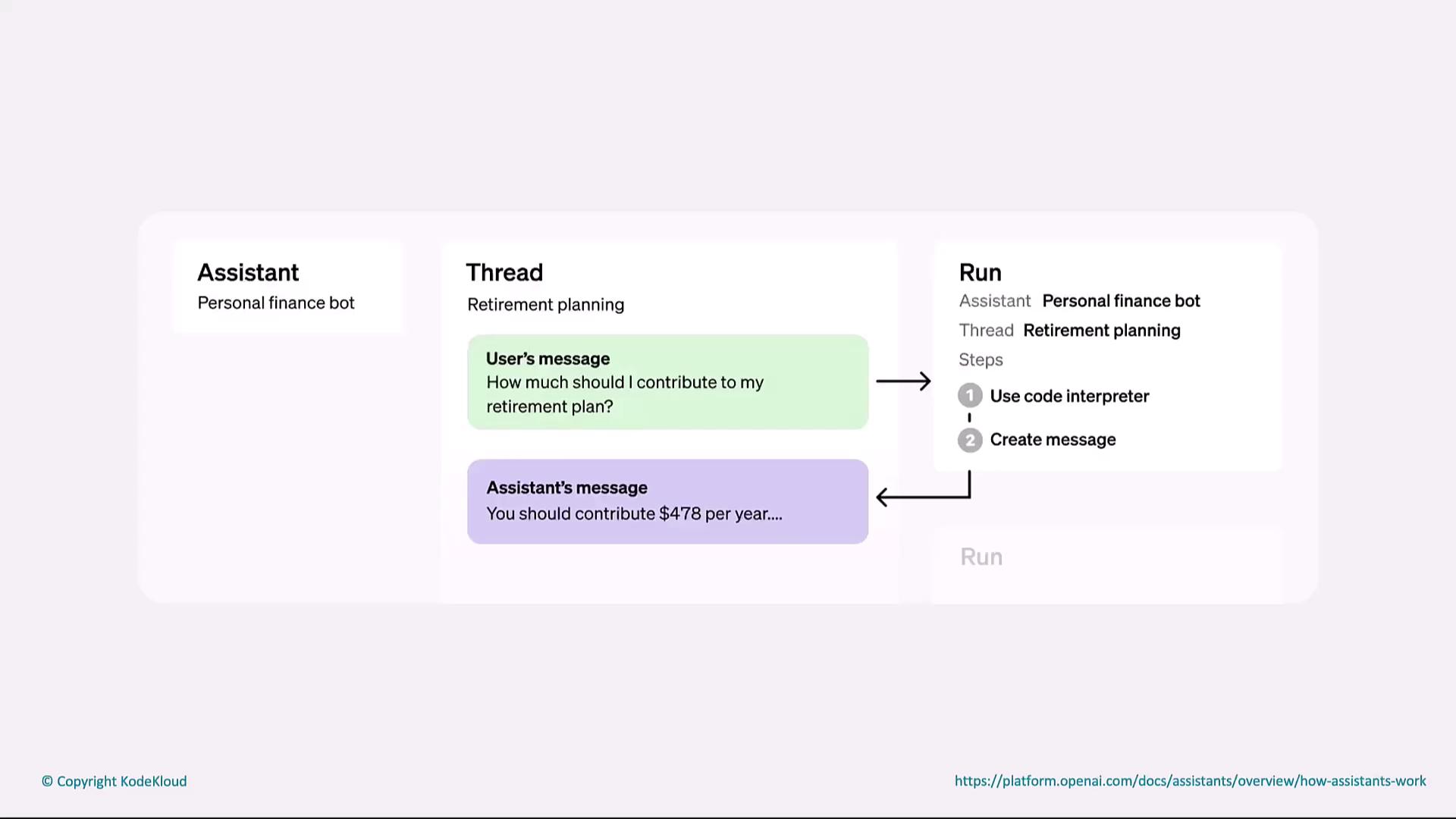
This scenario showcases a personal finance bot helping with retirement planning. When a user asks, “How much should I contribute to my retirement plan?” the assistant:
1. Receives the user message.
2. Uses a code interpreter to calculate the optimal contribution.
3. Sends back: “You should contribute \$478 a year.”
On the right, the run panel highlights each step from computation to message creation.
***
## What Are OpenAI Assistants?
OpenAI Assistants leverage large language models to:
* Perform specific tasks and automate repetitive workflows
* Engage in natural language conversations
* Integrate with external tools (APIs, databases, code interpreters)
These agents excel in contexts like customer support, education, financial advising, and medical triage by understanding intent, generating accurate responses, and maintaining conversational context.
***
## Core Workflow States
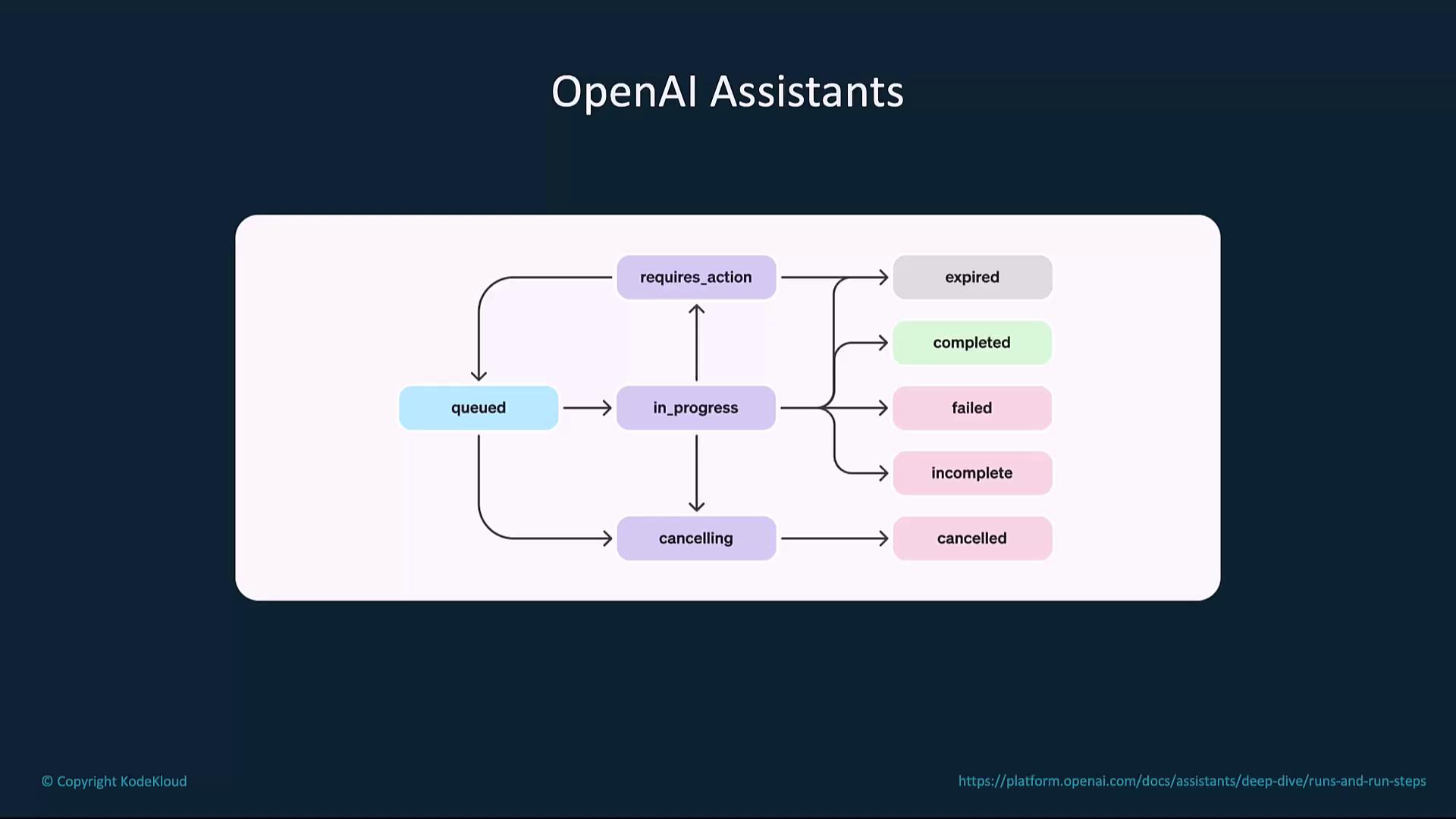
OpenAI Assistants track each task through a series of states:
| State | Description |
| ---------------- | ------------------------------------- |
| queued | Task is waiting to start |
| in\_progress | Task is actively running |
| requires\_action | Task needs user input or intervention |
| cancelling | Task is being stopped |
Final outcomes:
| Final State | Meaning |
| ----------- | --------------------------------- |
| completed | Task finished successfully |
| failed | Task encountered an error |
| cancelled | Task was intentionally stopped |
| expired | Task timed out without completion |
| incomplete | Task was partially done |
***
## Key Benefits
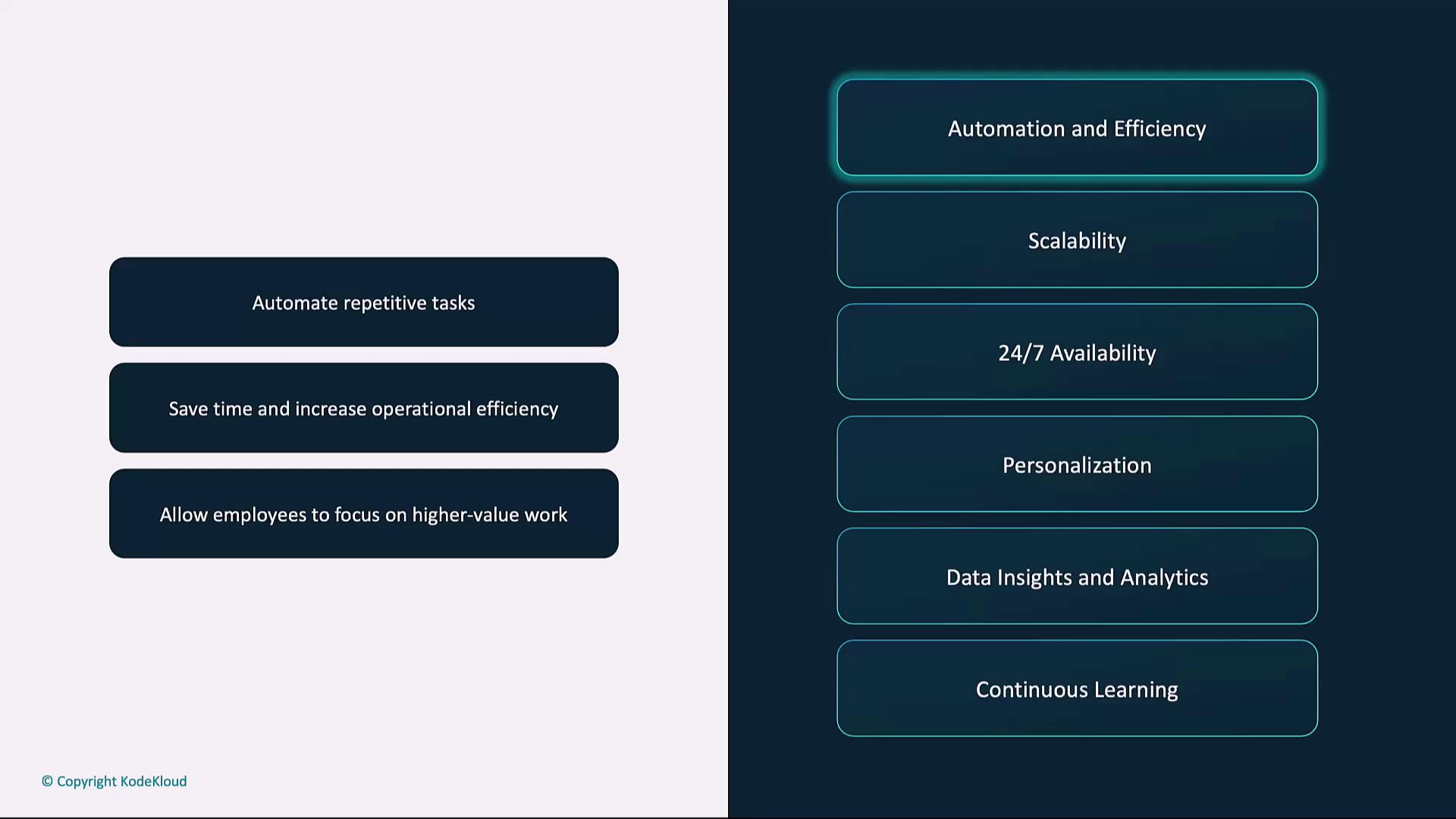
1. **Automation & Efficiency**\
Free up teams by automating FAQs, ticket routing, and data processing.
2. **Scalability**\
Seamlessly handle spikes in demand without hiring additional staff.
3. **24×7 Availability**\
Provide nonstop support—ideal for global audiences or critical services.
4. **Personalization**\
Adapt responses based on user history and preferences.
5. **Data Insights & Analytics**\
Monitor conversations to extract sentiment, trends, and improvement areas.
6. **Continuous Learning**\
Fine-tune on domain-specific datasets (e.g., legal, medical) to boost accuracy.
***
## Assistant Example: Customer Support
Here’s a Python snippet demonstrating a simple customer support assistant with GPT-4:
```python theme={null}
from openai import OpenAI
client = OpenAI()
def support_response(user_query: str) -> str:
response = client.chat.completions.create(
model="gpt-4",
messages=[
{"role": "system", "content": "You are a customer support assistant."},
{"role": "user", "content": user_query}
],
max_tokens=150,
temperature=0,
)
return response.choices[0].message.content
if __name__ == "__main__":
query = "Help me answer this technical question about my new snowblower."
print(support_response(query))
```
Adjust `temperature`, `max_tokens`, and `top_p` to control response creativity, length, and diversity.
***
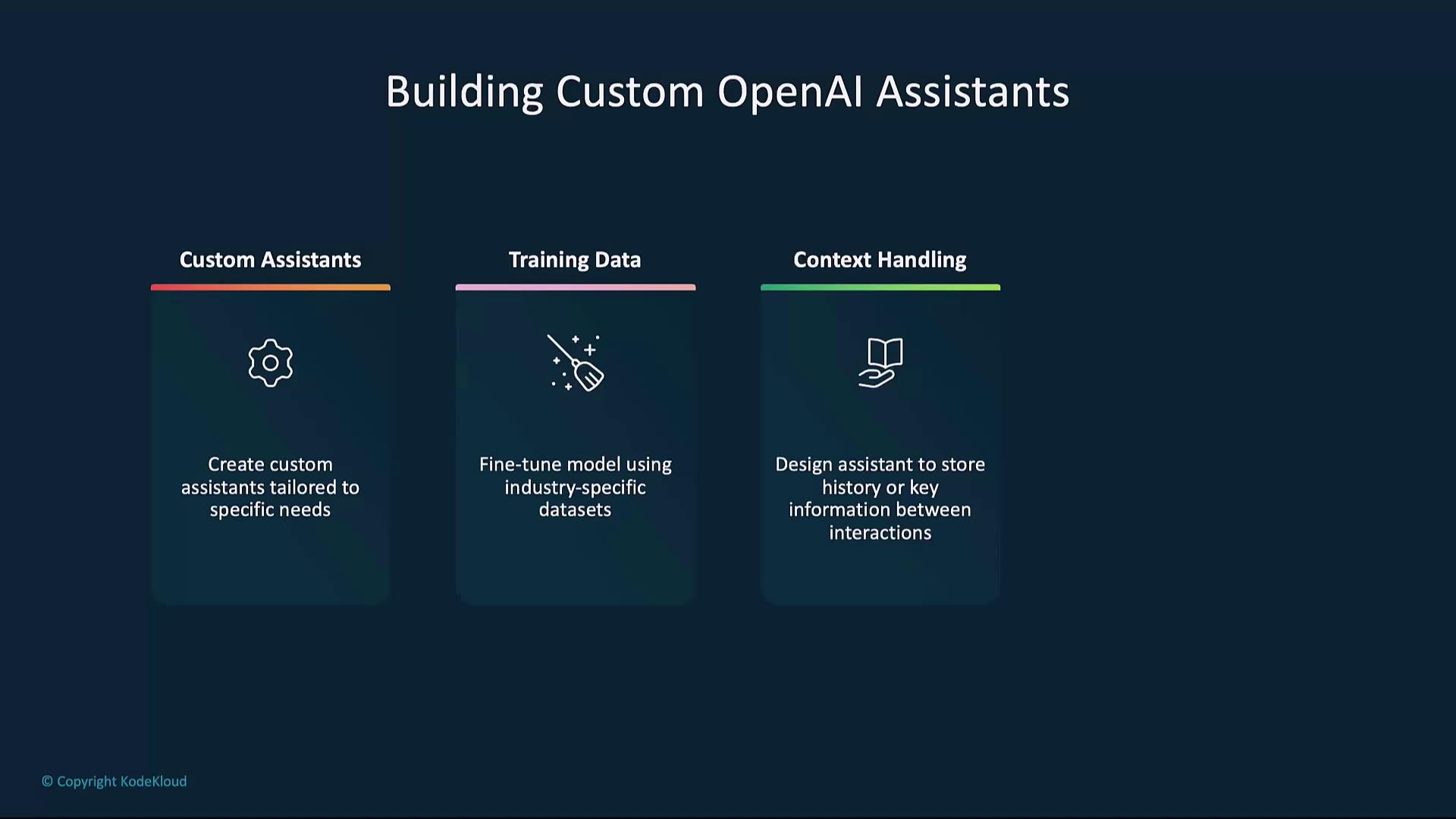
## Building Custom OpenAI Assistants
You can tailor assistants to your business needs by focusing on:
1. **Training Data**\
Fine-tune on domain-specific records or custom corpora to enhance subject-matter accuracy.
2. **Context Handling**\
Implement memory by storing conversation history, user preferences, or session variables.
3. **Model Parameters**\
Configure `temperature`, `max_tokens`, and `top_p` for your desired output style.
When fine-tuning with sensitive or personal data, ensure you comply with privacy regulations (e.g., GDPR, HIPAA). Always anonymize PII and validate data sources.
***
## Links and References
* [OpenAI Official Docs](https://platform.openai.com/docs)
* [GPT-4 Model Card](https://platform.openai.com/docs/models/gpt-4)
* [Fine-tuning Guides](https://platform.openai.com/docs/guides/fine-tuning)
* [Code Interpreter Feature](https://platform.openai.com/docs/guides/code-interpreter)