> ## Documentation Index
> Fetch the complete documentation index at: https://notes.kodekloud.com/llms.txt
> Use this file to discover all available pages before exploring further.
# Fine Tuning
> This guide covers fine-tuning OpenAI models, including data preparation, job management, and deployment for improved performance.
OpenAI fine-tuning lets you customize base models to your domain, improve response quality, and optimize for latency. In this guide, we'll walk through preparing data, launching jobs, monitoring progress, and deploying your fine-tuned model.
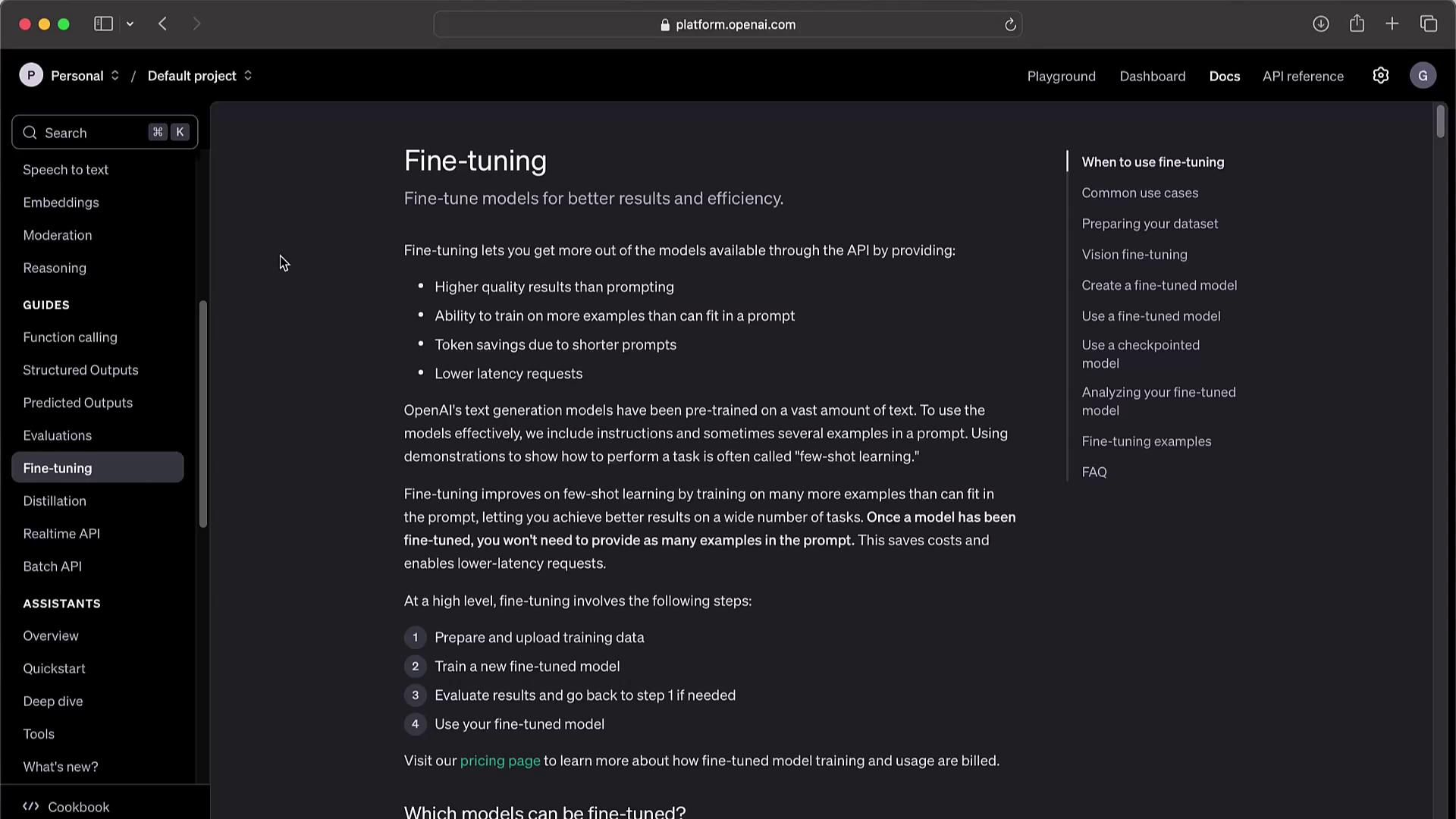
High-level workflow:
1. Prepare and upload training data.
2. Create a fine-tuning job.
3. Evaluate the fine-tuned model.
4. Deploy your custom model in production.
***
## 1. Preparing Training Data
High-quality JSONL data is critical for reliable GPT fine-tuning.
### 1.1 Text-Only Tasks
Each JSONL line contains a `prompt` and a `completion`. Example:
```json theme={null}
{"prompt":"Paris, as if everyone doesn't know that already.","completion":""}
{"prompt":"Oh, just some guy named William Shakespeare. Ever heard of him?","completion":""}
{"prompt":"Around 384,400 kilometers. Give or take a few, like that really matters.","completion":""}
```
Ensure each completion begins with a space or newline if you want the model to include that prefix.
### 1.2 Vision or Chat Tasks
For visual or chat-based fine-tuning, wrap exchanges in a `messages` array. Example—image classification:
```json theme={null}
{
"messages": [
{"role":"system","content":"You are an assistant that identifies uncategorized images."},
{"role":"user","content":"What is this cheese?"},
{
"role":"user",
"content":[
{
"type":"image_url",
"image_url":{"url":"https://upload.wikimedia.org/wikipedia/commons/3/36/Danbo.jpg"}
}
]
},
{"role":"assistant","content":"Danbo"}
]
}
```
***
## 2. Uploading Data & Creating a Fine-Tuning Job
First, upload your JSONL as a file resource:
```python theme={null}
from openai import OpenAI
client = OpenAI()
file = client.files.create(
file=open("training-data.jsonl","rb"),
purpose="fine-tune"
)
```
Then launch the fine-tune job:
```python theme={null}
client.fine_tuning.jobs.create(
training_file=file.id,
model="gpt-4o-mini-2024-07-18"
)
```
***
## 3. Managing Fine-Tuning Jobs
Quick reference for common operations:
| Action | API Method |
| ------------------------------------- | ------------------------------------------------------- |
| List jobs | `client.fine_tuning.jobs.list(limit=10)` |
| Retrieve job status | `client.fine_tuning.jobs.retrieve("ftjob-abc123")` |
| Cancel a job | `client.fine_tuning.jobs.cancel("ftjob-abc123")` |
| List job events | `client.fine_tuning.jobs.list_events(job_id, limit=10)` |
| Delete a fine-tuned model1 | `client.models.delete("ft:gpt-3.5-turbo:...")` |
1 You must be the organization owner to delete a model.
***
## 4. Fine-Tuning Examples
### 4.1 Style & Tone: Sarcastic “Marv” Chatbot
Upload and start a job for a witty assistant:
```python theme={null}
file = client.files.create(file=open("marv.jsonl","rb"), purpose="fine-tune")
client.fine_tuning.jobs.create(training_file=file.id, model="gpt-4o-mini-2024-07-18")
```
### 4.2 Structured JSON Outputs
For tasks requiring strict JSON responses (e.g., sports stats):
```python theme={null}
file = client.files.create(file=open("sports-context.jsonl","rb"), purpose="fine-tune")
client.fine_tuning.jobs.create(training_file=file.id, model="gpt-4o-mini-2024-07-18")
```
***
## 5. Function-Calling Integration
Fine-tuning can teach the model to invoke your functions. Example payload:
```json theme={null}
{
"messages":[
{"role":"user","content":"What is the weather in San Francisco?"},
{"role":"assistant","function_call":{"name":"get_current_weather","arguments":"{\"location\":\"San Francisco, USA\"}"}},
{"role":"function","name":"get_current_weather","content":"{\"temperature\":21,\"unit\":\"celsius\"}"},
{"role":"assistant","content":"It is 21 degrees celsius in San Francisco."}
],
"functions":[
{
"name":"get_current_weather",
"description":"Get the current weather.",
"parameters":{"type":"object","properties":{"location":{"type":"string"}},"required":["location"]}
}
]
}
```
***
## 6. Advanced Options & Monitoring
Integrate with Weights & Biases, include validation sets, and track metrics:
```bash theme={null}
curl -X POST https://api.openai.com/v1/fine_tuning/jobs \
-H "Content-Type: application/json" \
-H "Authorization: Bearer $OPENAI_API_KEY" \
-d '{
"model":"gpt-4o-mini-2024-07-18",
"training_file":"file-ABC123",
"validation_file":"file-DEF456",
"integrations":[{"type":"wandb","wandb":{"project":"my-project","tags":["lineage","version1"]}}]
}'
```
***
## 7. Best Practices & Considerations
* Start with representative, high-quality data.
* Monitor for biases, guardrails, and compliance in regulated industries.
* Track token usage and costs to avoid surprises.
* Retrain periodically as requirements evolve.
***
## Links and References
* [OpenAI Fine-Tuning Guide](https://platform.openai.com/docs/guides/fine-tuning)
* [Kubernetes Basics](https://kubernetes.io/docs/concepts/overview/what-is-kubernetes/)
* [Weights & Biases Integration](https://docs.wandb.ai/)