> ## Documentation Index
> Fetch the complete documentation index at: https://notes.kodekloud.com/llms.txt
> Use this file to discover all available pages before exploring further.
# Jenkins CSRF CRUMB
> Learn to generate and use Jenkins CSRF crumb tokens for securing your Jenkins environment against Cross-Site Request Forgery attacks.
In this lesson, you will learn how to generate and use Jenkins CSRF crumb tokens to secure your Jenkins environment. Previously, we covered API tokens and REST API calls. Today, we focus on CSRF protection in Jenkins and explore how unique crumb tokens help secure requests against Cross-Site Request Forgery attacks.
Jenkins protects you by generating a unique, randomly created token (crumb) for each user session. This token is produced by hashing details such as the username, session ID, IP address, and a unique Jenkins salt. When a submission is made, these details must match for the crumb to be considered valid.
Jenkins enables CSRF protection by default. It is highly recommended to keep this protection enabled to prevent unauthorized requests.
## Configuring CSRF Protection
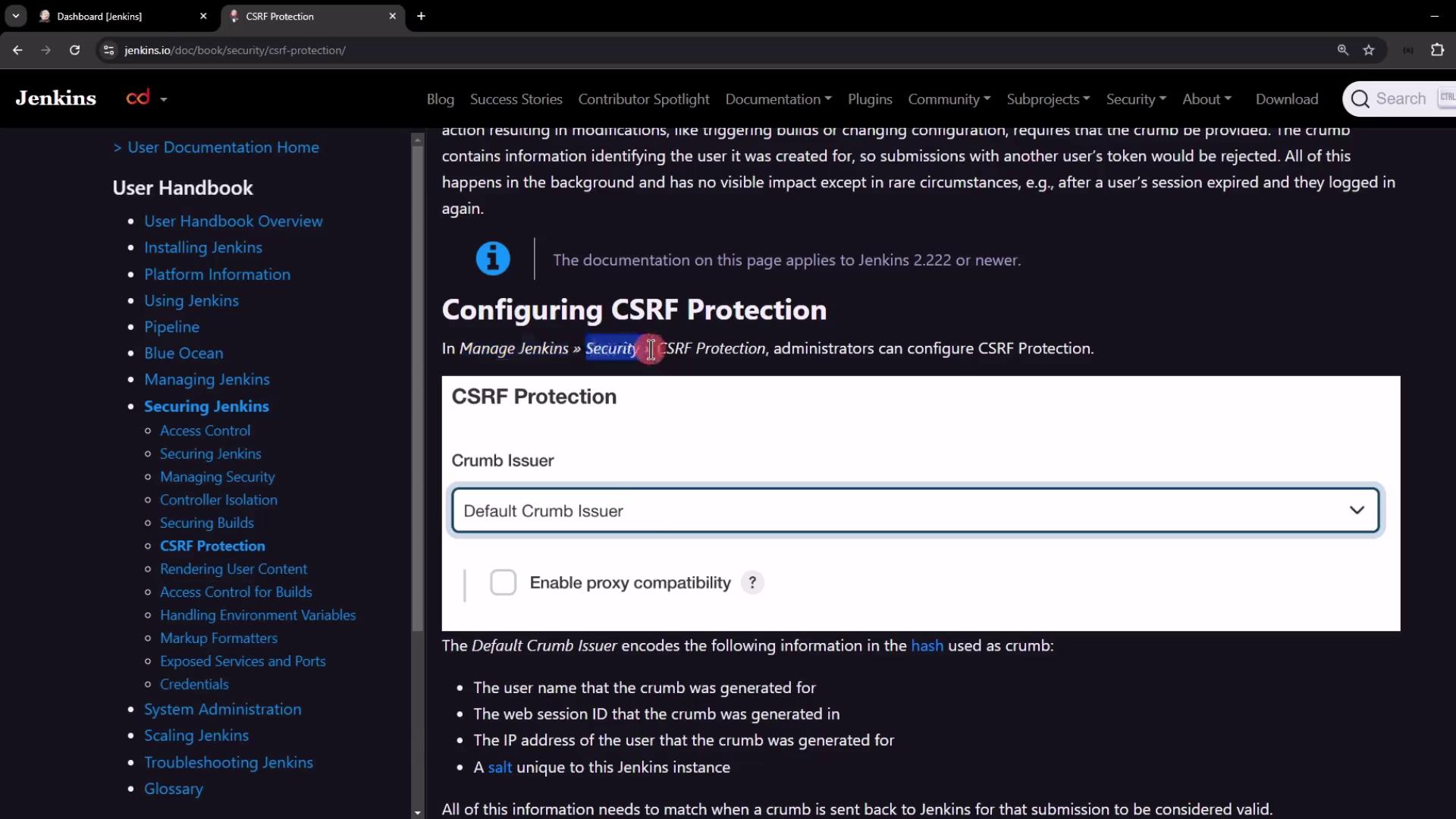
By default, CSRF protection is enabled in Jenkins. Administrators can verify the settings by navigating to **Manage Jenkins > Configure Global Security**. In the security configuration, look for the CSRF protection settings, as shown in the image below:
If necessary, it is possible to disable CSRF protection by setting the following system property:
```plaintext theme={null}
hudson.security.csrf.GlobalCrumbIssuerConfiguration.DISABLE_CSRF_PROTECTION=true
```
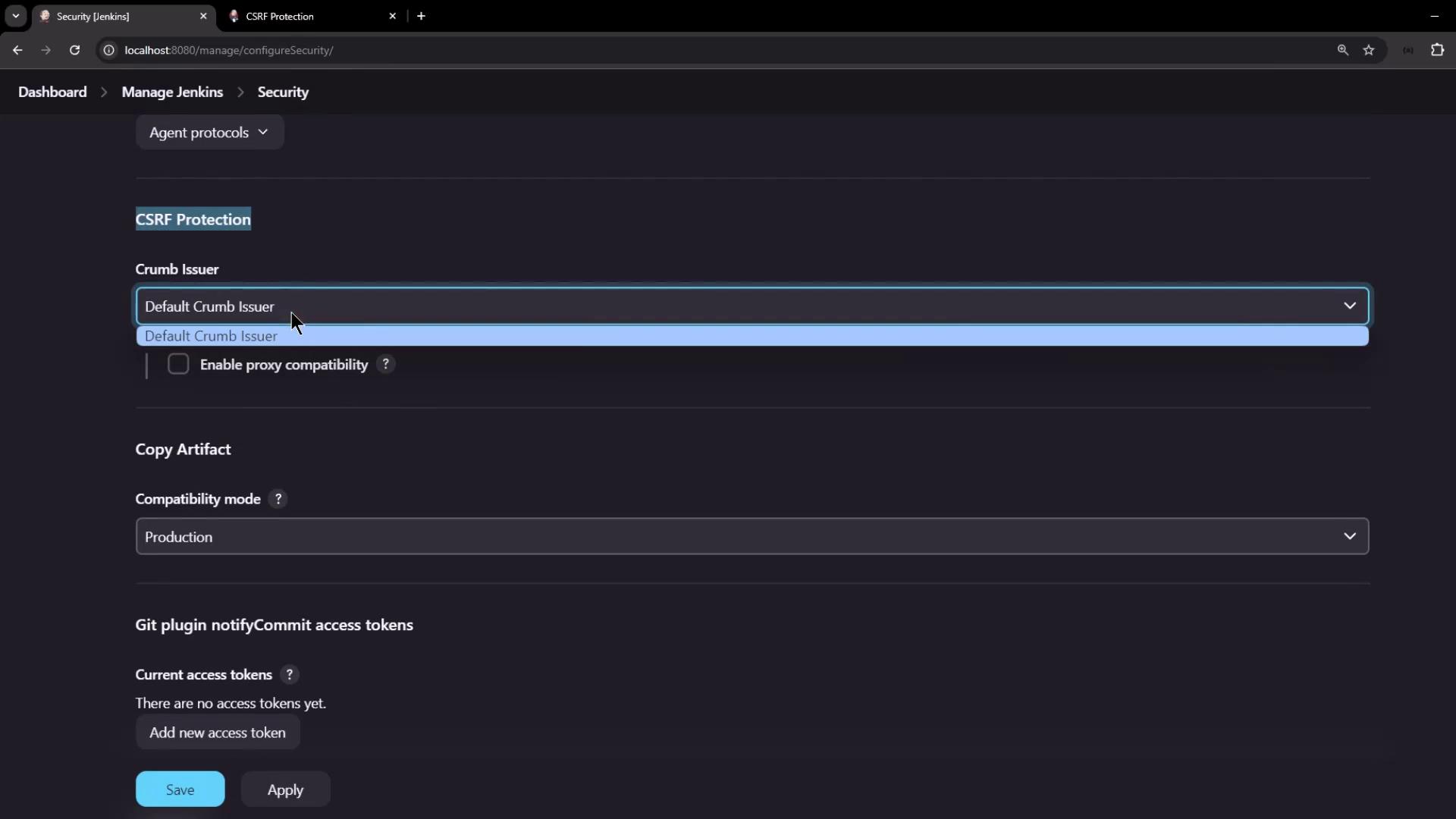
Scrolling down in the Jenkins security configuration reveals that the default crumb issuer is selected by default:
## Generating and Using the Crumb Token
To securely interact with Jenkins via the REST API, follow these steps:
1. Make a POST request to the `/crumbIssuer/api/json` endpoint with your username and password.
2. Upon successful authentication, Jenkins returns a JSON object with:
* The crumb token.
* The header name (typically "Jenkins-Crumb") to be used when making subsequent requests.
* A `Set-Cookie` header that contains the session cookie.
3. Include both the crumb token and the session cookie in subsequent API requests.
### Retrieving the Crumb with cURL
You can use cURL to request the crumb token. The following example demonstrates how to fetch the crumb:
```bash theme={null}
curl -s \
-u admin:password \
http://localhost:8080/crumbIssuer/api/json | jq
```
This command outputs a JSON object similar to:
```json theme={null}
{
"_class": "hudson.security.csrf.DefaultCrumbIssuer",
"crumb": "6286e7b759cb388daec3a4d4e4f1fcde5da95edcb779d8b9967c1239de5cff",
"crumbRequestField": "Jenkins-Crumb"
}
```
To view the full response headers, remove the `jq` filter and enable verbose output with the `-v` flag:
```bash theme={null}
curl -v -s \
-u admin:password \
http://localhost:8080/crumbIssuer/api/json
```
The headers will include details such as:
```plaintext theme={null}
HTTP/1.1 200 OK
Date: Tue, 20 Aug 2024 18:56:50 GMT
X-Content-Type-Options: nosniff
X-Jenkins: 2.462.1
X-Jenkins-Session: a52c1ba5
X-Frame-Options: deny
Content-Type: application/json;charset=utf-8
Set-Cookie: JSESSIONID.ffaa3adf=node01y1zmgr6pjx6019wb8x60kmbp0384.node0; Path=/; HttpOnly
Expires: Thu, 01 Jan 1970 00:00:00 GMT
Content-Length: 163
Server: Jetty(10.0.20)
```
### Saving Cookies for Subsequent Requests
To ensure that the session cookie is maintained in future requests, use cURL's `--cookie-jar` option. For example:
```bash theme={null}
curl -s -u admin:password http://localhost:8080/crumbIssuer/api/json --cookie-jar /tmp/cookies | jq
```
This command saves the session cookies to `/tmp/cookies` and displays the JSON response:
```json theme={null}
{
"_class": "hudson.security.csrf.DefaultCrumbIssuer",
"crumb": "28791665a0a7f47ecf03510ae3b0b2695e01d3e3f2d0ba96d1d230898051059a",
"crumbRequestField": "Jenkins-Crumb"
}
```
To view the saved cookies, simply run:
```bash theme={null}
cat /tmp/cookies
```
The output may resemble:
```plaintext theme={null}
# Netscape HTTP Cookie File
# http://curl.se/docs/http-cookies.html
#HttpOnly_localhost FALSE 0 JSESSIONID.ffaa3adf node0gaz40v50cbw9ta2198n7lee0385.node0
```
### Triggering a Job with the Crumb and Cookie
Once you have the crumb token and session cookie, you can trigger a Jenkins job. Consider a parameterized pipeline job named "parameterized-pipeline-job." Use the following cURL command to send a POST request that includes the crumb header, cookie, and necessary parameters:
```bash theme={null}
curl -s -u admin:password \
--cookie /tmp/cookies \
-H "Jenkins-Crumb:28791665a0a7f47ecf03510ae3b0b2695e01d3e3f2d0ba96d1d230898051059a" \
-X POST http://localhost:8080/job/parameterized-pipeline-job/buildWithParameters \
-d BRANCH_NAME=test \
-d APP_PORT=6767
```
After executing the command, a new build will be triggered in Jenkins, confirming that the crumb token and session cookie are correctly configured for secure REST API calls.
## Alternative: Using API Tokens
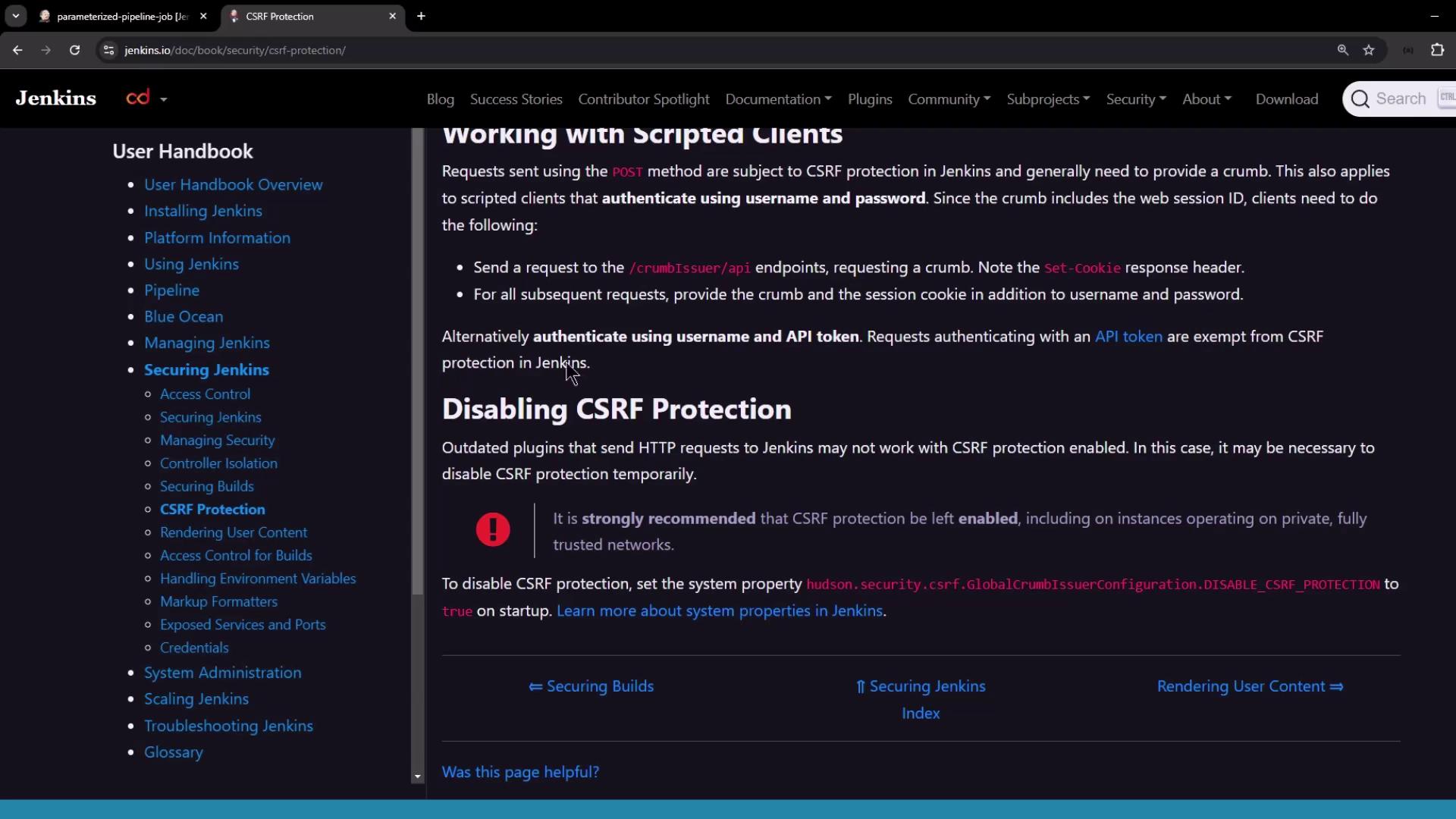
Using API tokens is an alternative authentication method that bypasses CSRF protection. When you authenticate with your username and API token, the CSRF crumb mechanism is not required, simplifying your API interactions.
## Conclusion
This lesson provided a step-by-step guide to understanding and using Jenkins CSRF crumb tokens. By following these best practices, you ensure that all your API interactions with Jenkins are secure. For more detailed information, refer to the [Jenkins Documentation](https://www.jenkins.io/doc/).
Happy Coding!