> ## Documentation Index
> Fetch the complete documentation index at: https://notes.kodekloud.com/llms.txt
> Use this file to discover all available pages before exploring further.
# Jenkins Plugins
> This article discusses Jenkins plugins and their functionalities to enhance CI/CD pipelines through integration, management, and installation options.
Jenkins is a robust automation server that can be customized to meet the unique demands of virtually any CI/CD workflow. One of the key reasons for its flexibility is the extensive ecosystem of plugins available—over 1900 community-developed extensions that integrate with various tools and technologies.
## Key Plugin Functionalities
Jenkins plugins extend the core capabilities of Jenkins in multiple areas:
* **Source Control Management**: Seamlessly integrate with GitHub, Bitbucket, GitLab, and other version control systems.
* **Build Tools**: Simplify and accelerate your build process using tools like Maven, Gradle, and Node.js-based systems.
* **Quality Checks**: Enhance code quality with plugins for static analysis, code coverage, and other quality metrics.
* **Notifications**: Send real-time alerts through platforms like Slack and PagerDuty when builds complete or fail.
* **Cloud Integration**: Connect to cloud service providers such as AWS, GCP, or Azure for efficient deployment and resource management.
* **Distributed Builds**: Scale your CI/CD pipelines by effectively utilizing multiple worker nodes.
## Jenkins Plugin Architecture
Jenkins plugins are packaged as JAR files with either an HPI or JPI extension. While HPI (Hudson Plugin) is the legacy format, JPI denotes a native Jenkins plugin. These archive files reside within the Jenkins home plugins directory and include all the necessary code, resources, and configuration data required for integration.
If duplicate plugins exist with both extensions, Jenkins will prioritize the `.jpi` version over the `.hpi`.
### Exploring the Plugins Directory
To inspect the plugins installed on your system, navigate to the Jenkins plugins directory using the following command:
```bash theme={null}
cd /var/lib/jenkins/plugin
```
## Plugin Installation Options
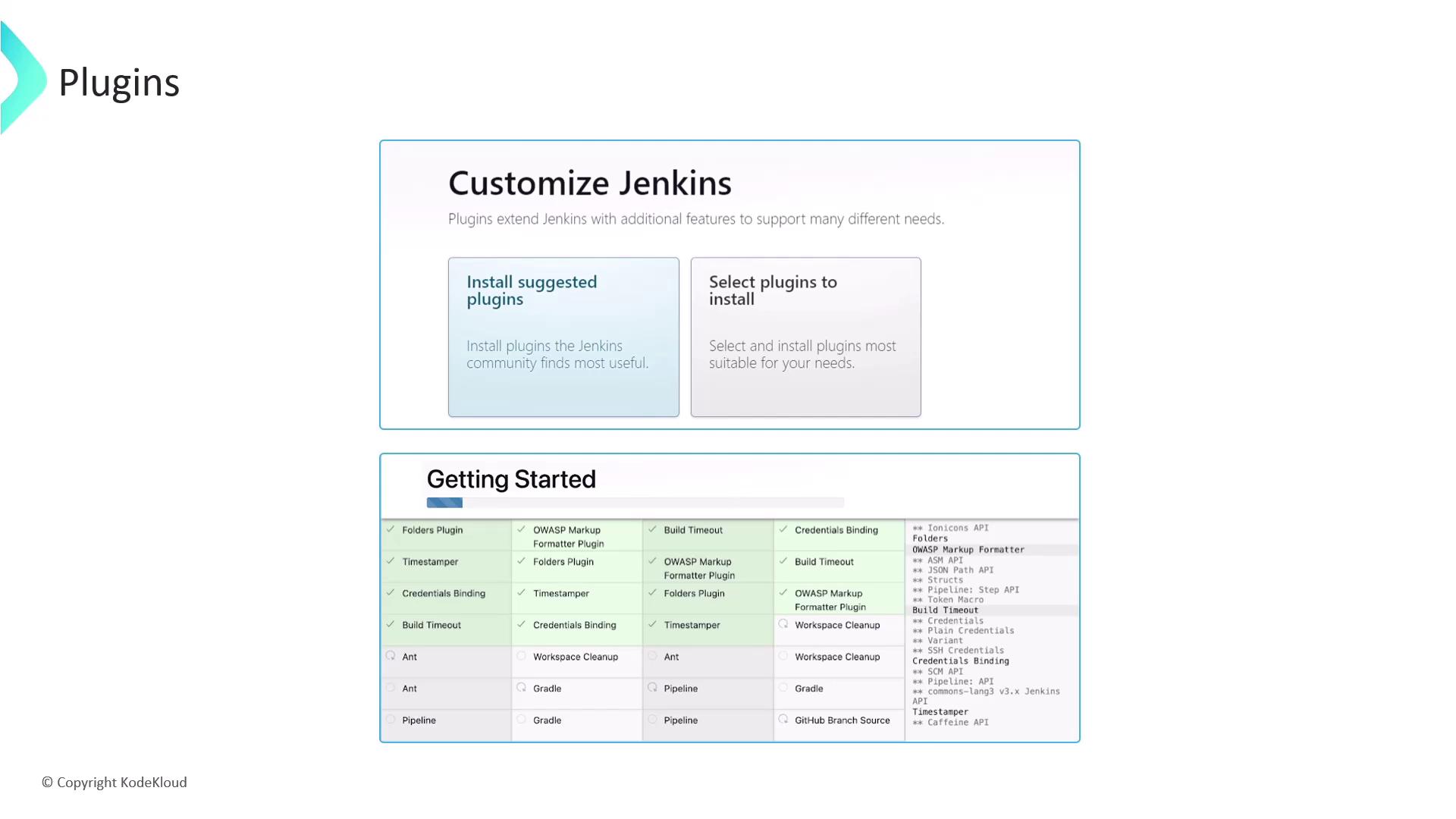
During the initial setup, Jenkins provides two main paths for installing plugins:
* **Manual Selection**: Choose the specific plugins that match your project requirements.
* **Recommended Plugins**: Start with a curated list of essential plugins that lay a solid foundation for most Jenkins environments.
This recommended list is particularly useful for newcomers or when setting up a standard Jenkins server.
## Managing Your Plugins
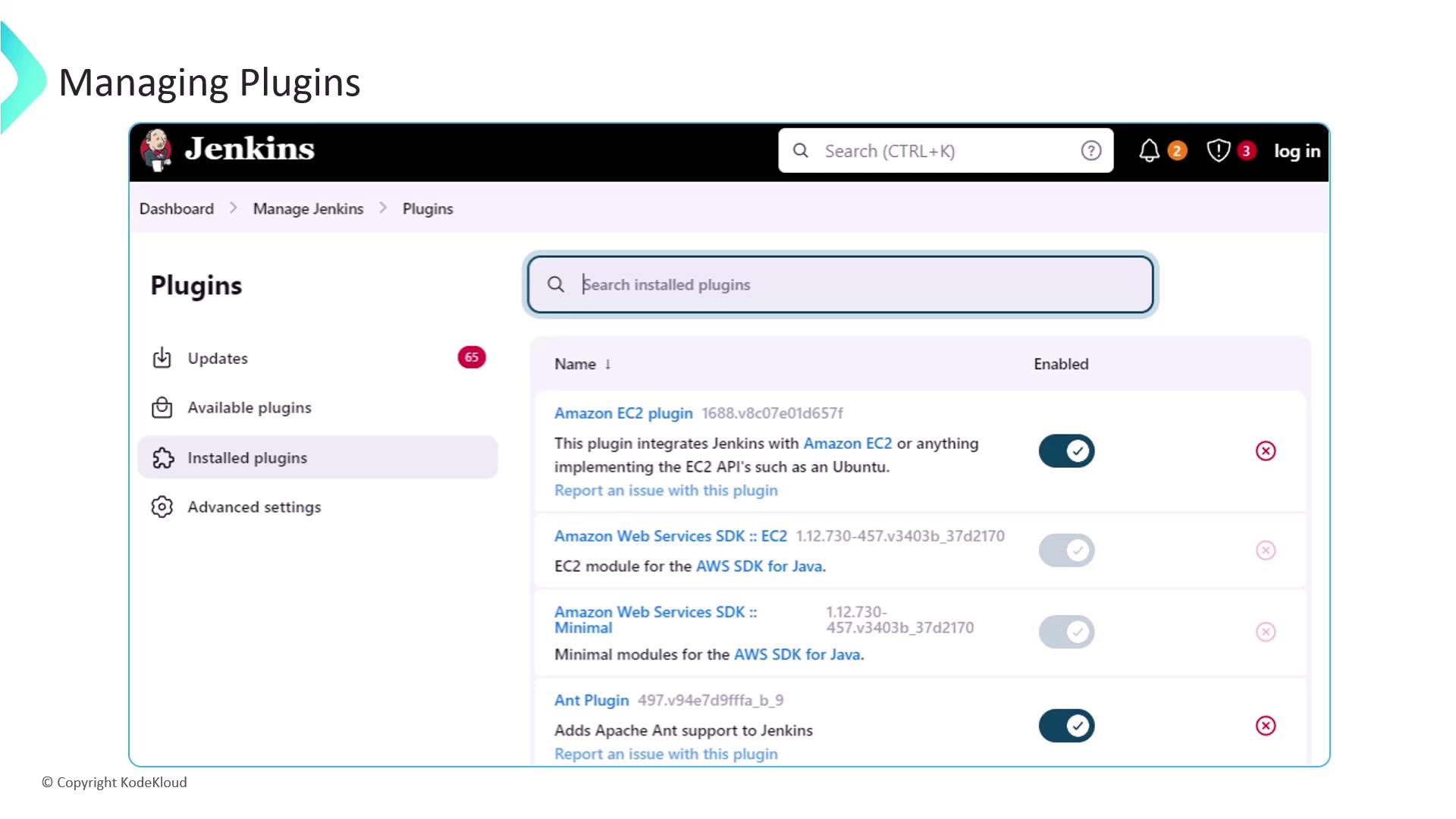
Popular plugins such as Git, Pipeline, Gradle, and Maven are commonly used to enhance Jenkins' core functionalities. The Jenkins management console provides a centralized location where you can review, enable, disable, or uninstall plugins.
Be cautious when uninstalling plugins—certain plugins may have dependencies that could affect your CI/CD pipeline.
In upcoming lessons, we will delve deeper into the processes surrounding plugin installation, managing plugin dependencies, and using the update center to keep your plugins current.