> ## Documentation Index
> Fetch the complete documentation index at: https://notes.kodekloud.com/llms.txt
> Use this file to discover all available pages before exploring further.
# Using GenAI to Generate Steps for Lambda Deployment
> This article explains how to adapt a Node.js application for deployment on AWS Lambda using a Jenkins pipeline and GenAI tools.
Before deploying a Node.js application to [AWS Lambda](https://learn.kodekloud.com/user/courses/aws-lambda) via a [Jenkins pipeline](https://learn.kodekloud.com/user/courses/jenkins-pipelines), it is essential to modify the application for Lambda compatibility. Originally built and deployed on AWS EC2 using Docker and later on Kubernetes, the application requires adjustments in its business logic to work as a Lambda function.
For a detailed understanding of these changes, please refer to the official AWS Lambda documentation. Alternatively, if you need a quick overview and would like to generate a Jenkins pipeline automatically, leveraging GenAI tools like [GitHub Copilot in Action](https://learn.kodekloud.com/user/courses/github-copilot-in-action) can be very beneficial.
Below is a series of questions and answers generated with GenAI that illustrate how to adapt your Node.js application for AWS Lambda deployment.
***
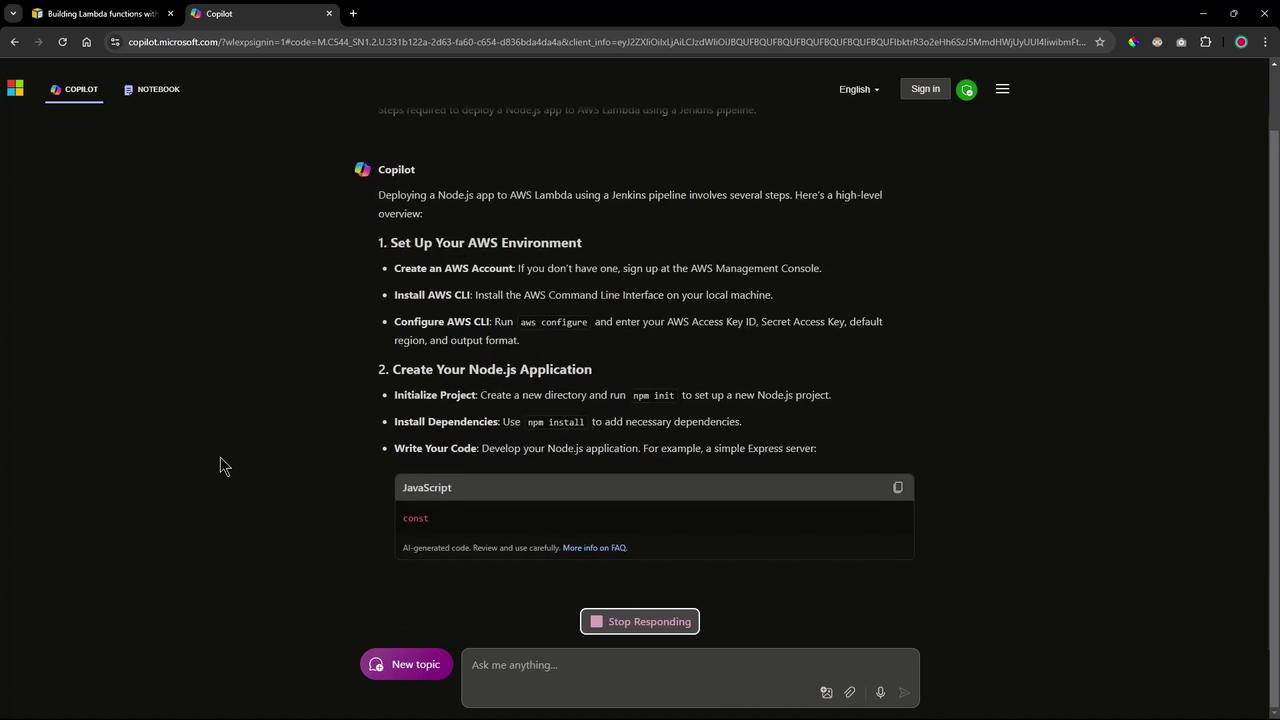
## 1. Steps to Deploy a Node.js Application to AWS Lambda Using a Jenkins Pipeline
The following steps outline the key actions involved:
1. **Setup AWS Environment**\
Ensure you have an active AWS account to deploy your Lambda function.
2. **Prepare the Node.js Application**\
Even if your application is ready, make sure to install all necessary dependencies.
3. **Package Your Application**\
Package your application into a zip file for upload. For example:
```bash theme={null}
zip -r my-node-app.zip index.js node_modules
```
4. **Deploy to AWS Lambda**\
Create a Lambda function using the AWS CLI, ensuring you specify the correct IAM role:
```bash theme={null}
aws lambda create-function --function-name my-node-app --zip-file fileb://my-node-app.zip --handler index.handler --runtime nodejs14.x --role arn:aws:iam:::role/
```
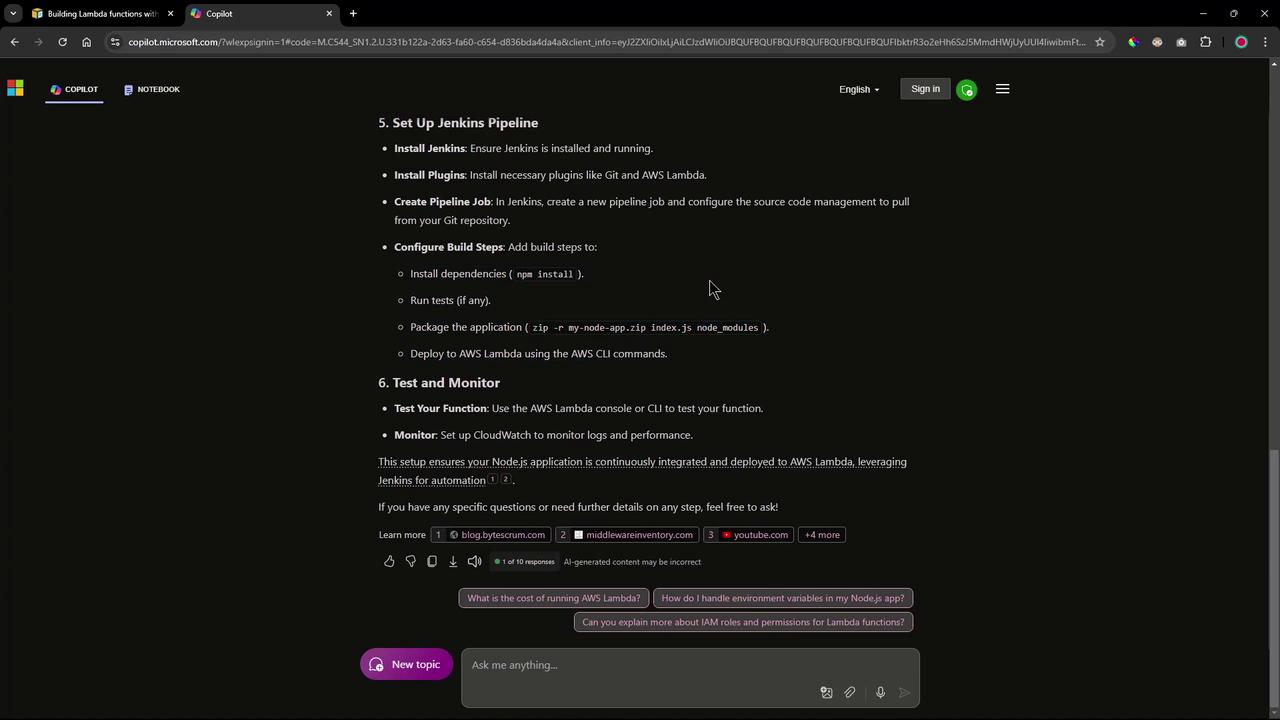
5. **Configure Jenkins Pipeline**\
In Jenkins, set up multiple stages including dependency installation, unit testing, packaging, and deployment. Consider installing plugins like Git and AWS Lambda to facilitate the process.
***
## 2. Addressing Lambda or Serverless Dependencies in the Node.js Application
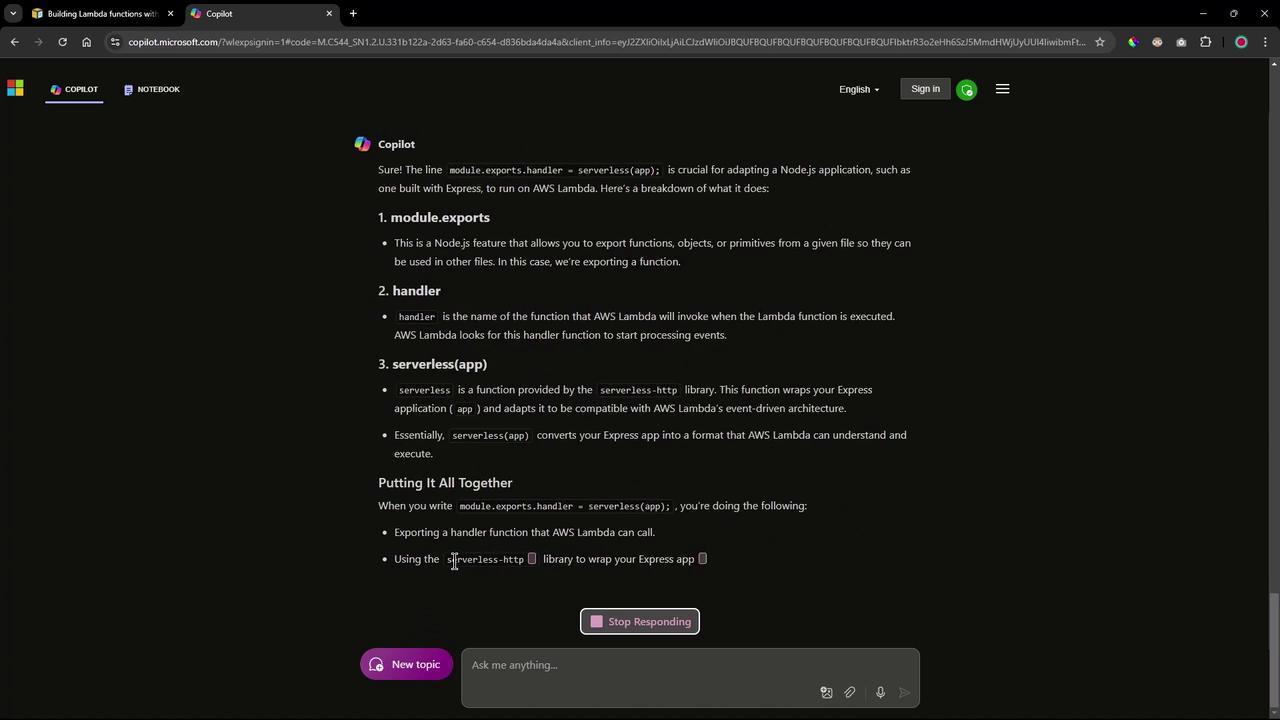
When adapting your Node.js application for Lambda, you will often need to include additional dependencies. GenAI recommends adding packages such as `serverless` and `serverless-http` along with Express.
You can install these dependencies using:
```bash theme={null}
npm install -g serverless
npm install serverless-http
npm install express
```
A typical project initialization might look like this:
```bash theme={null}
npm init -y
npm install express serverless-http
```
And your modified `app.js` file should be structured as follows:
```javascript theme={null}
const express = require('express');
const serverless = require('serverless-http');
const app = express();
app.get('/', (req, res) => {
res.send('Hello, AWS Lambda!');
});
module.exports.handler = serverless(app);
```
Additionally, a sample `serverless.yml` configuration file might be:
```yaml theme={null}
service: my-node-app
provider:
name: aws
runtime: nodejs14.x
region: us-east-1
```
The `serverless-http` library wraps your Express application and adapts it for AWS Lambda’s event-driven architecture.
***
## 3. Modifying the app.js File for Lambda Compatibility
To ensure your application is compatible with AWS Lambda, you need to export the handler using the `serverless-http` library. This change adapts your Express routes to work within the event-driven model of Lambda. Update your `app.js` file as shown:
```javascript theme={null}
const express = require('express');
const serverless = require('serverless-http');
const app = express();
app.get('/', (req, res) => {
res.send('Hello, AWS Lambda!');
});
module.exports.handler = serverless(app);
```
***
## 4. Updating a Lambda Function Using the AWS CLI
When updating your Lambda function’s code, you can use the AWS CLI command `update-function-code`. Based on where your deployment package is stored, you have three options:
* **Update directly with a zip file:**
```bash theme={null}
aws lambda update-function-code --function-name my-function --zip-file fileb://my-function.zip
```
* **Update from an S3 bucket:**
```bash theme={null}
aws lambda update-function-code --function-name my-function --s3-bucket my-bucket --s3-key my-function.zip
```
* **Update and publish the new version:**
```bash theme={null}
aws lambda update-function-code --function-name my-function --zip-file fileb://my-function.zip --publish
```
***
## 5. Retrieving the Lambda Function URL
After deployment, you can retrieve the function URL by running the following command:
```bash theme={null}
aws lambda get-function-url-config --function-name my-function
```
This command returns the URL used to invoke your Lambda function.
***
## 6. Summary and Final Commands
The key steps for deploying a Node.js application to [AWS Lambda](https://learn.kodekloud.com/user/courses/aws-lambda) using a [Jenkins pipeline](https://learn.kodekloud.com/user/courses/jenkins-pipelines) include:
* Installing necessary dependencies (Express, serverless-http, etc.)
* Packaging your application into a zip file
* Exporting a Lambda-compatible handler from your application
* Updating the function code using AWS CLI commands
* Retrieving and testing your deployed Lambda function
Below is a consolidated example of commands you might execute:
```bash theme={null}
# Install dependencies
npm install
npm init -y
npm install express serverless-http
# Package the application
zip -r my-node-app.zip index.js node_modules
# Update Lambda function using a local zip file
aws lambda update-function-code --function-name my-function --zip-file fileb://my-node-app.zip
# Alternatively, update using an S3 bucket
aws s3 cp my-node-app.zip s3://my-bucket/my-node-app.zip
aws lambda update-function-code --function-name my-function --s3-bucket my-bucket --s3-key my-node-app.zip
# Retrieve function URL configuration
aws lambda get-function-url-config --function-name my-function
```
For a brief modification of your application code to ensure Lambda compatibility, you can use:
```javascript theme={null}
const express = require('express');
const serverless = require('serverless-http');
const app = express();
app.get('/', (req, res) => {
res.send('Hello, AWS Lambda!');
});
module.exports.handler = serverless(app);
```
Additionally, to adjust the `app.js` file if needed, you might run:
```bash theme={null}
# Example commands to comment out local server startup code
sed -i 's/app\.listen(3000/\/\/ app.listen(3000/' app.js
sed -i 's/module.exports = app;/\/\/ module.exports = app;/' app.js
```
In the next session, these commands will be executed manually to validate the deployment process. Subsequent automation will be implemented using a Jenkins pipeline.
Thank you for following this lesson on using GenAI to streamline Lambda deployment via a Jenkins pipeline.