> ## Documentation Index
> Fetch the complete documentation index at: https://notes.kodekloud.com/llms.txt
> Use this file to discover all available pages before exploring further.
# Demo Installing KServe
> Step-by-step guide to installing and verifying KServe on Kubernetes using Helm, covering CRDs, controller, serving runtime and LLM configs, cert-manager dependency, and verification commands
Welcome back.
Previously we covered what model serving is and how KServe fits together. In this lesson we'll install KServe on a Kubernetes cluster, explain what each component does, and show how to verify the installation. The commands below are the exact steps used in the demo along with concise verification commands and expected outputs.
 The mental model: install what KServe needs, understand why each piece is required, and verify the cluster is ready to accept InferenceService or LLMInferenceService manifests.
KServe is distributed as Helm charts. If you haven't used Helm before, think of it as a package manager for Kubernetes—similar to apt or brew, but for deploying complex applications into a cluster.
The mental model: install what KServe needs, understand why each piece is required, and verify the cluster is ready to accept InferenceService or LLMInferenceService manifests.
KServe is distributed as Helm charts. If you haven't used Helm before, think of it as a package manager for Kubernetes—similar to apt or brew, but for deploying complex applications into a cluster.
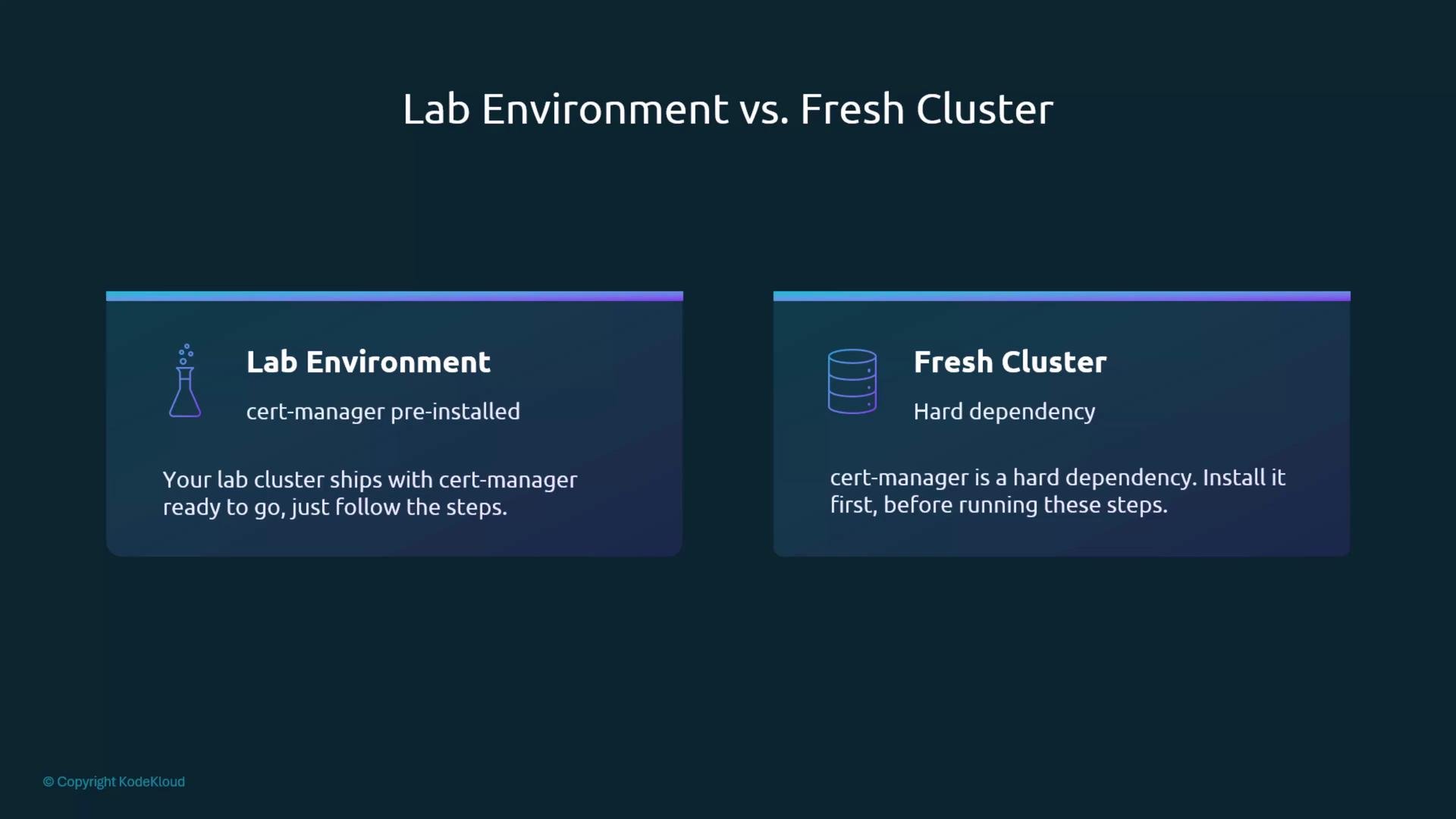
 KServe depends on cert-manager for TLS certificate provisioning and renewal. cert-manager automates creating and managing the certificates many KServe components require.
If your environment is provided as a lab, cert-manager may already be installed. On a fresh cluster you must install cert-manager before KServe; it is a hard dependency.
KServe depends on cert-manager for TLS certificate provisioning and renewal. cert-manager automates creating and managing the certificates many KServe components require.
If your environment is provided as a lab, cert-manager may already be installed. On a fresh cluster you must install cert-manager before KServe; it is a hard dependency.
 Overview: KServe installation proceeds in three logical steps
1. Install KServe CRDs (cluster-scoped API types).
2. Install the KServe controller (operator that reconciles InferenceService resources).
3. Install serving runtime and LLM configurations (pre-built templates for model servers and LLM runtimes).
Quick reference: Helm installs and their purpose
| Helm chart | Purpose | Example install command |
| --------------- | ---------------------------------------------------------------------------------------------------------------- | ------------------------------------------------------------------------------------------------------------------------------------------------------------------------------- |
| CRDs | Register cluster-scoped API types such as `InferenceService` and `LLMInferenceService`. Must be installed first. | `helm install kserve-crd oci://ghcr.io/kserve/charts/kserve-crd --version v0.17.0` |
| Controller | KServe controller manager that watches KServe CRs and creates underlying workloads. | `helm install kserve oci://ghcr.io/kserve/charts/kserve-resources --version v0.17.0 --namespace kserve --create-namespace --set kserve.controller.deploymentMode=RawDeployment` |
| Runtime configs | ClusterServingRuntimes and LLM config templates used to launch specific model servers. | `helm install kserve-runtime-configs oci://ghcr.io/kserve/charts/kserve-runtime-configs --version v0.17.0 --namespace kserve` |
Step 1 — Install CRDs
CRDs define the Kubernetes API types KServe uses (for example `inferenceservices.serving.kserve.io` and `llminferenceservices.serving.kserve.io`). These are cluster-scoped and must be installed before the controller.
Run:
```bash theme={null}
helm install kserve-crd oci://ghcr.io/kserve/charts/kserve-crd --version v0.17.0
helm install kserve-llmisvc-crd oci://ghcr.io/kserve/charts/kserve-llmisvc-crd --version v0.17.0
```
Example (condensed) output:
```text theme={null}
Pulled: ghcr.io/kserve/charts/kserve-crd:v0.17.0
Digest: sha256:0a0ec0cdffd297ce9154ca02dedb544cb797d2ba9ee08009dc06582f2c53e22
NAME: kserve-crd
LAST DEPLOYED: Wed May 27 09:32:01 2026
NAMESPACE: default
STATUS: deployed
Pulled: ghcr.io/kserve/charts/kserve-llmisvc-crd:v0.17.0
Digest: sha256:702f93b1b1975808f8cb2db6586eb4979f06ecbcfe943a994ebd95b0ddfa02b
NAME: kserve-llmisvc-crd
LAST DEPLOYED: Wed May 27 09:32:15 2026
NAMESPACE: default
STATUS: deployed
```
Why this matters: without CRDs, Kubernetes rejects any `InferenceService` or `LLMInferenceService` manifest before KServe has a chance to process it.
Step 2 — Install KServe (controller)
Install the controller into the `kserve` namespace. For demos and local clusters we use `RawDeployment` mode so the controller creates standard Kubernetes Deployments instead of requiring Knative and Istio. This makes it easy to use `kubectl port-forward` and `curl` directly.
Install command:
```bash theme={null}
helm install kserve oci://ghcr.io/kserve/charts/kserve-resources \
--version v0.17.0 \
--namespace kserve \
--create-namespace \
--set kserve.controller.deploymentMode=RawDeployment
```
If you get a Helm error about a release name already in use, uninstall and retry:
```bash theme={null}
# If the release exists or was partially created, uninstall (adjust namespace if needed)
helm uninstall kserve --namespace kserve || true
```
After a successful install you should see output like:
```text theme={null}
Pulled: ghcr.io/kserve/charts/kserve-resources
Digest: sha256:9f2139d744e728b09ecd0f6775c9d0afde43a24329a63196baae7733d74f5fbd
NAME: kserve
LAST DEPLOYED: Wed May 27 09:35:25 2026
NAMESPACE: kserve
STATUS: deployed
```
Wait for the KServe controller and its webhook to be fully ready before creating any InferenceService resources:
```bash theme={null}
kubectl rollout status deployment/kserve-controller-manager -n kserve
```
Expected success message:
```text theme={null}
deployment/kserve-controller-manager successfully rolled out
```
Step 3 — Install serving runtimes and LLM configs
Serving runtimes register templates used to deploy model servers (scikit-learn, XGBoost, Hugging Face, TorchServe, Triton, etc.). LLMInferenceService configs provide LLM-specific runtime settings.
Install the runtime configs:
```bash theme={null}
helm install kserve-runtime-configs oci://ghcr.io/kserve/charts/kserve-runtime-configs \
--version v0.17.0 \
--namespace kserve
```
Inspect the release and installed resources:
```bash theme={null}
helm status kserve-runtime-configs
helm get all kserve-runtime-configs
```
You may see output indicating whether ClusterServingRuntimes or LLM configs are enabled:
```text theme={null}
✔ ClusterServingRuntimes: Enabled
✖ LLMInferenceServiceConfigs: Disabled
```
Quick verification checks
1. Confirm KServe controller pods are running:
```bash theme={null}
kubectl get pods -n kserve
```
Example:
```text theme={null}
NAME READY STATUS RESTARTS AGE
kserve-controller-manager-6c6d84c696-lfws4 2/2 Running 0 98s
```
2. Confirm CRDs are installed (look for KServe CRDs):
```bash theme={null}
kubectl get crds | grep kserve
```
Example output:
```text theme={null}
clusterservingruntimes.serving.kserve.io
clusterstoragecontainers.serving.kserve.io
inferencegraphs.serving.kserve.io
inferenceservices.serving.kserve.io
llminferenceserviceconfigs.serving.kserve.io
llminferenceservices.serving.kserve.io
servingruntimes.serving.kserve.io
trainedmodels.serving.kserve.io
```
If `inferenceservices.serving.kserve.io` appears, Kubernetes recognizes the InferenceService API.
3. Confirm serving runtimes are registered:
```bash theme={null}
kubectl get clusterservingruntimes
```
You should see entries for supported runtimes (scikit-learn, XGBoost, Hugging Face, Triton, etc.). These are the templates KServe uses when creating model deployments.
Summary
* Installation consists of three Helm installs: CRDs, controller, and runtime configs.
* Typical verification: controller pods (`kubectl get pods -n kserve`), CRDs (`kubectl get crds | grep kserve`), and registered serving runtimes (`kubectl get clusterservingruntimes`).
* Use `RawDeployment` mode in demos/local clusters to avoid installing Knative/Istio and enable direct access via port-forwarding.
Once all components are healthy, you're ready to create `InferenceService` and `LLMInferenceService` resources. These steps will be applied live in the subsequent demonstration.
Links and references
* KServe repository and charts: [https://github.com/kserve/kserve](https://github.com/kserve/kserve)
* Helm documentation: [https://helm.sh/docs/](https://helm.sh/docs/)
* cert-manager: [https://cert-manager.io/](https://cert-manager.io/)
* Kubernetes concepts: [https://kubernetes.io/docs/concepts/](https://kubernetes.io/docs/concepts/)
Overview: KServe installation proceeds in three logical steps
1. Install KServe CRDs (cluster-scoped API types).
2. Install the KServe controller (operator that reconciles InferenceService resources).
3. Install serving runtime and LLM configurations (pre-built templates for model servers and LLM runtimes).
Quick reference: Helm installs and their purpose
| Helm chart | Purpose | Example install command |
| --------------- | ---------------------------------------------------------------------------------------------------------------- | ------------------------------------------------------------------------------------------------------------------------------------------------------------------------------- |
| CRDs | Register cluster-scoped API types such as `InferenceService` and `LLMInferenceService`. Must be installed first. | `helm install kserve-crd oci://ghcr.io/kserve/charts/kserve-crd --version v0.17.0` |
| Controller | KServe controller manager that watches KServe CRs and creates underlying workloads. | `helm install kserve oci://ghcr.io/kserve/charts/kserve-resources --version v0.17.0 --namespace kserve --create-namespace --set kserve.controller.deploymentMode=RawDeployment` |
| Runtime configs | ClusterServingRuntimes and LLM config templates used to launch specific model servers. | `helm install kserve-runtime-configs oci://ghcr.io/kserve/charts/kserve-runtime-configs --version v0.17.0 --namespace kserve` |
Step 1 — Install CRDs
CRDs define the Kubernetes API types KServe uses (for example `inferenceservices.serving.kserve.io` and `llminferenceservices.serving.kserve.io`). These are cluster-scoped and must be installed before the controller.
Run:
```bash theme={null}
helm install kserve-crd oci://ghcr.io/kserve/charts/kserve-crd --version v0.17.0
helm install kserve-llmisvc-crd oci://ghcr.io/kserve/charts/kserve-llmisvc-crd --version v0.17.0
```
Example (condensed) output:
```text theme={null}
Pulled: ghcr.io/kserve/charts/kserve-crd:v0.17.0
Digest: sha256:0a0ec0cdffd297ce9154ca02dedb544cb797d2ba9ee08009dc06582f2c53e22
NAME: kserve-crd
LAST DEPLOYED: Wed May 27 09:32:01 2026
NAMESPACE: default
STATUS: deployed
Pulled: ghcr.io/kserve/charts/kserve-llmisvc-crd:v0.17.0
Digest: sha256:702f93b1b1975808f8cb2db6586eb4979f06ecbcfe943a994ebd95b0ddfa02b
NAME: kserve-llmisvc-crd
LAST DEPLOYED: Wed May 27 09:32:15 2026
NAMESPACE: default
STATUS: deployed
```
Why this matters: without CRDs, Kubernetes rejects any `InferenceService` or `LLMInferenceService` manifest before KServe has a chance to process it.
Step 2 — Install KServe (controller)
Install the controller into the `kserve` namespace. For demos and local clusters we use `RawDeployment` mode so the controller creates standard Kubernetes Deployments instead of requiring Knative and Istio. This makes it easy to use `kubectl port-forward` and `curl` directly.
Install command:
```bash theme={null}
helm install kserve oci://ghcr.io/kserve/charts/kserve-resources \
--version v0.17.0 \
--namespace kserve \
--create-namespace \
--set kserve.controller.deploymentMode=RawDeployment
```
If you get a Helm error about a release name already in use, uninstall and retry:
```bash theme={null}
# If the release exists or was partially created, uninstall (adjust namespace if needed)
helm uninstall kserve --namespace kserve || true
```
After a successful install you should see output like:
```text theme={null}
Pulled: ghcr.io/kserve/charts/kserve-resources
Digest: sha256:9f2139d744e728b09ecd0f6775c9d0afde43a24329a63196baae7733d74f5fbd
NAME: kserve
LAST DEPLOYED: Wed May 27 09:35:25 2026
NAMESPACE: kserve
STATUS: deployed
```
Wait for the KServe controller and its webhook to be fully ready before creating any InferenceService resources:
```bash theme={null}
kubectl rollout status deployment/kserve-controller-manager -n kserve
```
Expected success message:
```text theme={null}
deployment/kserve-controller-manager successfully rolled out
```
Step 3 — Install serving runtimes and LLM configs
Serving runtimes register templates used to deploy model servers (scikit-learn, XGBoost, Hugging Face, TorchServe, Triton, etc.). LLMInferenceService configs provide LLM-specific runtime settings.
Install the runtime configs:
```bash theme={null}
helm install kserve-runtime-configs oci://ghcr.io/kserve/charts/kserve-runtime-configs \
--version v0.17.0 \
--namespace kserve
```
Inspect the release and installed resources:
```bash theme={null}
helm status kserve-runtime-configs
helm get all kserve-runtime-configs
```
You may see output indicating whether ClusterServingRuntimes or LLM configs are enabled:
```text theme={null}
✔ ClusterServingRuntimes: Enabled
✖ LLMInferenceServiceConfigs: Disabled
```
Quick verification checks
1. Confirm KServe controller pods are running:
```bash theme={null}
kubectl get pods -n kserve
```
Example:
```text theme={null}
NAME READY STATUS RESTARTS AGE
kserve-controller-manager-6c6d84c696-lfws4 2/2 Running 0 98s
```
2. Confirm CRDs are installed (look for KServe CRDs):
```bash theme={null}
kubectl get crds | grep kserve
```
Example output:
```text theme={null}
clusterservingruntimes.serving.kserve.io
clusterstoragecontainers.serving.kserve.io
inferencegraphs.serving.kserve.io
inferenceservices.serving.kserve.io
llminferenceserviceconfigs.serving.kserve.io
llminferenceservices.serving.kserve.io
servingruntimes.serving.kserve.io
trainedmodels.serving.kserve.io
```
If `inferenceservices.serving.kserve.io` appears, Kubernetes recognizes the InferenceService API.
3. Confirm serving runtimes are registered:
```bash theme={null}
kubectl get clusterservingruntimes
```
You should see entries for supported runtimes (scikit-learn, XGBoost, Hugging Face, Triton, etc.). These are the templates KServe uses when creating model deployments.
Summary
* Installation consists of three Helm installs: CRDs, controller, and runtime configs.
* Typical verification: controller pods (`kubectl get pods -n kserve`), CRDs (`kubectl get crds | grep kserve`), and registered serving runtimes (`kubectl get clusterservingruntimes`).
* Use `RawDeployment` mode in demos/local clusters to avoid installing Knative/Istio and enable direct access via port-forwarding.
Once all components are healthy, you're ready to create `InferenceService` and `LLMInferenceService` resources. These steps will be applied live in the subsequent demonstration.
Links and references
* KServe repository and charts: [https://github.com/kserve/kserve](https://github.com/kserve/kserve)
* Helm documentation: [https://helm.sh/docs/](https://helm.sh/docs/)
* cert-manager: [https://cert-manager.io/](https://cert-manager.io/)
* Kubernetes concepts: [https://kubernetes.io/docs/concepts/](https://kubernetes.io/docs/concepts/)