> ## Documentation Index
> Fetch the complete documentation index at: https://notes.kodekloud.com/llms.txt
> Use this file to discover all available pages before exploring further.
# What Are Hyperparameters
> Overview of hyperparameters, their effects on model performance and resources, and practical tuning methods and tips with Random Forest parameter examples.
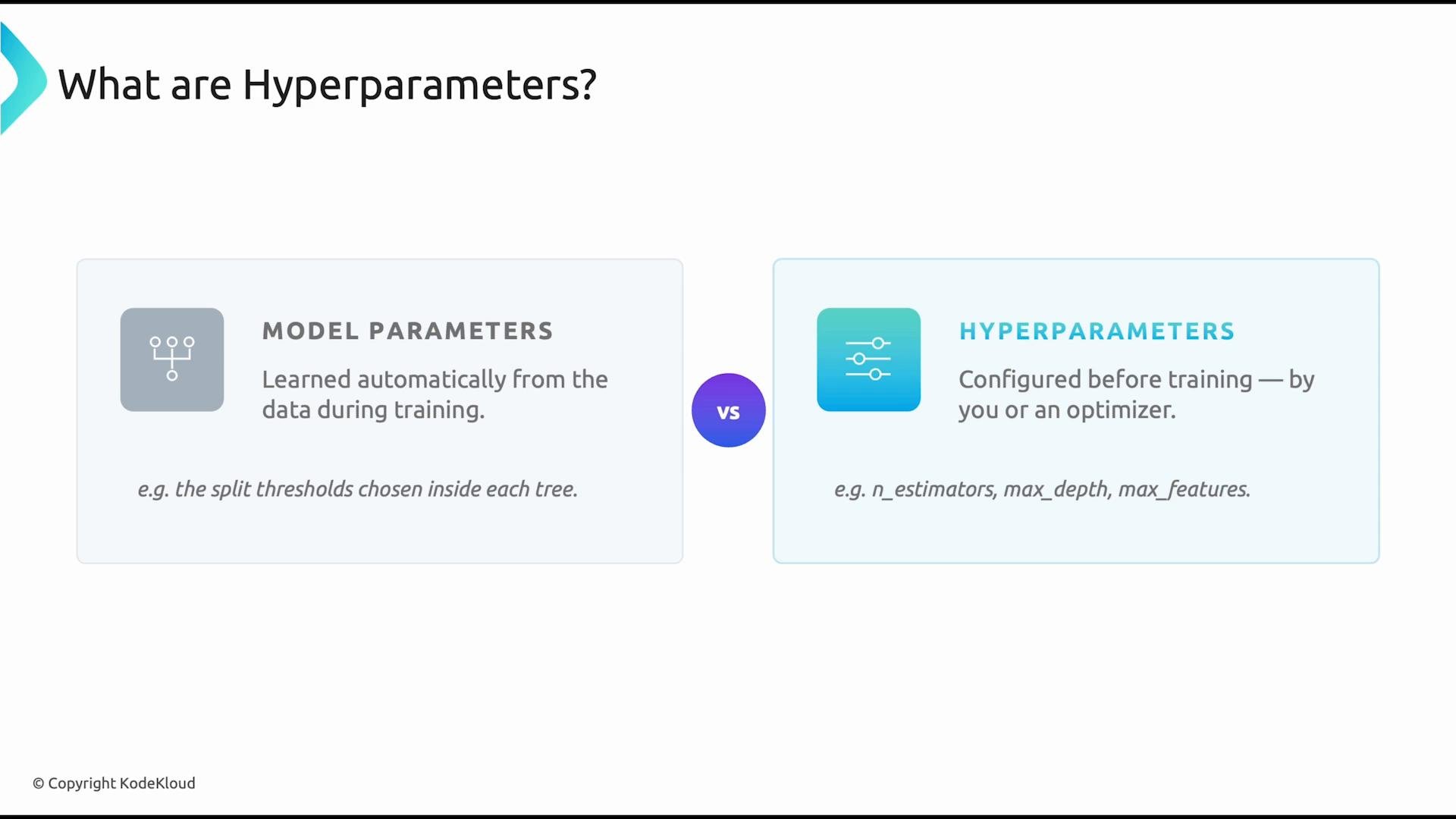
In machine learning, hyperparameters are configuration settings set before training begins. They differ from model parameters (weights, splits, etc.), which are learned from the data during training. Hyperparameters are chosen by engineers or by hyperparameter-optimization systems and directly affect model accuracy, training speed, and generalization.
 Small changes to hyperparameters can produce large differences in behavior. Systematic tuning — using a validation set, cross-validation, or automated search — is essential to build reliable, high-performing models.
Hyperparameter tuning balances model accuracy, training cost, and generalization. Start with reasonable defaults, run validation experiments, and iterate while monitoring compute and latency constraints.
## Why hyperparameter tuning matters
* Improves predictive performance and stability.
* Controls underfitting vs. overfitting.
* Directly impacts training time and resource usage.
* Enables reproducibility by making configuration explicit.
## Common tuning methods
* Grid search — exhaustive search over a specified parameter grid.
* Random search — randomized sampling over parameter distributions (often more efficient than grid for high-dimensional spaces).
* Bayesian optimization — models the objective function to suggest promising hyperparameters.
* Dedicated tools — Katib, Optuna, Ray Tune, or cloud-managed hyperparameter services.
## Random Forest — Key Hyperparameters
Random forests have several hyperparameters that determine ensemble behavior. The most commonly tuned include:
| Hyperparameter | What it controls | Typical effect / tuning tip |
| - | -: | - |
| `n_estimators` | Number of trees in the forest | More trees → lower variance and more stable predictions, but higher compute and memory cost. Start between 100–500 and increase until validation gains plateau. |
| `max_depth` | Maximum depth of each tree | Controls tree complexity. Too shallow → underfitting; too deep → overfitting. Use cross-validation or learning curves to find a sweet spot. |
| `min_samples_split` | Minimum samples required to split an internal node | Higher values regularize by preventing small splits; useful when trees overfit. |
| `min_samples_leaf` | Minimum samples required at a leaf node | Prevents leaves with very few samples, improving generalization. |
| `max_features` | Number of features considered when looking for the best split | Lower values increase bias but reduce variance and split complexity; common choices: `sqrt`, `log2`, or a fixed integer. |
| `bootstrap` | Whether to use bootstrap samples (sampling with replacement) | `True` enables bagging; `False` builds each tree on the full dataset (less variance reduction). |
These hyperparameters interact — changing one can change the optimal values of others — so tuning typically considers several simultaneously.
### The `n_estimators` trade-off
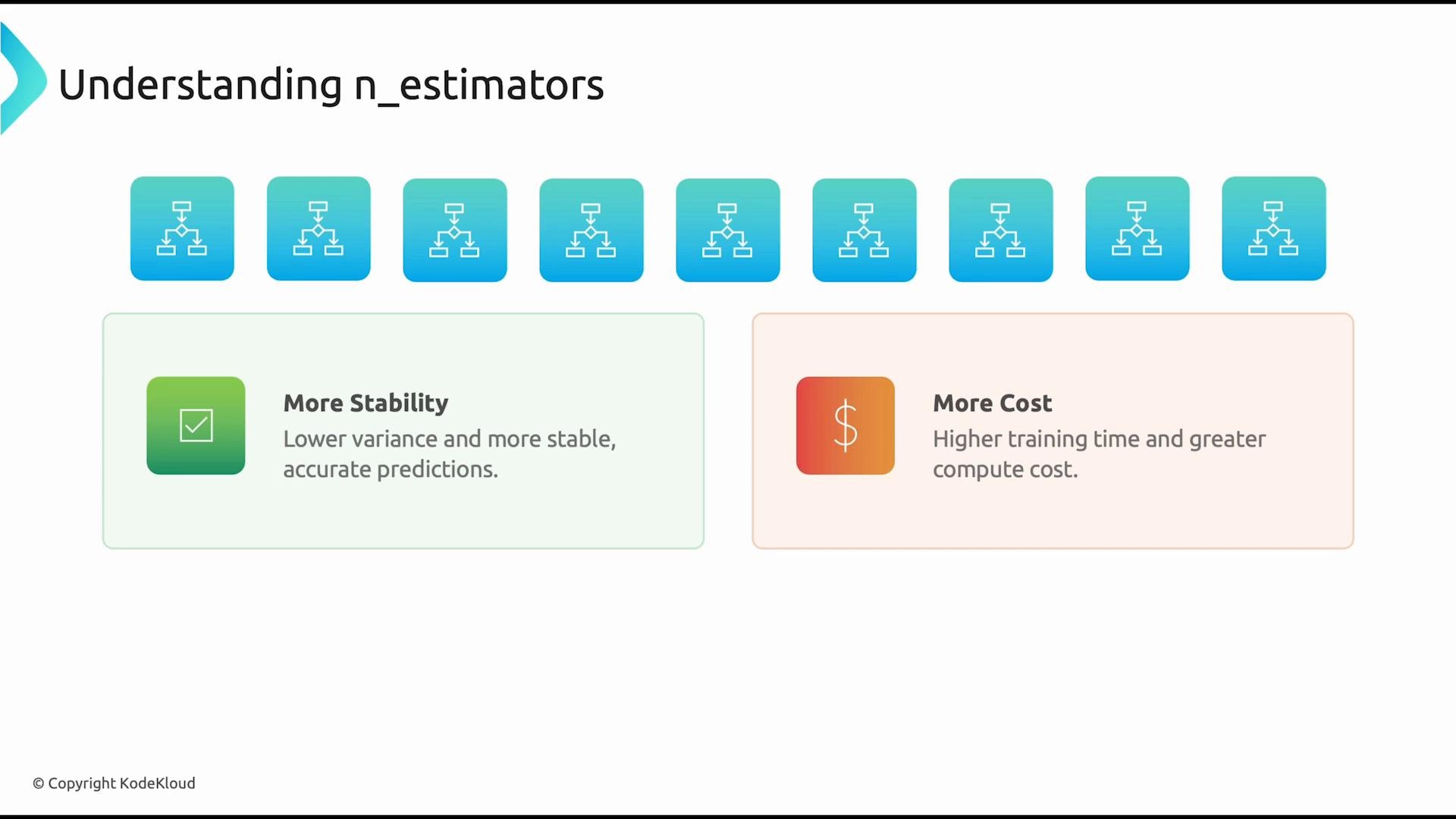
The `n_estimators` parameter controls the number of trees. Each tree contributes via averaging (regression) or majority voting (classification). Increasing this value tends to reduce model variance and improve stability, but it increases training time and memory usage. If compute is constrained, start smaller and increase only if validation performance improves meaningfully.
Small changes to hyperparameters can produce large differences in behavior. Systematic tuning — using a validation set, cross-validation, or automated search — is essential to build reliable, high-performing models.
Hyperparameter tuning balances model accuracy, training cost, and generalization. Start with reasonable defaults, run validation experiments, and iterate while monitoring compute and latency constraints.
## Why hyperparameter tuning matters
* Improves predictive performance and stability.
* Controls underfitting vs. overfitting.
* Directly impacts training time and resource usage.
* Enables reproducibility by making configuration explicit.
## Common tuning methods
* Grid search — exhaustive search over a specified parameter grid.
* Random search — randomized sampling over parameter distributions (often more efficient than grid for high-dimensional spaces).
* Bayesian optimization — models the objective function to suggest promising hyperparameters.
* Dedicated tools — Katib, Optuna, Ray Tune, or cloud-managed hyperparameter services.
## Random Forest — Key Hyperparameters
Random forests have several hyperparameters that determine ensemble behavior. The most commonly tuned include:
| Hyperparameter | What it controls | Typical effect / tuning tip |
| - | -: | - |
| `n_estimators` | Number of trees in the forest | More trees → lower variance and more stable predictions, but higher compute and memory cost. Start between 100–500 and increase until validation gains plateau. |
| `max_depth` | Maximum depth of each tree | Controls tree complexity. Too shallow → underfitting; too deep → overfitting. Use cross-validation or learning curves to find a sweet spot. |
| `min_samples_split` | Minimum samples required to split an internal node | Higher values regularize by preventing small splits; useful when trees overfit. |
| `min_samples_leaf` | Minimum samples required at a leaf node | Prevents leaves with very few samples, improving generalization. |
| `max_features` | Number of features considered when looking for the best split | Lower values increase bias but reduce variance and split complexity; common choices: `sqrt`, `log2`, or a fixed integer. |
| `bootstrap` | Whether to use bootstrap samples (sampling with replacement) | `True` enables bagging; `False` builds each tree on the full dataset (less variance reduction). |
These hyperparameters interact — changing one can change the optimal values of others — so tuning typically considers several simultaneously.
### The `n_estimators` trade-off
The `n_estimators` parameter controls the number of trees. Each tree contributes via averaging (regression) or majority voting (classification). Increasing this value tends to reduce model variance and improve stability, but it increases training time and memory usage. If compute is constrained, start smaller and increase only if validation performance improves meaningfully.
 ### The `max_depth` trade-off
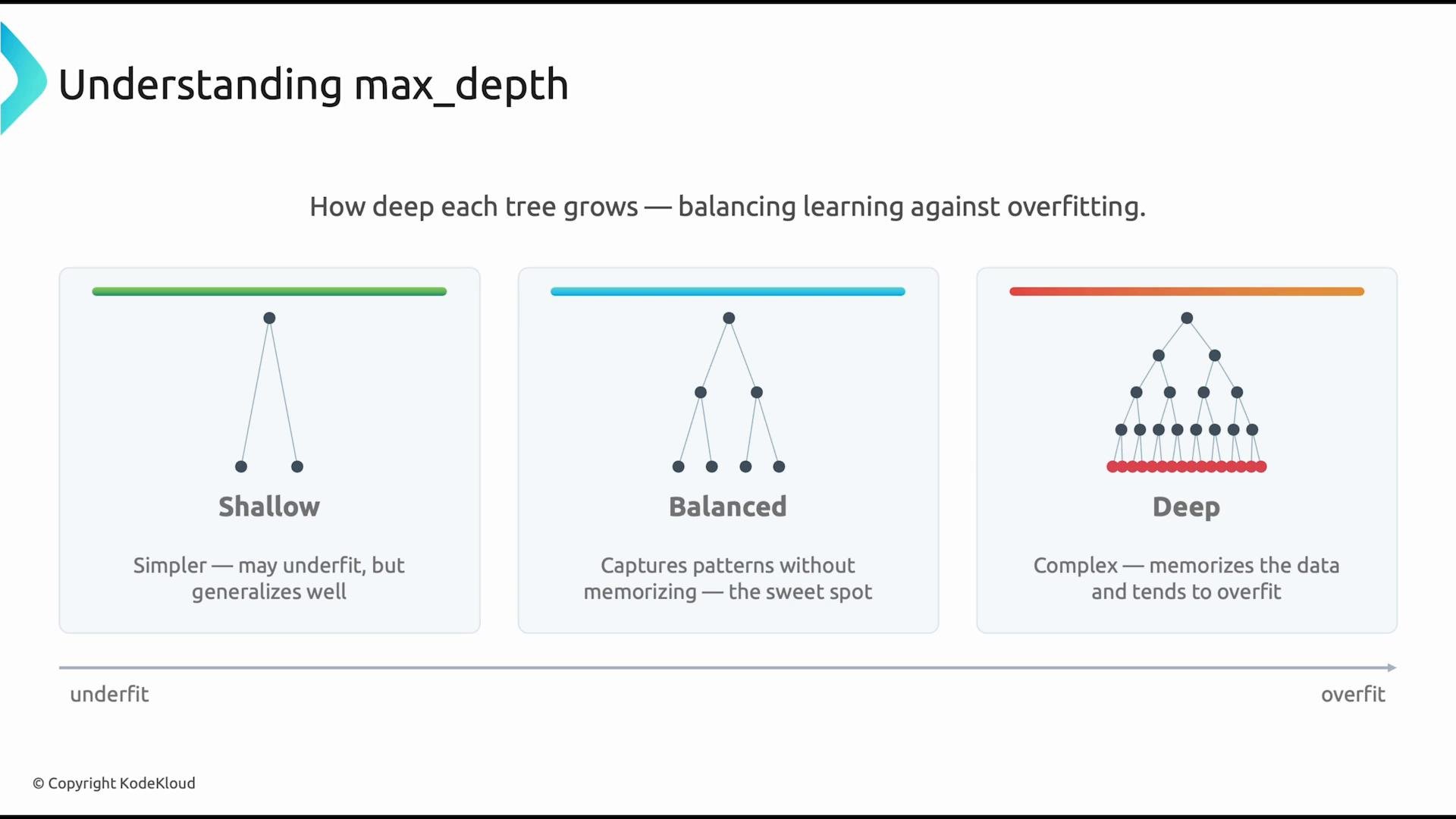
The `max_depth` hyperparameter limits how deep each decision tree can grow. Deep trees can model complex relationships but may overfit; shallow trees may underfit. The right depth depends on the dataset and other regularization hyperparameters like `min_samples_leaf` and `max_features`. Use cross-validation or inspect learning curves to guide depth selection.
### The `max_depth` trade-off
The `max_depth` hyperparameter limits how deep each decision tree can grow. Deep trees can model complex relationships but may overfit; shallow trees may underfit. The right depth depends on the dataset and other regularization hyperparameters like `min_samples_leaf` and `max_features`. Use cross-validation or inspect learning curves to guide depth selection.
 ## Practical tuning workflow
1. Choose a small set of important hyperparameters (e.g., `n_estimators`, `max_depth`, `max_features`, `min_samples_leaf`).
2. Pick a tuning method (random search or Bayesian optimization for efficiency).
3. Use cross-validation with a consistent scoring metric.
4. Monitor training time and resource usage; prefer models that meet performance and cost constraints.
5. Iterate — widen or refine the search space based on results and diagnostics.
Example: a simple grid for scikit-learn GridSearchCV
```python theme={null}
param_grid = {
"n_estimators": [100, 200, 400],
"max_depth": [None, 10, 20, 30],
"max_features": ["sqrt", "log2"],
"min_samples_leaf": [1, 2, 4]
}
```
Careful: exhaustive grid searches can be very expensive for large grids or expensive models. Use random search or Bayesian methods to explore high-dimensional spaces efficiently, and always monitor compute and memory usage.
## Tips for robust tuning
* Use stratified splits for classification tasks to keep class balance in folds.
* Log experiments with consistent naming and parameter serialization (e.g., MLflow, Weights & Biases).
* Start with coarse search ranges and refine around promising regions.
* Consider early stopping or incremental training for large datasets.
## References and further reading
* [Scikit-learn — RandomForestClassifier](https://scikit-learn.org/stable/modules/generated/sklearn.ensemble.RandomForestClassifier.html)
* [Kubernetes Documentation](https://kubernetes.io/docs/)
* [Katib (Kubeflow) — Hyperparameter Tuning](https://www.kubeflow.org/docs/components/hyperparameter-tuning/)
Overall, hyperparameter tuning is iterative: combine domain expertise, systematic search, and validation metrics to find configurations that deliver strong, generalizable performance within your resource constraints.
This documentation is built and hosted on [Mintlify](https://mintlify.com), a developer documentation platform.
## Practical tuning workflow
1. Choose a small set of important hyperparameters (e.g., `n_estimators`, `max_depth`, `max_features`, `min_samples_leaf`).
2. Pick a tuning method (random search or Bayesian optimization for efficiency).
3. Use cross-validation with a consistent scoring metric.
4. Monitor training time and resource usage; prefer models that meet performance and cost constraints.
5. Iterate — widen or refine the search space based on results and diagnostics.
Example: a simple grid for scikit-learn GridSearchCV
```python theme={null}
param_grid = {
"n_estimators": [100, 200, 400],
"max_depth": [None, 10, 20, 30],
"max_features": ["sqrt", "log2"],
"min_samples_leaf": [1, 2, 4]
}
```
Careful: exhaustive grid searches can be very expensive for large grids or expensive models. Use random search or Bayesian methods to explore high-dimensional spaces efficiently, and always monitor compute and memory usage.
## Tips for robust tuning
* Use stratified splits for classification tasks to keep class balance in folds.
* Log experiments with consistent naming and parameter serialization (e.g., MLflow, Weights & Biases).
* Start with coarse search ranges and refine around promising regions.
* Consider early stopping or incremental training for large datasets.
## References and further reading
* [Scikit-learn — RandomForestClassifier](https://scikit-learn.org/stable/modules/generated/sklearn.ensemble.RandomForestClassifier.html)
* [Kubernetes Documentation](https://kubernetes.io/docs/)
* [Katib (Kubeflow) — Hyperparameter Tuning](https://www.kubeflow.org/docs/components/hyperparameter-tuning/)
Overall, hyperparameter tuning is iterative: combine domain expertise, systematic search, and validation metrics to find configurations that deliver strong, generalizable performance within your resource constraints.
This documentation is built and hosted on [Mintlify](https://mintlify.com), a developer documentation platform.