> ## Documentation Index
> Fetch the complete documentation index at: https://notes.kodekloud.com/llms.txt
> Use this file to discover all available pages before exploring further.
# Authentication in Kubernetes
> Explains Kubernetes authentication, external identity providers, token validation, common methods like OIDC, LDAP, TLS and Dex usage for demos and Kubeflow authentication.
This lesson gives a concise overview of how authentication and user management work in Kubernetes — essential background before you work with demos and configuration patterns (profiles, RBAC, multi-tenancy) used later. If you’re unfamiliar with Kubernetes authentication, the examples that follow will be easier to follow after reading this.
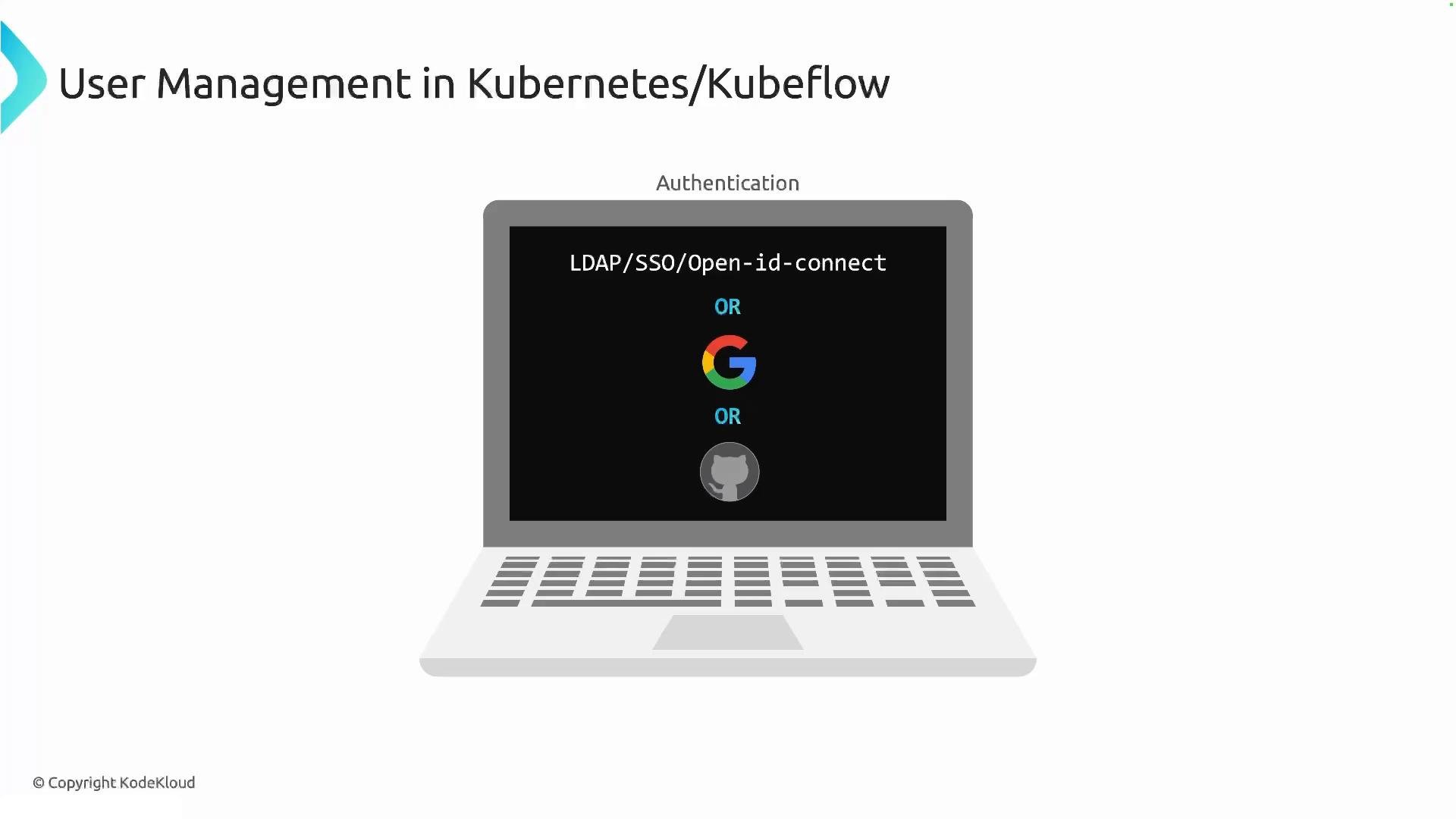
At a high level, Kubernetes does not manage user accounts inside the cluster. Instead, authentication is delegated to an external identity provider (IdP). Typical IdP choices are LDAP, SSO providers, or OpenID Connect (OIDC) providers such as Google or GitHub. The usual request flow is:
* A user authenticates with an external IdP (for example, Google, GitHub, or LDAP).
* The IdP issues a token (ID token or access token).
* The user presents that token to the Kubernetes API server when making requests.
* The API server validates the token (using OIDC configuration, a token webhook, or another authentication plugin). If valid, the API server advances the request to authorization (for example, RBAC).
 Why this matters
* Kubernetes itself has no built-in user store. You cannot create "user" objects inside the cluster the same way you create pods or services.
* The API server is responsible for verifying presented credentials (tokens, certificates) and producing an authenticated user identity that authorization systems (RBAC, ABAC, etc.) can use.
Common authentication methods
| Method | Where it is used | Notes |
| - | -: | - |
| OpenID Connect (OIDC) | Cloud and production environments | Integrates with OIDC providers (Google, GitHub, Azure AD). API server validates ID tokens and maps claims to usernames/groups. |
| LDAP / SSO | Enterprise setups | Often used together with an SSO gateway; may require an intermediary like Dex for token issuance. |
| TLS client certificates | Highly secure, cluster-to-cluster or admin access | Certificates are verified by API server; certificates map to user identity. |
| Static token files | Local testing or legacy setups | Tokens listed in files on the API server for quick demos — not recommended for production. |
| Token webhook | Custom or external validation | API server forwards token validation to an external service. |
Typical authentication flow (short)
1. User signs in to IdP and receives a token.
2. User sends token with API request (usually in `Authorization: Bearer `).
3. API server validates token and establishes an authenticated user identity.
4. Authorization (RBAC) uses that identity to allow or deny actions.
Why this matters
* Kubernetes itself has no built-in user store. You cannot create "user" objects inside the cluster the same way you create pods or services.
* The API server is responsible for verifying presented credentials (tokens, certificates) and producing an authenticated user identity that authorization systems (RBAC, ABAC, etc.) can use.
Common authentication methods
| Method | Where it is used | Notes |
| - | -: | - |
| OpenID Connect (OIDC) | Cloud and production environments | Integrates with OIDC providers (Google, GitHub, Azure AD). API server validates ID tokens and maps claims to usernames/groups. |
| LDAP / SSO | Enterprise setups | Often used together with an SSO gateway; may require an intermediary like Dex for token issuance. |
| TLS client certificates | Highly secure, cluster-to-cluster or admin access | Certificates are verified by API server; certificates map to user identity. |
| Static token files | Local testing or legacy setups | Tokens listed in files on the API server for quick demos — not recommended for production. |
| Token webhook | Custom or external validation | API server forwards token validation to an external service. |
Typical authentication flow (short)
1. User signs in to IdP and receives a token.
2. User sends token with API request (usually in `Authorization: Bearer `).
3. API server validates token and establishes an authenticated user identity.
4. Authorization (RBAC) uses that identity to allow or deny actions.
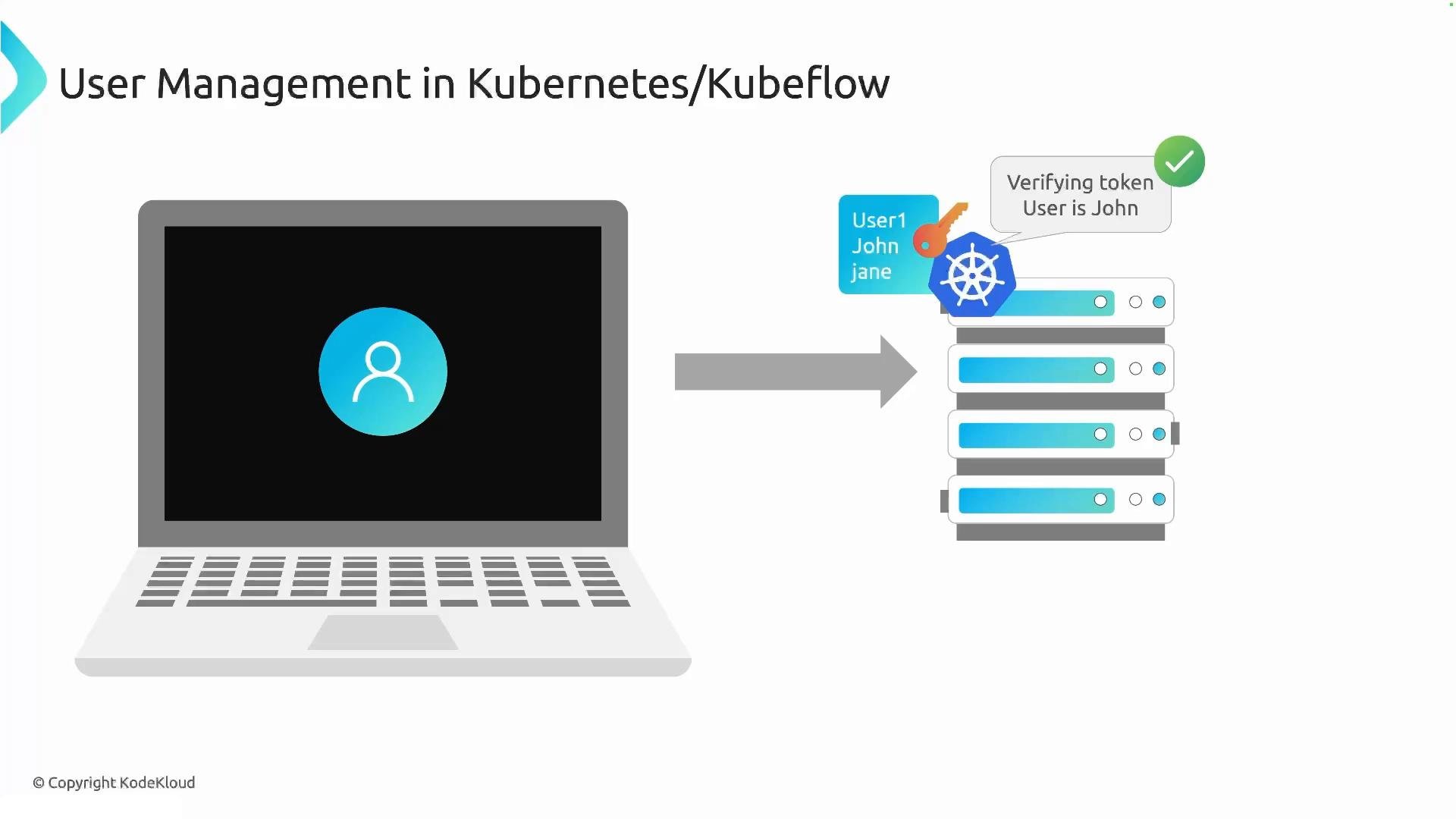 Kubernetes itself has no notion of a "user" resource. Authentication is handled by external providers (OIDC, LDAP, SSO, client certs, etc.), and Kubernetes verifies tokens or certificates presented by clients.
Dex for local demos and Kubeflow
* For demos and testing without wiring a production IdP, Kubeflow bundles Dex: a lightweight identity provider and OIDC connector.
* Dex can manage local users or proxy to other backends (LDAP, GitHub, etc.), so you can sign in and exercise Profiles, RBAC, and multi-tenancy features inside a demo cluster.
Dex is not part of Kubernetes itself — it’s included in Kubeflow deployments to simplify authentication in demo/test environments.
Inspecting Dex in a Kubeflow deployment
When Kubeflow is deployed, you typically find an `auth` namespace containing Dex and related resources. For example, to check Dex resources:
```bash theme={null}
kubectl get all -n auth
```
Example output:
```bash theme={null}
NAME READY STATUS RESTARTS AGE
pod/dex-66f7dc8779-tm7v2 1/1 Running 0 51m
NAME TYPE CLUSTER-IP EXTERNAL-IP PORT(S) AGE
service/dex ClusterIP 10.96.104.121 5556/TCP 43h
NAME READY UP-TO-DATE AVAILABLE AGE
deployment.apps/dex 1/1 1 1 43h
NAME DESIRED CURRENT READY AGE
replicaset.apps/dex-645bd8ffb0 0 0 0 43h
replicaset.apps/dex-6677458bb8 0 0 0 63m
replicaset.apps/dex-66f7dc8779 1 1 1 51m
replicaset.apps/dex-685fdffd7c 0 0 0 71m
replicaset.apps/dex-76996b9485 0 0 0 65m
replicaset.apps/dex-85f864965 0 0 0 67m
```
This output confirms a Dex deployment, a running pod, and a ClusterIP service that exposes Dex inside the cluster. In demo scenarios, signing into Kubeflow typically authenticates you against this Dex server.
Practical tips
* For production, prefer integrating Kubernetes with a managed OIDC provider or corporate SSO rather than using static tokens or local solutions.
* Use Dex for development and demonstrative purposes, not as a long-term production IdP unless it’s configured to proxy to your corporate identity store.
* Ensure the API server's OIDC / token webhook configuration matches your IdP’s issuer, client ID, and public keys for token validation.
References
* [Kubeflow](https://kubeflow.org/)
* [Dex Identity Provider](https://dexidp.io/)
* [Kubernetes Authentication Concepts](https://kubernetes.io/docs/reference/access-authn-authz/authentication/)
For the remainder of this lesson, we’ll use Dex-managed users so you can follow the Kubeflow profiles, RBAC, and multi-tenancy demos without configuring an external IdP.
This documentation is built and hosted on [Mintlify](https://mintlify.com), a developer documentation platform.
Kubernetes itself has no notion of a "user" resource. Authentication is handled by external providers (OIDC, LDAP, SSO, client certs, etc.), and Kubernetes verifies tokens or certificates presented by clients.
Dex for local demos and Kubeflow
* For demos and testing without wiring a production IdP, Kubeflow bundles Dex: a lightweight identity provider and OIDC connector.
* Dex can manage local users or proxy to other backends (LDAP, GitHub, etc.), so you can sign in and exercise Profiles, RBAC, and multi-tenancy features inside a demo cluster.
Dex is not part of Kubernetes itself — it’s included in Kubeflow deployments to simplify authentication in demo/test environments.
Inspecting Dex in a Kubeflow deployment
When Kubeflow is deployed, you typically find an `auth` namespace containing Dex and related resources. For example, to check Dex resources:
```bash theme={null}
kubectl get all -n auth
```
Example output:
```bash theme={null}
NAME READY STATUS RESTARTS AGE
pod/dex-66f7dc8779-tm7v2 1/1 Running 0 51m
NAME TYPE CLUSTER-IP EXTERNAL-IP PORT(S) AGE
service/dex ClusterIP 10.96.104.121 5556/TCP 43h
NAME READY UP-TO-DATE AVAILABLE AGE
deployment.apps/dex 1/1 1 1 43h
NAME DESIRED CURRENT READY AGE
replicaset.apps/dex-645bd8ffb0 0 0 0 43h
replicaset.apps/dex-6677458bb8 0 0 0 63m
replicaset.apps/dex-66f7dc8779 1 1 1 51m
replicaset.apps/dex-685fdffd7c 0 0 0 71m
replicaset.apps/dex-76996b9485 0 0 0 65m
replicaset.apps/dex-85f864965 0 0 0 67m
```
This output confirms a Dex deployment, a running pod, and a ClusterIP service that exposes Dex inside the cluster. In demo scenarios, signing into Kubeflow typically authenticates you against this Dex server.
Practical tips
* For production, prefer integrating Kubernetes with a managed OIDC provider or corporate SSO rather than using static tokens or local solutions.
* Use Dex for development and demonstrative purposes, not as a long-term production IdP unless it’s configured to proxy to your corporate identity store.
* Ensure the API server's OIDC / token webhook configuration matches your IdP’s issuer, client ID, and public keys for token validation.
References
* [Kubeflow](https://kubeflow.org/)
* [Dex Identity Provider](https://dexidp.io/)
* [Kubernetes Authentication Concepts](https://kubernetes.io/docs/reference/access-authn-authz/authentication/)
For the remainder of this lesson, we’ll use Dex-managed users so you can follow the Kubeflow profiles, RBAC, and multi-tenancy demos without configuring an external IdP.
This documentation is built and hosted on [Mintlify](https://mintlify.com), a developer documentation platform.