> ## Documentation Index
> Fetch the complete documentation index at: https://notes.kodekloud.com/llms.txt
> Use this file to discover all available pages before exploring further.
# Demo Profiles
> Guide to using Kubeflow Profiles, creating and managing profile namespaces, assigning editor contributors, and configuring Kubernetes RBAC plus Istio AuthorizationPolicy for view only access
This guide demonstrates how to work with Kubeflow Profiles after users have been provisioned via Dex and authentication has been verified. You'll learn how to:
* List and inspect existing Profiles
* Create a Profile using a YAML manifest
* Log in as a Profile owner and run pipelines in the associated namespace
* Manage contributors (edit access) via the Kubeflow UI
* Manually grant view-only access using Kubernetes RBAC and Istio AuthorizationPolicy
Prerequisite: Ensure user accounts are already created in Dex and that you can authenticate to Kubeflow. This guide assumes Dex-based authentication and KFAM (Kubeflow Access Management) are in use.
## List existing Profiles
Use kubectl to list Profiles in the cluster:
```bash theme={null}
~/Documents/kubeflow-profiles on ☁️ (us-east-1)
› kubectl get profile
NAME AGE
kubeflow-user-example-com 15m
```
Inspect a specific Profile for details such as owner and resource quota:
```bash theme={null}
~/Documents/kubeflow-profiles on ☁️ (us-east-1)
› kubectl describe profile kubeflow-user-example-com
Name: kubeflow-user-example-com
API Version: kubeflow.org/v1
Kind: Profile
Metadata:
Creation Timestamp: 2026-01-22T05:41:58Z
Finalizers:
profile-finalizer
Spec:
Owner:
Kind: User
Name: user@example.com
Resource Quota Spec:
Events:
```
## Create a new Profile (YAML)
Create a file named `profile.yaml`. A minimal Profile manifest contains `apiVersion`, `kind`, `metadata.name`, and the owner under `spec`:
```yaml theme={null}
apiVersion: kubeflow.org/v1
kind: Profile
metadata:
name: team1
spec:
owner:
kind: User
name: john@example.com
```
Apply the manifest and confirm the Profile and namespace are created:
```bash theme={null}
~/Documents/kubeflow-profiles on ☁️ (us-east-1)
› kubectl apply -f profile.yaml
profile.kubeflow.org/team1 created
```
Verify the new Profile appears in the list and inspect it:
```bash theme={null}
› kubectl get profile
NAME AGE
kubeflow-user-example-com 17m
team1 4s
› kubectl describe profile team1
Kind: Profile
Metadata:
Creation Timestamp: 2026-01-22T05:59:39Z
Finalizers:
profile-finalizer
Spec:
Owner:
Kind: User
Name: john@example.com
Resource Quota Spec:
Events:
```
Because `john@example.com` is the owner, the Profile controller creates a namespace for `team1` and sets up default rolebindings (editor, viewer, admin service account and one admin user) so the owner has full control of that namespace.
## Login as the Profile owner and use the namespace
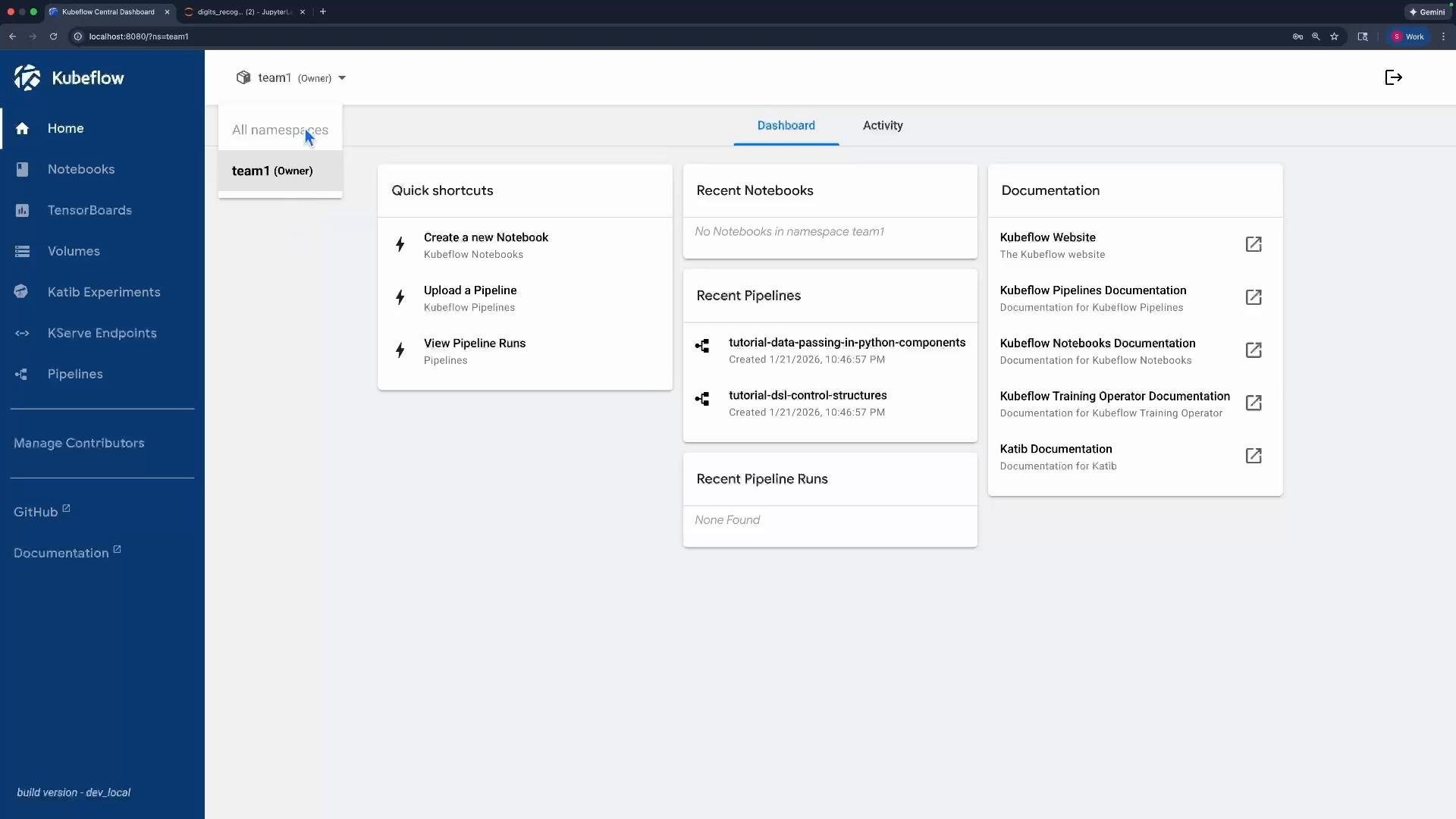
When John logs in, the Kubeflow Central Dashboard automatically selects the namespace created for his Profile (`team1`). The dashboard shows that he is the owner and can perform actions within that namespace.
 ### Deploy a pipeline as the owner
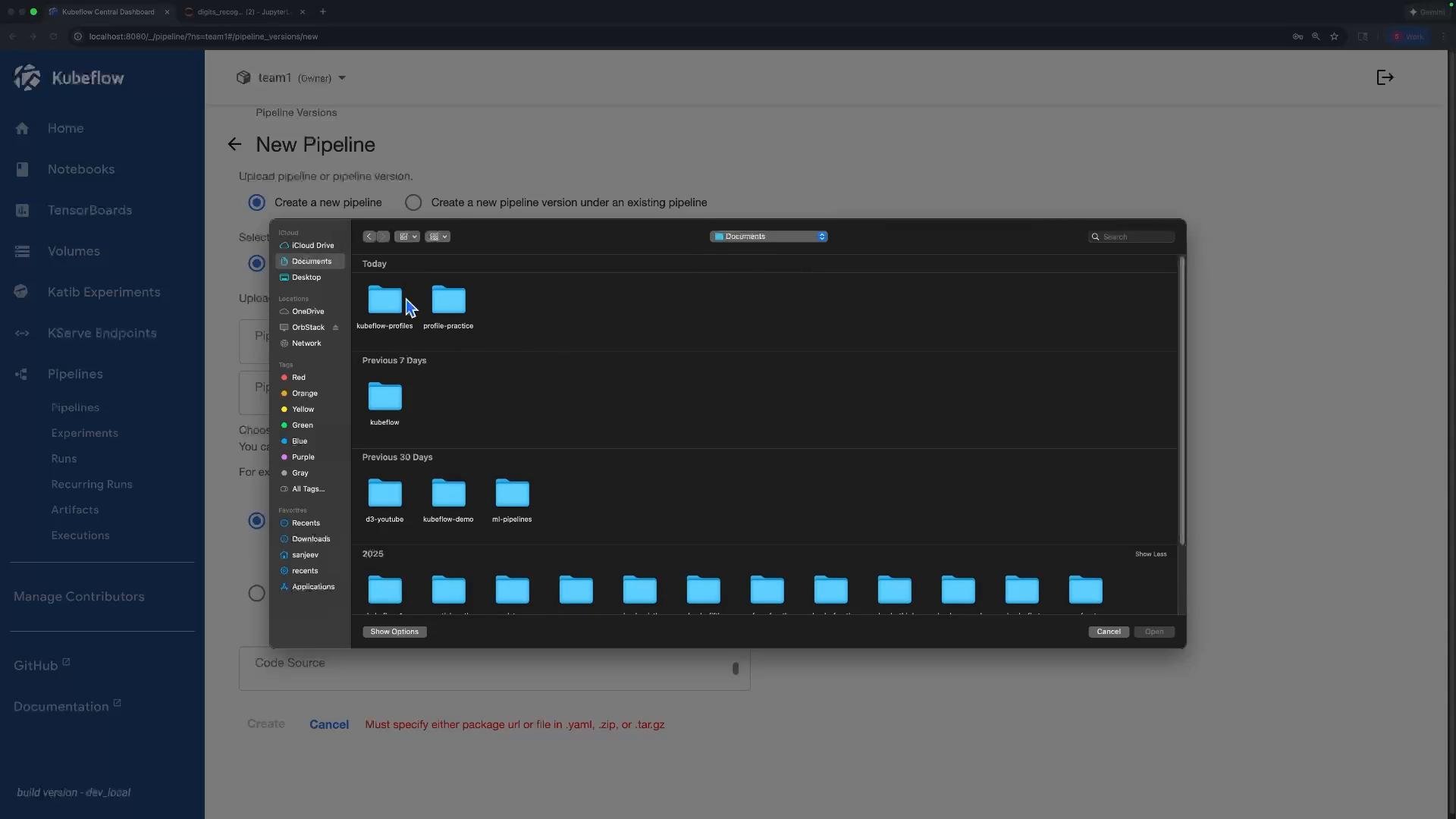
As the namespace owner John can upload, create experiments, and run pipelines in `team1`. The file picker in the UI shows folders (for example, `kubeflow-profiles`) available for selecting pipeline files.
### Deploy a pipeline as the owner
As the namespace owner John can upload, create experiments, and run pipelines in `team1`. The file picker in the UI shows folders (for example, `kubeflow-profiles`) available for selecting pipeline files.
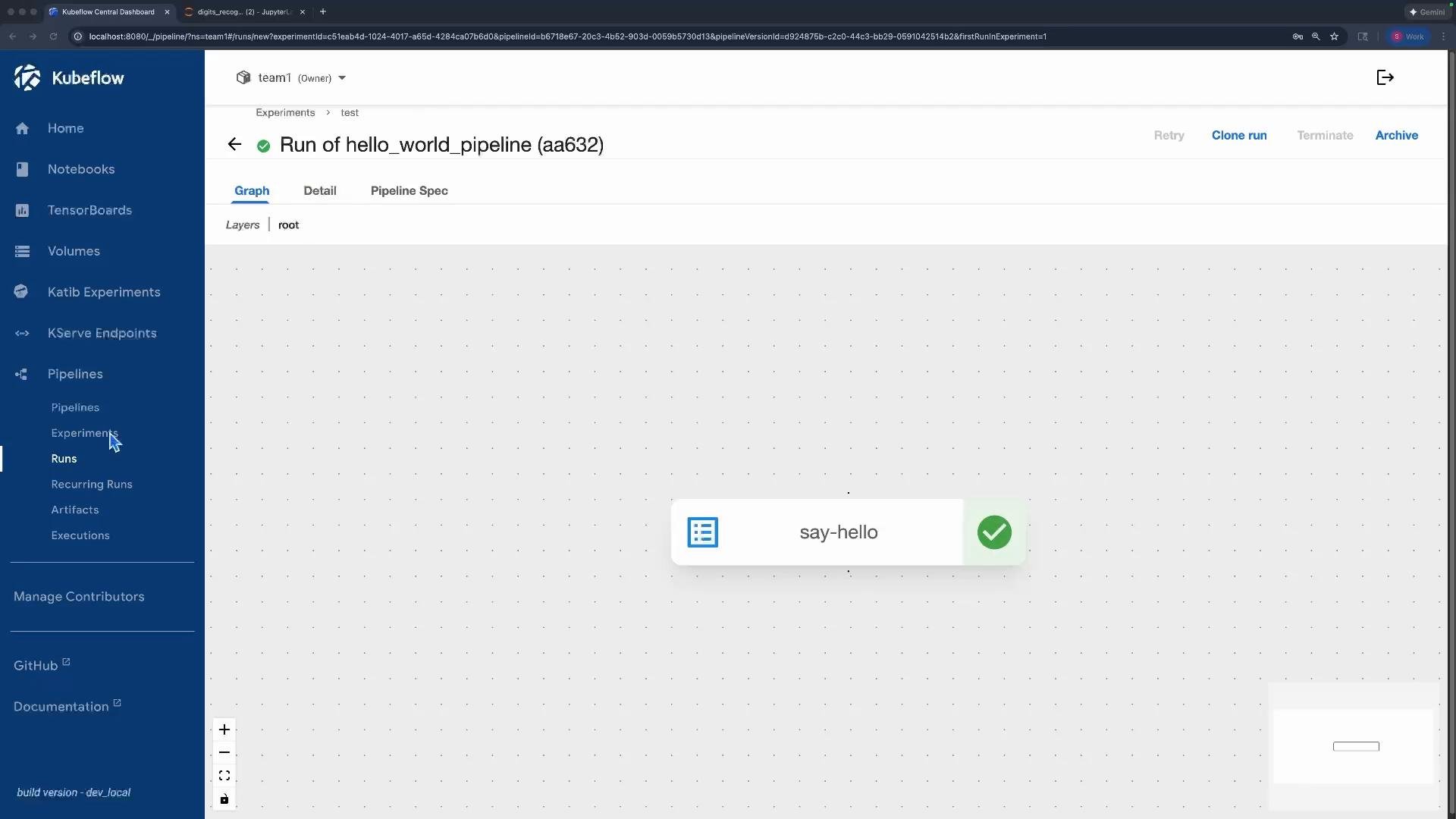
 After creating an experiment and running the pipeline, the run completes successfully because John has full namespace privileges:
 ## Manage contributors via the Kubeflow UI (editor access)
Profile owners can add contributors from the Central Dashboard using "Manage Contributors." The UI currently only supports adding contributors with editor privileges (create/edit/delete pipelines, runs, experiments, etc.). For example, adding `mark@example.com` grants editor access to the `team1` namespace.
## Manage contributors via the Kubeflow UI (editor access)
Profile owners can add contributors from the Central Dashboard using "Manage Contributors." The UI currently only supports adding contributors with editor privileges (create/edit/delete pipelines, runs, experiments, etc.). For example, adding `mark@example.com` grants editor access to the `team1` namespace.
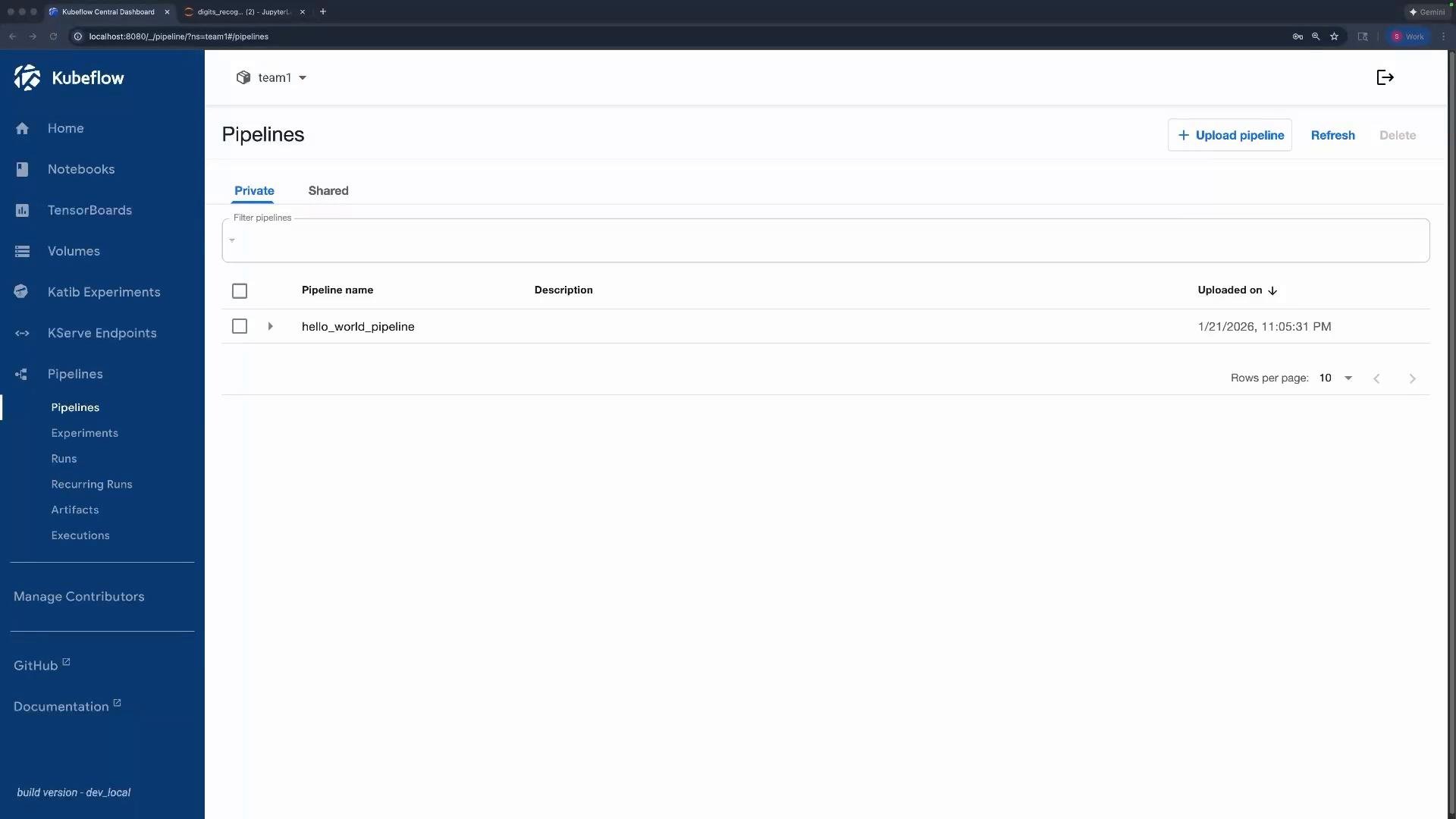
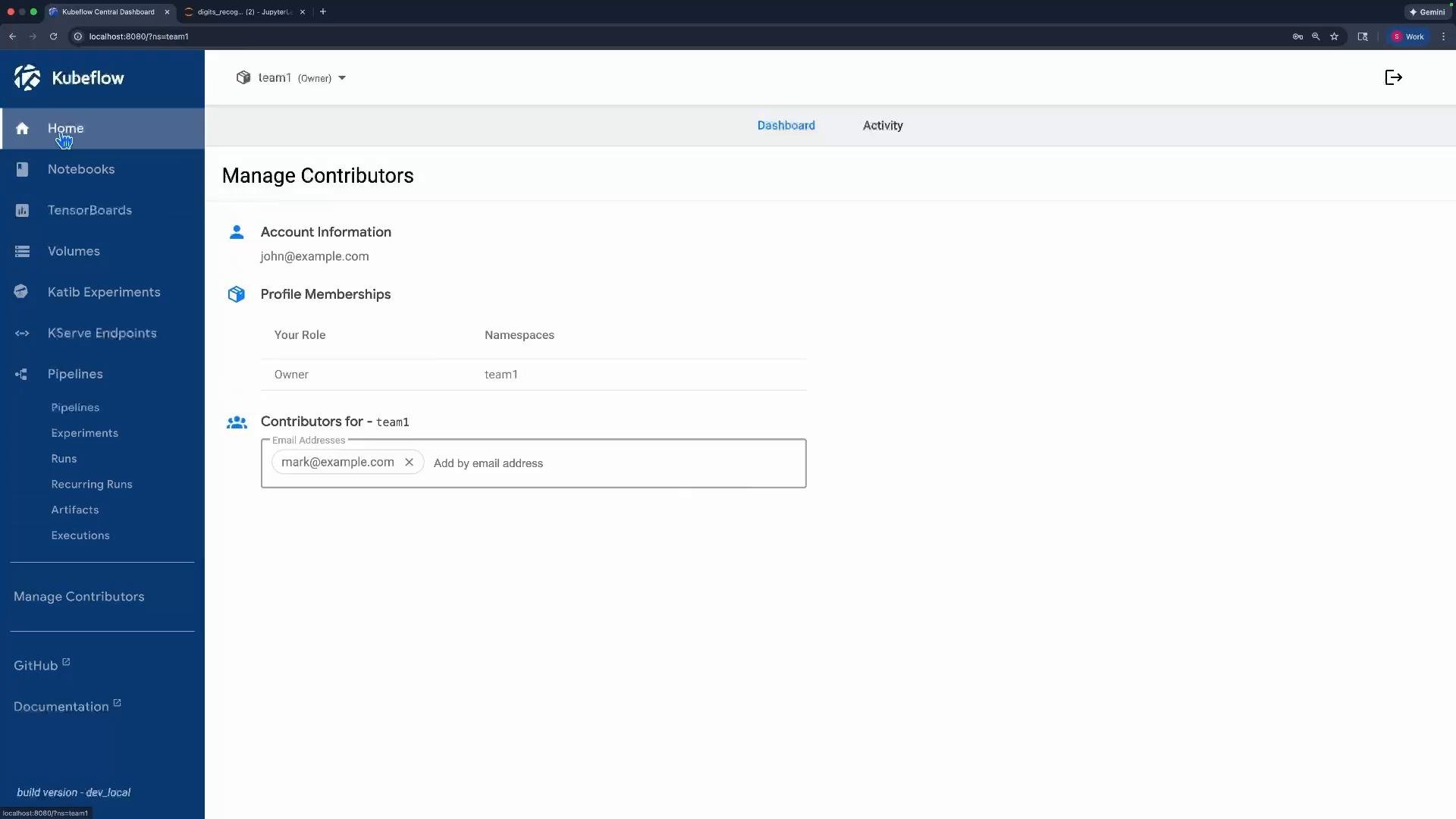 When Mark logs in, he can select the `team1` namespace and create pipelines because the owner granted editor permissions:
 Important: The Kubeflow UI currently only supports granting editor-level access to contributors. To provide view-only access, you must create Kubernetes RBAC RoleBinding (or Role) and an Istio AuthorizationPolicy manually — the UI doesn’t provide view-only role assignment.
## Manual: Granting a view-only contributor (RoleBinding + AuthorizationPolicy)
To provide a contributor view-only access, you must combine Kubernetes RBAC (RoleBinding or Role) with an Istio AuthorizationPolicy that matches the authenticated request principal. Follow these steps.
1. Inspect Kubeflow-provided ClusterRoles to choose the appropriate role (`kubeflow-view`, `kubeflow-edit`, `kubeflow-admin`, etc.):
```bash theme={null}
~/Documents/kubeflow-profiles on ☁️ (us-east-1)
› kubectl get clusterroles | grep -i kubeflow
kubeflow-admin
kubeflow-edit
kubeflow-view
kubeflow-pipelines-view
kubeflow-pipelines-edit
# ... (other kubeflow-* clusterroles)
```
2. View the default RoleBindings in the Profile namespace (created by the Profile controller):
```bash theme={null}
~/Documents/kubeflow-profiles on ☁️ (us-east-1)
› kubectl get rolebindings -n team1
NAME ROLE AGE
default-editor ClusterRole/kubeflow-edit 9m32s
default-viewer ClusterRole/kubeflow-view 9m32s
namespaceAdmin ClusterRole/kubeflow-admin 9m32s
```
3. Create a RoleBinding to grant `kubeflow-view` to `mark@example.com`. Save this as `rolebinding.yaml`:
```yaml theme={null}
apiVersion: rbac.authorization.k8s.io/v1
kind: RoleBinding
metadata:
name: user-mark-clusterrole-view
namespace: team1
annotations:
role: kubeflow-view
user: mark@example.com
roleRef:
apiGroup: rbac.authorization.k8s.io
kind: ClusterRole
name: kubeflow-view
subjects:
- kind: User
name: mark@example.com
apiGroup: rbac.authorization.k8s.io
```
Apply the RoleBinding and confirm it was created:
```bash theme={null}
~/Documents/kubeflow-profiles on ☁️ (us-east-1)
› kubectl apply -f rolebinding.yaml
rolebinding.rbac.authorization.k8s.io/user-mark-clusterrole-view created
› kubectl get rolebindings -n team1
NAME ROLE AGE
default-editor ClusterRole/kubeflow-edit 12m
default-viewer ClusterRole/kubeflow-view 12m
namespaceAdmin ClusterRole/kubeflow-admin 12m
user-mark-clusterrole-view ClusterRole/kubeflow-view 3s
```
4. Create an Istio AuthorizationPolicy to allow requests from Mark's principal. KFAM maps user identities to Istio principals; ensure you use the correct principal format for your deployment. See KFAM bindings for example principal formats:
[https://github.com/kubeflow/kubeflow/blob/v1.8.0/components/access-management/kfam/bindings.go#L79-L110](https://github.com/kubeflow/kubeflow/blob/v1.8.0/components/access-management/kfam/bindings.go#L79-L110)
Save a template as `authorizationpolicy.yaml` and update the `principals` with the appropriate value for your authentication stack:
```yaml theme={null}
apiVersion: security.istio.io/v1beta1
kind: AuthorizationPolicy
metadata:
name: user-mark-clusterrole-view
namespace: team1
annotations:
role: view
user: mark@example.com
spec:
rules:
- from:
- source:
# For more information see the KFAM code:
# https://github.com/kubeflow/kubeflow/blob/v1.8.0/components/access-management/kfam/bindings.go#L79-L110
principals:
# example principal format used by KFAM/JWT (replace with the correct principal for your deployment)
# - "user:mark@example.com"
```
Apply the AuthorizationPolicy:
```bash theme={null}
~/Documents/kubeflow-profiles on ☁️ (us-east-1)
› kubectl apply -f authorizationpolicy.yaml
authorizationpolicy.security.istio.io/user-mark-clusterrole-view created
```
After creating both the RoleBinding and the AuthorizationPolicy, Mark should be able to view resources in the `team1` namespace but not edit them. Attempts to upload or create pipelines will fail with an authorization error because his permissions are view-only.
## Quick reference: Resources and purpose
| Resource Type | Purpose | Example / Command |
| - | - | - |
| Profile | Creates an isolated namespace for user/team and default RBAC | `profile.kubeflow.org/team1` (see `profile.yaml`) |
| RoleBinding | Grants a Kubeflow ClusterRole to a user within a namespace | `kubectl apply -f rolebinding.yaml` |
| AuthorizationPolicy | Istio policy to allow requests from a specific principal | `kubectl apply -f authorizationpolicy.yaml` |
## Summary
* Profiles create isolated namespaces for users or teams and set up default RBAC (editor, viewer, admin).
* Profile owners can manage contributors from the Kubeflow UI; the UI grants editor privileges.
* To give view-only access, create a Kubernetes RoleBinding bound to `kubeflow-view` and a matching Istio AuthorizationPolicy that allows requests from the user's principal.
* Always verify the principal format used by your authentication stack and KFAM so your AuthorizationPolicy matches the real principal.
Further reading and references:
* Kubeflow documentation: [https://www.kubeflow.org/docs/](https://www.kubeflow.org/docs/)
* KFAM bindings (principal formats): [https://github.com/kubeflow/kubeflow/blob/v1.8.0/components/access-management/kfam/bindings.go#L79-L110](https://github.com/kubeflow/kubeflow/blob/v1.8.0/components/access-management/kfam/bindings.go#L79-L110)
This documentation is built and hosted on [Mintlify](https://mintlify.com), a developer documentation platform.
Important: The Kubeflow UI currently only supports granting editor-level access to contributors. To provide view-only access, you must create Kubernetes RBAC RoleBinding (or Role) and an Istio AuthorizationPolicy manually — the UI doesn’t provide view-only role assignment.
## Manual: Granting a view-only contributor (RoleBinding + AuthorizationPolicy)
To provide a contributor view-only access, you must combine Kubernetes RBAC (RoleBinding or Role) with an Istio AuthorizationPolicy that matches the authenticated request principal. Follow these steps.
1. Inspect Kubeflow-provided ClusterRoles to choose the appropriate role (`kubeflow-view`, `kubeflow-edit`, `kubeflow-admin`, etc.):
```bash theme={null}
~/Documents/kubeflow-profiles on ☁️ (us-east-1)
› kubectl get clusterroles | grep -i kubeflow
kubeflow-admin
kubeflow-edit
kubeflow-view
kubeflow-pipelines-view
kubeflow-pipelines-edit
# ... (other kubeflow-* clusterroles)
```
2. View the default RoleBindings in the Profile namespace (created by the Profile controller):
```bash theme={null}
~/Documents/kubeflow-profiles on ☁️ (us-east-1)
› kubectl get rolebindings -n team1
NAME ROLE AGE
default-editor ClusterRole/kubeflow-edit 9m32s
default-viewer ClusterRole/kubeflow-view 9m32s
namespaceAdmin ClusterRole/kubeflow-admin 9m32s
```
3. Create a RoleBinding to grant `kubeflow-view` to `mark@example.com`. Save this as `rolebinding.yaml`:
```yaml theme={null}
apiVersion: rbac.authorization.k8s.io/v1
kind: RoleBinding
metadata:
name: user-mark-clusterrole-view
namespace: team1
annotations:
role: kubeflow-view
user: mark@example.com
roleRef:
apiGroup: rbac.authorization.k8s.io
kind: ClusterRole
name: kubeflow-view
subjects:
- kind: User
name: mark@example.com
apiGroup: rbac.authorization.k8s.io
```
Apply the RoleBinding and confirm it was created:
```bash theme={null}
~/Documents/kubeflow-profiles on ☁️ (us-east-1)
› kubectl apply -f rolebinding.yaml
rolebinding.rbac.authorization.k8s.io/user-mark-clusterrole-view created
› kubectl get rolebindings -n team1
NAME ROLE AGE
default-editor ClusterRole/kubeflow-edit 12m
default-viewer ClusterRole/kubeflow-view 12m
namespaceAdmin ClusterRole/kubeflow-admin 12m
user-mark-clusterrole-view ClusterRole/kubeflow-view 3s
```
4. Create an Istio AuthorizationPolicy to allow requests from Mark's principal. KFAM maps user identities to Istio principals; ensure you use the correct principal format for your deployment. See KFAM bindings for example principal formats:
[https://github.com/kubeflow/kubeflow/blob/v1.8.0/components/access-management/kfam/bindings.go#L79-L110](https://github.com/kubeflow/kubeflow/blob/v1.8.0/components/access-management/kfam/bindings.go#L79-L110)
Save a template as `authorizationpolicy.yaml` and update the `principals` with the appropriate value for your authentication stack:
```yaml theme={null}
apiVersion: security.istio.io/v1beta1
kind: AuthorizationPolicy
metadata:
name: user-mark-clusterrole-view
namespace: team1
annotations:
role: view
user: mark@example.com
spec:
rules:
- from:
- source:
# For more information see the KFAM code:
# https://github.com/kubeflow/kubeflow/blob/v1.8.0/components/access-management/kfam/bindings.go#L79-L110
principals:
# example principal format used by KFAM/JWT (replace with the correct principal for your deployment)
# - "user:mark@example.com"
```
Apply the AuthorizationPolicy:
```bash theme={null}
~/Documents/kubeflow-profiles on ☁️ (us-east-1)
› kubectl apply -f authorizationpolicy.yaml
authorizationpolicy.security.istio.io/user-mark-clusterrole-view created
```
After creating both the RoleBinding and the AuthorizationPolicy, Mark should be able to view resources in the `team1` namespace but not edit them. Attempts to upload or create pipelines will fail with an authorization error because his permissions are view-only.
## Quick reference: Resources and purpose
| Resource Type | Purpose | Example / Command |
| - | - | - |
| Profile | Creates an isolated namespace for user/team and default RBAC | `profile.kubeflow.org/team1` (see `profile.yaml`) |
| RoleBinding | Grants a Kubeflow ClusterRole to a user within a namespace | `kubectl apply -f rolebinding.yaml` |
| AuthorizationPolicy | Istio policy to allow requests from a specific principal | `kubectl apply -f authorizationpolicy.yaml` |
## Summary
* Profiles create isolated namespaces for users or teams and set up default RBAC (editor, viewer, admin).
* Profile owners can manage contributors from the Kubeflow UI; the UI grants editor privileges.
* To give view-only access, create a Kubernetes RoleBinding bound to `kubeflow-view` and a matching Istio AuthorizationPolicy that allows requests from the user's principal.
* Always verify the principal format used by your authentication stack and KFAM so your AuthorizationPolicy matches the real principal.
Further reading and references:
* Kubeflow documentation: [https://www.kubeflow.org/docs/](https://www.kubeflow.org/docs/)
* KFAM bindings (principal formats): [https://github.com/kubeflow/kubeflow/blob/v1.8.0/components/access-management/kfam/bindings.go#L79-L110](https://github.com/kubeflow/kubeflow/blob/v1.8.0/components/access-management/kfam/bindings.go#L79-L110)
This documentation is built and hosted on [Mintlify](https://mintlify.com), a developer documentation platform.