> ## Documentation Index
> Fetch the complete documentation index at: https://notes.kodekloud.com/llms.txt
> Use this file to discover all available pages before exploring further.
# Glasskube Package Management the GitOps way
> Guide to managing Kubernetes packages with Glasskube using a GitOps workflow, Argo CD, and Renovate for automated installs updates and reconciliation
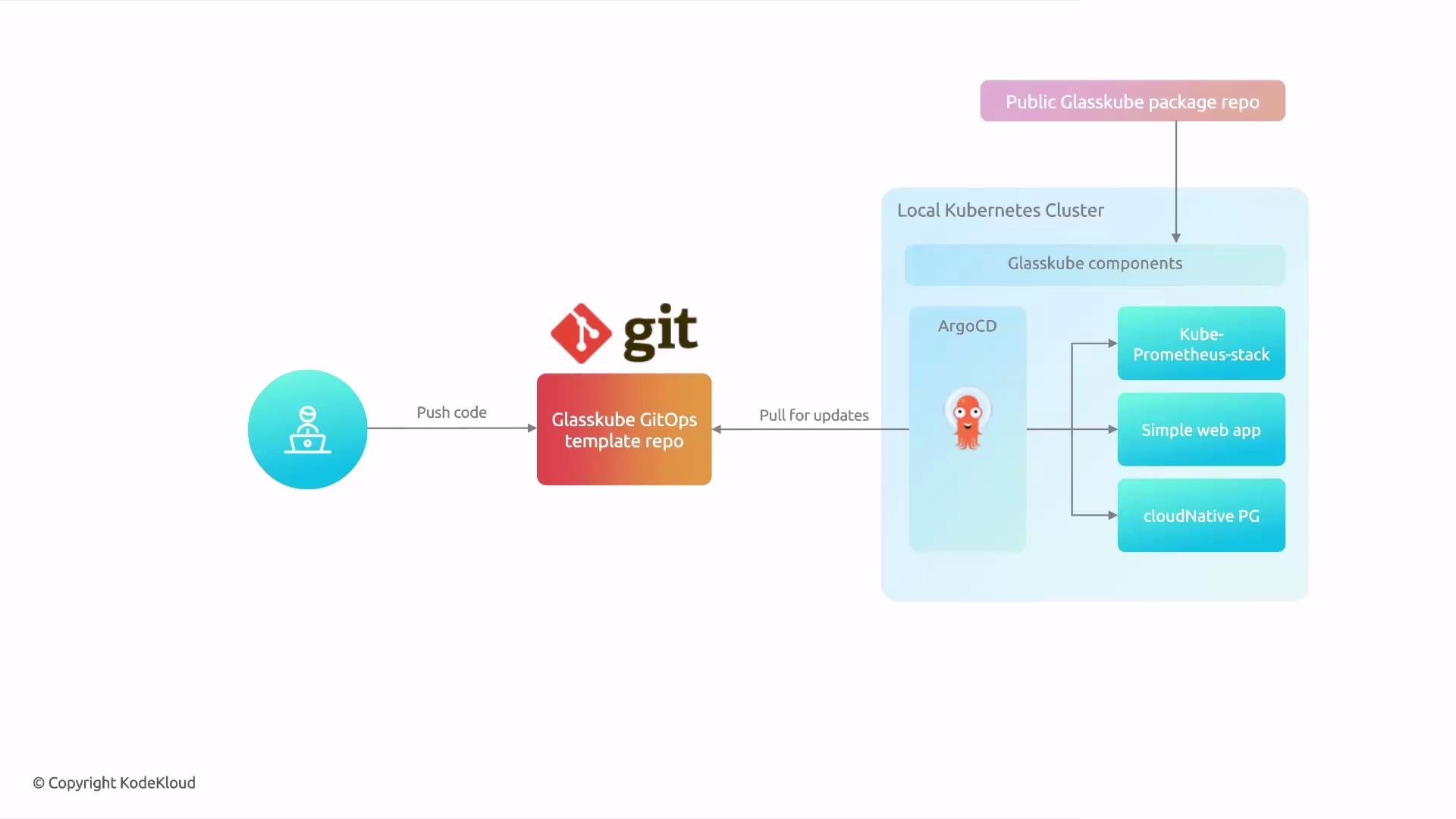
In this guide you'll learn how to use the Glasskube GitOps template to manage Kubernetes packages via a GitOps workflow. The template deploys Argo CD, Glasskube controllers, and any package manifests you add — enabling automated, declarative package lifecycle management (install, update, reconcile) driven by Git.
Below is the high-level GitOps flow: push changes to Git, Argo CD continuously reconciles the cluster to match Git, and packages (for example, kube-prometheus-stack and CloudNativePG) are installed automatically.
 Key points
* The template bootstraps Argo CD, Glasskube components, and the package manifests you store in Git.
* The demo template includes kube-prometheus-stack, a sample web app, and CloudNativePG.
* Renovate can be integrated to automatically open pull requests for package upgrades.
Getting started — overview
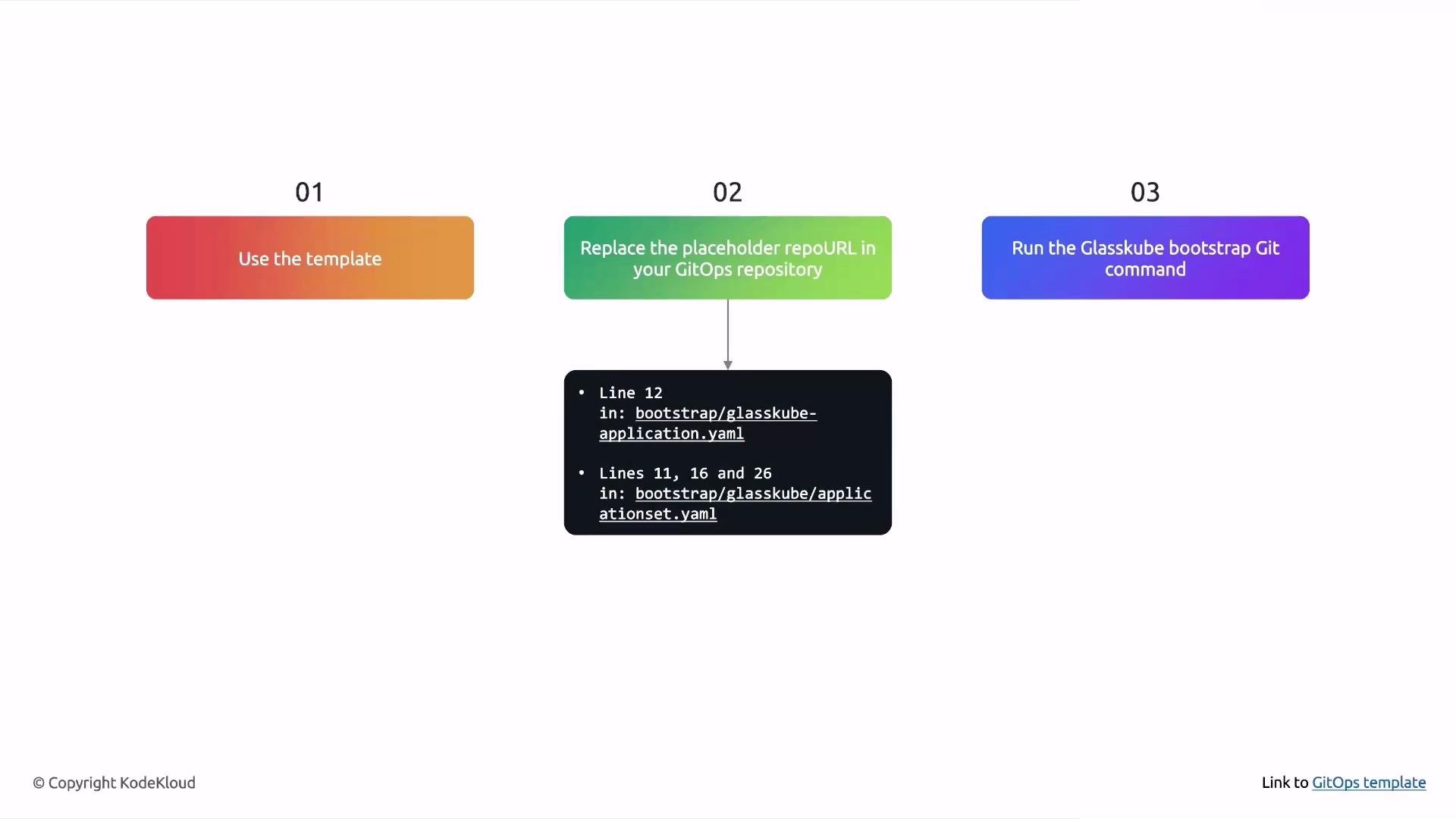
1. Create a repository from the Glasskube GitOps template.
2. Replace placeholder repository URLs inside the template (under `bootstrap/`) with your repository URL.
3. Run the Glasskube bootstrap command in GitOps mode to push manifests and install Argo CD + Glasskube in your cluster.
The template expects a pre-bootstrapped cluster; the Glasskube UI will indicate whether the cluster still needs bootstrapping.
Key points
* The template bootstraps Argo CD, Glasskube components, and the package manifests you store in Git.
* The demo template includes kube-prometheus-stack, a sample web app, and CloudNativePG.
* Renovate can be integrated to automatically open pull requests for package upgrades.
Getting started — overview
1. Create a repository from the Glasskube GitOps template.
2. Replace placeholder repository URLs inside the template (under `bootstrap/`) with your repository URL.
3. Run the Glasskube bootstrap command in GitOps mode to push manifests and install Argo CD + Glasskube in your cluster.
The template expects a pre-bootstrapped cluster; the Glasskube UI will indicate whether the cluster still needs bootstrapping.
 Bootstrap and package lifecycle commands
Use these Glasskube CLI commands for bootstrapping, installing packages, and previewing updates.
| Purpose | Command |
| ------------------------------------------------------------------------------ | ------------------------------------------------------------------------------------ |
| Bootstrap the cluster in GitOps mode (pushes bootstrap manifests to your repo) | `glasskube bootstrap git --url https://github.com//` |
| Generate a package manifest (dry-run) — example: cert-manager | `glasskube install cert-manager --dry-run -o yaml --yes > cert-manager.yaml` |
| Preview changes Glasskube would apply (dry-run) | `glasskube update --dry-run -o yaml` |
| Generate updated bootstrap manifests (dry-run) | `glasskube bootstrap --dry-run -o yaml --force > bootstrap/glasskube/glasskube.yaml` |
Renovate integration (automated package upgrade PRs)
* Renovate can scan YAML manifests in your GitOps repo and open PRs when newer package versions exist.
* The Renovate regex manager in the template extracts `depName` and `currentValue` from package YAML and uses a Glasskube datasource to compute available upgrades.
Example Renovate snippet (matches package name/version in YAML files):
```json theme={null}
{
"$schema": "https://docs.renovatebot.com/renovate-schema.json",
"extends": [
"config:recommended"
],
"regexManagers": [
{
"fileMatch": [
"\\..*(yaml|yml)$"
],
"matchStrings": [
"packageInfo:.*\\n.*name: (?.*)\\n.*version: (?.*)"
],
"datasourceTemplate": "glasskube-packages",
"versioningTemplate": "glasskube"
}
]
}
```
When Renovate opens a PR, review and merge it — Argo CD will then reconcile the updated manifest into the cluster.
Add your repository URL to the GitOps template
After creating a repo from the template (for example, `gitops-kodekloud`), replace the placeholder `repoURL` entries in the bootstrap manifests.
Files to update
| File | Purpose | Snippet to edit |
| ----------------------------------------------- | ------------------------------------------------------------------------: | --------------------------------------------------------------------------------------------- |
| `bootstrap/glasskube/glasskubeapplication.yaml` | Argo CD Application that deploys the Glasskube bootstrap | Update `spec.source.repoURL` to your repo URL. |
| `bootstrap/glasskube/applicationset.yaml` | ApplicationSet generator that points Argo CD at `apps/*` and `packages/*` | Update each `repoURL` entry used by the git generator and the `template.spec.source.repoURL`. |
Example excerpt (update `https://github.com/TODO/TODO` to your repo URL):
```yaml theme={null}
spec:
source:
path: bootstrap/glasskube
repoURL: https://github.com/TODO/TODO # TODO put your own repo url here
targetRevision: HEAD
```
and
```yaml theme={null}
generators:
- git:
repoURL: https://github.com/TODO/TODO # TODO put your own repo url here
revision: HEAD
directories:
- path: packages/*
```
Save, commit, and push these changes to `main`.
Create the repo and clone the template
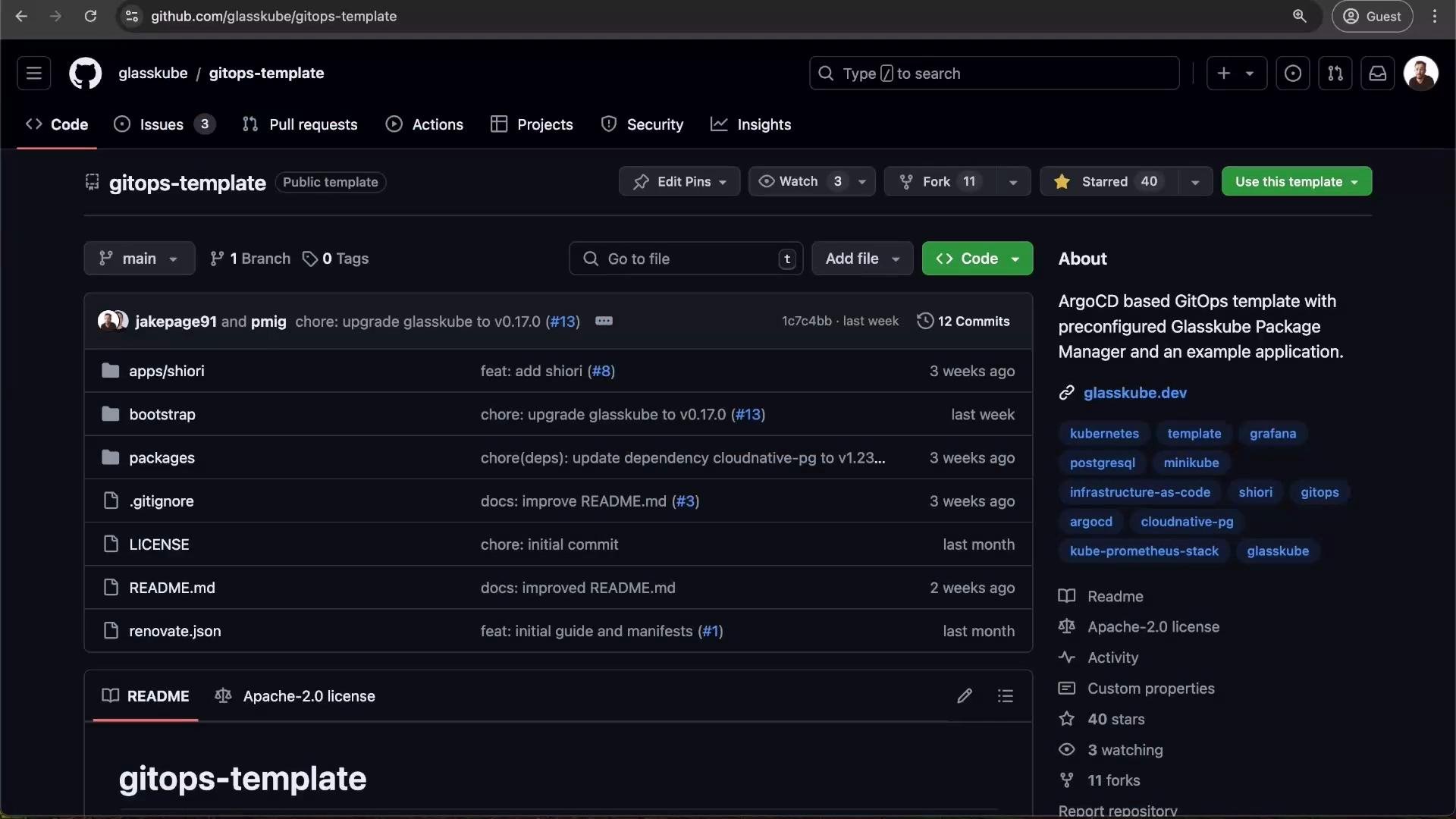
* On GitHub, click "Use this template", create a repository (for example `gitops-kodekloud`), then clone it:
* `git clone https://github.com//gitops-kodekloud.git`
* Open and edit the bootstrap manifests described above.
Bootstrap and package lifecycle commands
Use these Glasskube CLI commands for bootstrapping, installing packages, and previewing updates.
| Purpose | Command |
| ------------------------------------------------------------------------------ | ------------------------------------------------------------------------------------ |
| Bootstrap the cluster in GitOps mode (pushes bootstrap manifests to your repo) | `glasskube bootstrap git --url https://github.com//` |
| Generate a package manifest (dry-run) — example: cert-manager | `glasskube install cert-manager --dry-run -o yaml --yes > cert-manager.yaml` |
| Preview changes Glasskube would apply (dry-run) | `glasskube update --dry-run -o yaml` |
| Generate updated bootstrap manifests (dry-run) | `glasskube bootstrap --dry-run -o yaml --force > bootstrap/glasskube/glasskube.yaml` |
Renovate integration (automated package upgrade PRs)
* Renovate can scan YAML manifests in your GitOps repo and open PRs when newer package versions exist.
* The Renovate regex manager in the template extracts `depName` and `currentValue` from package YAML and uses a Glasskube datasource to compute available upgrades.
Example Renovate snippet (matches package name/version in YAML files):
```json theme={null}
{
"$schema": "https://docs.renovatebot.com/renovate-schema.json",
"extends": [
"config:recommended"
],
"regexManagers": [
{
"fileMatch": [
"\\..*(yaml|yml)$"
],
"matchStrings": [
"packageInfo:.*\\n.*name: (?.*)\\n.*version: (?.*)"
],
"datasourceTemplate": "glasskube-packages",
"versioningTemplate": "glasskube"
}
]
}
```
When Renovate opens a PR, review and merge it — Argo CD will then reconcile the updated manifest into the cluster.
Add your repository URL to the GitOps template
After creating a repo from the template (for example, `gitops-kodekloud`), replace the placeholder `repoURL` entries in the bootstrap manifests.
Files to update
| File | Purpose | Snippet to edit |
| ----------------------------------------------- | ------------------------------------------------------------------------: | --------------------------------------------------------------------------------------------- |
| `bootstrap/glasskube/glasskubeapplication.yaml` | Argo CD Application that deploys the Glasskube bootstrap | Update `spec.source.repoURL` to your repo URL. |
| `bootstrap/glasskube/applicationset.yaml` | ApplicationSet generator that points Argo CD at `apps/*` and `packages/*` | Update each `repoURL` entry used by the git generator and the `template.spec.source.repoURL`. |
Example excerpt (update `https://github.com/TODO/TODO` to your repo URL):
```yaml theme={null}
spec:
source:
path: bootstrap/glasskube
repoURL: https://github.com/TODO/TODO # TODO put your own repo url here
targetRevision: HEAD
```
and
```yaml theme={null}
generators:
- git:
repoURL: https://github.com/TODO/TODO # TODO put your own repo url here
revision: HEAD
directories:
- path: packages/*
```
Save, commit, and push these changes to `main`.
Create the repo and clone the template
* On GitHub, click "Use this template", create a repository (for example `gitops-kodekloud`), then clone it:
* `git clone https://github.com//gitops-kodekloud.git`
* Open and edit the bootstrap manifests described above.
 Example: commit changes and bootstrap
1. Commit your `repoURL` changes:
```bash theme={null}
git add bootstrap/glasskube/*.yaml
git commit -m "Set repoURL for GitOps bootstrap"
git push origin main
```
2. Run the Glasskube GitOps bootstrap:
```bash theme={null}
glasskube bootstrap git --url https://github.com/jakepage91/gitops-kodekloud
```
Check Glasskube CLI version and pre-checks:
```bash theme={null}
glasskube version
```
Example output (environment-specific):
```plaintext theme={null}
Error checking PackageOperator version:
deployments.apps "glasskube-controller-manager" not found
glasskube: v0.17.0
package-operator: not installed
Glasskube is not yet bootstrapped. Use 'glasskube bootstrap' to get started.
```
When bootstrapping in GitOps mode you may see warnings like:
* "Couldn't prepare manifests: no matches for kind 'PackageRepository' in version 'packages.glasskube.dev/v1alpha1'"
This is expected during the GitOps bootstrap flow; Glasskube will push manifests to your Git repo and install Argo CD and Glasskube controllers into the cluster.
Tip: Argo CD startup and the first Application sync can take a few minutes. Use the Argo CD UI to monitor Application sync status and logs for troubleshooting.
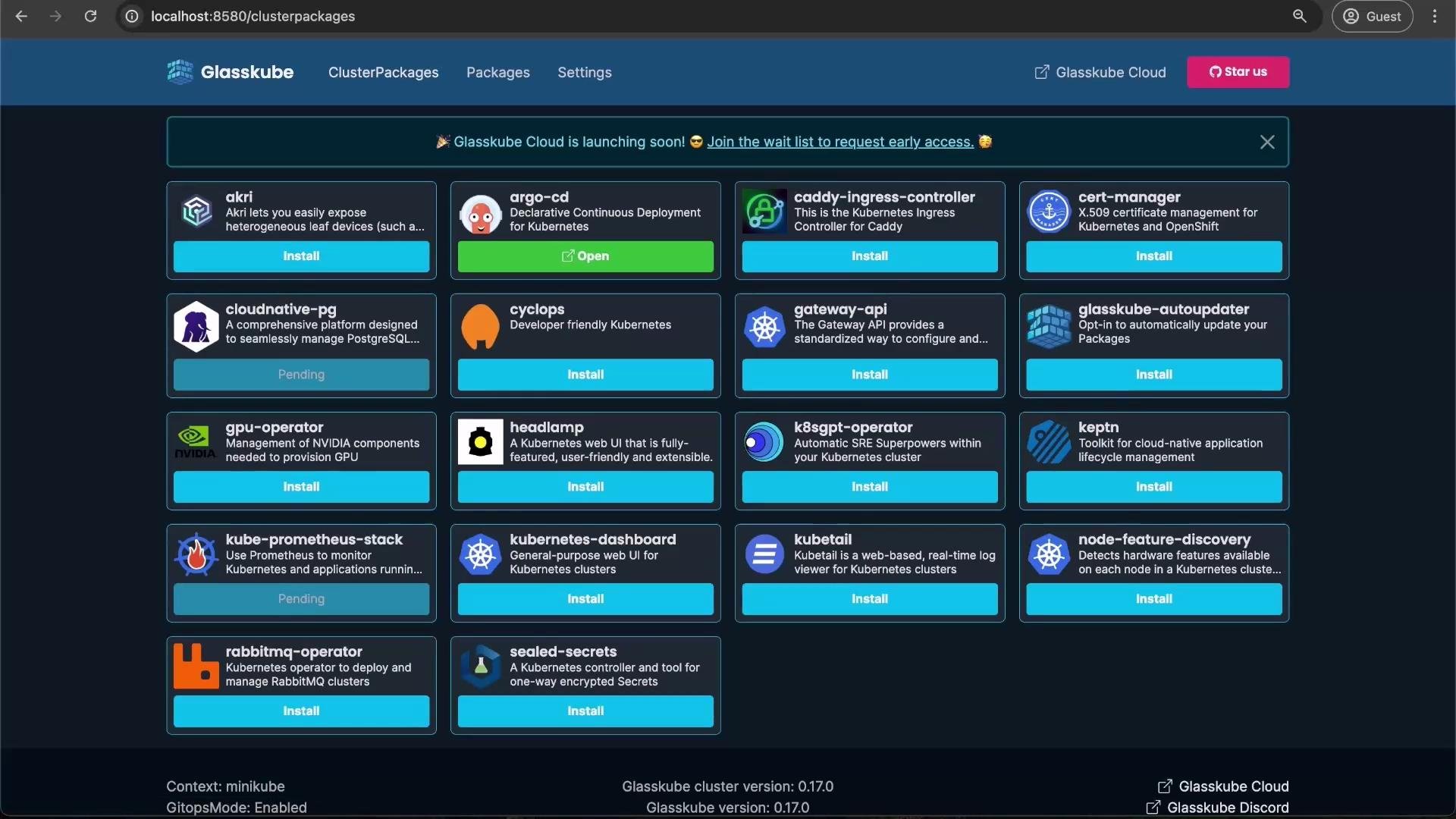
After Argo CD is installed, view the Glasskube UI to inspect available packages and installation status.
Example: commit changes and bootstrap
1. Commit your `repoURL` changes:
```bash theme={null}
git add bootstrap/glasskube/*.yaml
git commit -m "Set repoURL for GitOps bootstrap"
git push origin main
```
2. Run the Glasskube GitOps bootstrap:
```bash theme={null}
glasskube bootstrap git --url https://github.com/jakepage91/gitops-kodekloud
```
Check Glasskube CLI version and pre-checks:
```bash theme={null}
glasskube version
```
Example output (environment-specific):
```plaintext theme={null}
Error checking PackageOperator version:
deployments.apps "glasskube-controller-manager" not found
glasskube: v0.17.0
package-operator: not installed
Glasskube is not yet bootstrapped. Use 'glasskube bootstrap' to get started.
```
When bootstrapping in GitOps mode you may see warnings like:
* "Couldn't prepare manifests: no matches for kind 'PackageRepository' in version 'packages.glasskube.dev/v1alpha1'"
This is expected during the GitOps bootstrap flow; Glasskube will push manifests to your Git repo and install Argo CD and Glasskube controllers into the cluster.
Tip: Argo CD startup and the first Application sync can take a few minutes. Use the Argo CD UI to monitor Application sync status and logs for troubleshooting.
After Argo CD is installed, view the Glasskube UI to inspect available packages and installation status.
 Add a package to the GitOps repository (example: cert-manager)
Follow these steps to add cert-manager as a ClusterPackage via GitOps:
1. Generate the cluster package manifest (dry-run):
```bash theme={null}
glasskube install cert-manager --dry-run -o yaml --yes > cert-manager.yaml
```
Dry-run will print a summary, for example:
```plaintext theme={null}
Dry-run mode is enabled. Nothing will be changed.
Version not specified. The latest version v1.15.2+1 of cert-manager will be installed.
Summary:
* The following packages will be installed in your cluster (minikube):
1. cert-manager (version v1.15.2+1)
* Automatic updates will not be enabled
cert-manager is now installed in minikube.
```
2. The generated `cert-manager.yaml` will contain a `ClusterPackage` resource. Example:
```yaml theme={null}
apiVersion: packages.glasskube.dev/v1alpha1
kind: ClusterPackage
metadata:
name: cert-manager
spec:
packageInfo:
name: cert-manager
repositoryName: glasskube
version: v1.15.2+1
```
3. Add the manifest into your GitOps repository under `packages/cert-manager/clusterpackage.yaml`, commit, and push:
```bash theme={null}
mkdir -p packages/cert-manager
mv cert-manager.yaml packages/cert-manager/clusterpackage.yaml
git add packages/cert-manager/clusterpackage.yaml
git commit -m "added cert-manager"
git push origin main
```
Argo CD (via the ApplicationSet generator) will detect the new package manifest and reconcile it into the cluster. Allow a few minutes for the package to be installed.
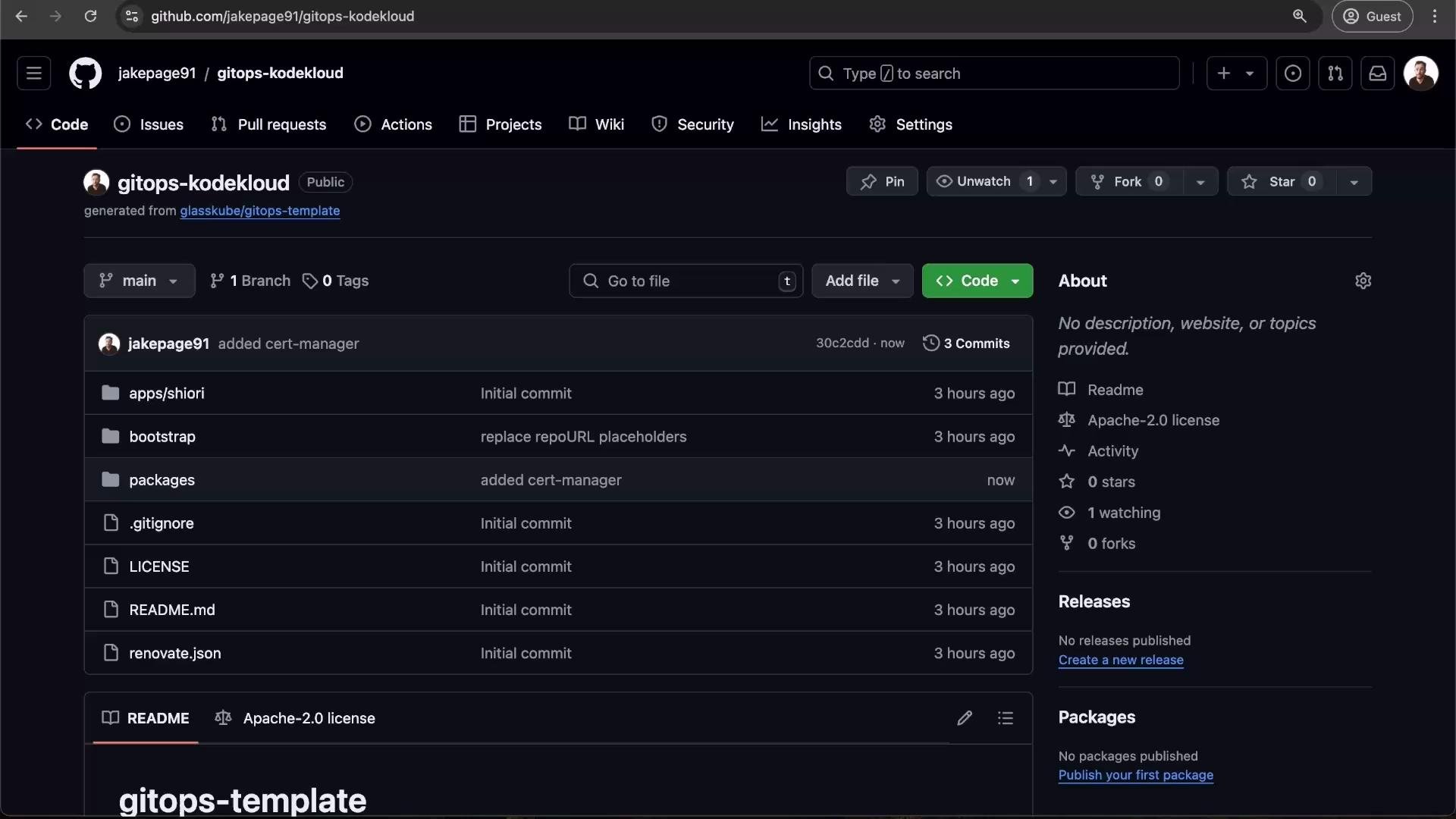
You can confirm the commit appears in your GitHub repository.
Add a package to the GitOps repository (example: cert-manager)
Follow these steps to add cert-manager as a ClusterPackage via GitOps:
1. Generate the cluster package manifest (dry-run):
```bash theme={null}
glasskube install cert-manager --dry-run -o yaml --yes > cert-manager.yaml
```
Dry-run will print a summary, for example:
```plaintext theme={null}
Dry-run mode is enabled. Nothing will be changed.
Version not specified. The latest version v1.15.2+1 of cert-manager will be installed.
Summary:
* The following packages will be installed in your cluster (minikube):
1. cert-manager (version v1.15.2+1)
* Automatic updates will not be enabled
cert-manager is now installed in minikube.
```
2. The generated `cert-manager.yaml` will contain a `ClusterPackage` resource. Example:
```yaml theme={null}
apiVersion: packages.glasskube.dev/v1alpha1
kind: ClusterPackage
metadata:
name: cert-manager
spec:
packageInfo:
name: cert-manager
repositoryName: glasskube
version: v1.15.2+1
```
3. Add the manifest into your GitOps repository under `packages/cert-manager/clusterpackage.yaml`, commit, and push:
```bash theme={null}
mkdir -p packages/cert-manager
mv cert-manager.yaml packages/cert-manager/clusterpackage.yaml
git add packages/cert-manager/clusterpackage.yaml
git commit -m "added cert-manager"
git push origin main
```
Argo CD (via the ApplicationSet generator) will detect the new package manifest and reconcile it into the cluster. Allow a few minutes for the package to be installed.
You can confirm the commit appears in your GitHub repository.
 Automated package updates with Renovate
To enable automated PRs for package upgrades:
1. Install the Renovate GitHub App: [https://github.com/apps/renovate](https://github.com/apps/renovate)
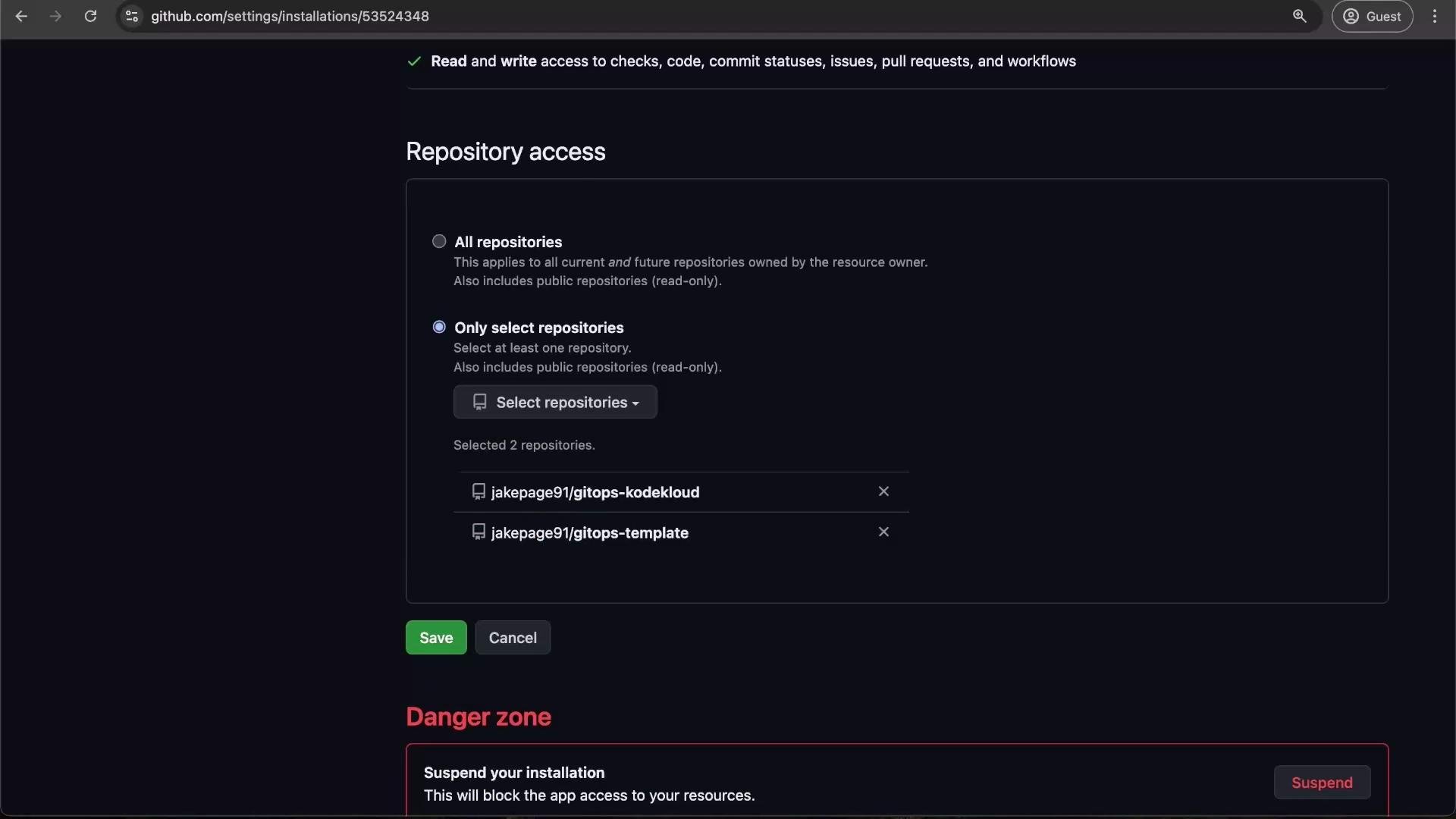
2. Configure access: Click Configure → select "Only select repositories" → choose your GitOps repo (for example, `gitops-kodekloud`) → Save.
Automated package updates with Renovate
To enable automated PRs for package upgrades:
1. Install the Renovate GitHub App: [https://github.com/apps/renovate](https://github.com/apps/renovate)
2. Configure access: Click Configure → select "Only select repositories" → choose your GitOps repo (for example, `gitops-kodekloud`) → Save.
 The template includes a `renovate.json` that uses a regex manager to locate `packageInfo.name` and `packageInfo.version` entries in YAML files. When Renovate opens an update PR, merging the PR updates Git; Argo CD then applies the updated package version automatically.
Confirming installed packages
After reconciliation completes you should see packages such as cert-manager, kube-prometheus-stack, and cloud-native-pg installed and managed by Argo CD/Glasskube in the UI.
Updating Glasskube bootstrap manifests
To refresh the Glasskube manifests that bootstrapped your cluster (for example to pick up new versions or config changes), generate a new bootstrap YAML and commit it:
```bash theme={null}
glasskube bootstrap --dry-run -o yaml --force > bootstrap/glasskube/glasskube.yaml
git add bootstrap/glasskube/glasskube.yaml
git commit -m "update glasskube bootstrap manifests"
git push origin main
```
Argo CD will apply the updated bootstrap manifests during its reconciliation.
Open Grafana and import the CloudNativePG dashboard
After kube-prometheus-stack is provisioned, forward Grafana locally and import the CloudNativePG dashboard to visualize PostgreSQL metrics.
1. Open Grafana for kube-prometheus-stack:
```bash theme={null}
glasskube open kube-prometheus-stack
```
Example output when Grafana is port-forwarded:
```plaintext theme={null}
✔ kube-prometheus-stack is now reachable at http://localhost:8888
grafana | I! Forwarding from 127.0.0.1:8888 -> 3000
```
2. Log in to Grafana:
* Username: `admin`
* Password: `prom-operator`
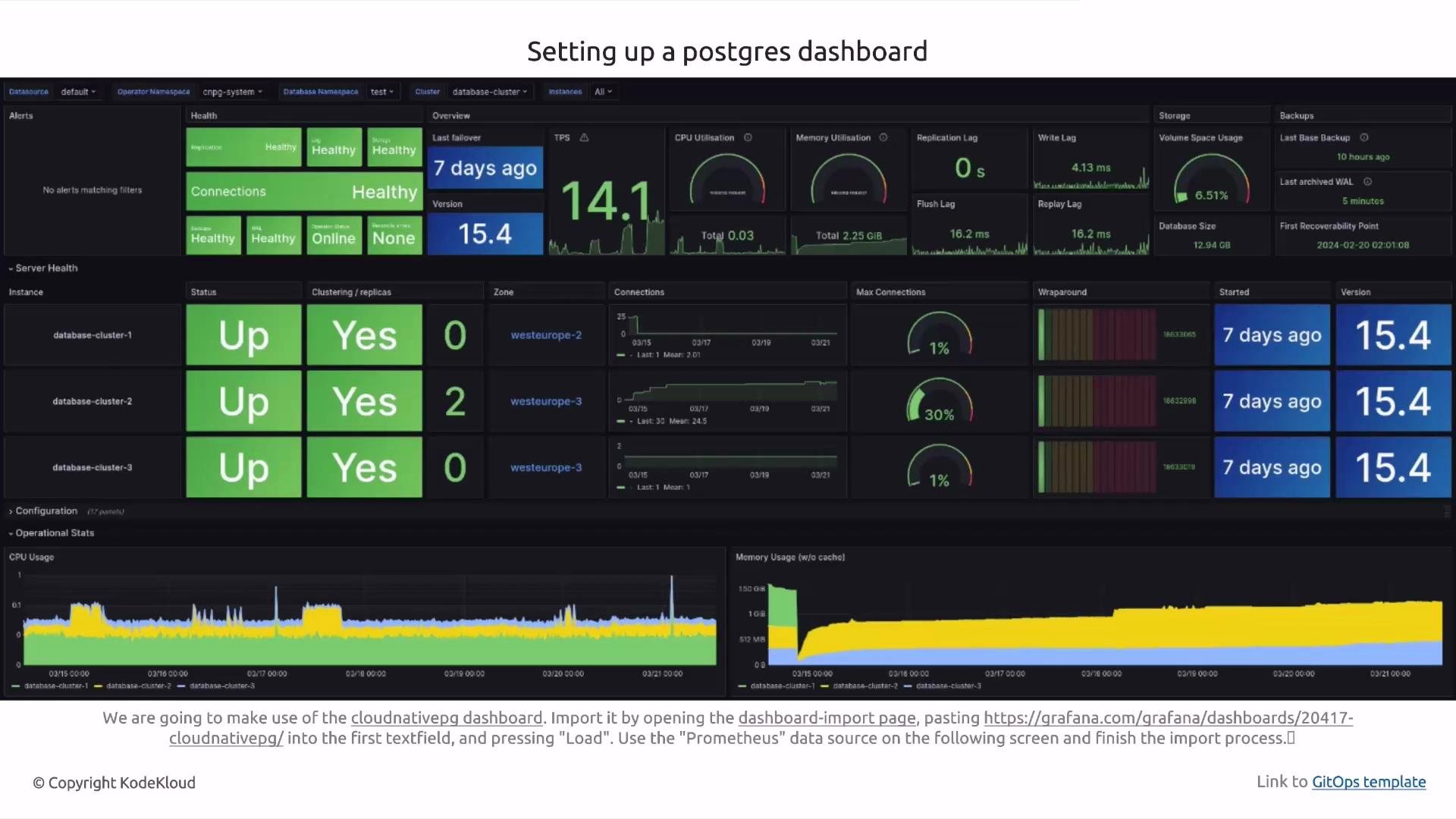
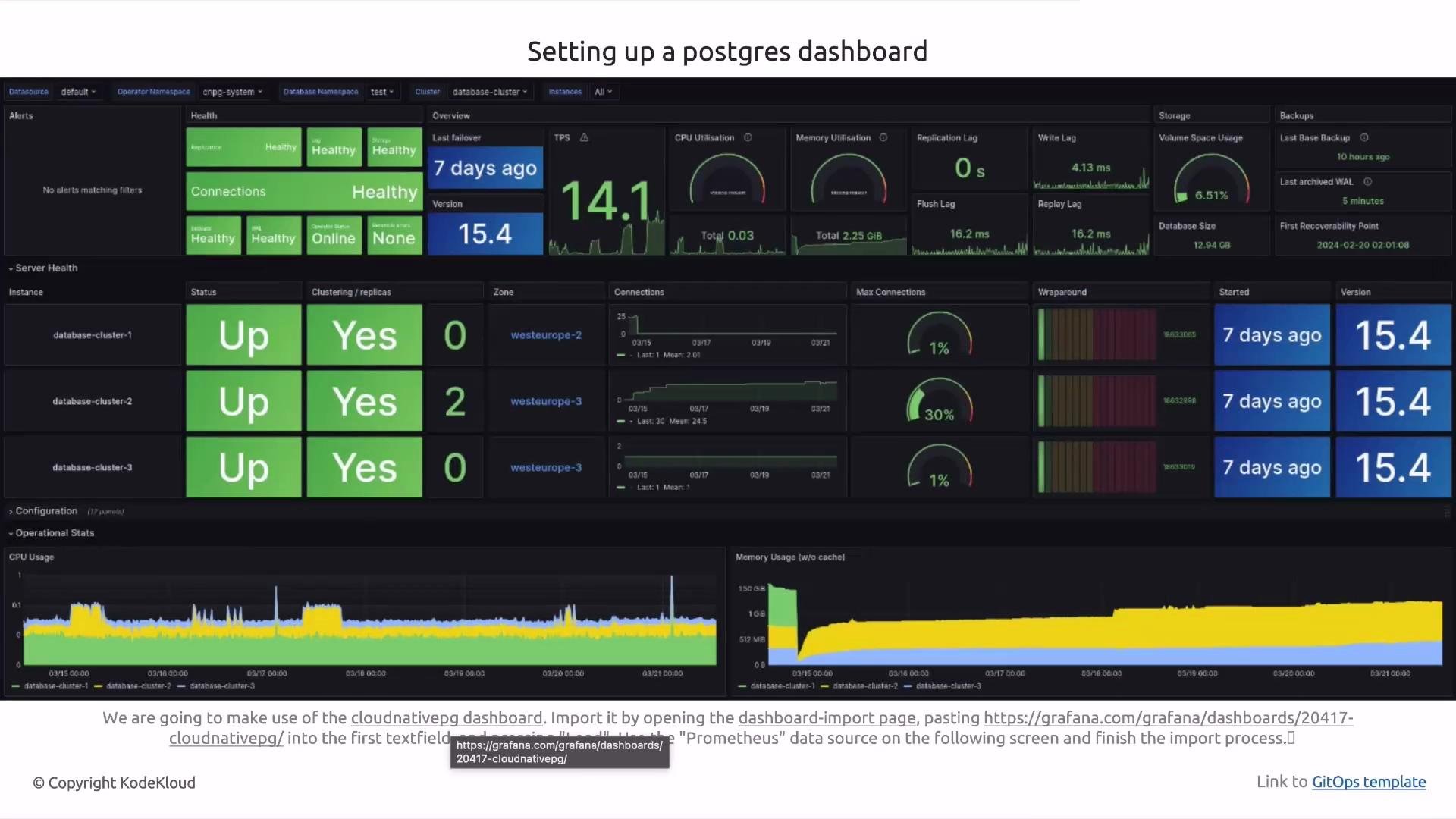
3. Import the CloudNativePG dashboard: Dashboard → New → Import → enter the dashboard ID → choose the Prometheus data source.
The dashboard will display metrics once Prometheus scrapes CloudNativePG exporters.
The template includes a `renovate.json` that uses a regex manager to locate `packageInfo.name` and `packageInfo.version` entries in YAML files. When Renovate opens an update PR, merging the PR updates Git; Argo CD then applies the updated package version automatically.
Confirming installed packages
After reconciliation completes you should see packages such as cert-manager, kube-prometheus-stack, and cloud-native-pg installed and managed by Argo CD/Glasskube in the UI.
Updating Glasskube bootstrap manifests
To refresh the Glasskube manifests that bootstrapped your cluster (for example to pick up new versions or config changes), generate a new bootstrap YAML and commit it:
```bash theme={null}
glasskube bootstrap --dry-run -o yaml --force > bootstrap/glasskube/glasskube.yaml
git add bootstrap/glasskube/glasskube.yaml
git commit -m "update glasskube bootstrap manifests"
git push origin main
```
Argo CD will apply the updated bootstrap manifests during its reconciliation.
Open Grafana and import the CloudNativePG dashboard
After kube-prometheus-stack is provisioned, forward Grafana locally and import the CloudNativePG dashboard to visualize PostgreSQL metrics.
1. Open Grafana for kube-prometheus-stack:
```bash theme={null}
glasskube open kube-prometheus-stack
```
Example output when Grafana is port-forwarded:
```plaintext theme={null}
✔ kube-prometheus-stack is now reachable at http://localhost:8888
grafana | I! Forwarding from 127.0.0.1:8888 -> 3000
```
2. Log in to Grafana:
* Username: `admin`
* Password: `prom-operator`
3. Import the CloudNativePG dashboard: Dashboard → New → Import → enter the dashboard ID → choose the Prometheus data source.
The dashboard will display metrics once Prometheus scrapes CloudNativePG exporters.
 Access Argo CD to inspect managed applications
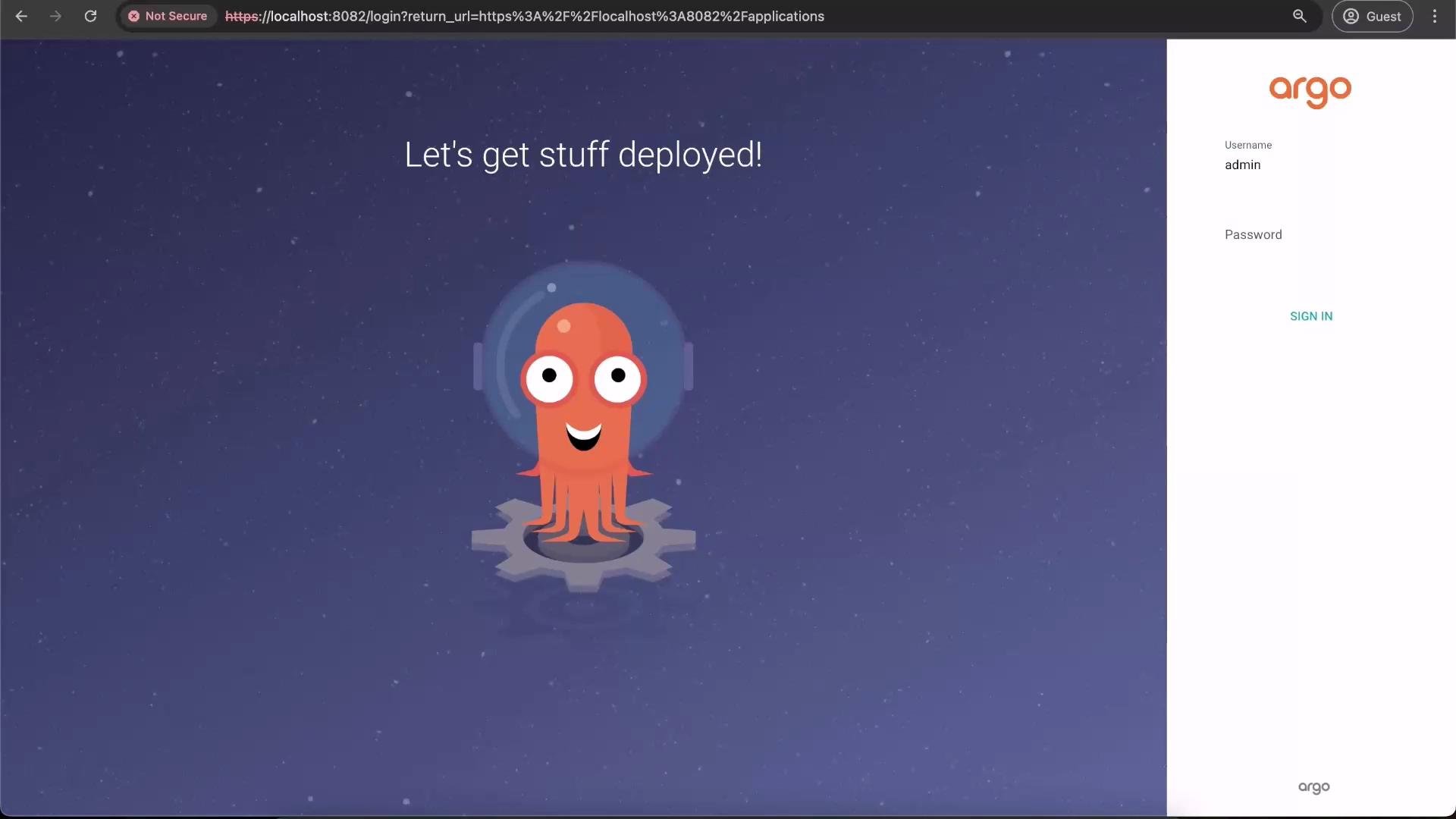
Retrieve the initial Argo CD admin password and log in to the Argo CD UI to see applications managed by Glasskube and the ApplicationSet. The Argo CD login looks like this:
Access Argo CD to inspect managed applications
Retrieve the initial Argo CD admin password and log in to the Argo CD UI to see applications managed by Glasskube and the ApplicationSet. The Argo CD login looks like this:
 Summary — GitOps package management with Glasskube
* Use the Glasskube GitOps template to keep package definitions and cluster state in Git.
* Update `repoURL` placeholders, bootstrap in GitOps mode, and add `packages/*` manifests to install packages.
* Use Renovate for automated package upgrade PRs.
* Argo CD continuously reconciles cluster state to match Git — merge changes to deploy updates.
Tip: After pushing changes, allow a few minutes for Argo CD to detect and reconcile new manifests. If an application fails to sync, check the Argo CD application logs and the Glasskube controller logs for details.
Next steps
Customize the ApplicationSet generators, add your own packages, tune Renovate rules, and practice making Git-driven changes to provision a production-ready GitOps-managed cluster with Glasskube.
Links and references
* Glasskube project: [https://github.com/glasskube](https://github.com/glasskube)
* Argo CD documentation: [https://argo-cd.readthedocs.io/](https://argo-cd.readthedocs.io/)
* Renovate documentation: [https://docs.renovatebot.com/](https://docs.renovatebot.com/)
* Kubernetes documentation: [https://kubernetes.io/docs/](https://kubernetes.io/docs/)
Summary — GitOps package management with Glasskube
* Use the Glasskube GitOps template to keep package definitions and cluster state in Git.
* Update `repoURL` placeholders, bootstrap in GitOps mode, and add `packages/*` manifests to install packages.
* Use Renovate for automated package upgrade PRs.
* Argo CD continuously reconciles cluster state to match Git — merge changes to deploy updates.
Tip: After pushing changes, allow a few minutes for Argo CD to detect and reconcile new manifests. If an application fails to sync, check the Argo CD application logs and the Glasskube controller logs for details.
Next steps
Customize the ApplicationSet generators, add your own packages, tune Renovate rules, and practice making Git-driven changes to provision a production-ready GitOps-managed cluster with Glasskube.
Links and references
* Glasskube project: [https://github.com/glasskube](https://github.com/glasskube)
* Argo CD documentation: [https://argo-cd.readthedocs.io/](https://argo-cd.readthedocs.io/)
* Renovate documentation: [https://docs.renovatebot.com/](https://docs.renovatebot.com/)
* Kubernetes documentation: [https://kubernetes.io/docs/](https://kubernetes.io/docs/)