> ## Documentation Index
> Fetch the complete documentation index at: https://notes.kodekloud.com/llms.txt
> Use this file to discover all available pages before exploring further.
# Multi repository Package Management
> Guide to Glasskube multi repository package management including adding public and private registries, package discovery, authentication options, CLI and UI usage, and promotion workflows
In this lesson we cover how Glasskube's multi-repository feature improves package lifecycle management by enabling discovery, testing, and governance across public and private registries. You will learn how to list repositories, add public or private repositories, and configure authentication for private backends.
By default, Glasskube points to the Glasskube Hub — a public, curated package repository maintained by the Glasskube team on GitHub.
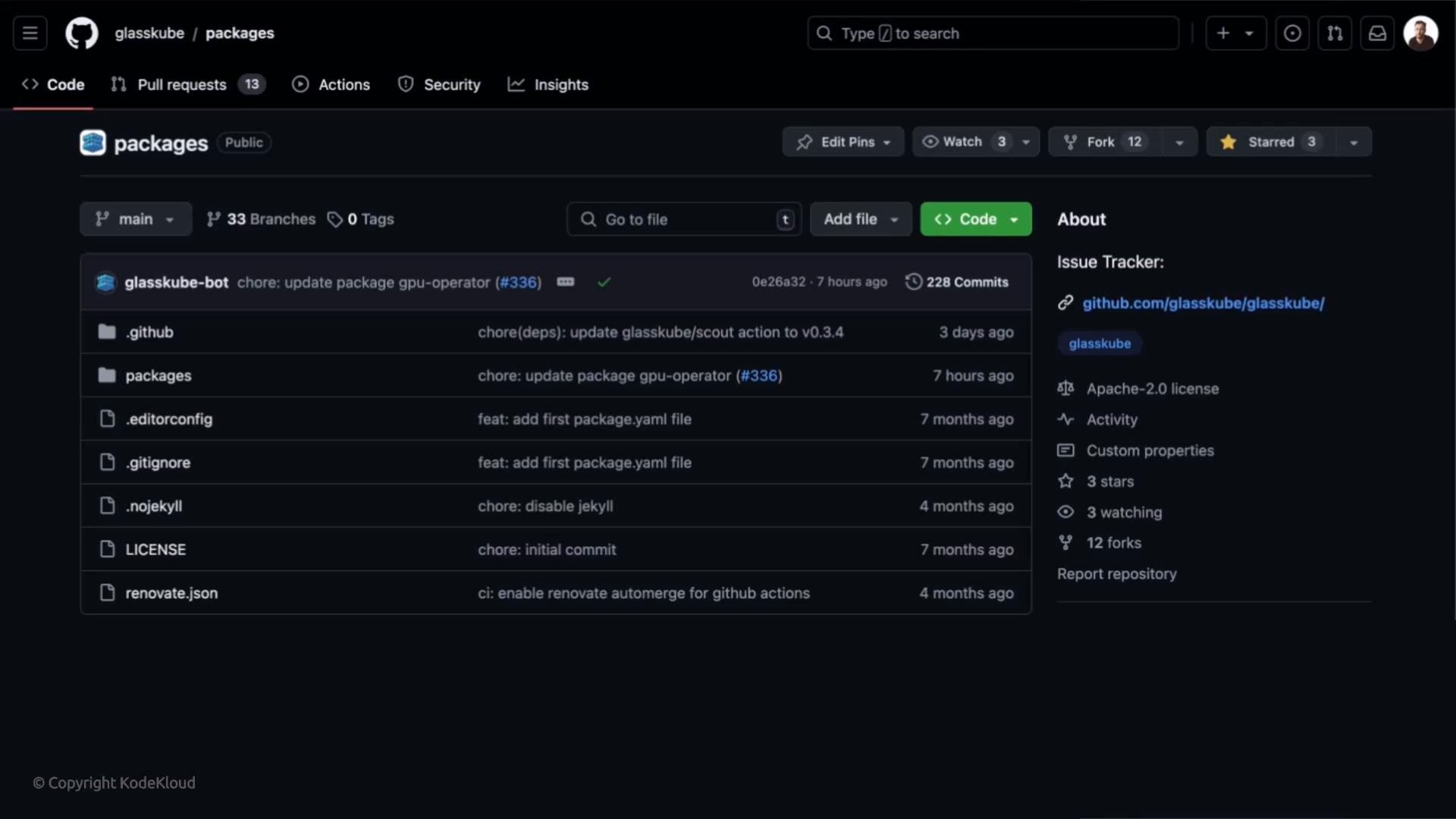 Glasskube's multi-repository capability lets you connect additional repositories (public or private). Typical scenarios include hosting organization-specific packages, creating team registries, or isolating dev/test/staging package flows before promoting to production.
 Common use cases
* Host organization-specific packages in a private repository.
* Create team-level repositories for independent development and controlled sharing.
* Maintain dev/test/staging registries and promote to production once validated.
Quick repository overview
Use the CLI to view repositories Glasskube currently knows about and the number of packages each exposes:
```bash theme={null}
~ glasskube repo list
NAME URL
glasskube https://packages.d1.glasskube.dev/packages (default) Ready repo has 20 packages
```
How Glasskube discovers packages
Glasskube expects a raw YAML index file (commonly `index.yaml` or `packages`) containing metadata for each package: name, latest version, short description, and optionally an icon URL. Point Glasskube at the raw file URL (for example, `https://raw.githubusercontent.com/user/repo/branch/path/index.yaml`) so it can parse package metadata directly. Avoid pointing to GitHub HTML pages or directory URLs.
Example index YAML (trimmed):
```yaml theme={null}
packages:
- name: argo-cd
shortDescription: Declarative Continuous Deployment for Kubernetes
iconUrl: https://avatars.githubusercontent.com/u/30269780
latestVersion: v2.10.2+1
- name: cert-manager
shortDescription: X.509 certificate management for Kubernetes and OpenShift
iconUrl: https://avatars.githubusercontent.com/u/13629408
latestVersion: v2.7.0+1
- name: cyclops
shortDescription: Developer friendly Kubernetes
iconUrl: https://cyclops-ui.com/img/logo.png
latestVersion: v0.0.1
- name: ingress-nginx
shortDescription: Ingress controller for Kubernetes using NGINX
iconUrl: https://avatars.githubusercontent.com/u/46796476
latestVersion: v0.10.0+1
- name: kubernetes-dashboard
shortDescription: General-purpose web UI for Kubernetes clusters
latestVersion: v2.7.0+1
```
Glasskube parses the raw YAML index directly. Use the repository's raw file URL (for example, `https://raw.githubusercontent.com/.../index.yaml`) — do not use GitHub UI or directory URLs since those return HTML, not the raw YAML.
Add a public repository
To add a public, no-auth repository use:
```bash theme={null}
glasskube repo add kodekloud-packages https://raw.githubusercontent.com/jakepage91/kodekloud-packages/main/packages/index.yaml
✔ package repository kodekloud-packages added
```
After adding a repository, verify it is listed and that Glasskube detected packages:
```bash theme={null}
~ glasskube repo list
NAME URL STATUS MESSAGE
glasskube https://packages.d1.glasskube.dev/packages Ready repo has 20 packages
kodekloud-packages https://raw.githubusercontent.com/jakepage91/kodekloud-packages/main/packages/index.yaml Ready repo has 6 packages
```
UI behavior with multiple repositories
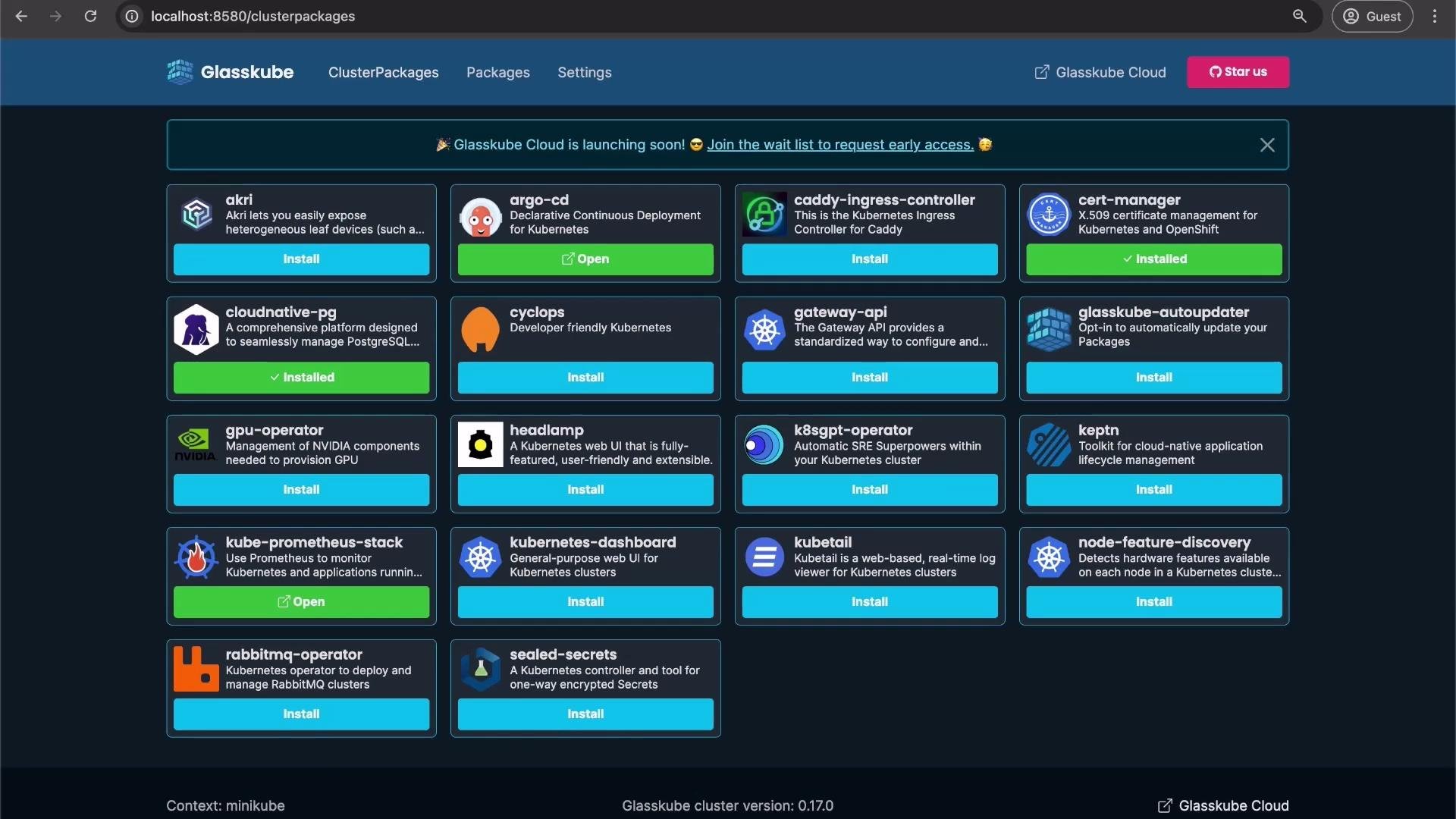
When multiple repositories are configured, the Glasskube UI and CLI will show packages from all configured backends and allow selecting a specific repository/version when installing.
Common use cases
* Host organization-specific packages in a private repository.
* Create team-level repositories for independent development and controlled sharing.
* Maintain dev/test/staging registries and promote to production once validated.
Quick repository overview
Use the CLI to view repositories Glasskube currently knows about and the number of packages each exposes:
```bash theme={null}
~ glasskube repo list
NAME URL
glasskube https://packages.d1.glasskube.dev/packages (default) Ready repo has 20 packages
```
How Glasskube discovers packages
Glasskube expects a raw YAML index file (commonly `index.yaml` or `packages`) containing metadata for each package: name, latest version, short description, and optionally an icon URL. Point Glasskube at the raw file URL (for example, `https://raw.githubusercontent.com/user/repo/branch/path/index.yaml`) so it can parse package metadata directly. Avoid pointing to GitHub HTML pages or directory URLs.
Example index YAML (trimmed):
```yaml theme={null}
packages:
- name: argo-cd
shortDescription: Declarative Continuous Deployment for Kubernetes
iconUrl: https://avatars.githubusercontent.com/u/30269780
latestVersion: v2.10.2+1
- name: cert-manager
shortDescription: X.509 certificate management for Kubernetes and OpenShift
iconUrl: https://avatars.githubusercontent.com/u/13629408
latestVersion: v2.7.0+1
- name: cyclops
shortDescription: Developer friendly Kubernetes
iconUrl: https://cyclops-ui.com/img/logo.png
latestVersion: v0.0.1
- name: ingress-nginx
shortDescription: Ingress controller for Kubernetes using NGINX
iconUrl: https://avatars.githubusercontent.com/u/46796476
latestVersion: v0.10.0+1
- name: kubernetes-dashboard
shortDescription: General-purpose web UI for Kubernetes clusters
latestVersion: v2.7.0+1
```
Glasskube parses the raw YAML index directly. Use the repository's raw file URL (for example, `https://raw.githubusercontent.com/.../index.yaml`) — do not use GitHub UI or directory URLs since those return HTML, not the raw YAML.
Add a public repository
To add a public, no-auth repository use:
```bash theme={null}
glasskube repo add kodekloud-packages https://raw.githubusercontent.com/jakepage91/kodekloud-packages/main/packages/index.yaml
✔ package repository kodekloud-packages added
```
After adding a repository, verify it is listed and that Glasskube detected packages:
```bash theme={null}
~ glasskube repo list
NAME URL STATUS MESSAGE
glasskube https://packages.d1.glasskube.dev/packages Ready repo has 20 packages
kodekloud-packages https://raw.githubusercontent.com/jakepage91/kodekloud-packages/main/packages/index.yaml Ready repo has 6 packages
```
UI behavior with multiple repositories
When multiple repositories are configured, the Glasskube UI and CLI will show packages from all configured backends and allow selecting a specific repository/version when installing.
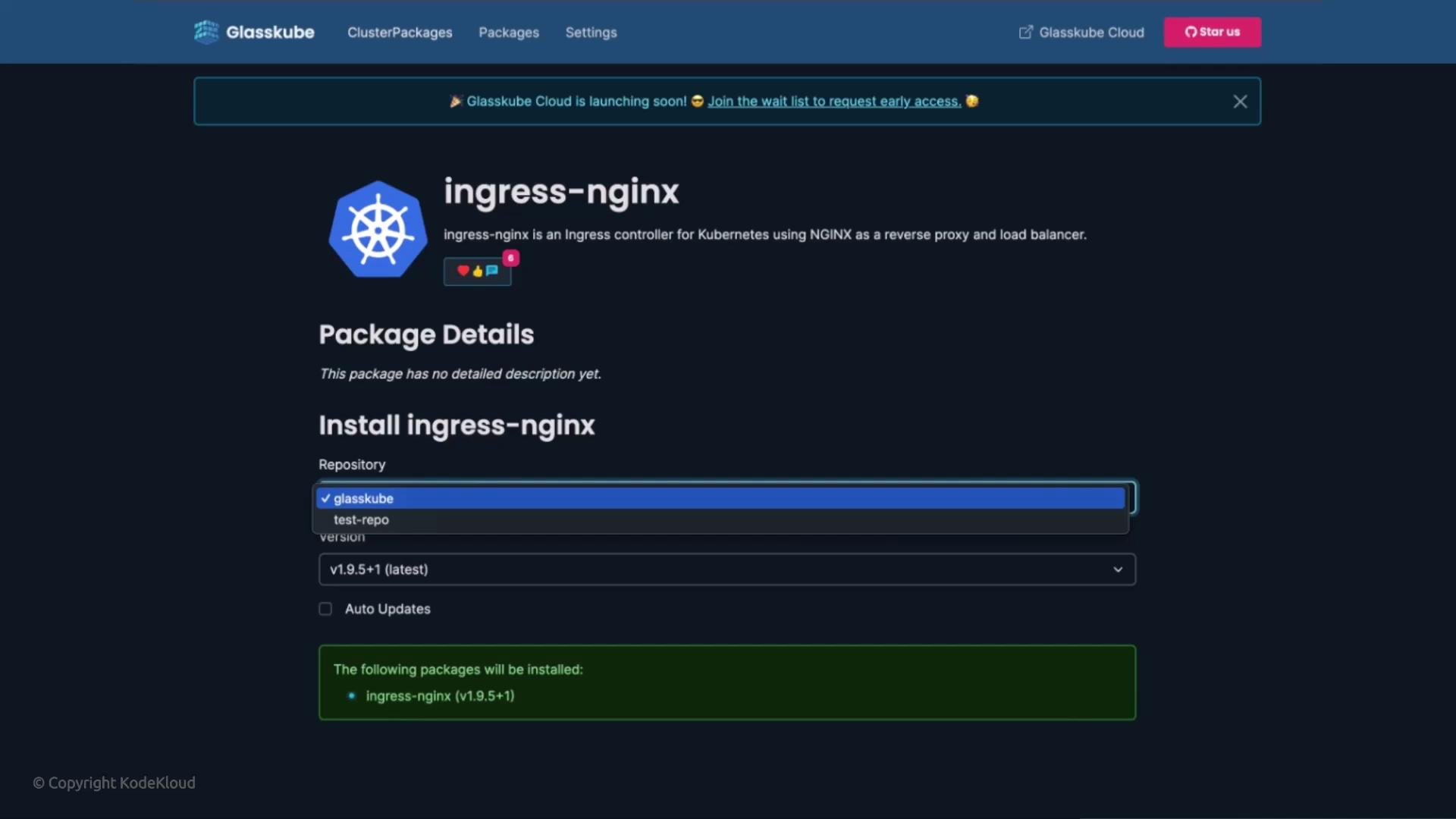 If only the default repository is configured, some UI package views will not show a repository selector since there is only one backend configured.
 Authentication for private repositories
Glasskube supports three authentication methods for private repositories:
| Auth type | CLI flags | Description / usage |
| --------- | ------------------------------------------------------ | -------------------------------------------------------------------------------------------------------------- |
| `none` | (default) | Public repository, no credentials required. |
| `basic` | `--auth basic --username --password ` | HTTP Basic authentication with username/password. |
| `bearer` | `--auth bearer --token ` | Bearer token (e.g., GitHub Personal Access Token). Glasskube can prompt interactively if `--token` is omitted. |
If you run `glasskube repo add` without an `--auth` value when one is expected, the CLI will return usage help:
```bash theme={null}
glasskube repo add kodekloud-packages https://raw.githubusercontent.com/jakepage91/kodekloud-packages/main/packages/index.yaml --auth
Error: flag needs an argument: --auth
Usage:
glasskube repo add [flags]
Flags:
--auth (none|basic|bearer) Type of authentication
--default Use this repository as default
--password string Password for basic authentication
--token string Token for bearer authentication
--username string Username for basic authentication
```
Example: add a private GitHub repository using a bearer token
Non-interactive (supply token on CLI):
```bash theme={null}
glasskube repo add kodekloud-packages https://raw.githubusercontent.com/jakepage91/kodekloud-packages/main/packages/index.yaml --auth bearer --token "YOUR_GITHUB_TOKEN"
✔ package repository kodekloud-packages added
```
Interactive (Glasskube prompts for token):
```bash theme={null}
glasskube repo add kodekloud-packages https://raw.githubusercontent.com/jakepage91/kodekloud-packages/main/packages/index.yaml --auth bearer
Bearer authentication was requested. Please enter a token:
# (enter token at the prompt)
✔ package repository kodekloud-packages added
```
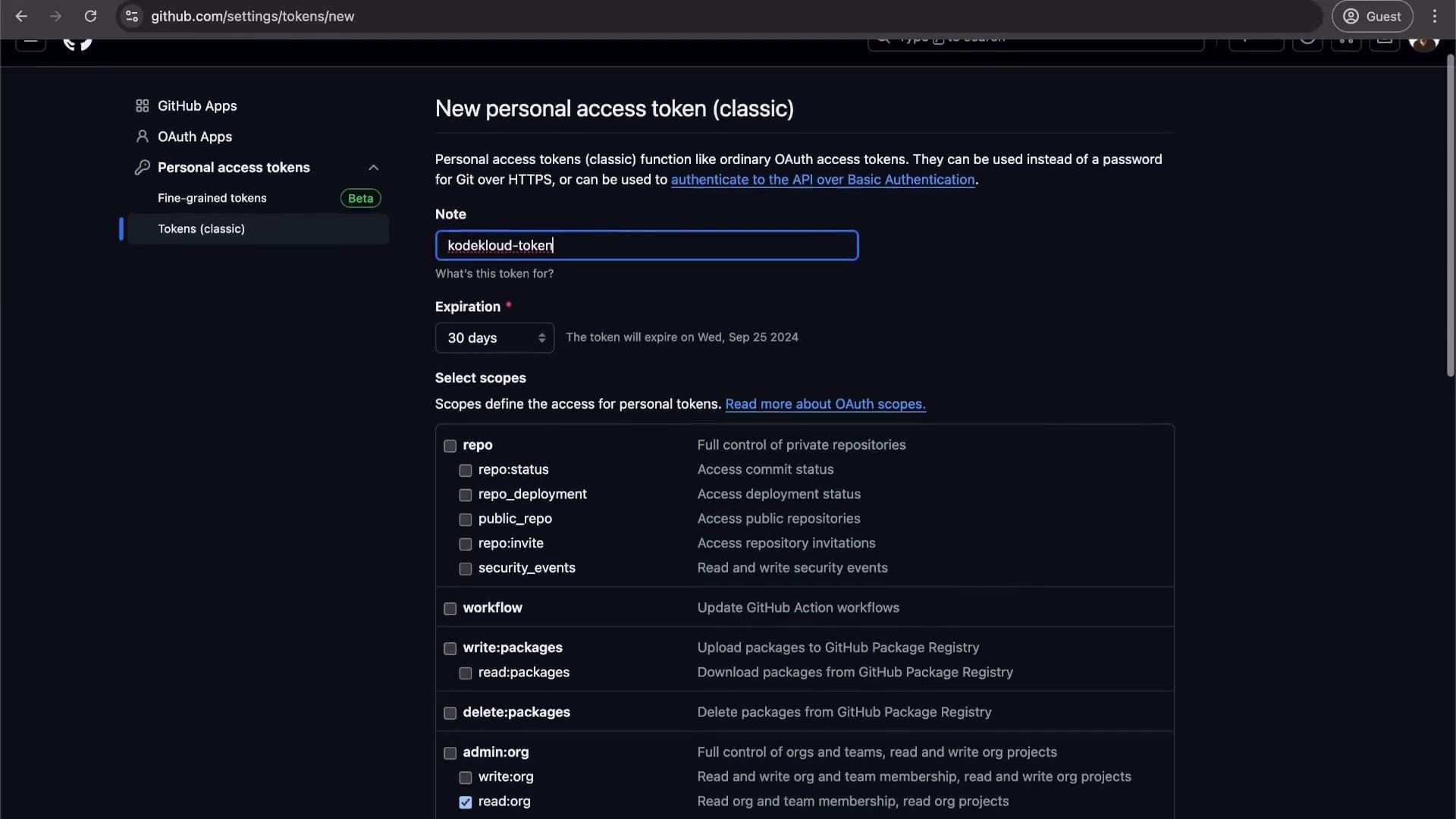
Creating a GitHub personal access token
1. In GitHub, go to Settings → Developer settings → `Personal access tokens`.
2. Create a token with the minimum scope required (prefer repository-read access or fine-grained tokens scoped to the packages repository).
3. Use that token with `--token` or enter it interactively when prompted.
Authentication for private repositories
Glasskube supports three authentication methods for private repositories:
| Auth type | CLI flags | Description / usage |
| --------- | ------------------------------------------------------ | -------------------------------------------------------------------------------------------------------------- |
| `none` | (default) | Public repository, no credentials required. |
| `basic` | `--auth basic --username --password ` | HTTP Basic authentication with username/password. |
| `bearer` | `--auth bearer --token ` | Bearer token (e.g., GitHub Personal Access Token). Glasskube can prompt interactively if `--token` is omitted. |
If you run `glasskube repo add` without an `--auth` value when one is expected, the CLI will return usage help:
```bash theme={null}
glasskube repo add kodekloud-packages https://raw.githubusercontent.com/jakepage91/kodekloud-packages/main/packages/index.yaml --auth
Error: flag needs an argument: --auth
Usage:
glasskube repo add [flags]
Flags:
--auth (none|basic|bearer) Type of authentication
--default Use this repository as default
--password string Password for basic authentication
--token string Token for bearer authentication
--username string Username for basic authentication
```
Example: add a private GitHub repository using a bearer token
Non-interactive (supply token on CLI):
```bash theme={null}
glasskube repo add kodekloud-packages https://raw.githubusercontent.com/jakepage91/kodekloud-packages/main/packages/index.yaml --auth bearer --token "YOUR_GITHUB_TOKEN"
✔ package repository kodekloud-packages added
```
Interactive (Glasskube prompts for token):
```bash theme={null}
glasskube repo add kodekloud-packages https://raw.githubusercontent.com/jakepage91/kodekloud-packages/main/packages/index.yaml --auth bearer
Bearer authentication was requested. Please enter a token:
# (enter token at the prompt)
✔ package repository kodekloud-packages added
```
Creating a GitHub personal access token
1. In GitHub, go to Settings → Developer settings → `Personal access tokens`.
2. Create a token with the minimum scope required (prefer repository-read access or fine-grained tokens scoped to the packages repository).
3. Use that token with `--token` or enter it interactively when prompted.
 After adding a private repository with valid credentials, `glasskube repo list` will include the `AUTH` column and show the detected package count:
```bash theme={null}
~ glasskube repo list
NAME URL AUTH STATUS MESSAGE
glasskube https://packages.d1.glasskube.dev/packages none Ready repo has 20 packages
kodekloud-packages https://raw.githubusercontent.com/jakepage91/kodekloud-packages/main/packages/index.yaml bearer Ready repo has 6 packages
```
Installation selection and workflows
Once multiple repositories are configured, you can explicitly choose which repository to install a package from in the Glasskube UI or specify it via CLI. This supports workflows such as installing a package from a staging repository for testing before promoting it to the production registry.
Summary
Glasskube's multi-repository support gives you the flexibility to:
* Aggregate public and private package sources,
* Segregate dev/test/staging registries,
* Implement team or org-level package governance,
* Promote packages between repositories as part of your release workflows.
Try adding a public and a private repository to see package discovery, authorization behavior, and the UI repository selector in action.
Always protect access tokens and follow least-privilege principles. Prefer fine-grained tokens or repository-scoped access when possible, and avoid embedding tokens in shared scripts or version control.
Links and references
* Glasskube documentation: [https://docs.glasskube.dev/](https://docs.glasskube.dev/) (if available)
* GitHub: Creating a personal access token — [https://docs.github.com/en/authentication/keeping-your-account-and-data-secure/creating-a-personal-access-token](https://docs.github.com/en/authentication/keeping-your-account-and-data-secure/creating-a-personal-access-token)
After adding a private repository with valid credentials, `glasskube repo list` will include the `AUTH` column and show the detected package count:
```bash theme={null}
~ glasskube repo list
NAME URL AUTH STATUS MESSAGE
glasskube https://packages.d1.glasskube.dev/packages none Ready repo has 20 packages
kodekloud-packages https://raw.githubusercontent.com/jakepage91/kodekloud-packages/main/packages/index.yaml bearer Ready repo has 6 packages
```
Installation selection and workflows
Once multiple repositories are configured, you can explicitly choose which repository to install a package from in the Glasskube UI or specify it via CLI. This supports workflows such as installing a package from a staging repository for testing before promoting it to the production registry.
Summary
Glasskube's multi-repository support gives you the flexibility to:
* Aggregate public and private package sources,
* Segregate dev/test/staging registries,
* Implement team or org-level package governance,
* Promote packages between repositories as part of your release workflows.
Try adding a public and a private repository to see package discovery, authorization behavior, and the UI repository selector in action.
Always protect access tokens and follow least-privilege principles. Prefer fine-grained tokens or repository-scoped access when possible, and avoid embedding tokens in shared scripts or version control.
Links and references
* Glasskube documentation: [https://docs.glasskube.dev/](https://docs.glasskube.dev/) (if available)
* GitHub: Creating a personal access token — [https://docs.github.com/en/authentication/keeping-your-account-and-data-secure/creating-a-personal-access-token](https://docs.github.com/en/authentication/keeping-your-account-and-data-secure/creating-a-personal-access-token)