> ## Documentation Index
> Fetch the complete documentation index at: https://notes.kodekloud.com/llms.txt
> Use this file to discover all available pages before exploring further.
# Analytics Quickwit
> Guide to installing and configuring Quickwit search and analytics as a namespaced Glasskube package, covering S3 storage setup, deployment steps, and verifying the web UI
Welcome back.
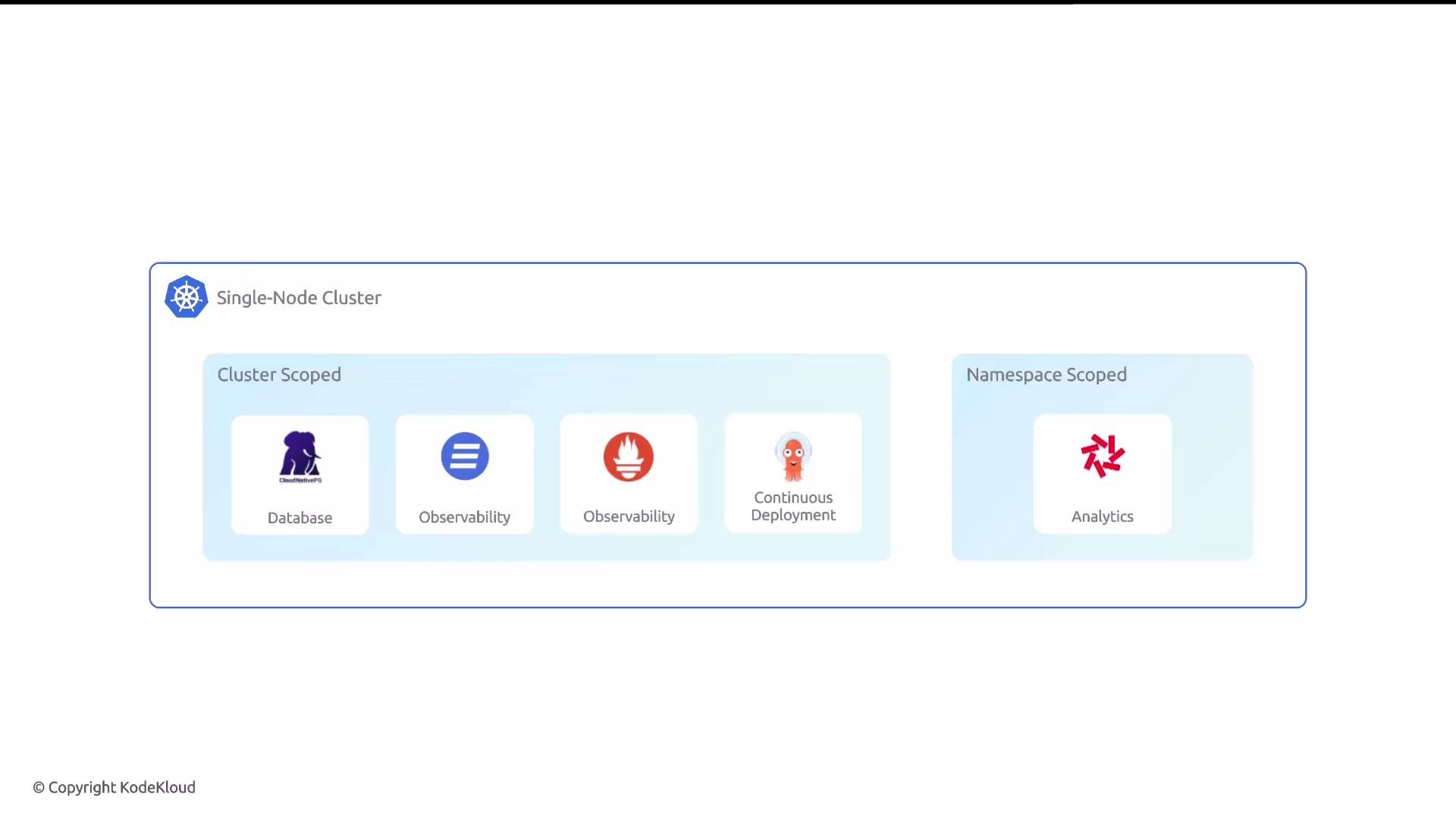
This lesson covers Quickwit — a high-performance, cloud-object-storage-optimized search and analytics engine — and shows how to install it as a namespaced package with Glasskube. We'll explain what Quickwit is, which values you must configure, how to prepare your cluster (namespace), and how to deploy and verify Quickwit using Glasskube.
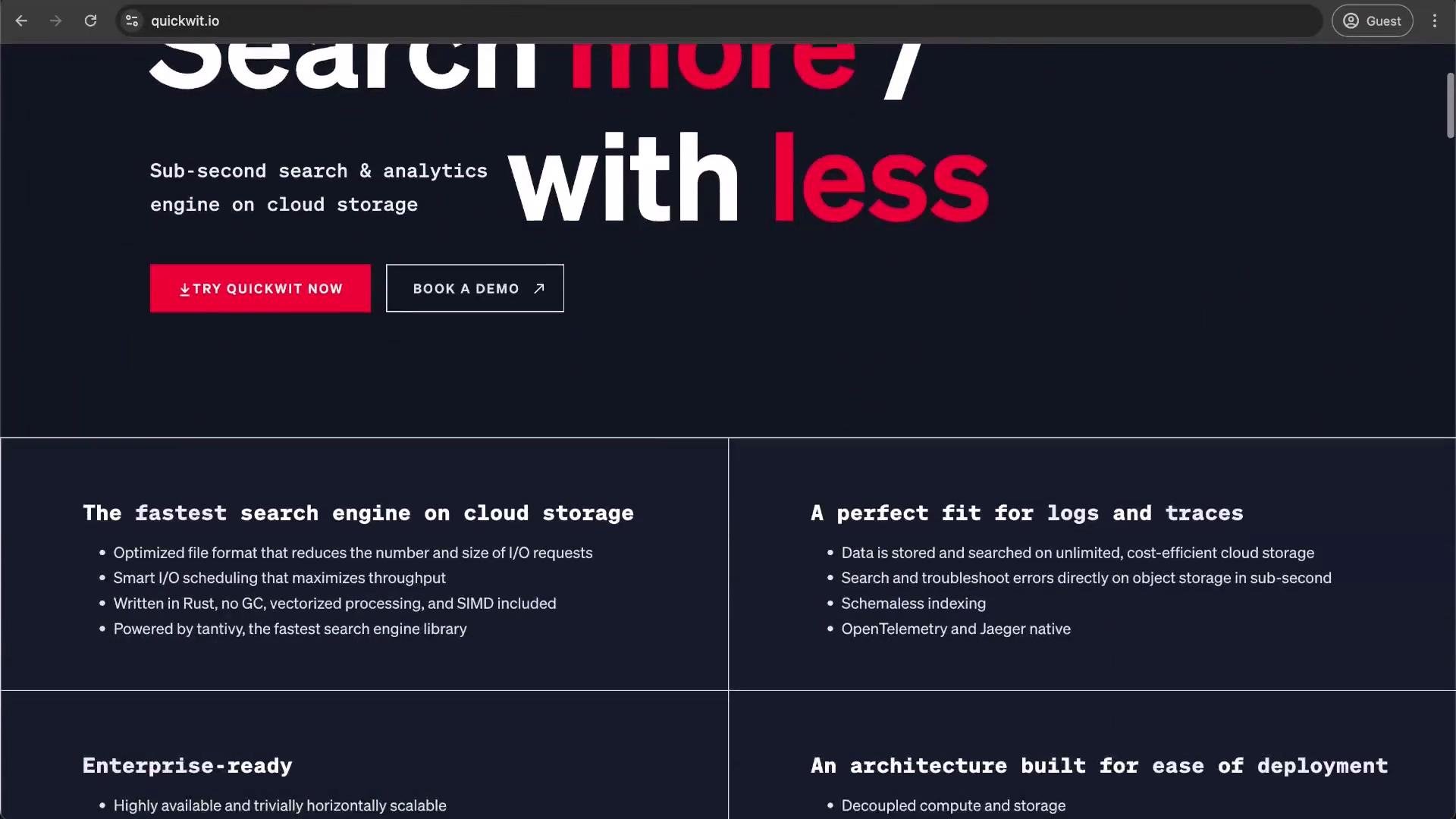
Quickwit is designed for fast, scalable search and analytics over large datasets by leveraging an optimized file format and intelligent scheduling. It externalizes data to S3 or S3-compatible object stores for cost-effective, scalable storage.
 ## Package overview
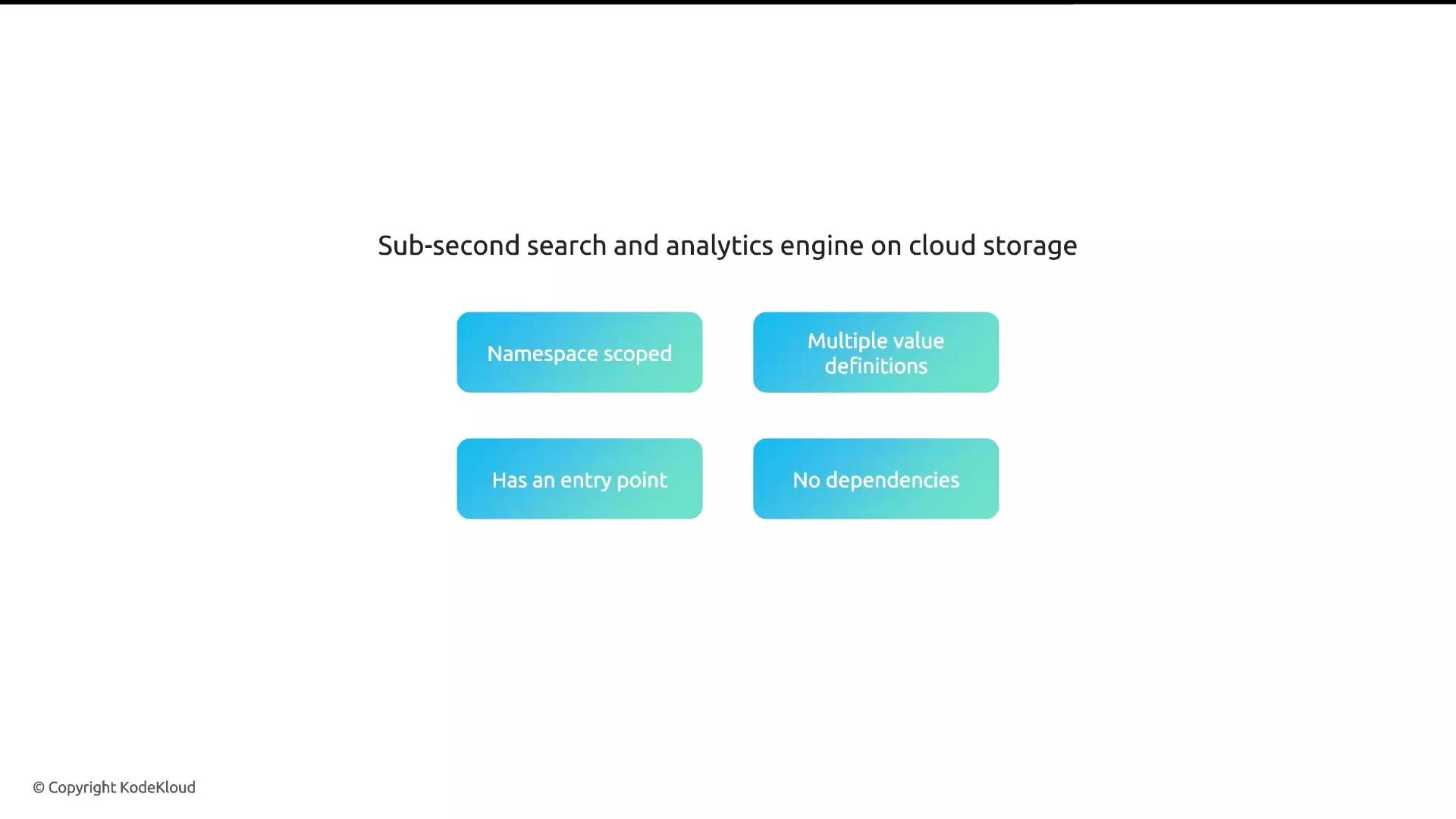
* Scope: Namespace-scoped package (Quickwit requires an existing namespace).
* Configuration: Several values must be supplied (see Required values).
* UI: Quickwit exposes a web-based UI (Glasskube provides an entry point to open it).
* Dependencies: None — Glasskube will not install additional packages for Quickwit.
## Package overview
* Scope: Namespace-scoped package (Quickwit requires an existing namespace).
* Configuration: Several values must be supplied (see Required values).
* UI: Quickwit exposes a web-based UI (Glasskube provides an entry point to open it).
* Dependencies: None — Glasskube will not install additional packages for Quickwit.
 ## Architecture and storage
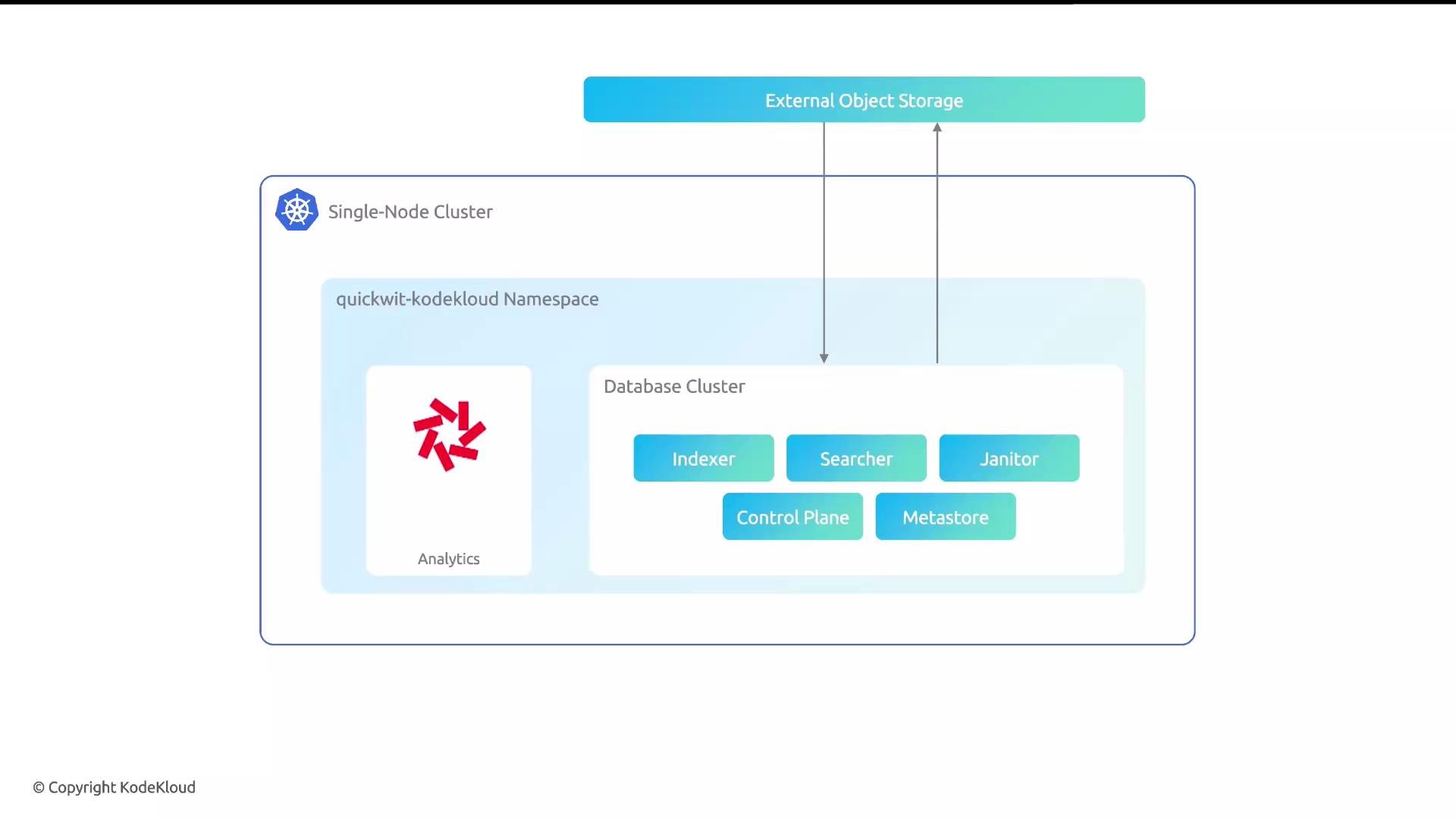
Quickwit deploys a small set of components into the target namespace (indexer, searcher, janitor, control plane, metastore). A core design decision is that Quickwit externalizes object storage: indexes and metadata are stored in S3 or an S3-compatible object store. This approach enables high scalability and cost-efficient analytics at scale.
## Architecture and storage
Quickwit deploys a small set of components into the target namespace (indexer, searcher, janitor, control plane, metastore). A core design decision is that Quickwit externalizes object storage: indexes and metadata are stored in S3 or an S3-compatible object store. This approach enables high scalability and cost-efficient analytics at scale.
 ## Required values (high level)
For most installations (including the demo) you will supply the following core values:
| Value | Purpose | Example |
| ------------------- | ------------------------------------------------------------------------ | ------------------------------------------ |
| `defaultIndexUri` | S3 URI used as the default index storage location | `s3://quickwit-indexes` |
| `metastoreUri` | Metastore URI (can point to the same S3 bucket as the index) | `s3://quickwit-indexes` |
| `s3AccessKeyId` | S3 access key ID (or temporary/IAM-backed credentials) | `AKIA...` |
| `s3SecretAccessKey` | S3 secret access key | `wJalrXUtnFEMI/K7MDENG/bPxRfiCYEXAMPLEKEY` |
| `s3Region` | AWS region for the S3 bucket (or region for your S3-compatible provider) | `us-east-1` |
Optional values commonly used:
* `s3Endpoint` — set for non-AWS S3-compatible endpoints (e.g., MinIO, Ceph).
* `s3Flavor` — choose the S3 flavor if your provider requires special handling.
* Custom Quickwit domain or ingress settings for production-grade exposure.
Glasskube’s Configure button for namespaced packages lets you supply these values before installation and edit them later.
You must create the target namespace in your cluster before installing a namespaced package like Quickwit. Glasskube does not auto-create the namespace for you.
Treat S3 credentials as secrets. Do not commit access keys to version control. In production, prefer IAM roles, temporary credentials, or Kubernetes secrets referenced by the package configuration.
## Quickwit quickstart (local / binary / Docker)
You can validate Quickwit locally before deploying to Kubernetes.
Install or check the binary:
```bash theme={null}
# Install via Quickwit install script (downloads a release)
curl -L https://install.quickwit.io | sh
cd ./quickwit-*
./quickwit --version
```
Run the Quickwit container to check version:
```bash theme={null}
# Run the Quickwit container locally
mkdir -p qwdata
docker run --rm quickwit/quickwit --version
# On Apple Silicon or other multi-arch hosts, force linux/amd64
docker run --rm --platform linux/amd64 quickwit/quickwit --version
```
For a guided quickstart and more examples, see Quickwit's official quickstart: [https://quickwit.io/docs/quickstart/](https://quickwit.io/docs/quickstart/)
## Required values (high level)
For most installations (including the demo) you will supply the following core values:
| Value | Purpose | Example |
| ------------------- | ------------------------------------------------------------------------ | ------------------------------------------ |
| `defaultIndexUri` | S3 URI used as the default index storage location | `s3://quickwit-indexes` |
| `metastoreUri` | Metastore URI (can point to the same S3 bucket as the index) | `s3://quickwit-indexes` |
| `s3AccessKeyId` | S3 access key ID (or temporary/IAM-backed credentials) | `AKIA...` |
| `s3SecretAccessKey` | S3 secret access key | `wJalrXUtnFEMI/K7MDENG/bPxRfiCYEXAMPLEKEY` |
| `s3Region` | AWS region for the S3 bucket (or region for your S3-compatible provider) | `us-east-1` |
Optional values commonly used:
* `s3Endpoint` — set for non-AWS S3-compatible endpoints (e.g., MinIO, Ceph).
* `s3Flavor` — choose the S3 flavor if your provider requires special handling.
* Custom Quickwit domain or ingress settings for production-grade exposure.
Glasskube’s Configure button for namespaced packages lets you supply these values before installation and edit them later.
You must create the target namespace in your cluster before installing a namespaced package like Quickwit. Glasskube does not auto-create the namespace for you.
Treat S3 credentials as secrets. Do not commit access keys to version control. In production, prefer IAM roles, temporary credentials, or Kubernetes secrets referenced by the package configuration.
## Quickwit quickstart (local / binary / Docker)
You can validate Quickwit locally before deploying to Kubernetes.
Install or check the binary:
```bash theme={null}
# Install via Quickwit install script (downloads a release)
curl -L https://install.quickwit.io | sh
cd ./quickwit-*
./quickwit --version
```
Run the Quickwit container to check version:
```bash theme={null}
# Run the Quickwit container locally
mkdir -p qwdata
docker run --rm quickwit/quickwit --version
# On Apple Silicon or other multi-arch hosts, force linux/amd64
docker run --rm --platform linux/amd64 quickwit/quickwit --version
```
For a guided quickstart and more examples, see Quickwit's official quickstart: [https://quickwit.io/docs/quickstart/](https://quickwit.io/docs/quickstart/)
 ## Installing Quickwit with Glasskube
1. Open the Glasskube UI and go to the Packages tab. Locate the Quickwit package (namespaced) and click it to open the configuration form.
2. Create the namespace if it doesn't exist. For this lesson we create `quickwit-kodekloud`.
Example: list and create the namespace:
```bash theme={null}
# List namespaces
kubectl get ns
# Create the Quickwit namespace
kubectl create namespace quickwit-kodekloud
# namespace/quickwit-kodekloud created
```
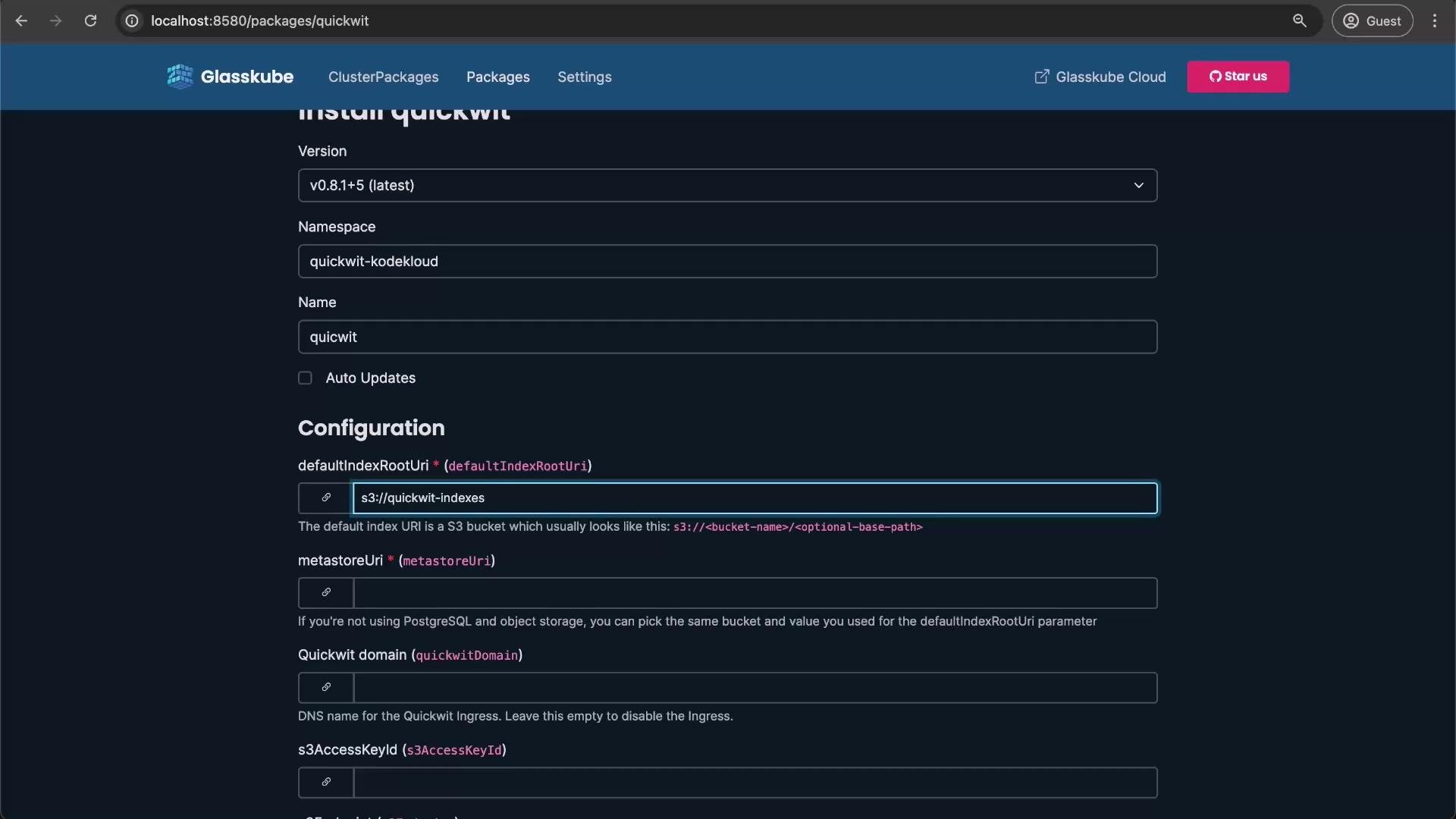
3. In Glasskube’s package configuration form:
* Select the namespace: `quickwit-kodekloud`.
* Set the deployment name (for example: `quickwit`).
* Provide `defaultIndexUri` and `metastoreUri` (e.g., `s3://quickwit-indexes`).
* Enter `s3AccessKeyId` and `s3SecretAccessKey` (use temporary credentials or an IAM-backed mechanism if possible).
* Set `s3Region` (e.g., `us-east-1`).
* Leave optional fields blank unless needed (e.g., `s3Endpoint` for MinIO).
## Installing Quickwit with Glasskube
1. Open the Glasskube UI and go to the Packages tab. Locate the Quickwit package (namespaced) and click it to open the configuration form.
2. Create the namespace if it doesn't exist. For this lesson we create `quickwit-kodekloud`.
Example: list and create the namespace:
```bash theme={null}
# List namespaces
kubectl get ns
# Create the Quickwit namespace
kubectl create namespace quickwit-kodekloud
# namespace/quickwit-kodekloud created
```
3. In Glasskube’s package configuration form:
* Select the namespace: `quickwit-kodekloud`.
* Set the deployment name (for example: `quickwit`).
* Provide `defaultIndexUri` and `metastoreUri` (e.g., `s3://quickwit-indexes`).
* Enter `s3AccessKeyId` and `s3SecretAccessKey` (use temporary credentials or an IAM-backed mechanism if possible).
* Set `s3Region` (e.g., `us-east-1`).
* Leave optional fields blank unless needed (e.g., `s3Endpoint` for MinIO).
 4. Click Install. Deployment usually completes within 1–2 minutes depending on cluster resources.
Monitor pods in the namespace:
```bash theme={null}
kubectl get pods -n quickwit-kodekloud
# Example output while pods are starting
NAME READY STATUS RESTARTS AGE
quickwit-quickwit-control-plane-5d9dc9b99f-761th 0/1 ContainerCreating 0 10s
quickwit-quickwit-indexer-0 0/1 ContainerCreating 0 10s
quickwit-quickwit-janitor-56864c9b77-6sfwc 0/1 ContainerCreating 0 10s
quickwit-quickwit-metadata-cd49886bf-z8jrh 0/1 ContainerCreating 0 10s
quickwit-quickwit-searcher-0 0/1 ContainerCreating 0 10s
```
Wait a short time and re-run the command; pods should move to Running/Ready:
```bash theme={null}
kubectl get pods -n quickwit-kodekloud
# Example output when ready
NAME READY STATUS RESTARTS AGE
quickwit-quickwit-control-plane-5d9dc9b99f-761th 1/1 Running 0 1m
quickwit-quickwit-indexer-0 1/1 Running 0 1m
quickwit-quickwit-janitor-56864c9b77-6sfwc 1/1 Running 0 1m
quickwit-quickwit-metadata-cd49886bf-z8jrh 1/1 Running 0 1m
quickwit-quickwit-searcher-0 1/1 Running 0 1m
```
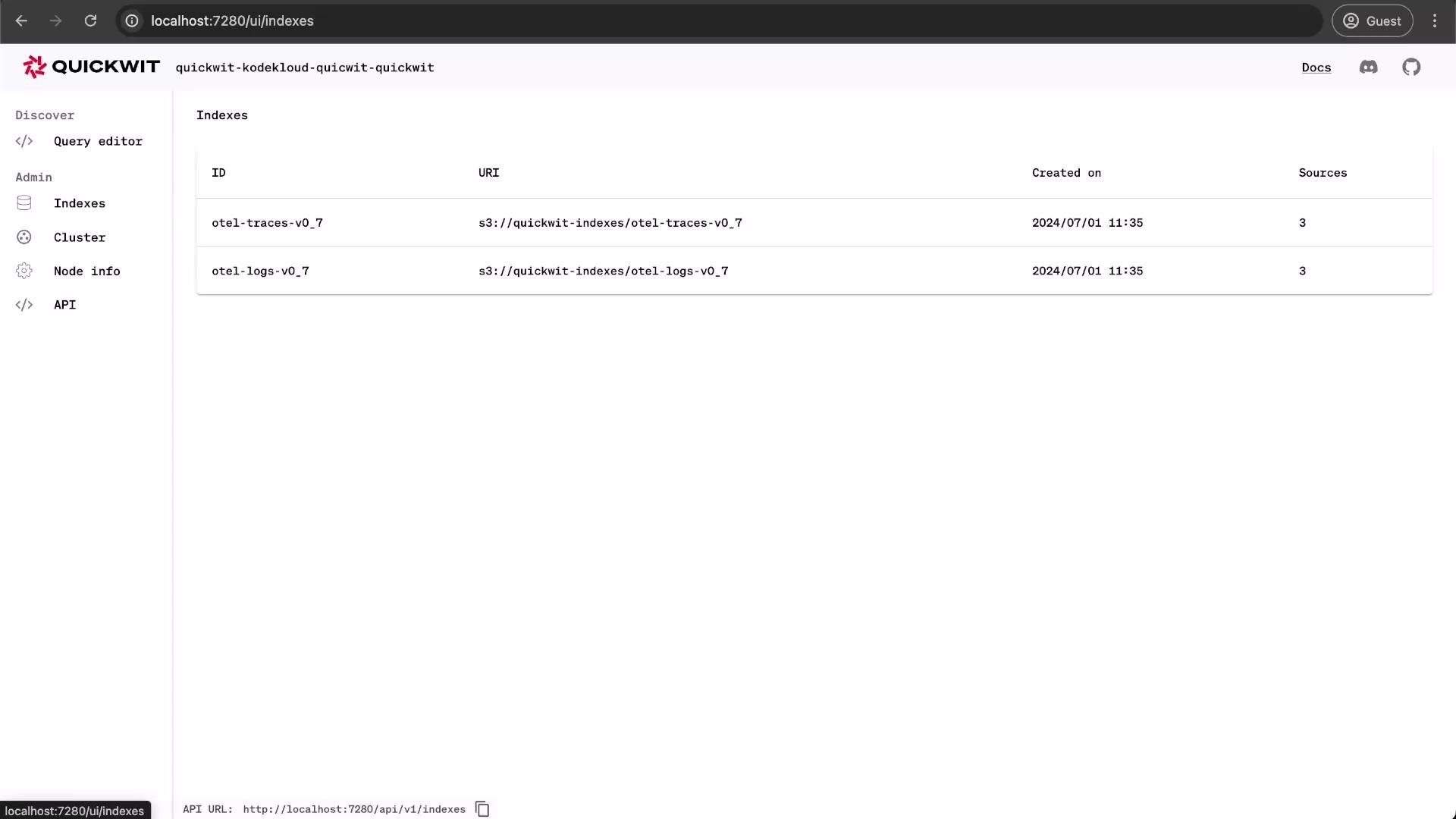
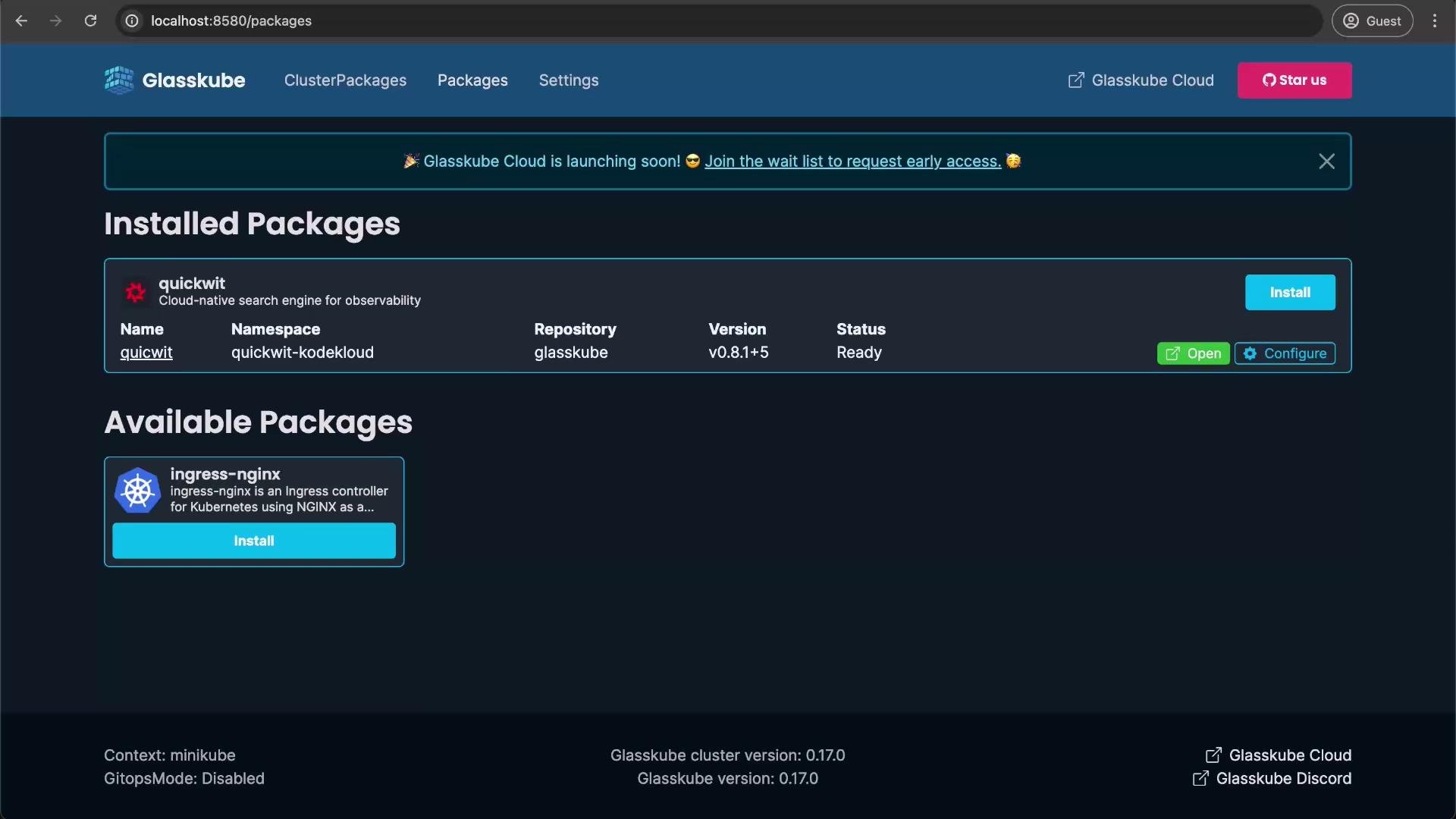
Once pods are running, use Glasskube’s entry point to open the Quickwit web UI.
4. Click Install. Deployment usually completes within 1–2 minutes depending on cluster resources.
Monitor pods in the namespace:
```bash theme={null}
kubectl get pods -n quickwit-kodekloud
# Example output while pods are starting
NAME READY STATUS RESTARTS AGE
quickwit-quickwit-control-plane-5d9dc9b99f-761th 0/1 ContainerCreating 0 10s
quickwit-quickwit-indexer-0 0/1 ContainerCreating 0 10s
quickwit-quickwit-janitor-56864c9b77-6sfwc 0/1 ContainerCreating 0 10s
quickwit-quickwit-metadata-cd49886bf-z8jrh 0/1 ContainerCreating 0 10s
quickwit-quickwit-searcher-0 0/1 ContainerCreating 0 10s
```
Wait a short time and re-run the command; pods should move to Running/Ready:
```bash theme={null}
kubectl get pods -n quickwit-kodekloud
# Example output when ready
NAME READY STATUS RESTARTS AGE
quickwit-quickwit-control-plane-5d9dc9b99f-761th 1/1 Running 0 1m
quickwit-quickwit-indexer-0 1/1 Running 0 1m
quickwit-quickwit-janitor-56864c9b77-6sfwc 1/1 Running 0 1m
quickwit-quickwit-metadata-cd49886bf-z8jrh 1/1 Running 0 1m
quickwit-quickwit-searcher-0 1/1 Running 0 1m
```
Once pods are running, use Glasskube’s entry point to open the Quickwit web UI.
 ## Using the Quickwit web UI
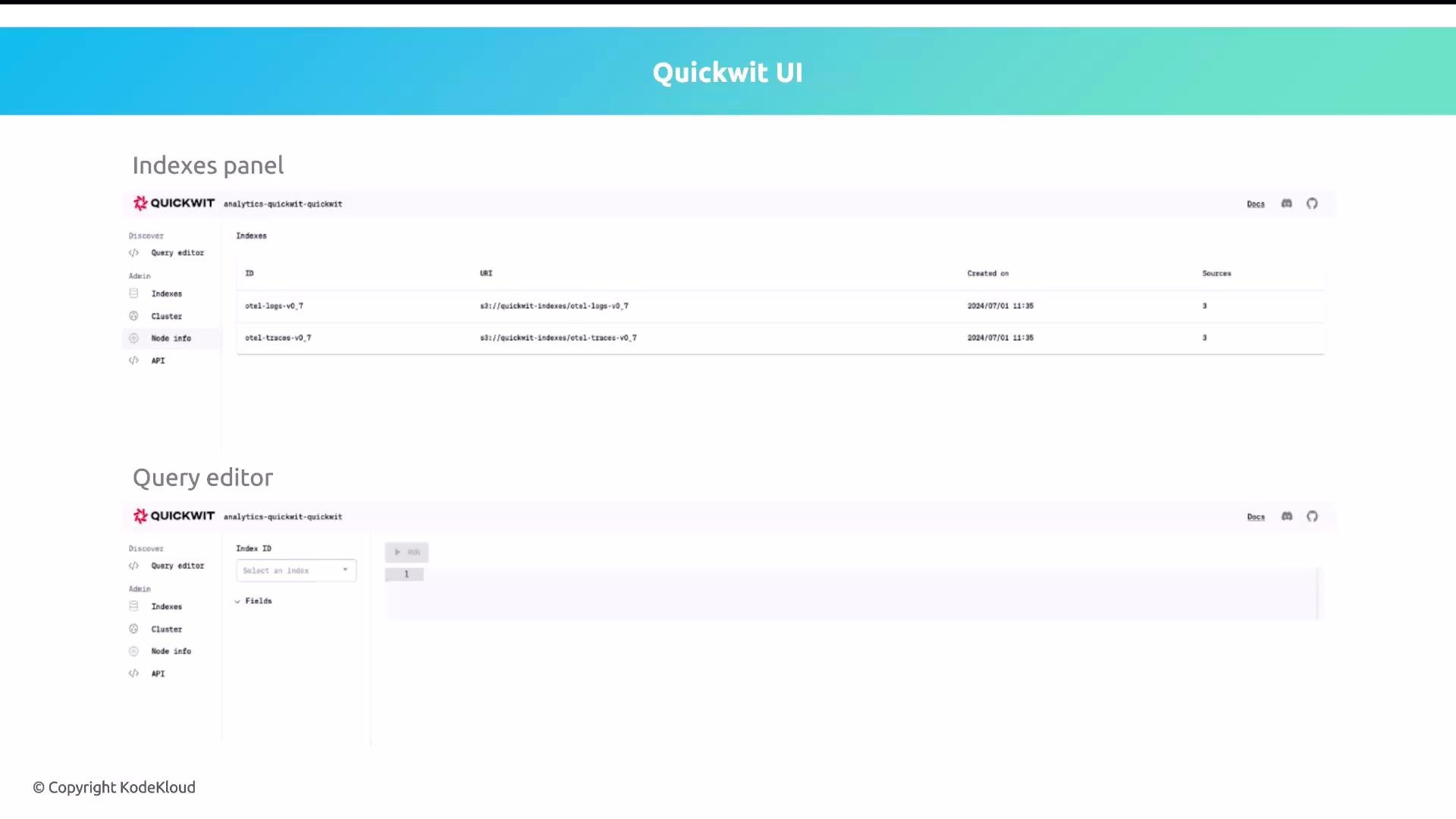
From the Quickwit web UI you can:
* Create and manage indexes.
* Run queries using the Query editor.
* Inspect cluster and node status.
* Use the HTTP API for ingestion and queries.
The demo environment typically provides pre-provisioned S3 credentials and example indexes so you can explore the UI without an AWS account.
## Using the Quickwit web UI
From the Quickwit web UI you can:
* Create and manage indexes.
* Run queries using the Query editor.
* Inspect cluster and node status.
* Use the HTTP API for ingestion and queries.
The demo environment typically provides pre-provisioned S3 credentials and example indexes so you can explore the UI without an AWS account.
 ## Verification and next steps
* Confirm pods are Running and Ready in the `quickwit-kodekloud` namespace.
* Open the Quickwit web UI via Glasskube to create or query indexes.
* For production use, secure credentials via Kubernetes Secrets, consider an S3 lifecycle policy for index retention, and configure ingress/ingress TLS or a custom domain.
## Verification and next steps
* Confirm pods are Running and Ready in the `quickwit-kodekloud` namespace.
* Open the Quickwit web UI via Glasskube to create or query indexes.
* For production use, secure credentials via Kubernetes Secrets, consider an S3 lifecycle policy for index retention, and configure ingress/ingress TLS or a custom domain.
 ## References
* Quickwit Quickstart — [https://quickwit.io/docs/quickstart/](https://quickwit.io/docs/quickstart/)
* Quickwit Documentation — [https://quickwit.io/docs/](https://quickwit.io/docs/)
* Kubernetes Documentation — [https://kubernetes.io/docs/](https://kubernetes.io/docs/)
* Glasskube — check your platform docs or Glasskube UI for package-specific instructions
Wrapping up
You now know the essentials for installing Quickwit as a namespaced package with Glasskube: required configuration values, namespace creation, installation steps, and basic verification. Try the hands-on exercise: follow the steps and install Quickwit in your cluster. Have fun and good luck!
## References
* Quickwit Quickstart — [https://quickwit.io/docs/quickstart/](https://quickwit.io/docs/quickstart/)
* Quickwit Documentation — [https://quickwit.io/docs/](https://quickwit.io/docs/)
* Kubernetes Documentation — [https://kubernetes.io/docs/](https://kubernetes.io/docs/)
* Glasskube — check your platform docs or Glasskube UI for package-specific instructions
Wrapping up
You now know the essentials for installing Quickwit as a namespaced package with Glasskube: required configuration values, namespace creation, installation steps, and basic verification. Try the hands-on exercise: follow the steps and install Quickwit in your cluster. Have fun and good luck!