> ## Documentation Index
> Fetch the complete documentation index at: https://notes.kodekloud.com/llms.txt
> Use this file to discover all available pages before exploring further.
# Continuous Deployment ArgoCD
> Guide to installing and accessing ArgoCD with Glasskube for GitOps continuous deployment, including initial admin password retrieval, dashboard access, and security recommendations.
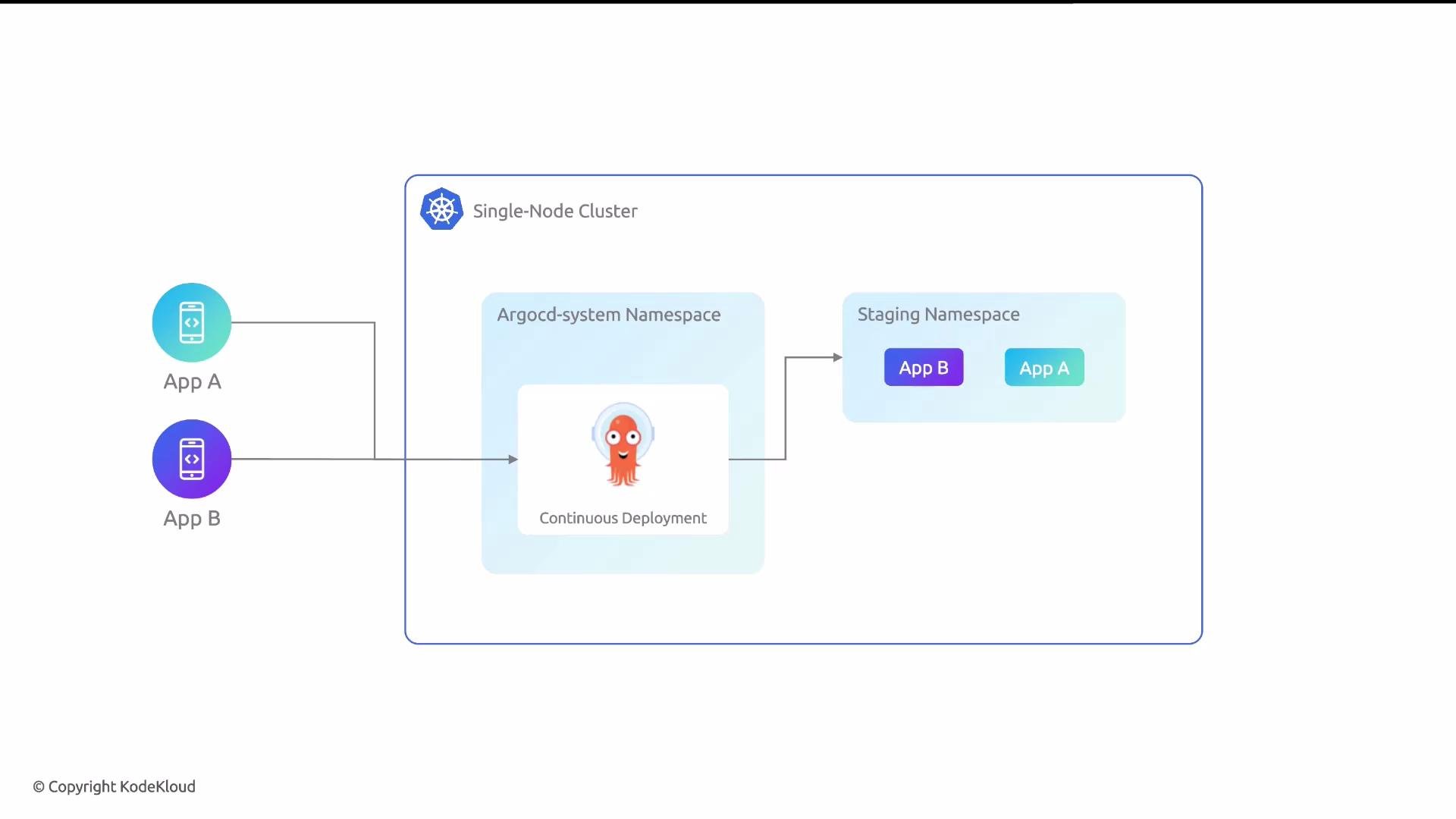
With cluster monitoring in place, the next step is continuous deployment. In this guide we install ArgoCD using Glasskube and verify access to its web UI. ArgoCD provides GitOps-driven continuous delivery: it continuously monitors Git repositories containing Kubernetes manifests or Helm charts and reconciles the cluster to match the desired state stored in Git.
 ## Why ArgoCD?
ArgoCD is a cluster-scoped GitOps controller that acts as the continuous-deployment engine for Kubernetes. It is designed to:
* Continuously compare cluster state to Git and apply changes automatically.
* Provide a web UI for visualizing and managing applications.
* Support declarative application definitions (manifests, Helm, Kustomize, etc.).
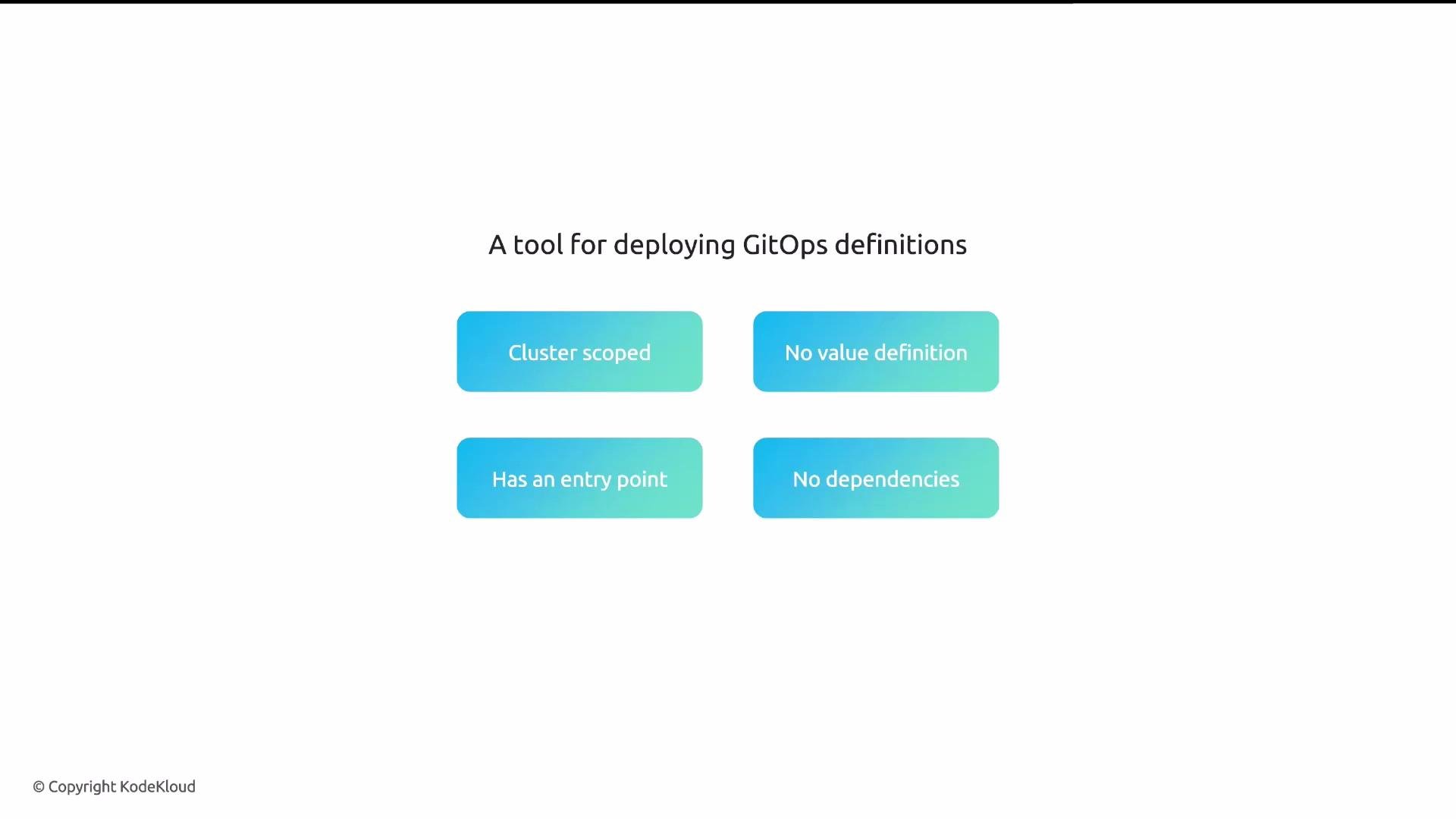
Package characteristics for this installation are summarized below.
| Characteristic | Details |
| -------------- | ------------------------------------ |
| Scope | Cluster-scoped package |
| Values | No custom value definitions required |
| Entry point | Web UI (ArgoCD dashboard) |
| Dependencies | None |
## Why ArgoCD?
ArgoCD is a cluster-scoped GitOps controller that acts as the continuous-deployment engine for Kubernetes. It is designed to:
* Continuously compare cluster state to Git and apply changes automatically.
* Provide a web UI for visualizing and managing applications.
* Support declarative application definitions (manifests, Helm, Kustomize, etc.).
Package characteristics for this installation are summarized below.
| Characteristic | Details |
| -------------- | ------------------------------------ |
| Scope | Cluster-scoped package |
| Values | No custom value definitions required |
| Entry point | Web UI (ArgoCD dashboard) |
| Dependencies | None |
 ## Install ArgoCD using Glasskube CLI
Use the Glasskube CLI to install ArgoCD into your cluster. The example below demonstrates a typical interactive installation session.
```bash theme={null}
# Install ArgoCD via Glasskube
~ glasskube install argo-cd
Version not specified. The latest version v2.11.7+1 of argo-cd will be installed.
Would you like to enable automatic updates? (y/N) y
Summary:
* The following packages will be installed in your cluster (minikube):
1. argo-cd (version v2.11.7+1)
* Automatic updates will be enabled
Continue? (Y/n) Y
✓ argo-cd is now installed in minikube.
```
Glasskube will add ArgoCD into the `argocd` namespace (or the namespace configured by Glasskube). After installation, ArgoCD exposes a web UI that you can open via the Glasskube dashboard.
## Retrieve the initial admin password
ArgoCD generates a one-time admin password at installation. Retrieve it with the `argocd` CLI:
```bash theme={null}
# Get the first-time admin password for ArgoCD (namespace: argocd)
argocd admin initial-password -n argocd
```
Sample output (your password will differ):
```bash theme={null}
YYVqv2RjBXFT7uUY
This password must be only used for first time login. We strongly recommend you update the password using `argocd account update-password`.
```
Log in with username `admin` and the printed initial password. After logging in, immediately update the password:
```bash theme={null}
# Update admin password interactively
argocd account update-password
```
You can also authenticate via the CLI (adjust host/port if you’re using port-forwarding or a custom ingress):
```bash theme={null}
# Example CLI login (adjust host if using port-forwarding or a different host)
argocd login localhost:8080 --username admin --password YYVqv2RjBXFT7uUY
```
For production environments: serve the ArgoCD UI over HTTPS, rotate the default `admin` password immediately, and consider integrating Single Sign-On (SSO) and role-based access controls. Also restrict UI access using network policies or an authenticated ingress.
## Access the ArgoCD dashboard via Glasskube
After installation and authentication, open the ArgoCD entry point from the Glasskube dashboard. In local setups you may need to accept a browser security exception when using HTTP or a self-signed certificate.
## Install ArgoCD using Glasskube CLI
Use the Glasskube CLI to install ArgoCD into your cluster. The example below demonstrates a typical interactive installation session.
```bash theme={null}
# Install ArgoCD via Glasskube
~ glasskube install argo-cd
Version not specified. The latest version v2.11.7+1 of argo-cd will be installed.
Would you like to enable automatic updates? (y/N) y
Summary:
* The following packages will be installed in your cluster (minikube):
1. argo-cd (version v2.11.7+1)
* Automatic updates will be enabled
Continue? (Y/n) Y
✓ argo-cd is now installed in minikube.
```
Glasskube will add ArgoCD into the `argocd` namespace (or the namespace configured by Glasskube). After installation, ArgoCD exposes a web UI that you can open via the Glasskube dashboard.
## Retrieve the initial admin password
ArgoCD generates a one-time admin password at installation. Retrieve it with the `argocd` CLI:
```bash theme={null}
# Get the first-time admin password for ArgoCD (namespace: argocd)
argocd admin initial-password -n argocd
```
Sample output (your password will differ):
```bash theme={null}
YYVqv2RjBXFT7uUY
This password must be only used for first time login. We strongly recommend you update the password using `argocd account update-password`.
```
Log in with username `admin` and the printed initial password. After logging in, immediately update the password:
```bash theme={null}
# Update admin password interactively
argocd account update-password
```
You can also authenticate via the CLI (adjust host/port if you’re using port-forwarding or a custom ingress):
```bash theme={null}
# Example CLI login (adjust host if using port-forwarding or a different host)
argocd login localhost:8080 --username admin --password YYVqv2RjBXFT7uUY
```
For production environments: serve the ArgoCD UI over HTTPS, rotate the default `admin` password immediately, and consider integrating Single Sign-On (SSO) and role-based access controls. Also restrict UI access using network policies or an authenticated ingress.
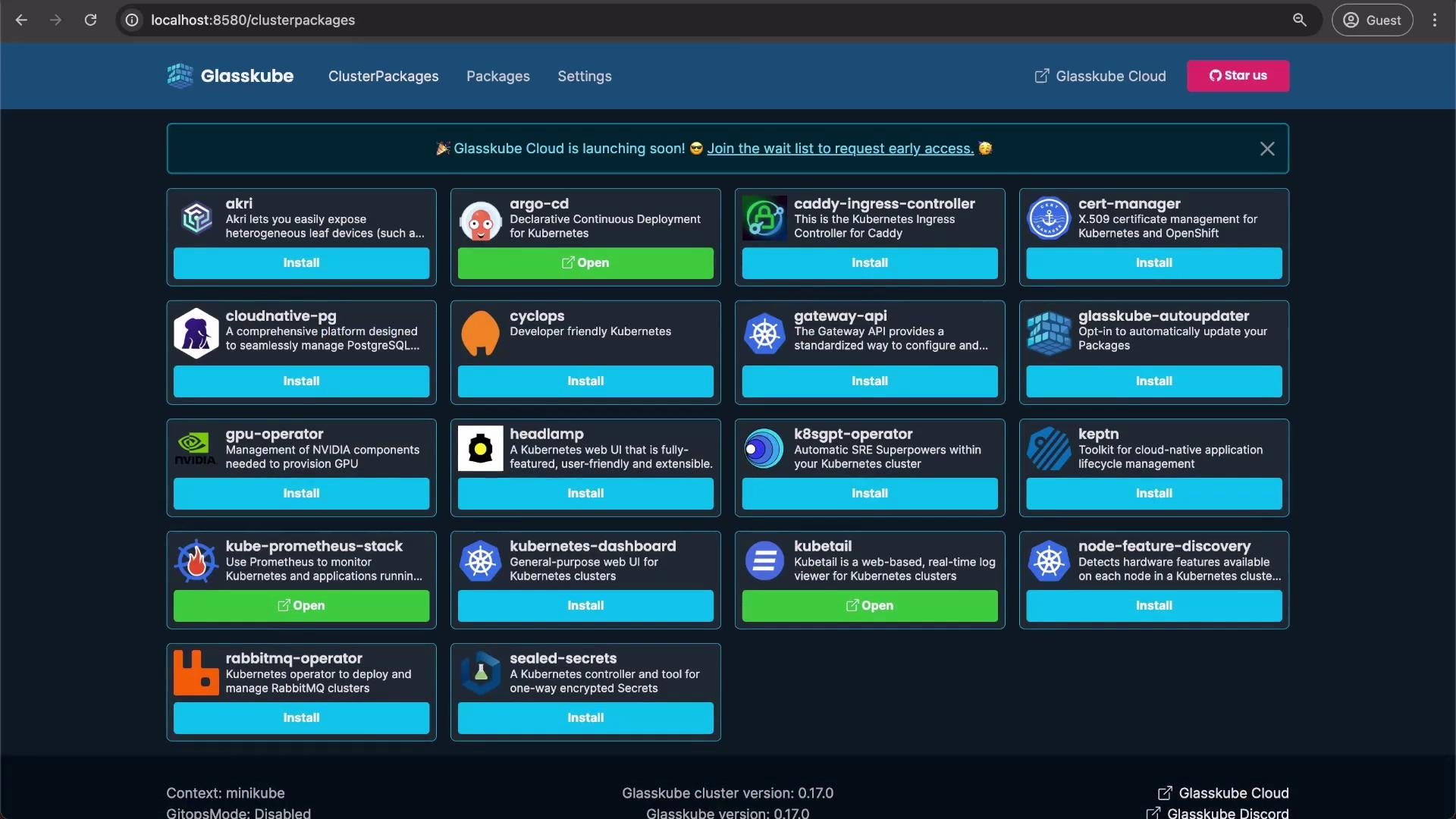
## Access the ArgoCD dashboard via Glasskube
After installation and authentication, open the ArgoCD entry point from the Glasskube dashboard. In local setups you may need to accept a browser security exception when using HTTP or a self-signed certificate.
 If you expose ArgoCD directly (NodePort/LoadBalancer) for testing, ensure you secure the endpoint. Avoid leaving the initial admin password unchanged or exposing the UI without authentication in non-development environments.
## Next steps
* Connect ArgoCD to your application Git repositories and create Application resources (manifests, Helm charts, or Kustomize overlays).
* Configure automated sync and health checks for GitOps-driven rollouts.
* Integrate ArgoCD with observability and alerting systems for deployment monitoring.
Useful references:
* ArgoCD documentation: [https://argo-cd.readthedocs.io/](https://argo-cd.readthedocs.io/)
* ArgoCD CLI reference: [https://argo-cd.readthedocs.io/en/stable/cli\_installation/](https://argo-cd.readthedocs.io/en/stable/cli_installation/)
* Glasskube (installation UI/CLI): check your project's Glasskube documentation or repository for details.
If you expose ArgoCD directly (NodePort/LoadBalancer) for testing, ensure you secure the endpoint. Avoid leaving the initial admin password unchanged or exposing the UI without authentication in non-development environments.
## Next steps
* Connect ArgoCD to your application Git repositories and create Application resources (manifests, Helm charts, or Kustomize overlays).
* Configure automated sync and health checks for GitOps-driven rollouts.
* Integrate ArgoCD with observability and alerting systems for deployment monitoring.
Useful references:
* ArgoCD documentation: [https://argo-cd.readthedocs.io/](https://argo-cd.readthedocs.io/)
* ArgoCD CLI reference: [https://argo-cd.readthedocs.io/en/stable/cli\_installation/](https://argo-cd.readthedocs.io/en/stable/cli_installation/)
* Glasskube (installation UI/CLI): check your project's Glasskube documentation or repository for details.