> ## Documentation Index
> Fetch the complete documentation index at: https://notes.kodekloud.com/llms.txt
> Use this file to discover all available pages before exploring further.
# Package Scopes
> Explains Glasskube package scopes, differences between cluster-scoped and namespaced packages, use cases, UI locations, and how to author package manifests safely.
Before we dive into package configuration and installation, it helps to understand the two package scopes Glasskube supports: cluster-scoped and namespaced packages. Choosing the right scope determines how a package is deployed, who can reuse it, and whether it can create cluster-level resources.
Cluster-scoped packages
* Cluster-scoped packages manage cluster-wide resources such as `ClusterRole`, `ClusterRoleBinding`, and `CustomResourceDefinition` (CRD).
* Because they operate at the cluster level, these packages are typically installed once per cluster and shared across namespaces.
* Common use cases: cluster networking, global observability, cluster-wide security tools, and CRD providers.
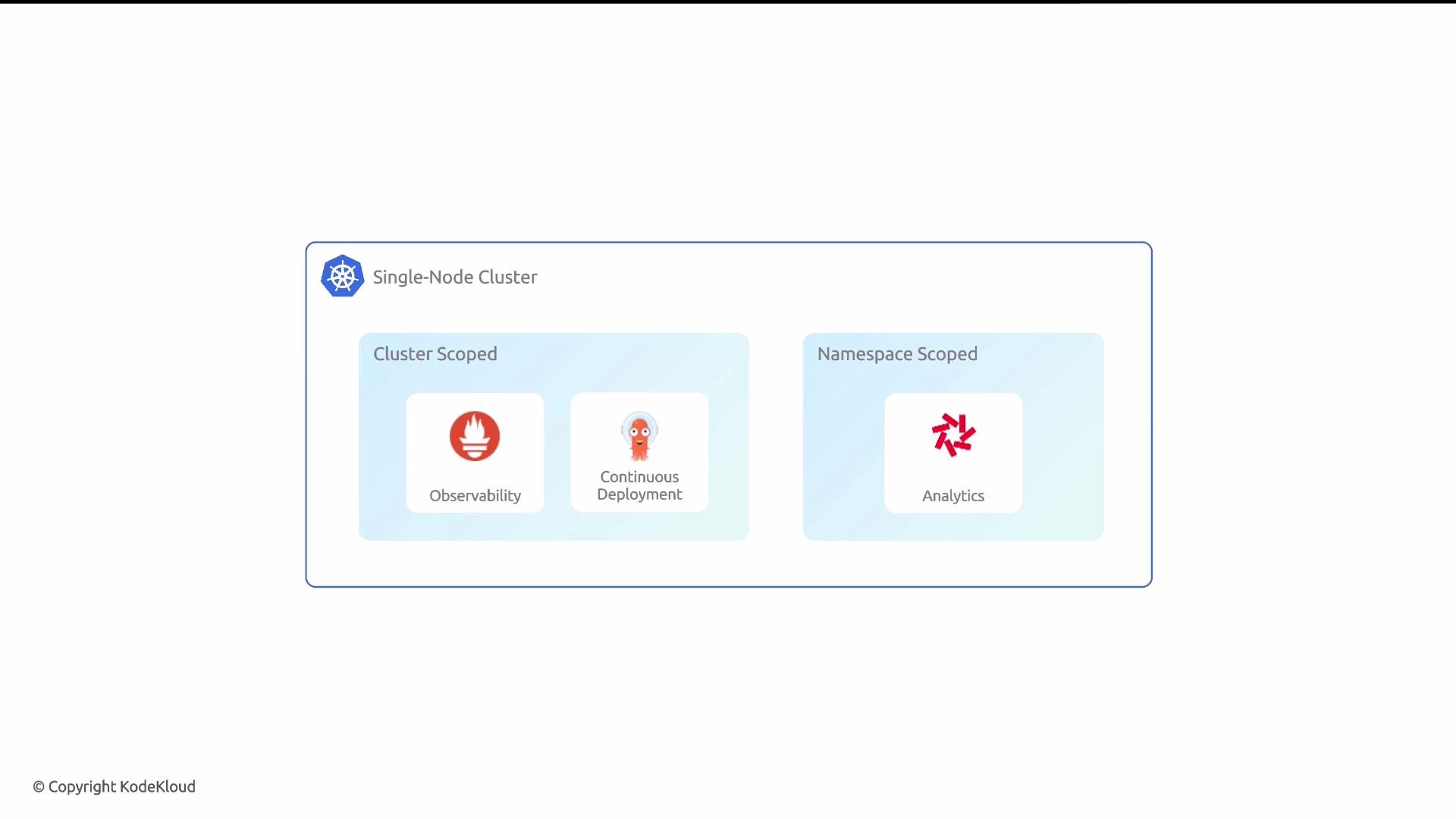 Namespaced packages
* Namespaced packages are confined to a single Kubernetes namespace and don’t manage cluster-level resources.
* They can be installed multiple times in different namespaces, providing isolated instances for teams, environments, or applications.
* Common use cases: per-team deployments, environment-specific instances (dev/stage/prod), and application-scoped tooling.
How to choose a scope
* Use cluster-scoped packages for functionality that must be shared across the cluster or that manages cluster-level resources (e.g., networking, cluster-wide monitoring, CRDs).
* Use namespaced packages when you need multiple isolated instances of the same package (e.g., separate team environments) or when the package only affects resources within a single namespace.
| Scope | Typical resources managed | When to use |
| -------------- | ------------------------------------------------------------------- | ----------------------------------------------------------------- |
| Cluster-scoped | `ClusterRole`, `ClusterRoleBinding`, `CustomResourceDefinition` | Shared services, global controllers, CRD providers |
| Namespaced | `Role`, `RoleBinding`, `Deployment`, `Service` (within a namespace) | Per-team or per-environment isolation, application-scoped tooling |
Cluster-scoped packages are ideal for functionality that must be installed only once per cluster (e.g., an operator that provides CRDs). Namespaced packages are best when you need repeatable, isolated deployments across namespaces.
Glasskube UI and where scopes appear
* In the Glasskube web UI:
* Cluster-scoped packages appear under the `Cluster Packages` tab.
* Namespaced packages appear under the `Packages` tab.
Authoring package manifests
When creating Glasskube package definition files, set the `kind` to `ClusterPackage` for cluster-scoped packages or `Package` for namespaced packages. For example:
```yaml theme={null}
apiVersion: packages.glasskube.dev/v1alpha1
kind: ClusterPackage
metadata:
creationTimestamp: null
name: argo-cd
spec:
packageInfo:
name: argo-cd
repositoryName: glasskube
version: v2.11.7+1
```
Be cautious when authoring cluster-scoped packages: because they affect cluster-wide state, changes can impact all namespaces. Test cluster-scoped manifests in a safe environment before deploying to production clusters.
Links and references
* Glasskube package docs: [https://glasskube.dev/docs](https://glasskube.dev/docs) (refer to your Glasskube installation docs)
* Kubernetes RBAC and resources: [https://kubernetes.io/docs/reference/access-authn-authz/rbac/](https://kubernetes.io/docs/reference/access-authn-authz/rbac/)
* CustomResourceDefinitions: [https://kubernetes.io/docs/tasks/extend-kubernetes/custom-resources/custom-resource-definitions/](https://kubernetes.io/docs/tasks/extend-kubernetes/custom-resources/custom-resource-definitions/)
Now that you know how package scopes work and how to pick between them, you’re ready to move on to installing and configuring packages with Glasskube.
Namespaced packages
* Namespaced packages are confined to a single Kubernetes namespace and don’t manage cluster-level resources.
* They can be installed multiple times in different namespaces, providing isolated instances for teams, environments, or applications.
* Common use cases: per-team deployments, environment-specific instances (dev/stage/prod), and application-scoped tooling.
How to choose a scope
* Use cluster-scoped packages for functionality that must be shared across the cluster or that manages cluster-level resources (e.g., networking, cluster-wide monitoring, CRDs).
* Use namespaced packages when you need multiple isolated instances of the same package (e.g., separate team environments) or when the package only affects resources within a single namespace.
| Scope | Typical resources managed | When to use |
| -------------- | ------------------------------------------------------------------- | ----------------------------------------------------------------- |
| Cluster-scoped | `ClusterRole`, `ClusterRoleBinding`, `CustomResourceDefinition` | Shared services, global controllers, CRD providers |
| Namespaced | `Role`, `RoleBinding`, `Deployment`, `Service` (within a namespace) | Per-team or per-environment isolation, application-scoped tooling |
Cluster-scoped packages are ideal for functionality that must be installed only once per cluster (e.g., an operator that provides CRDs). Namespaced packages are best when you need repeatable, isolated deployments across namespaces.
Glasskube UI and where scopes appear
* In the Glasskube web UI:
* Cluster-scoped packages appear under the `Cluster Packages` tab.
* Namespaced packages appear under the `Packages` tab.
Authoring package manifests
When creating Glasskube package definition files, set the `kind` to `ClusterPackage` for cluster-scoped packages or `Package` for namespaced packages. For example:
```yaml theme={null}
apiVersion: packages.glasskube.dev/v1alpha1
kind: ClusterPackage
metadata:
creationTimestamp: null
name: argo-cd
spec:
packageInfo:
name: argo-cd
repositoryName: glasskube
version: v2.11.7+1
```
Be cautious when authoring cluster-scoped packages: because they affect cluster-wide state, changes can impact all namespaces. Test cluster-scoped manifests in a safe environment before deploying to production clusters.
Links and references
* Glasskube package docs: [https://glasskube.dev/docs](https://glasskube.dev/docs) (refer to your Glasskube installation docs)
* Kubernetes RBAC and resources: [https://kubernetes.io/docs/reference/access-authn-authz/rbac/](https://kubernetes.io/docs/reference/access-authn-authz/rbac/)
* CustomResourceDefinitions: [https://kubernetes.io/docs/tasks/extend-kubernetes/custom-resources/custom-resource-definitions/](https://kubernetes.io/docs/tasks/extend-kubernetes/custom-resources/custom-resource-definitions/)
Now that you know how package scopes work and how to pick between them, you’re ready to move on to installing and configuring packages with Glasskube.