> ## Documentation Index
> Fetch the complete documentation index at: https://notes.kodekloud.com/llms.txt
> Use this file to discover all available pages before exploring further.
# KEDA Scaling With Redis List
> Using KEDA to autoscale Kubernetes worker services based on Redis list backlog and HPA behavior settings
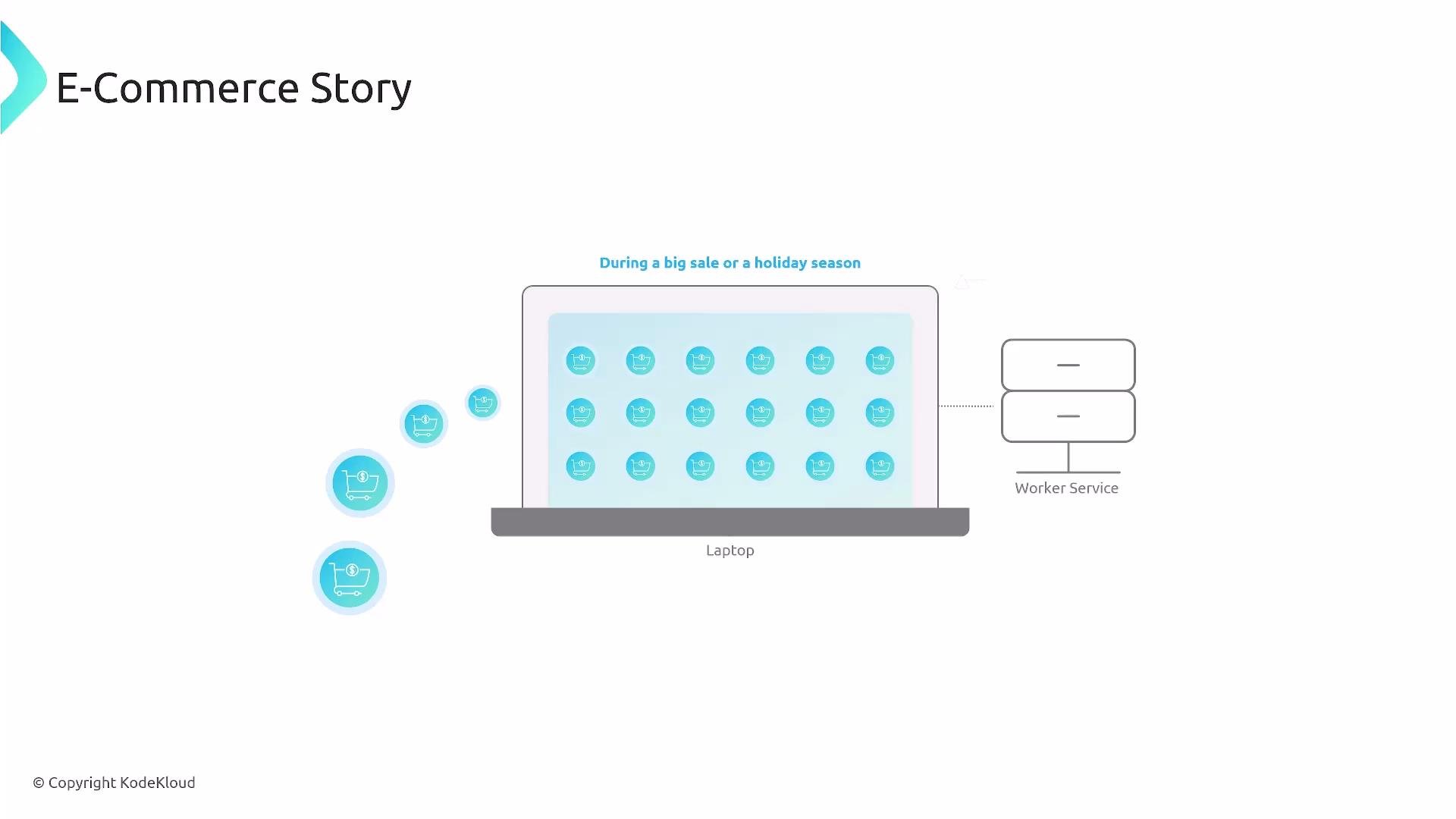
Welcome. In this lesson we’ll use KEDA to scale worker services based on backlog queued in a Redis list. This pattern is useful for an online store under heavy load: orders arrive faster than a worker can process, the Redis list grows, and we need to scale workers based on queue length (not CPU or memory).
 Conceptually, KEDA watches Redis for the number of items in a list and scales the worker Deployment (or other scalable controller) up or down to match demand. The pieces involved:
* A Kubernetes Secret to store Redis credentials.
* A KEDA TriggerAuthentication to expose secret values to KEDA triggers.
* A KEDA ScaledObject that defines the Redis trigger and HPA behavior.
Conceptually, KEDA watches Redis for the number of items in a list and scales the worker Deployment (or other scalable controller) up or down to match demand. The pieces involved:
* A Kubernetes Secret to store Redis credentials.
* A KEDA TriggerAuthentication to expose secret values to KEDA triggers.
* A KEDA ScaledObject that defines the Redis trigger and HPA behavior.
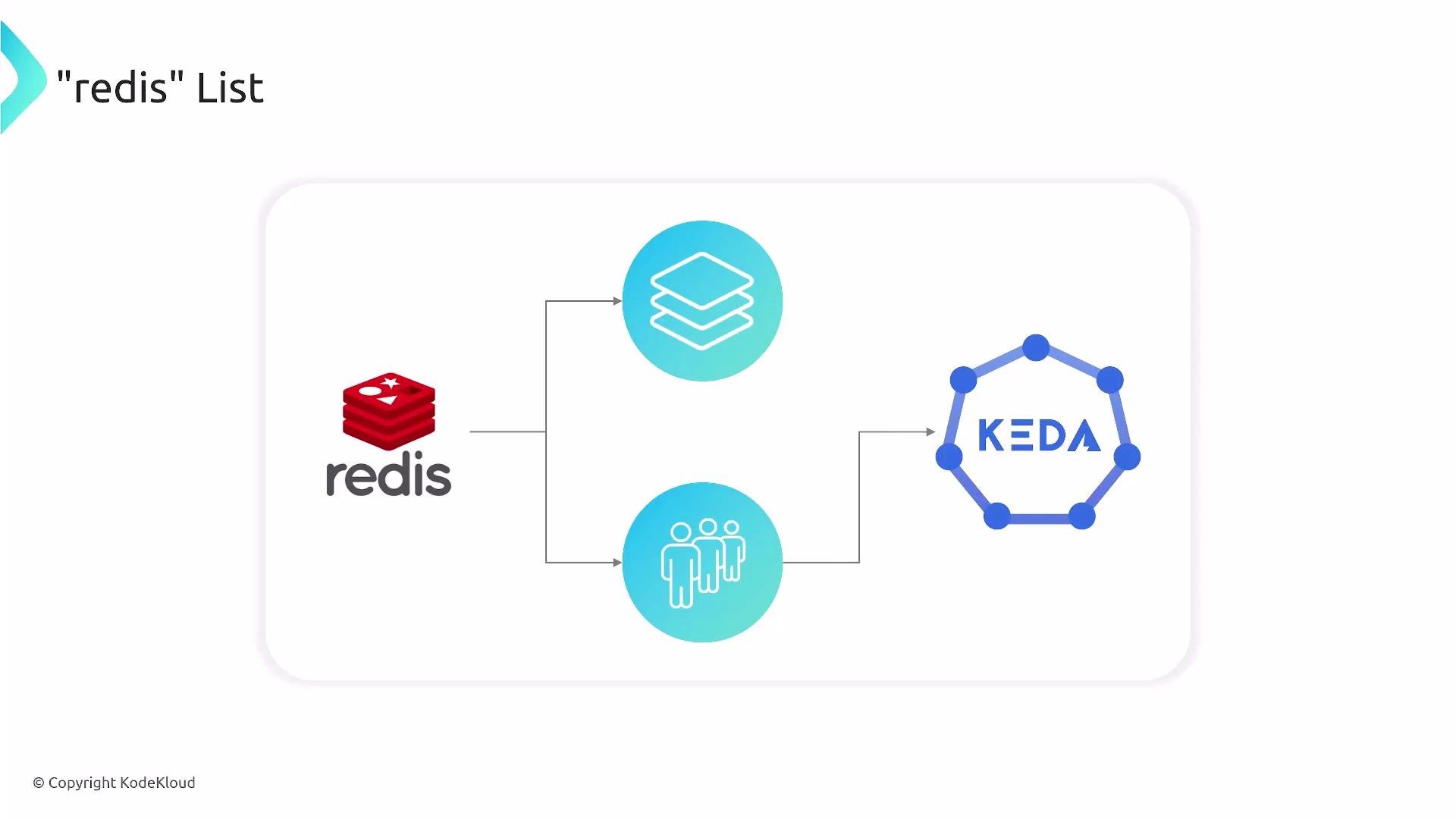 These objects work together so KEDA can react to backlog changes and adjust replicas of your worker service automatically.
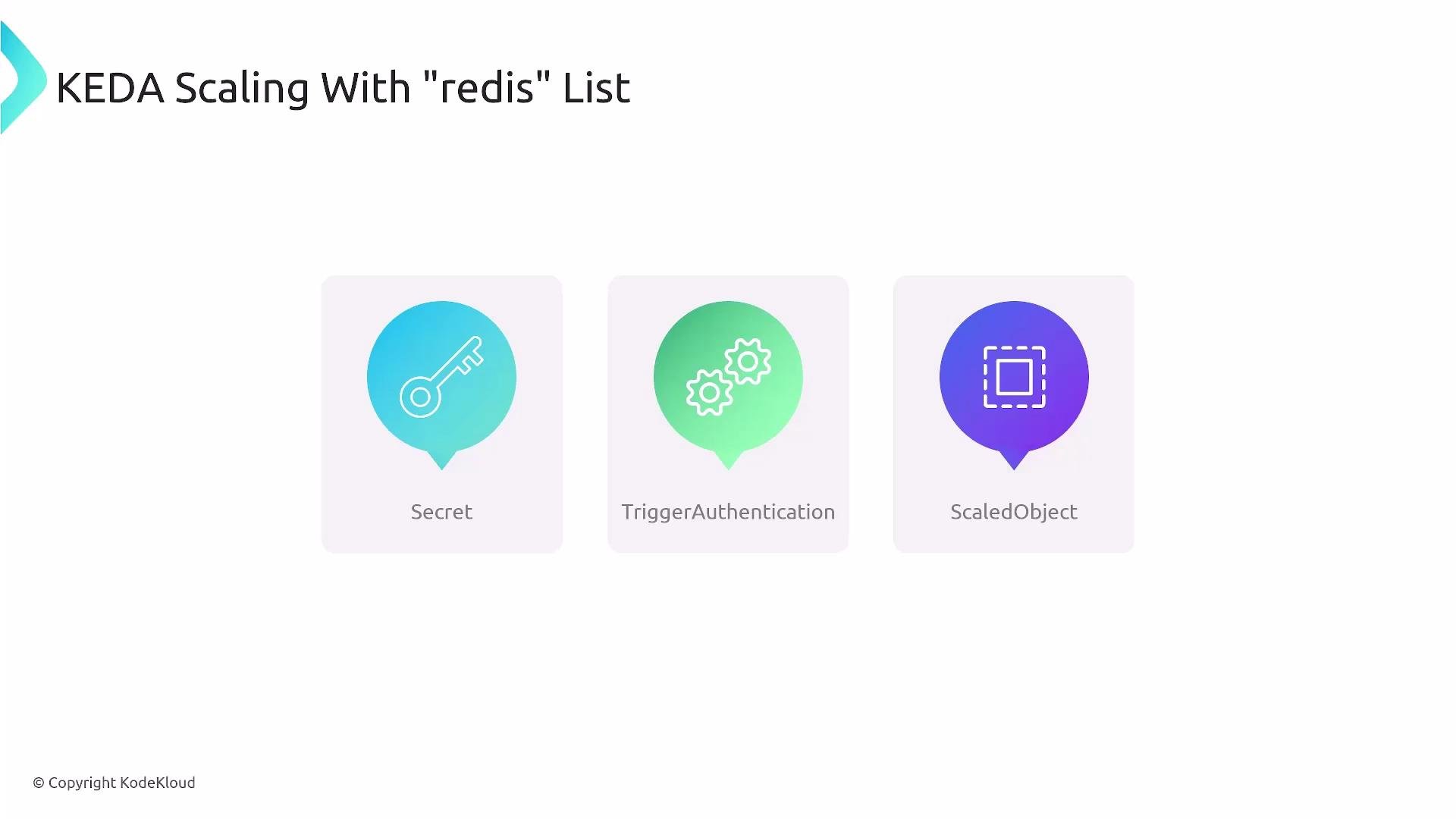 Quick reference — what you’ll create:
| Resource Type | Purpose | Example / Notes |
| --------------------- | --------------------------------------------------- | --------------------------------------------- |
| Secret | Store Redis password (Base64-encoded) | `auth-redis-secret` with `redis_password` |
| TriggerAuthentication | Expose Secret values as parameters to KEDA triggers | Maps `redis_password` → `password` parameter |
| ScaledObject | Configure KEDA trigger and scaling/HPA behavior | `redis` trigger monitoring `listName: mylist` |
Below is a minimal combined manifest including all three objects. It shows how to provide the Redis password, how TriggerAuthentication exposes it to KEDA, and how ScaledObject configures the `redis` trigger and advanced HPA behavior.
```yaml theme={null}
apiVersion: v1
kind: Secret
metadata:
name: auth-redis-secret
type: Opaque
data:
redis_password: amhibm9pdWhramo=
---
apiVersion: keda.sh/v1alpha1
kind: TriggerAuthentication
metadata:
name: keda-trigger-auth-redis-secret
spec:
secretTargetRef:
- parameter: password
name: auth-redis-secret
key: redis_password
---
apiVersion: keda.sh/v1alpha1
kind: ScaledObject
metadata:
name: redis-scaledobject
spec:
minReplicaCount: 1
scaleTargetRef:
name: nginx
triggers:
- type: redis
metadata:
address: redis.default.svc.cluster.local:6379
listName: mylist
listLength: "10"
authenticationRef:
name: keda-trigger-auth-redis-secret
advanced: # Advanced HPA behavior settings
horizontalPodAutoscalerConfig:
behavior:
scaleDown:
stabilizationWindowSeconds: 20 # Wait 20s before attempting scale-down actions
policies:
- type: Percent
value: 50 # Scale down by up to 50% of current pods
periodSeconds: 20
scaleUp:
stabilizationWindowSeconds: 0 # No stabilization window for scaling up
policies:
- type: Percent
value: 100 # Scale up by up to 100% of current pods
periodSeconds: 15
```
Base64-encoding Secrets only obfuscates values; it is not secure by itself. For production, use a proper secret-management solution such as `sealed-secrets`, external secret stores, or your cloud provider’s secret manager.
Important fields explained
* Secret (`auth-redis-secret`)
* `redis_password` must be Base64-encoded in the Secret and referenced by TriggerAuthentication.
* TriggerAuthentication (`keda-trigger-auth-redis-secret`)
* Maps the secret key to a trigger parameter. In this manifest, it exposes the secret as the `password` parameter for the Redis trigger.
* ScaledObject (`redis-scaledobject`)
* `scaleTargetRef.name` must match the target Kubernetes object you want to scale (Deployment, StatefulSet, etc.). The example uses `nginx` as a placeholder — replace it with your worker Deployment name.
* Trigger type `redis` monitors the Redis list specified under `listName: mylist`.
* `listLength: "10"` defines the threshold used by the scaler: when the list length exceeds this value, KEDA will consider scaling up.
* `address` should point to your Redis service using the Kubernetes DNS format: `service.namespace.svc.cluster.local:6379`.
* `advanced.horizontalPodAutoscalerConfig.behavior` controls scaling velocity:
* scaleUp: here allows up to 100% increase (doubling pods) every 15s.
* scaleDown: more conservative — up to 50% reduction every 20s with a 20s stabilization window to avoid flapping.
Best practices and tips
* Tune `listLength`, `minReplicaCount`, and HPA `behavior` according to processing time per item and acceptable latency.
* If Redis is externally hosted, ensure network connectivity and correct `address` format.
* Test scaling in a staging environment first to observe real-world scaling behavior before production roll-out.
Additional resources
* KEDA: [https://keda.sh/](https://keda.sh/)
* Redis: [https://redis.io/](https://redis.io/)
* Kubernetes HPA docs: [https://kubernetes.io/docs/tasks/run-application/horizontal-pod-autoscale/](https://kubernetes.io/docs/tasks/run-application/horizontal-pod-autoscale/)
* Sealed Secrets (example secret solution): [https://github.com/bitnami-labs/sealed-secrets](https://github.com/bitnami-labs/sealed-secrets)
Make sure `scaleTargetRef.name` matches your actual Deployment/scale target and that KEDA has permission to scale it. Misconfigured names or RBAC can prevent scaling from taking effect.
Quick reference — what you’ll create:
| Resource Type | Purpose | Example / Notes |
| --------------------- | --------------------------------------------------- | --------------------------------------------- |
| Secret | Store Redis password (Base64-encoded) | `auth-redis-secret` with `redis_password` |
| TriggerAuthentication | Expose Secret values as parameters to KEDA triggers | Maps `redis_password` → `password` parameter |
| ScaledObject | Configure KEDA trigger and scaling/HPA behavior | `redis` trigger monitoring `listName: mylist` |
Below is a minimal combined manifest including all three objects. It shows how to provide the Redis password, how TriggerAuthentication exposes it to KEDA, and how ScaledObject configures the `redis` trigger and advanced HPA behavior.
```yaml theme={null}
apiVersion: v1
kind: Secret
metadata:
name: auth-redis-secret
type: Opaque
data:
redis_password: amhibm9pdWhramo=
---
apiVersion: keda.sh/v1alpha1
kind: TriggerAuthentication
metadata:
name: keda-trigger-auth-redis-secret
spec:
secretTargetRef:
- parameter: password
name: auth-redis-secret
key: redis_password
---
apiVersion: keda.sh/v1alpha1
kind: ScaledObject
metadata:
name: redis-scaledobject
spec:
minReplicaCount: 1
scaleTargetRef:
name: nginx
triggers:
- type: redis
metadata:
address: redis.default.svc.cluster.local:6379
listName: mylist
listLength: "10"
authenticationRef:
name: keda-trigger-auth-redis-secret
advanced: # Advanced HPA behavior settings
horizontalPodAutoscalerConfig:
behavior:
scaleDown:
stabilizationWindowSeconds: 20 # Wait 20s before attempting scale-down actions
policies:
- type: Percent
value: 50 # Scale down by up to 50% of current pods
periodSeconds: 20
scaleUp:
stabilizationWindowSeconds: 0 # No stabilization window for scaling up
policies:
- type: Percent
value: 100 # Scale up by up to 100% of current pods
periodSeconds: 15
```
Base64-encoding Secrets only obfuscates values; it is not secure by itself. For production, use a proper secret-management solution such as `sealed-secrets`, external secret stores, or your cloud provider’s secret manager.
Important fields explained
* Secret (`auth-redis-secret`)
* `redis_password` must be Base64-encoded in the Secret and referenced by TriggerAuthentication.
* TriggerAuthentication (`keda-trigger-auth-redis-secret`)
* Maps the secret key to a trigger parameter. In this manifest, it exposes the secret as the `password` parameter for the Redis trigger.
* ScaledObject (`redis-scaledobject`)
* `scaleTargetRef.name` must match the target Kubernetes object you want to scale (Deployment, StatefulSet, etc.). The example uses `nginx` as a placeholder — replace it with your worker Deployment name.
* Trigger type `redis` monitors the Redis list specified under `listName: mylist`.
* `listLength: "10"` defines the threshold used by the scaler: when the list length exceeds this value, KEDA will consider scaling up.
* `address` should point to your Redis service using the Kubernetes DNS format: `service.namespace.svc.cluster.local:6379`.
* `advanced.horizontalPodAutoscalerConfig.behavior` controls scaling velocity:
* scaleUp: here allows up to 100% increase (doubling pods) every 15s.
* scaleDown: more conservative — up to 50% reduction every 20s with a 20s stabilization window to avoid flapping.
Best practices and tips
* Tune `listLength`, `minReplicaCount`, and HPA `behavior` according to processing time per item and acceptable latency.
* If Redis is externally hosted, ensure network connectivity and correct `address` format.
* Test scaling in a staging environment first to observe real-world scaling behavior before production roll-out.
Additional resources
* KEDA: [https://keda.sh/](https://keda.sh/)
* Redis: [https://redis.io/](https://redis.io/)
* Kubernetes HPA docs: [https://kubernetes.io/docs/tasks/run-application/horizontal-pod-autoscale/](https://kubernetes.io/docs/tasks/run-application/horizontal-pod-autoscale/)
* Sealed Secrets (example secret solution): [https://github.com/bitnami-labs/sealed-secrets](https://github.com/bitnami-labs/sealed-secrets)
Make sure `scaleTargetRef.name` matches your actual Deployment/scale target and that KEDA has permission to scale it. Misconfigured names or RBAC can prevent scaling from taking effect.