> ## Documentation Index
> Fetch the complete documentation index at: https://notes.kodekloud.com/llms.txt
> Use this file to discover all available pages before exploring further.
# VPA CPU Memory in Action Demo
> A hands-on lab demonstrating Kubernetes Vertical Pod Autoscaler recommendations and automatic pod evictions by deploying a Flask app, generating load, and observing VPA updater behavior.
Welcome — this lesson runs a full Vertical Pod Autoscaler (VPA) lab so you can observe recommendations and automated updates in action. We'll deploy a sample Flask app, apply a VPA, generate load, and watch how the updater accepts recommendations and evicts pods to apply new resource requests.
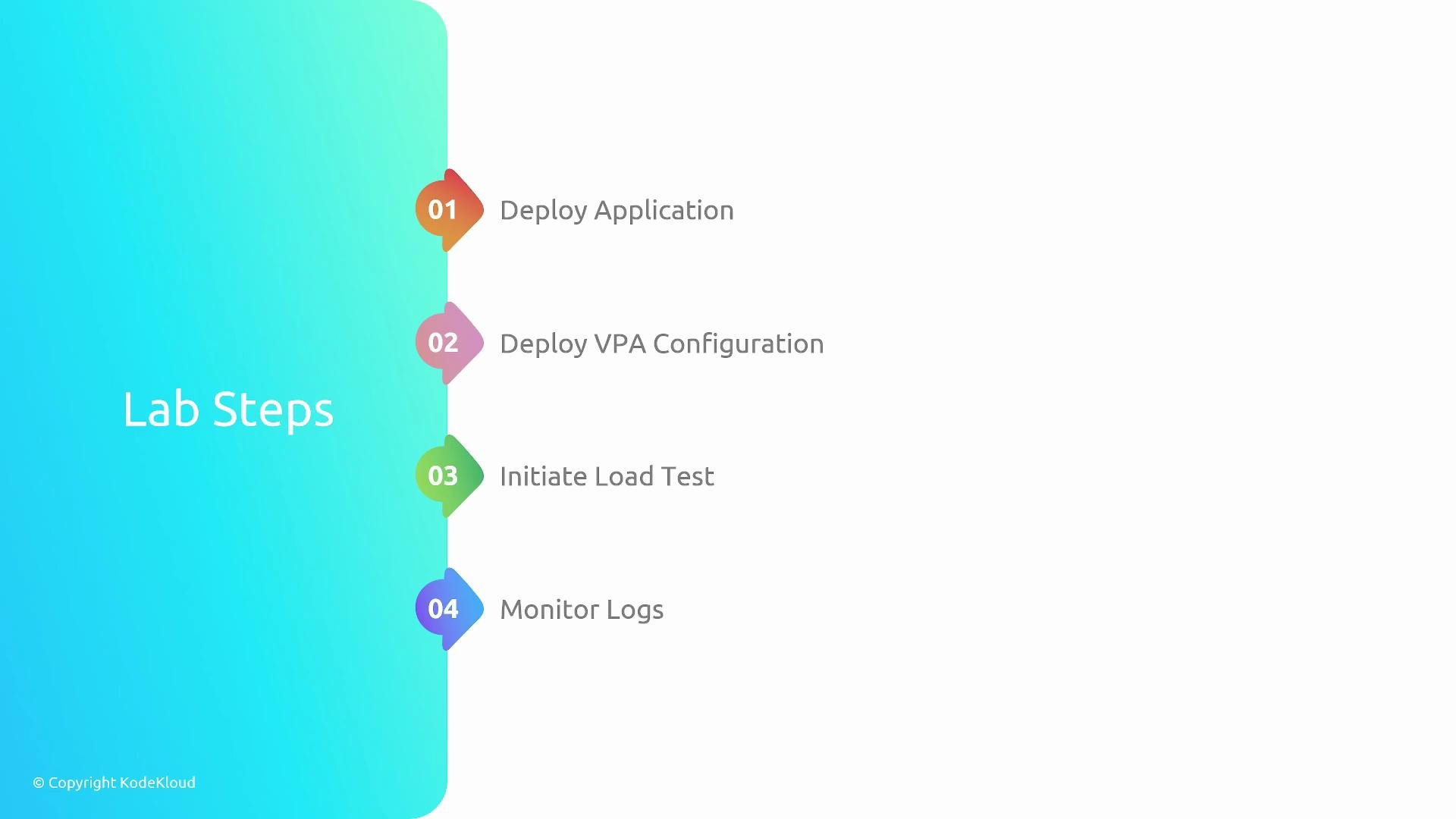
High-level sequence:
* Deploy the sample Flask application (Deployment + Service).
* Apply a VPA with `updateMode: Off` to collect recommendations only.
* Generate load against the app so VPA can observe usage.
* Inspect the VPA updater logs while `Off` to confirm no evictions occur.
* Switch the VPA to `Auto` (or `Recreate`) to enable automatic application.
* Watch the updater evict pods and confirm new pods run with updated requests.
 Summary of the demo flow:
| Step | Command / Artifact | Purpose |
| ---- | -------------------------------------------------------------------------------------------------------------------------------- | -------------------------------------------------------------------- |
| 1 | `kubectl apply -f /root/vpa-cpu-app.yml` | Deploy Flask Deployment + Service so the app is reachable. |
| 2 | `kubectl apply -f /root/vpa-flask-app-vpa.yml` | Apply VPA with `updateMode: Off` to gather recommendations. |
| 3 | `sh load.sh` | Generate sustained load so VPA can build resource observations. |
| 4 | `kubectl logs -f vpa-updater- -n kube-system` | Inspect updater behavior while updates are disabled. |
| 5 | `kubectl edit vpa flask-app` (change to `Auto`) or run `kubectl get vpa flask-app -o jsonpath='{.spec.updatePolicy.updateMode}'` | Enable automatic application of recommendations. |
| 6 | `kubectl get pods` | Confirm pods are recreated and new pods reflect VPA recommendations. |
For more on VPA concepts, see the Kubernetes docs: [Vertical Pod Autoscaler](https://github.com/kubernetes/autoscaler/tree/master/vertical-pod-autoscaler).
Summary of the demo flow:
| Step | Command / Artifact | Purpose |
| ---- | -------------------------------------------------------------------------------------------------------------------------------- | -------------------------------------------------------------------- |
| 1 | `kubectl apply -f /root/vpa-cpu-app.yml` | Deploy Flask Deployment + Service so the app is reachable. |
| 2 | `kubectl apply -f /root/vpa-flask-app-vpa.yml` | Apply VPA with `updateMode: Off` to gather recommendations. |
| 3 | `sh load.sh` | Generate sustained load so VPA can build resource observations. |
| 4 | `kubectl logs -f vpa-updater- -n kube-system` | Inspect updater behavior while updates are disabled. |
| 5 | `kubectl edit vpa flask-app` (change to `Auto`) or run `kubectl get vpa flask-app -o jsonpath='{.spec.updatePolicy.updateMode}'` | Enable automatic application of recommendations. |
| 6 | `kubectl get pods` | Confirm pods are recreated and new pods reflect VPA recommendations. |
For more on VPA concepts, see the Kubernetes docs: [Vertical Pod Autoscaler](https://github.com/kubernetes/autoscaler/tree/master/vertical-pod-autoscaler).
 ***
## 1) Deploy the sample app
Apply the manifest for the sample Flask application. The manifest creates both a Deployment and a Service so the app can be load-tested.
```bash theme={null}
kubectl apply -f /root/vpa-cpu-app.yml
```
Expected output:
```console theme={null}
deployment.apps/flask-app created
service/flask-app-service created
```
Confirm the Deployment and Service are created and pods are running before proceeding.
## 2) VPA configuration (initial)
Create a VPA that targets the `flask-app` Deployment. Start with `updateMode: Off` so the VPA only computes and exposes recommendations without evicting pods.
```yaml theme={null}
apiVersion: "autoscaling.k8s.io/v1"
kind: VerticalPodAutoscaler
metadata:
name: flask-app
spec:
targetRef:
apiVersion: "apps/v1"
kind: Deployment
name: flask-app
updatePolicy:
updateMode: "Off"
resourcePolicy:
containerPolicies:
- containerName: '*'
minAllowed:
cpu: 100m
memory: 100Mi
maxAllowed:
cpu: 800m
memory: 500Mi
controlledResources: ["cpu", "memory"]
```
This manifest:
* Targets the `flask-app` Deployment.
* Uses `updateMode: Off` so the updater will not evict pods (only recommendations are generated).
* Sets `minAllowed` and `maxAllowed` to constrain suggestions.
* Controls `cpu` and `memory` resources.
Apply the VPA manifest:
```bash theme={null}
kubectl apply -f /root/vpa-flask-app-vpa.yml
```
Inspect VPA recommendations and bounds:
```bash theme={null}
kubectl describe vpa flask-app
```
Sample (truncated) `kubectl describe vpa` output:
```console theme={null}
Recommendation:
Container Recommendations:
Container Name: flask-app
Lower Bound:
Cpu: 100m
Target:
Cpu: 100m
Uncapped Target:
Cpu: 25m
Upper Bound:
Cpu: 800m
```
At this stage the updater provides recommendations but does not evict or modify pods.
## 3) Start a load test
Generate traffic so the VPA collects realistic resource usage metrics. For this lab the provided script is used:
```bash theme={null}
sh load.sh
```
Sample console output (repeated responses):
```console theme={null}
Hello, World!Hello, World!Hello, World!Hello, World!Hello, World!Hello, World!
```
Allow the load to run for several minutes so VPA accumulates observations and refines its recommendations.
## 4) Inspect the VPA updater logs (while updateMode is Off)
While `updateMode` remains `Off`, confirm the updater is collecting data but not evicting pods.
Identify the updater pod name (example shown below uses `vpa-updater-59469d986c-gw5jf` — replace with your pod name):
```bash theme={null}
kubectl logs -f vpa-updater-59469d986c-gw5jf -n kube-system
```
Example logs showing the updater skipping VPA objects that aren't in an active update mode:
```console theme={null}
I0104 12:28:33.901166 1 updater.go:150] skipping VPA object default/flask-app because its mode is not "Recreate" or "Auto"
W0104 12:28:33.901197 1 updater.go:166] no VPA objects to process
```
VPA behavior is split into two concerns: (1) computing recommendations based on observed usage, and (2) applying those recommendations by evicting pods so new pods start with updated requests. `updateMode: Off` disables automatic application; use `Auto` or `Recreate` to enable eviction and automatic application.
## 5) Enable automatic updates
When you're ready for the VPA to apply recommendations, change `updateMode` to `Auto` (or `Recreate` if you require a different eviction behavior). Editing in-place:
```bash theme={null}
kubectl edit vpa flask-app
```
Change the `updatePolicy` block to:
```yaml theme={null}
updatePolicy:
updateMode: "Auto"
```
Verify the change:
```bash theme={null}
kubectl get vpa flask-app -o jsonpath='{.spec.updatePolicy.updateMode}'
```
Expected output:
```console theme={null}
Auto
```
Enabling `Auto` (or `Recreate`) will allow the VPA updater to evict pods to apply recommended resource requests. Be prepared for transient pod restarts and possible brief disruptions to service. Use during maintenance windows if running in production.
## 6) Watch the updater apply recommendations
With `Auto` enabled and load in effect, the updater will accept recommendations, evict selected pods, and let the Deployment create new pods with the updated resource requests. Tail the updater logs again to observe this flow:
```bash theme={null}
kubectl logs -f vpa-updater-59469d986c-gw5jf -n kube-system
```
Example log lines showing accepted recommendations and eviction events:
```console theme={null}
I0104 12:39:33.906873 1 update_priority_calculator.go:146] pod accepted for update default/flask-app-67b666c5fc-k9rtg with priority 586 - processed recommendations:
flask-app: target: 587m; uncappedTarget: 587m;
I0104 12:39:33.906922 1 update_priority_calculator.go:146] pod accepted for update default/flask-app-67b666c5fc-fpw77 with priority 586 - processed recommendations:
flask-app: target: 587m; uncappedTarget: 587m;
I0104 12:39:33.906962 1 updater.go:228] evicting pod default/flask-app-67b666c5fc-k9rtg
I0104 12:39:33.919716 1 event.go:298] Event(v1.ObjectReference{Kind:"Pod", Namespace:"default", Name:"flask-app-67b666c5fc-k9rtg", UID:"ea3379ed-eeef-4b2e-b0b4-9ef30e3fe009", APIVersion:"v1", ResourceVersion:"4137", FieldPath:""}): type: 'Normal' reason: 'EvictedByVPA' Pod was evicted by VPA Updater to apply resource recommendation.
```
These lines show the updater computed a target CPU (\~587m) and evicted pods so the Deployment could recreate them with the new resource requests.
## 7) Confirm new pods are running with updated resource requests
After evictions and recreations, list pods and verify ages and resource requests. New pods created after eviction will have a low AGE value:
```bash theme={null}
kubectl get pods
```
Example output:
```console theme={null}
NAME READY STATUS RESTARTS AGE
flask-app-67b666c5fc-41b5s 1/1 Running 0 43s
flask-app-67b666c5fc-96jf9 1/1 Running 0 103s
```
To inspect the resource requests of a pod's containers, describe the pod or check the Deployment's pod template after the VPA has updated the requests:
```bash theme={null}
kubectl describe pod flask-app-67b666c5fc-41b5s
# or
kubectl get deployment flask-app -o yaml
```
Look for the `resources.requests` fields to verify they reflect the VPA recommendations.
***
That completes the end-to-end demo. You can now practice applying VPA manifests, generating load, and watching the updater behavior. For additional reading, consult:
* Kubernetes VPA in the Autoscaler repo: [https://github.com/kubernetes/autoscaler/tree/master/vertical-pod-autoscaler](https://github.com/kubernetes/autoscaler/tree/master/vertical-pod-autoscaler)
* Kubernetes documentation: [https://kubernetes.io/docs/](https://kubernetes.io/docs/)
***
## 1) Deploy the sample app
Apply the manifest for the sample Flask application. The manifest creates both a Deployment and a Service so the app can be load-tested.
```bash theme={null}
kubectl apply -f /root/vpa-cpu-app.yml
```
Expected output:
```console theme={null}
deployment.apps/flask-app created
service/flask-app-service created
```
Confirm the Deployment and Service are created and pods are running before proceeding.
## 2) VPA configuration (initial)
Create a VPA that targets the `flask-app` Deployment. Start with `updateMode: Off` so the VPA only computes and exposes recommendations without evicting pods.
```yaml theme={null}
apiVersion: "autoscaling.k8s.io/v1"
kind: VerticalPodAutoscaler
metadata:
name: flask-app
spec:
targetRef:
apiVersion: "apps/v1"
kind: Deployment
name: flask-app
updatePolicy:
updateMode: "Off"
resourcePolicy:
containerPolicies:
- containerName: '*'
minAllowed:
cpu: 100m
memory: 100Mi
maxAllowed:
cpu: 800m
memory: 500Mi
controlledResources: ["cpu", "memory"]
```
This manifest:
* Targets the `flask-app` Deployment.
* Uses `updateMode: Off` so the updater will not evict pods (only recommendations are generated).
* Sets `minAllowed` and `maxAllowed` to constrain suggestions.
* Controls `cpu` and `memory` resources.
Apply the VPA manifest:
```bash theme={null}
kubectl apply -f /root/vpa-flask-app-vpa.yml
```
Inspect VPA recommendations and bounds:
```bash theme={null}
kubectl describe vpa flask-app
```
Sample (truncated) `kubectl describe vpa` output:
```console theme={null}
Recommendation:
Container Recommendations:
Container Name: flask-app
Lower Bound:
Cpu: 100m
Target:
Cpu: 100m
Uncapped Target:
Cpu: 25m
Upper Bound:
Cpu: 800m
```
At this stage the updater provides recommendations but does not evict or modify pods.
## 3) Start a load test
Generate traffic so the VPA collects realistic resource usage metrics. For this lab the provided script is used:
```bash theme={null}
sh load.sh
```
Sample console output (repeated responses):
```console theme={null}
Hello, World!Hello, World!Hello, World!Hello, World!Hello, World!Hello, World!
```
Allow the load to run for several minutes so VPA accumulates observations and refines its recommendations.
## 4) Inspect the VPA updater logs (while updateMode is Off)
While `updateMode` remains `Off`, confirm the updater is collecting data but not evicting pods.
Identify the updater pod name (example shown below uses `vpa-updater-59469d986c-gw5jf` — replace with your pod name):
```bash theme={null}
kubectl logs -f vpa-updater-59469d986c-gw5jf -n kube-system
```
Example logs showing the updater skipping VPA objects that aren't in an active update mode:
```console theme={null}
I0104 12:28:33.901166 1 updater.go:150] skipping VPA object default/flask-app because its mode is not "Recreate" or "Auto"
W0104 12:28:33.901197 1 updater.go:166] no VPA objects to process
```
VPA behavior is split into two concerns: (1) computing recommendations based on observed usage, and (2) applying those recommendations by evicting pods so new pods start with updated requests. `updateMode: Off` disables automatic application; use `Auto` or `Recreate` to enable eviction and automatic application.
## 5) Enable automatic updates
When you're ready for the VPA to apply recommendations, change `updateMode` to `Auto` (or `Recreate` if you require a different eviction behavior). Editing in-place:
```bash theme={null}
kubectl edit vpa flask-app
```
Change the `updatePolicy` block to:
```yaml theme={null}
updatePolicy:
updateMode: "Auto"
```
Verify the change:
```bash theme={null}
kubectl get vpa flask-app -o jsonpath='{.spec.updatePolicy.updateMode}'
```
Expected output:
```console theme={null}
Auto
```
Enabling `Auto` (or `Recreate`) will allow the VPA updater to evict pods to apply recommended resource requests. Be prepared for transient pod restarts and possible brief disruptions to service. Use during maintenance windows if running in production.
## 6) Watch the updater apply recommendations
With `Auto` enabled and load in effect, the updater will accept recommendations, evict selected pods, and let the Deployment create new pods with the updated resource requests. Tail the updater logs again to observe this flow:
```bash theme={null}
kubectl logs -f vpa-updater-59469d986c-gw5jf -n kube-system
```
Example log lines showing accepted recommendations and eviction events:
```console theme={null}
I0104 12:39:33.906873 1 update_priority_calculator.go:146] pod accepted for update default/flask-app-67b666c5fc-k9rtg with priority 586 - processed recommendations:
flask-app: target: 587m; uncappedTarget: 587m;
I0104 12:39:33.906922 1 update_priority_calculator.go:146] pod accepted for update default/flask-app-67b666c5fc-fpw77 with priority 586 - processed recommendations:
flask-app: target: 587m; uncappedTarget: 587m;
I0104 12:39:33.906962 1 updater.go:228] evicting pod default/flask-app-67b666c5fc-k9rtg
I0104 12:39:33.919716 1 event.go:298] Event(v1.ObjectReference{Kind:"Pod", Namespace:"default", Name:"flask-app-67b666c5fc-k9rtg", UID:"ea3379ed-eeef-4b2e-b0b4-9ef30e3fe009", APIVersion:"v1", ResourceVersion:"4137", FieldPath:""}): type: 'Normal' reason: 'EvictedByVPA' Pod was evicted by VPA Updater to apply resource recommendation.
```
These lines show the updater computed a target CPU (\~587m) and evicted pods so the Deployment could recreate them with the new resource requests.
## 7) Confirm new pods are running with updated resource requests
After evictions and recreations, list pods and verify ages and resource requests. New pods created after eviction will have a low AGE value:
```bash theme={null}
kubectl get pods
```
Example output:
```console theme={null}
NAME READY STATUS RESTARTS AGE
flask-app-67b666c5fc-41b5s 1/1 Running 0 43s
flask-app-67b666c5fc-96jf9 1/1 Running 0 103s
```
To inspect the resource requests of a pod's containers, describe the pod or check the Deployment's pod template after the VPA has updated the requests:
```bash theme={null}
kubectl describe pod flask-app-67b666c5fc-41b5s
# or
kubectl get deployment flask-app -o yaml
```
Look for the `resources.requests` fields to verify they reflect the VPA recommendations.
***
That completes the end-to-end demo. You can now practice applying VPA manifests, generating load, and watching the updater behavior. For additional reading, consult:
* Kubernetes VPA in the Autoscaler repo: [https://github.com/kubernetes/autoscaler/tree/master/vertical-pod-autoscaler](https://github.com/kubernetes/autoscaler/tree/master/vertical-pod-autoscaler)
* Kubernetes documentation: [https://kubernetes.io/docs/](https://kubernetes.io/docs/)