> ## Documentation Index
> Fetch the complete documentation index at: https://notes.kodekloud.com/llms.txt
> Use this file to discover all available pages before exploring further.
# VPA Memory Lab
> Demonstrates using Kubernetes Vertical Pod Autoscaler to collect and validate memory recommendations for a Flask app by observing baseline, applying memory-only VPA, and testing under load.
Welcome — in this lab you'll see the Vertical Pod Autoscaler (VPA) in action for tuning memory requests based on observed usage. This walkthrough covers deploying a sample Flask app, observing baseline memory, applying a memory-only VPA, and validating recommendations under load.
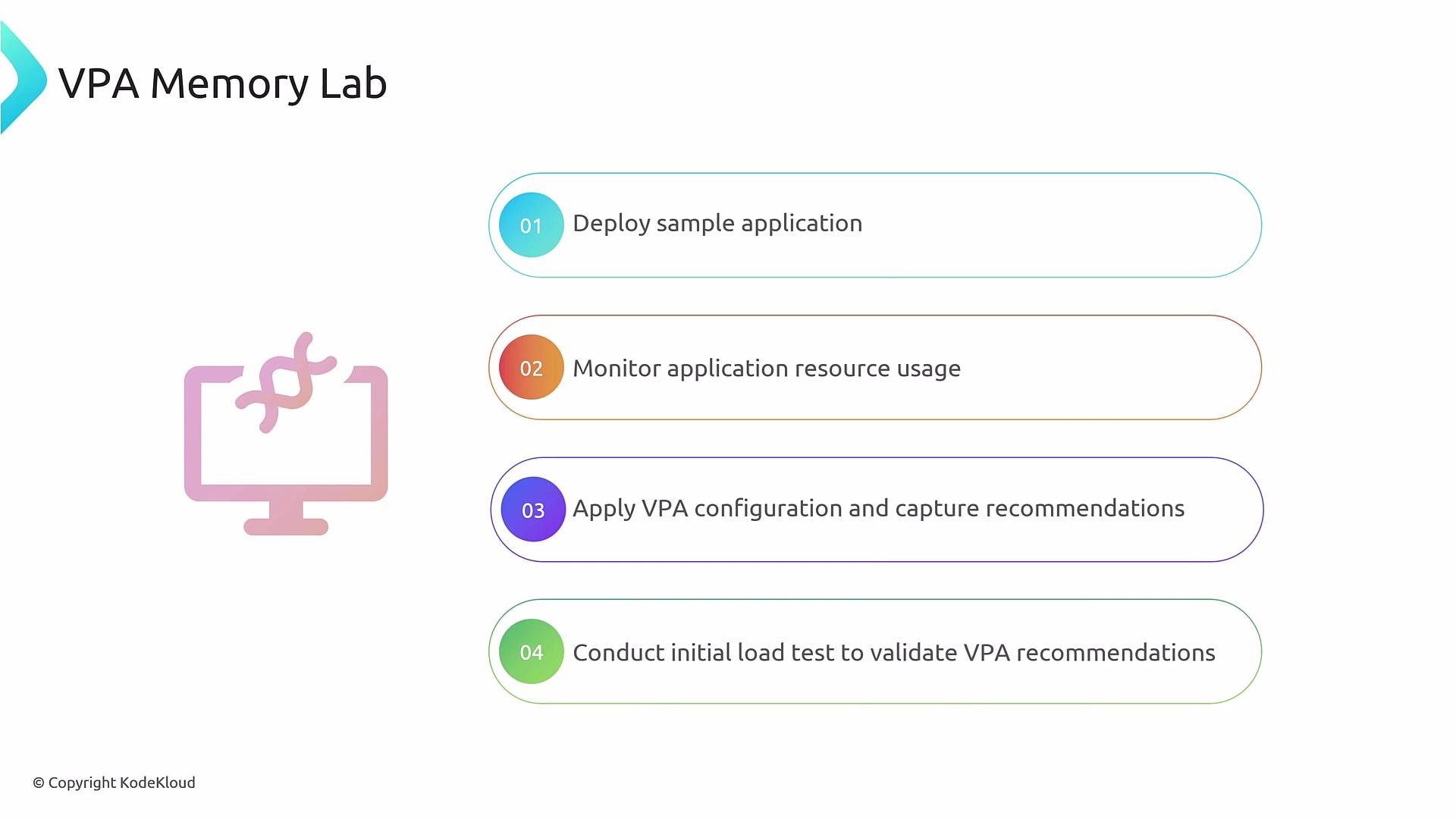 Overview — what you'll do
* Deploy a simple Flask application and a Kubernetes Service.
* Observe pods and current CPU/memory usage to establish a baseline.
* Create a VPA object targeting the Flask Deployment to collect memory recommendations.
* Generate load and observe how VPA recommendations update.
Quick workflow
1. Deploy the sample application.
2. Monitor memory usage (baseline).
3. Apply the VPA manifest (memory-only policy).
4. Run a load test and re-check recommendations.
Prerequisites
* A Kubernetes cluster with `kubectl` configured for your context.
* metrics-server or other metrics provider installed to view pod resource usage (`kubectl top pods`).
* VPA components (CRD + controller: recommender, updater, admission-controller if needed) installed so the VerticalPodAutoscaler resource can produce recommendations.
Deploy and inspect the sample application
* After deploying the Flask app and Service, confirm pods are running:
```bash theme={null}
kubectl get pods
```
Example output:
```text theme={null}
NAME READY STATUS RESTARTS AGE
flask-app-b85fc57d4-kmsdl 1/1 Running 0 101s
flask-app-b85fc57d4-zn77q 1/1 Running 0 101s
```
* Check current memory usage (with metrics-server):
```bash theme={null}
kubectl top pods
```
Note typical baseline memory consumption (example: \~19Mi) so you can compare before/after load.
VPA configuration used in this lab
* This VPA manifest is configured to provide memory recommendations only. It sets `minAllowed` and `maxAllowed` memory bounds and uses `updateMode: Off` so changes are recommendations only.
```yaml theme={null}
---
apiVersion: "autoscaling.k8s.io/v1"
kind: VerticalPodAutoscaler
metadata:
name: flask-app
spec:
# recommenders field can be unset when using the default recommender.
# When using an alternative recommender, specify it as a list:
# recommenders:
# - name: 'alternative'
targetRef:
apiVersion: "apps/v1"
kind: Deployment
name: flask-app
updatePolicy:
updateMode: "Off"
resourcePolicy:
containerPolicies:
- containerName: '*'
minAllowed:
memory: 150Mi
maxAllowed:
memory: 1000Mi
controlledResources: ["memory"]
```
This VPA is restricted to memory recommendations (`controlledResources`). With `updateMode: "Off"`, VPA only reports recommendations — it will not modify pod resource requests automatically.
Apply the VPA manifest
```bash theme={null}
kubectl apply -f vpa-memory.yaml
```
Ensure the VPA CRD/controller are installed, otherwise the resource may be unrecognized or will not produce recommendations.
Example create output:
```text theme={null}
verticalpodautoscaler.autoscaling.k8s.io/flask-app created
```
If the VPA controller or CRD is missing, `kubectl get vpa` may return “no resources found” or the resource may appear but never populate `status.recommendation`. Install the VPA components from the official project before proceeding: [https://github.com/kubernetes/autoscaler/tree/master/vertical-pod-autoscaler](https://github.com/kubernetes/autoscaler/tree/master/vertical-pod-autoscaler)
Inspecting VPA recommendations (before load)
* Get the VPA object to view recommendations:
```bash theme={null}
kubectl get vpa flask-app -o yaml
```
* Immediately after creation (before load) you may see recommendations that reflect current usage and your configured bounds. Example snippet:
```yaml theme={null}
status:
conditions:
- lastTransitionTime: "2025-01-15T08:10:03Z"
status: "True"
type: RecommendationProvided
recommendation:
containerRecommendations:
- containerName: flask-app
lowerBound:
memory: 262144k
target:
memory: 262144k
uncappedTarget:
memory: 262144k
upperBound:
memory: 1000Mi
```
Key recommendation fields (summary)
| Field | Meaning |
| ---------------- | ----------------------------------------------------------------------------------------------------- |
| `lowerBound` | Minimum recommended request for the container (respects `minAllowed`). |
| `target` | The recommended request balancing utilization and stability — the value you should consider applying. |
| `uncappedTarget` | The recommender’s ideal recommendation ignoring `minAllowed` / `maxAllowed` bounds. |
| `upperBound` | Maximum recommended request for the container (reflects `maxAllowed`). |
Generating load and re-checking recommendations
* Run the provided load script to stress the Flask app:
```bash theme={null}
sh load.sh
```
Example output:
```text theme={null}
Hello world!
```
* Let the load run long enough for the recommender to observe increased memory usage, then re-check VPA:
```bash theme={null}
kubectl get vpa flask-app -o yaml
```
Example updated recommendation after load:
```yaml theme={null}
recommendation:
containerRecommendations:
- containerName: flask-app
lowerBound:
memory: 262144k
target:
memory: "511772K"
uncappedTarget:
memory: "511772K"
upperBound:
memory: 1000Mi
```
Interpreting recommendations after load
* `target` and `uncappedTarget` increase to match observed memory usage (example: \~512Mi).
* If `uncappedTarget` stays within `maxAllowed`, VPA’s effective recommendation will equal the uncapped recommendation.
* If `uncappedTarget` exceeds `maxAllowed` (e.g., uncapped 1200Mi while `maxAllowed` = 1000Mi), VPA will cap the recommendation at `maxAllowed`. Decide whether to raise `maxAllowed` if your app legitimately needs more memory, or consider horizontal scaling (more replicas) instead of a single larger instance.
Practical considerations and best practices
* Use `updateMode: "Off"` in production if you require manual review before applying resource changes.
* Large memory allocations can impact node packing and garbage collection — review node capacity and application behavior before increasing memory limits.
* VPA is best for adjusting requests for workloads that benefit from vertical scaling (single-pod improvement). For horizontally scalable services, prefer Horizontal Pod Autoscaler (HPA) or combine VPA with HPA carefully.
* Always verify metrics collection (e.g., metrics-server) and VPA controller health to ensure accurate recommendations.
Useful links and references
* VPA project (GitHub): [https://github.com/kubernetes/autoscaler/tree/master/vertical-pod-autoscaler](https://github.com/kubernetes/autoscaler/tree/master/vertical-pod-autoscaler)
* Kubernetes docs — autoscaling: [https://kubernetes.io/docs/tasks/run-application/horizontal-pod-autoscale/](https://kubernetes.io/docs/tasks/run-application/horizontal-pod-autoscale/)
* metrics-server: [https://github.com/kubernetes-sigs/metrics-server](https://github.com/kubernetes-sigs/metrics-server)
This finishes the conceptual walkthrough for the VPA Memory Lab. In the hands-on lab you will perform these steps and observe how recommendations change between baseline and under load.
Overview — what you'll do
* Deploy a simple Flask application and a Kubernetes Service.
* Observe pods and current CPU/memory usage to establish a baseline.
* Create a VPA object targeting the Flask Deployment to collect memory recommendations.
* Generate load and observe how VPA recommendations update.
Quick workflow
1. Deploy the sample application.
2. Monitor memory usage (baseline).
3. Apply the VPA manifest (memory-only policy).
4. Run a load test and re-check recommendations.
Prerequisites
* A Kubernetes cluster with `kubectl` configured for your context.
* metrics-server or other metrics provider installed to view pod resource usage (`kubectl top pods`).
* VPA components (CRD + controller: recommender, updater, admission-controller if needed) installed so the VerticalPodAutoscaler resource can produce recommendations.
Deploy and inspect the sample application
* After deploying the Flask app and Service, confirm pods are running:
```bash theme={null}
kubectl get pods
```
Example output:
```text theme={null}
NAME READY STATUS RESTARTS AGE
flask-app-b85fc57d4-kmsdl 1/1 Running 0 101s
flask-app-b85fc57d4-zn77q 1/1 Running 0 101s
```
* Check current memory usage (with metrics-server):
```bash theme={null}
kubectl top pods
```
Note typical baseline memory consumption (example: \~19Mi) so you can compare before/after load.
VPA configuration used in this lab
* This VPA manifest is configured to provide memory recommendations only. It sets `minAllowed` and `maxAllowed` memory bounds and uses `updateMode: Off` so changes are recommendations only.
```yaml theme={null}
---
apiVersion: "autoscaling.k8s.io/v1"
kind: VerticalPodAutoscaler
metadata:
name: flask-app
spec:
# recommenders field can be unset when using the default recommender.
# When using an alternative recommender, specify it as a list:
# recommenders:
# - name: 'alternative'
targetRef:
apiVersion: "apps/v1"
kind: Deployment
name: flask-app
updatePolicy:
updateMode: "Off"
resourcePolicy:
containerPolicies:
- containerName: '*'
minAllowed:
memory: 150Mi
maxAllowed:
memory: 1000Mi
controlledResources: ["memory"]
```
This VPA is restricted to memory recommendations (`controlledResources`). With `updateMode: "Off"`, VPA only reports recommendations — it will not modify pod resource requests automatically.
Apply the VPA manifest
```bash theme={null}
kubectl apply -f vpa-memory.yaml
```
Ensure the VPA CRD/controller are installed, otherwise the resource may be unrecognized or will not produce recommendations.
Example create output:
```text theme={null}
verticalpodautoscaler.autoscaling.k8s.io/flask-app created
```
If the VPA controller or CRD is missing, `kubectl get vpa` may return “no resources found” or the resource may appear but never populate `status.recommendation`. Install the VPA components from the official project before proceeding: [https://github.com/kubernetes/autoscaler/tree/master/vertical-pod-autoscaler](https://github.com/kubernetes/autoscaler/tree/master/vertical-pod-autoscaler)
Inspecting VPA recommendations (before load)
* Get the VPA object to view recommendations:
```bash theme={null}
kubectl get vpa flask-app -o yaml
```
* Immediately after creation (before load) you may see recommendations that reflect current usage and your configured bounds. Example snippet:
```yaml theme={null}
status:
conditions:
- lastTransitionTime: "2025-01-15T08:10:03Z"
status: "True"
type: RecommendationProvided
recommendation:
containerRecommendations:
- containerName: flask-app
lowerBound:
memory: 262144k
target:
memory: 262144k
uncappedTarget:
memory: 262144k
upperBound:
memory: 1000Mi
```
Key recommendation fields (summary)
| Field | Meaning |
| ---------------- | ----------------------------------------------------------------------------------------------------- |
| `lowerBound` | Minimum recommended request for the container (respects `minAllowed`). |
| `target` | The recommended request balancing utilization and stability — the value you should consider applying. |
| `uncappedTarget` | The recommender’s ideal recommendation ignoring `minAllowed` / `maxAllowed` bounds. |
| `upperBound` | Maximum recommended request for the container (reflects `maxAllowed`). |
Generating load and re-checking recommendations
* Run the provided load script to stress the Flask app:
```bash theme={null}
sh load.sh
```
Example output:
```text theme={null}
Hello world!
```
* Let the load run long enough for the recommender to observe increased memory usage, then re-check VPA:
```bash theme={null}
kubectl get vpa flask-app -o yaml
```
Example updated recommendation after load:
```yaml theme={null}
recommendation:
containerRecommendations:
- containerName: flask-app
lowerBound:
memory: 262144k
target:
memory: "511772K"
uncappedTarget:
memory: "511772K"
upperBound:
memory: 1000Mi
```
Interpreting recommendations after load
* `target` and `uncappedTarget` increase to match observed memory usage (example: \~512Mi).
* If `uncappedTarget` stays within `maxAllowed`, VPA’s effective recommendation will equal the uncapped recommendation.
* If `uncappedTarget` exceeds `maxAllowed` (e.g., uncapped 1200Mi while `maxAllowed` = 1000Mi), VPA will cap the recommendation at `maxAllowed`. Decide whether to raise `maxAllowed` if your app legitimately needs more memory, or consider horizontal scaling (more replicas) instead of a single larger instance.
Practical considerations and best practices
* Use `updateMode: "Off"` in production if you require manual review before applying resource changes.
* Large memory allocations can impact node packing and garbage collection — review node capacity and application behavior before increasing memory limits.
* VPA is best for adjusting requests for workloads that benefit from vertical scaling (single-pod improvement). For horizontally scalable services, prefer Horizontal Pod Autoscaler (HPA) or combine VPA with HPA carefully.
* Always verify metrics collection (e.g., metrics-server) and VPA controller health to ensure accurate recommendations.
Useful links and references
* VPA project (GitHub): [https://github.com/kubernetes/autoscaler/tree/master/vertical-pod-autoscaler](https://github.com/kubernetes/autoscaler/tree/master/vertical-pod-autoscaler)
* Kubernetes docs — autoscaling: [https://kubernetes.io/docs/tasks/run-application/horizontal-pod-autoscale/](https://kubernetes.io/docs/tasks/run-application/horizontal-pod-autoscale/)
* metrics-server: [https://github.com/kubernetes-sigs/metrics-server](https://github.com/kubernetes-sigs/metrics-server)
This finishes the conceptual walkthrough for the VPA Memory Lab. In the hands-on lab you will perform these steps and observe how recommendations change between baseline and under load.