> ## Documentation Index
> Fetch the complete documentation index at: https://notes.kodekloud.com/llms.txt
> Use this file to discover all available pages before exploring further.
# Installing Cilium and Hubble CLI
> This guide explains how to install the Cilium and Hubble command-line tools on a Linux system.
Before you deploy Cilium in your Kubernetes cluster, you’ll need to install two command-line tools locally: the Cilium CLI and the Hubble CLI. This guide walks you through downloading, verifying, and installing both CLIs on Linux.
## Install Cilium CLI
Follow these steps to fetch the latest stable Cilium CLI release, verify its integrity, and install it to `/usr/local/bin`.
### 1. Download and verify the Cilium CLI
Make sure you have `curl`, `sha256sum`, and `tar` installed. You’ll also need `sudo` privileges to copy the binary into `/usr/local/bin`.
```bash theme={null}
# Determine the latest stable version and target architecture
CILIUM_CLI_VERSION=$(curl -s https://raw.githubusercontent.com/cilium/cilium-cli/main/stable.txt)
CLI_ARCH=amd64
if [ "$(uname -m)" = "aarch64" ]; then
CLI_ARCH=arm64
fi
# Download the tarball and its SHA-256 checksum
curl -L --fail --remote-name-all \
https://github.com/cilium/cilium-cli/releases/download/${CILIUM_CLI_VERSION}/cilium-linux-${CLI_ARCH}.tar.gz{,.sha256sum}
# Verify the checksum before extraction
sha256sum --check cilium-linux-${CLI_ARCH}.tar.gz.sha256sum
# Extract and install the binary
sudo tar xzvf cilium-linux-${CLI_ARCH}.tar.gz -C /usr/local/bin
# Remove downloaded files
rm cilium-linux-${CLI_ARCH}.tar.gz{,.sha256sum}
```
This process:
1. Fetches the correct binary for your CPU architecture.
2. Validates it with the downloaded SHA-256 checksum.
3. Places the `cilium` executable into `/usr/local/bin`.
### 2. Verify the Cilium CLI installation
Run:
```bash theme={null}
cilium version --client
```
You should see output similar to:
```text theme={null}
cilium-cli version: v0.16.13 compiled with go1.21.25 on linux/amd64
cilium image (default): v1.15.6
cilium image (stable): v1.16.0
```
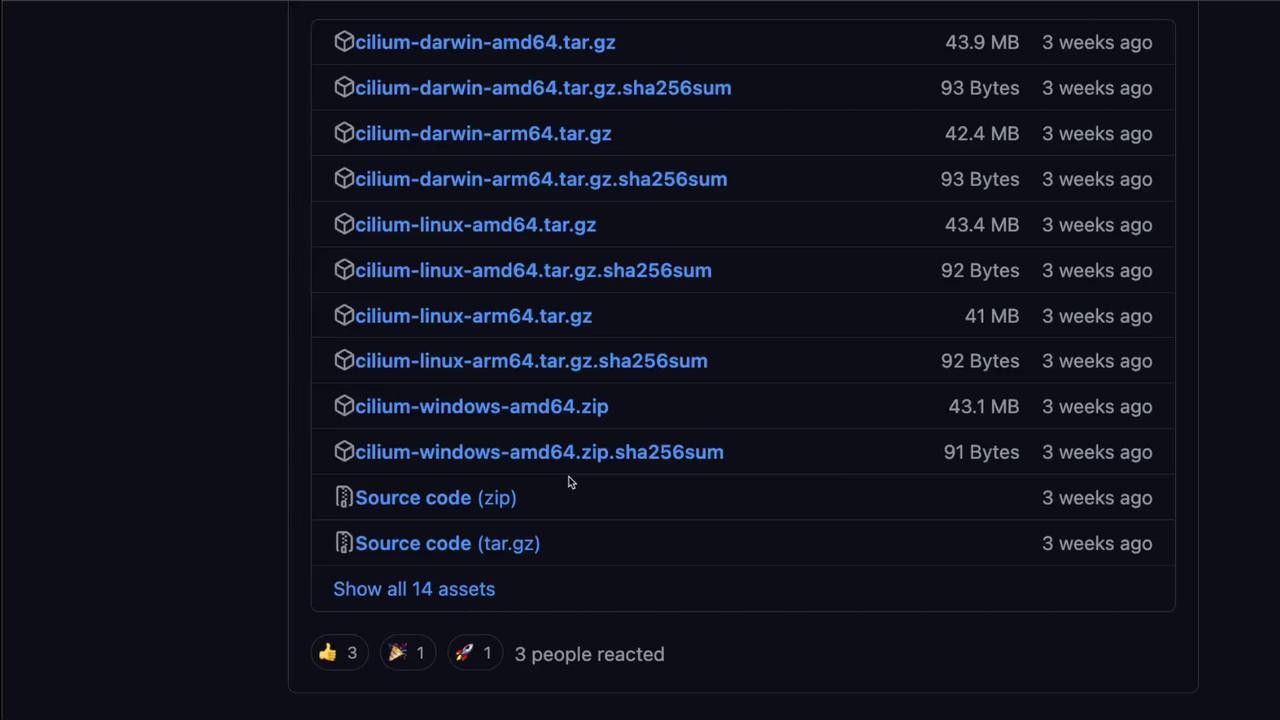
If you need a specific version, visit the [Cilium CLI GitHub releases page][cilium-cli-releases] to download the right asset.
## Install Hubble CLI
The Hubble CLI installation mirrors the Cilium CLI workflow. Use the same pattern to download, verify, and install.
### 1. Download and verify the Hubble CLI
```bash theme={null}
# Get the latest stable Hubble version and set architecture
HUBBLE_VERSION=$(curl -s https://raw.githubusercontent.com/cilium/hubble/master/stable.txt)
HUBBLE_ARCH=amd64
if [ "$(uname -m)" = "aarch64" ]; then
HUBBLE_ARCH=arm64
fi
# Download the Hubble tarball and checksum
curl -L --fail --remote-name-all \
https://github.com/cilium/hubble/releases/download/${HUBBLE_VERSION}/hubble-linux-${HUBBLE_ARCH}.tar.gz{,.sha256sum}
# Validate the download
sha256sum --check hubble-linux-${HUBBLE_ARCH}.tar.gz.sha256sum
# Install the binary
sudo tar xzf hubble-linux-${HUBBLE_ARCH}.tar.gz -C /usr/local/bin
# Cleanup
rm hubble-linux-${HUBBLE_ARCH}.tar.gz{,.sha256sum}
```
### 2. Verify the Hubble CLI installation
Execute:
```bash theme={null}
hubble version
```
Expected output:
```text theme={null}
hubble v1.16.0 compiled with go1.22.5 on linux/amd64
```
For alternative versions, browse the [Hubble GitHub releases page][hubble-releases].
***
Now that both the Cilium and Hubble CLIs are installed, you’re ready to proceed with deploying Cilium onto your Kubernetes cluster.
## Links and References
* [Cilium “Get Started” documentation][cilium-gettingstarted]
* [Cilium CLI GitHub releases page][cilium-cli-releases]
* [Hubble documentation][hubble-docs]
* [Hubble GitHub releases page][hubble-releases]
[cilium-gettingstarted]: https://docs.cilium.io/gettingstarted/
[cilium-cli-releases]: https://github.com/cilium/cilium-cli/releases
[hubble-docs]: https://docs.cilium.io/gettingstarted/hubble/
[hubble-releases]: https://github.com/cilium/hubble/releases