> ## Documentation Index
> Fetch the complete documentation index at: https://notes.kodekloud.com/llms.txt
> Use this file to discover all available pages before exploring further.
# Cert Manager and Lets Encrypt Overview
> This guide explains how to automate SSL/TLS certificate management in Kubernetes using cert-manager and Let’s Encrypt.
In this guide, you’ll learn how to use cert-manager and Let’s Encrypt together to automate SSL/TLS certificate management in Kubernetes. We’ll cover:
1. What cert-manager is and how to install it.
2. An introduction to Let’s Encrypt and its ACME workflow.
3. How to integrate cert-manager with Let’s Encrypt for automatic certificate issuance and renewal.
***
## What Is cert-manager?
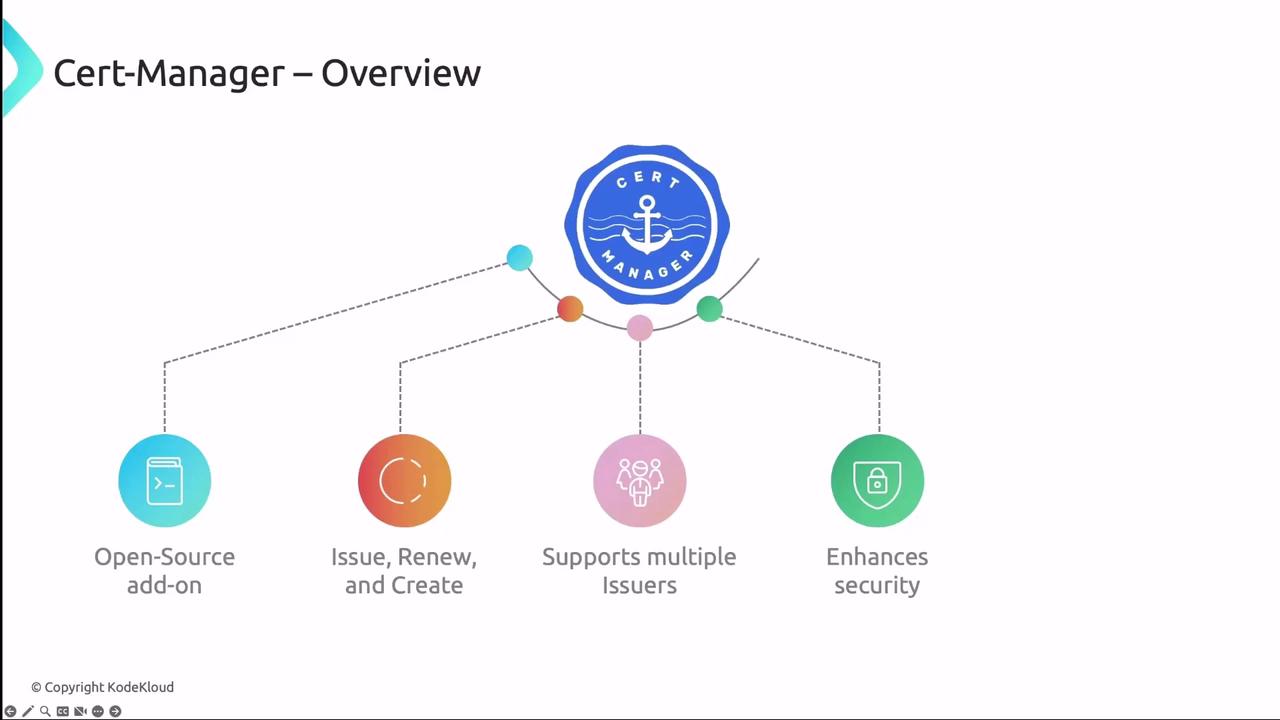
cert-manager is an open-source Kubernetes add-on that automates the issuance, renewal, and management of TLS certificates. It supports multiple issuers—such as Let’s Encrypt, HashiCorp Vault, and self-signed certificates—and integrates seamlessly with Kubernetes resources like Ingress.
Key features include:
* Automated certificate requests & renewals
* Support for standard, wildcard, and self-signed certificates
* Kubernetes-native CRDs: Issuer, ClusterIssuer, and Certificate
* Secrets storage for TLS key/cert pairs
### cert-manager Architecture
cert-manager runs as a set of controllers that watch CRDs and reconcile the desired certificate state. Each controller interacts with the Kubernetes API to request, store, and renew certificates.
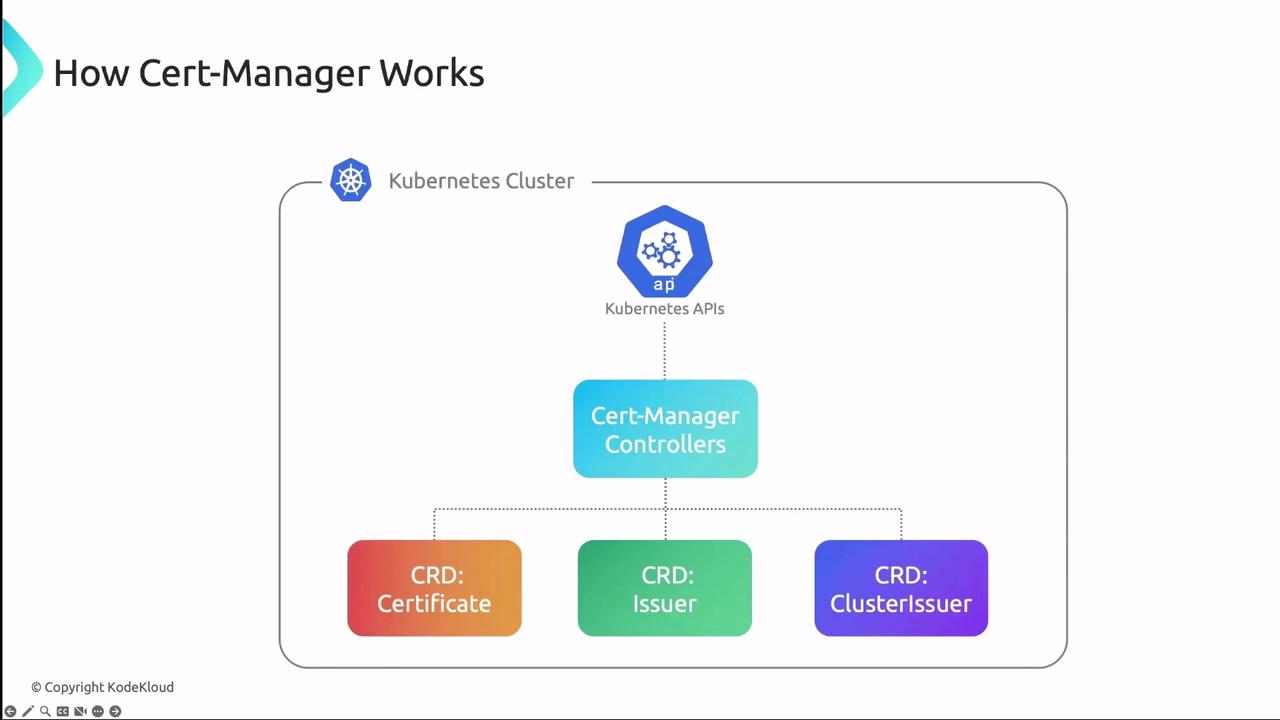
Table: cert-manager CRDs at a Glance
| CRD | Scope | Purpose |
| ------------- | ---------- | ------------------------------------------------------ |
| Issuer | Namespaced | Defines how to request certificates within a namespace |
| ClusterIssuer | Cluster | Defines certificate requests at the cluster level |
| Certificate | Namespaced | Specifies desired certificate, secret name, and DNS |
When an Issuer or ClusterIssuer is created, cert-manager requests a certificate from the configured CA, then stores the key and certificate in a Kubernetes Secret. Controllers monitor expiry dates and perform automatic renewals.
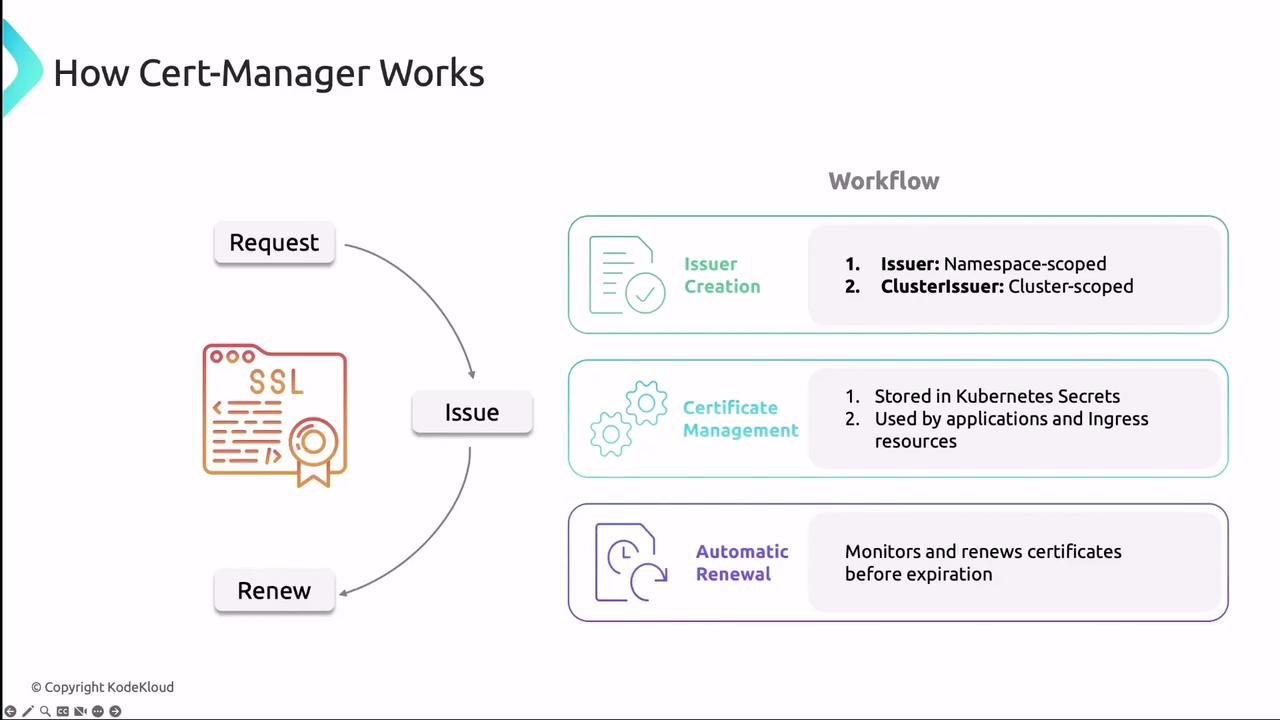
cert-manager can issue both standard and wildcard certificates. Use wildcard certificates to secure multiple subdomains with a single certificate.
***
## Installing cert-manager
The easiest way to install cert-manager and its CRDs is with Helm:
```bash theme={null}
helm repo add jetstack https://charts.jetstack.io
helm repo update
helm install cert-manager jetstack/cert-manager \
--namespace cert-manager \
--create-namespace \
--version \
--set installCRDs=true
```
Alternatively, install via `kubectl`:
```bash theme={null}
kubectl apply -f https://github.com/jetstack/cert-manager/releases/download//cert-manager.yaml
```
Always match the `` placeholder with the latest stable release from the [cert-manager GitHub releases](https://github.com/jetstack/cert-manager/releases).
For diagnostics and manual operations, use `cmctl`:
```bash theme={null}
# Verify installation
cmctl check api
# Inspect Issuer or Certificate resources
cmctl inspect issuer
# Trigger a certificate renewal
cmctl renew
```
***
## Let’s Encrypt Overview
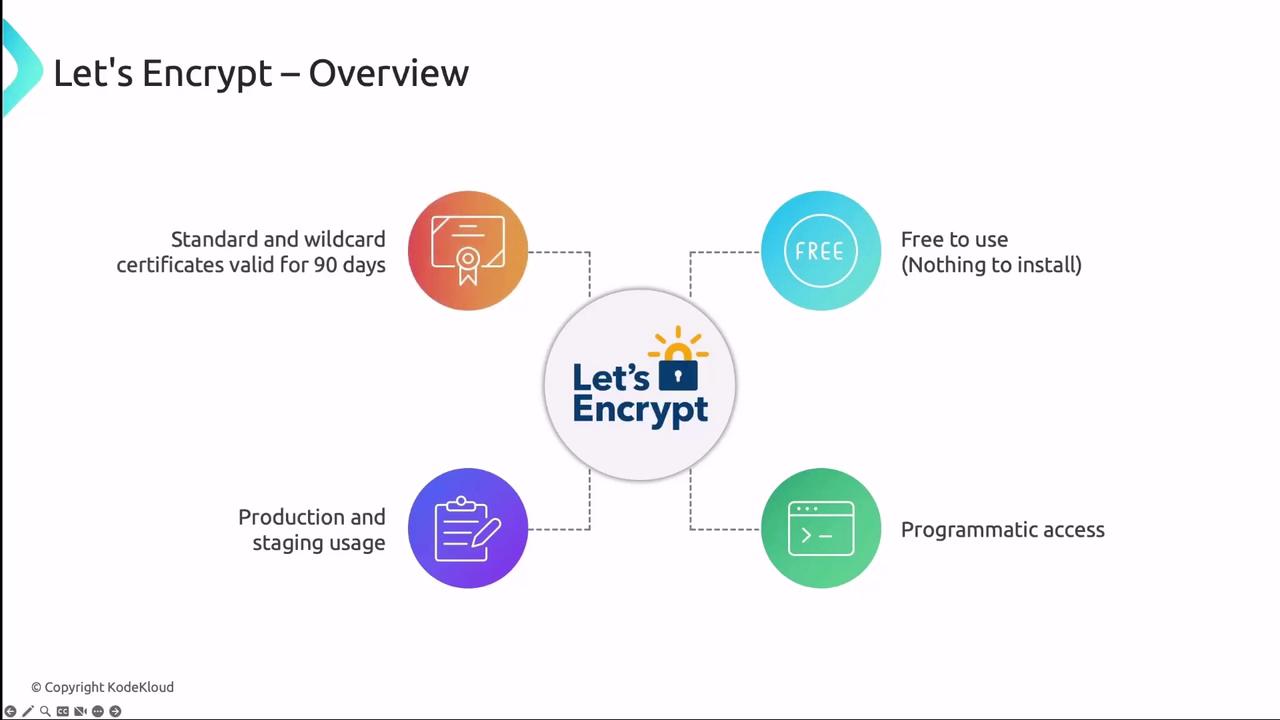
Let’s Encrypt is a free, automated, and open certificate authority (CA) that uses the ACME protocol to issue SSL/TLS certificates. It empowers Kubernetes users to secure applications without manual certificate provisioning.
Key points about Let’s Encrypt:
* Certificates are valid for 90 days.
* Offers **Production** and **Staging** endpoints.
* ACME challenges: HTTP-01 or DNS-01.
* Publicly logged for transparency.
Table: Let’s Encrypt Endpoints
| Environment | ACME Endpoint | Use Case |
| ----------- | ---------------------------------------------------------------------------------------------------------------- | ---------------------------- |
| Staging | [https://acme-staging-v02.api.letsencrypt.org/directory](https://acme-staging-v02.api.letsencrypt.org/directory) | Testing automation workflows |
| Production | [https://acme-v02.api.letsencrypt.org/directory](https://acme-v02.api.letsencrypt.org/directory) | Live environments |
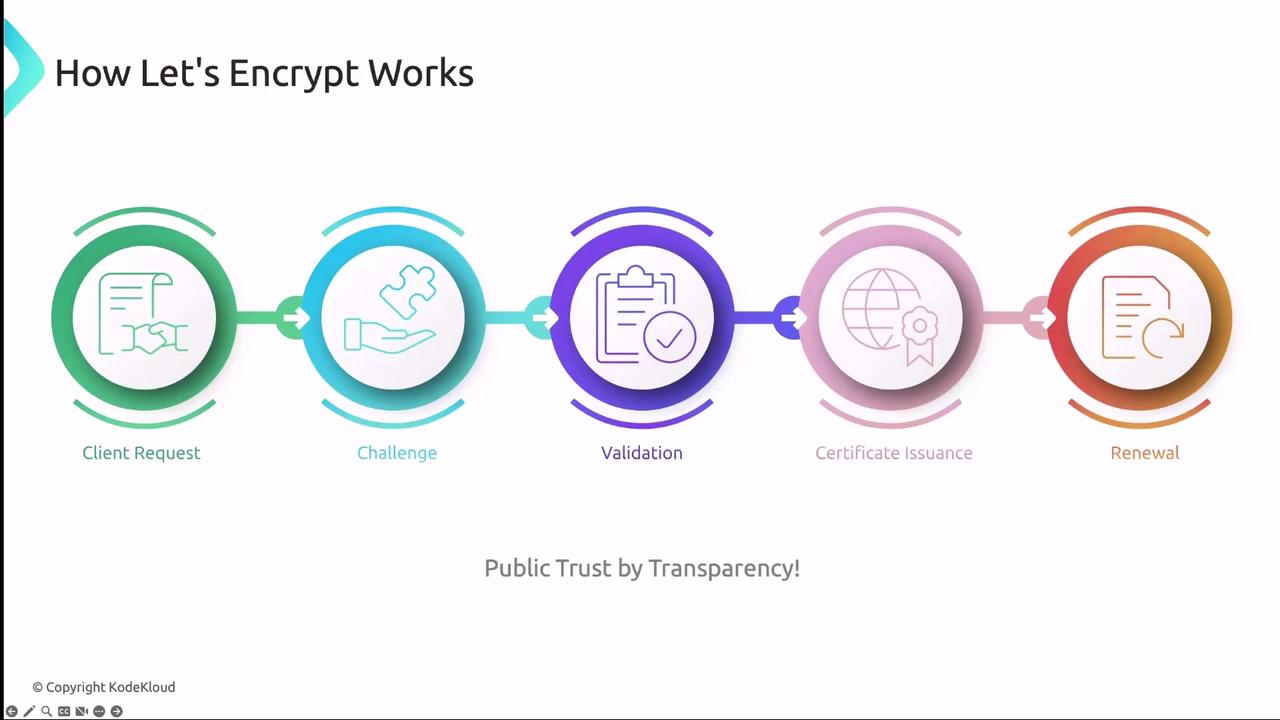
The ACME flow:
1. Client generates a key pair and creates a `CertificateRequest`.
2. Let’s Encrypt returns an HTTP-01 or DNS-01 challenge.
3. Client fulfills the challenge by serving a token or adding a DNS record.
4. After validation, Let’s Encrypt issues the certificate.
5. Client fetches and stores the certificate in Kubernetes.
***
## Integrating cert-manager with Let’s Encrypt
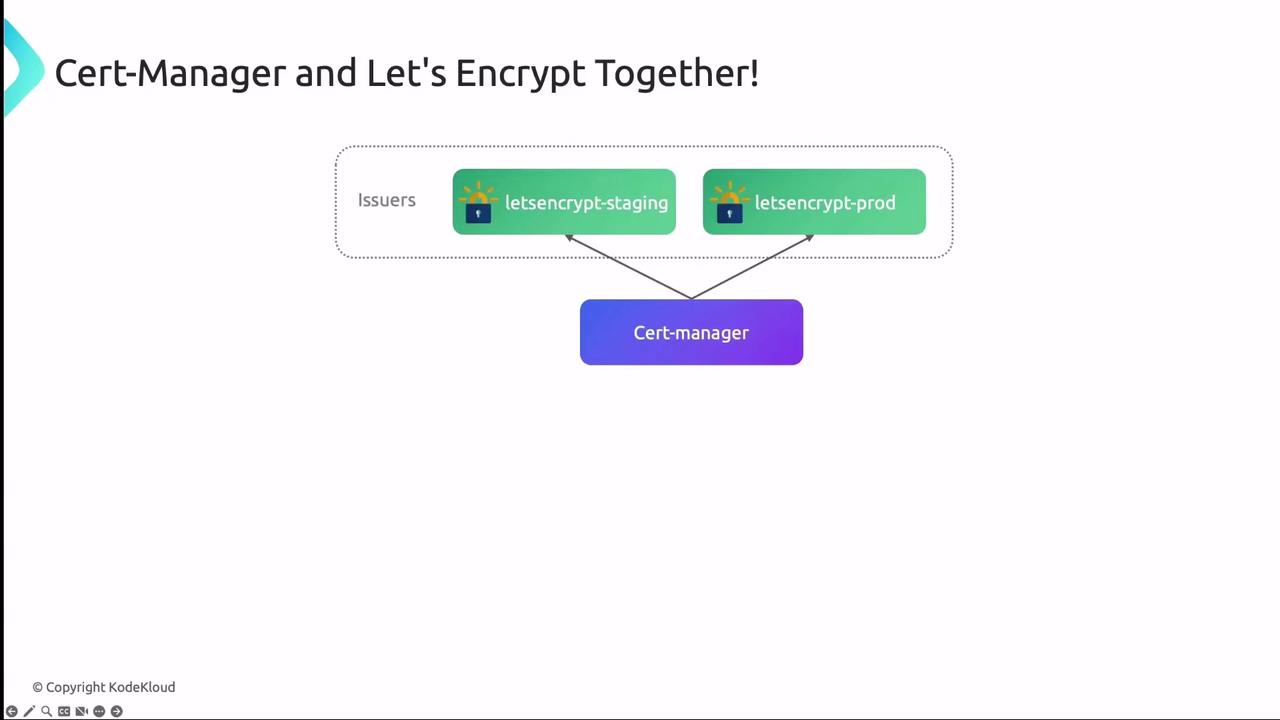
To use Let’s Encrypt as your certificate authority, define an Issuer or ClusterIssuer in cert-manager:
### Example: Staging Issuer
```yaml theme={null}
apiVersion: cert-manager.io/v1
kind: Issuer
metadata:
name: letsencrypt-staging
spec:
acme:
server: https://acme-staging-v02.api.letsencrypt.org/directory
email: your-email@example.com
privateKeySecretRef:
name: letsencrypt-staging
solvers:
- http01:
ingress:
class: nginx
```
When moving to production, update the `server` URL to the production ACME endpoint and rename secrets accordingly.
***
### Configuring Kubernetes Ingress
Annotate your Ingress resource to reference the Issuer and specify TLS settings:
```yaml theme={null}
apiVersion: networking.k8s.io/v1
kind: Ingress
metadata:
name: web-ingress
annotations:
cert-manager.io/issuer: letsencrypt-staging
spec:
tls:
- hosts:
- example.com
secretName: web-tls
rules:
- host: example.com
http:
paths:
- path: /
pathType: Prefix
backend:
service:
name: web
port:
number: 80
```
When this Ingress is applied, cert-manager handles ACME challenges, retrieves the certificate, and stores it in the `web-tls` Secret. Certificates are renewed automatically before expiration.
***
## Links and References
* [cert-manager Documentation](https://cert-manager.io/docs/)
* [Let’s Encrypt ACME Protocol](https://letsencrypt.org/docs/)
* [Kubernetes Ingress](https://kubernetes.io/docs/concepts/services-networking/ingress/)
* [ACME RFC (RFC 8555)](https://datatracker.ietf.org/doc/html/rfc8555)