> ## Documentation Index
> Fetch the complete documentation index at: https://notes.kodekloud.com/llms.txt
> Use this file to discover all available pages before exploring further.
# Custom Resources And CRDs Explained
> Explains Kubernetes CustomResourceDefinitions and CustomResources, how CRDs register new API types with schema validation, and the need for controllers to realize desired behavior.
Imagine your team just built a web application platform and you want to deploy and manage web app instances on Kubernetes. Each web app needs its own replica count, ingress rules, and resource limits. You try to describe a "web app" as a Kubernetes object, but the API server rejects it.
Kubernetes has never heard of a "web app" — it only knows built-in kinds it ships with: Pod, Service, Deployment, Job, etc. How do you teach Kubernetes a new kind or a new API resource?
A CustomResourceDefinition (CRD) is the answer: it registers a new API type and schema with the API server so kubectl and other clients can create, validate, and store those objects.
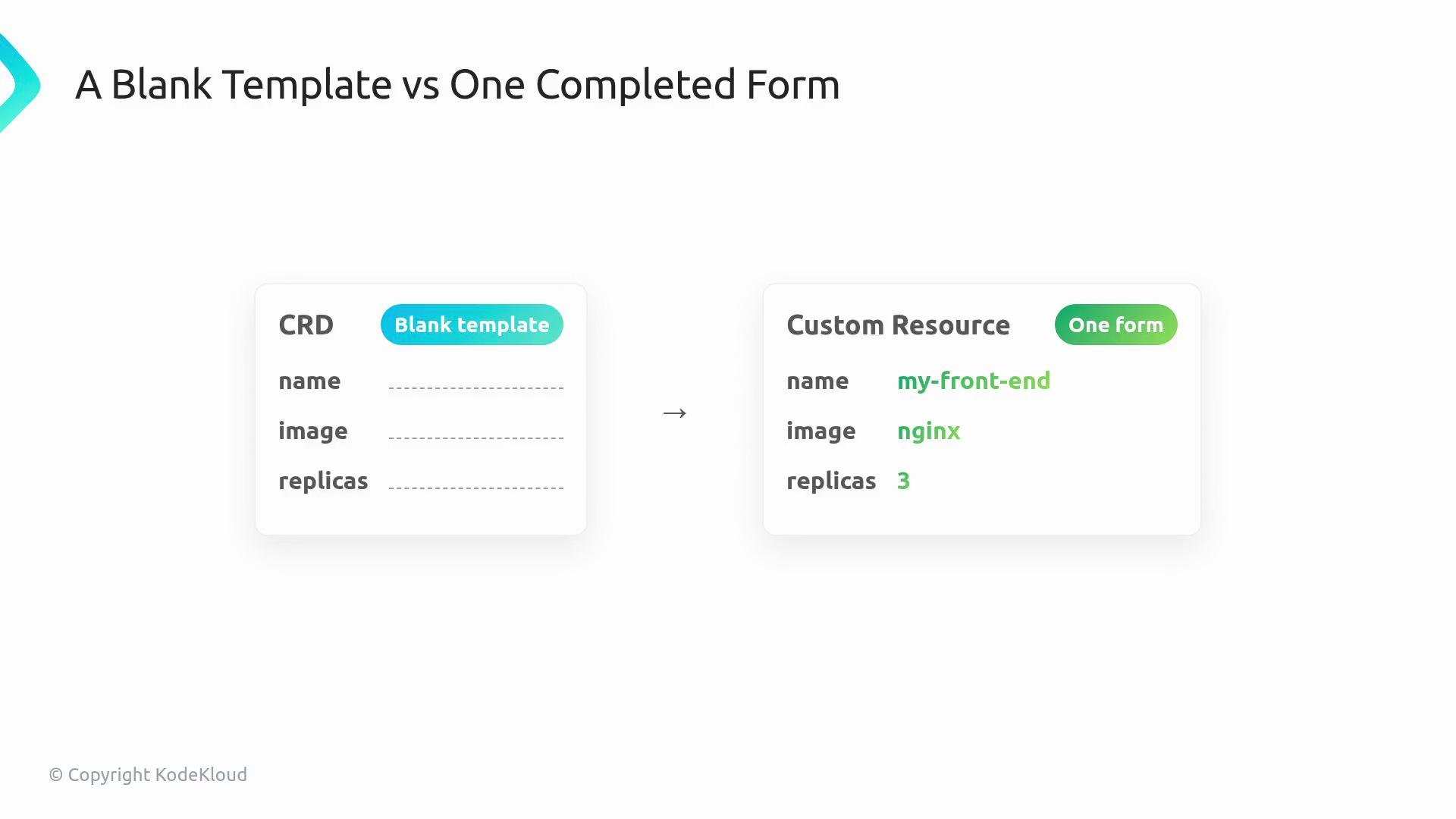
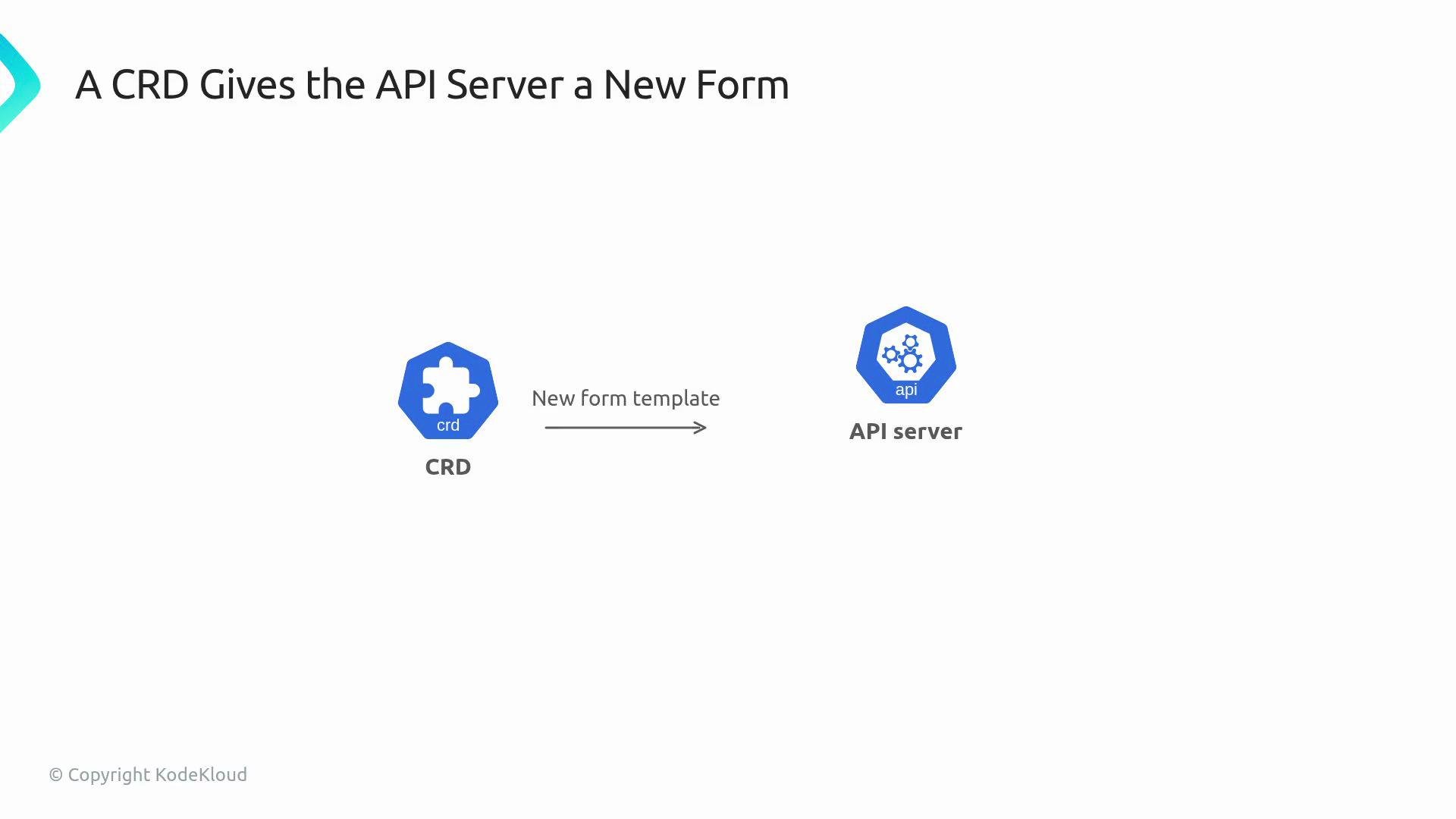 Conceptually, think of a CRD as a blank form template. A custom resource (CR) is a filled-out instance of that form — for example, a WebApp named `my-front-end` with a specified image and replica count.
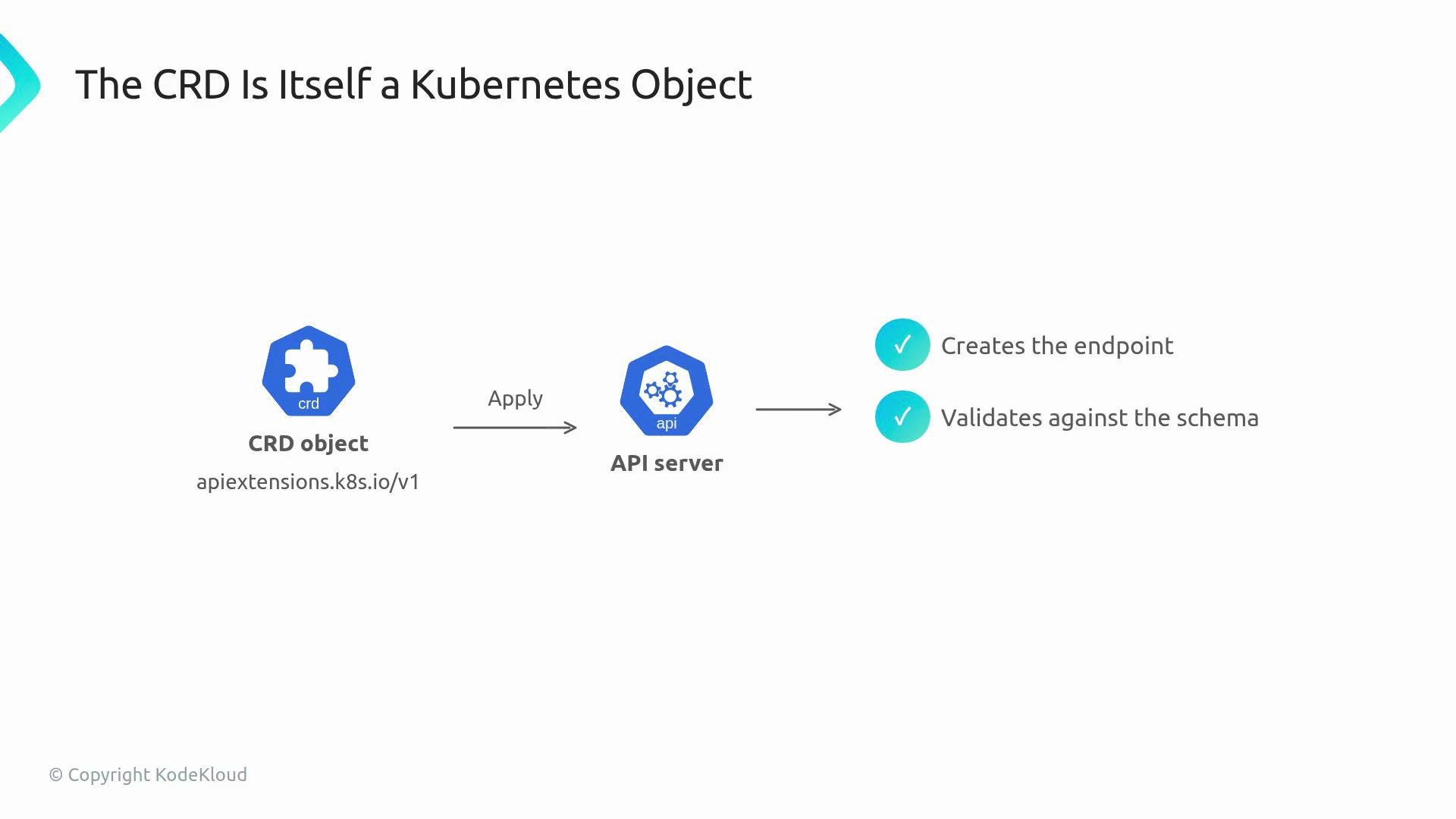
 When you apply a CRD, you hand the blank template to the API server. The API server registers the new resource name (for example, `webapps.webapp.kodekloud.com`), exposes endpoints, and validates objects against the schema declared in the CRD. After that:
* `kubectl` can create, read, and list these new objects.
* `kubectl explain` can show the CRD schema.
* RBAC rules can target the new resource (for example `webapps.webapp.kodekloud.com`).
Example — register the CRD and query the new resource type:
```bash theme={null}
$ kubectl apply -f webapp-crd.yaml
customresourcedefinition.apiextensions.k8s.io/webapps.webapp.kodekloud.com created
$ kubectl get webapps
No resources found in default namespace.
```
The API server provides storage and validation; the object behavior (creating Deployments, Services, or Pods) comes from a controller (reconciler) that watches those CRs and takes actions. No controller means the CR object will exist in the cluster but nothing will act on it.
A single custom resource (an instance of the CRD) looks like this:
```yaml theme={null}
apiVersion: webapp.kodekloud.com/v1
kind: WebApp
metadata:
name: my-front-end
spec:
image: nginx
replicas: 3
```
The API server stores this object in etcd and treats it like built-in Kubernetes objects from an API perspective: you can `kubectl get`, `kubectl describe`, add RBAC rules, annotate it, etc. But Kubernetes does not include a built-in controller for your custom Kind — you must provide one to implement the desired behavior.
The CRD itself is a Kubernetes object in the `apiextensions.k8s.io/v1` API group. Applying it creates the endpoint, validates created objects against the declared OpenAPI schema, and persists accepted objects under your API group and version.
When you apply a CRD, you hand the blank template to the API server. The API server registers the new resource name (for example, `webapps.webapp.kodekloud.com`), exposes endpoints, and validates objects against the schema declared in the CRD. After that:
* `kubectl` can create, read, and list these new objects.
* `kubectl explain` can show the CRD schema.
* RBAC rules can target the new resource (for example `webapps.webapp.kodekloud.com`).
Example — register the CRD and query the new resource type:
```bash theme={null}
$ kubectl apply -f webapp-crd.yaml
customresourcedefinition.apiextensions.k8s.io/webapps.webapp.kodekloud.com created
$ kubectl get webapps
No resources found in default namespace.
```
The API server provides storage and validation; the object behavior (creating Deployments, Services, or Pods) comes from a controller (reconciler) that watches those CRs and takes actions. No controller means the CR object will exist in the cluster but nothing will act on it.
A single custom resource (an instance of the CRD) looks like this:
```yaml theme={null}
apiVersion: webapp.kodekloud.com/v1
kind: WebApp
metadata:
name: my-front-end
spec:
image: nginx
replicas: 3
```
The API server stores this object in etcd and treats it like built-in Kubernetes objects from an API perspective: you can `kubectl get`, `kubectl describe`, add RBAC rules, annotate it, etc. But Kubernetes does not include a built-in controller for your custom Kind — you must provide one to implement the desired behavior.
The CRD itself is a Kubernetes object in the `apiextensions.k8s.io/v1` API group. Applying it creates the endpoint, validates created objects against the declared OpenAPI schema, and persists accepted objects under your API group and version.
 Key behaviors once a CRD is registered:
* `kubectl get webapps` works and lists CRs.
* `kubectl explain webapp.spec` uses the CRD schema.
* Cluster RBAC can grant access to `webapps.webapp.kodekloud.com`.
* No API server recompile or extension binaries needed — CRDs are dynamic.
CRD structure at a glance
| Field | Purpose | Example / Notes |
| ---------- | ------------------------------------------------ | ------------------------------------------------------- |
| `group` | Your API group that namespaces the resource | `webapp.kodekloud.com` |
| `names` | Declares Kind, plural, singular, and short names | `kind: WebApp`, `plural: webapps`, `shortNames: ["wa"]` |
| `scope` | Resource scope: `Namespaced` or `Cluster` | `Namespaced` makes CRs exist per namespace |
| `versions` | One or more versions with schema & flags | `served` (API served), `storage` (stored in etcd) |
| `schema` | OpenAPI v3 schema for validation | Ensures correct types (e.g. `replicas` is integer) |
Minimal CRD example (registers a `WebApp` kind in `webapp.kodekloud.com`):
```yaml theme={null}
apiVersion: apiextensions.k8s.io/v1
kind: CustomResourceDefinition
metadata:
name: webapps.webapp.kodekloud.com
spec:
group: webapp.kodekloud.com
names:
kind: WebApp
plural: webapps
singular: webapp
shortNames: ["wa"]
scope: Namespaced
versions:
- name: v1
served: true
storage: true
schema:
openAPIV3Schema:
type: object
properties:
spec:
type: object
properties:
image:
type: string
replicas:
type: integer
```
A CRD defines the API shape and validation only. To make CRs produce Deployments, Services, or Pods, you must run a controller (operator) that watches the CRs and reconciles the desired state.
Why schema validation matters
* Prevents invalid input (e.g., `replicas: "three"` vs `replicas: 3`).
* Reduces runtime reconciler bugs by catching mistakes early.
* Enables `kubectl explain` and improved developer ergonomics.
Warning — CRDs without controllers
If you apply only the CRD and create CRs without a controller, the cluster will store those objects but no resources (Deployments, Pods, Services) will be created automatically. Always deploy or run a controller if you expect behavior to be realized.
Further reading and references
* Kubernetes CustomResourceDefinition docs: [https://kubernetes.io/docs/tasks/extend-kubernetes/custom-resources/custom-resource-definitions/](https://kubernetes.io/docs/tasks/extend-kubernetes/custom-resources/custom-resource-definitions/)
* Kubernetes API conventions: [https://github.com/kubernetes/community/blob/master/contributors/devel/sig-architecture/api-conventions.md](https://github.com/kubernetes/community/blob/master/contributors/devel/sig-architecture/api-conventions.md)
* Operator pattern and controller-runtime: [https://sdk.operatorframework.io/](https://sdk.operatorframework.io/)
This overview covers the essentials: CRDs let you teach Kubernetes new resource types and validate them. Pair a CRD with a controller to implement behavior, and you have a powerful extension mechanism for building platform APIs on top of Kubernetes.
Key behaviors once a CRD is registered:
* `kubectl get webapps` works and lists CRs.
* `kubectl explain webapp.spec` uses the CRD schema.
* Cluster RBAC can grant access to `webapps.webapp.kodekloud.com`.
* No API server recompile or extension binaries needed — CRDs are dynamic.
CRD structure at a glance
| Field | Purpose | Example / Notes |
| ---------- | ------------------------------------------------ | ------------------------------------------------------- |
| `group` | Your API group that namespaces the resource | `webapp.kodekloud.com` |
| `names` | Declares Kind, plural, singular, and short names | `kind: WebApp`, `plural: webapps`, `shortNames: ["wa"]` |
| `scope` | Resource scope: `Namespaced` or `Cluster` | `Namespaced` makes CRs exist per namespace |
| `versions` | One or more versions with schema & flags | `served` (API served), `storage` (stored in etcd) |
| `schema` | OpenAPI v3 schema for validation | Ensures correct types (e.g. `replicas` is integer) |
Minimal CRD example (registers a `WebApp` kind in `webapp.kodekloud.com`):
```yaml theme={null}
apiVersion: apiextensions.k8s.io/v1
kind: CustomResourceDefinition
metadata:
name: webapps.webapp.kodekloud.com
spec:
group: webapp.kodekloud.com
names:
kind: WebApp
plural: webapps
singular: webapp
shortNames: ["wa"]
scope: Namespaced
versions:
- name: v1
served: true
storage: true
schema:
openAPIV3Schema:
type: object
properties:
spec:
type: object
properties:
image:
type: string
replicas:
type: integer
```
A CRD defines the API shape and validation only. To make CRs produce Deployments, Services, or Pods, you must run a controller (operator) that watches the CRs and reconciles the desired state.
Why schema validation matters
* Prevents invalid input (e.g., `replicas: "three"` vs `replicas: 3`).
* Reduces runtime reconciler bugs by catching mistakes early.
* Enables `kubectl explain` and improved developer ergonomics.
Warning — CRDs without controllers
If you apply only the CRD and create CRs without a controller, the cluster will store those objects but no resources (Deployments, Pods, Services) will be created automatically. Always deploy or run a controller if you expect behavior to be realized.
Further reading and references
* Kubernetes CustomResourceDefinition docs: [https://kubernetes.io/docs/tasks/extend-kubernetes/custom-resources/custom-resource-definitions/](https://kubernetes.io/docs/tasks/extend-kubernetes/custom-resources/custom-resource-definitions/)
* Kubernetes API conventions: [https://github.com/kubernetes/community/blob/master/contributors/devel/sig-architecture/api-conventions.md](https://github.com/kubernetes/community/blob/master/contributors/devel/sig-architecture/api-conventions.md)
* Operator pattern and controller-runtime: [https://sdk.operatorframework.io/](https://sdk.operatorframework.io/)
This overview covers the essentials: CRDs let you teach Kubernetes new resource types and validate them. Pair a CRD with a controller to implement behavior, and you have a powerful extension mechanism for building platform APIs on top of Kubernetes.