> ## Documentation Index
> Fetch the complete documentation index at: https://notes.kodekloud.com/llms.txt
> Use this file to discover all available pages before exploring further.
# Demo Kubebuilder Create API For WebApp
> Guide to scaffolding a WebApp custom resource, controller, and CRD manifests with Kubebuilder in a Go operator project.
You need a WebApp custom resource type in your operator. Starting from an empty Go project, Kubebuilder scaffolds the Go types, controller, and CRD manifest for you in the expected project layout so you can quickly run `kubectl apply`.
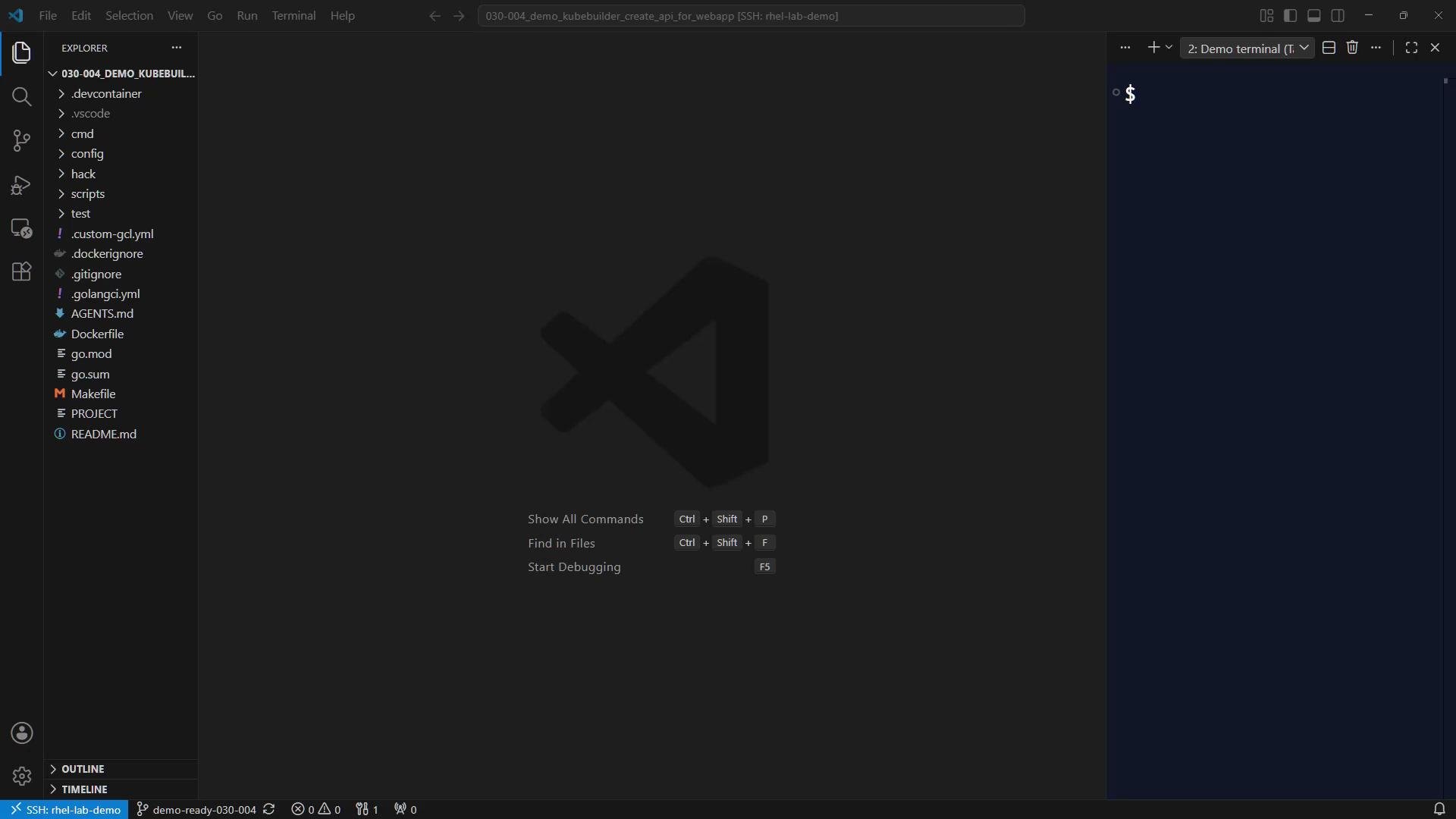 This lesson walks through scaffolding a WebApp API (group `webapp`, version `v1`, kind `WebApp`) and shows how Kubebuilder wires everything together.
## Project overview before scaffolding
When you open the project you should already see:
* `PROJECT` file describing the repository and domain.
* `cmd` directory (entry point).
* `config` tree for manifests and kustomize overlays.
Run the Kubebuilder command to scaffold the API (this also creates a controller and resource):
```bash theme={null}
kubebuilder create api --group webapp --version v1 --kind WebApp --resource --controller
```
With the project domain set to `kodekloud.com` in `PROJECT`, the full API group becomes:
`webapp.kodekloud.com/v1`.
## What Kubebuilder generates
After running the scaffold command, Kubebuilder creates the new API types and controller skeleton. The two primary locations are:
| Path | Purpose |
| --------------------- | ------------------------------------------- |
| `api/v1` | Go types for the CRD schema (Spec & Status) |
| `internal/controller` | Reconciler implementation (controller code) |
Kubebuilder also updates the `PROJECT` metadata used for future scaffolding. Example `PROJECT`-style metadata:
```yaml theme={null}
# This file is used to track the info used to scaffold
# and allow the plugins to properly work.
cliVersion: 4.13.1
domain: kodekloud.com
layout:
- go.kubebuilder.io/v4
projectName: webapp-operator
repo: github.com/kodekloud/webapp-operator
resources:
api:
```
When scaffolding runs, you'll see informative logs about files created and dependency updates, for example:
```bash theme={null}
INFO internal/controller/webapp_controller.go
INFO internal/controller/webapp_controller_test.go
INFO Update dependencies
INFO Running make
Downloading sigs.k8s.io/controller-tools/cmd/controller-gen@v0.20.1
```
## Generated Go types (example)
Kubebuilder scaffolds `api/v1/webapp_types.go` with placeholder fields. The `WebAppSpec` currently contains a `Foo` example field and `WebAppStatus` includes a `Conditions` slice prepared for status conditions. Keep these placeholders while following this lesson; a later lab replaces `Foo` with real fields such as `image` and `replicas`.
Example generated types:
```go theme={null}
package v1
import (
metav1 "k8s.io/apimachinery/pkg/apis/meta/v1"
)
// EDIT THIS FILE! THIS IS SCAFFOLDING FOR YOU TO OWN!
// NOTE: json tags are required. Any new fields you add must have json tags
// so the fields can be serialized.
// WebAppSpec defines the desired state of WebApp
type WebAppSpec struct {
// INSERT ADDITIONAL SPEC FIELDS - desired state of cluster
// Important: Run "make" to regenerate code after modifying this file
// The following markers will use OpenAPI v3 schema to validate the value
// More info: https://book.kubebuilder.io/reference/markers/crd-validation.html
// Foo is an example field of WebApp. Edit webapp_types.go to remove/update
// +optional
Foo *string `json:"foo,omitempty"`
}
// WebAppStatus defines the observed state of WebApp.
type WebAppStatus struct {
// For Kubernetes API conventions, see:
// https://github.com/kubernetes/community/blob/master/contributors/devel/
// sig-architecture/api-conventions.md#typical-status-properties
//
// conditions represent the current state of the WebApp resource.
// Each condition has a unique type and reflects the status of a specific
// aspect of the resource.
//
// Standard condition types include:
// - "Available": the resource is fully functional
// - "Progressing": the resource is being created or updated
// - "Degraded": the resource failed to reach or maintain its desired state
//
// The status of each condition is one of True, False, or Unknown.
// +listType=map
// +listMapKey=type
// +optional
Conditions []metav1.Condition `json:"conditions,omitempty"`
}
// +kubebuilder:object:root=true
// +kubebuilder:subresource:status
// WebApp is the Schema for the webapps API
type WebApp struct {
metav1.TypeMeta `json:",inline"`
// metadata is standard object metadata
// +optional
metav1.ObjectMeta `json:"metadata,omitempty"`
// spec defines the desired state of WebApp
Spec WebAppSpec `json:"spec,omitempty"`
// status defines the observed state of WebApp
// +optional
Status WebAppStatus `json:"status,omitempty"`
}
```
Kubebuilder marker comments such as `+kubebuilder:object:root=true` and
`+kubebuilder:subresource:status` are directives for the code generator (controller-gen).
They control what gets generated in the CRD YAML and client code.
## Generate CRD YAML from types
To convert the Go types (the single source of truth) into a Kubernetes CustomResourceDefinition (CRD) YAML, run:
```bash theme={null}
make manifests
```
Under the hood, `make manifests` runs `controller-gen` which parses the Kubebuilder markers and writes the CRD base file into `config/crd/bases`. Kubebuilder names the CRD file using the group and plural form, for example:
`config/crd/bases/webapp.kodekloud.com_webapps.yaml`
A small excerpt of the generated CRD (shows identity and inferred schema):
```yaml theme={null}
apiVersion: apiextensions.k8s.io/v1
kind: CustomResourceDefinition
metadata:
annotations:
controller-gen.kubebuilder.io/version: v0.20.1
name: webapps.webapp.kodekloud.com
spec:
group: webapp.kodekloud.com
names:
kind: WebApp
listKind: WebAppList
plural: webapps
singular: webapp
scope: Namespaced
versions:
- name: v1
schema:
openAPIV3Schema:
description: WebApp is the Schema for the webapps API
properties:
apiVersion:
description: |-
APIVersion defines the versioned schema of this representation
of an object.
type: string
kind:
description: |-
Kind is a string value representing the REST resource this
object represents.
```
From this CRD YAML you can immediately read:
* metadata `name: webapps.webapp.kodekloud.com`
* `group: webapp.kodekloud.com`
* `kind: WebApp`, `listKind: WebAppList`
* `plural: webapps`, `singular: webapp`
* version `v1` and status subresource enabled
## Verify compilation & development loop
Before editing types and controller logic, ensure the scaffold builds cleanly. A typical development loop is:
1. Scaffold the API:
```bash theme={null}
kubebuilder create api --group webapp --version v1 --kind WebApp --resource --controller
```
2. Regenerate CRD manifests:
```bash theme={null}
make manifests
```
3. Build and test the controller:
```bash theme={null}
make build
# or build a container image:
make docker-build
# or run locally
make run
```
## Next steps
* Re-run `kubebuilder create api` if you need to add more APIs for the same project.
* Replace placeholder fields in `api/v1/webapp_types.go` with real spec fields (for example `image` and `replicas`).
* Implement controller logic in `internal/controller` to create and manage child resources such as `Service`, `Deployment`, and `ConfigMap` for each WebApp.
Recommended references:
* Kubebuilder docs: [https://book.kubebuilder.io/](https://book.kubebuilder.io/)
* controller-tools (controller-gen): [https://github.com/kubernetes-sigs/controller-tools](https://github.com/kubernetes-sigs/controller-tools)
* Kubernetes API conventions: [https://github.com/kubernetes/community/blob/master/contributors/devel/sig-architecture/api-conventions.md](https://github.com/kubernetes/community/blob/master/contributors/devel/sig-architecture/api-conventions.md)
This lesson walks through scaffolding a WebApp API (group `webapp`, version `v1`, kind `WebApp`) and shows how Kubebuilder wires everything together.
## Project overview before scaffolding
When you open the project you should already see:
* `PROJECT` file describing the repository and domain.
* `cmd` directory (entry point).
* `config` tree for manifests and kustomize overlays.
Run the Kubebuilder command to scaffold the API (this also creates a controller and resource):
```bash theme={null}
kubebuilder create api --group webapp --version v1 --kind WebApp --resource --controller
```
With the project domain set to `kodekloud.com` in `PROJECT`, the full API group becomes:
`webapp.kodekloud.com/v1`.
## What Kubebuilder generates
After running the scaffold command, Kubebuilder creates the new API types and controller skeleton. The two primary locations are:
| Path | Purpose |
| --------------------- | ------------------------------------------- |
| `api/v1` | Go types for the CRD schema (Spec & Status) |
| `internal/controller` | Reconciler implementation (controller code) |
Kubebuilder also updates the `PROJECT` metadata used for future scaffolding. Example `PROJECT`-style metadata:
```yaml theme={null}
# This file is used to track the info used to scaffold
# and allow the plugins to properly work.
cliVersion: 4.13.1
domain: kodekloud.com
layout:
- go.kubebuilder.io/v4
projectName: webapp-operator
repo: github.com/kodekloud/webapp-operator
resources:
api:
```
When scaffolding runs, you'll see informative logs about files created and dependency updates, for example:
```bash theme={null}
INFO internal/controller/webapp_controller.go
INFO internal/controller/webapp_controller_test.go
INFO Update dependencies
INFO Running make
Downloading sigs.k8s.io/controller-tools/cmd/controller-gen@v0.20.1
```
## Generated Go types (example)
Kubebuilder scaffolds `api/v1/webapp_types.go` with placeholder fields. The `WebAppSpec` currently contains a `Foo` example field and `WebAppStatus` includes a `Conditions` slice prepared for status conditions. Keep these placeholders while following this lesson; a later lab replaces `Foo` with real fields such as `image` and `replicas`.
Example generated types:
```go theme={null}
package v1
import (
metav1 "k8s.io/apimachinery/pkg/apis/meta/v1"
)
// EDIT THIS FILE! THIS IS SCAFFOLDING FOR YOU TO OWN!
// NOTE: json tags are required. Any new fields you add must have json tags
// so the fields can be serialized.
// WebAppSpec defines the desired state of WebApp
type WebAppSpec struct {
// INSERT ADDITIONAL SPEC FIELDS - desired state of cluster
// Important: Run "make" to regenerate code after modifying this file
// The following markers will use OpenAPI v3 schema to validate the value
// More info: https://book.kubebuilder.io/reference/markers/crd-validation.html
// Foo is an example field of WebApp. Edit webapp_types.go to remove/update
// +optional
Foo *string `json:"foo,omitempty"`
}
// WebAppStatus defines the observed state of WebApp.
type WebAppStatus struct {
// For Kubernetes API conventions, see:
// https://github.com/kubernetes/community/blob/master/contributors/devel/
// sig-architecture/api-conventions.md#typical-status-properties
//
// conditions represent the current state of the WebApp resource.
// Each condition has a unique type and reflects the status of a specific
// aspect of the resource.
//
// Standard condition types include:
// - "Available": the resource is fully functional
// - "Progressing": the resource is being created or updated
// - "Degraded": the resource failed to reach or maintain its desired state
//
// The status of each condition is one of True, False, or Unknown.
// +listType=map
// +listMapKey=type
// +optional
Conditions []metav1.Condition `json:"conditions,omitempty"`
}
// +kubebuilder:object:root=true
// +kubebuilder:subresource:status
// WebApp is the Schema for the webapps API
type WebApp struct {
metav1.TypeMeta `json:",inline"`
// metadata is standard object metadata
// +optional
metav1.ObjectMeta `json:"metadata,omitempty"`
// spec defines the desired state of WebApp
Spec WebAppSpec `json:"spec,omitempty"`
// status defines the observed state of WebApp
// +optional
Status WebAppStatus `json:"status,omitempty"`
}
```
Kubebuilder marker comments such as `+kubebuilder:object:root=true` and
`+kubebuilder:subresource:status` are directives for the code generator (controller-gen).
They control what gets generated in the CRD YAML and client code.
## Generate CRD YAML from types
To convert the Go types (the single source of truth) into a Kubernetes CustomResourceDefinition (CRD) YAML, run:
```bash theme={null}
make manifests
```
Under the hood, `make manifests` runs `controller-gen` which parses the Kubebuilder markers and writes the CRD base file into `config/crd/bases`. Kubebuilder names the CRD file using the group and plural form, for example:
`config/crd/bases/webapp.kodekloud.com_webapps.yaml`
A small excerpt of the generated CRD (shows identity and inferred schema):
```yaml theme={null}
apiVersion: apiextensions.k8s.io/v1
kind: CustomResourceDefinition
metadata:
annotations:
controller-gen.kubebuilder.io/version: v0.20.1
name: webapps.webapp.kodekloud.com
spec:
group: webapp.kodekloud.com
names:
kind: WebApp
listKind: WebAppList
plural: webapps
singular: webapp
scope: Namespaced
versions:
- name: v1
schema:
openAPIV3Schema:
description: WebApp is the Schema for the webapps API
properties:
apiVersion:
description: |-
APIVersion defines the versioned schema of this representation
of an object.
type: string
kind:
description: |-
Kind is a string value representing the REST resource this
object represents.
```
From this CRD YAML you can immediately read:
* metadata `name: webapps.webapp.kodekloud.com`
* `group: webapp.kodekloud.com`
* `kind: WebApp`, `listKind: WebAppList`
* `plural: webapps`, `singular: webapp`
* version `v1` and status subresource enabled
## Verify compilation & development loop
Before editing types and controller logic, ensure the scaffold builds cleanly. A typical development loop is:
1. Scaffold the API:
```bash theme={null}
kubebuilder create api --group webapp --version v1 --kind WebApp --resource --controller
```
2. Regenerate CRD manifests:
```bash theme={null}
make manifests
```
3. Build and test the controller:
```bash theme={null}
make build
# or build a container image:
make docker-build
# or run locally
make run
```
## Next steps
* Re-run `kubebuilder create api` if you need to add more APIs for the same project.
* Replace placeholder fields in `api/v1/webapp_types.go` with real spec fields (for example `image` and `replicas`).
* Implement controller logic in `internal/controller` to create and manage child resources such as `Service`, `Deployment`, and `ConfigMap` for each WebApp.
Recommended references:
* Kubebuilder docs: [https://book.kubebuilder.io/](https://book.kubebuilder.io/)
* controller-tools (controller-gen): [https://github.com/kubernetes-sigs/controller-tools](https://github.com/kubernetes-sigs/controller-tools)
* Kubernetes API conventions: [https://github.com/kubernetes/community/blob/master/contributors/devel/sig-architecture/api-conventions.md](https://github.com/kubernetes/community/blob/master/contributors/devel/sig-architecture/api-conventions.md)