> ## Documentation Index
> Fetch the complete documentation index at: https://notes.kodekloud.com/llms.txt
> Use this file to discover all available pages before exploring further.
# Section Overview
> How to run, test, and debug a Kubernetes operator locally using a fast iterate loop to observe reconcile behavior, logs, events, and diagnose issues before packaging
Section five is where the operator stops being just a diagram and becomes a diagnosable machine.
A controller is only useful when you can run it, observe it, and explain what it did. Think of the local development loop like testing a smoke detector before you install it in an entire building: you don’t need the final packaging yet. You need a quick way to press the button, hear the beep, and confirm the wiring is alive.
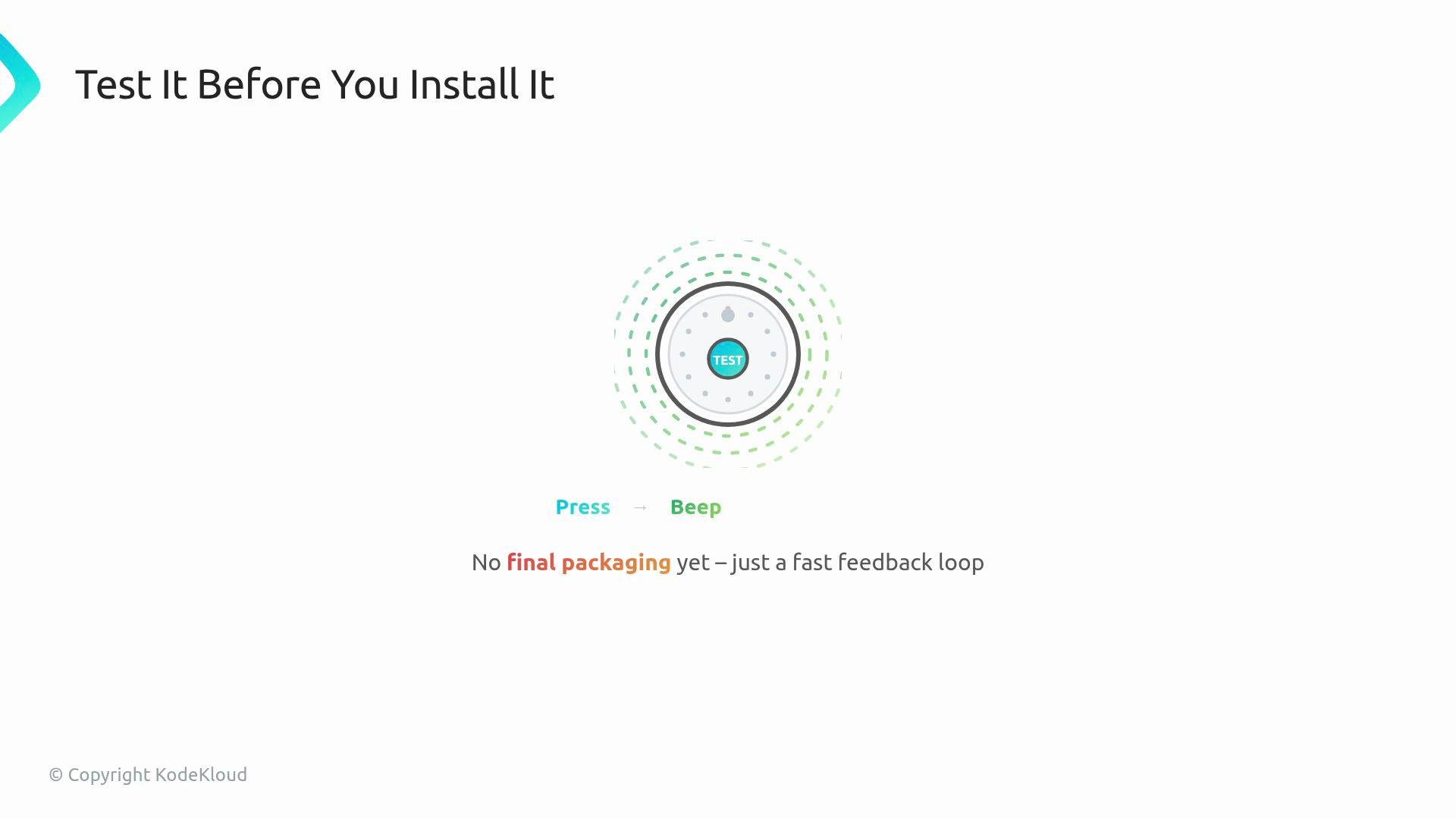 For this operator, that "button" is a WebApp resource, and the "beep" is the reconciled evidence you can observe in logs and cluster state.
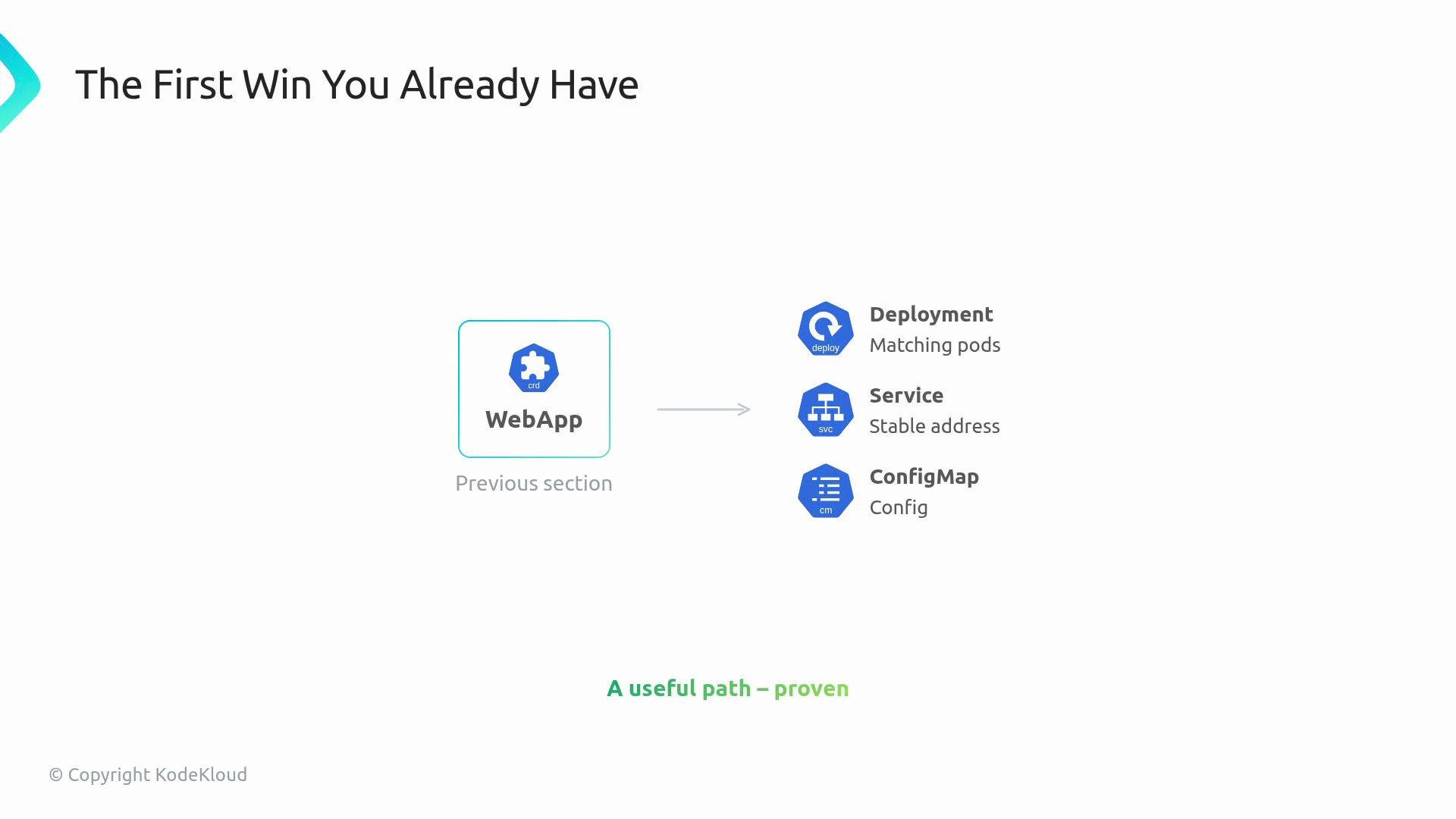
You already have the critical first win: a WebApp produces a Deployment, a Service, and a ConfigMap. That proves the controller has a useful reconcile path.
For this operator, that "button" is a WebApp resource, and the "beep" is the reconciled evidence you can observe in logs and cluster state.
You already have the critical first win: a WebApp produces a Deployment, a Service, and a ConfigMap. That proves the controller has a useful reconcile path.
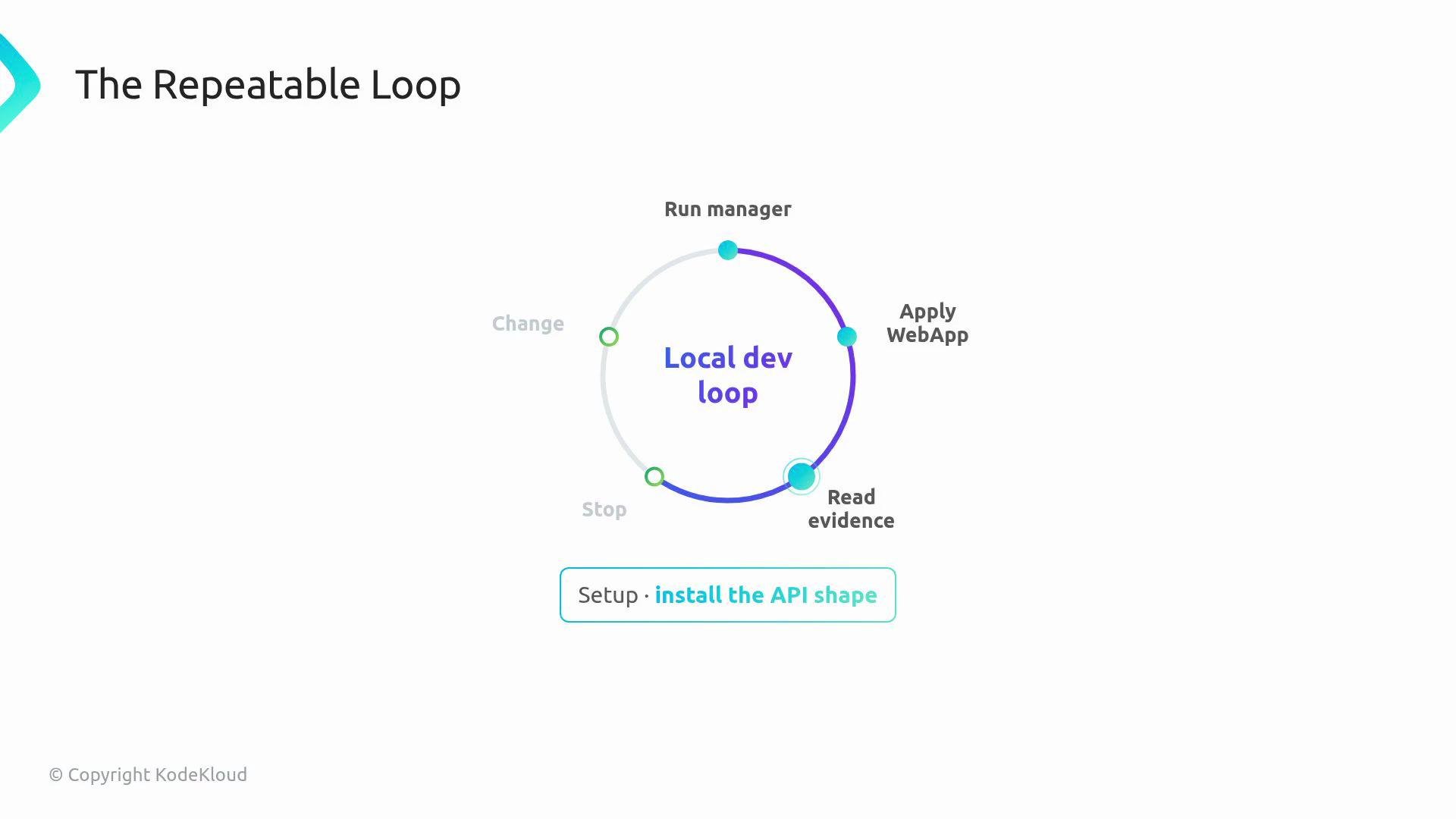
 Make that path a repeatable habit: install the API shape, run the manager locally, apply a WebApp, read events and logs, stop, change something, and run again.
 Start in local run mode: the manager runs as a regular process on your workstation and talks to the cluster through your kubeconfig instead of running as a Pod. This makes the loop fast and gives you a clear boundary between controller logic and packaging/runtime concerns.
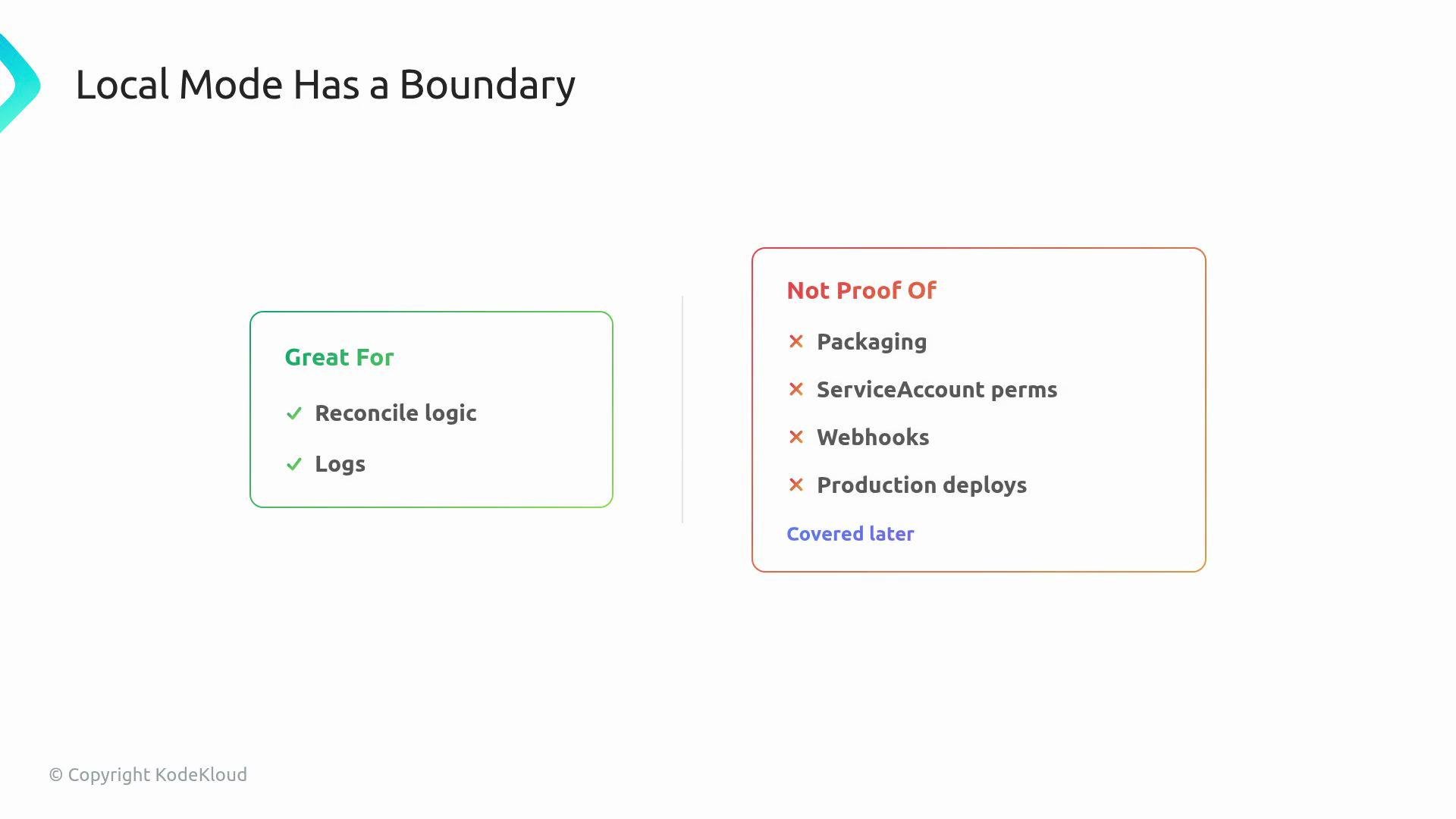 Local run mode is ideal for iterating on reconcile logic, observing logs, and validating controller behavior quickly. It does not validate packaging, Pod ServiceAccount permissions, webhook configurations, or production deployment nuances.
How to observe what matters
* Focus on three diagnostic questions when reading logs and events:
1. Which WebApp instance was handled? (namespace/name)
2. What did the controller attempt to do? (created/updated/deleted child resources)
3. Did the cluster accept the change? (events, API errors, resource state)
* Use `kubectl describe` and `kubectl get` together with controller logs to correlate events and state changes.
Quick checklist for the local dev loop
| Step | Purpose | Example |
| ------------------- | ------------------------------------- | --------------------------------------------- |
| Install API shape | Make the CRD available in the cluster | `kubectl apply -f config/crd/bases/` |
| Run manager locally | Fast iterate on reconcile logic | `make run` or `go run ./main.go` |
| Apply a WebApp | Trigger reconciliation | `kubectl apply -f testdata/webapp.yaml` |
| Read evidence | Events, logs, and resource status | `kubectl describe webapp` and controller logs |
| Change something | Introduce a drift or bug | edit `testdata/webapp.yaml` and reapply |
| Repeat | Confirm fix or behavior | re-run manager and observe results |
Diagnosing a noisy controller
* A noisy terminal is not the goal — you want the few lines that answer the three diagnostic questions above.
* Look for symptoms like: repeated reconciles, resources that never reach the desired state, or missing events.
* Key fields to compare when debugging the reconcile lifecycle:
* `metadata.generation` vs `status.observedGeneration`
* Event counts and repeated reconcile logs
* API errors that may have been swallowed by higher-level code
Common debugging story (what you will practice)
* The controller appears alive, but the resource never settles.
* Compare `metadata.generation` and `status.observedGeneration` to find reconciliation gaps.
* Count repeated reconcile attempts to detect hot loops.
* Uncover swallowed API errors by looking at the controller logs and event stream.
* Fix issues such as a label that changes every reconcile (causing continuous reconciliation) or a transient API rejection.
Scope and boundary testing
* The lab asks you to prove the current boundary of your reconciler: what it can and cannot repair.
* Example: the reconciler may recreate a missing child resource (restoring a missing part from the blueprint), but it might not repair every drifted field on an existing child resource.
* Use status updates and events to document what the controller actually guarantees.
Local mode helps you validate controller logic quickly but does not replicate production packaging, RBAC, admission webhook behavior, or Pod-level runtime permissions. Always validate those aspects in a realistic cluster deployment before production rollout.
References and next steps
* When you’ve mastered the local loop, move on to tests that validate controller behavior (unit and integration), then package and deploy the manager as a Pod to exercise ServiceAccount, RBAC, and webhook interactions.
* Useful links:
* [Kubernetes Controllers and Operators](https://kubernetes.io/docs/concepts/architecture/controller/)
* [Writing Kubernetes Controllers](https://book.kubebuilder.io/)
Local run mode is ideal for iterating on reconcile logic, observing logs, and validating controller behavior quickly. It does not validate packaging, Pod ServiceAccount permissions, webhook configurations, or production deployment nuances.
How to observe what matters
* Focus on three diagnostic questions when reading logs and events:
1. Which WebApp instance was handled? (namespace/name)
2. What did the controller attempt to do? (created/updated/deleted child resources)
3. Did the cluster accept the change? (events, API errors, resource state)
* Use `kubectl describe` and `kubectl get` together with controller logs to correlate events and state changes.
Quick checklist for the local dev loop
| Step | Purpose | Example |
| ------------------- | ------------------------------------- | --------------------------------------------- |
| Install API shape | Make the CRD available in the cluster | `kubectl apply -f config/crd/bases/` |
| Run manager locally | Fast iterate on reconcile logic | `make run` or `go run ./main.go` |
| Apply a WebApp | Trigger reconciliation | `kubectl apply -f testdata/webapp.yaml` |
| Read evidence | Events, logs, and resource status | `kubectl describe webapp` and controller logs |
| Change something | Introduce a drift or bug | edit `testdata/webapp.yaml` and reapply |
| Repeat | Confirm fix or behavior | re-run manager and observe results |
Diagnosing a noisy controller
* A noisy terminal is not the goal — you want the few lines that answer the three diagnostic questions above.
* Look for symptoms like: repeated reconciles, resources that never reach the desired state, or missing events.
* Key fields to compare when debugging the reconcile lifecycle:
* `metadata.generation` vs `status.observedGeneration`
* Event counts and repeated reconcile logs
* API errors that may have been swallowed by higher-level code
Common debugging story (what you will practice)
* The controller appears alive, but the resource never settles.
* Compare `metadata.generation` and `status.observedGeneration` to find reconciliation gaps.
* Count repeated reconcile attempts to detect hot loops.
* Uncover swallowed API errors by looking at the controller logs and event stream.
* Fix issues such as a label that changes every reconcile (causing continuous reconciliation) or a transient API rejection.
Scope and boundary testing
* The lab asks you to prove the current boundary of your reconciler: what it can and cannot repair.
* Example: the reconciler may recreate a missing child resource (restoring a missing part from the blueprint), but it might not repair every drifted field on an existing child resource.
* Use status updates and events to document what the controller actually guarantees.
Local mode helps you validate controller logic quickly but does not replicate production packaging, RBAC, admission webhook behavior, or Pod-level runtime permissions. Always validate those aspects in a realistic cluster deployment before production rollout.
References and next steps
* When you’ve mastered the local loop, move on to tests that validate controller behavior (unit and integration), then package and deploy the manager as a Pod to exercise ServiceAccount, RBAC, and webhook interactions.
* Useful links:
* [Kubernetes Controllers and Operators](https://kubernetes.io/docs/concepts/architecture/controller/)
* [Writing Kubernetes Controllers](https://book.kubebuilder.io/)