> ## Documentation Index
> Fetch the complete documentation index at: https://notes.kodekloud.com/llms.txt
> Use this file to discover all available pages before exploring further.
# Events Surface Info To Kubectl Describe
> Explains using Kubernetes events to attach concise recent-action logs to resources so kubectl describe shows a human-readable timeline alongside status
Use events to answer: "What just happened to the resource?"\
Status answers a different question: "What does the web app look like right now?"
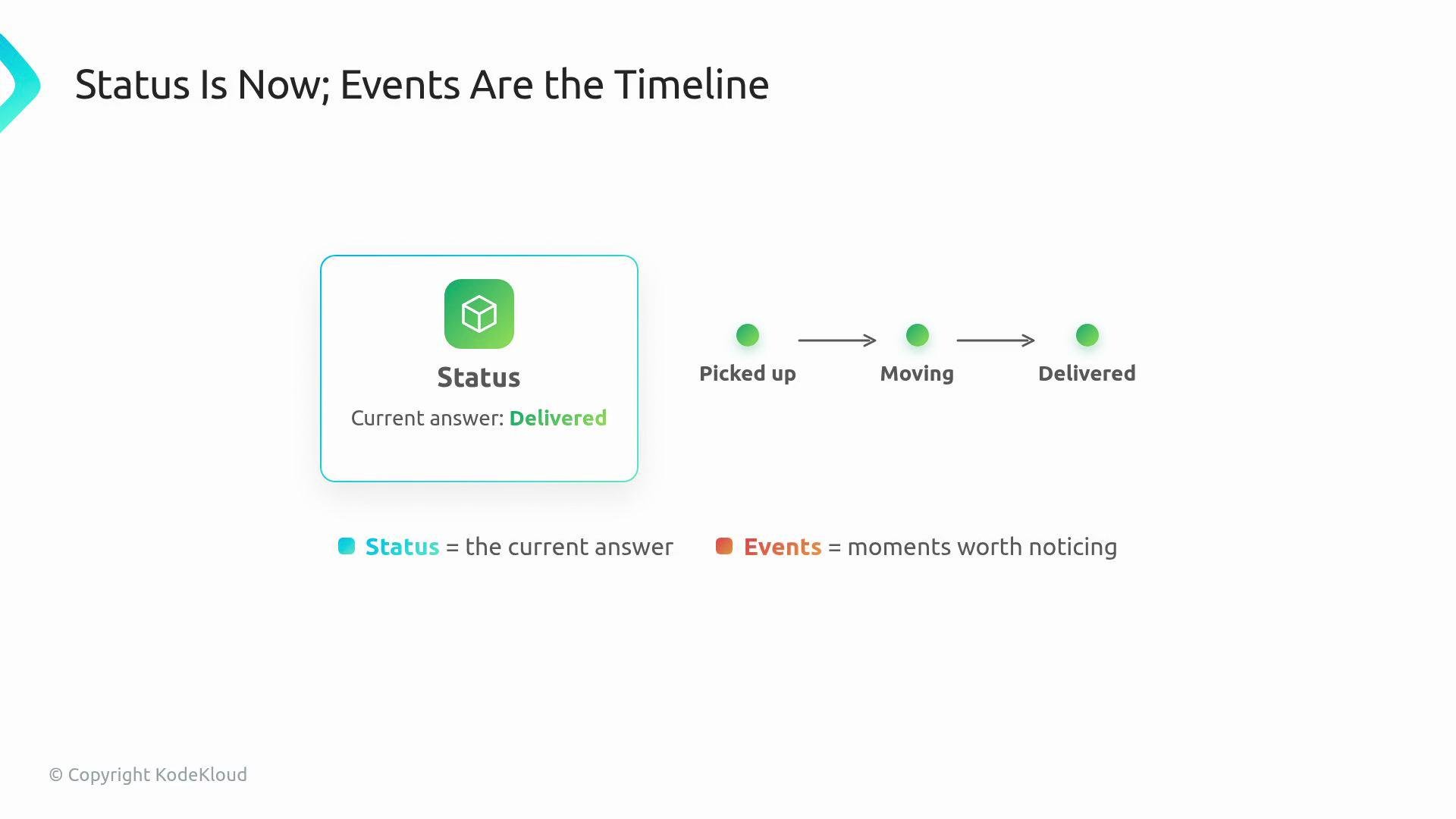
Events provide a short receipt trail on the resource so users arriving after a controller has acted can quickly understand recent actions without digging through controller logs. Think of it like tracking a package: status shows "Delivered," while events show pickup, transit, and delivery timestamps.
 Why this matters
* Users typically run `kubectl describe ` to get a concise story about a resource.
* Controller logs are verbose and intended for platform authors and debuggers. Events are for resource owners: short, human-readable notes attached to the object itself.
* Events follow the resource, making them easier to find than searching controller logs across pods and clusters.
Controller logs vs. events (example)
Controller logs may include many internal steps:
```text theme={null}
reconcile webapp=site generation=7
GET deployments/site 200 (retry 2/5)
cache sync configmaps 412ms
requeue after 30s err=conflict
reconcile webapp=blog generation=3
GET services/blog 200
```
By contrast, a user runs:
```bash theme={null}
kubectl describe webapp site
```
and expects a compact narrative on the WebApp resource itself. Events should provide that narrative.
Example events shown by `kubectl describe`:
| Type | Reason | Message |
| ------: | ----------------- | -------------------------- |
| Normal | DeploymentCreated | Created Deployment `site` |
| Normal | DeploymentUpdated | Replica count changed to 3 |
| Warning | HighReplicaCount | Requested 50 replicas |
These rows are meant to be scanned quickly: the Type (usually `Normal` or `Warning`), a short Reason label, and a human-friendly Message.
Recording events from your controller
Use an event recorder so the event attaches to the resource the user inspects. The manager typically provides a recorder, which you obtain in setup and use during reconcile.
Minimal Go example:
```go theme={null}
recorder := mgr.GetEventRecorderFor("webapp-controller")
recorder.Eventf(
&webapp,
corev1.EventTypeNormal,
"DeploymentCreated",
"Created Deployment %s",
deploy.Name,
)
```
What to include in each event
* Type: `Normal` for regular progress, `Warning` for things the user should notice.
* Reason: short identifier like `DeploymentCreated` or `HighReplicaCount`.
* Message: a single, readable sentence with the important details.
Best practices
* Record events for transitions or decisions: when something is created, changed, or when the controller notices an unusual condition.
* Avoid writing the same event on every reconcile pass. Reconcile runs frequently; repeated, identical events clutter `kubectl describe` and obscure useful history.
Poor example (noisy, repeated events):
```text theme={null}
reconcile ×6
Events:
Normal Reconciling Reconcile pass
Normal Reconciling Reconcile pass
Normal Reconciling Reconcile pass
Normal Reconciling Reconcile pass
Normal Reconciling Reconcile pass
Normal Reconciling Reconcile pass
```
Use events sparingly and meaningfully:
* Mark changes (resource created, updated).
* Record noteworthy observations (threshold crossed, external failure).
* Do not rely on events as persistent state or as input to reconciliation logic.
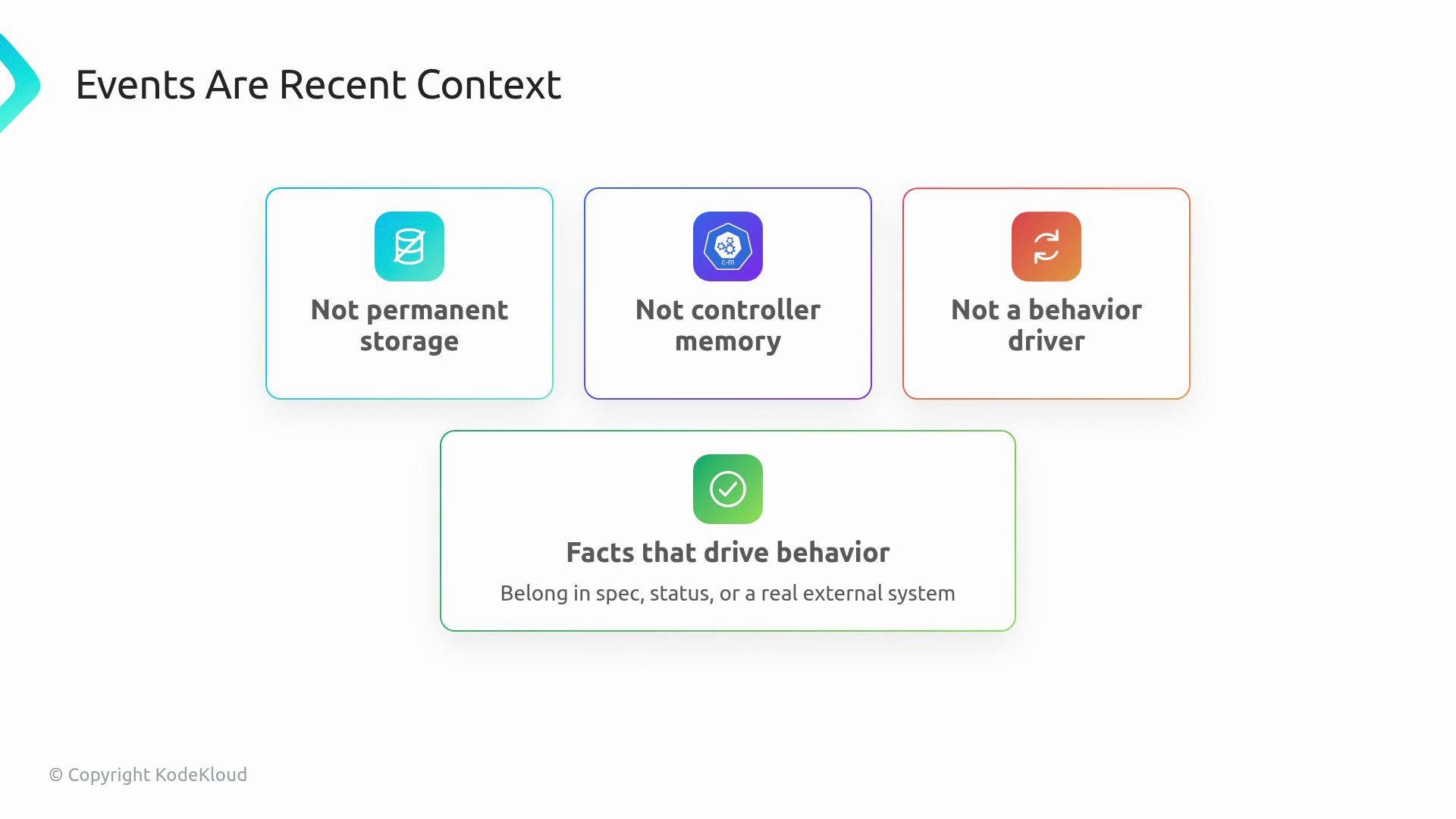
Events are recent context, not permanent storage. If a fact must drive controller behavior, put it in `spec`, `status`, or an external system — do not rely on events to decide what reconcile should do next time.
Quick reference
* Status = the current snapshot of the resource.
* Conditions = structured health flags (useful for programmatic checks).
* Events = recent receipt trail explaining how the current state was reached.
Together, these let your WebApp explain itself like a native Kubernetes resource: what it is, whether it is healthy, and what the controller just did.
Why this matters
* Users typically run `kubectl describe ` to get a concise story about a resource.
* Controller logs are verbose and intended for platform authors and debuggers. Events are for resource owners: short, human-readable notes attached to the object itself.
* Events follow the resource, making them easier to find than searching controller logs across pods and clusters.
Controller logs vs. events (example)
Controller logs may include many internal steps:
```text theme={null}
reconcile webapp=site generation=7
GET deployments/site 200 (retry 2/5)
cache sync configmaps 412ms
requeue after 30s err=conflict
reconcile webapp=blog generation=3
GET services/blog 200
```
By contrast, a user runs:
```bash theme={null}
kubectl describe webapp site
```
and expects a compact narrative on the WebApp resource itself. Events should provide that narrative.
Example events shown by `kubectl describe`:
| Type | Reason | Message |
| ------: | ----------------- | -------------------------- |
| Normal | DeploymentCreated | Created Deployment `site` |
| Normal | DeploymentUpdated | Replica count changed to 3 |
| Warning | HighReplicaCount | Requested 50 replicas |
These rows are meant to be scanned quickly: the Type (usually `Normal` or `Warning`), a short Reason label, and a human-friendly Message.
Recording events from your controller
Use an event recorder so the event attaches to the resource the user inspects. The manager typically provides a recorder, which you obtain in setup and use during reconcile.
Minimal Go example:
```go theme={null}
recorder := mgr.GetEventRecorderFor("webapp-controller")
recorder.Eventf(
&webapp,
corev1.EventTypeNormal,
"DeploymentCreated",
"Created Deployment %s",
deploy.Name,
)
```
What to include in each event
* Type: `Normal` for regular progress, `Warning` for things the user should notice.
* Reason: short identifier like `DeploymentCreated` or `HighReplicaCount`.
* Message: a single, readable sentence with the important details.
Best practices
* Record events for transitions or decisions: when something is created, changed, or when the controller notices an unusual condition.
* Avoid writing the same event on every reconcile pass. Reconcile runs frequently; repeated, identical events clutter `kubectl describe` and obscure useful history.
Poor example (noisy, repeated events):
```text theme={null}
reconcile ×6
Events:
Normal Reconciling Reconcile pass
Normal Reconciling Reconcile pass
Normal Reconciling Reconcile pass
Normal Reconciling Reconcile pass
Normal Reconciling Reconcile pass
Normal Reconciling Reconcile pass
```
Use events sparingly and meaningfully:
* Mark changes (resource created, updated).
* Record noteworthy observations (threshold crossed, external failure).
* Do not rely on events as persistent state or as input to reconciliation logic.
Events are recent context, not permanent storage. If a fact must drive controller behavior, put it in `spec`, `status`, or an external system — do not rely on events to decide what reconcile should do next time.
Quick reference
* Status = the current snapshot of the resource.
* Conditions = structured health flags (useful for programmatic checks).
* Events = recent receipt trail explaining how the current state was reached.
Together, these let your WebApp explain itself like a native Kubernetes resource: what it is, whether it is healthy, and what the controller just did.
 In the next demo
The controller obtains an event recorder and writes a few targeted events. The benefit is immediately visible in `kubectl describe webapp site`: the resource shows current status plus a short, human-readable timeline of recent controller actions.
In the next demo
The controller obtains an event recorder and writes a few targeted events. The benefit is immediately visible in `kubectl describe webapp site`: the resource shows current status plus a short, human-readable timeline of recent controller actions.