> ## Documentation Index
> Fetch the complete documentation index at: https://notes.kodekloud.com/llms.txt
> Use this file to discover all available pages before exploring further.
# Reloader
> This guide introduces Reloader, a Kubernetes controller that automates rolling upgrades of Deployments, DaemonSets, or StatefulSets when ConfigMap or Secret changes occur.
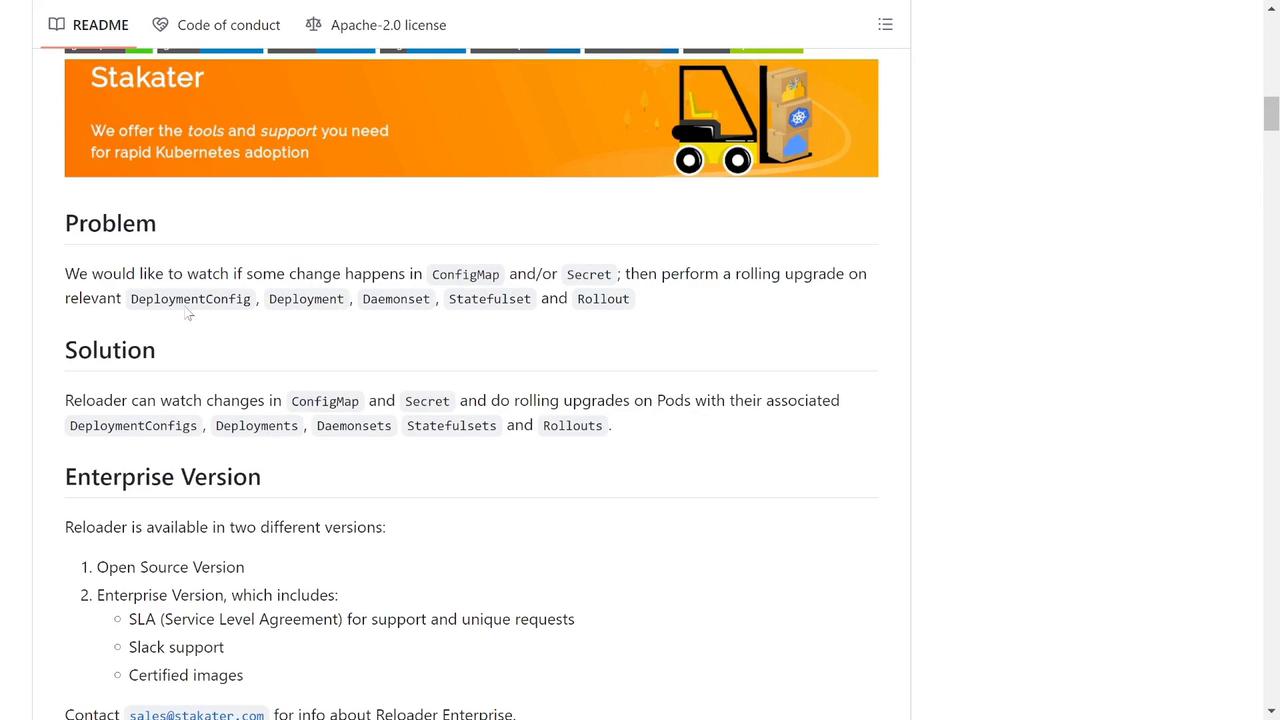
In modern Kubernetes environments, troubleshooting can become cumbersome when ConfigMap or Secret updates don't automatically trigger pod restarts. This guide introduces Reloader, a Kubernetes controller designed to automate rolling upgrades of your Deployments, DaemonSets, or StatefulSets whenever there's a change in ConfigMap or Secret objects.
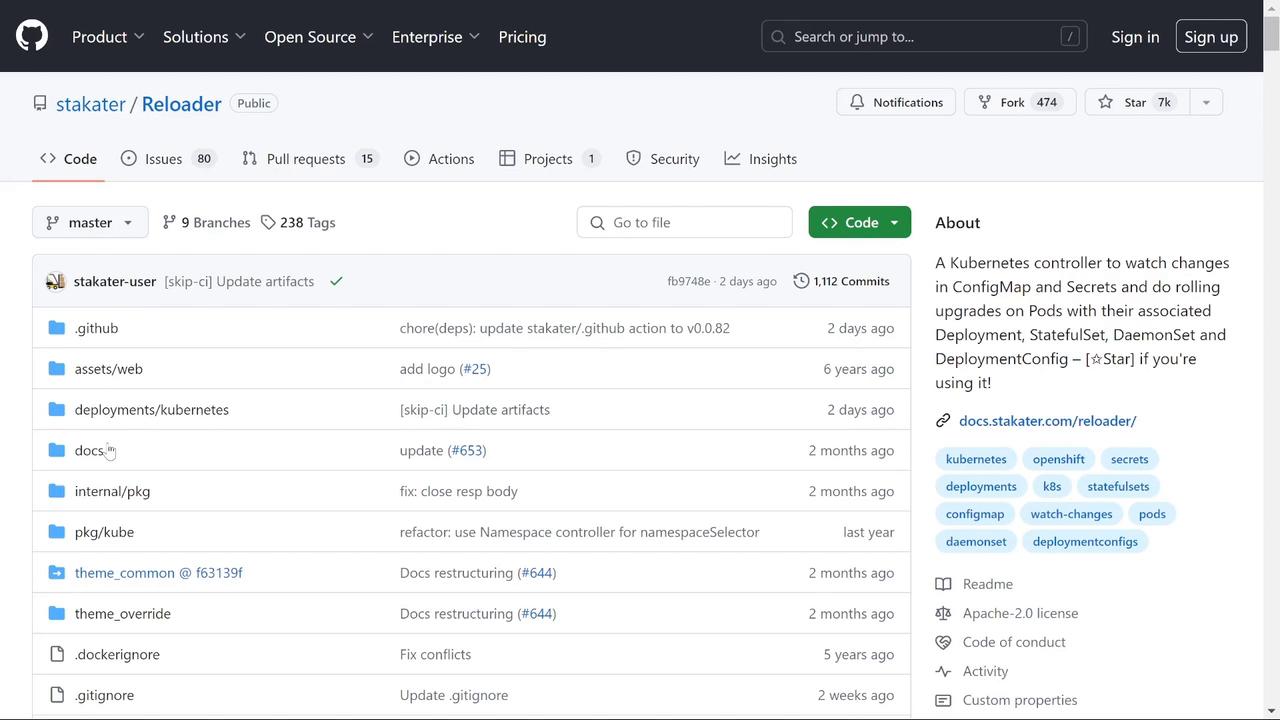
Reloader continuously monitors for modifications in your ConfigMaps and Secrets. When a change is detected, it triggers a rolling upgrade, ensuring that your Kubernetes resources are immediately redeployed without any manual intervention.
## How Reloader Works
To leverage Reloader in your Kubernetes cluster, add the following annotation to your Deployment, StatefulSet, or any applicable resource. This annotation instructs Reloader to monitor the associated ConfigMap(s) and Secret(s) for changes and automatically restart the resource when necessary.
```yaml theme={null}
kind: Deployment
metadata:
annotations:
reloader.stakater.com/auto: "true"
spec:
template:
metadata:
# your pod metadata here
```
You can configure Reloader to monitor all associated ConfigMaps and Secrets or restrict its scope to specific ones. In this guide, we use the generic annotation for simplicity.
## Deploying Reloader
Deploy the Reloader controller to your Kubernetes cluster using the vanilla manifest. While Helm is available for more complex deployments, the default manifest installation is straightforward:
```bash theme={null}
kubectl apply -f https://raw.githubusercontent.com/stakater/Reloader/master/deployments/kubernetes
```
Once deployed (by default in the `default` namespace), verify its status using:
```bash theme={null}
kubectl get pods
```
You should see an output similar to:
```bash theme={null}
NAME READY STATUS RESTARTS AGE
reloader-reloader-d88cf475-bbqhh 1/1 Running 0 3m12s
```
Ensure your cluster has the necessary permissions for Reloader to manage your deployments.
## Integrating Reloader with Your Application
Consider a scenario where a web application relies on a ConfigMap named "web-message". This ConfigMap provides a greeting message for the application. Use the following command to deploy the Reloader components:
```bash theme={null}
kubectl apply -f https://raw.githubusercontent.com/stakater/Reloaders/master/deployments/kubernetes/reloader.yaml
```
A sample output might be:
```bash theme={null}
serviceaccount/reloader-reloader unchanged
clusterrole.rbac.authorization.k8s.io/reloader-reloader-role unchanged
clusterrolebinding.rbac.authorization.k8s.io/reloader-reloader-role-binding unchanged
deployment.apps/reloader-reloader unchanged
```
To inspect the pods and ConfigMaps in the production namespace, run:
```bash theme={null}
kubectl get pods -n production
```
```bash theme={null}
kubectl get cm -n production
```
For example, if your web application is configured with a ConfigMap value of "Hello, World", verify it by executing:
```bash theme={null}
kubectl exec -n production -it web-app-58c4f787c-lm7s7 -- /bin/sh
# Inside the shell:
printenv | grep MESSAGE
```
If you see:
```bash theme={null}
MESSAGE=Hello, World
```
then your application is using the expected configuration.
## Adding the Reloader Annotation
To enable Reloader for your application, update your deployment definition with the Reloader annotation. Below is an example of a Deployment configuration with the necessary annotation:
```yaml theme={null}
apiVersion: apps/v1
kind: Deployment
metadata:
name: web-app
namespace: production
annotations:
reloader.stakater.com/auto: "true"
deployment.kubernetes.io/revision: "1"
labels:
app: ""
spec:
replicas: 1
selector:
matchLabels:
app: node-env-app
strategy:
type: RollingUpdate
rollingUpdate:
maxSurge: 25%
maxUnavailable: 25%
template:
metadata:
labels:
app: node-env-app
spec:
containers:
- name: web-app
image: rakshithraka/node-env-app
ports:
- containerPort: 3000
envFrom:
- configMapRef:
name: web-message
```
After applying this update, Reloader will automatically initiate a restart of the deployment whenever there's a change to any associated ConfigMaps or Secrets. Apply the updated configuration by running:
```bash theme={null}
kubectl apply -f https://raw.githubusercontent.com/stakater/Reloader/master/deployments/kubernetes/reloader.yaml
```
Then, inspect your production pods:
```bash theme={null}
kubectl get pods -n production
```
You can also review your deployment details with:
```bash theme={null}
kubectl edit deployments.apps -n production web-app
```
## Updating a ConfigMap and Observing Reloader in Action
To demonstrate Reloader's functionality, update the ConfigMap to change the greeting message. Use the following updated ConfigMap configuration:
```yaml theme={null}
apiVersion: v1
kind: ConfigMap
metadata:
name: web-message
namespace: production
annotations:
kubectl.kubernetes.io/last-applied-configuration: |
{"apiVersion":"v1","data":{"MESSAGE":"Hello, World"},"kind":"ConfigMap","metadata":{"name":"web-message","namespace":"production"}}
data:
MESSAGE: Hello Reloader
```
After applying the updated ConfigMap, observe that the Deployment is immediately restarted—the old pods are terminated and new ones are created. Confirm the current state with:
```bash theme={null}
kubectl get pods -n production
```
Then, connect to one of the new pods and check the environment variable:
```bash theme={null}
kubectl exec -n production -it web-app-68547b8c9d-8vhtl -- /bin/sh
# Inside the shell:
printenv | grep MESSAGE
```
A successful update should display:
```bash theme={null}
MESSAGE=Hello Reloader
```
This demonstration highlights how Reloader minimizes manual interventions, saving time and ensuring your application configuration changes are applied efficiently.
## Conclusion
Reloader streamlines the process of handling ConfigMap and Secret updates by automating the restart of Kubernetes resources. This automation not only simplifies troubleshooting but also reduces potential downtime in your applications. Use Reloader to enhance your Kubernetes deployment workflows and ensure smooth and continuous integration of configuration changes.
Happy deploying, and enjoy the benefits of automated rolling upgrades!
***
## Further Reading and Resources
* [Kubernetes Documentation](https://kubernetes.io/docs/)
* [GitHub Repository: stakater/Reloader](https://github.com/stakater/Reloader)
* [Kubernetes Rolling Upgrades](https://kubernetes.io/docs/tutorials/kubernetes-basics/update/update-intro/)
For more information on Kubernetes best practices and troubleshooting, check out additional guides on [Kubernetes Basics](https://kubernetes.io/docs/concepts/overview/what-is-kubernetes/).