> ## Documentation Index
> Fetch the complete documentation index at: https://notes.kodekloud.com/llms.txt
> Use this file to discover all available pages before exploring further.
# CICD Pipeline Demo
> This article demonstrates how Argo CD provisions resources in Kubernetes by monitoring a Git repository for changes.
In this article, we demonstrate how Argo CD automatically provisions resources in a Kubernetes cluster by continuously monitoring a Git repository for changes.
## Verifying the Default Namespace
First, verify that no pods are running in the default namespace. Execute the following command:
```bash theme={null}
nimeshajinarajadasa@Nimeshas-MacBook-Air ~ % kubectl get po
No resources found in default namespace.
nimeshajinarajadasa@Nimeshas-MacBook-Air ~ %
```
This confirms that the namespace is initially empty.
After waiting briefly, run the command again and notice that a pod is now being created:
```bash theme={null}
nimeshajinarajadasa@Nimeshas-MacBook-Air ~ % kubectl get po
NAME READY STATUS RESTARTS AGE
nginx-deployment-6b7f675859-hx95j 0/1 ContainerCreating 0 18s
nimeshajinarajadasa@Nimeshas-MacBook-Air ~ %
```
This output indicates that the deployment YAML file has been successfully applied by Argo CD. Once the pod is fully operational, you can verify its healthy state with:
```bash theme={null}
kubectl get po
NAME READY STATUS RESTARTS AGE
nginx-deployment-6b76765859-hx95j 1/1 Running 0 55s
```
Argo CD monitors the Git repository, and upon detecting new resource definitions, it automatically provisions them in the default namespace.
## Updating the Kubernetes Manifest
Next, update the Kubernetes manifest by increasing the number of replicas from one to three.
### Original YAML File
Below is the original deployment YAML file:
```yaml theme={null}
apiVersion: apps/v1
kind: Deployment
metadata:
name: nginx-deployment
labels:
app: nginx
spec:
replicas: 1
selector:
matchLabels:
app: nginx
template:
metadata:
labels:
app: nginx
spec:
containers:
- name: nginx
image: nginx:latest
ports:
- containerPort: 80
```
After updating the replica count to three, save the file and commit the changes to your Git repository hosting the Kubernetes manifest. Argo CD will detect the update and provision the additional pods accordingly.
## Observing Changes in the Argo CD UI
You can verify these changes in the Argo CD UI. The dashboard provides a visual representation of the application’s state, including the updated replica count:
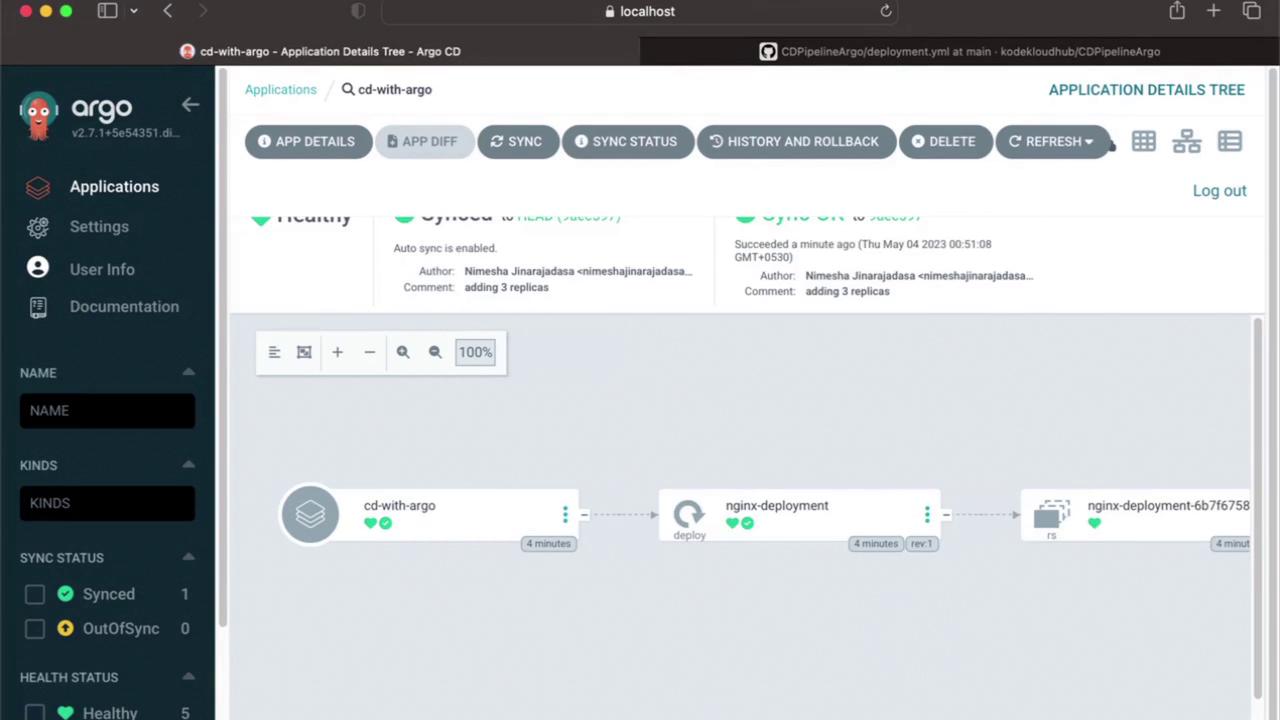
By clicking on the application instance in the UI, you will observe that the number of replicas has increased from one to three.
For additional insights into Argo CD and GitOps best practices, consider exploring our [GitOps with Argo CD](https://learn.kodekloud.com/user/courses/gitops-with-argocd) course on KodeKloud.
Thank you for reading, and stay tuned for our next article!