> ## Documentation Index
> Fetch the complete documentation index at: https://notes.kodekloud.com/llms.txt
> Use this file to discover all available pages before exploring further.
# Git Repositories Dockerfile and Application Walkthrough
> This lesson demonstrates implementing a CI/CD pipeline using Argo CD and GitOps methodologies for continuous deployment with Kubernetes.
In this lesson, we demonstrate how to implement a CI/CD pipeline using [Argo CD](https://learn.kodekloud.com/user/courses/gitops-with-argocd). The focus of this guide is on leveraging GitOps methodologies to establish a continuous deployment pipeline with CloudNative delivery mechanisms.
The demonstration is organized into two primary segments:
1. **Continuous Integration (CI)**
2. **Continuous Deployment (CD)**
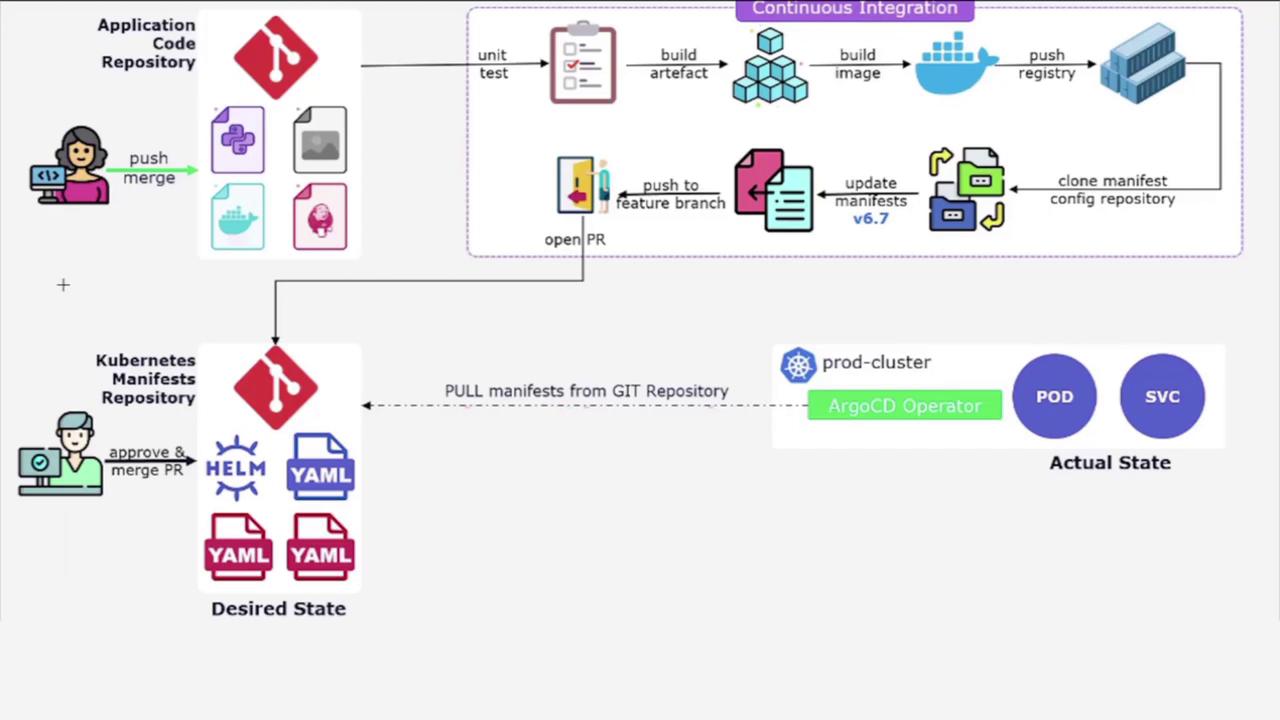
Since our primary goal is to explore continuous deployment, we assume that the CI process is handled by tools such as [Jenkins](https://learn.kodekloud.com/user/courses/jenkins). As a result, topics like unit testing, artifact building, and Docker image creation are not covered here.
This lesson emphasizes setting up the [Argo CD](https://learn.kodekloud.com/user/courses/gitops-with-argocd) operator in your Kubernetes cluster. It illustrates how changes in the Kubernetes manifest Git repository are detected automatically by Argo CD, ensuring that the cluster's state matches the desired configuration.
## Git Repository Overview
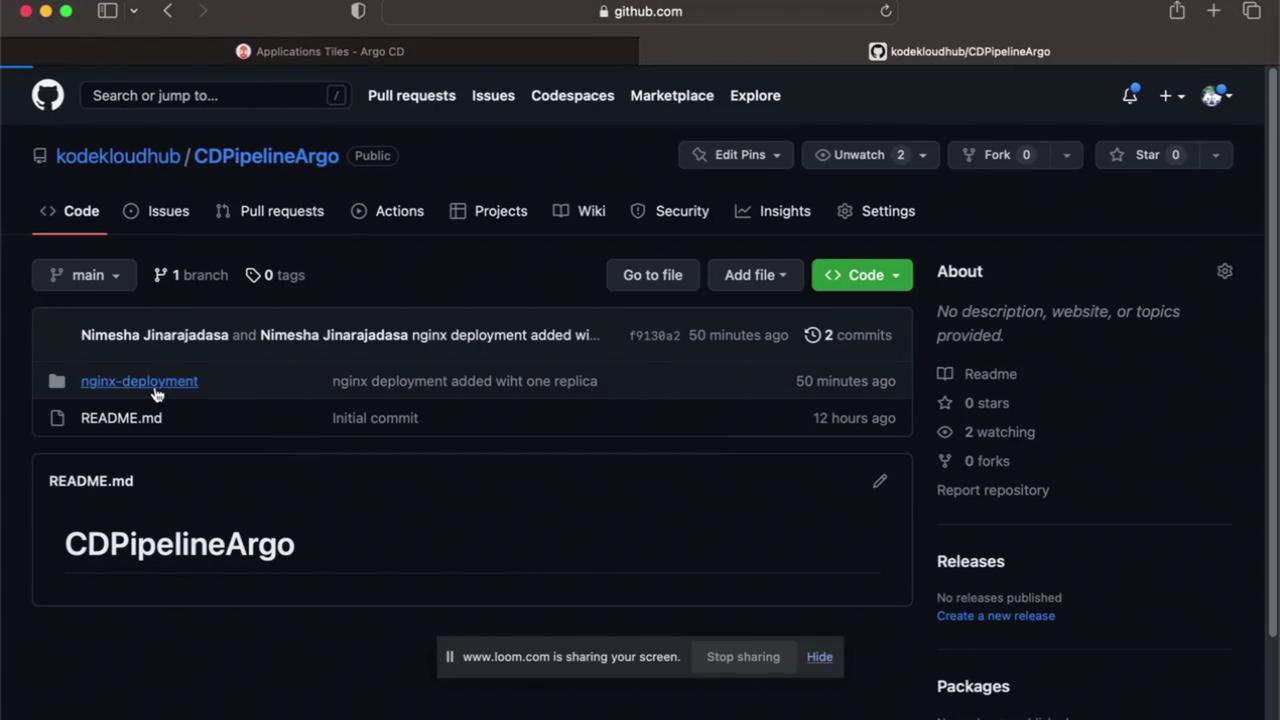
The continuous deployment pipeline is driven by a dedicated Git repository containing all the necessary Kubernetes manifests and YAML configuration files. When you explore the repository, locate the **nginx-deployment** folder. Inside this folder, you will find a single file named `deployment.yaml`.
## NGINX Deployment Configuration
The `deployment.yaml` file provides a minimalistic configuration for deploying an NGINX instance in the Kubernetes cluster. The file defines a Deployment object, specifying the creation of one replica of the NGINX instance. Below is the content of the `deployment.yaml` file:
```yaml theme={null}
apiVersion: apps/v1
kind: Deployment
metadata:
name: nginx-deployment
labels:
app: nginx
spec:
replicas: 1
selector:
matchLabels:
app: nginx
template:
metadata:
labels:
app: nginx
spec:
containers:
- name: nginx
image: nginx:latest
ports:
- containerPort: 80
```
## Conclusion
This walkthrough has detailed the setup of a continuous deployment pipeline using [Argo CD](https://learn.kodekloud.com/user/courses/gitops-with-argocd). By integrating Git repositories that contain Kubernetes manifests with Argo CD, you can automate the synchronization of the cluster’s state with the desired state defined in Git.
In the next lesson, we will delve deeper into [Argo CD](https://learn.kodekloud.com/user/courses/gitops-with-argocd) to explore its advanced features and configurations.
For more information on building robust CI/CD pipelines, check out the [Kubernetes Documentation](https://kubernetes.io/docs/) and explore industry best practices for continuous deployment.