This article provides a comprehensive guide on Ingress in Kubernetes, covering its purpose, configuration, and best practices for managing external access to applications.
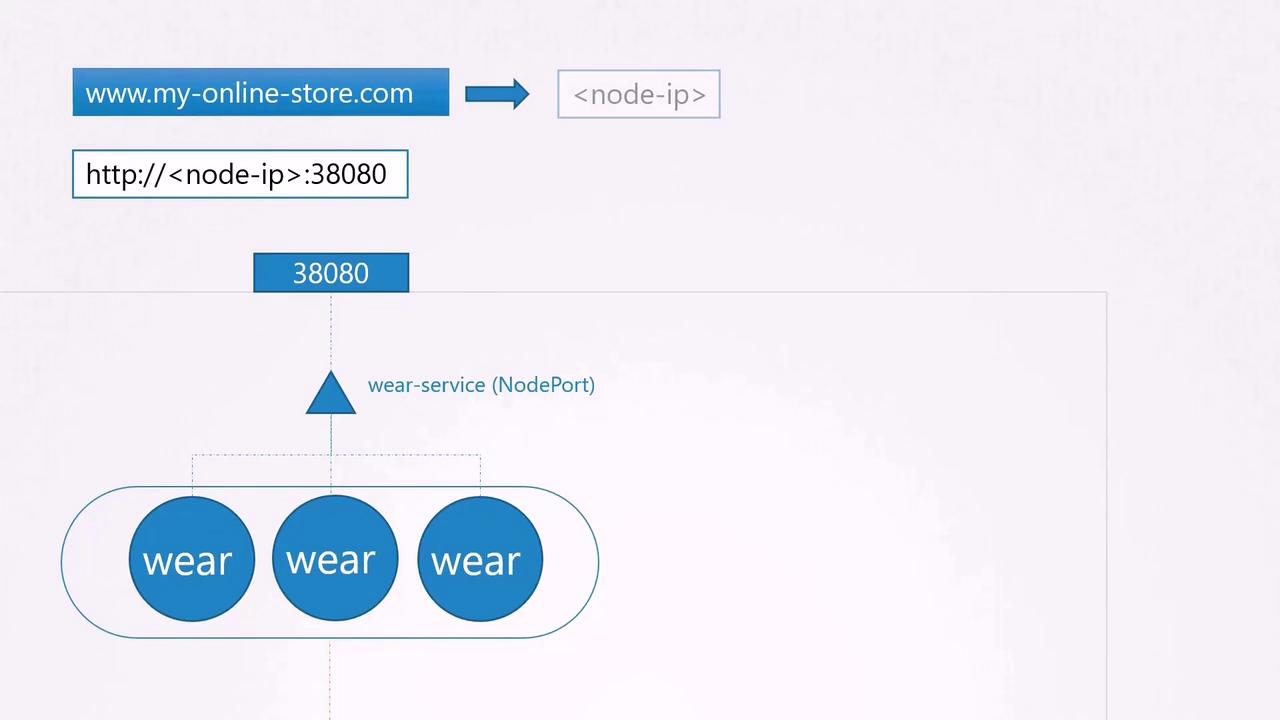
Welcome to this in-depth guide on Ingress in Kubernetes. This article revisits Kubernetes services and progressively builds up to explain Ingress—detailing differences between services and Ingress, when to use each, and the best practices for managing external access to your applications.Imagine you are deploying an online store with the domain name myonlinestore.com. You package your application into a Docker image and deploy it as a pod within a Deployment. Your application requires a MySQL database, so you deploy MySQL as a pod and expose it via a ClusterIP service named “MySQL service” to enable internal communication.To expose your application externally, you create a NodePort service and assign port 38080. Users can now access your application using the IP address of any node followed by port 38080 (e.g., http://<node-ip>:38080). As traffic grows, the service distributes network traffic across multiple pod replicas.
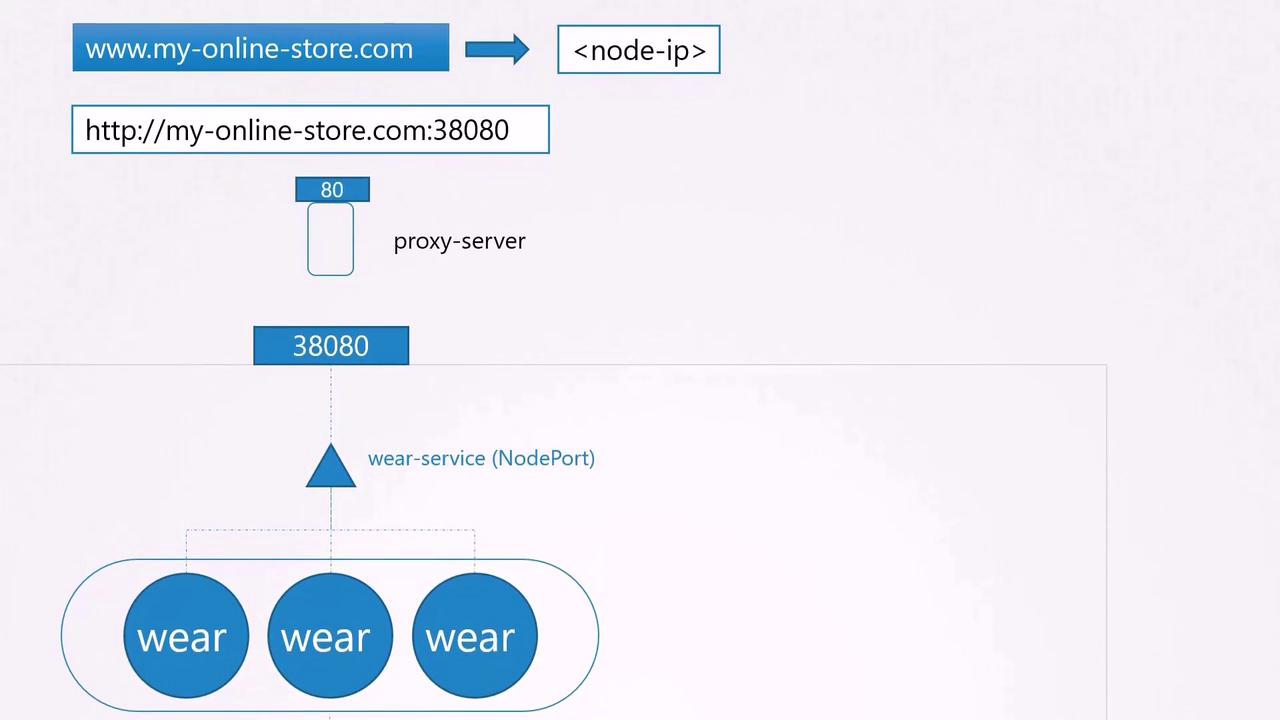
In production, exposing node IPs and ports directly is not ideal. Typically, you configure your DNS server to map your domain (myonlinestore.com) to the node IPs and port 38080. However, users would still need to specify the port number in the URL.To address this, you introduce an additional layer—a proxy server—that forwards requests from the standard port 80 to port 38080. Once your DNS is updated to point to the proxy, users can access your application simply by navigating to myonlinestore.com.
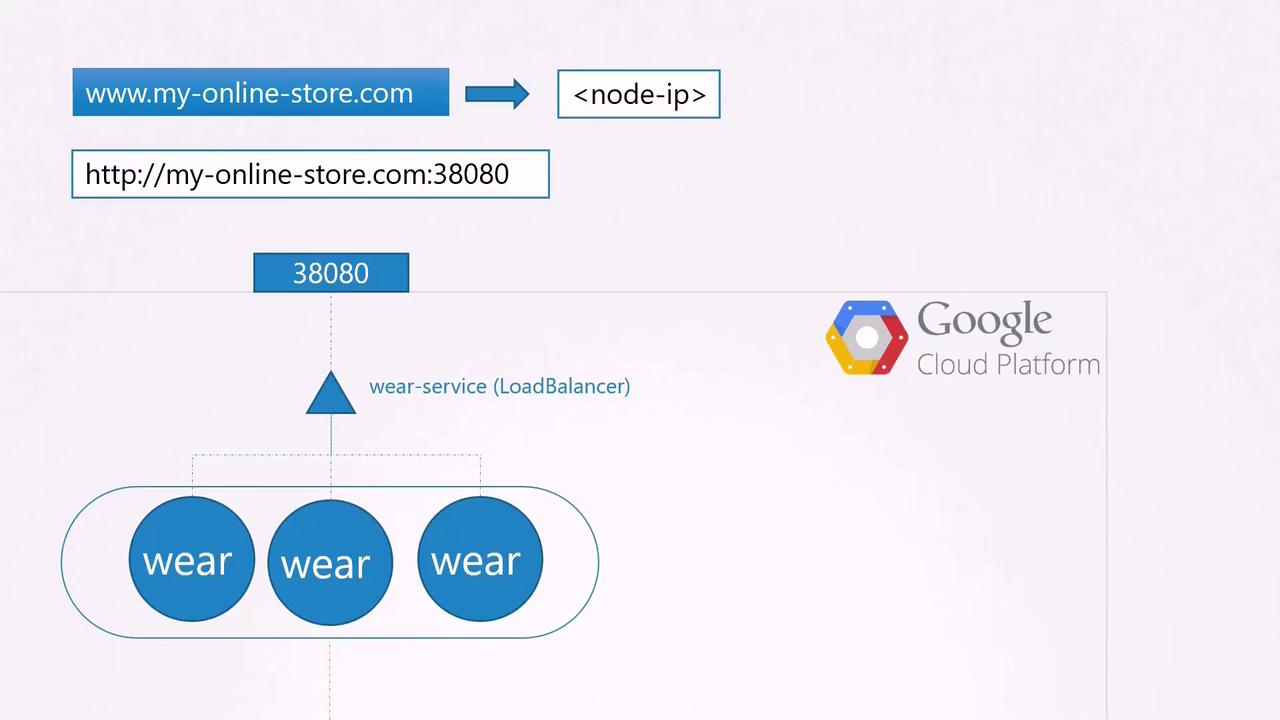
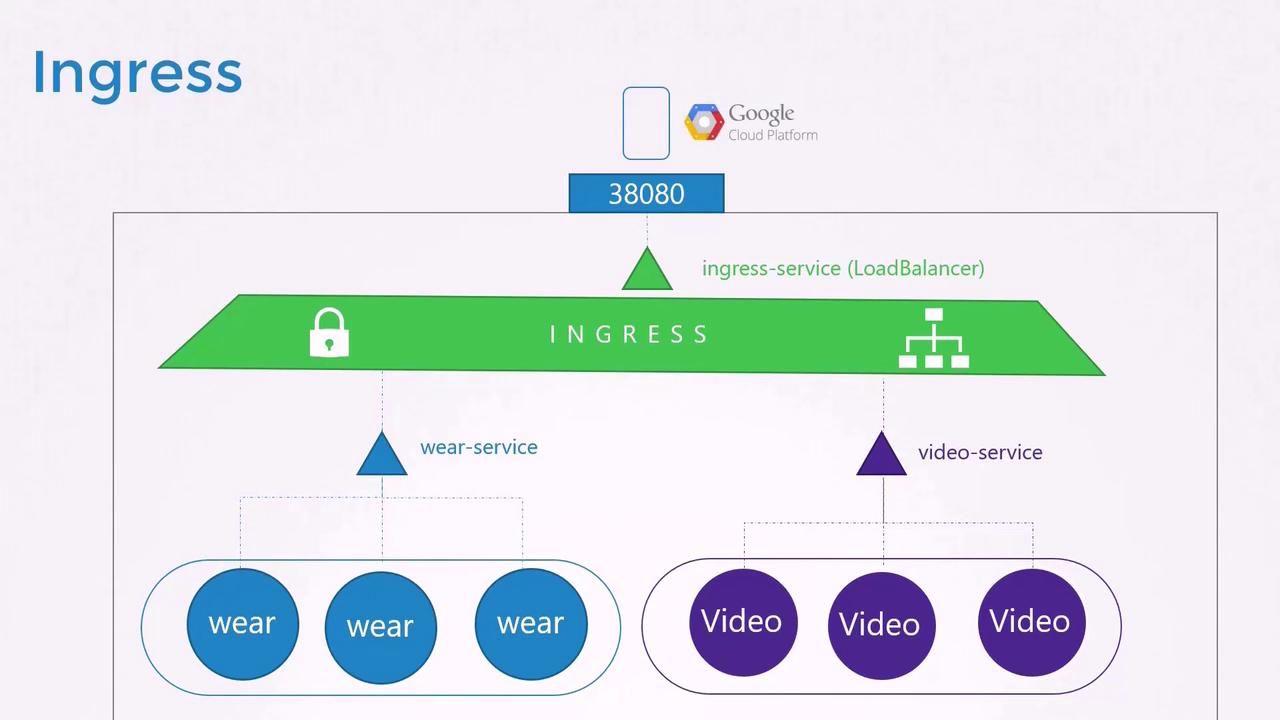
If your application is deployed on a public cloud such as Google Cloud Platform (GCP), you can opt for a LoadBalancer service instead of a NodePort service. Kubernetes will then provision a high port (like NodePort) and request a network load balancer from GCP. The load balancer receives an external IP address that you can map to your DNS, allowing users to access your application via myonlinestore.com without specifying a port.As your business expands, you might add new services. For example, suppose you introduce a video streaming service. You want users to access it at myonlinestore.com/watch while keeping the original application available at myonlinestore.com/wear. Although these applications run in separate Deployments within the same cluster, each service might otherwise require its own load balancer—resulting in additional costs.
You also want to enable SSL to provide secure HTTPS access and centralize SSL termination, load balancing, and routing configurations within Kubernetes—avoiding dispersed SSL settings across various configurations or application code.
Ingress enables centralized management of HTTP routing, SSL termination, and load balancing through native Kubernetes API objects.
Ingress provides a layer seven load balancing solution integrated into Kubernetes. After exposing the Ingress controller externally (using a NodePort or cloud load balancer), further configurations—such as load balancing, authentication, SSL, and URL-based routing—are managed through Ingress resources within the cluster.
Without Ingress, you would be required to deploy a reverse proxy or dedicated load balancing solution (like NGINX, HAProxy, or Traefik) and manage complex configurations separately for each service. As the number of services grows, this approach becomes increasingly cumbersome.
An Ingress controller is responsible for implementing Ingress rules. It continuously monitors the Kubernetes cluster for new Ingress resource definitions and dynamically reconfigures the underlying proxy (such as NGINX). Kubernetes does not include an Ingress controller by default—you must deploy one. Many options exist (GCE, NGINX, Contour, HAProxy, Traefik, Istio), but in this guide we demonstrate the NGINX Ingress Controller which is actively supported by the Kubernetes project.
Below is an example Deployment YAML for the NGINX Ingress Controller. This configuration deploys one replica of the controller with the label “nginx-ingress” using a dedicated NGINX image. The container’s command initiates the controller.
To externalize the Ingress controller, create a NodePort service and a ConfigMap to decouple runtime configuration from the container image. The ConfigMap stores configuration parameters like log paths, keep-alive thresholds, SSL settings, and session timeouts.
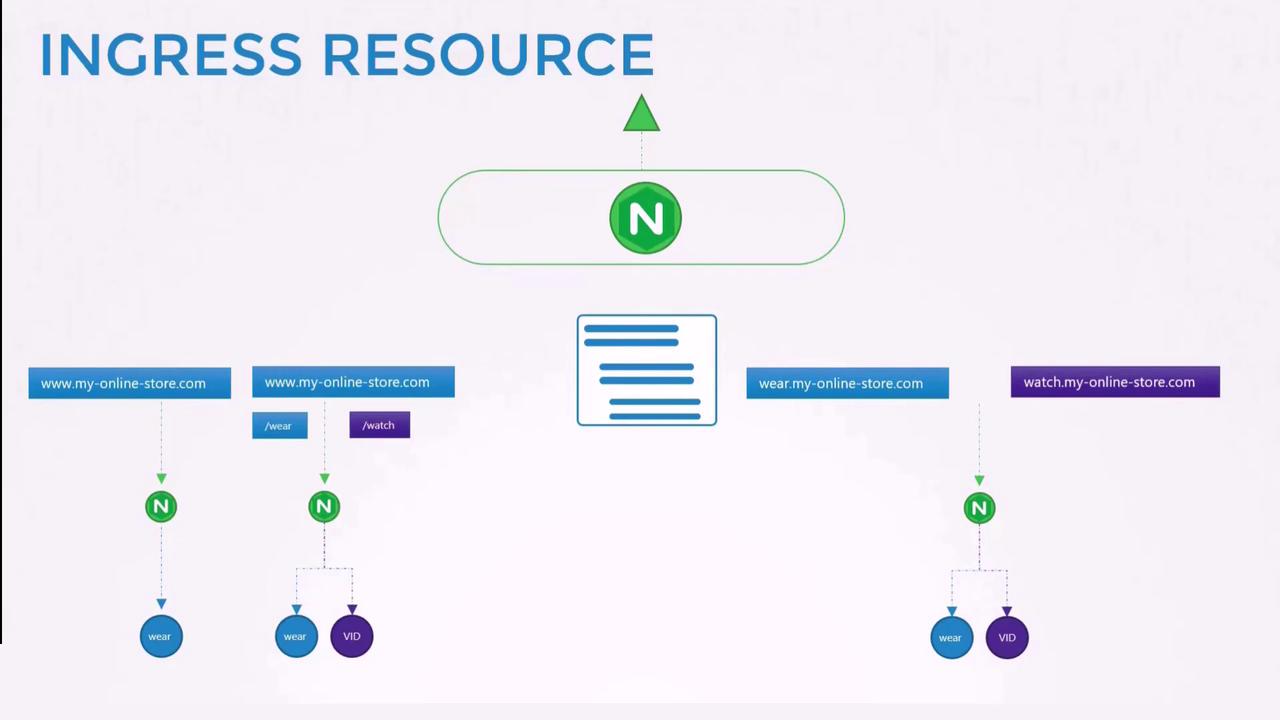
An Ingress resource specifies rules for routing external HTTP/HTTPS traffic to backend services within your cluster. Whether you configure a simple default backend or more complex routing based on URL paths and hostnames, Ingress resources provide versatile traffic management.
For simple scenarios, all incoming traffic is directed to a single service. The following Ingress definition routes all traffic to the “wear-service” on port 80:
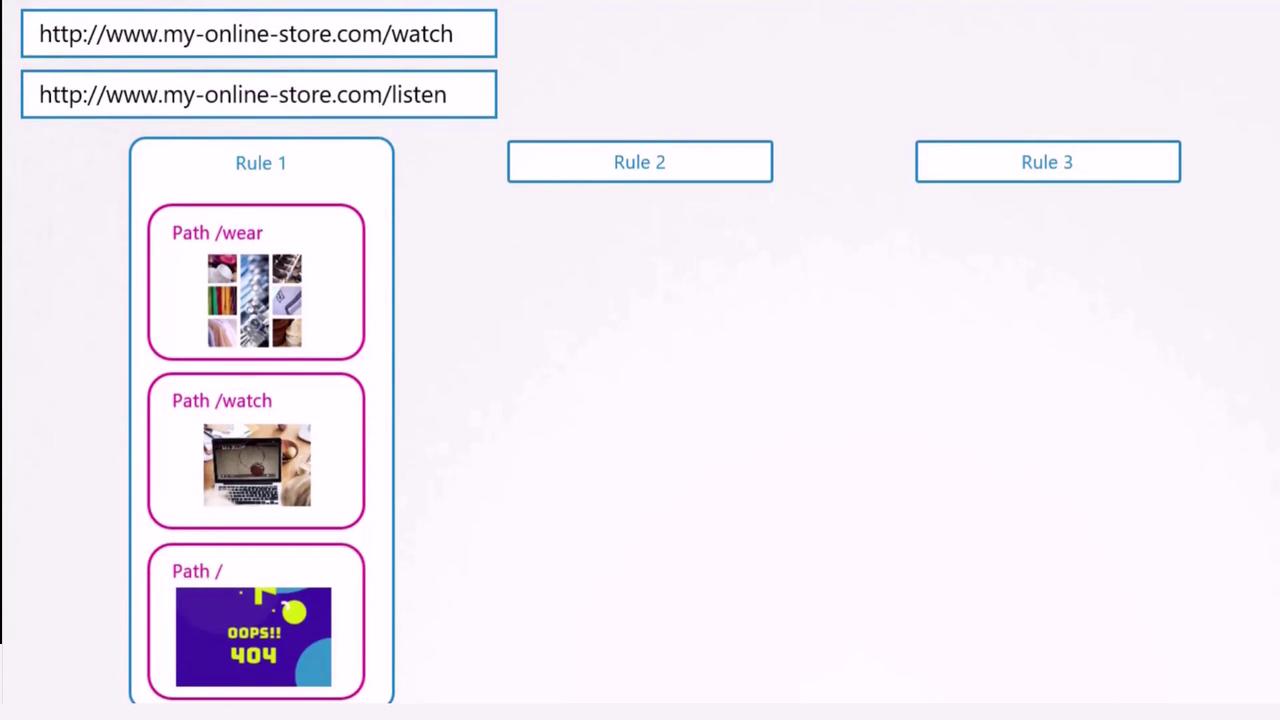
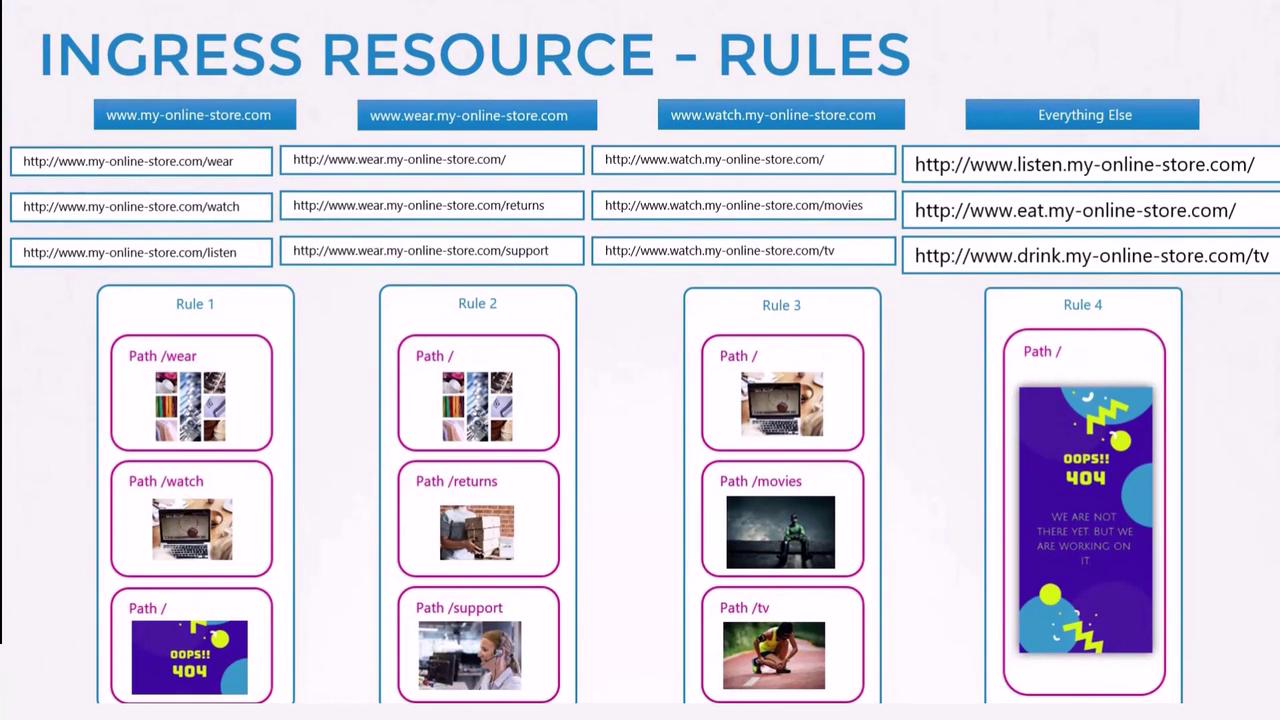
To route traffic based on URL paths (e.g., separating traffic for “/wear” and “/watch”), define rules that specify paths and their corresponding backend services. The example below routes traffic arriving at myonlinestore.com based on the URL path:
You can also route traffic based on domain names. For example, different subdomains can be configured to route traffic to distinct backend services. The following definition routes traffic based on the host field:
If the host field is omitted in your Ingress rules, the rules will apply to all incoming traffic. This flexibility enables routing based on URL paths as well as hostnames.
In scenarios where a user navigates to an undefined URL (e.g., myonlinestore.com/listen or myonlinestore.com/eat), you can configure a default backend to return a 404 Not Found page.
By leveraging various Ingress configurations—whether based on URL paths or hostnames—you can serve multiple services through a single Ingress controller. This centralized approach manages SSL termination, load balancing, and routing within Kubernetes, simplifying operations and reducing cloud resource costs.For further reading and additional examples, consider exploring the following resources:
Deploy an Ingress controller (for instance, the NGINX Ingress Controller) and create appropriate Ingress resources to efficiently manage external access to your Kubernetes services.