> ## Documentation Index
> Fetch the complete documentation index at: https://notes.kodekloud.com/llms.txt
> Use this file to discover all available pages before exploring further.
# ReplicaSets
> This article explores ReplicaSets in Kubernetes, focusing on their role in managing pod replicas for high availability and scalability.
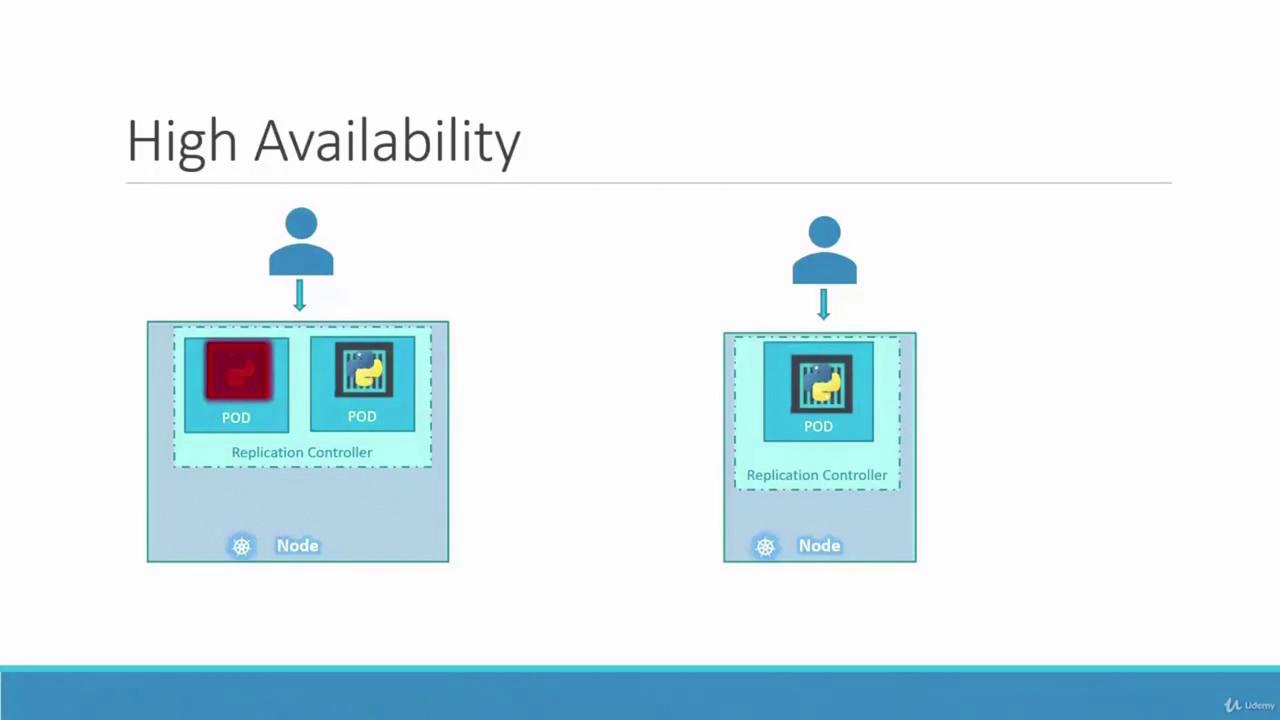
In this lesson, we explore the concept of replicas in Kubernetes and the importance of replication controllers for ensuring high availability. Imagine a scenario where your application runs only one pod. If that pod crashes, users lose access to your application. To avoid downtime, it's critical to run multiple instances (or pods) simultaneously. A replication controller guarantees that the desired number of pods are always running in your cluster, delivering both high availability and load balancing.
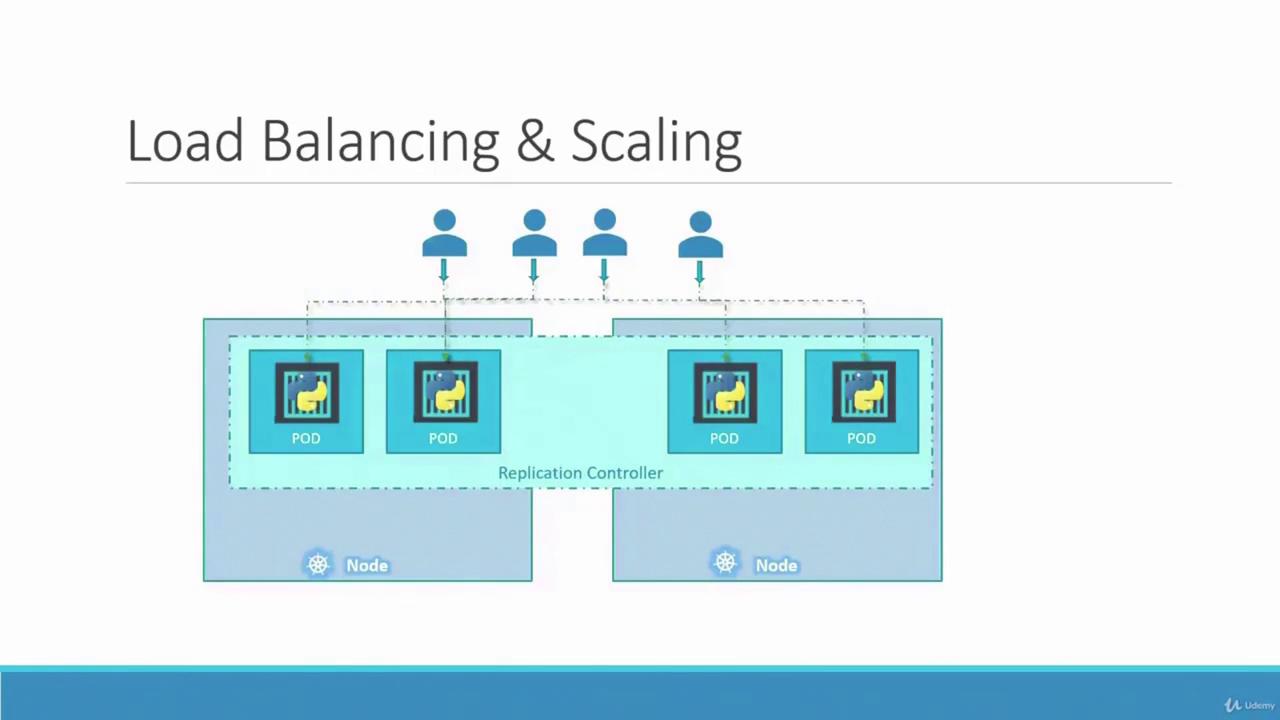
Even if you intend to run a single pod, the replication controller automatically initiates a new pod if the existing one fails. Whether you need one pod or a hundred, the replication controller maintains that number, distributing load across multiple instances. For example, if your user base grows, additional pods can be deployed. In cases where one node runs out of resources, new pods can automatically be scheduled on other nodes.
As illustrated above, the replication controller spans multiple nodes, ensuring efficient load balancing and the ability to scale your application as demand increases.
Another important aspect is understanding the difference between a replication controller and a ReplicaSet. Both manage pod replicas, but the replication controller is an older technology, gradually being replaced by the more advanced ReplicaSet. Despite minor differences in implementation, their core functionality is similar. In all demos and implementations moving forward, we will focus on using ReplicaSets.
## Creating a ReplicationController
To create a ReplicationController, start by defining a configuration file named `rc-definition.yaml`. Like any Kubernetes definition file, it includes the following sections: API version, kind, metadata, and spec.
* **API Version:** For a ReplicationController, use `v1`.
* **Kind:** Set it as `ReplicationController`.
* **Metadata:** Provide a unique name (for example, `myapp-rc`) along with labels that categorize your application (such as `app` and `type`).
* **Spec:** Define the desired state of the object:
* Specify the number of replicas.
* Include a `template` section for the pod definition. (Note: do not include the API version and kind from the original pod file; include only the pod’s metadata, labels, and spec, indented as a child of the `template`.)
Below is an example ReplicationController definition:
```yaml theme={null}
apiVersion: v1
kind: ReplicationController
metadata:
name: myapp-rc
labels:
app: myapp
type: front-end
spec:
replicas: 3
template:
metadata:
name: myapp-pod
labels:
app: myapp
type: front-end
spec:
containers:
- name: nginx-container
image: nginx
```
Once the file is ready, create the replication controller with:
```bash theme={null}
kubectl create -f rc-definition.yaml
```
After creation, verify the replication controller details using:
```bash theme={null}
kubectl get replicationcontroller
```
This command displays the desired number of replicas, the current number, and the count of ready pods. To list the pods created by the replication controller, run:
```bash theme={null}
kubectl get pods
```
You will notice that the pod names begin with the replication controller’s name (e.g., `myapp-rc-xxxx`), indicating their automatic creation.
## Introducing ReplicaSets
A ReplicaSet functions similarly to a ReplicationController but comes with key differences:
1. **API Version and Kind:**
* For a ReplicaSet, set the API version to `apps/v1` (instead of `v1`).
* The kind should be `ReplicaSet`.
2. **Selector Requirement:**
* A ReplicaSet demands an explicit selector in its configuration. Typically defined under `matchLabels`, the selector identifies which pods the ReplicaSet will manage. This feature also enables the ReplicaSet to adopt existing pods that match the specified labels, even if they were not created by it.
Below is an example of a ReplicaSet definition file named `replicaset-definition.yml`:
```yaml theme={null}
apiVersion: apps/v1
kind: ReplicaSet
metadata:
name: myapp-replicaset
labels:
app: myapp
type: front-end
spec:
replicas: 3
selector:
matchLabels:
type: front-end
template:
metadata:
name: myapp-pod
labels:
app: myapp
type: front-end
spec:
containers:
- name: nginx-container
image: nginx
```
Create the ReplicaSet using:
```bash theme={null}
kubectl create -f replicaset-definition.yml
```
Then verify the ReplicaSet and its pods:
```bash theme={null}
kubectl get replicaset
kubectl get pods
```
The ReplicaSet monitors pods with matching labels. If pods already exist with these labels, the ReplicaSet will adopt them rather than immediately creating new ones. Nevertheless, the template remains essential for creating new pods if any managed pod fails.
## Labels, Selectors, and Their Role
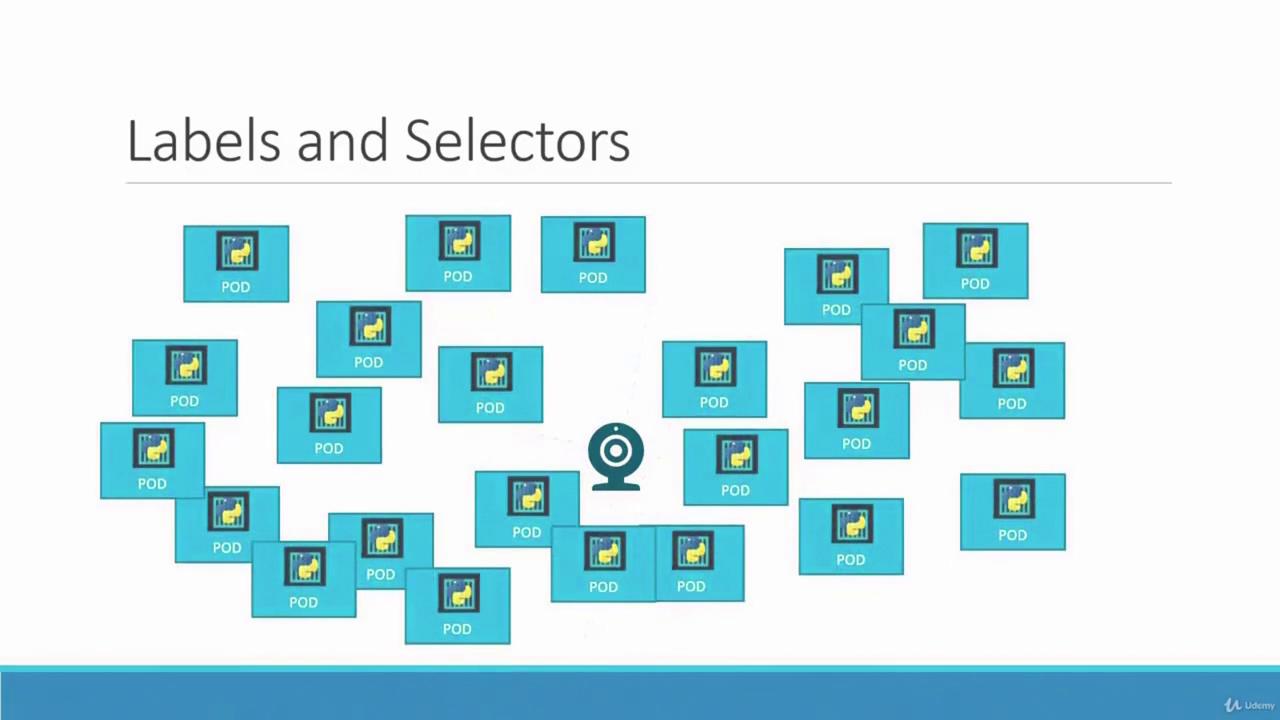
Labels are vital for organizing and selecting subsets of objects in Kubernetes. When deploying multiple instances (for instance, three pods for a front-end application), a ReplicaSet uses labels and selectors to manage these pods effectively. Consider the following sample configuration that highlights the relationship between pod labels and the ReplicaSet selector:
```yaml theme={null}
# replicaset-definition.yml
selector:
matchLabels:
tier: front-end
# pod-definition.yml
metadata:
name: myapp-pod
labels:
tier: front-end
```
The ReplicaSet uses its selector to monitor and manage pods with the label `tier: front-end`. This concept of labels and selectors is widely used throughout Kubernetes to maintain order and efficiency.
## Scaling ReplicaSets
Scaling ReplicaSets allows your application to adapt to changing demand. Suppose you started with three replicas and later need to scale up to six. There are multiple approaches:
1. **Edit the Definition File:**\
Update the `replicas` field in your ReplicaSet definition file to six, then run:
```bash theme={null}
kubectl replace -f replicaset-definition.yml
```
2. **Use the Scale Command:**\
Alternatively, use the `kubectl scale` command:
```bash theme={null}
kubectl scale --replicas=6 -f replicaset-definition.yml
```
Or, if you prefer using the ReplicaSet name:
```bash theme={null}
kubectl scale --replicas=6 replicaset/myapp-replicaset
```
Remember, if you use the scale command, the changes are updated only in the cluster state. The original definition file will continue to show the previous replica count until it is modified.
There are also advanced options for automatically scaling ReplicaSets based on load; however, that topic is outside the scope of this lesson.
## Summary of Commands
Below is a quick reference for essential kubectl commands used with ReplicaSets:
| Command | Description | Example |
| ------------------- | ------------------------------------------------------- | --------------------------------------------------------- |
| Create a ReplicaSet | Launch a new ReplicaSet from a definition file | `kubectl create -f replicaset-definition.yml` |
| List ReplicaSets | View all ReplicaSets in your cluster | `kubectl get replicaset` |
| List Pods | Display all pods including those managed by ReplicaSets | `kubectl get pods` |
| Delete a ReplicaSet | Remove a specific ReplicaSet | `kubectl delete replicaset myapp-replicaset` |
| Update a ReplicaSet | Replace an existing ReplicaSet with a new configuration | `kubectl replace -f replicaset-definition.yml` |
| Scale a ReplicaSet | Adjust the number of replicas using a file | `kubectl scale --replicas=6 -f replicaset-definition.yml` |
```bash theme={null}
kubectl create -f replicaset-definition.yml # Create a ReplicaSet
kubectl get replicaset # List all ReplicaSets
kubectl get pods # List pods, including those managed by ReplicaSets
kubectl delete replicaset myapp-replicaset # Delete a specific ReplicaSet
kubectl replace -f replicaset-definition.yml # Update a ReplicaSet using a file
kubectl scale --replicas=6 -f replicaset-definition.yml # Scale a ReplicaSet to 6 replicas using a file
```
Understanding how labels, selectors, and ReplicaSets interact is crucial to maintain high availability and scalable deployments in your Kubernetes environment. This lesson has covered the fundamentals of replication controllers and ReplicaSets, along with their creation, updating, and scaling procedures.
This concludes our discussion on ReplicaSets. Apply these concepts to ensure robust and scalable deployments in your Kubernetes cluster.