> ## Documentation Index
> Fetch the complete documentation index at: https://notes.kodekloud.com/llms.txt
> Use this file to discover all available pages before exploring further.
# Isolation and Segmentation Namespace
> This guide explains how Kubernetes namespaces provide workload isolation, resource organization, and policy enforcement for efficient cluster management and security.
Efficient cluster management and security often start with isolating workloads into distinct environments. In Kubernetes, **namespaces** provide this isolation, much like separate houses in a neighborhood. In this guide, you’ll learn how namespaces work, how to interact with them using `kubectl`, and how to enforce resource boundaries.
## An Analogy: Two Marks, Two Houses
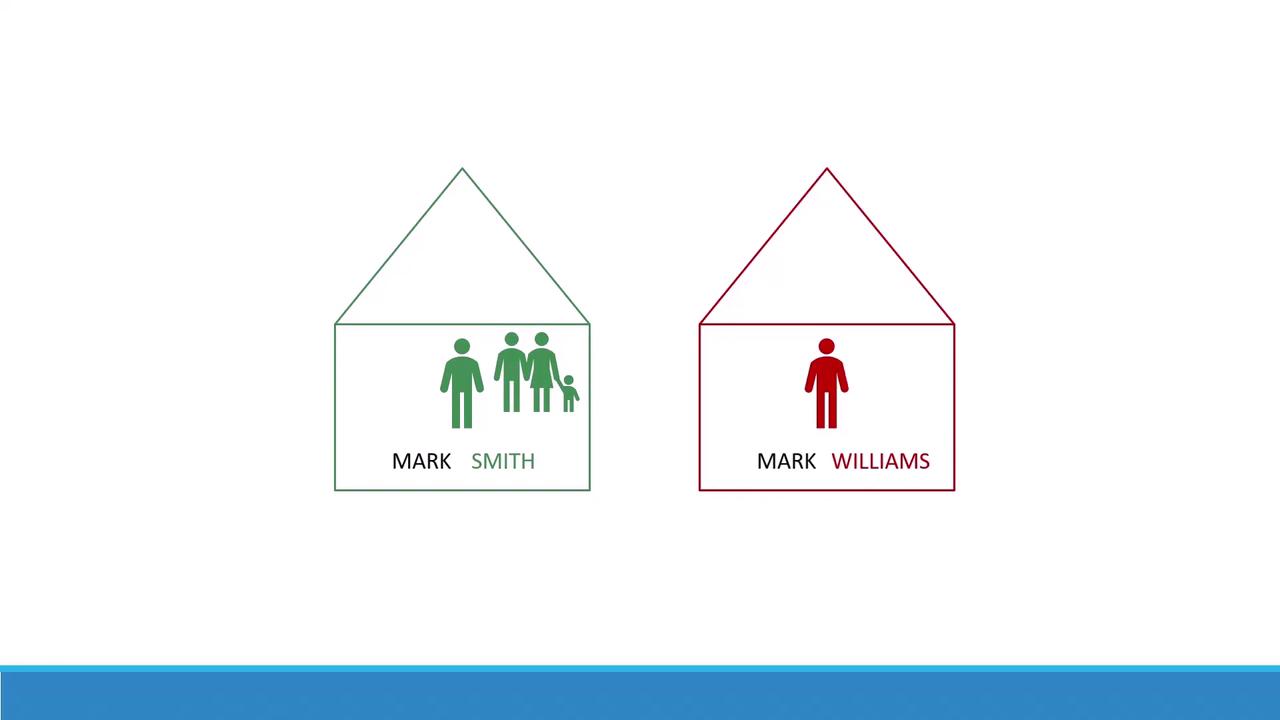
Imagine there are two boys both named Mark. To avoid confusion, one goes by **Mark Smith** and the other by **Mark Williams**. They each live in separate houses: the Smiths’ house and the Williams’ house. Inside a house, family members simply say “Mark.” But when talking to someone outside, they use the full name.
When someone from outside needs to address a Mark, they must specify which house:
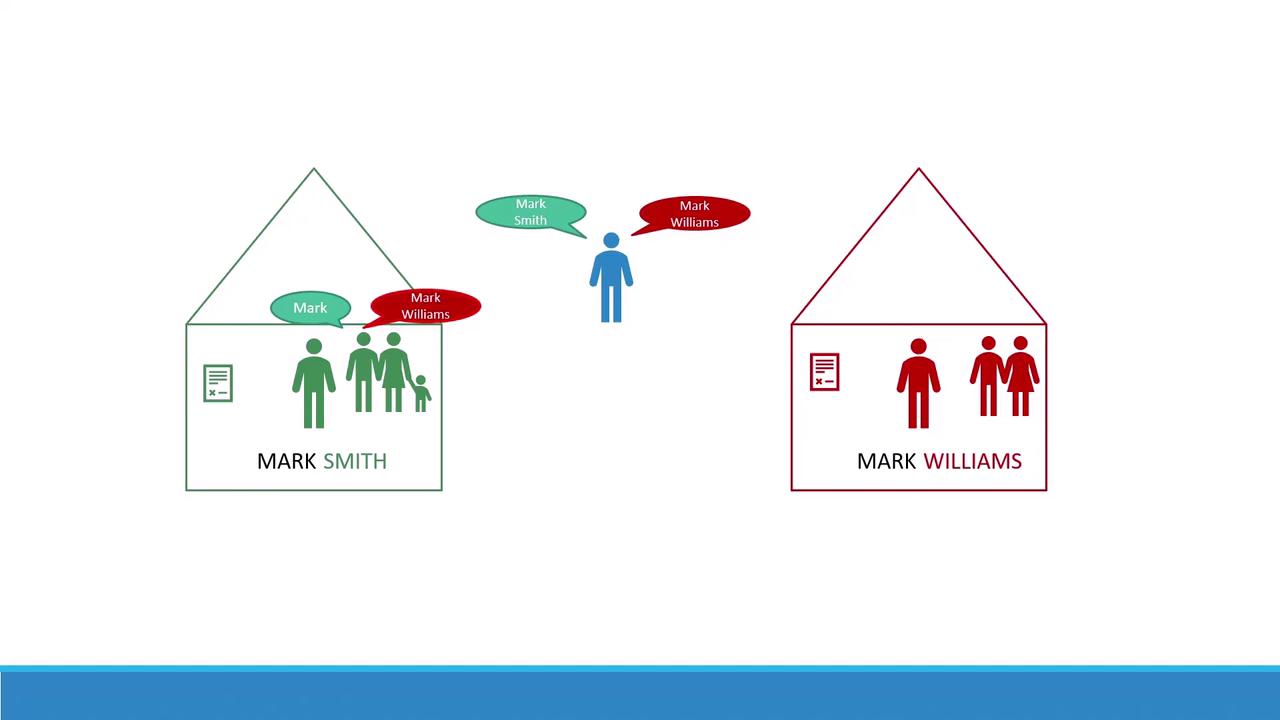
This is exactly how Kubernetes namespaces operate: each namespace holds its own pods, services, and rules, preventing naming collisions and enabling fine-grained policy application.
## What Is a Kubernetes Namespace?
A **namespace** in Kubernetes is a virtual cluster backed by the same physical cluster. Namespaces help you:
* **Isolate** workloads and resources
* **Organize** environments (e.g., `dev`, `staging`, `prod`)
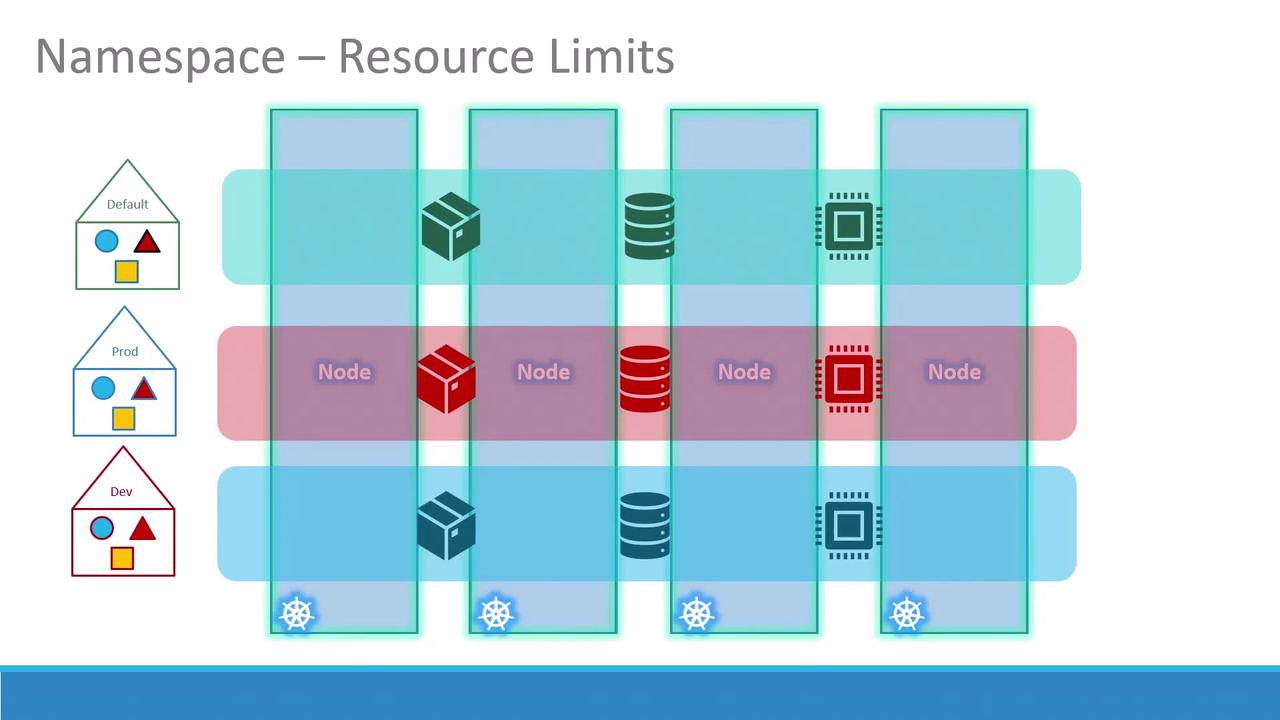
* **Enforce** resource quotas and access controls
### Default Namespaces
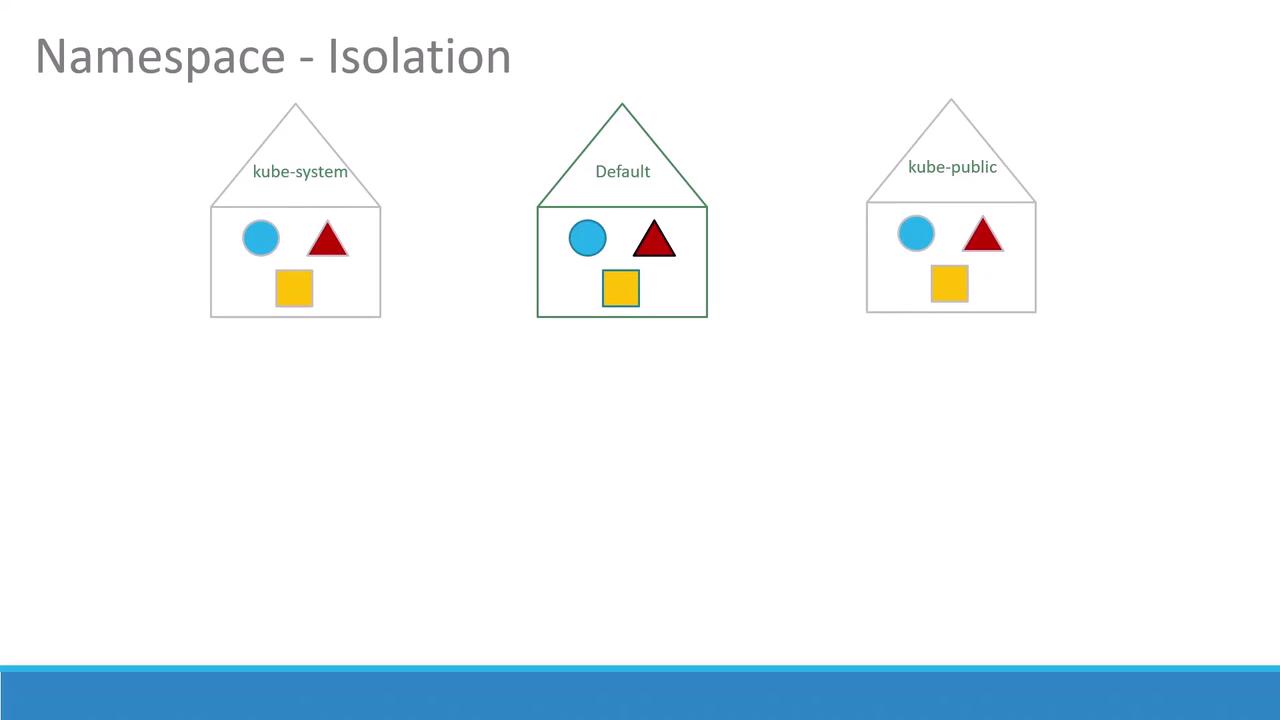
Kubernetes creates several namespaces out of the box:
| Namespace | Purpose |
| ----------- | --------------------------------------------------------------- |
| default | Standard namespace for user workloads |
| kube-system | Core components and add-ons (DNS, network plugins, controllers) |
| kube-public | Read-only namespace for publicly accessible resources |
If you’re experimenting or running a small cluster, you can operate entirely within the `default` namespace. In production, separate namespaces (`dev`, `prod`, etc.) improve security and resource governance.
## Service Discovery and DNS
Within the same namespace, services can discover each other simply by name:
```python theme={null}
# Connect to a local service in the default namespace
mysql.connect("db-service")
```
To reach a service in another namespace—say `dev`—use the fully qualified domain name:
```python theme={null}
mysql.connect("db-service.dev.svc.cluster.local")
```
Kubernetes automatically provisions DNS entries in the format:
```text theme={null}
..svc.cluster.local
```
* `svc` is the services subdomain
* `cluster.local` is the default cluster domain
You can customize the cluster domain via the `--cluster-domain` flag in kubelet and kube-apiserver configurations.
## Working with Namespaces in kubectl
### 1. Listing Resources
```bash theme={null}
# Pods in the current namespace (default)
kubectl get pods
# Pods in kube-system
kubectl get pods --namespace=kube-system
# All pods across all namespaces
kubectl get pods --all-namespaces
```
### 2. Creating a Pod in a Specific Namespace
Given `pod-definition.yml`:
```yaml theme={null}
apiVersion: v1
kind: Pod
metadata:
name: myapp-pod
labels:
app: myapp
tier: frontend
spec:
containers:
- name: nginx
image: nginx:latest
```
Create in the `default` namespace:
```bash theme={null}
kubectl create -f pod-definition.yml
```
Or in `dev`:
```bash theme={null}
kubectl create -f pod-definition.yml --namespace=dev
```
To bake the namespace into your manifest:
```yaml theme={null}
metadata:
name: myapp-pod
namespace: dev
```
### 3. Defining a Namespace
Option A: A YAML manifest (`namespace-dev.yml`):
```yaml theme={null}
apiVersion: v1
kind: Namespace
metadata:
name: dev
```
```bash theme={null}
kubectl apply -f namespace-dev.yml
```
Option B: One-liner:
```bash theme={null}
kubectl create namespace dev
```
### 4. Switching Context Namespace
Rather than appending `--namespace=`, set a default in your current context:
```bash theme={null}
kubectl config set-context --current --namespace=dev
```
Switching contexts affects all future `kubectl` commands in your shell. Confirm with `kubectl config view --minify`.
## Resource Quotas
Limit CPU, memory, and object counts to prevent a single namespace from monopolizing cluster resources:
```yaml theme={null}
apiVersion: v1
kind: ResourceQuota
metadata:
name: compute-quota
namespace: dev
spec:
hard:
pods: "10"
requests.cpu: "4"
requests.memory: 5Gi
limits.cpu: "10"
limits.memory: 10Gi
```
Apply with:
```bash theme={null}
kubectl apply -f compute-quota.yaml
```
## References
* [Kubernetes Namespace Documentation](https://kubernetes.io/docs/concepts/overview/working-with-objects/namespaces/)
* [Kubernetes Service DNS](https://kubernetes.io/docs/concepts/services-networking/dns-pod-service/)
* [kubectl Cheat Sheet](https://kubernetes.io/docs/reference/kubectl/cheatsheet/)
Practice creating, configuring, and managing namespaces to master multi-tenant Kubernetes clusters!