> ## Documentation Index
> Fetch the complete documentation index at: https://notes.kodekloud.com/llms.txt
> Use this file to discover all available pages before exploring further.
# Solution Namespace
> This article explains how to manage Kubernetes namespaces, including listing, counting, and deploying resources, as well as using DNS-based service discovery.
In this solution walkthrough, we’ll explore how to list and count namespaces, inspect pods within them, deploy resources, and leverage DNS-based service discovery both within the same namespace and across namespaces.
## 1. List and Count Namespaces
You can view all namespaces in your cluster using:
```bash theme={null}
kubectl get namespaces
# or shorthand
kubectl get ns
```
| Command | Description |
| ------------------------ | -------------------------------- |
| `kubectl get namespaces` | List all namespaces (full form) |
| `kubectl get ns` | List all namespaces (short form) |
Example output:
```txt theme={null}
NAME STATUS AGE
default Active 6m55s
kube-system Active 6m54s
kube-public Active 6m54s
kube-node-lease Active 6m54s
finance Active 32s
marketing Active 32s
dev Active 32s
prod Active 32s
manufacturing Active 32s
research Active 32s
```
There are **10** namespaces in total.
You can add `-o wide` or use `-o jsonpath` to customize the output format.
## 2. Count Pods in the `research` Namespace
To see how many pods are running in `research`:
```bash theme={null}
kubectl get pods -n research
```
Example:
```txt theme={null}
NAME READY STATUS RESTARTS AGE
dna-2 0/1 CrashLoopBackOff 3 76s
dna-1 0/1 CrashLoopBackOff 3 76s
```
There are **2** pods in this namespace.
## 3. Create a Pod in the `finance` Namespace
Deploy a Redis pod into `finance`:
```bash theme={null}
kubectl run redis --image=redis -n finance
```
Verify the pod:
```bash theme={null}
kubectl get pods -n finance
```
Example:
```txt theme={null}
NAME READY STATUS RESTARTS AGE
payroll 1/1 Running 0 2m20s
redis 0/1 ContainerCreating 0 8s
```
## 4. Locate the `blue` Pod Across All Namespaces
To identify which namespace hosts the `blue` pod:
```bash theme={null}
kubectl get pods --all-namespaces
# or shorthand
kubectl get pods -A
```
Sample output shows `blue` in `marketing`:
```txt theme={null}
NAMESPACE NAME READY STATUS RESTARTS AGE
marketing blue 1/1 CrashLoopBackOff 4 3m3s
...
```
## 5. Service DNS Within the Same Namespace
Services in the same namespace can be reached by `:`. In `marketing`:
```bash theme={null}
kubectl get svc -n marketing
```
Example:
```txt theme={null}
NAME TYPE CLUSTER-IP PORT(S)
blue-service NodePort 10.43.82.162 8080:30082/TCP
db-service NodePort 10.43.134.33 6379:30758/TCP
```
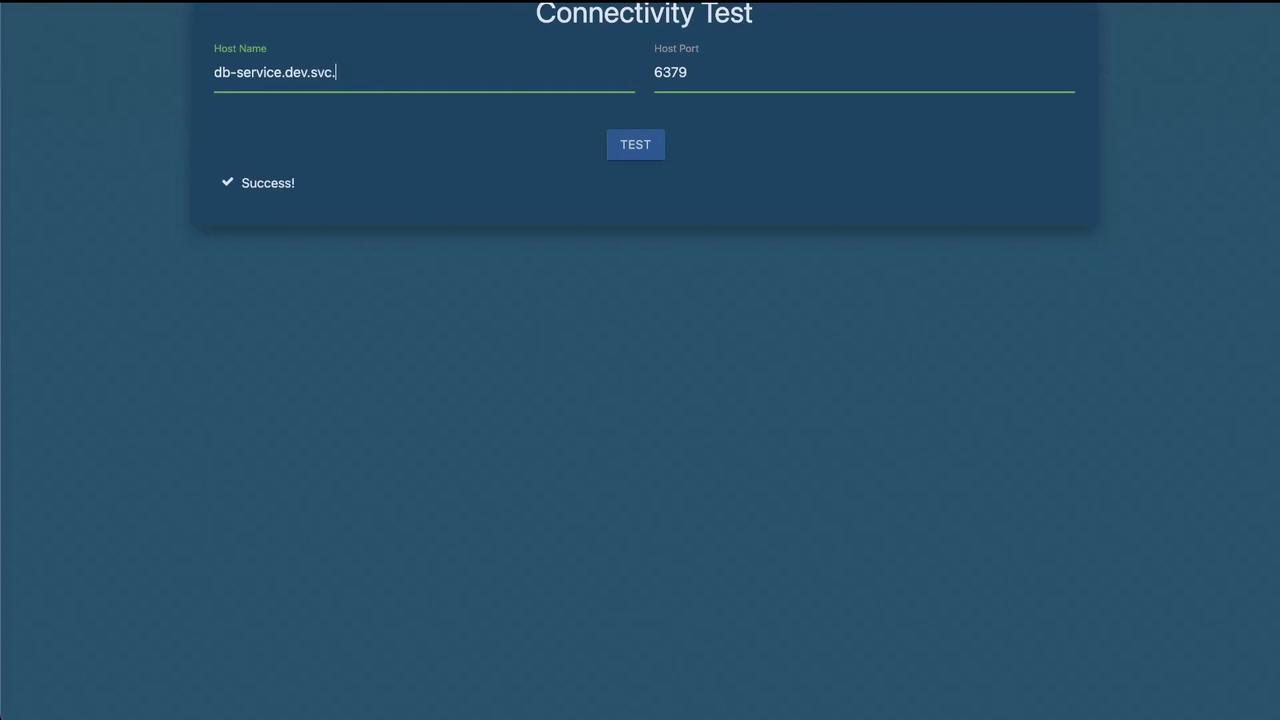
The `blue` app connects to `db-service` on:
* **Host**: `db-service`
* **Port**: `6379`
## 6. Service DNS Across Namespaces
Accessing a service in a different namespace (e.g., `dev`) requires the full DNS name:
```text theme={null}
db-service.dev.svc.cluster.local:6379
```
Verify the service definition:
```bash theme={null}
kubectl get svc -n dev
```
Example:
```txt theme={null}
NAME TYPE CLUSTER-IP PORT(S)
db-service ClusterIP 10.43.252.9 6379/TCP
```
Always use the full DNS (`..svc.cluster.local`) when connecting across namespaces to avoid resolution errors.
***
## Links and References
* [Kubernetes Namespaces](https://kubernetes.io/docs/concepts/overview/working-with-objects/namespaces/)
* [kubectl Cheat Sheet](https://kubernetes.io/docs/reference/kubectl/cheatsheet/)
* [Service DNS in Kubernetes](https://kubernetes.io/docs/concepts/services-networking/dns-pod-service/)